Mod

abc: useless achievements
No reviews yet
Adds useless achievements to the game by completing meaningless tasks
Data Packs were introduced to vanilla Minecraft in version 1.13 and allow the server to modify data about the game, or run commands. Data Packs are compatible with all mod loaders.
Forge is a popular mod loader for versions 1.1+ of Minecraft.
Neoforge is a fork of the Minecraft Forge available for versions 1.20.1+ of Minecraft. Many Forge mods are compatible with Neoforge and vice versa.
Fabric is a mod loader for versions 1.14+ of Minecraft, particularly popular for client side and optimization mods.
Quilt is a fork of the Fabric mod loader. Many Fabric mods are compatible with Quilt and vice versa.
Community voices
Reviews
Click once to include, again to exclude, again to clear
No reviews yet. Be the first to review this project!
Get it on
Available Platforms
 Modrinth
Compatibility
Supported Environments
About
Project Details
For authors
Embed Badge
If you're the author of this project, you can embed a live badge anywhere that supports HTML or Markdown. It updates automatically whenever ratings change.
Use HTML for any page that supports it, or Markdown for README files and Markdown-based descriptions.
Identifiers
Platform IDs
About
Description
 Adds useless achievements to the game by completing meaningless tasks
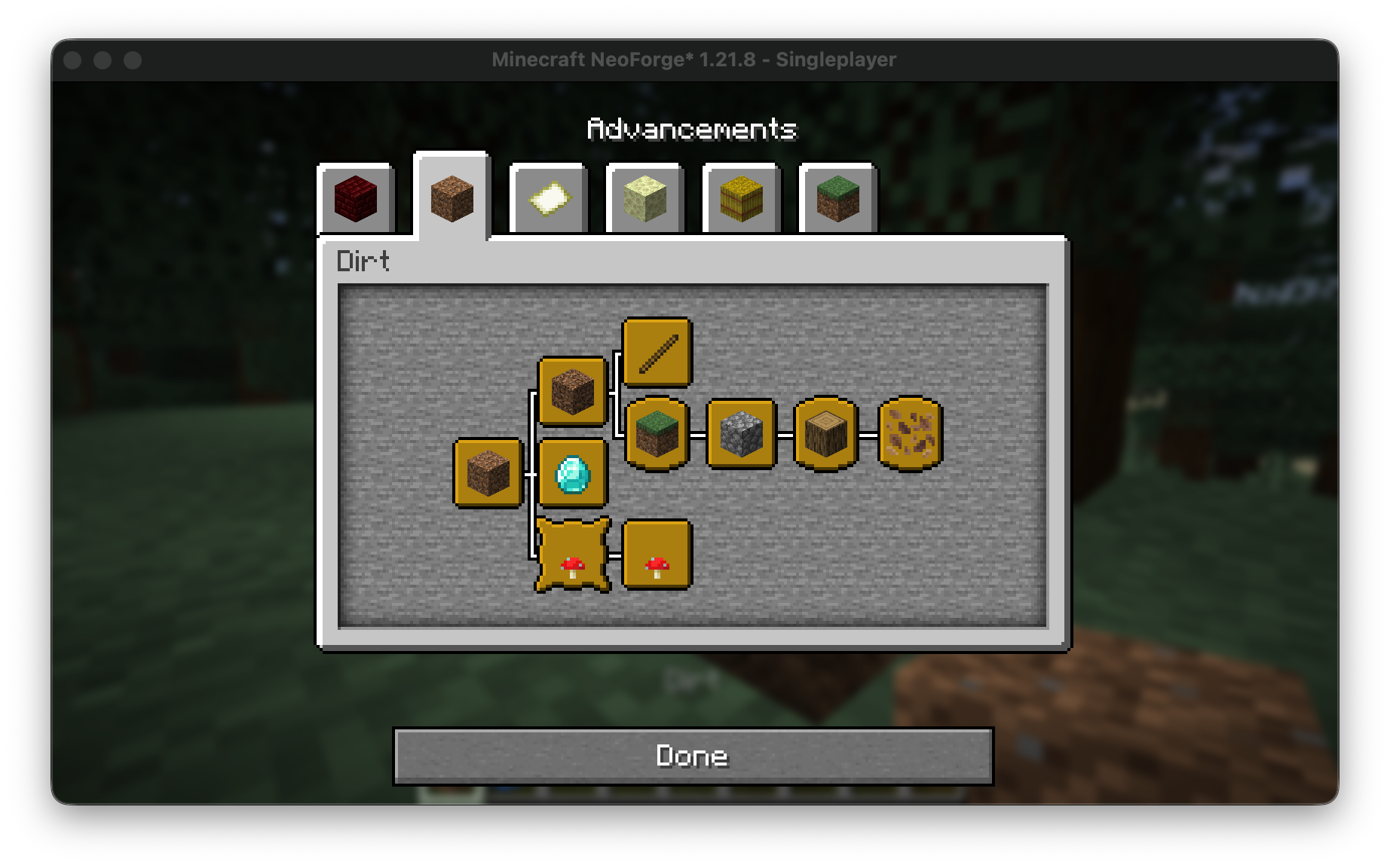
| Name | description | Requirments | Status |
|---|---|---|---|
| Dirt | dirting it up | ||
| Diamonds i think | These are diamonds i think...nevermind... | ||
| Weird dirt | This isnt dirt... | ||
| Stick collector | Obtain exactly one stick. Not two. One. | ||
| Bark enjoyer | Appreciate its texture | ||
| Grass whisperer | have a single grass block (the tall grass, not the dirt). Listen closely. | ||
| Moo | Enter the mushroom fields biome | ||
| It's bitter | Eat a mushroom of both types | ||
| Rock sniffer | Acquire a cobblestone and pretend it's fascinating | ||
| Leaf inspector | Study the complex life-cycle of a leaf. Very scientific | ||
| Jumping for no reason | N/A | N/A | N/A |

Step-by-Step Guide
-
Open the Project Page
Visit the Modrinth, CurseForge, GitHub, or project website for the content you want to download. -
Find the Versions or Files Section
Look for a tab or section labelled Versions, Files, Releases, or Downloads. -
Select Your Minecraft Version
- Locate a list or dropdown called Version, Game Version, or Supported Versions.
- Pick the version that matches your Minecraft installation (e.g., 1.20.1, 1.19.2).
-
Choose the Correct File Type
The file type depends on the kind of content:- Mods:
.jar - Plugins:
.jar - Addons (Bedrock):
.mcaddon/.mcpack - Texture Packs:
.zip - Data Packs:
.zipor extracted folder - Capes / Skin Addons: whichever format the creator provides
- Mods:
-
Download the File
Click the Download, Get, or File button next to the version you need.
Save the file to your device. -
Install According to Content Type
- Mods: place the
.jarinside.minecraft/mods. - Plugins: move the
.jarinto your server’spluginsfolder. - Texture Packs: place the
.zipinto.minecraft/resourcepacks. - Data Packs: put inside
world/datapacks. - Addons (Bedrock): double-click
.mcaddonor.mcpackto import automatically.
- Mods: place the
-
Restart Minecraft or Your Server
Reload or restart to apply the new content.
Screenshots
Gallery
-
 abc: useless achievements abc: useless achievements
 -
Versions
Files
Relations
Project Relations
More like this
Similar Mods
Suggestions use data such as tags, dependencies, dependents, descriptions, titles, and more to rank how much they overlap with this mod.
On ModDex
Community snapshot
By the numbers
Statistics

Want to reach Minecraft players?
We're looking for a server hosting partner to feature here and other parts of the site. Interested? Send us a message!
Get in touchGet it on
Available Platforms
On ModDex
Community snapshot
By the numbers