Mod
Advanced XRay (Fabric Edition)
No reviews yet
A simple but advanced XRay mod that allows you to find all of your most loved blocks. Now for Fabric as well!
Does not follow a specific thematic focus apart from vanilla Minecraft.
Used for mods with little to no gameplay elements.
Adds client-side tools and features to enhance the user experience.
Adds tools to customize the user interface and menus.
Fabric is a mod loader for versions 1.14+ of Minecraft, particularly popular for client side and optimization mods.
Community voices
Reviews
Click once to include, again to exclude, again to clear
No reviews yet. Be the first to review this project!
Get it on
Available Platforms
 CurseForge
About
Project Details
For authors
Embed Badge
If you're the author of this project, you can embed a live badge anywhere that supports HTML or Markdown. It updates automatically whenever ratings change.
Use HTML for any page that supports it, or Markdown for README files and Markdown-based descriptions.
Identifiers
Platform IDs
About
Description
Advanced XRay (Fabric Edition)






Fabric Loader based XRay mod designed to aid players who don't like the ore searching process. This mod is an exact 1:1 copy of my Advanced XRay Forge Mod which is typically the more up-to-date version of the mod.
Looking for the Forge version? Click the button below 🎉

Features
Advanced XRay Fabric Edition is a feature rich XRay / Block ESP mod designed to aid players in the block searching process. I've designed the mod to be as user friendly as possible. Out of the box you'll have Easy to use GUI for adding, deleting and editing block you want to find, Full RGB color picker support, Searchable block list with in-hand and in-world options for adding blocks, Json Stored list to share and edit easily outside of the game.
How to use
Using XRay
Please note that these aren't always the ones set by default. Be sure to check your controls settings under XRay to find the correct keys
- Press
Backslashto toggle XRayON/OFF - Press
Zto open theselection & settingsGui
Adding Blocks
- Open the GUI Editor pressing
[Default] Z - Select the method you'd like to use to add a block, either From hand, What you can see, or By searching a list
- Modify the Name, Color, and anything else you'd like to change
- Click add and Enable the Block
Editing Blocks
- Shift Right click on any item in the GUI and edit as needed
- Click save and the changed will be applied
Previews
The Imgur Album 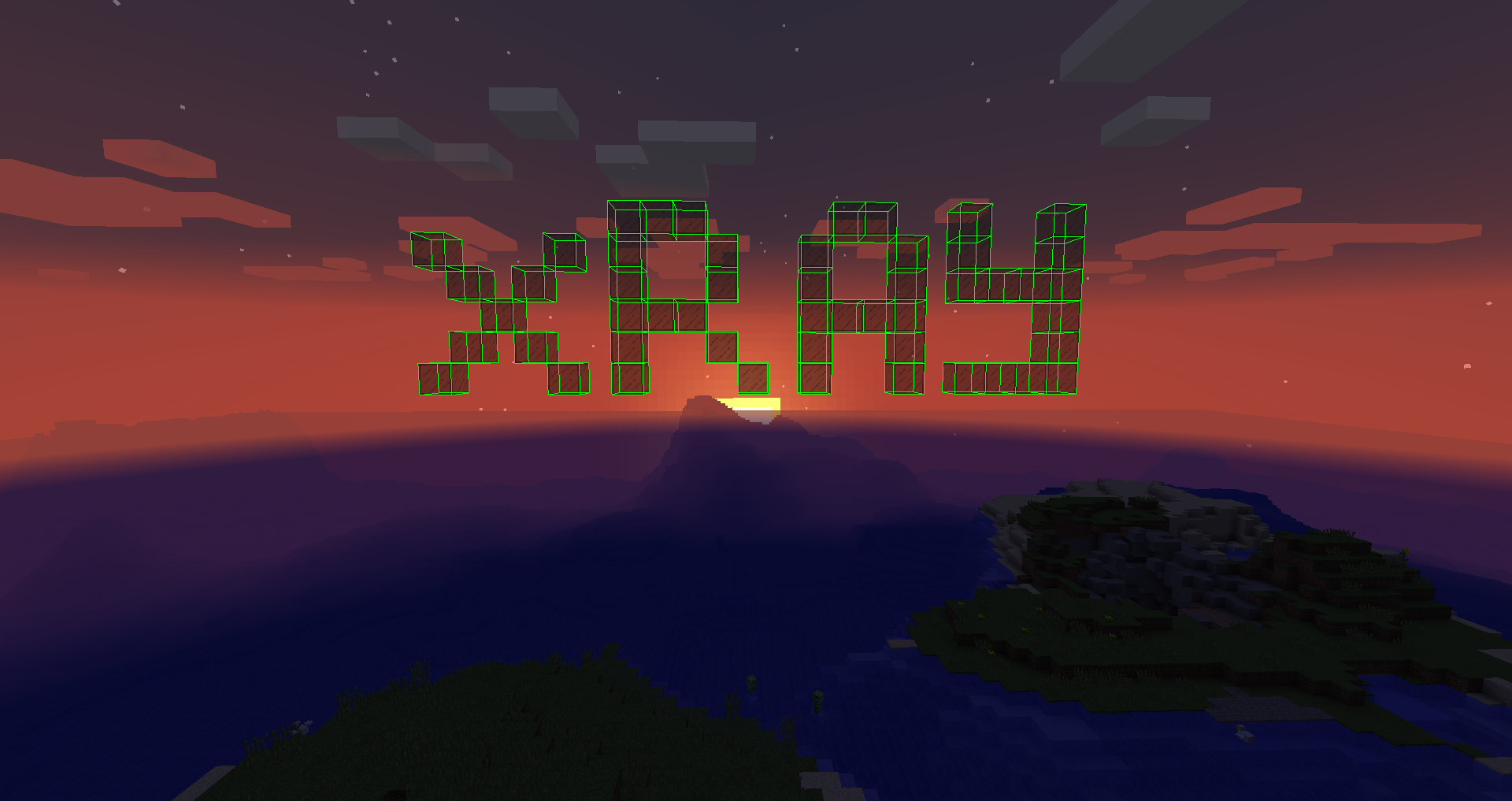
Use on public servers
I DO NOT support the use of this mod on any public servers which do not allow this kind of mod. The mod does work on servers but I do not approve of, and will not, support anyone that attempts to use this mod on servers. I do not have the time to review each issue; I will simply close any issue with server connections in the crash log.
If you wish to use this mod on private servers then that's on you. If you use this on public servers and are banned then that's on you and I will not support your use of this mod in that way.
Screenshots
Gallery
-
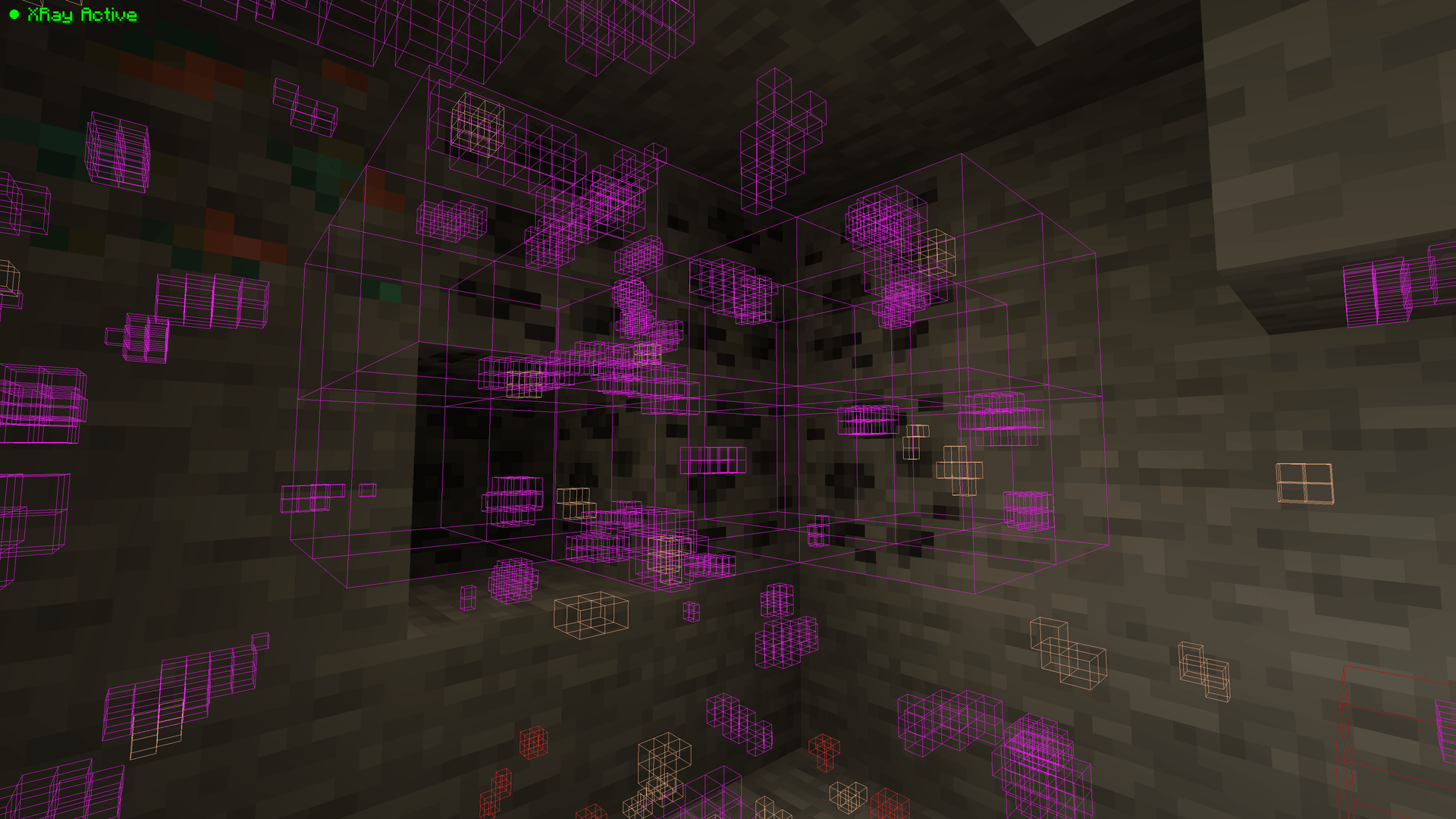 XRay Enabled Outlines are visible when the mod is active
 -
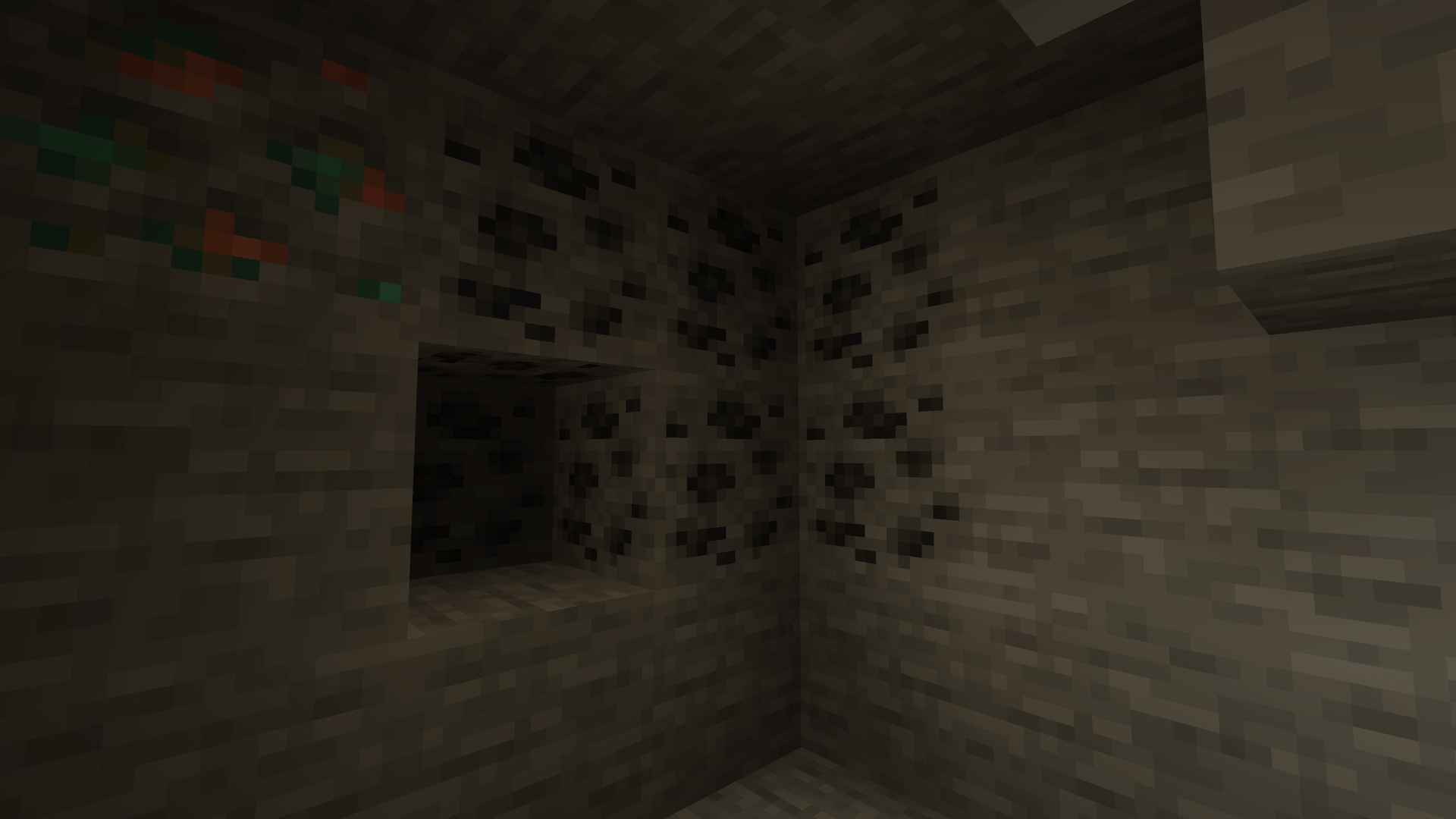 XRay Disabled The XRay overlays are completely hidden when the mod is disabled
 -
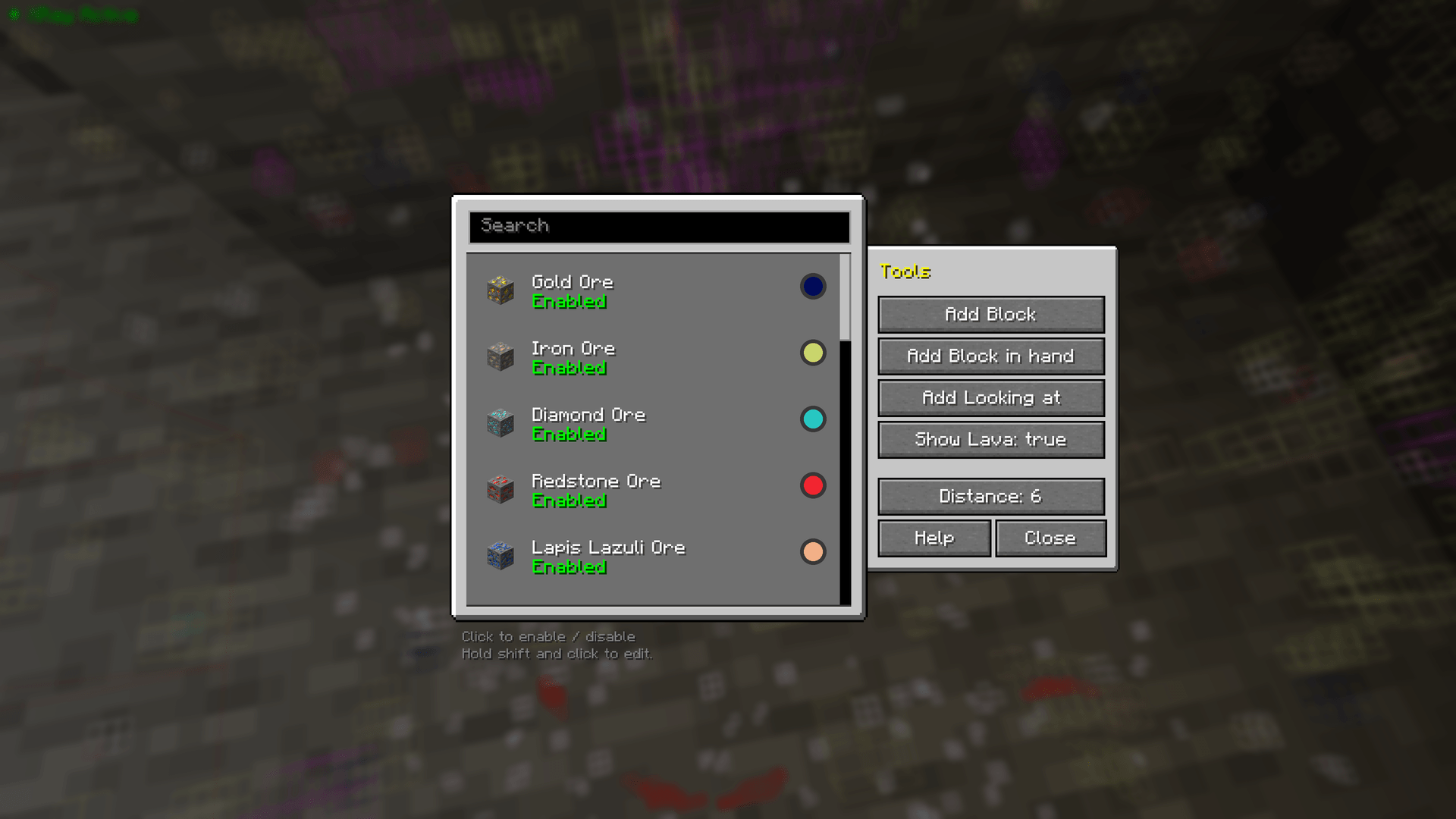 Easy block management Easily edit and remove items and change the mods config all in one screen
 -
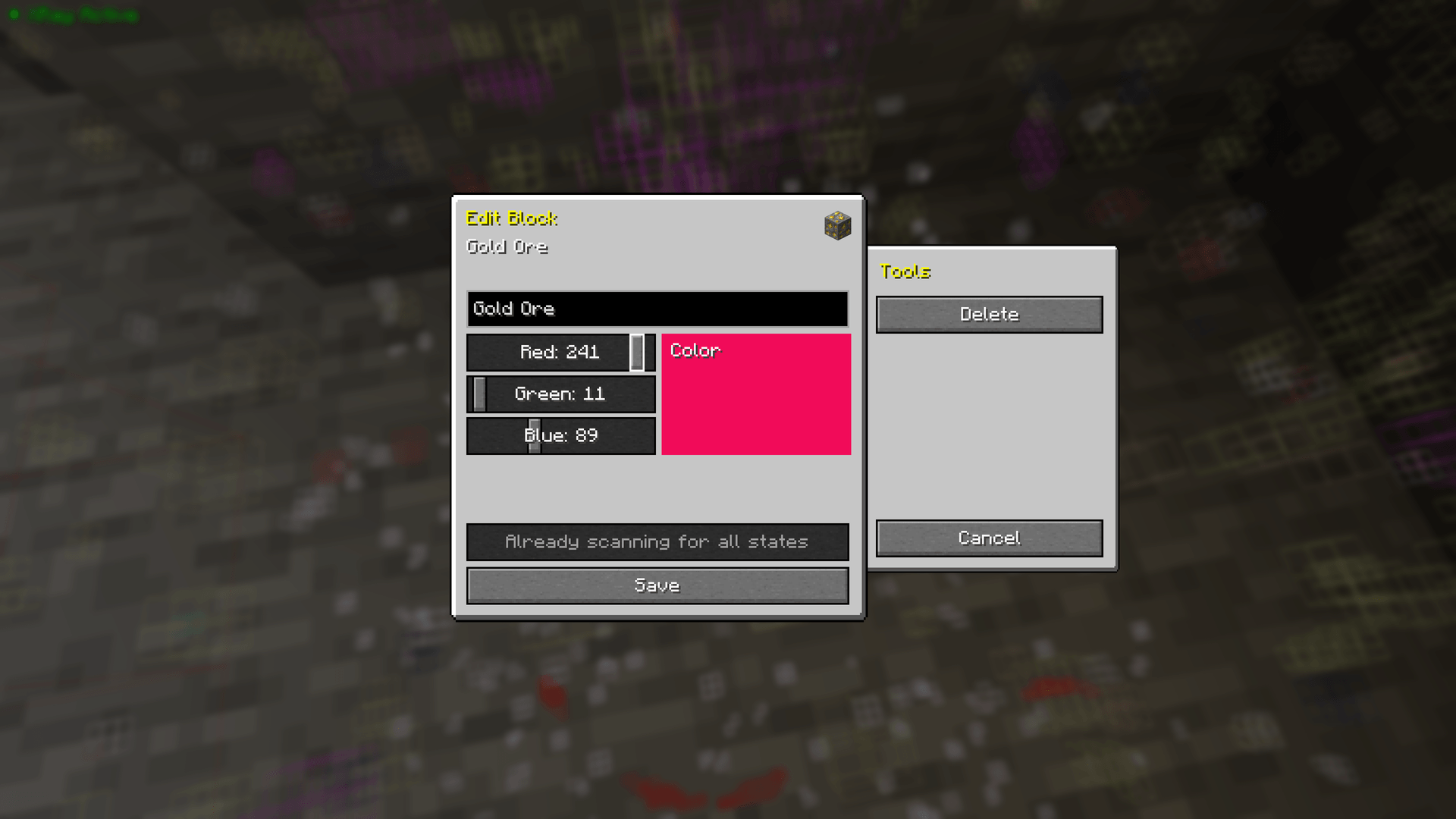 Easy editing Easily update your entries name, colour and when needed, their selected states
 -
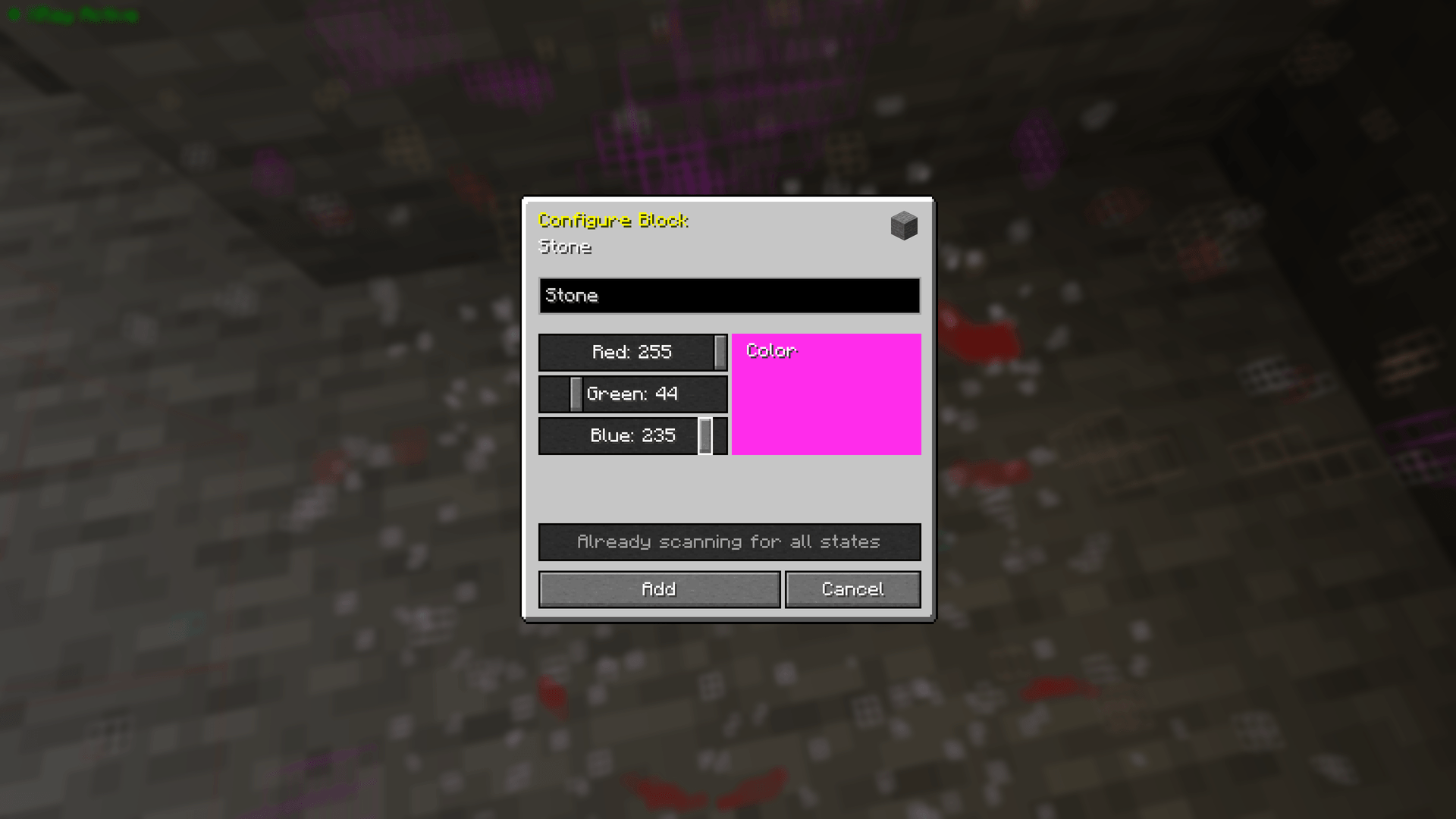 Easy block adding Add from items in the world, items in the hand or from a searchable block list
Versions
Files
Relations
Project Relations
More like this
Similar Mods
Suggestions use data such as tags, dependencies, dependents, descriptions, titles, and more to rank how much they overlap with this mod.
On ModDex
Community snapshot
By the numbers
Statistics
Want to reach Minecraft players?
We're looking for a server hosting partner to feature here and other parts of the site. Interested? Send us a message!
Get in touchGet it on
Available Platforms
On ModDex
Community snapshot
By the numbers