Mod

AngleSnap
No reviews yet
Save and snap to precise angles and camera positions, useful for redstone contraptions using Magic Mirror technology.
Fabric is a mod loader for versions 1.14+ of Minecraft, particularly popular for client side and optimization mods.
Community voices
Reviews
Click once to include, again to exclude, again to clear
No reviews yet. Be the first to review this project!
Get it on
Available Platforms
 Modrinth
Compatibility
Supported Environments
About
Project Details
For authors
Embed Badge
If you're the author of this project, you can embed a live badge anywhere that supports HTML or Markdown. It updates automatically whenever ratings change.
Use HTML for any page that supports it, or Markdown for README files and Markdown-based descriptions.
Identifiers
Platform IDs
About
Description
Summary
This mod adds a UI to save precise viewing angles and camera positions to help with the use of redstone contraptions like the Mirror Pylon by Squibble and the Orbital Railcannon by cubicmetre.
Usage
Pressing F6 while in a world will open the AngleSnap menu, where precise angles can be added, edited or removed. Clicking on an angle without pressing the edit button first will close the screen and snap the players crosshair to that angle.
Pressing F7 will toggle the AngleSnap overlay, which will render icons at the saved angles, allowing easy visualization.
Pressing F8 will open the CameraSnap menu, where camera positions can be added, edited or removed. Clicking on a camera position will move the camera to that position, while movement and viewing angle are still synced with the actual player.
Configuration
The config can be opened through modmenu or by pressing the gear icon in either the AngleSnap or CameraSnap menus. It allows configuring the overlay to your liking and can be used to enable "Snap To Markers", which will snap your crosshair to precise angles when hovering near them with the overlay enabled.
Screenshots
Gallery
-
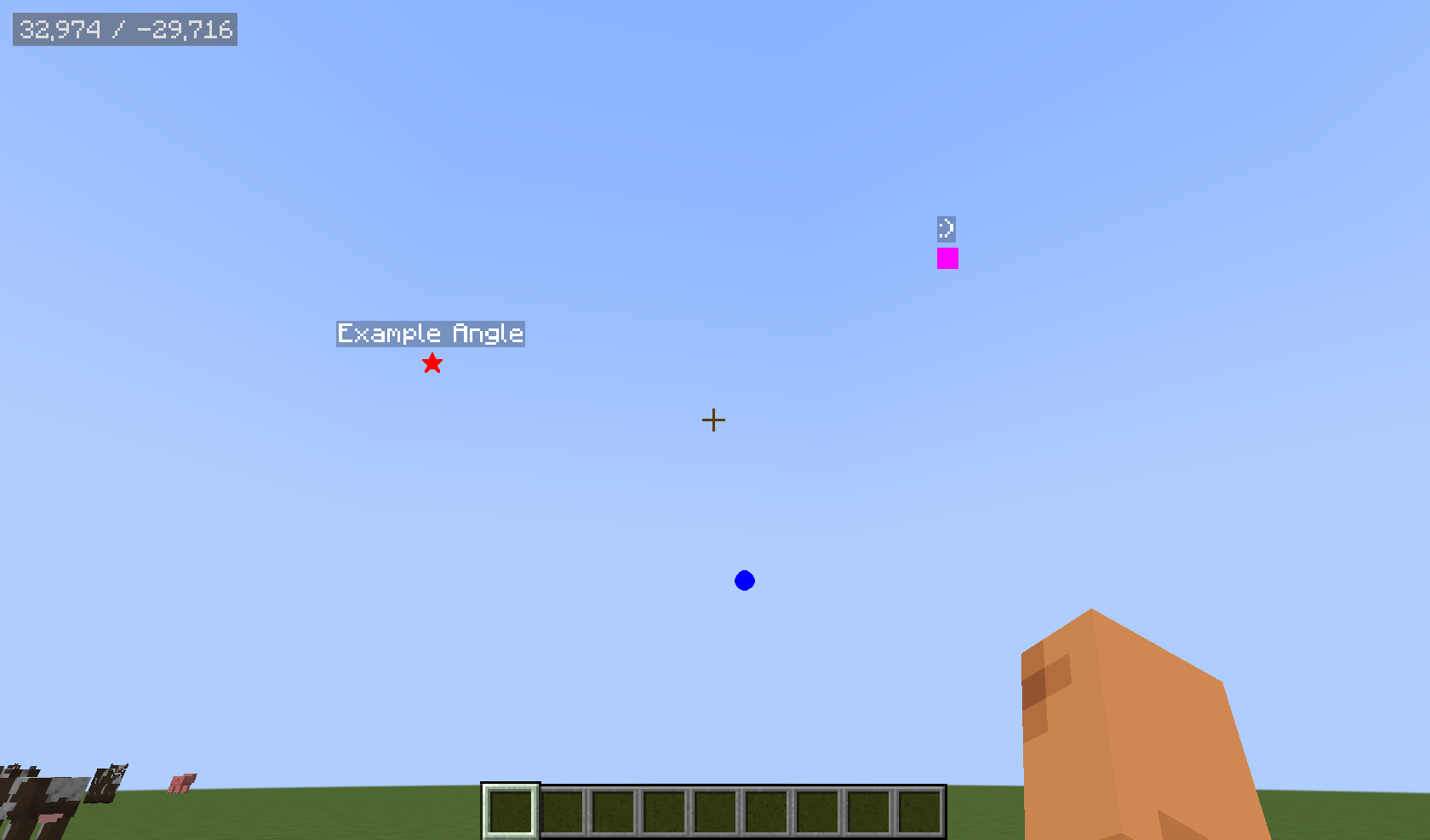 Angle Overlay Renders the saved angles as icons in the sky, can be opened with F7, configurable through the minecraft keybind menu
 -
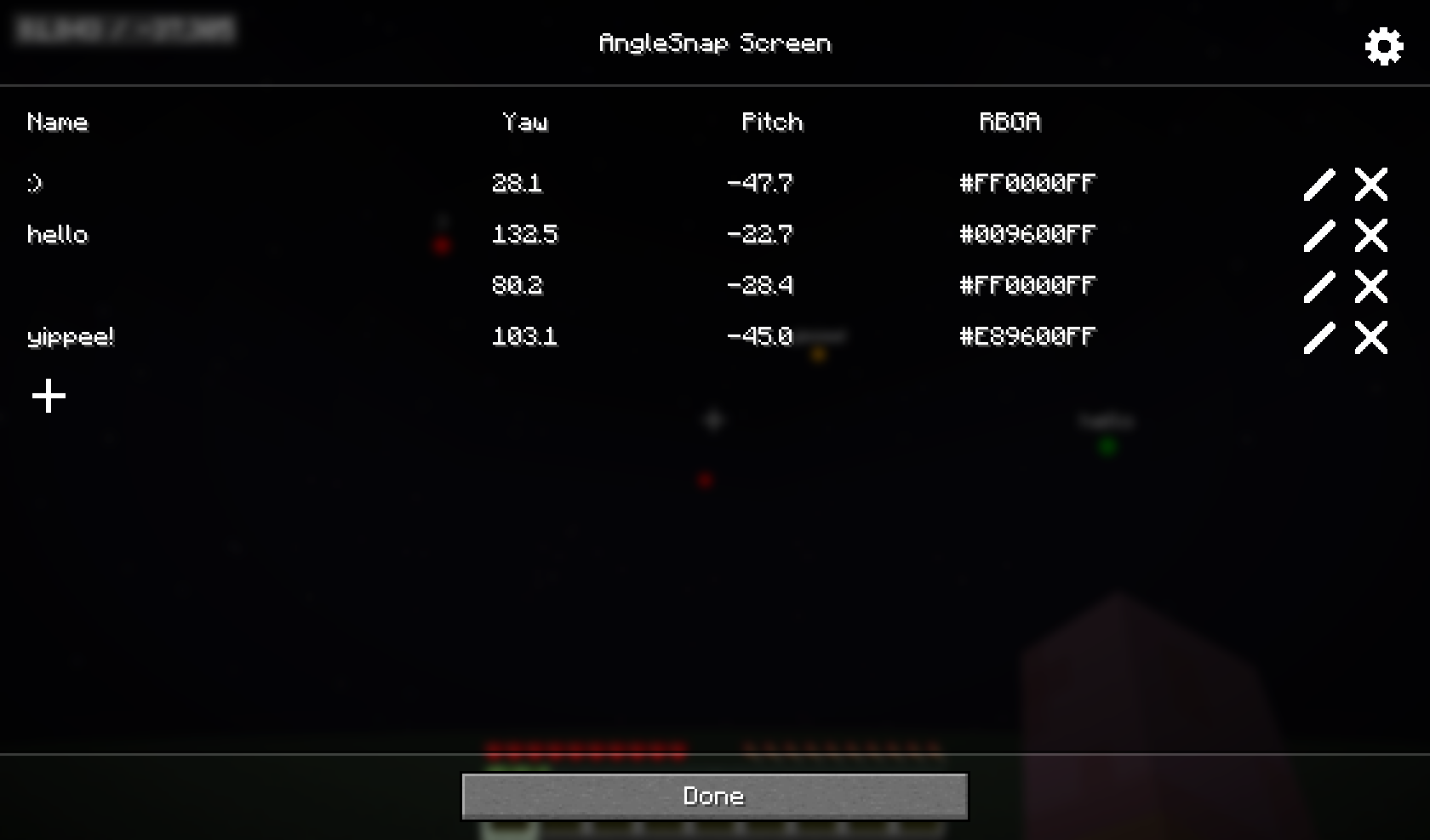 AngleSnap Screen Add, remove and edit precise angles through a UI that can be opened with F6, configurable through the minecraft keybind menu
 -
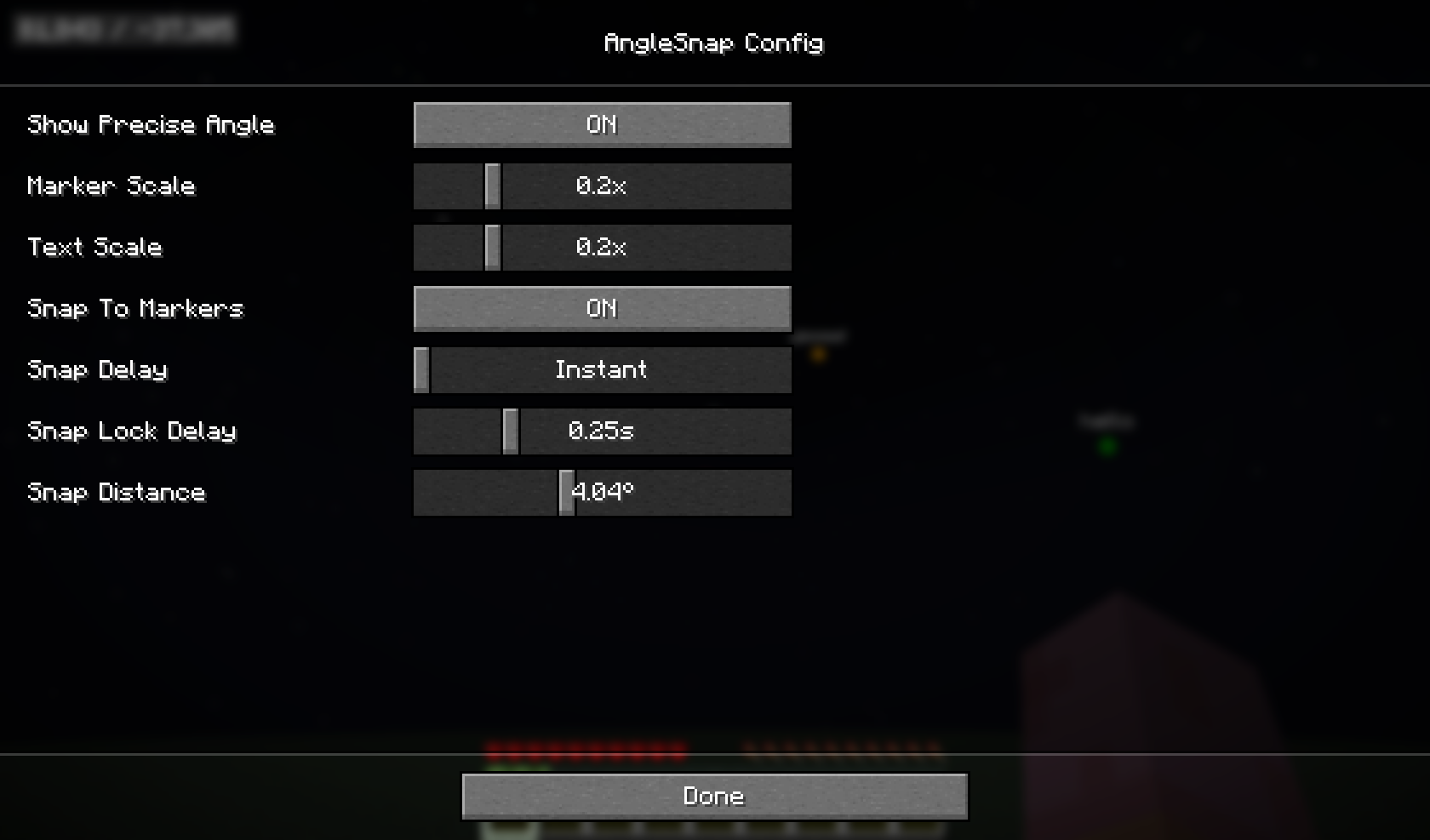 Config Screen Allows configuring angle snapping and it's overlay
Versions
Files
Relations
Project Relations
More like this
Similar Mods
Suggestions use data such as tags, dependencies, dependents, descriptions, titles, and more to rank how much they overlap with this mod.
On ModDex
Community snapshot
By the numbers
Statistics

Want to reach Minecraft players?
We're looking for a server hosting partner to feature here and other parts of the site. Interested? Send us a message!
Get in touchGet it on
Available Platforms
On ModDex
Community snapshot
By the numbers