
Community listing page, reviews may not be monitored by the author.
Better Combat Particle


No reviews yet
Just some slash particle addon to better combat.

Community voices
Reviews
No reviews yet. Be the first to review this project!
Get it on
Available Platforms
Compatibility
Supported Environments
Must be installed on both the client and the server.
About
Project Details
For authors
Embed Badge
If you're the author of this project, you can embed a live badge anywhere that supports HTML or Markdown. It updates automatically whenever ratings change.
Use HTML for any page that supports it, or Markdown for README files and Markdown-based descriptions.
Identifiers
Platform IDs
Resources
External Links
About
Description

Basically just a slash effect particle that spawn after upswing on better combat attack.
Forge need Sinytra Connector and maybe a Forgified Fabric API .
Forge doesn't need Sinytra in version 0.0.3!
This mod is possible with only client!
Better Combat Particle on latest Better Combat!
This mod was originally the way for me to give an idea to Better Combat. Since Better Combat dev are interested, now it is merged with Better Combat!. Now i will focus on 1.20.1 only until Better Combat add its own weapon trail to 1.20.1. The way particle work here and there are different. In here the particle info are read through assets, in better combat it read through config. If you have your own particle info simply just copy paste it to the better combat weapon trail config.
About Particle Optimization:
Seems like some particle optimization mod will make this particle not visible in first person because it is too close to camera and decide to not render the particle plane. the only thing you can do is to disable the culling for now.
ABOUT CONFIG:
Config also available in config/bc_particle. there is an option to disable and enable the particle. also the transparency of the particle on lit or non lit.
ABOUT CUSTOMIZATION:
You can check and learn it on assets("data" in v0.0.1)/bc_particle(mod_id)/bc_particle/.json
if an animation doesn't have the particle, it means you don't have it registed on the particle_settings.json. you can make your own resource to add that. example: assets("data" in v0.0.1)/malfu_combat_animation/bc_particle/particle_settings.json
particle_type: type of slash texture. there is slash45, slash90, slash 180, slash270, and slash360.
"x_addition": left/right (right bigger float)
"y_addition": up/down (down lower float)
"local_yaw": local rot of the texture (bigger clockwise)
"roll_set": roll rotation of the plane.
"pitch_addition": pitch add. usually i combine it with y_addition.
{
  "replace": false,
  "values": {
    "malfu_combat_animation:axe_updown_lr": [
      {
        "particle_type": "slash90",
        "x_addition": 0.0,
        "y_addition": 0.0,
        "roll_set": 210.0
      }
    ],
    "malfu_combat_animation:two_handed_up_lr": [
      {
        "particle_type": "slash90",
        "x_addition": 0.0,
        "y_addition": -0.30,
        "local_yaw": 20,
        "roll_set": 130
      }
    ]
  }
}
you can also add more than one particle, you can check the example on bc_particle assets or malfu combat animation for more info.
there is also enchantment_settings.json and weapon_settings. this contain a color settings and light set for enchantment and custom weapon. simply put the enchantment id and its color and light. well just check on the example in bc_particle data. same with particle_settings.json you should be able to make the datapack.
for color_hex and color_hex_sec. you can put string "remove" to set alpha to 0, basically remove the particle. just in case you want to remove particle for some custom weapon or enchantment
Texture is bad? i've reworked it so many times didn't manage to make it really good, can't paint. well just replace it with your own made texture pack.
 Basically just a slash effect particle that spawn after upswing on better combat attack.
Forge doesn't need a connector anymore on version 0.0.3!!
This mod is possible with just a client
please do not ask question in better combat server. it is just an addition mod seperated from better combat and made by different dev.
About Particle Optimization: Seems like some particle optimization mod will make this particle not visible in first person because it is too close to camera and decide to not render the particle plane. the only thing you can do is to disable the culling for now.
ABOUT CONFIG: Config also available in config/bc_particle. there is an option to disable and enable the particle. also the transparency of the particle on lit or non lit.
ABOUT CUSTOMIZATION:
You can check and learn it on assets("data" in v0.0.1)/bc_particle(mod_id)/bc_particle/.json
if an animation doesn't have the particle, it means you don't have it registed on the particle_settings.json. you can make your own resource to add that. example: assets("data" in v0.0.1)/malfu_combat_animation/bc_particle/particle_settings.json
particle_type: type of slash texture. there is slash45, slash90, slash 180, slash270, and slash360.
"x_addition": left/right (right bigger float)
"y_addition": up/down (down lower float)
"local_yaw": local rot of the texture (bigger clockwise)
"roll_set": roll rotation of the plane.
"pitch_addition": pitch add. usually i combine it with y_addition.
Spoiler
{ "replace": false, "values": { "malfu_combat_animation:axe_updown_lr": [ { "particle_type": "slash90", "x_addition": 0.0, "y_addition": 0.0, "roll_set": 210.0 } ], "malfu_combat_animation:two_handed_up_lr": [ { "particle_type": "slash90", "x_addition": 0.0, "y_addition": -0.30, "local_yaw": 20, "roll_set": 130 } ] } }
you can also add more than one particle, you can check the example on bc_particle assets or malfu combat animation for more info.
there is also enchantment_settings.json and weapon_settings. this contain a color settings and light set for enchantment and custom weapon. simply put the enchantment id and its color and light. well just check on the example in bc_particle data. same with particle_settings.json you should be able to make the datapack.
for color_hex and color_hex_sec. you can put string "remove" to set alpha to 0, basically remove the particle. just in case you want to remove particle for some custom weapon or enchantment
Texture is bad? i've reworked it so many times didn't manage to make it really good, can't paint. well just replace it with your own made texture pack.
Screenshots
Gallery
-
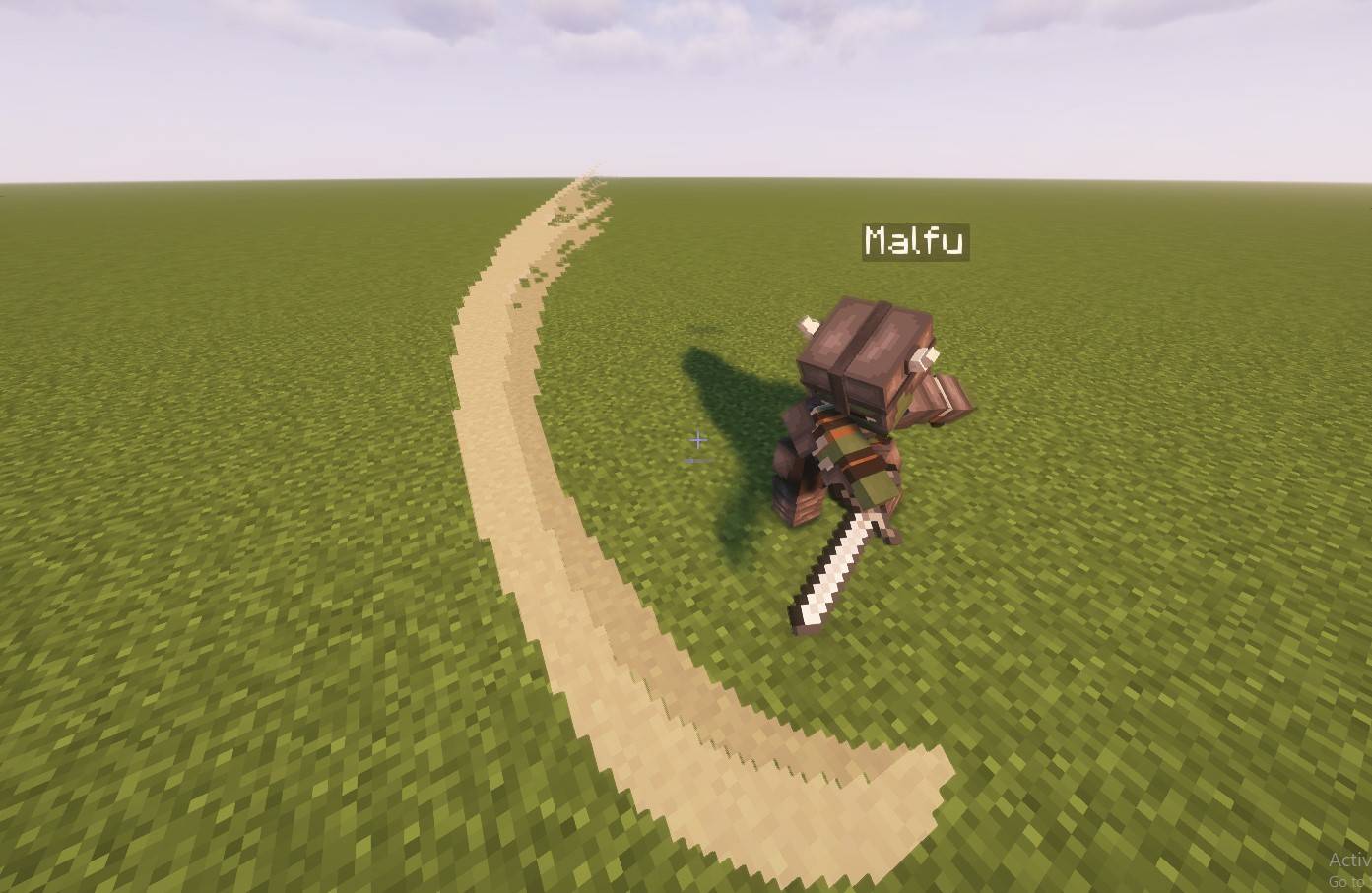 Default Default
 -
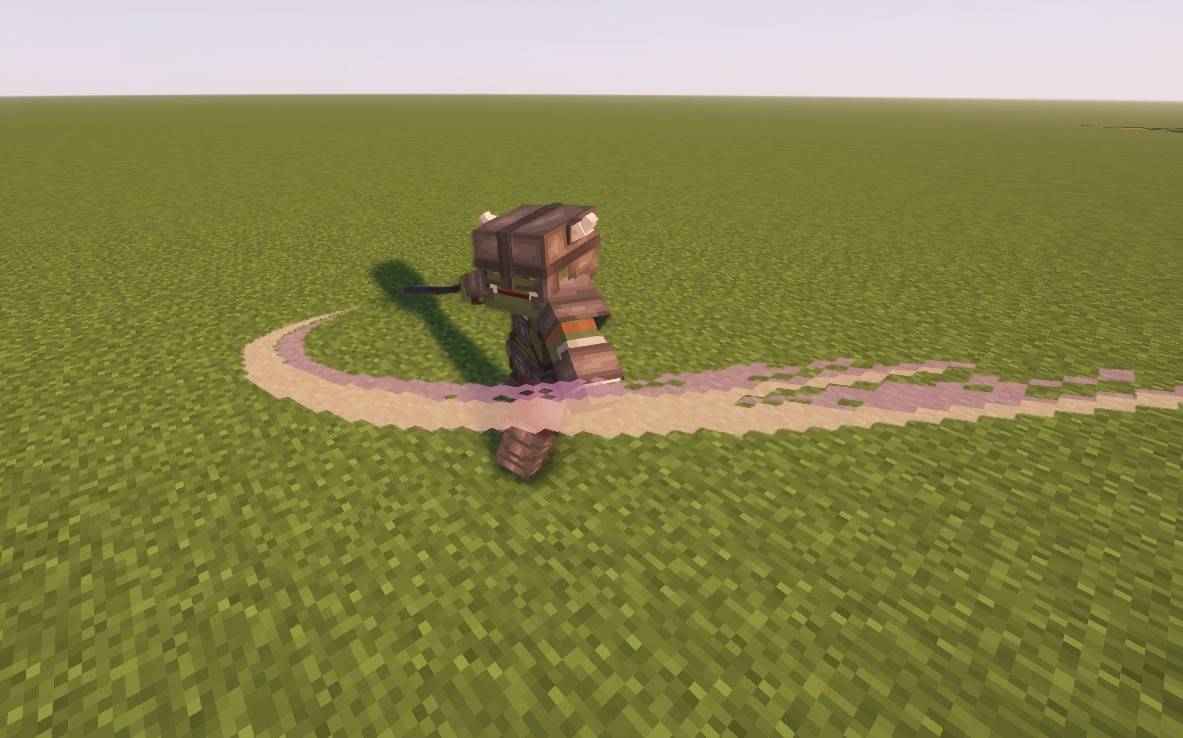 EnchantedDefault Enchanted
 -
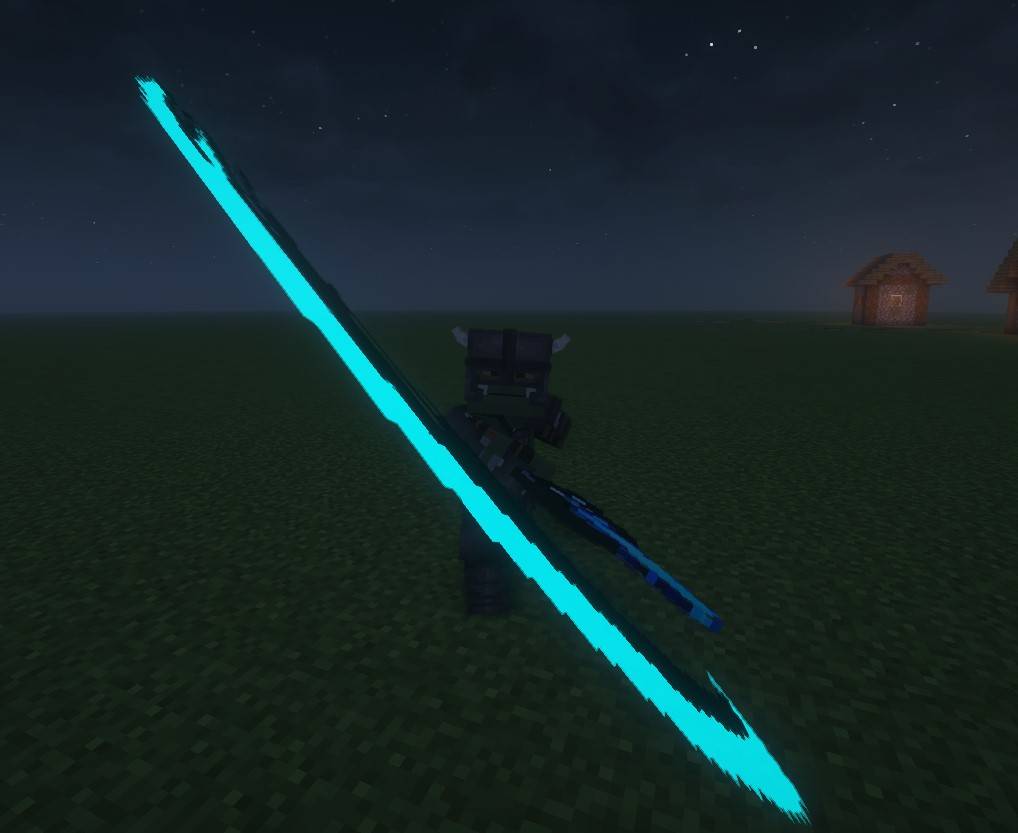 CustomWeapon Custom Weapon
-
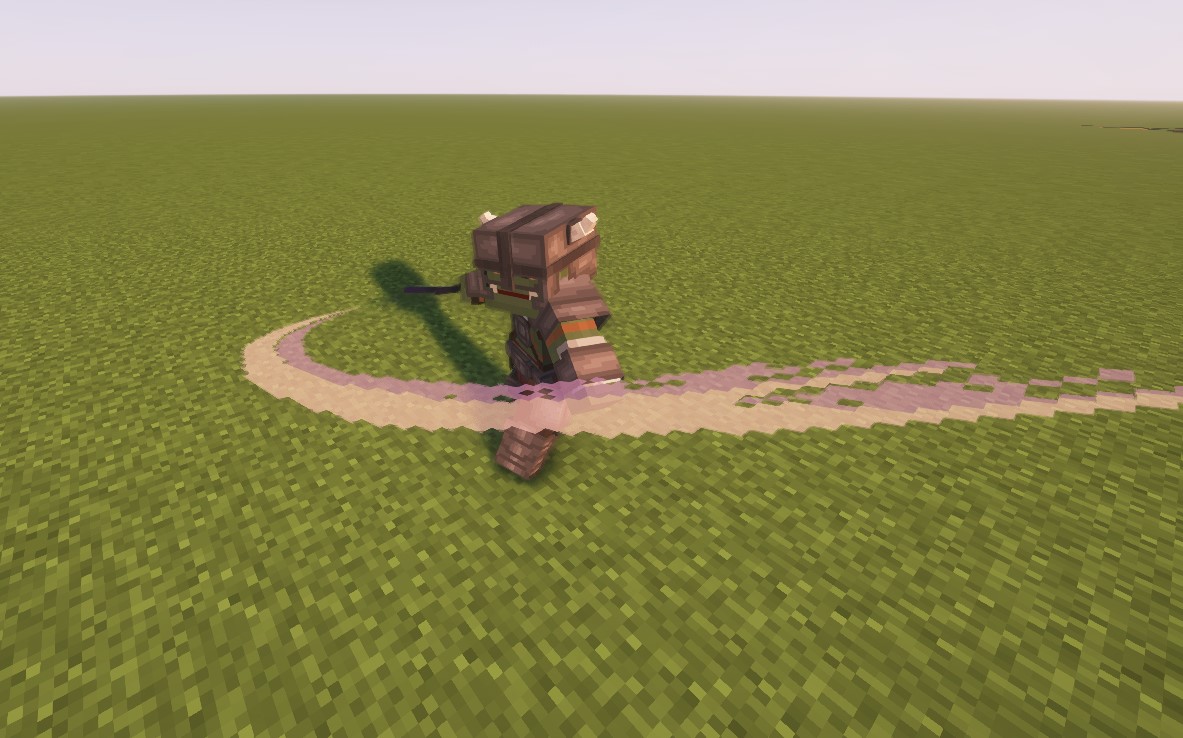 EnchantedDefault
 -
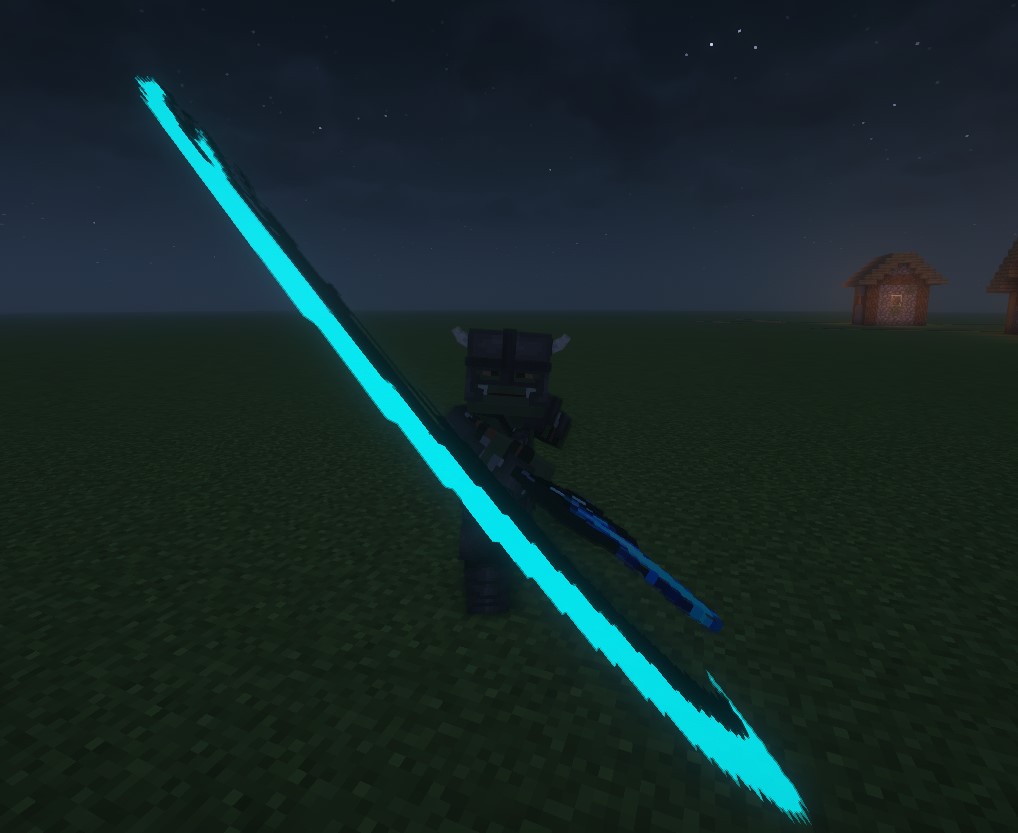 CustomWeapon
 -
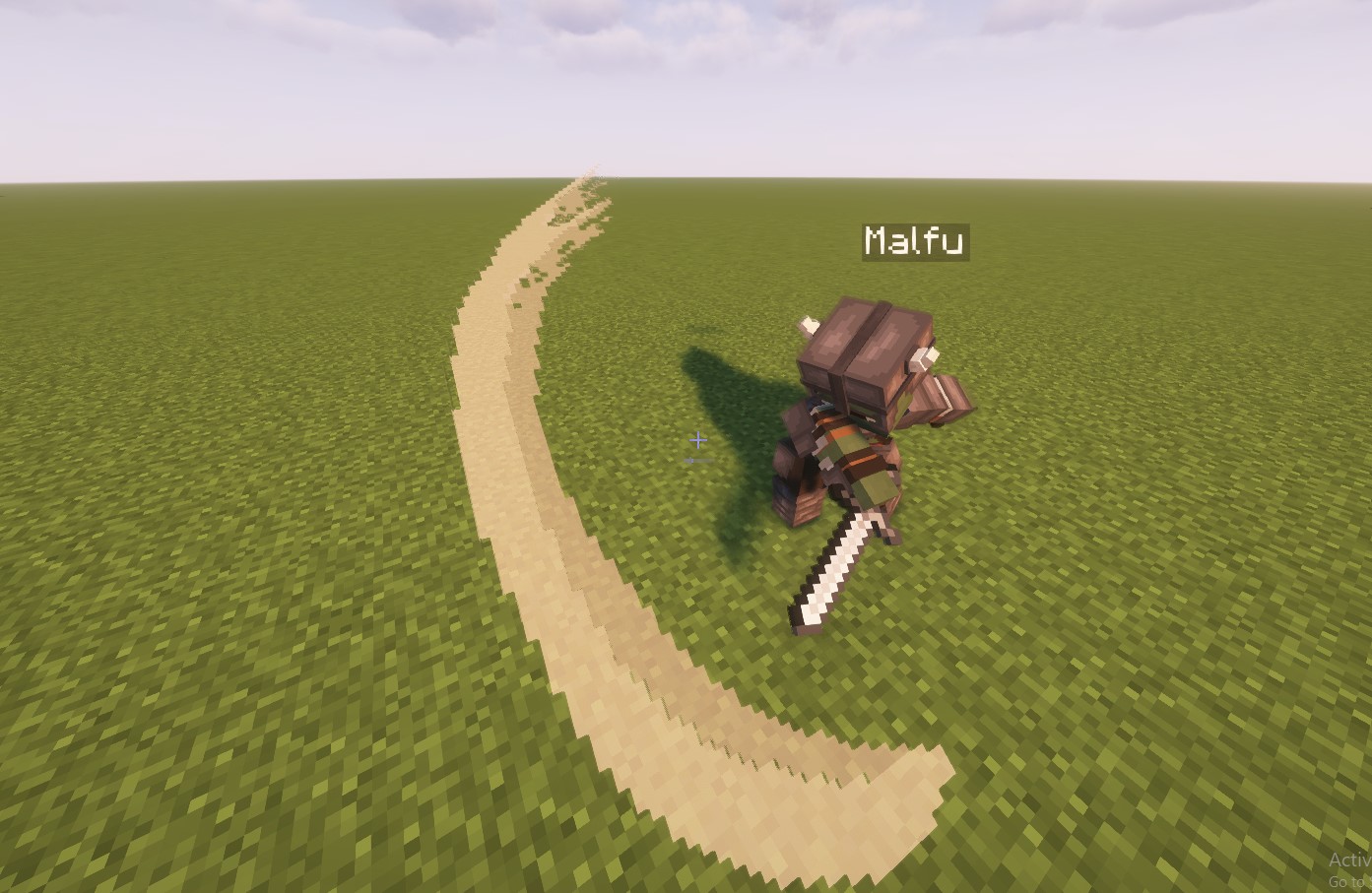 Default
Versions
Files
Relations
Project Relations
More like this
Similar Mods
Suggestions use data such as tags, dependencies, dependents, descriptions, titles, and more to rank how much they overlap with this mod.
On ModDex
Community snapshot
By the numbers
Statistics
 (opens in a new tab)
Get it on
Available Platforms
On ModDex
Community snapshot
By the numbers
Statistics
Resources