Mod

Classic Bar Unofficial
No reviews yet
Classic Bar Unofficial — A community-maintained fork of the original Classic Bar. Adds extended mod support including thirst overlay (Thirst Was Taken), Vampirism blood bar, Forbidden Curse hunger bar, and full Chinese localization.
Neoforge is a fork of the Minecraft Forge available for versions 1.20.1+ of Minecraft. Many Forge mods are compatible with Neoforge and vice versa.
Community voices
Reviews
Click once to include, again to exclude, again to clear
No reviews yet. Be the first to review this project!
Get it on
Available Platforms
 Modrinth
Compatibility
Supported Environments
About
Project Details
For authors
Embed Badge
If you're the author of this project, you can embed a live badge anywhere that supports HTML or Markdown. It updates automatically whenever ratings change.
Use HTML for any page that supports it, or Markdown for README files and Markdown-based descriptions.
Identifiers
Platform IDs
About
Description
Classic Bar Unofficial
A NeoForge 1.21.1 community port of Tfarcenim's Classic Bar. Clean, readable progress bars replace Minecraft's default icon HUD — hearts, armor, food, air, and more.
What It Does
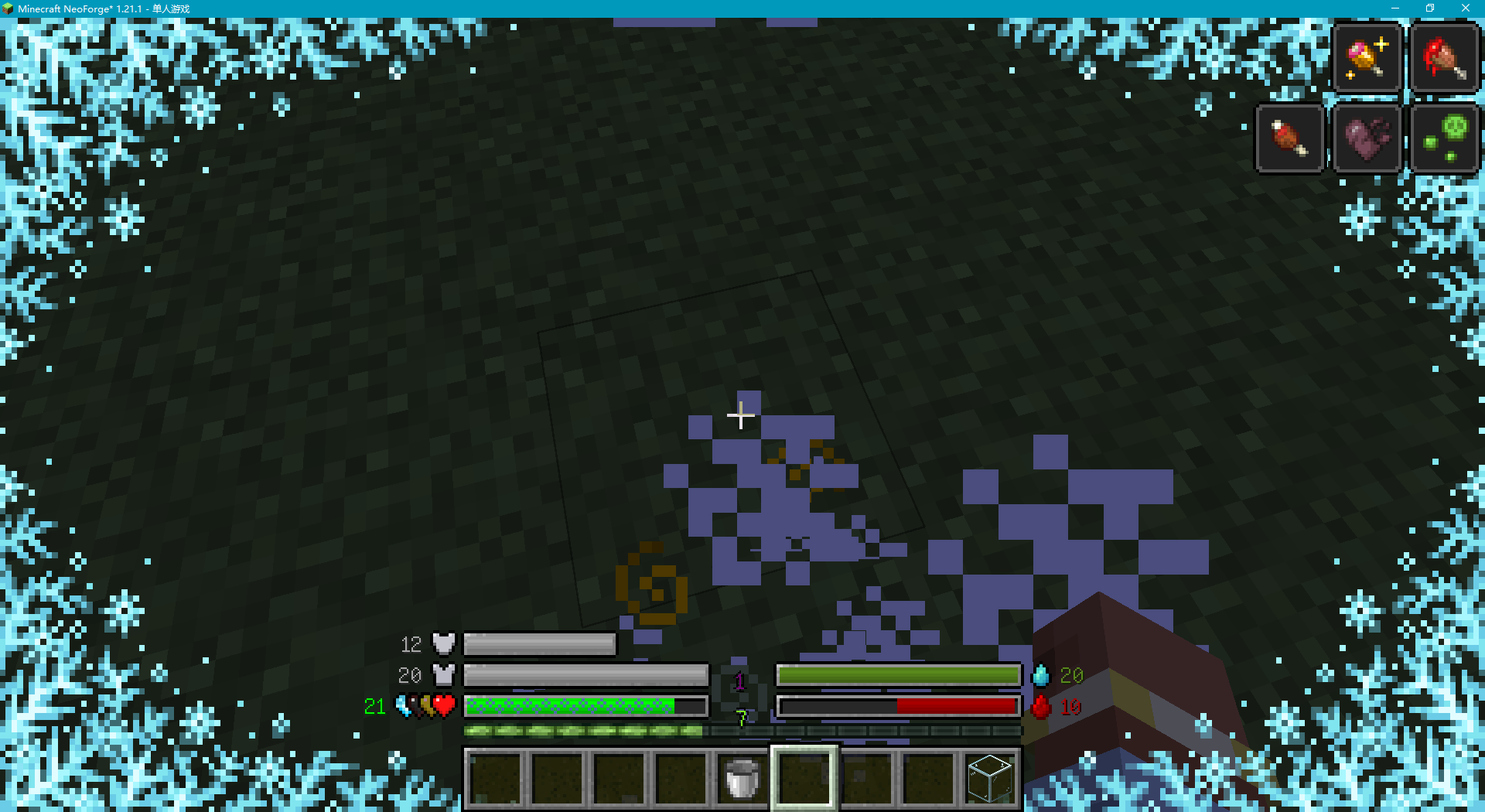
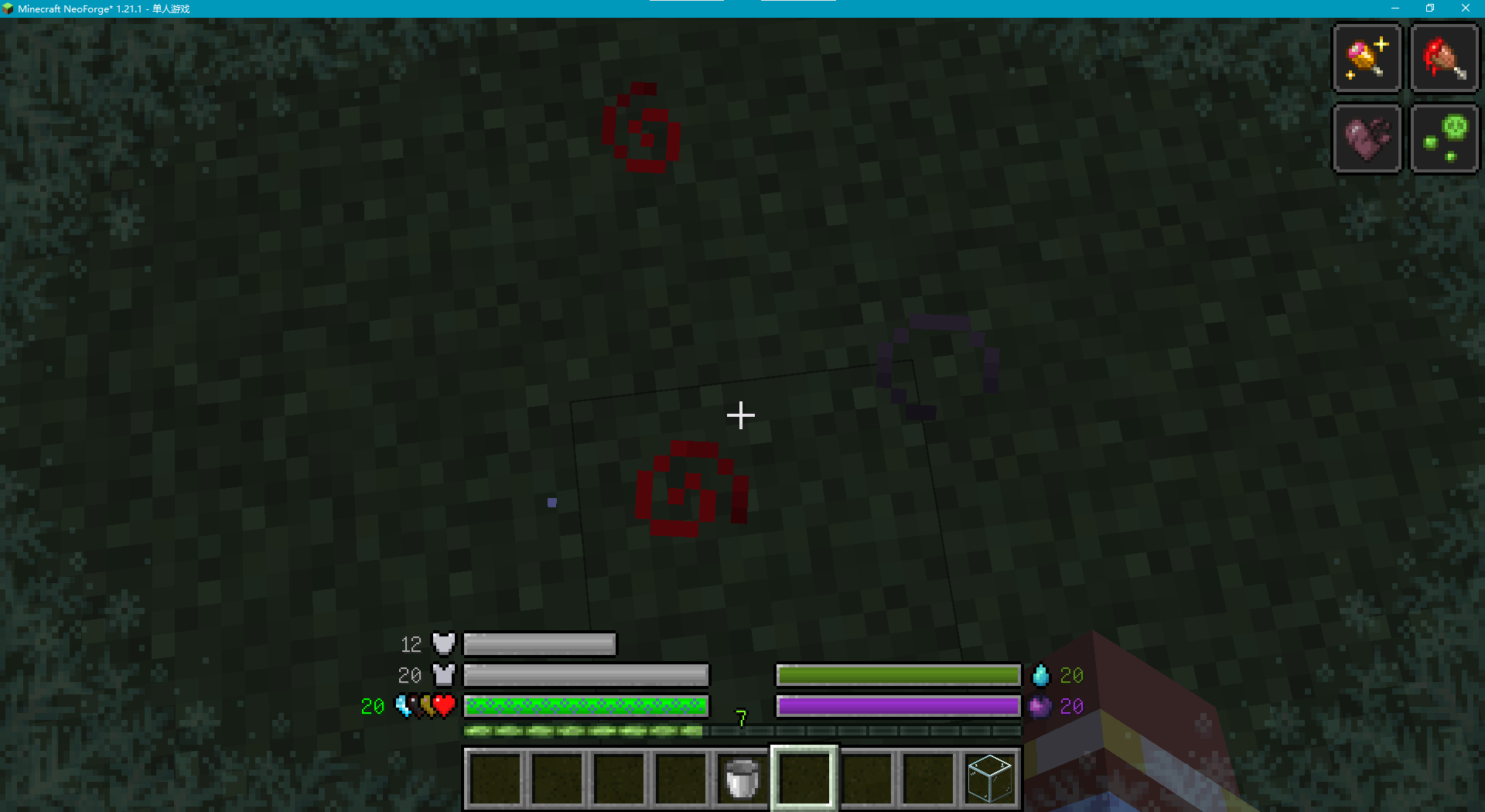
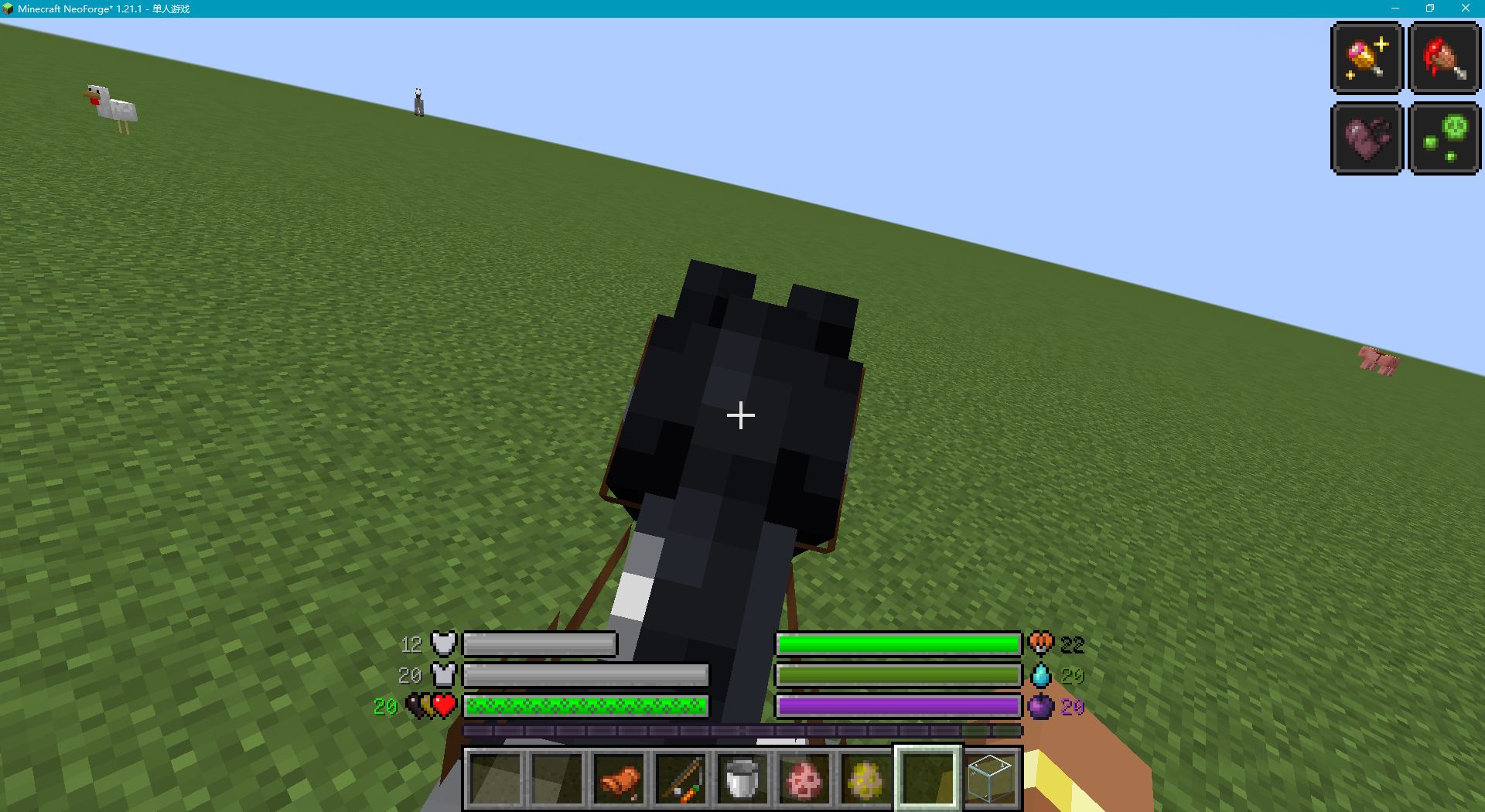
Classic Bar replaces the traditional icon rows on your HUD — hearts, armor pieces, food drumsticks, air bubbles, and other status symbols — with continuous progress bars. The health bar scales dynamically with your maximum health instead of locking at 20 points, giving you a cleaner, more information-dense HUD at a single glance.
Originally created by Tfarcenim for Minecraft Forge, this community fork updates the mod to NeoForge 1.21.1, adds new mod integrations, and provides ongoing maintenance.
Why Download
- Dynamic health scaling — the health bar adjusts to your actual max HP, not a fixed 20
- Deep customization — every bar can be positioned left, right, or hidden; colors, number display modes, icon toggles, and overlay effects are all configurable through an in-game GUI
- Extended mod support — five additional mods now have dedicated bar integrations (see below)
- Better readability — continuous bars are easier to parse at a glance than scattered icon rows
- Cleaner look — reduces visual clutter while keeping all information accessible
Features
Native Status Bars (8)
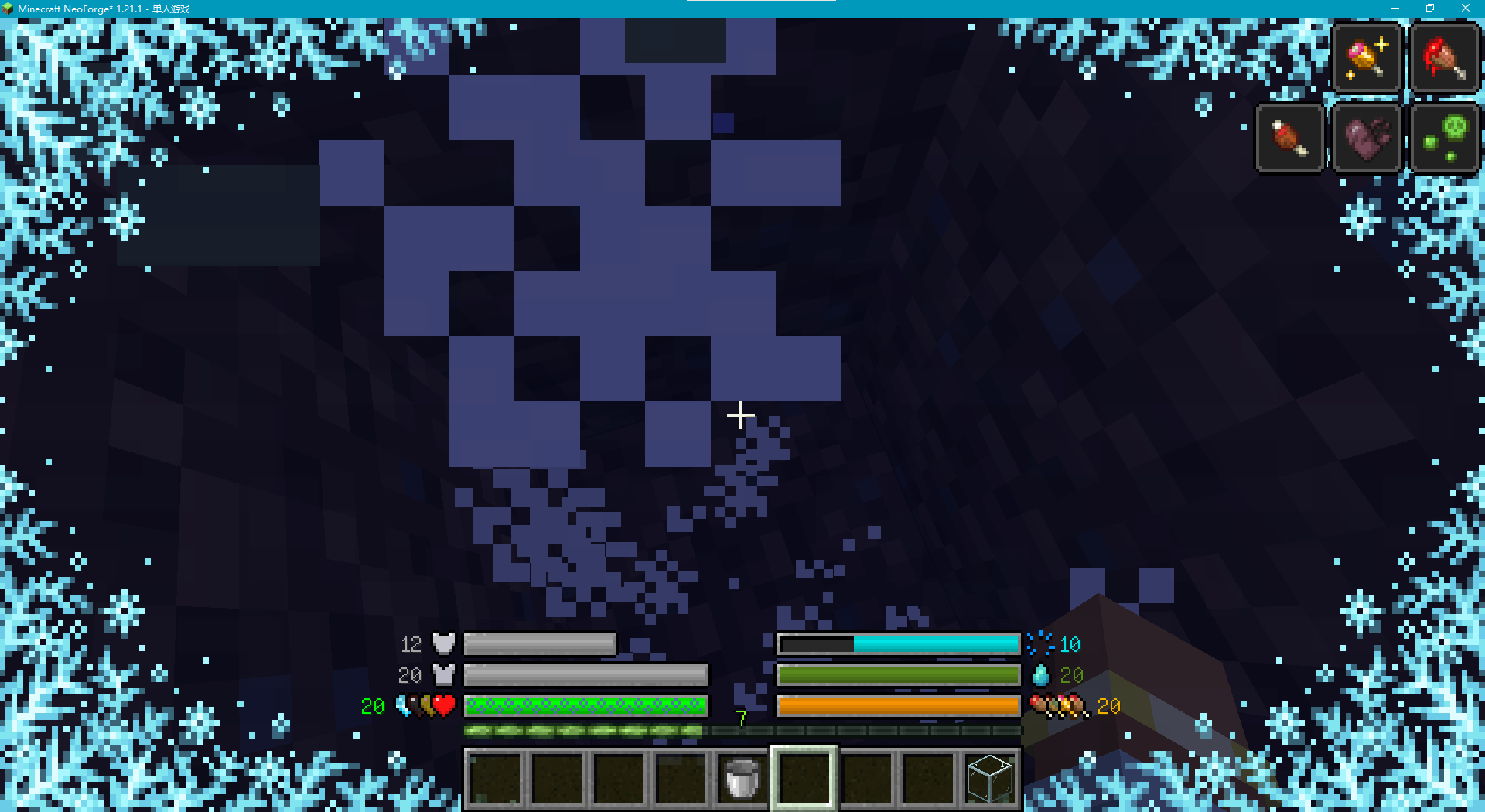
- Health — Scales dynamically with max health; poison/wither/frozen overlay effects
- Armor — Configurable number of armor layers
- Food — Hunger icon variant; food preview when holding edible items
- Saturation — Sub-bar below the food bar
- Air — Underwater breath indicator with flashing warning
- Armor Toughness — Secondary damage reduction stat
- Mount Health — Health of horses, striders, llamas, and other mounts
- Absorption — Absorption hearts shown as a progress bar
Mod Compatibility
- Thirst Was Taken — thirst bar + hydration sub-bar + drink preview
- Vampirism — blood level bar (replaces the food bar when in vampire form)
- Farmer's Delight — golden nourishment overlay on the food bar
- Kaleidoscope Cookery — red satiation-compensation overlay on the food bar
- Enigmatic Legacy+ — Forbidden Curse hunger overlay (mutually exclusive with blood/food)
Multi-Effect Icon Stacking
Poison, Wither, and Freezing icons automatically stack side-by-side on the health bar. Similarly, Hunger, Nourishment, and Satiation-Compensation icons arrange themselves on the food bar — no overlapping mess.
Food & Drink Preview
Hold a food item in your hand to see exactly how much hunger and saturation it will restore, shown as a preview overlay on the bars (similar to AppleSkin).
Custom Pixel Number Fonts
Choose between 3x5 and 3x5_tiny bitmap fonts for a compact, retro-looking numeric display on the HUD.
Full Chinese Translation
Complete zh_CN localization of the entire UI and configuration menu.
Debug Toggles (8)
Developer-only switches for testing bar behavior and HUD rendering — available only in a development environment.
Code Quality Improvements
Compared to the original Forge version, this fork brings:
- Centralized registration system (ModOverlays, ModIcons, ModConfigs)
- Spotless automated code formatting
- Gradle version catalog for unified dependency management
- Access Transformer infrastructure
- Data generation framework
Configuration Highlights
- Every status bar: LEFT / RIGHT / HIDDEN
- Custom color picker for each bar
- Number display modes: Current value only / Current + Max / Percentage
- Per-bar icon toggle
- Per-bar overlay effect toggle
- Full configuration GUI — no manual file editing required
Requirements
- Minecraft: 1.21.1
- NeoForge: 21.1.228+
- Side: Client-side only (no server installation needed)
Credits
- Original author: Tfarcenim
- Original project: Classic Bar (Forge)
License
GPL-3.0-only — This fork is released under the GNU General Public License v3.0. Includes 3x5 bitmap fonts from Reliable-Recount by catboybinary, also GPL-3.0.
Screenshots
Gallery
Versions
Files
Relations
Project Relations
More like this
Similar Mods
Suggestions use data such as tags, dependencies, dependents, descriptions, titles, and more to rank how much they overlap with this mod.
On ModDex
Community snapshot
By the numbers
Statistics

Want to reach Minecraft players?
We're looking for a server hosting partner to feature here and other parts of the site. Interested? Send us a message!
Get in touchGet it on
Available Platforms
On ModDex
Community snapshot
By the numbers