Mod

Custom Screens
No reviews yet
Create custom screens to show players via command! Highly customizable
Neoforge is a fork of the Minecraft Forge available for versions 1.20.1+ of Minecraft. Many Forge mods are compatible with Neoforge and vice versa.
Fabric is a mod loader for versions 1.14+ of Minecraft, particularly popular for client side and optimization mods.
Community voices
Reviews
Click once to include, again to exclude, again to clear
No reviews yet. Be the first to review this project!
Get it on
Available Platforms
 Modrinth
Compatibility
Supported Environments
About
Project Details
For authors
Embed Badge
If you're the author of this project, you can embed a live badge anywhere that supports HTML or Markdown. It updates automatically whenever ratings change.
Use HTML for any page that supports it, or Markdown for README files and Markdown-based descriptions.
Identifiers
Platform IDs
About
Description
If you have any feedback please, leave it here or in discord.
Custom Screens
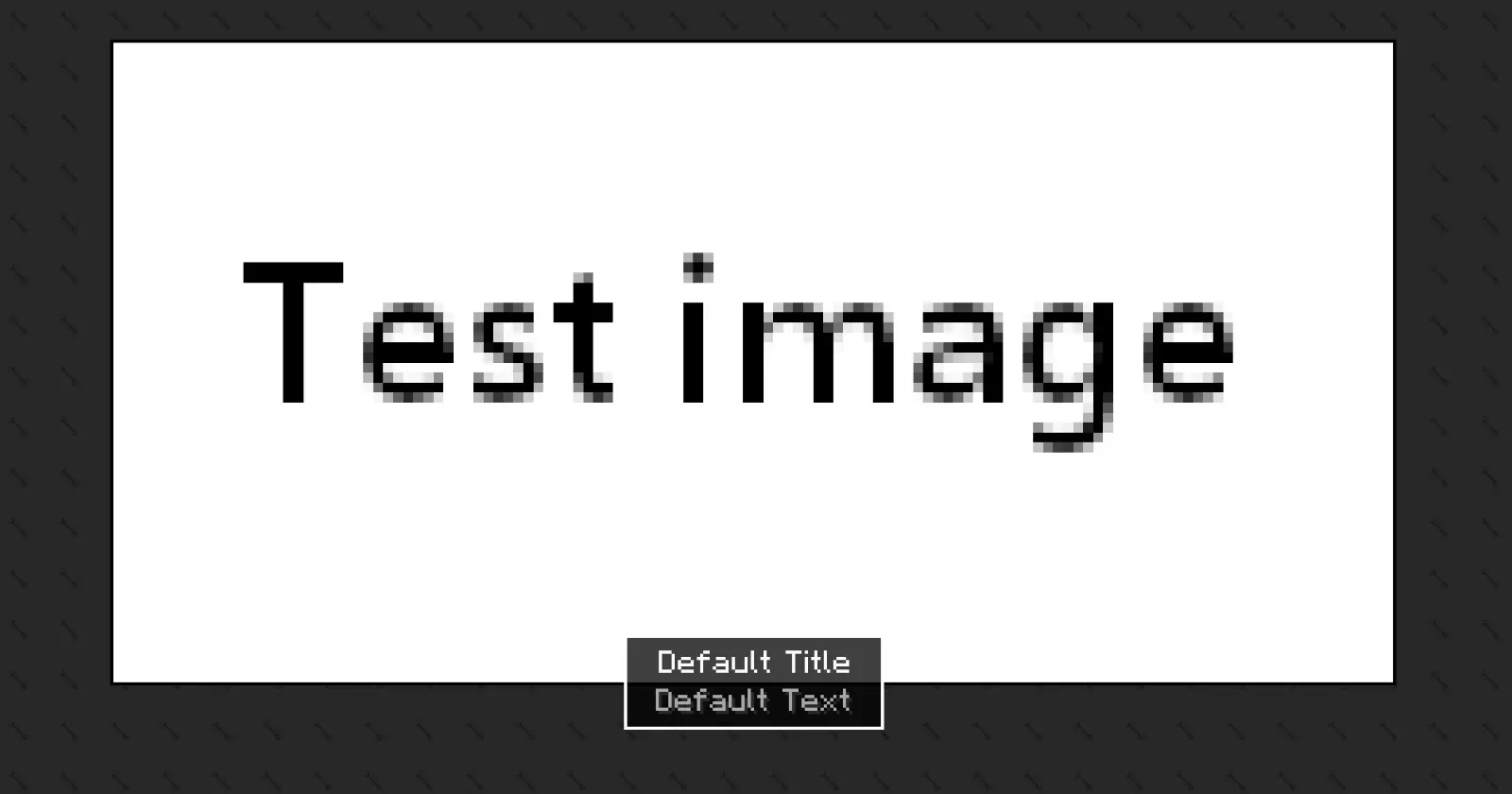
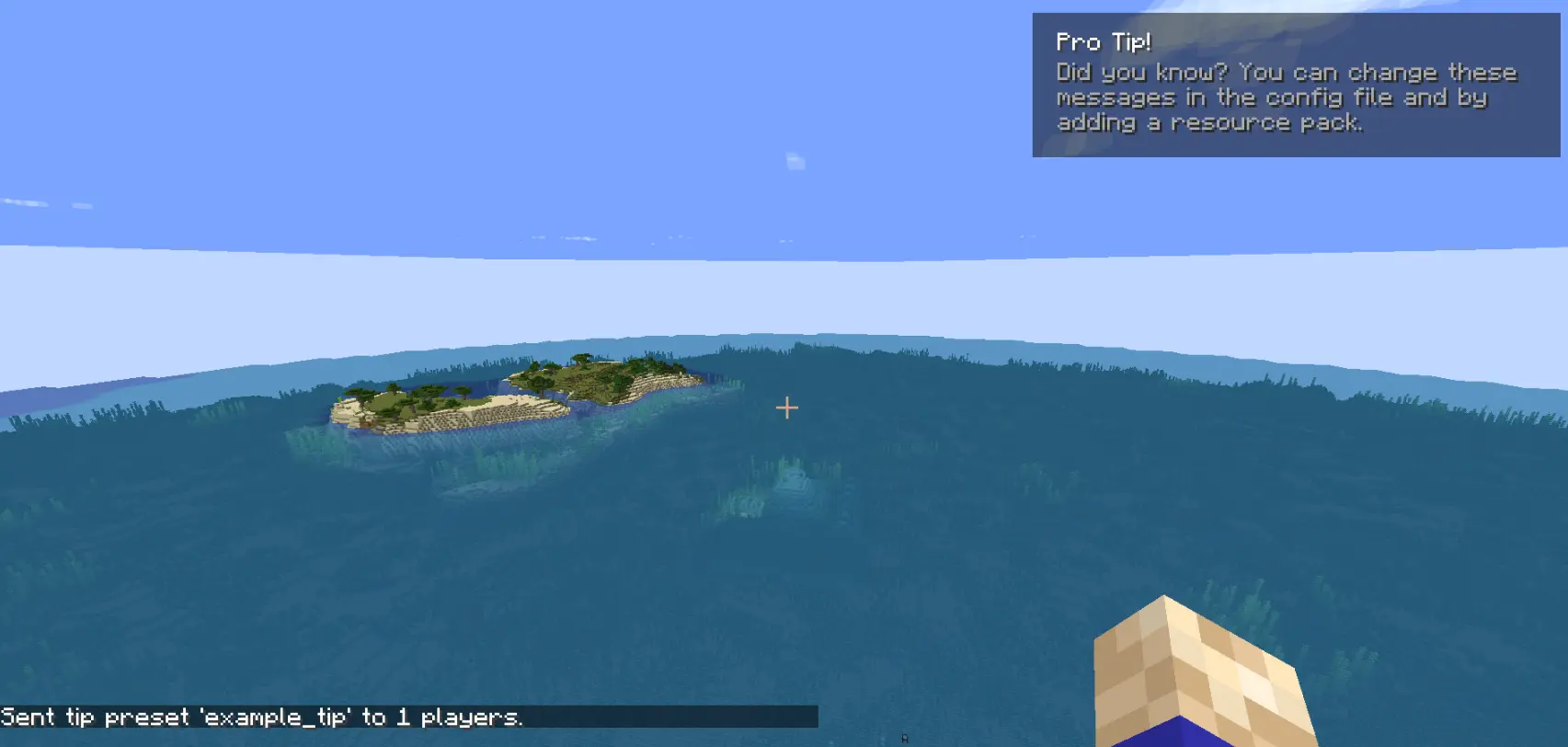
Custom Screens lets you display fullscreen overlays and lightweight tips to players using simple preset files and commands. Define your own layouts, text, images, and timing through a simple configuration file.
This mod may be used in modpacks and on servers. You must provide credit to the original authors.
This is the only official download source for this mod. You may share or distribute this mod on other websites or platforms only by linking to the official download page provided here. Re-uploading or redistributing the mod files themselves is not permitted.
Please be aware that downloads obtained from unofficial sources may be modified and could contain malicious software. For your security, always download this mod from the official source.
How to use [BETA Version]
The mod generates two config files after the first launch:
config/arcana/custom-screens-presets.json
This file defines each screen preset, including:
- Preset name
- Title and body text
- Text position
- Image and background (bg size, 64x64) (optional)
- Image size
- Display duration
Note: If no image or background is specified, it will not be rendered.
config/arcana/custom-tips-presets.json
This file defines each screen preset, including:
- Preset name
- Title and body text
- Text position
- Display duration
To add another preset duplicate the example preset in the JSON file and modify it as needed. The example preset can also be removed.
Commands
All commands related to this mod are under the /cs command. These are:
/cs show-screen <targets> <showToOp> <shouldCloseOnEsc> <presetName>- targets — Players to target.
- showToOp — Sends feedback to online operators. [true/false]
- shouldCloseOnEsc — Allows players to close the screen with ESC. [true/false]
- presetName — Preset key from the config file. [string]
If used in single player the game will be paused for the duration of the screen.
-
/cs show-tip <targets> <showToOp> <title> <description> <position> <duration>- targets — Players to target.
- showToOp — Sends feedback to online operators. [true/false]
- title / description — written between
". - position — where the tip shows in the screen.
- duration — number (in seconds).
-
/cs show-tip-preset <targets> <showToOp> <presetName>- targets — Players to target.
- showToOp — Sends feedback to online operators. [true/false]
- presetName — Preset key from the config file. [string]
-
/cs stop-screen <targets> -
Tries to close the currently active screen or tip for the selected players.
- targets — Players to target.
Custom text and images (via resource pack)
Images and text can be provided using a resource pack.
- Text
"arcana.customscreens.example_title":
myresourcepack\assets\custom_screens\lang\en_us.json
- Images:
myresourcepack\assets\custom_screens\textures\gui\*.png
Important notes:
- Background images will tile to fill the entire screen.
- Only .png files are supported.
Screenshots
Gallery
-
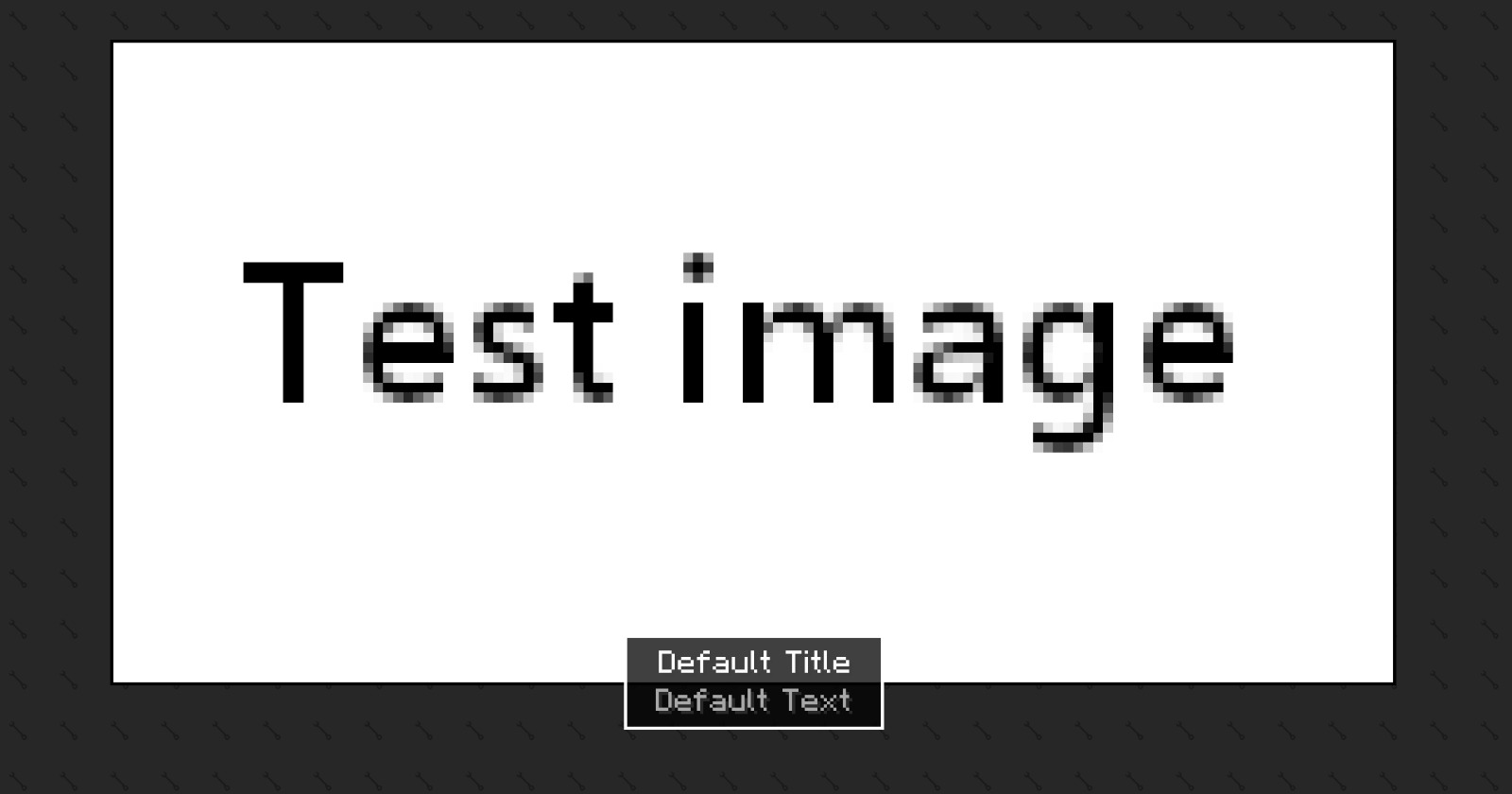 ExamplePreset
 -
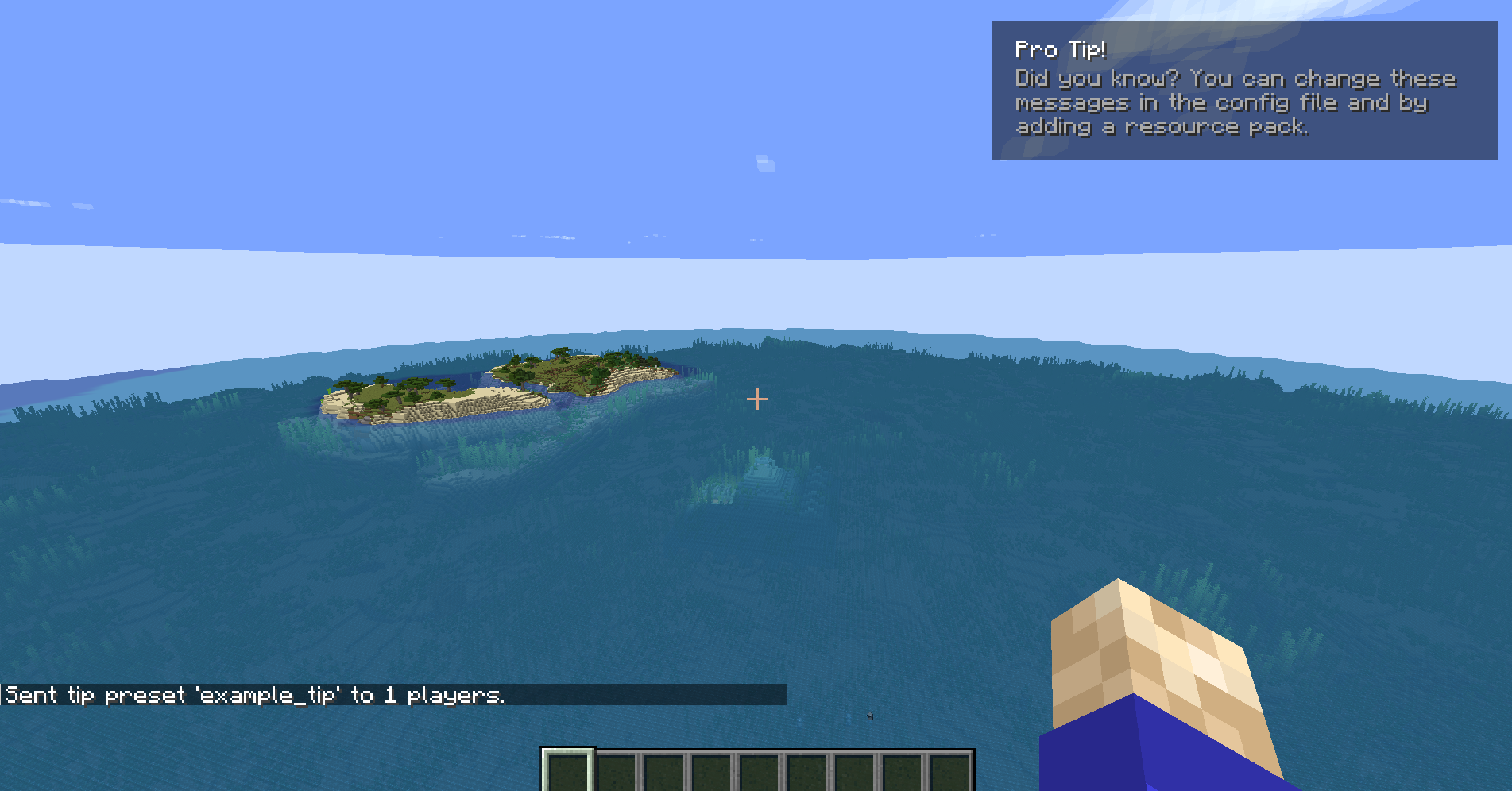 Example Tip Preset This image show the result of the next command. `/cs show-tip-preset @a true example_tip`
Versions
Files
Relations
Project Relations
More like this
Similar Mods
Suggestions use data such as tags, dependencies, dependents, descriptions, titles, and more to rank how much they overlap with this mod.
On ModDex
Community snapshot
By the numbers
Statistics

Want to reach Minecraft players?
We're looking for a server hosting partner to feature here and other parts of the site. Interested? Send us a message!
Get in touchGet it on
Available Platforms
On ModDex
Community snapshot
By the numbers