
Community listing page, reviews here may not be monitored by the author.
Death Chest

No reviews yet
Safely store your inventory in a death barrel with precise coordinate logging.
Community voices
Reviews
No reviews yet. Be the first to review this project!
Get it on
Available Platforms
Compatibility
Supported Environments
Runs entirely on the server. Also works in singleplayer.
About
Project Details
For authors
Embed Badge
If you're the author of this project, you can embed a live badge anywhere that supports HTML or Markdown. It updates automatically whenever ratings change.
Use HTML for any page that supports it, or Markdown for README files and Markdown-based descriptions.
Identifiers
Platform IDs
Resources
External Links
About
Description
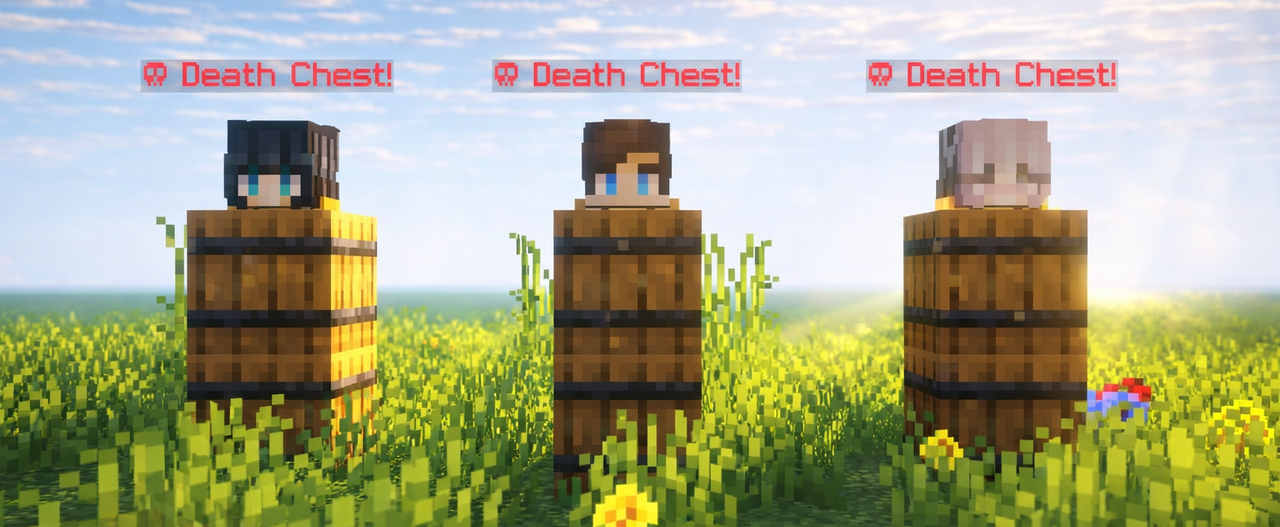


Death Chest is a lightweight, ultra-performance-optimized system that securely preserves your inventory inside a localized barrel container upon death. It instantly captures your exact coordinates and handles data dynamically to prevent clashing or server strain. Built for seamless multiplayer scaling, it provides clear chat logging to guide you right back to your lost gear.

- Fast, stable, and secure item storage Automatically stores your items inside a barrel when you die, keeping your inventory safe.
- Barrel-based storage system Uses barrels instead of chests for easier access and reduced server lag.
- Blacklist system Prevent abuse by blocking specific players from using the death chest system
/tag <player_name> add death_chest_blacklisted. - Death chest tracking compass Easily locate your death chest using a compass.
- Death location notification Sends your death coordinates directly to you in chat.
- Collectible death items Stores the player's head on death inside the hotbar barrel.
- Smart overflow handling Automatically separates stored items across multiple barrels:
- One barrel stores your hotbar and crafting inventory.
- Another barrel stores the rest of your inventory.


What does Death Chest do?
Death Chest automatically saves your items when you die by storing them safely inside barrels, preventing you from losing your inventory.Why does it use barrels instead of chests?
Barrels provide easier access and help keep the system lightweight by avoiding unnecessary chest usage.What happens if my inventory is full?
The system automatically handles overflow by splitting your items between multiple barrels. Hotbar + crafting inventory are stored in one barrel. Remaining inventory items are stored in another barrel.How do I find my Death Chest?
After dying, you will receive your death coordinates in chat and can use the tracking compass to locate your Death Chest.Can players abuse the Death Chest system?
No. The built-in blacklist system allows server owners to block specific players from using Death Chest if they abuse the system.Does it support multiplayer servers?
Yes. Death Chest is designed for multiplayer environments and supports multiple players at the same time.Will this create server lag?
The datapack is optimized to be lightweight and uses barrels instead of large chest systems to reduce unnecessary lag and more.Are my armor and offhand items saved?
Yes. Your equipment and inventory items are safely stored when the Death Chest is created.What happens to the player's head?
The player's head is stored as a collectible item inside the hotbar barrel after death.Does it support modded inventories?
Partially. It supports modded items inside the standard inventory. Entirely new slots (like Curios API) are unrecognized by vanilla commands. This means those items won't be saved to the block, but they are completely safe from being cleared and will stay with the player.Are experience levels saved?
No, unfortunately. The mod/datapack is designed to stay as close to vanilla Minecraft as possible, keeping the original death system while preventing the frustration of permanently losing your items.

Datapack (Singleplayer / Server)
- Download the datapack.
- Place it in your world's datapacks folder.
- Exit and rejoin the world. Search on YouTube ↗
- Tip: Use
/datapack listto verify that it is installed correctly.

Mod Version (Client / Server)
- Install the mod file into your
modsfolder. - Launch the game or server with a compatible mod loader.
- No additional setup required. Search on YouTube ↗
- Tip: It will appear in the mod menu if installed correctly.
Screenshots
Gallery
-
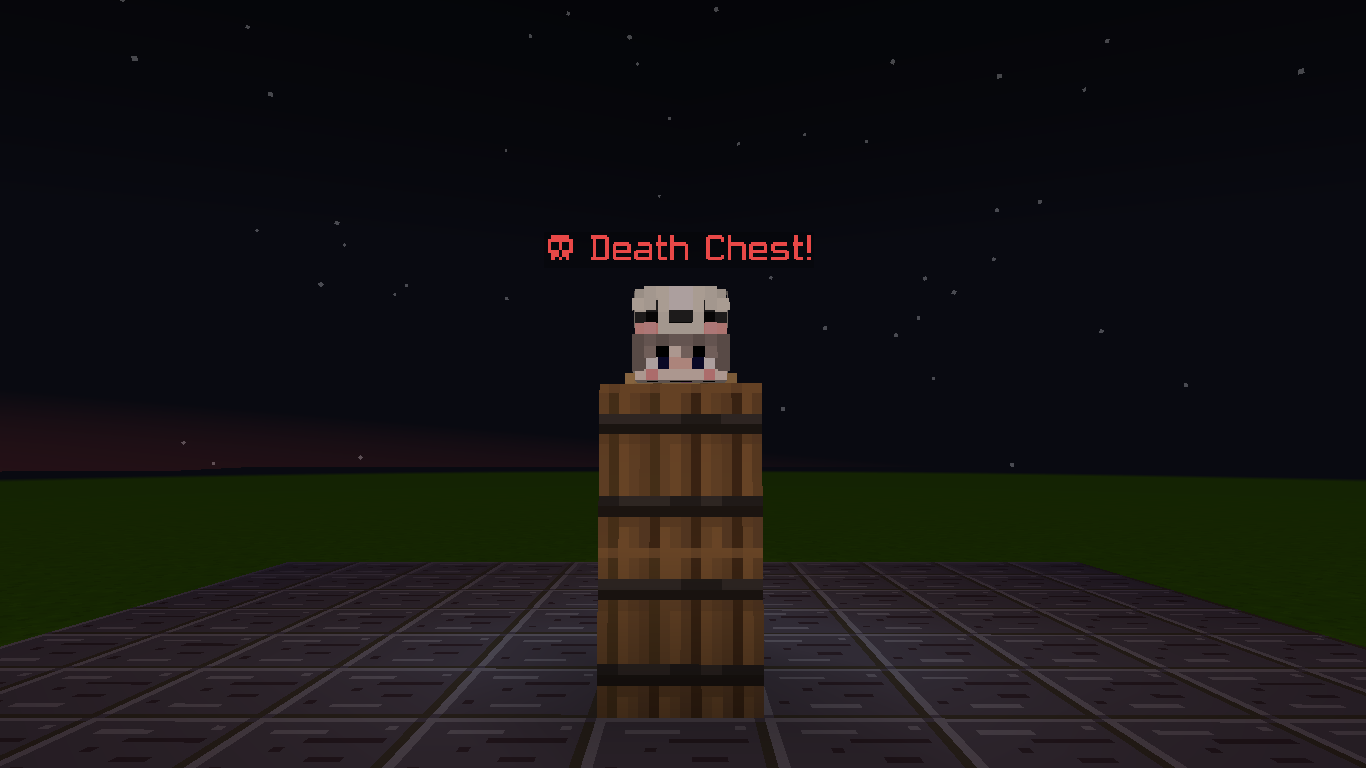 Death Chest Spawn When a player dies, the system summons a Death Chest and securely stores their items inside it.
 -
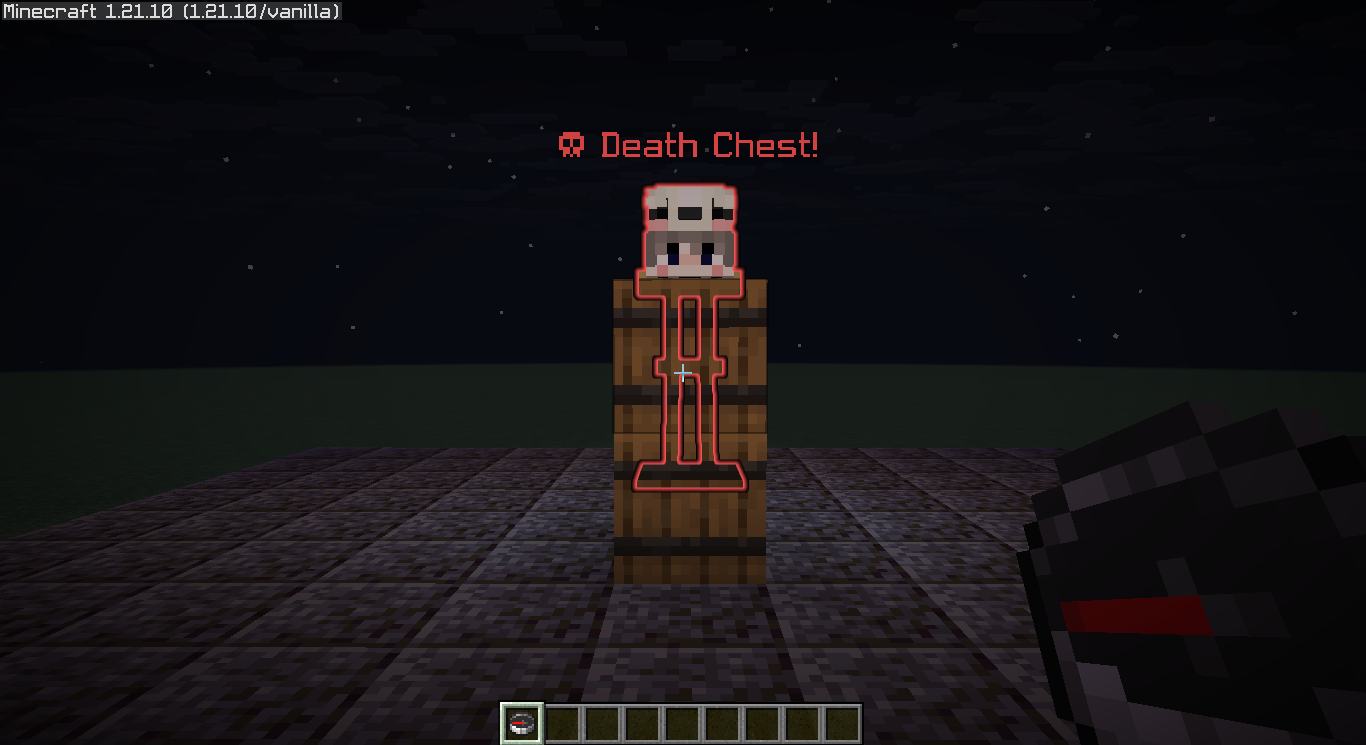 Death Chest Glowing Holding a compass activates a bright red outline on your nearest Death Chest, making it effortless to find even through solid walls and terrain.
 -
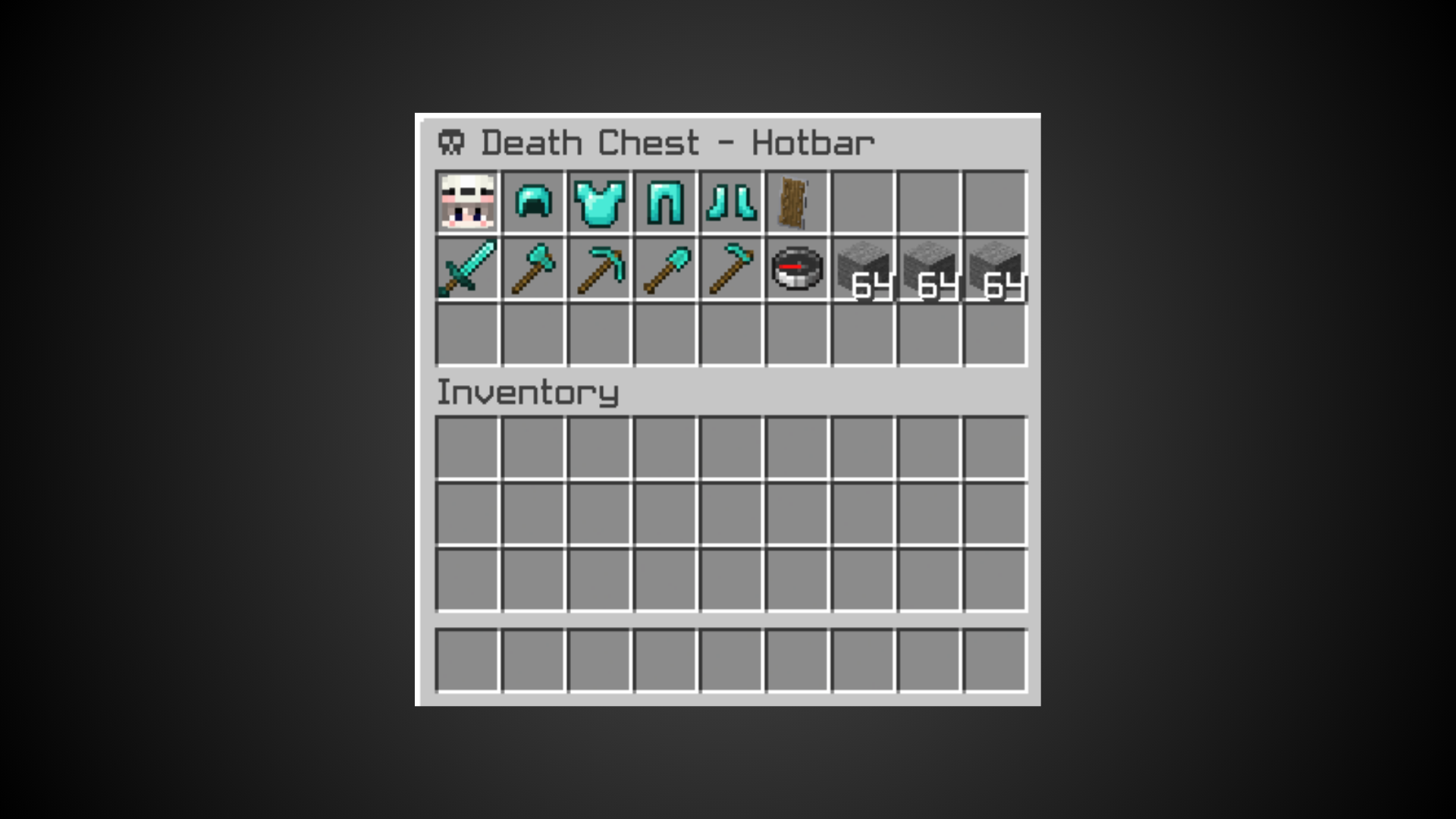 Death Chest Hotbar Saves your hotbar items separately at the top of the barrel, keeping them split from your inventory.
 -
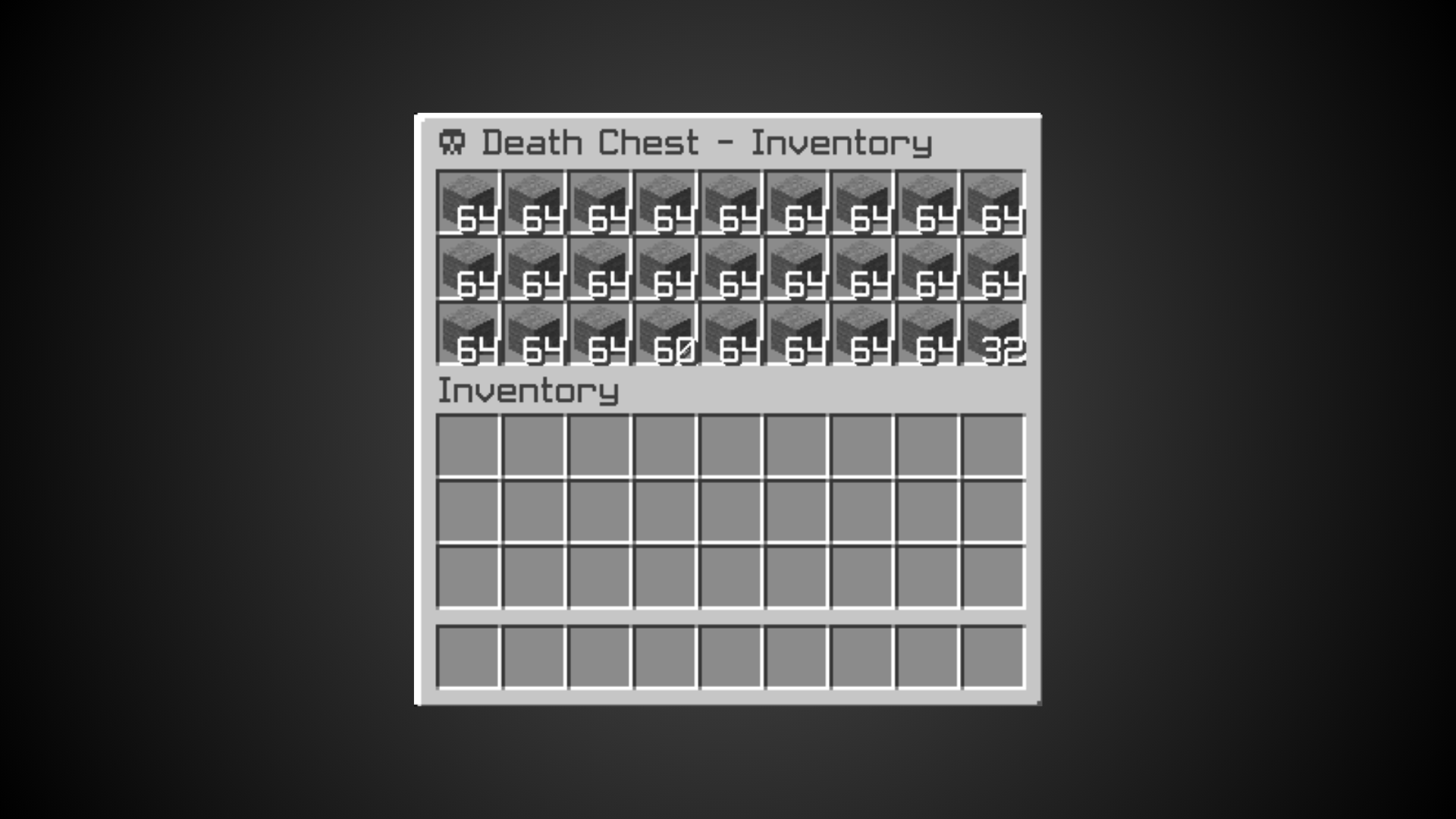 Death Chest Inventory Saves your inventory items separately at the top of the barrel, keeping them split from your inventory.
 -
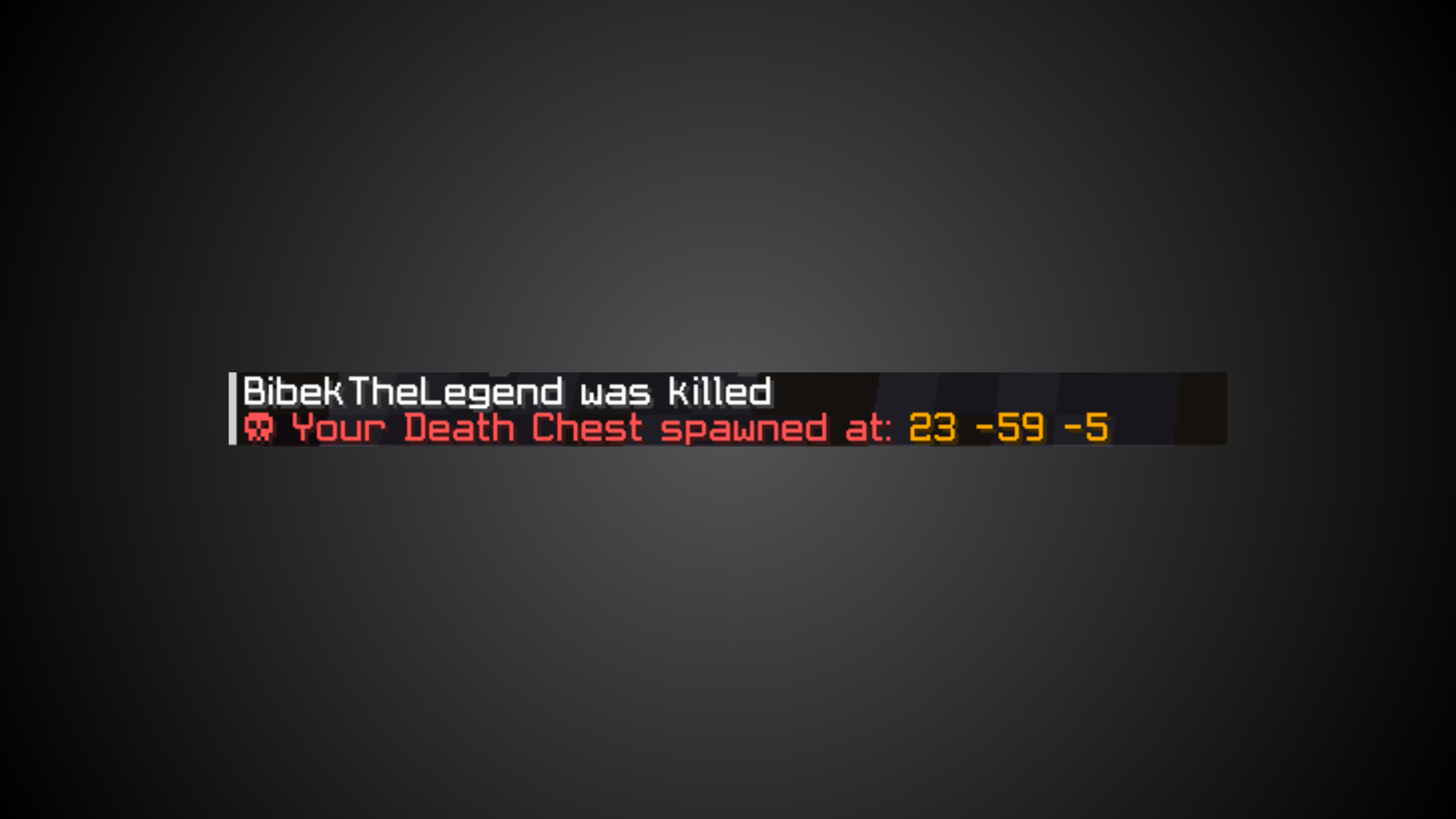 Death Chest Message Automatically pings the player with private, clashing-free death coordinates to guide them straight back to their barrel.
 -
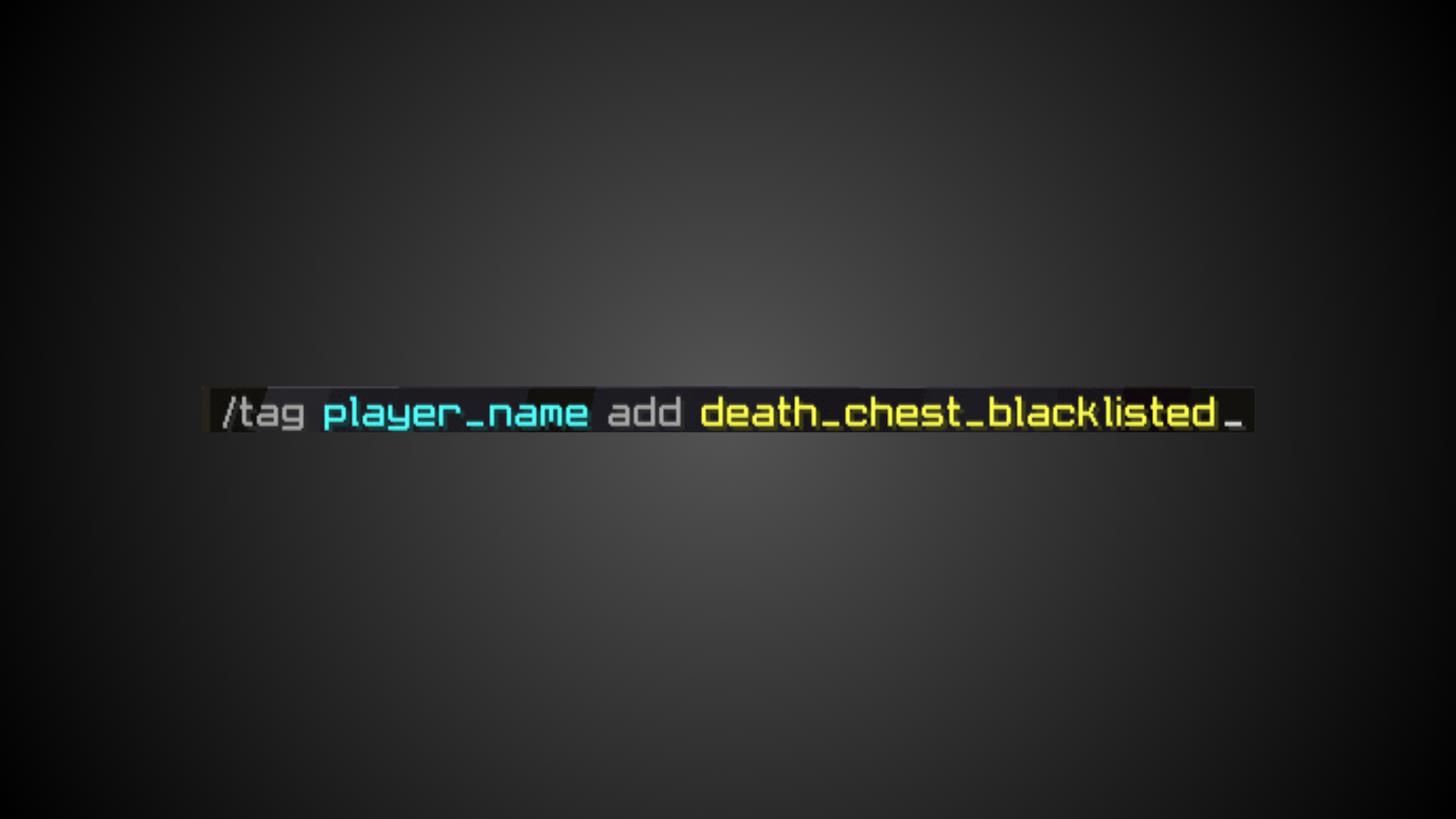 Death Chest Blacklist Easily restrict players using the built-in tag command. Adding the `death_chest_blacklisted` tag completely cuts off both chest generation and location glowing features for that specific player.
 -
 Thumbnail
Versions
Files
Relations
Project Relations
More like this
Similar Mods
Suggestions use data such as tags, dependencies, dependents, descriptions, titles, and more to rank how much they overlap with this mod.
On ModDex
Community snapshot
By the numbers
Statistics

Want to reach Minecraft players?
We're looking for a server hosting partner to feature here and other parts of the site. Interested? Send us a message!
Get in touchGet it on
Available Platforms
On ModDex
Community snapshot
By the numbers
Statistics
Resources