Mod

Hísëa
No reviews yet
Adds configurable fog-generating blocks for atmosphere and detail
Does not follow a specific thematic focus apart from vanilla Minecraft.
Used for mods with little to no gameplay elements.
Improves the visual aspects of the game with better textures, models, etc.
Includes aesthetic items like decoration, clothing, and visual effects.
Includes quality of life improvements and small tweaks to enhance and customize gameplay.
Adds or enhances weather and environmental effects.
Fabric is a mod loader for versions 1.14+ of Minecraft, particularly popular for client side and optimization mods.
Community voices
Reviews
Click once to include, again to exclude, again to clear
No reviews yet. Be the first to review this project!
Get it on
Available Platforms
 Modrinth
Compatibility
Supported Environments
About
Project Details
For authors
Embed Badge
If you're the author of this project, you can embed a live badge anywhere that supports HTML or Markdown. It updates automatically whenever ratings change.
Use HTML for any page that supports it, or Markdown for README files and Markdown-based descriptions.
Identifiers
Platform IDs
Resources
External Links
About
Description
Hísëa (Quenya for 'misty') is a mod developed for the ArdaCraft project. It adds fog-generating blocks which are invisible to the user unless they hold the block in their hand. These blocks do not have collision, meaning that players can add interesting details to their builds like waterfall mist, steam from hot baths, and fog without interfering with exploration or immersion.
Various aspects of the fog generated by these blocks can be configured with ctrl+right click:
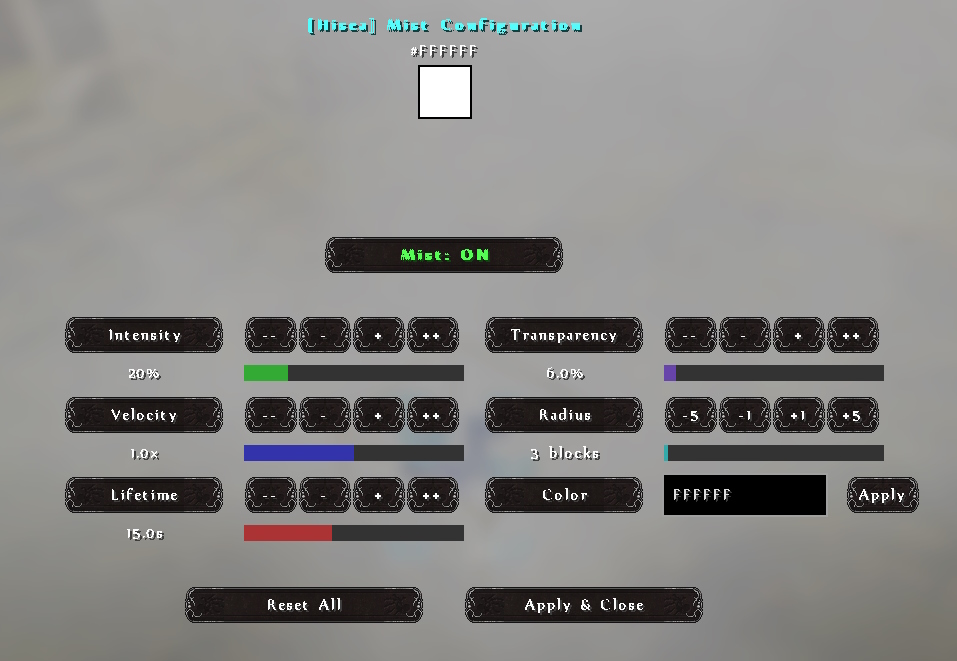
More detailed instructions can be found below.
Hísëa Instructions
Intensity (0-50%)
Explanation: Controls how thick the mist appears. Higher values create denser, more visible mist. At maximum values, the mist becomes very noticeable and creates a thick fog effect.
Code wise: Scales the number and size of particles generated. Internally stored as a float (0.0-5.0) where:
- Each 10% in UI = 1.0 in code
- Affects both particle scale and spawn rate
- Influences particle lifetime calculation
Velocity (0-200%)
Explanation: Determines how fast the mist particles move. Low values create still, hanging mist. Higher values create flowing, drifting mist that moves more dramatically through the space.
Code wise: Stored as a float (0.0-2.0) and directly multiplied with the motion values:
 .setMotion(
      velocityMultiplier == 0 ? 0 : (world.getRandom().nextFloat() * 0.01f) * Math.signum(offsetX) * velocityMultiplier,
      velocityMultiplier == 0 ? 0 : (world.getRandom().nextFloat() * 0.005f) * velocityMultiplier, // Slower vertical
      velocityMultiplier == 0 ? 0 : (world.getRandom().nextFloat() * 0.01f) * Math.signum(offsetZ) * velocityMultiplier
  )
Lifetime (5-30 seconds)
Explanation: Controls how long mist particles remain visible before fading away. Longer lifetimes create a more persistent mist effect, while shorter lifetimes create a more ephemeral, wispy effect.
Code wise: Stored as ticks (100-600) where:
- Each second = 20 ticks (Minecraft runs at 20 ticks per second)
- Directly used in the particle builder:
.setLifetime(lifetime)
Color (RGB)
Explanation: Sets the color of the mist particles. Can be used to create atmospheric effects like colored fog, magical mist, toxic clouds, steam with different temperatures, etc.
Code wise: Stored as a standard RGB integer (0x000000 to 0xFFFFFF):
.setColorData(ColorParticleData.create(particleColor).build())
Transparency (0-100%)
Explanation: Controls how see-through the mist appears. Lower values make translucent, ghostly mist that barely obscures the view. Higher values create more opaque mist that can hide elements behind it.
Code-wise: Stored as a float (0.0-1.0) and used in transparency gradient calculation:
  .setTransparencyData(
      GenericParticleData.create(0.001f, 0.7f * customTransparency, 0f)
      .setEasing(Easing.EXPO_OUT, Easing.SINE_OUT)
      .build()
  )
This creates a smooth fade-in/fade-out effect with the peak visibility controlled by this setting.
Radius (1-100 blocks)
Explanation: Determines how far the mist spreads from the source block. Larger radius creates fog that covers more area, while smaller radius creates concentrated clouds.
Code wise: Stored as an integer and used to scale particle position offsets:
  double radiusScale = customRadius / 3.0; // Scale factor where 3 is the default radius
  double scaledOffsetX = offsetX * radiusScale;
  double scaledOffsetZ = offsetZ * radiusScale;
Enabled (On/Off)
Explanation: Simple toggle to turn mist emission on or off without removing the block. Useful for temporarily disabling effects or switching between different scenes.
Code wise: Stored as a boolean and checked before spawning any particles:
  if (cachedEnabled != null && !cachedEnabled) {
      // Block has been disabled by the user
      return;
  }
Technical Implementation Notes
- Client-Server Sync: All settings are stored on the server in the block entity and synced to connected clients
- Persistence: Settings are saved to the world's NBT data for restoration after server restarts
- Efficiency: Particles use visibility checks and optimizations to minimize performance impact
- Last Used Settings: The mod remembers your last used settings when placing new blocks
The mod was developed for ArdaCraft by Divined (.divined on Discord). Many thanks to the devs of Effective for their assistance.
Project icon credit to kameh.space on Instagram.
Screenshots
Gallery
-
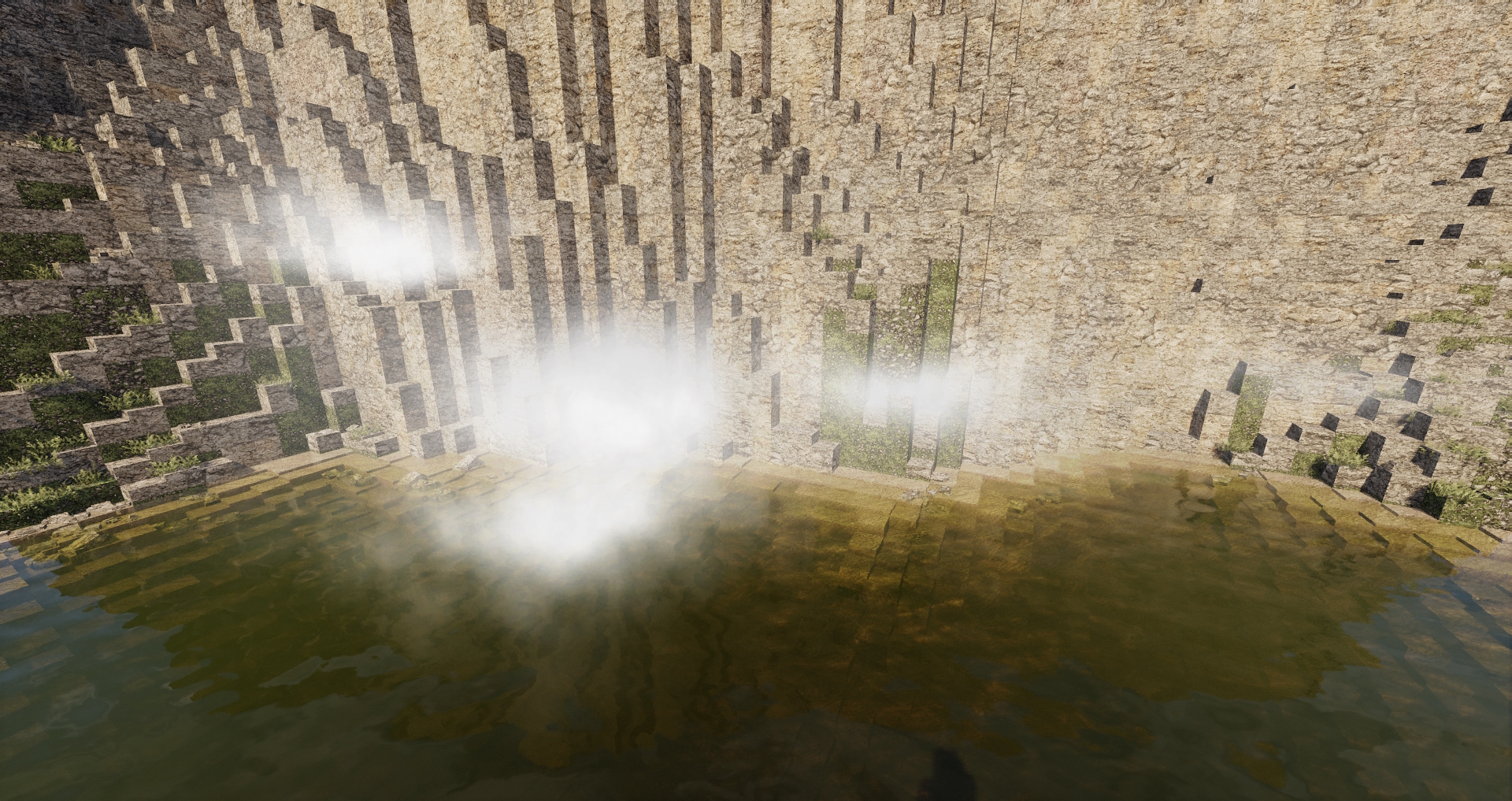 Multiple blocks with different settings This image also shows that it works with Bliss shaders
 -
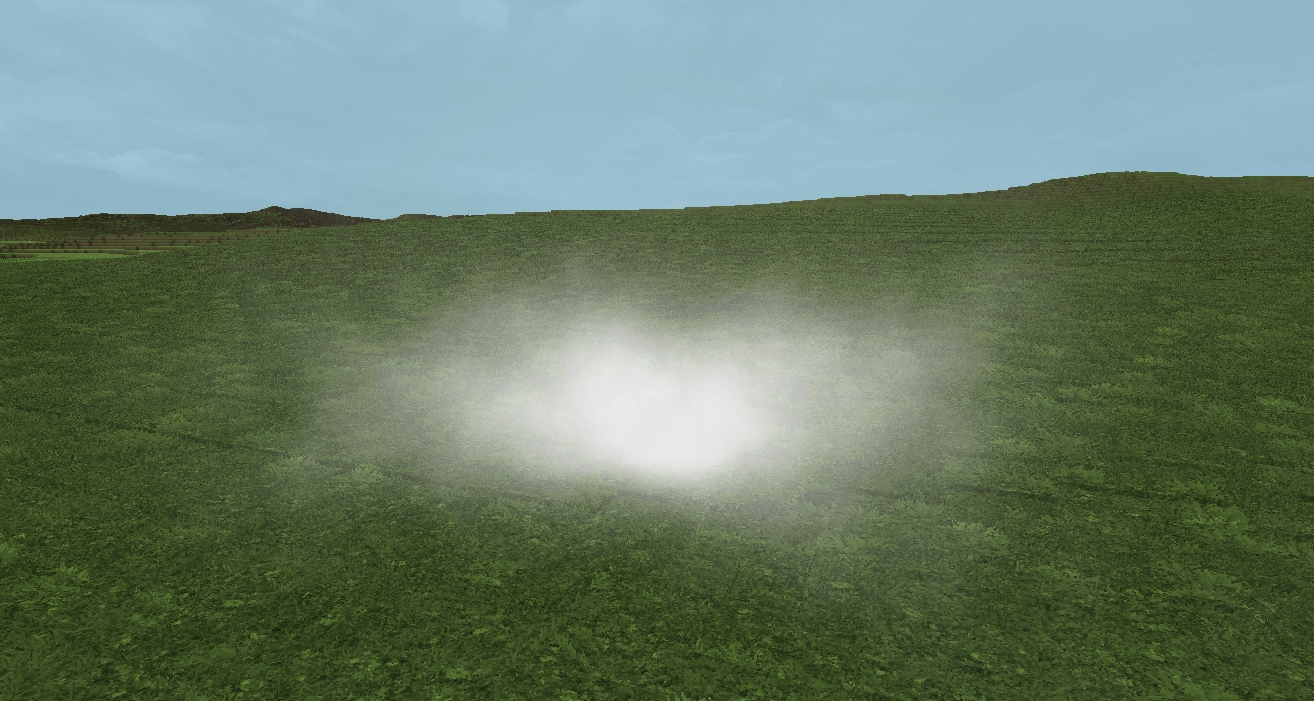 Single fog block
 -
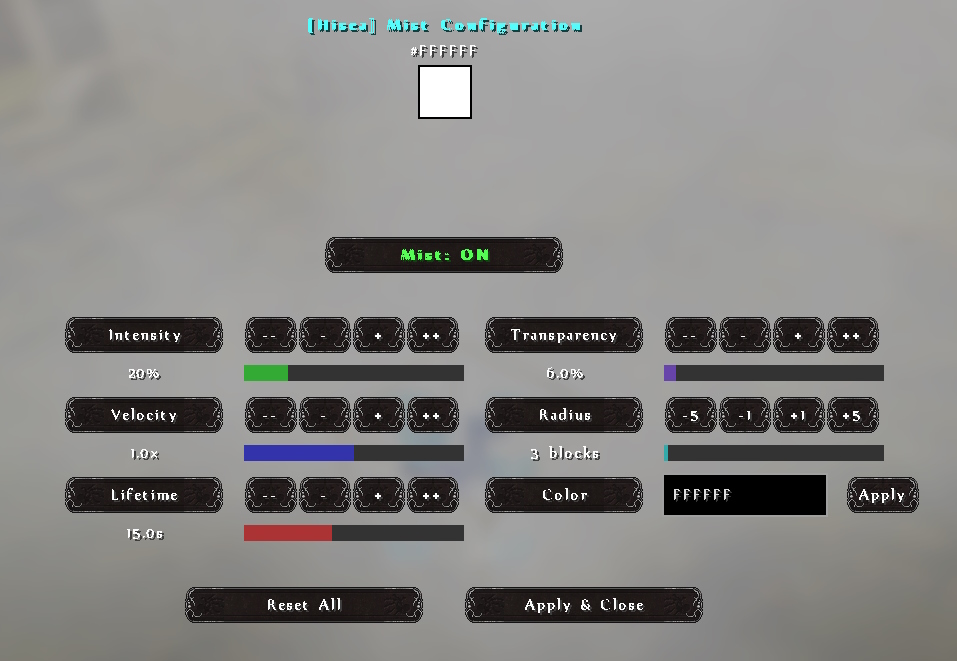 Settings screen
Versions
Files
Relations
Project Relations
More like this
Similar Mods
Suggestions use data such as tags, dependencies, dependents, descriptions, titles, and more to rank how much they overlap with this mod.
On ModDex
Community snapshot
By the numbers
Statistics

Want to reach Minecraft players?
We're looking for a server hosting partner to feature here and other parts of the site. Interested? Send us a message!
Get in touchGet it on
Available Platforms
On ModDex
Community snapshot
By the numbers
Statistics
Resources