Mod

Litematica-plus
No reviews yet
A client-side schematic mod with extra features for creative mode work
Fabric is a mod loader for versions 1.14+ of Minecraft, particularly popular for client side and optimization mods.
Community voices
Reviews
Click once to include, again to exclude, again to clear
No reviews yet. Be the first to review this project!
Get it on
Available Platforms
 CurseForge
About
Project Details
For authors
Embed Badge
If you're the author of this project, you can embed a live badge anywhere that supports HTML or Markdown. It updates automatically whenever ratings change.
Use HTML for any page that supports it, or Markdown for README files and Markdown-based descriptions.
Identifiers
Platform IDs
Resources
External Links
About
Description
promo code : GRATELOUP
Litematica is a modern schematic mod primarily targeting light mod loaders like LiteLoader on MC 1.12.x, Rift on MC 1.13.x and Fabric on MC 1.14+.
There is also a Forge version, but currently only for MC 1.12.2. For later MC versions there are currently only third party ports such as Forgematica.
Litematica has all the main features (plus a bunch more) of the old Schematica mod, except for the printer, which is not planned for Litematica itself, but instead is left to extension mods (see: aria1th printer or the other printer).
Compatibility with shaders
Litematica's rendering doesn't currently work properly with shaders (even with Iris) in 1.21.3+. So when you need to use Litematica (schematic rendering), disable shaders.
In older MC versions the rendering works better with shaders, at least with Iris, but also depending on the shader pack. Some shader packs break the rendering pretty badly, but some used to work pretty nicely. Optifine in general is/was a lot more problematic, pretty much you can't use shaders at all with Optifine if you use Litematica. The general recommendation is to use Sodium (and Iris) instead of Optifine.
Hotkeys
The default hotkey to open the Litematica main menu is M.
Note: If you use a non-QWERTY keyboard layout, then the keys may be different, such as M becoming , on AZERTY.
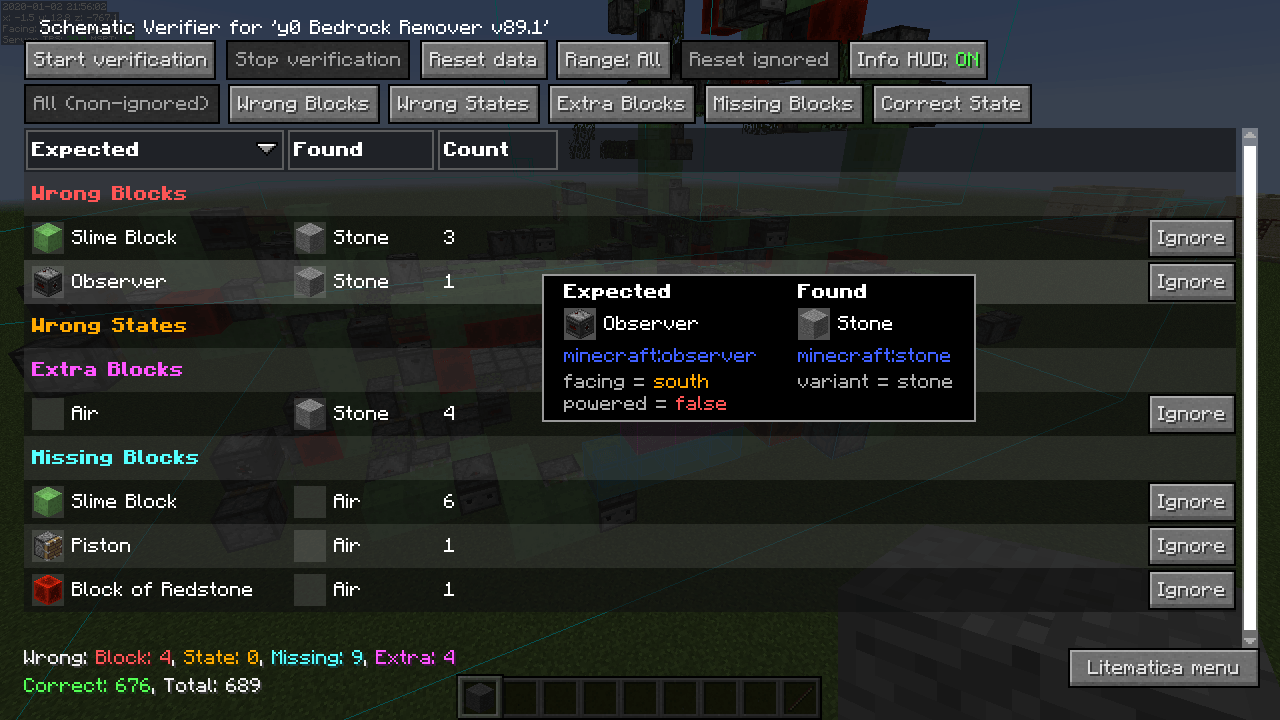
M + C- The direct hotkey to open the config menuM + R- Toggle ON/OFF ALL rendering from LitematicaM + G- Toggle ON/OFF just schematic rendering ("ghost blocks" - all HUDs for example will still render)M + T- Toggle ON/OFF the "tool item" (which is by default a stick) functionalityM + P- Directly open the Schematic Placements menu/listM + V- Open the Schematic Verifier menuNumpad minus- Open the placement configuration menu for the currently selected placementNumpad multiply- Open the Area Editor menuPage Up/Down- Change the selected layer in the render layers settingsM + Page Up/Down- Change the render layers modeCtrl + scroll(holding the tool) - Cycle the "tool mode" (there is also a button for this in the lower left corner of the main menu)Alt + scroll(holding the tool) - Nudge/move the selected placement or area selection box or corner (depending on the tool mode) in the direction the player is looking atCtrl + M- Toggle or cycle the "sub-mode" or main setting of some of the "tool modes", such aspasteReplaceBehaviorin Paste mode, theCornersvs.Expandbehavior in Area Selection mode, or theAreavs.Placementbehavior of the Delete mode
Warning for multiplayer
The Easy Place mode feature may get you banned on some servers!
The Easy Place feature will always be clicking on the target position's air block, and this can easily be detected by anti-cheat systems. So this can result in at least two things: The block placement will just be rejected and you just get client-side ghost blocks, or some anti-cheat system flags that as cheating and auto-bans you from the server. So before using Easy Place, find out of it's allowed on the server!
If you have Optifine...
In general I don't recommend using Optifine (with Litematica, or otherwise) due to the various rendering issues it causes. Instead I would recommend using Sodium and/or Iris if you want shaders.
If you have Optifine installed, then there are some options that you most likely will need to disable in Optifine, or otherwise it will break the schematic rendering:
- If you get glitchy weird triangles, then in 1.16+ first try updating to the latest Litematica version. If that doesn't work, then set shaders to
OFF(notInternal) and restart the game. Render Regionsprobably needs to be disabled to prevent weird rendering issues (the schematic partially rendering in weird places)Fast Rendermight also need to be disabled if there are still some weird HUD/GUI rendering issues
Documentation
There is a wiki. The wiki is still being worked on, and it will probably have a new address at some point (or rather there will be a new wiki in a new location with a lot more coverage).
Other/older documentation and explanations, some FAQ answers
Here is a Reddit post that explains the very basics of the mod:
Litematica - Easy Place support on servers
<details open=""> <summary>Misc explanations on Reddit or my Discord server</summary>Schematic format conversions:
Litematica Normal selection mode with sub-regions:
- https://old.reddit.com/r/feedthebeast/comments/r9n9mi/litematicas_addselectionbox_keybind_wont_work/
- https://old.reddit.com/r/feedthebeast/comments/r9n9mi/litematicas_addselectionbox_keybind_wont_work/hnpe9yg/
Litematica - hiding an area selection:
- https://github.com/maruohon/litematica/discussions/755#discussioncomment-6772682
- https://old.reddit.com/r/fabricmc/comments/yw9r5y/litematica_1192_issues/ixr7l5h/
Litematica - can't create new selection sub-regions (in Simple mode):
Litematica - Normal/Multi-Region area selection tutorial:
Litematica - Easy Place on a server with FabricCarpet but no CarpetExtra:
- https://discord.com/channels/169369095538606080/566649314001158165/1235158483792433214
- https://discord.com/channels/169369095538606080/566649314001158165/1221223833889935420
Litematica - easy/fast selections tutorial:
Litematica - schematic formats:
- https://discord.com/channels/169369095538606080/183172448919748608/1180841121845354516
- https://discord.com/channels/169369095538606080/566649314001158165/1176569283271213098
- https://discord.com/channels/169369095538606080/566649314001158165/1097540707931127938
- https://discord.com/channels/169369095538606080/169369095538606080/1081089742944337941
- https://discord.com/channels/169369095538606080/566649314001158165/1097564948999184394
- https://github.com/maruohon/litematica/issues/812#issuecomment-1924300257
Litematica - saving and pasting with block entity data:
Litematica - Material Lists variants:
Litematica - Manual Origin issue:
Litematica - placing stairs correctly:
Litematica - performance tips with large schematics:
Litematica - large schematics, bad performance or crashes, what to do:
Litematica - how to only show one block type at a time:
Litematica not working/keys not working:
Litematica "only render one block":
Litematica - finding the schematics directory/game directory:
- https://old.reddit.com/r/litematica/comments/1co6vh4/downloading_schematics_on_different_versions_of/l3c21l9/
- https://old.reddit.com/r/litematica/comments/13es48n/how_to_import_schematics_on_mac/kb8bu5d/
Litematica - using sub-regions:
Litematica - pasting redstone on servers:
- https://discord.com/channels/169369095538606080/566649314001158165/1063578995347685446
- https://legacy.curseforge.com/minecraft/mc-mods/litematica?comment=2838
- https://discord.com/channels/169369095538606080/566649314001158165/1227276878830764183
Litematica - pasting inventory contents on servers, feat. Litemoretica:
Litematica - paste task not running + somewhat comprehensive mspt and profiling quick howto:
Litematica - schematic placement explained:
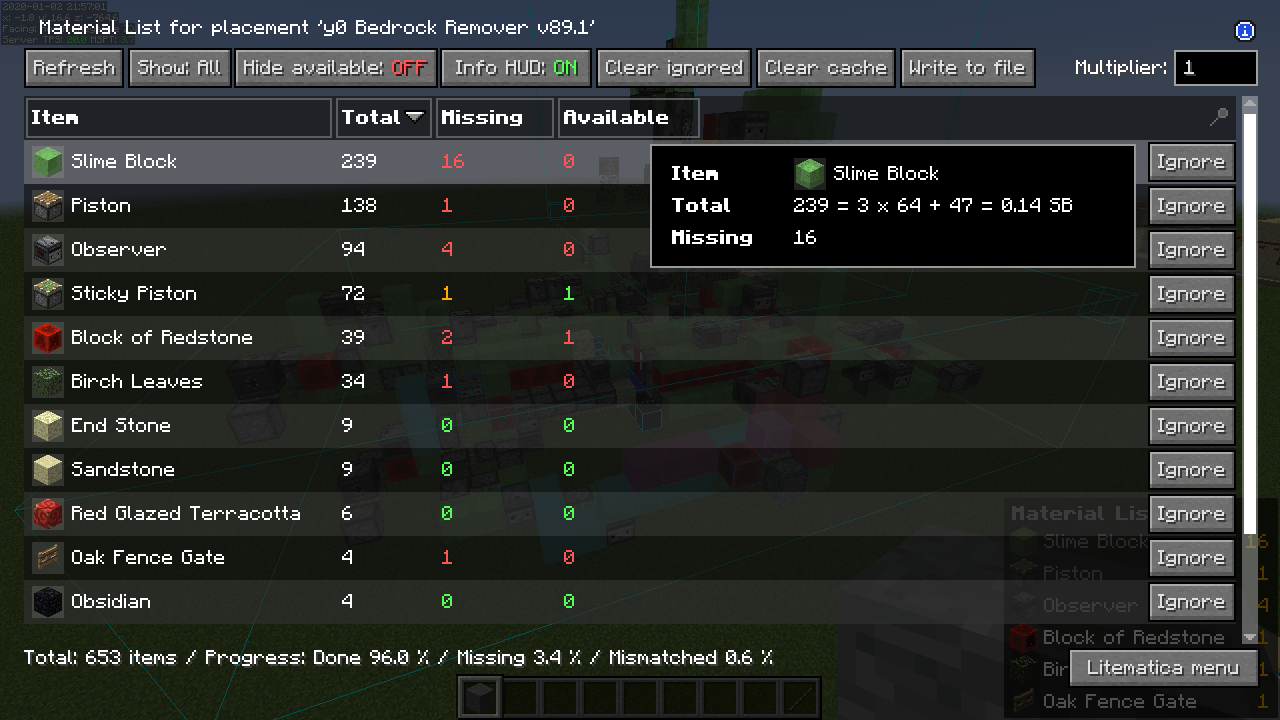
Litematica - material list:
Litematica - performance tips with large schematics:
Litematica - no schematics directory in the .minecraft directory:
Litematica "not working" (not in Controls) -> F3, malilib keys, Mod Menu:
World Edit pasting:
MacOS how to go up one directory:
Youtube tutorials
Here are some of the better Youtube tutorial videos I've come across.
</details>Screenshots
Gallery
-
 b2923b6fc497d8593246173468afb12aac83eec5.png b2923b6fc497d8593246173468afb12aac83eec5.png
 -
 786f4f7cdd30512ede8a6d7d893d7aed458fb6b0.png 786f4f7cdd30512ede8a6d7d893d7aed458fb6b0.png
 -
 8f3ec5ada9072619adc7853afea50e6b2dae3daf.png 8f3ec5ada9072619adc7853afea50e6b2dae3daf.png
 -
 6d3166863af5065598dac8f7dd6c1de9ebcb57a2.png 6d3166863af5065598dac8f7dd6c1de9ebcb57a2.png
Versions
Files
Relations
Project Relations
More like this
Similar Mods
Suggestions use data such as tags, dependencies, dependents, descriptions, titles, and more to rank how much they overlap with this mod.
On ModDex
Community snapshot
By the numbers
Statistics
Want to reach Minecraft players?
We're looking for a server hosting partner to feature here and other parts of the site. Interested? Send us a message!
Get in touchGet it on
Available Platforms
On ModDex
Community snapshot
By the numbers
Statistics
Resources