
Community listing page, reviews here may not be monitored by the author.
Lost Cities - LTS


No reviews yet
A Long Term Support fork of Lost Cities for 1.12

Community voices
Reviews
No reviews yet. Be the first to review this project!
Get it on
Available Platforms
Compatibility
Supported Environments
Must be installed on both the client and the server.
About
Project Details
For authors
Embed Badge
If you're the author of this project, you can embed a live badge anywhere that supports HTML or Markdown. It updates automatically whenever ratings change.
Use HTML for any page that supports it, or Markdown for README files and Markdown-based descriptions.
Identifiers
Platform IDs
About
Description
Lost Cities LTS
(I am no longer modding Minecraft, and all of my MC projects can be considered EOL indefinitely. Some of them may be continued in some capacity as their own games. See the Discord for more info. They have open licenses, so feel free to fork them or whatever else the license allows. No need to ask as I won't answer DMs on Curse anyway).
This mod is also available on Modrinth.
What is this fork and why does it exist?
This fork aims to create a Long Term Support version of Lost Cities for Minecraft 1.12.2. It aims to patch all existing bugs, backport features from the newest versions of Lost Cities, and add additional features for use in Cyclone Modding projects. Unlike other 1.12 LC forks, Lost Cities LTS will try to actively fix issues even if they don't benefit our projects. The main purpose of this fork is to increase support for static placement features for use in SAM-Worlds, but it will eventually also have parity with new LC versions to include features like increased multi building sizes.
Defining Static Highways
Previously, you could not ensure highways between static cities. Now you can define the exact start and end points of static highways that will be placed in addition to naturally generating ones. These aren't restricted by the 7 chunk mask. The format is to define a starting chunk, a direction, and a highway length. Example:
{
"type": "highway",
"name": "Big Phat Highway",
"dimension": 0,
"chunkx": 4,
"chunkz": -3,
"direction": "x+",
"length": 20,
"level": 1
}
This would go in any asset json loaded in the config/lostcities.../ directory. You must add the resource path to the lost cities config file.
CREDITS
This fork is based on the Survive The Dead Edition fork by Burchard36 to maintain their tile entity bug fixes. Credit to them for their work on the tile entity code.
Thanks to Phantamanta44 for the commission.
Please excuse the formatting. I'm not going to bother making it look nice with Curseforge's buggy editor.
Lost Cities - LTS
(This description is wip and doesn't yet cover all changes).
Summary:
This fork aims to create a Long Term Support version of Lost Cities for Minecraft 1.12.2. It aims to patch all existing bugs, backport features from the newest versions of Lost Cities, and add additional features for use in Cyclone Modding projects.
Unlike other 1.12 LC forks, Lost Cities LTS will try to actively fix issues even if they don't benefit our projects. The main purpose of this fork is to increase support for static placement features for use in SAM-Worlds, but it will eventually also have parity with new LC versions to include features like increased multi building sizes.
Defining Static Highways
Previously, you could not ensure highways between static cities since highway placement uses perlin noise. Now you can define the exact start and end points of static highways that will be placed in addition to naturally generating ones. These aren't restricted by the 7 chunk mask, and can be placed anywhere (in fact, you could customize the highway slices to be whatever you want and use highways for something else, like aqueducts in a medieval LC preset for example). The format is to define a starting chunk, a direction, and a highway length. Example:
{
"type": "highway",
"name": "Big Phat Highway",
"dimension": 0,
"chunkx": 4,
"chunkz": -3,
"direction": "x+",
"length": 20,
"level": 1
}
This would go in any asset json loaded in the config/lostcities.../ directory. You must add the resource path to the lost cities config file.
Commands
Since the LC commands are not listed anywhere and the help command doesn't work on them, this is a list of the commands available:
lc_debug will print the current building you're standing in and a bunch of other useful info to the log.
lc_buildpart <partName> will spawn in the specified building part (The 16x6x16 floor slices. WILL OVERWRITE ALL BLOCKS AT LOCATION). There are currently no commands for spawning in entire buildings.
lc_exportpart <filePathAndName> <verticalBlocksInteger> will export a slice as a json file. The file path has to include the entire folder path of the destination of where you want it to save, as well as the file name itself and extension. E.g C:\Users\Username\curseforge\minecraft\Instances\ModpackName\fileName.json. The number is the number of blocks that it will save to the exported slice, counted from one block below where you are standing. So typing "3" will save the layer of blocks below you plus the two layers above that. Obviously this can take a max integer of 6 as that is the maximum height of a building slice (Can actually export more than 6 layers, but you won't be able to put all of it in a floor).
lc_exportbuilding uses the same command as above, except this will export an entire building instead of a slice/ floor. Counts a floor as 6 blocks high using same rules as above, and the integer at the end of the command will instead specify the number of floors the building has.
(So for both these commands you need to be standing on top of the bottom most layer of a building or floor to export the entire thing).
Then you can copy over the exported slices from that file into your actual asset json files in the config. The block character pairs generated in the output file are pulled from existing block palettes and styles, and any that aren't get an "unknown character" placeholder randomly assigned (which may conflict with existing characters in your actual palettes). So you need to set up your block-character pairs for new blocks before exporting parts. Check the official Lost Cities wiki for more info (the one hosted by McJity, not the garbage Fandom one).


Are you a player that still enjoys 1.12? Or a dev still making content for it? Come join the 1.12.2 Modding Coalition!
If you need in depth support or have any questions, you can ask on the Cyclone Gaming Discord server.
Please report any bugs on the Github issue tracker.
CREDITS
Burchard36 -- This fork is based on the Survive The Dead Edition fork by Burchard36 to maintain their tile entity bug fixes.
Phantamanta44 -- for the commission.
McJty -- For their amazing work in creating the Lost Cities mod.
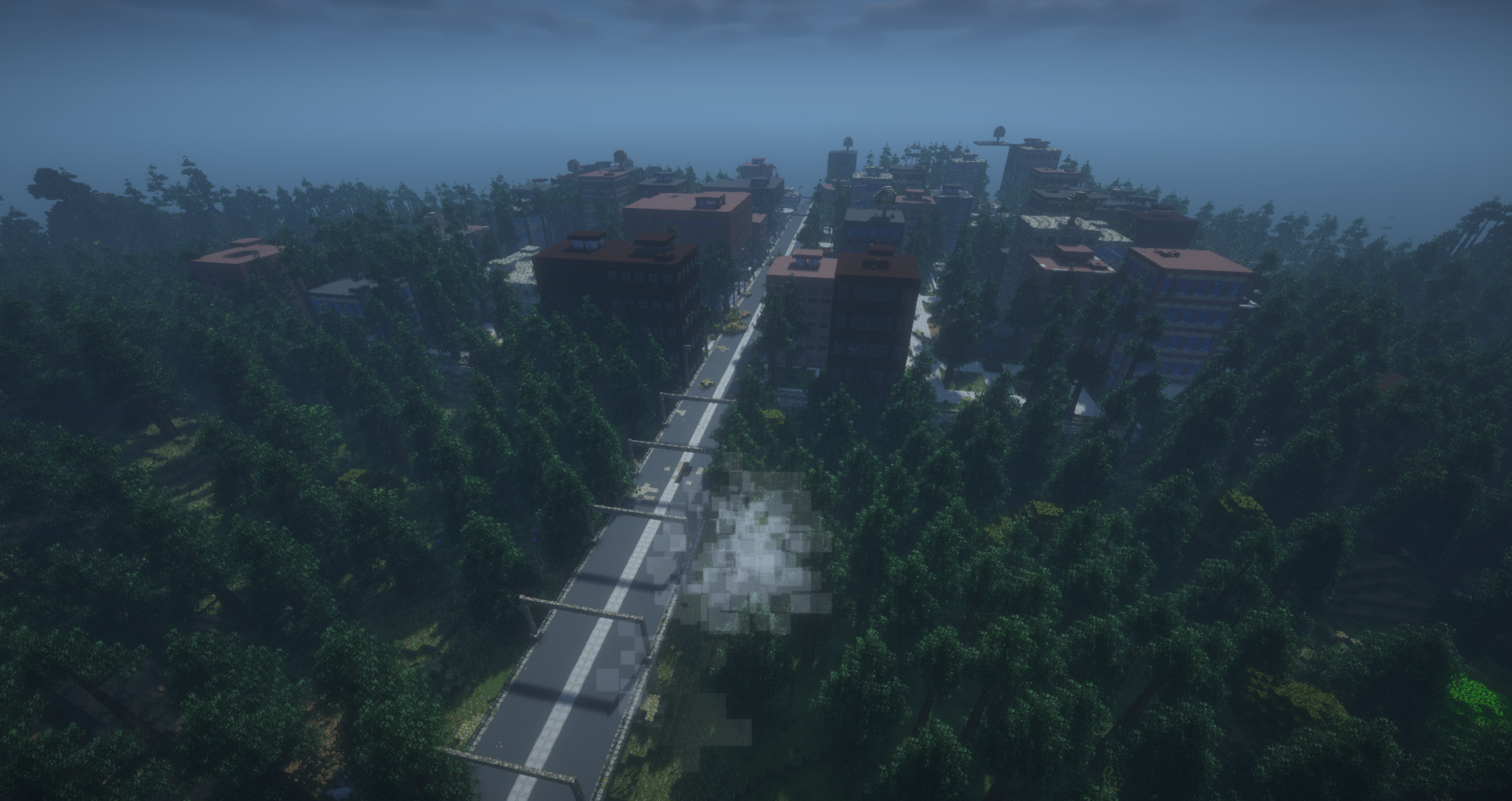
Screenshots
Gallery
Versions
Files
Relations
Project Relations
More like this
Similar Mods
Suggestions use data such as tags, dependencies, dependents, descriptions, titles, and more to rank how much they overlap with this mod.
On ModDex
Community snapshot
By the numbers
Statistics
 (opens in a new tab)
Get it on
Available Platforms
On ModDex
Community snapshot
By the numbers