Mod

mcrpvp
No reviews yet
MCRPVP is a configurable Minecraft PvP dueling plugin featuring ranked and unranked matchmaking, a per-gamemode Elo system, customizable kits, parties, friends, leaderboards, spectating, player statistics, a kit layout editor, region selection, and web
Features small, self-contained games within Minecraft.
Fabric is a mod loader for versions 1.14+ of Minecraft, particularly popular for client side and optimization mods.
Paper is a fork of Spigot that adds its own plugin API on top of the Bukkit API. All Spigot plugins are compatible with paper, not all paper plugins are compatible with Spigot.
Spigot is a popular software for running dedicated servers that can load Plugins created with the Bukkit API.
Community voices
Reviews
Click once to include, again to exclude, again to clear
No reviews yet. Be the first to review this project!
Get it on
Available Platforms
 Modrinth
Compatibility
Supported Environments
About
Project Details
For authors
Embed Badge
If you're the author of this project, you can embed a live badge anywhere that supports HTML or Markdown. It updates automatically whenever ratings change.
Use HTML for any page that supports it, or Markdown for README files and Markdown-based descriptions.
Identifiers
Platform IDs
Resources
External Links
About
Description
MCRPVP
MCRPVP is a configurable Minecraft PvP dueling plugin featuring ranked and unranked matchmaking, an Elo rating system, customizable kits, parties, friends, leaderboards, and website integration.
Designed for competitive PvP servers, the plugin provides an experience inspired by classic practice servers while remaining fully configurable through config.yml.
Features
- Ranked and unranked matchmaking
- Elo rating system (default starting Elo: 1000)
- Unlimited configurable gamemodes
- Custom kit system
- In-game kit layout editor
- Arena schematic support
- Party system
- Friends system
- Spectator mode
- Leaderboards
- Player statistics
- Region selector
- Player settings menu
- Gift system
- Account linking
- Reports system
- Built-in moderation commands
- Configurable rules and rank tiers
- Store and social link GUI
- JSON exports for websites
- Optional REST API and WebSocket support
- File-based player storage by default
Gamemode Configuration
Create your own gamemodes without modifying the plugin.
Each gamemode can have its own:
- Display name
- Queue
- Icon
- Kit
- Arenas
- Elo leaderboard
- Settings
Gamemodes can be enabled, disabled, added, or removed entirely through the configuration.
Kit Editor
Players can customize their inventory layouts using the built-in Kit Editor.
Features include:
- Drag-and-drop inventory editing
- Automatic layout saving
- Per-player layouts
- Optional armor trim customization
- Configurable hotbar key labels
Elo System
Each player starts with 1000 Elo by default.
The Elo system tracks ratings separately for each gamemode and includes:
- Ranked queues
- Win/loss tracking
- Win streaks
- Per-gamemode statistics
- Leaderboards
- Configurable rank tiers
Website Integration
MCRPVPDuel can export player and leaderboard data for external websites.
Available exports include:
- Leaderboards
- Live Elo snapshots
- Individual player profiles
An optional HTTP API and WebSocket server are also available for live integrations.
Included Systems
- Ranked Queue
- Unranked Queue
- Duel Requests
- Parties
- Friends
- Reports
- Spectating
- Statistics
- Regions
- Settings
- Store GUI
- Social Links
- Rules
- Rank Information
- Account Linking
- Gifts
- Moderation Utilities
Configuration
Most features are configurable, including:
- Gamemodes
- Kits
- Queue settings
- Elo values
- Rank tiers
- GUI layouts
- Messages
- Commands
- Social links
- Rules
- Regions
- Permissions
Commands
Player commands include:
/duel/queue/party/friend/stats/leaderboards/spectate/report/gift/settings/store/rules/rank/link
Administrative commands include:
/setspawn/mcrpvp reload/mcrpvp stats/mcrpvp resetelo- Moderation commands
Permissions
Permissions allow server owners to control access to plugin features, including:
- Queues
- Kit Editor
- Parties
- Public Parties
- Reports
- Moderation
- Administrative commands
Support
If you encounter a bug or would like to request a feature, please use the project's issue tracker or support server.
how to setup custome map 🏟️ Custom Arena Tutorial This guide explains how to create and add new maps to the EloPractice matchmaking system.
Prerequisites A server running WorldEdit or FastAsyncWorldEdit (FAWE). The EloPractice plugin installed. A creative world or building area. Design Your Map You can build your arena using any blocks you like. The plugin automatically handles block protection and rollbacks, so players can break or place blocks during matches (like in UHC or Crystal PvP) without ruining the original map. 📍 Setting Spawn Points The plugin uses specific blocks to determine where players start. You must include these blocks inside your build before saving:
Red Concrete: The starting position for Player 1. Blue Concrete: The starting position for Player 2. Note: The plugin will automatically center the player on these blocks and rotate them to face their opponent.
Saving the Schematic Once your map is finished and your concrete spawn markers are placed: Select the area: Use your WorldEdit wand (//wand) to select the entire arena. Ensure you include the floor and a reasonable height for gameplay. Set the Origin: Stand in the exact center of the arena floor and type: //copy Save the file: //schem save <arena_name> 4. Deploying the Arena To make the plugin recognize your new map, you must place the file in the correct directory.
Navigate to your server files: plugins/EloPractice/arenas/ Find the folder corresponding to the kit you built the map for (e.g., vanilla, uhc, nodeath, etc.). Upload your .schem or .schematic file into that specific kit folder. 5. How it Works (Technical Details) Randomization: If you put multiple schematics in one kit folder, the plugin will randomly select one each time a match starts. Isolation: The plugin pastes matches 500 blocks apart on the X-axis to ensure players in different matches never see or interfere with each other. Auto-Cleanup: As soon as a match ends, the plugin uses an "Undo Clipboard" to instantly restore the area to its original state, removing all player-placed blocks, fire, or TNT damage. ⚠️ Troubleshooting Players spawning in the void? Ensure you stood in the center of the map when typing //copy. Spawns aren't working? Double-check that you used Red Concrete and Blue Concrete. The plugin specifically looks for these block types to calculate coordinates. Map not loading? Check the console for "No .schem files found" errors. Ensure the file extension is .schem or .schematic and that it is in the correct subfolder. Contributions and feedback are welcome. Copyright © 2026 Networkak.com All rights reserved.
Screenshots
Gallery
-
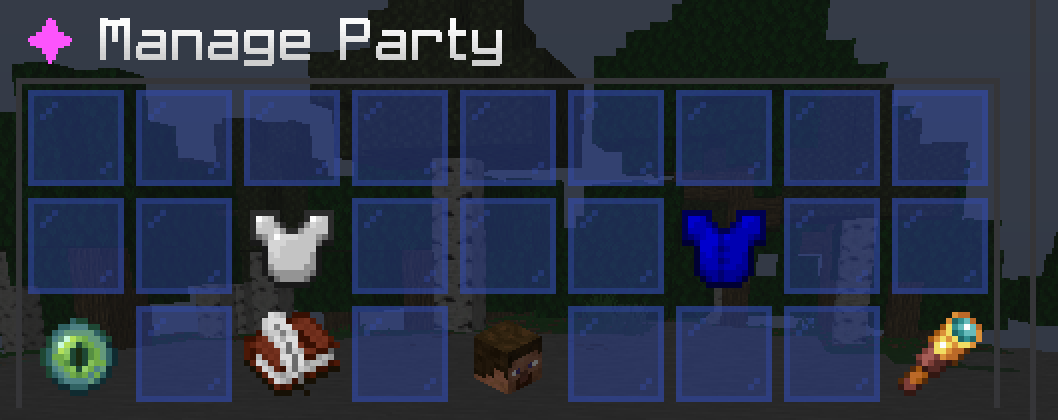 party manager gui ..
 -
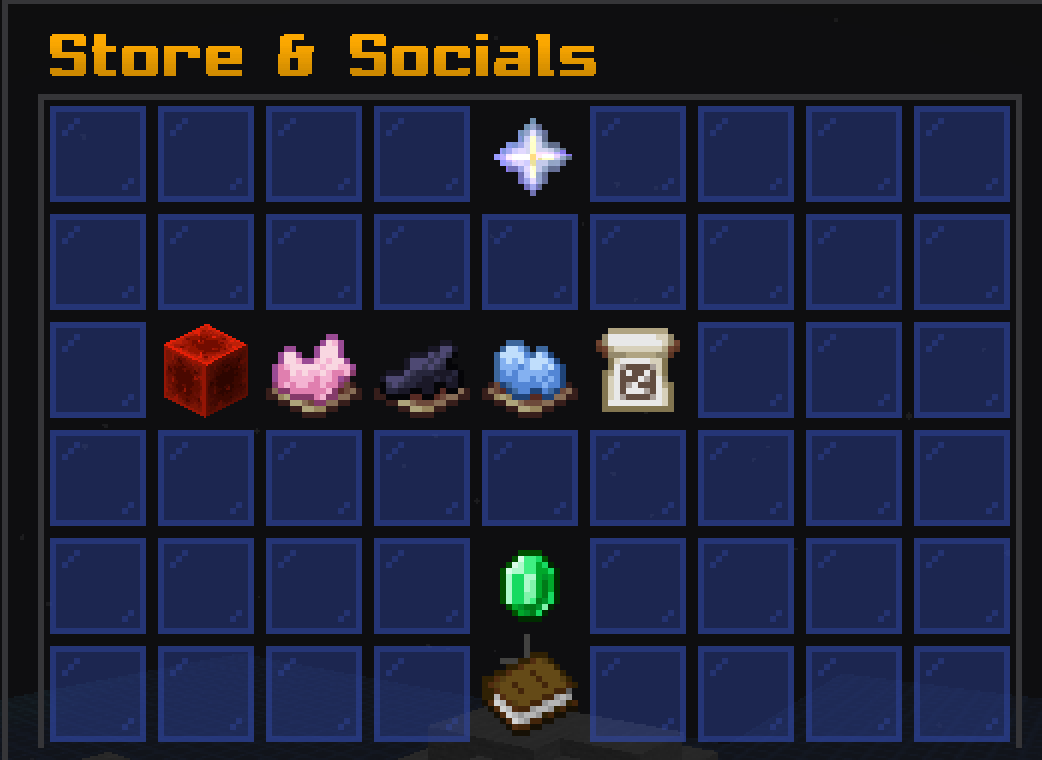 store and socails media gui ...
 -
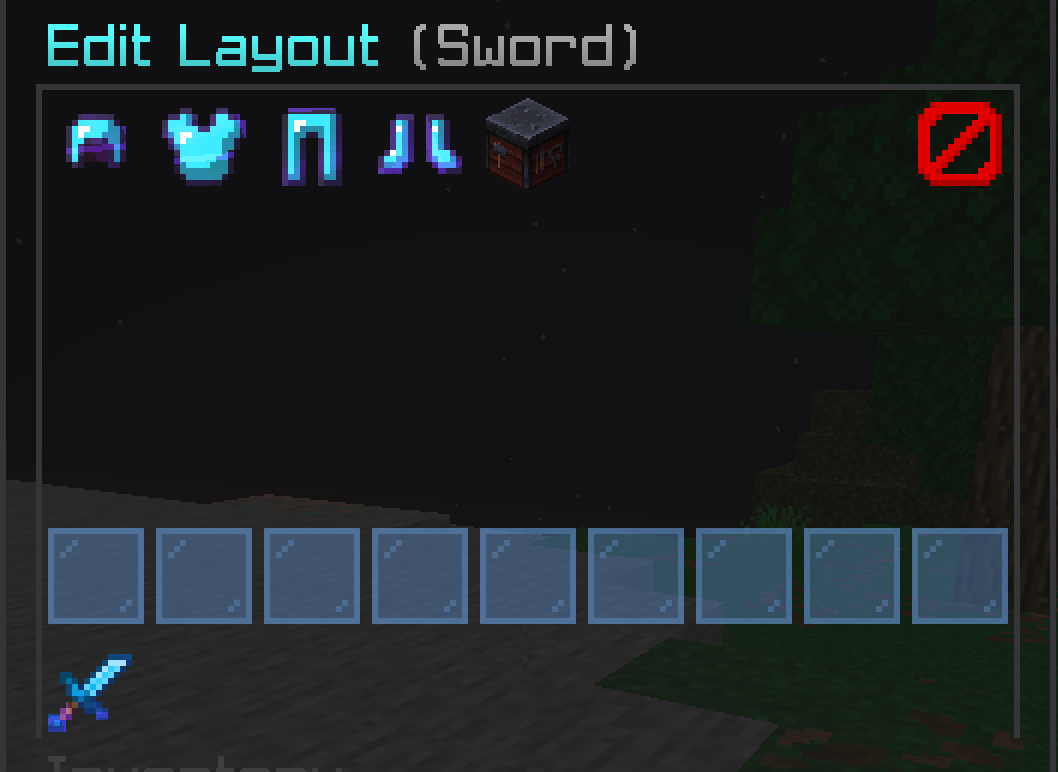 kit editor ...
 -
 your ad get now https://discord.gg/eKxE3MEcW3
 -
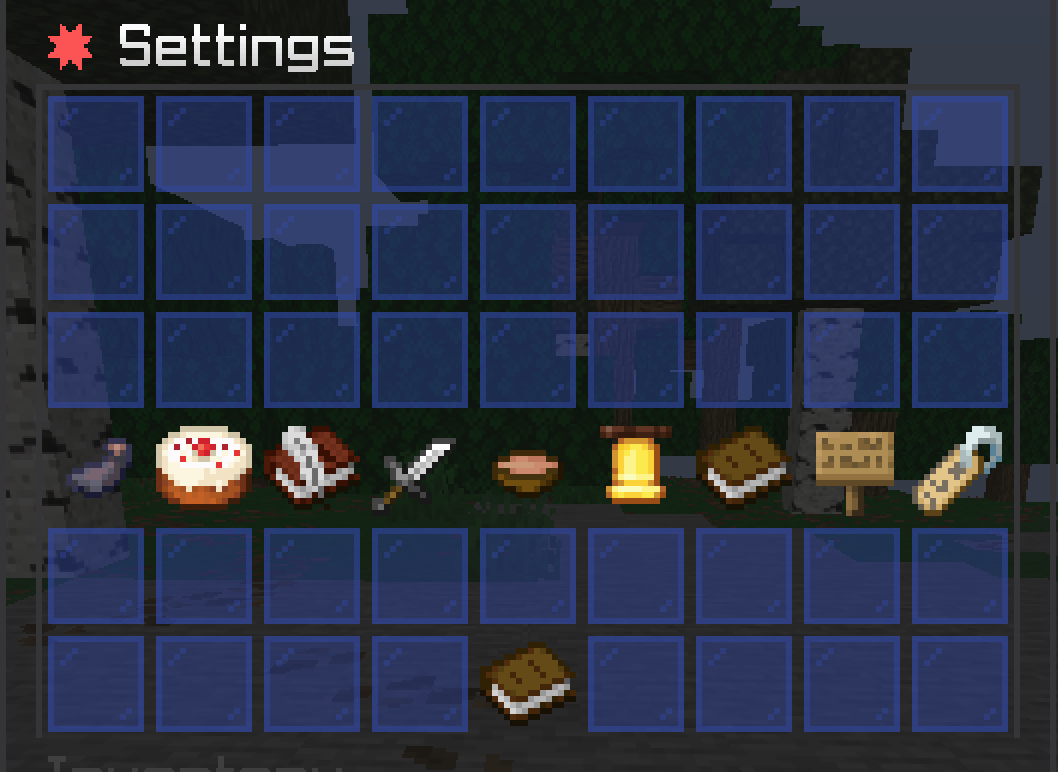 setthings gui
 -
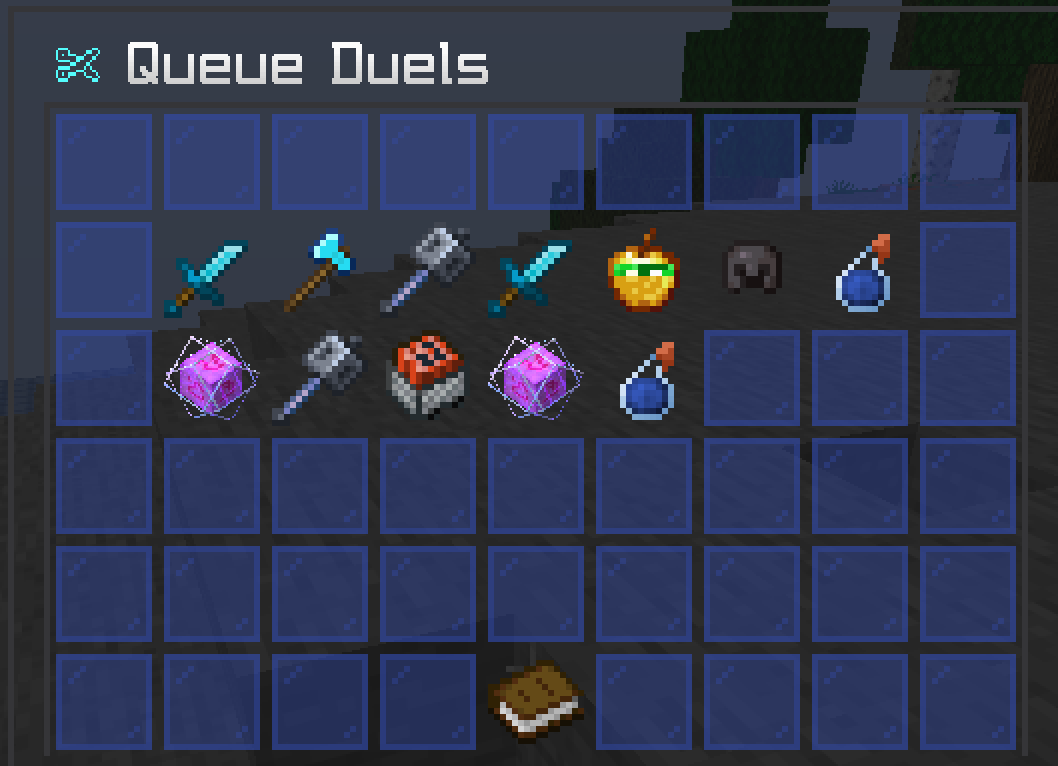 queue gui this is the queue gui where you can queue in a gamemode
 -
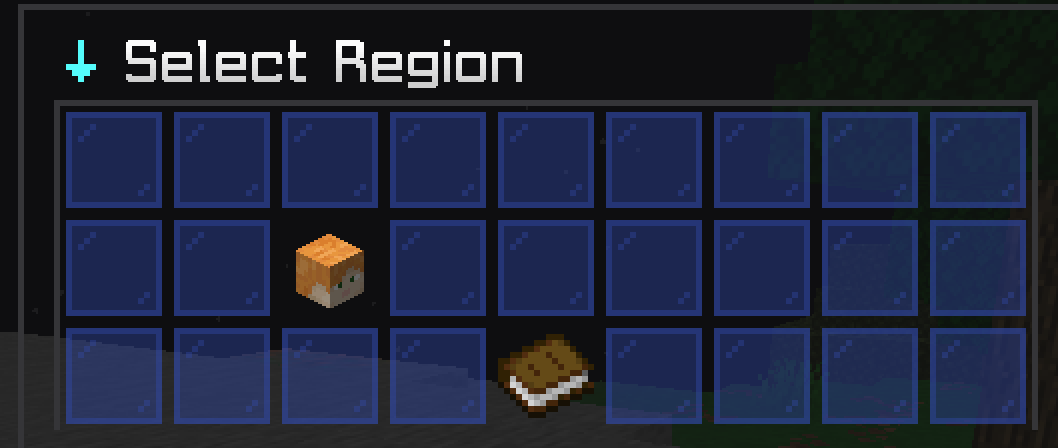 region slecter gui
Versions
Files
Relations
Project Relations
More like this
Similar Mods
Suggestions use data such as tags, dependencies, dependents, descriptions, titles, and more to rank how much they overlap with this mod.
On ModDex
Community snapshot
By the numbers
Statistics

Want to reach Minecraft players?
We're looking for a server hosting partner to feature here and other parts of the site. Interested? Send us a message!
Get in touchGet it on
Available Platforms
On ModDex
Community snapshot
By the numbers
Statistics
Resources