Mod

ModernConfig
No reviews yet
ModernConfig is a Configuration Library for Modern Fabric Mods
Does not follow a specific thematic focus apart from vanilla Minecraft.
Used for mods with little to no gameplay elements.
Adds tools to customize the user interface and menus.
Provides a framework or library for other mods to use.
Fabric is a mod loader for versions 1.14+ of Minecraft, particularly popular for client side and optimization mods.
Community voices
Reviews
Click once to include, again to exclude, again to clear
No reviews yet. Be the first to review this project!
Get it on
Available Platforms
 Modrinth
Compatibility
Supported Environments
About
Project Details
For authors
Embed Badge
If you're the author of this project, you can embed a live badge anywhere that supports HTML or Markdown. It updates automatically whenever ratings change.
Use HTML for any page that supports it, or Markdown for README files and Markdown-based descriptions.
Identifiers
Platform IDs
About
Description
ModernConfig

A beautiful, modern configuration library for Minecraft mods




🌟 Overview
ModernConfig is a sleek configuration library for Minecraft Fabric mods that makes managing settings easy. No more config commands - ModernConfig has animations, a modern style, and its really easy to implement in your mods.
✨ Features
🧩 Configuration Options
- 🔘 Toggles: Boolean switches - on or off
- 📝 Text Fields: String inputs
- 🎚️ Sliders: Numeric inputs with customizable ranges and precision
- 📋 Lists: Dynamic string lists with add/remove functionality
- 🎨 Color Pickers: HSV color selection with hex input support
- 📋 Dropdowns: Selection menus
- 📁 Categories: Organized sections with nested configurations
🚀 Easy to Develop with
- Simple API: Easy to use Builder
- Listeners for config updates: Register a listener to fire when the config changes
🔧 Other Features
- Global Config Screen: One place to access all mods configs
- Integrated Keybind: Right Shift opens the config (configurable)
- Performance Optimized: Non FPS draining animations
📸 Screenshots
Main Interface
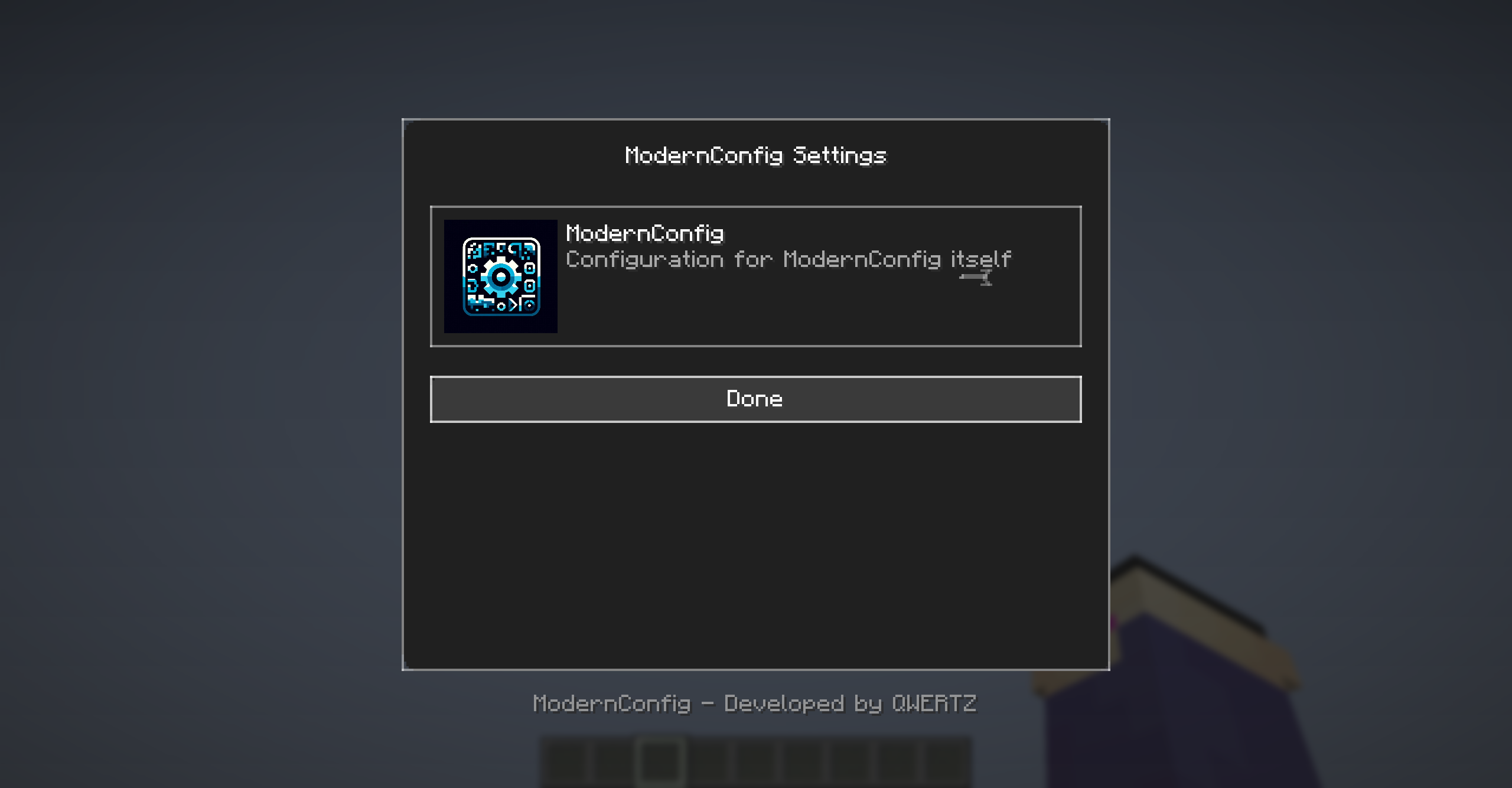 Main interface with animations and modern design
Configuration Options
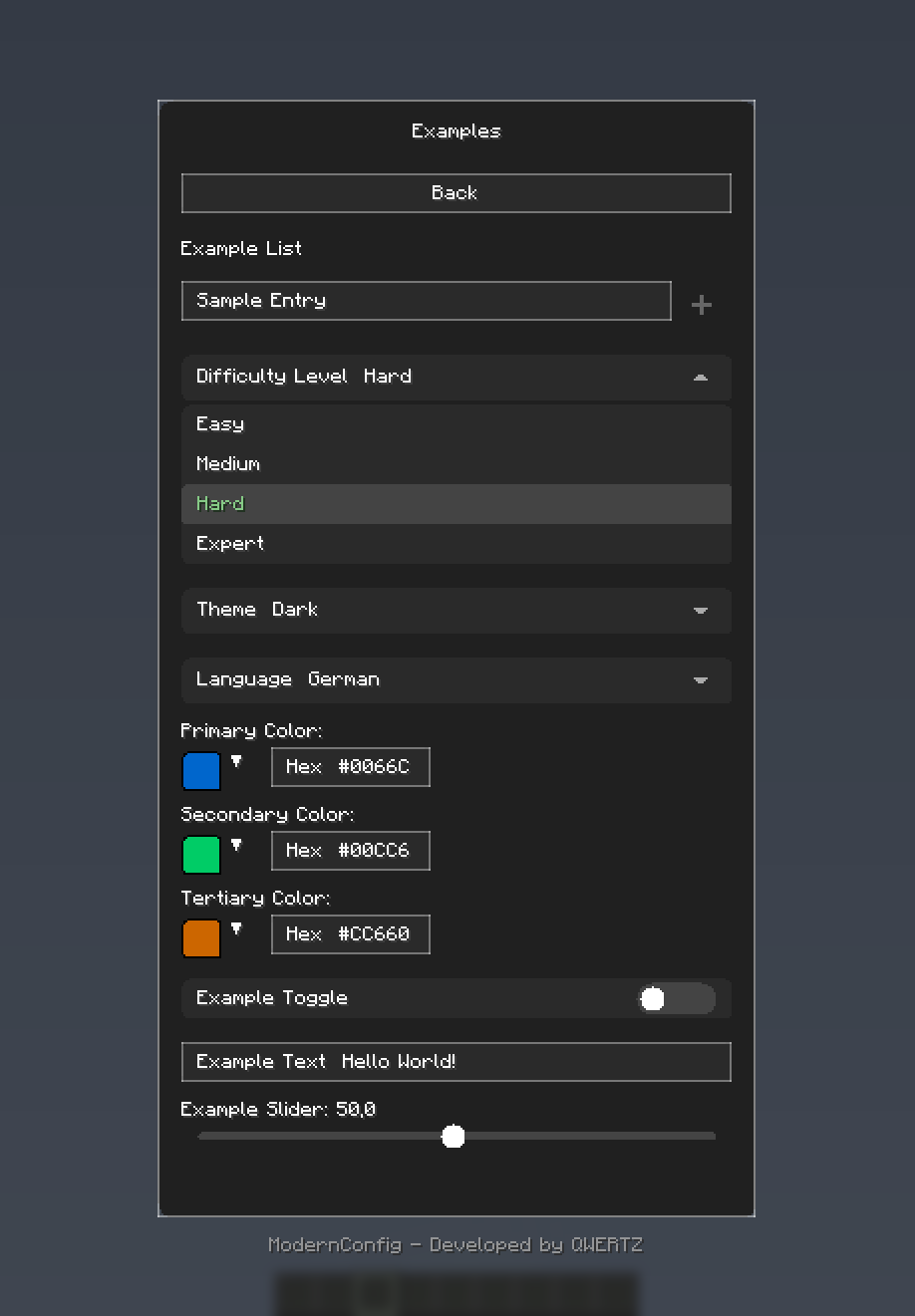 Rich variety of input types: toggles, sliders, text fields, and more
Color Picker
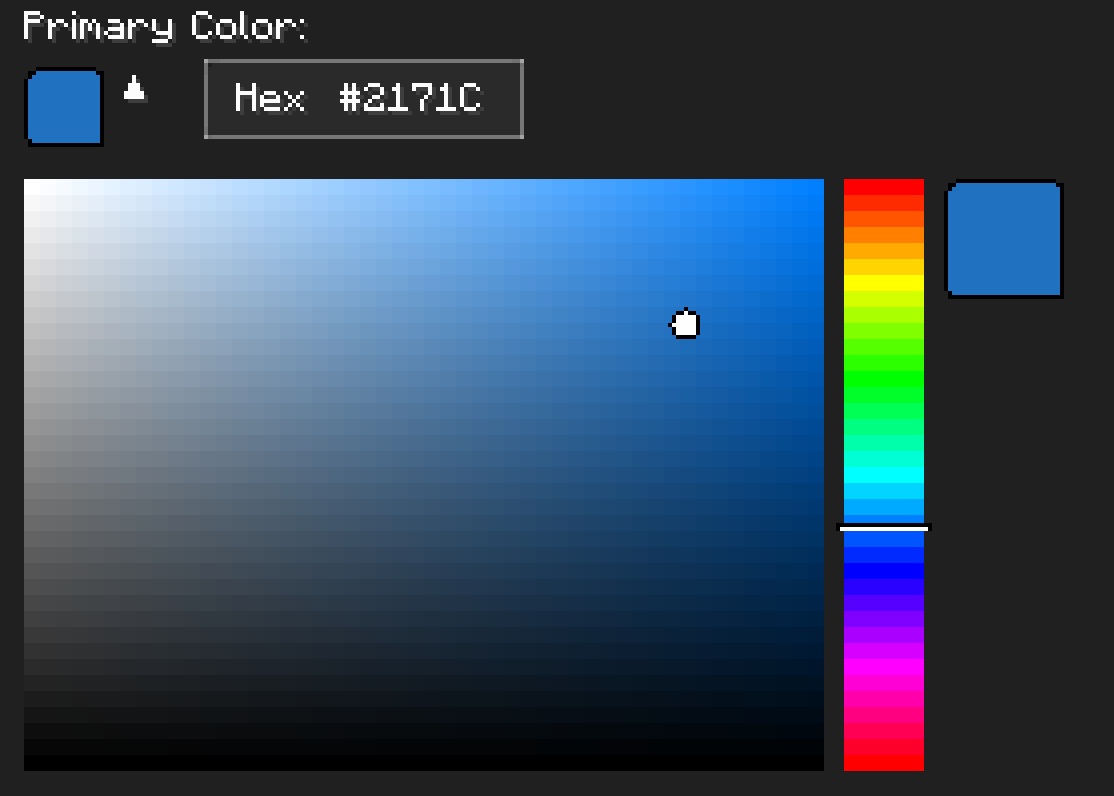 HSV color picker with real-time preview
🚀 Installation
For Players
-
Download and Install Fabric
- Get Fabric Loader
- Install Fabric API
-
Download ModernConfig
- Download from Modrinth
-
Install the Mod
- Place the
.jarfile in yourmodsfolder - Launch Minecraft with the Fabric profile
- Place the
For Developers
Add ModernConfig to your build.gradle:
repositories {
    maven {
        name = 'QWERTZ-Repo'
        url = 'https://repo.qwertz.app/'
    }
}

dependencies {
    modImplementation 'app.qwertz:modernconfig:1.3'
}
🎮 Usage
Opening the Configuration
- In-Game: Press
Right Shift(you can change this keybind)
Navigation
- Main Screen: Shows all mods that use ModernConfig
- Click a Mod: Opens that mod's settings
- Back Button: Goes back to the previous screen
🔧 Developer Guide
Quick Start
Here is how easy it is to set up a config:
public class YourMod implements ClientModInitializer {

    @Override
    public void onInitializeClient() {
        ModernConfig config = ConfigBuilder.create("YourMod", "Your Mod Configuration")
            .toggle("enabled", "Enable Mod", true)
            .slider("power", "Power Level", 50, 0, 100, 1)
            .text("username", "Player Name", "Steve")
            .color("theme_color", "Theme Color", 0x4A90E2)
            .list("whitelist", "Player Whitelist", "Player Name")
            .dropdown("difficulty", "Difficulty", Arrays.asList("Easy", "Normal", "Hard"), "Normal")
            .build();
    }
}
Using Categories
When you have lots of settings, organize them into categories:
ModernConfig config = ConfigBuilder.create("AdvancedMod", "Advanced Mod Settings")
    .category("general", "General Settings", "Main configuration options", category -> category
        .toggle("enabled", "Enable Mod", true)
        .slider("update_interval", "Update Interval", 20, 1, 100, 1)
        .text("server_url", "Server URL", "https://api.example.com")
    )
    .category("ui", "User Interface", "Customize the user interface", category -> category
        .color("primary_color", "Primary Color", 0x4A90E2)
        .color("secondary_color", "Secondary Color", 0x2ECC71)
        .dropdown("theme", "Theme", Arrays.asList("Dark", "Light", "Auto"), "Dark")
        .slider("ui_scale", "UI Scale", 1.0f, 0.5f, 2.0f, 0.1f)
    )
    .category("advanced", "Advanced Settings", "Advanced configuration options", category -> category
        .toggle("debug_mode", "Debug Mode", false)
        .list("blocked_items", "Blocked Items", "Item ID")
        .list("whitelist", "Whitelisted Servers", "IP")
        .text("api_key", "API Key", "")
    )
    .build();
Accessing Configuration Values
// Get configuration options by category path
ConfigOption<?> enabledOption = config.getOption("general", "enabled");
ConfigOption<?> updateOption = config.getOption("general", "update_interval");
ConfigOption<?> whitelistOption = config.getOption("advanced", "whitelist");

// Get the actual values
boolean isEnabled = (Boolean) enabledOption.getValue();
int updateInterval = (Integer) updateOption.getValue();
List<String> whitelist = (List<String>) whitelistOption.getValue();
🎨 Configuration Options
Toggle (Boolean)
.toggle("toggle_id", "Display Name", defaultValue)
- Purpose: On/off switches
- Examples: Feature flags, enable/disable options
Text Field (String)
.text("text_id", "Display Name", "default_value")
.text("text_id", "Display Name", "default_value", maxLength)
- Purpose: Text input fields
- Examples: Player names, server URLs, file paths, API keys
Slider (Numeric)
.slider("slider_id", "Display Name", defaultValue, minValue, maxValue, step)
- Purpose: Numeric input with range constraints
- Examples: Percentages, scales, intervals, counts, delays
Color Picker (Integer)
.color("color_option_id", "Display Name", 0xRRGGBB)
- Purpose: Color selection with color picker
- Examples: Theme colors, highlighting, UI customization
List (String Array)
.list("list_id", "Display Name", "Item Display Name")
- Purpose: Lists of text entries
- Examples: Player whitelists, blocked items, keywords
Dropdown (String Selection)
.dropdown("dropdown_id", "Display Name", Arrays.asList("Option1", "Option2"), "Default")
- Purpose: Pick one option from a list
- Examples: Difficulty levels, themes, render modes, language selection
Categories (Organization)
.category("category_id", "Category Name", "Description", category -> category
    // Add options here
)
- Purpose: Organize related options
- Examples: Group related settings logically
🤝 Contributing
Pull Request Process
- Fork the repository
- Make your changes
- Test it
- Submit a pull request
🙏 Credits
Development Team
- QWERTZ - Lead Developer - @QWERTZexe
📞 Support
- Discord: Join our server
🌟 Star History
Made with ❤️ and many tears 🥲
Screenshots
Gallery
-
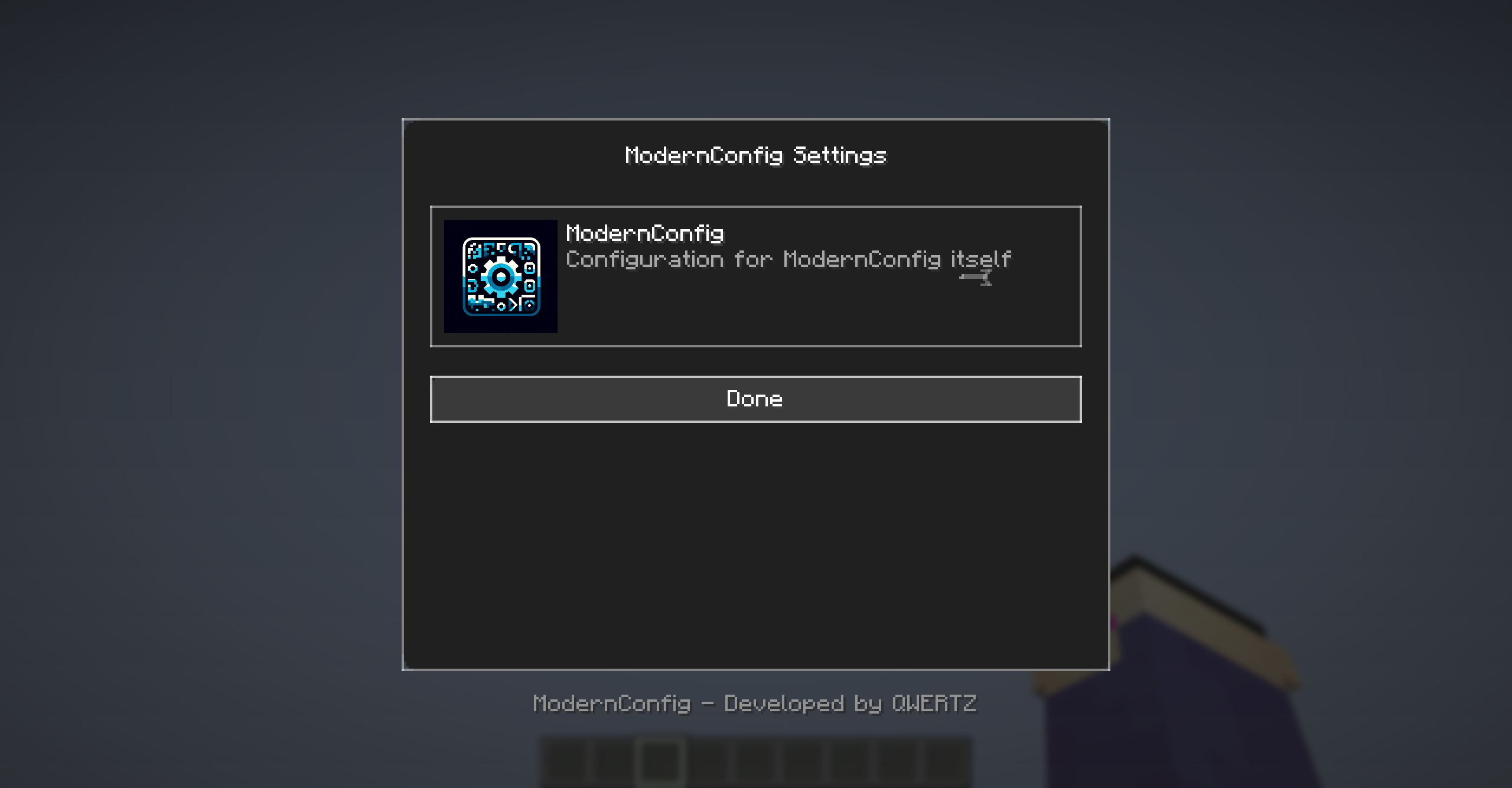 Main Menu The Main Menu of ModernConfig with 0 Mods added
 -
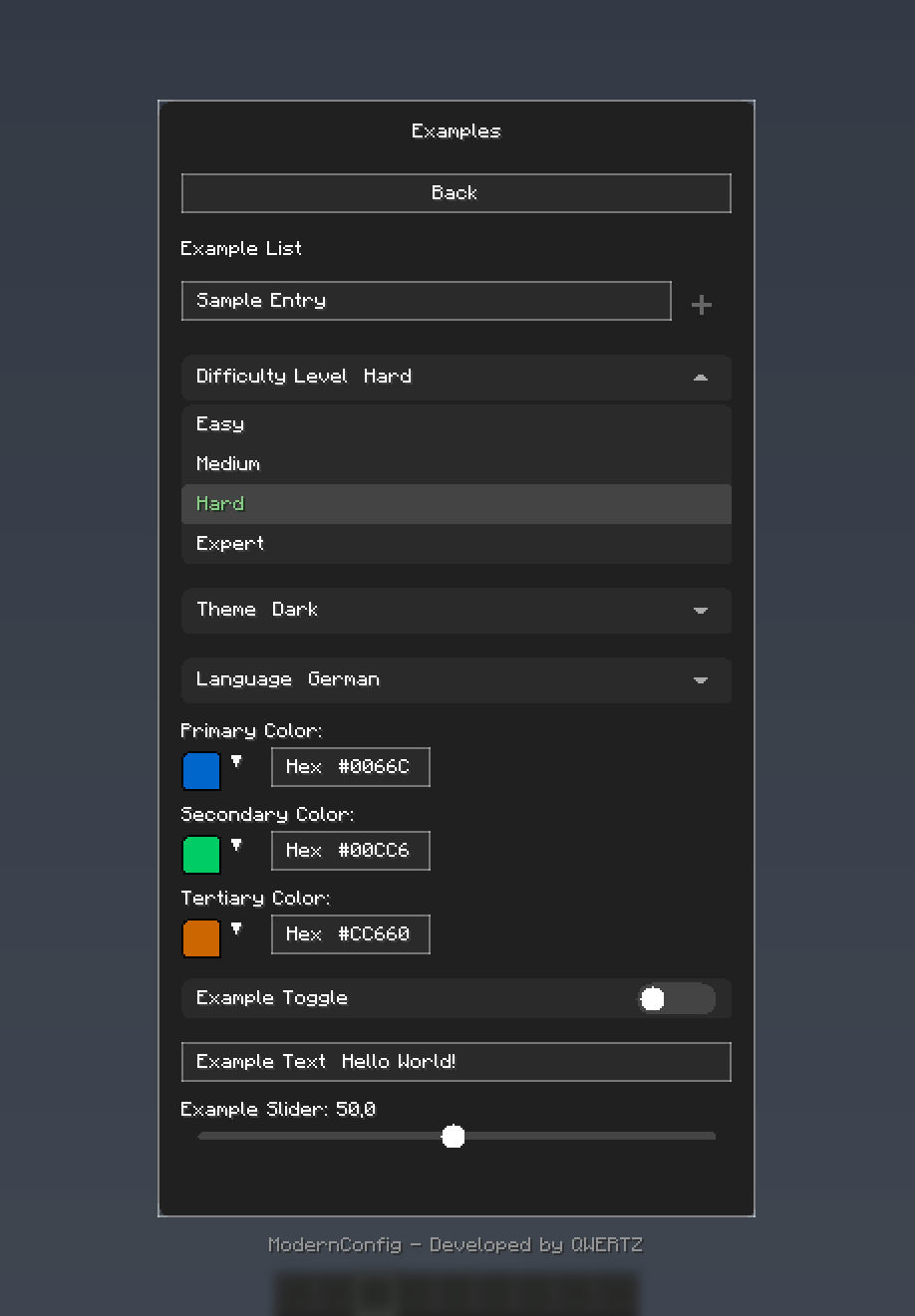 Example Config Sample config options
 -
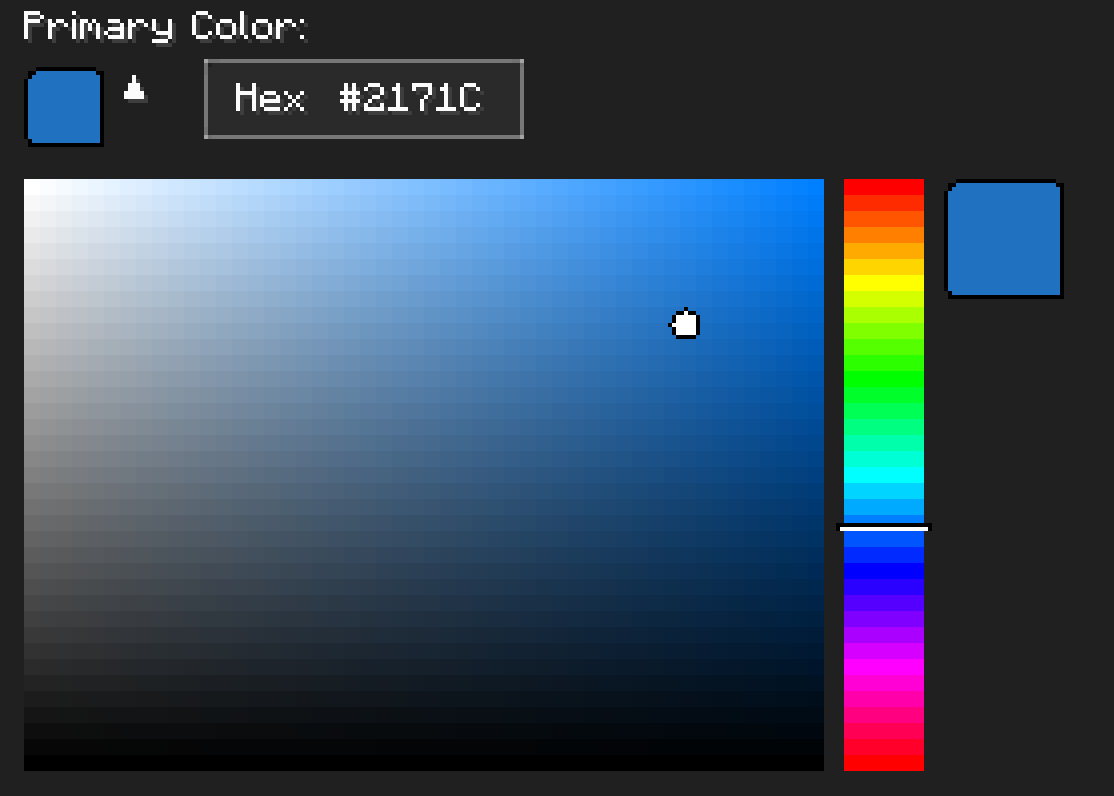 Example Color Picker HSV Color Picker with Real-Time updates
Versions
Files
Relations
Project Relations
More like this
Similar Mods
Suggestions use data such as tags, dependencies, dependents, descriptions, titles, and more to rank how much they overlap with this mod.
On ModDex
Community snapshot
By the numbers
Statistics

Want to reach Minecraft players?
We're looking for a server hosting partner to feature here and other parts of the site. Interested? Send us a message!
Get in touchGet it on
Available Platforms
On ModDex
Community snapshot
By the numbers