Mod
Chat Calc
No reviews yet
The *fastest* calculator around; built right into your chat; just type in and you'll see your answer!
Does not follow a specific thematic focus apart from vanilla Minecraft.
Used for mods with little to no gameplay elements.
Includes quality of life improvements and small tweaks to enhance and customize gameplay.
Adds client-side tools and features to enhance the user experience.
A reimagined or remade version of an existing mod or modpack.
Community voices
Reviews
Click once to include, again to exclude, again to clear
No reviews yet. Be the first to review this project!
Get it on
Available Platforms
 Modrinth
Compatibility
Supported Environments
About
Project Details
For authors
Embed Badge
If you're the author of this project, you can embed a live badge anywhere that supports HTML or Markdown. It updates automatically whenever ratings change.
Use HTML for any page that supports it, or Markdown for README files and Markdown-based descriptions.
Identifiers
Platform IDs
About
Description
Note: This is a complete revamp of the mod ChatCalc by Kokeria, which is most likely abandoned. This mod features almost everything you'd need in a calculator, and if you want something to be added, just ask!
Firstly, I should clarify how you use ChatCalc, simply type an expression into chat, and it'll show the answer above. If you need to get the answer in text, just press tab. If you need the answer and the expression, type an equals sign and press tab.
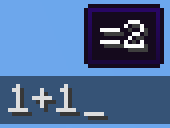
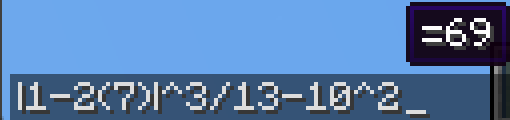

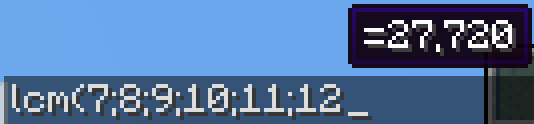
1+2 (will make a tooltip showing =3 above)
1+2 → TAB → 3
1+2= → TAB → 1+2=3
(Do note that ChatCalc evaluates the block of text that your cursor is in [separated by spaces], this means that you can type one thing beside another and ChatCalc will work completely fine [as long as there are some spaces in between])
ChatCalc also lets you define your own functions and constants, for example:
f(z)=2z-1 → TAB → (empty to give feedback that it's defined that function)
f(4) → TAB → 7
c=sqrt(2)/2 → TAB → (empty to give feedback that it's defined that constant)
arcsin(c) → TAB → 45
You can also remove functions and constants like this:
f(z)= → TAB → (empty to give feedback that it's removed that function)
c= → TAB → (empty to give feedback that it's removed that constant)\
Functions can support as many parameters as you want, each separated by a semicolon (they cannot use a comma due to commas being permitted in constants, i.e. 1,000*2 → TAB → 2,000)
Here's an example function that can do some very complex behavior:
angle(a;b)=round((((arctan((b-(z-0.5))/(a-(x-0.5)))+90+(min(1;cmp(a;(x-0.5))+1)*180)+180)%360)-180)*10)/10 (credit to thecolonel63)
This function takes in the x and y coordinates of a block and tells you the yaw to put your camera at to walk toward that block.
You can view the list of defined functions and constants by typing functions? or constants? into chat and pressing TAB.
ChatCalc features several config settings, each configurable by typing in the chat window; for example:
radians → TAB → false (by default)
radians= → TAB → radians=false (by default)
radians=true → TAB (empty to give feedback that the value is set)
To change the format that values are outputted in, you can change the decimal_format; for example:
decimal_format → TAB → #,##0.## (by default)
decimal_format=#0.## → TAB → (to remove commas)
decimal_format=#,###.## → TAB → (to remove the leading 0 on values like 0.23)
decimal_format=#,##0.#### → TAB → (to get 4 decimal places of accuracy)
By default, ChatCalc stores previously evaluated expressions in the chat history (chat_history). You can set copy_type to none or clipboard to change this to the respective values.
If you (for whatever reason) want to disable the tooltip showing expressions above, you can change display_above to false.
Appendix A (function list)
sqrtcbrtsincostancscseccotarcsinasinarccosacosarctanatanarccscacscarcsecasecarccotacotfloorceilroundabsloglnexpsgnminmaxgcflcmclampcmp
Appendix B (constant list)
randomrandraddegyawpitchpitauephixyz
Screenshots
Gallery
-
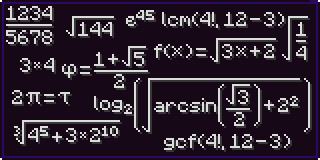 Expressions
 -
Addition
-
More Complicated
-
lcm
-
Functions lots of functions
Versions
Files
Relations
Project Relations
More like this
Similar Mods
Suggestions use data such as tags, dependencies, dependents, descriptions, titles, and more to rank how much they overlap with this mod.
On ModDex
Community snapshot
By the numbers
Statistics

Want to reach Minecraft players?
We're looking for a server hosting partner to feature here and other parts of the site. Interested? Send us a message!
Get in touchGet it on
Available Platforms
On ModDex
Community snapshot
By the numbers