Mod

MWeb - File Sharing
No reviews yet
Create links to your server files to share them! Links can be global, ip/user limited, timed and more. Easily zip folders and even send them to players as texturepacks! Custom Web Server responses - Part of MUtils
Provides a framework or library for other mods to use.
Fabric is a mod loader for versions 1.14+ of Minecraft, particularly popular for client side and optimization mods.
Paper is a fork of Spigot that adds its own plugin API on top of the Bukkit API. All Spigot plugins are compatible with paper, not all paper plugins are compatible with Spigot.
Quilt is a fork of the Fabric mod loader. Many Fabric mods are compatible with Quilt and vice versa.
Community voices
Reviews
Click once to include, again to exclude, again to clear
No reviews yet. Be the first to review this project!
Get it on
Available Platforms
 Modrinth
Compatibility
Supported Environments
About
Project Details
For authors
Embed Badge
If you're the author of this project, you can embed a live badge anywhere that supports HTML or Markdown. It updates automatically whenever ratings change.
Use HTML for any page that supports it, or Markdown for README files and Markdown-based descriptions.
Identifiers
Platform IDs
About
Description
MWeb
Don't want to read everything? Click on the spoiler below for a compact feature overview.
For developers that are interested into the MWeb API, scroll down to the bottom.
MWeb Feature Summary
MWeb can be controlled completely by GUI or command.You can...
- ...browse through your files ingame (GUI only)
- ...create public links to any file or folder on your server
- ...create restricted links to any file or folder on your server (user, passphrase, timed, amount)
- ...edit and toggle all created links
- ...send folders or archives directly to players as resource pack
- ...zip & unzip folders/archives ingame
- ...delete & rename files ingame
- ...define folders for uploading files (can be restricted like downloads)
And for the more technical features, you can also...
- ...respond custom html/css/js on error pages
- ...define a proxy domain (like mutils.net/ instead of 1.2.3.4:1234/)
- ...restrict every single action to a permission
The detailed description & guide is sorted into the following categories
- Creating download link
- Manage files
- Resource Pack integration
- Technical information & setup
To view all permissions and further help, visit mutils.net/mweb
This project cost a lot of work, any support is highly appreciated!
Create download link
Creating a simple download link isn't more then one click!
- Open the whitelist GUI (
/ws whitelistor/ws->manage download access) - Navigate to your file or folder
- Press a displayed button to create a link
You can create a global link or personal link (only usable by you) directly from the navigator by using your 1 & 2 hotkey. After processing (bigger folders take some time to zip) a new link is generated for you. Click on copy to copy the link in your clipboard and share it with anyone or paste it in your browser!
You can create multiple links for the same file. Press your 4 hotkey on a file or folder to manage all links. Here you can toggle, remove or even edit existing links.

mweb.mutils.net as proxy. This is not a default behaviour)
Manage files
MWeb also adds helpful and simple file editing tools to make publishing easier! Open the mange GUI with /ws
- Rename files or folders (Hotkey 1)
- Zip folders (Hotkey 2)
- Unzip archives (Hotkey 4)
- Delete files or folders (Hotkey 3)
Additionally you can directly see file information like file size, file type (highlighted with item color), last edited and the path.

Resource pack integration
Send resource pack folders or archives directly to other players with one click. That allows you to modify your resource pack and update players instantly without the need of packing & uploading.
- Copy the path of your resource pack folder/archive
- Enter
/ws texturepack "<path>" <target> - Targets must accept resource packs at the first time
You can also force players to use the resource pack by adding true at the end of the command.
E.g. /ws texturepack "rp/test" @a true

Technical information & setup
MWeb is completely customizable and adapt to your needs. To make everything possible, MWeb starts a web server in the background to manage all requests. That also means you need a second open port. If you don't know what that is or have troubles to set it up ask us at our discord server.
Important - Every action is restricted to a certain permission (docs) to secure your files. OP bypasses all permissions! We highly recommend you to use permission manager like luckperms!
You don't want the number ip in your link? Use a proxy manager like nginx and enter it in the mweb config. Need help? Like before you can ask us.
API
You want to use features from MWeb in your plugin/mod? With our API you can create and manage* links and even use our resource pack feature to dynamically create and send resource packs! Get the best experience by using Kotlin (using our api in java works too but is less enjoyable)
dependencies {
    compileOnly("de.miraculixx:mweb:1.1.0")
}
The API is located at maven central. Do not shade it into your project!
Screenshots
Gallery
-
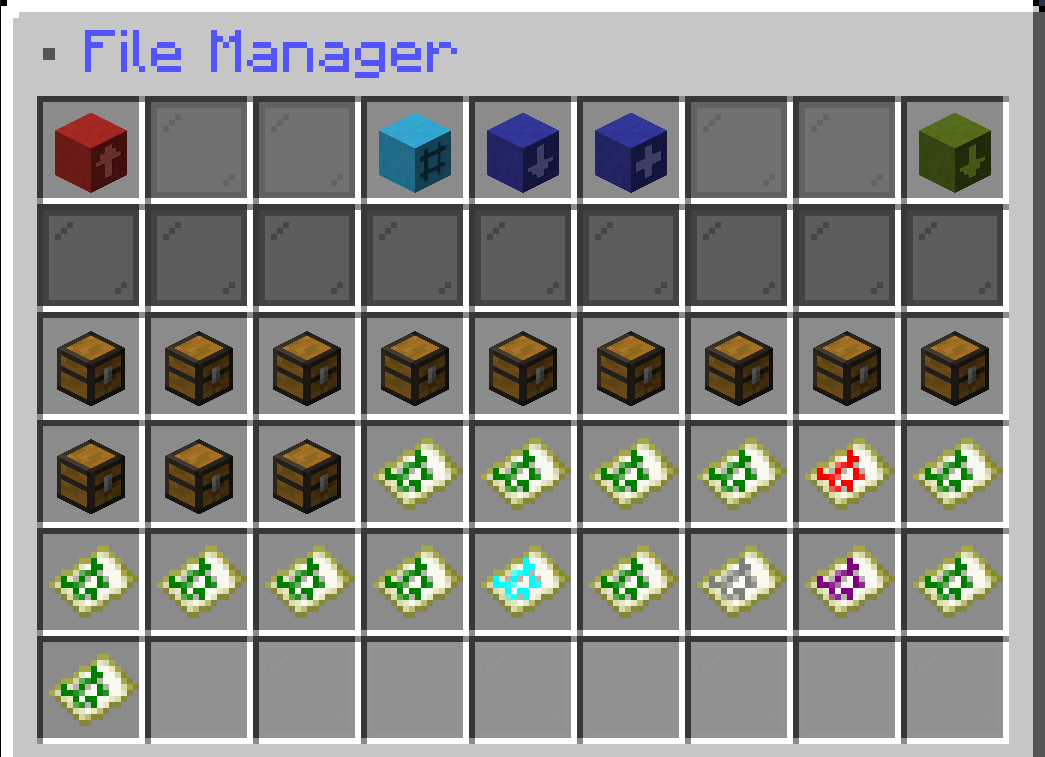 File Navigation GUI Navigate through your files and switch between the modes.
 -
 Project Banner
 -
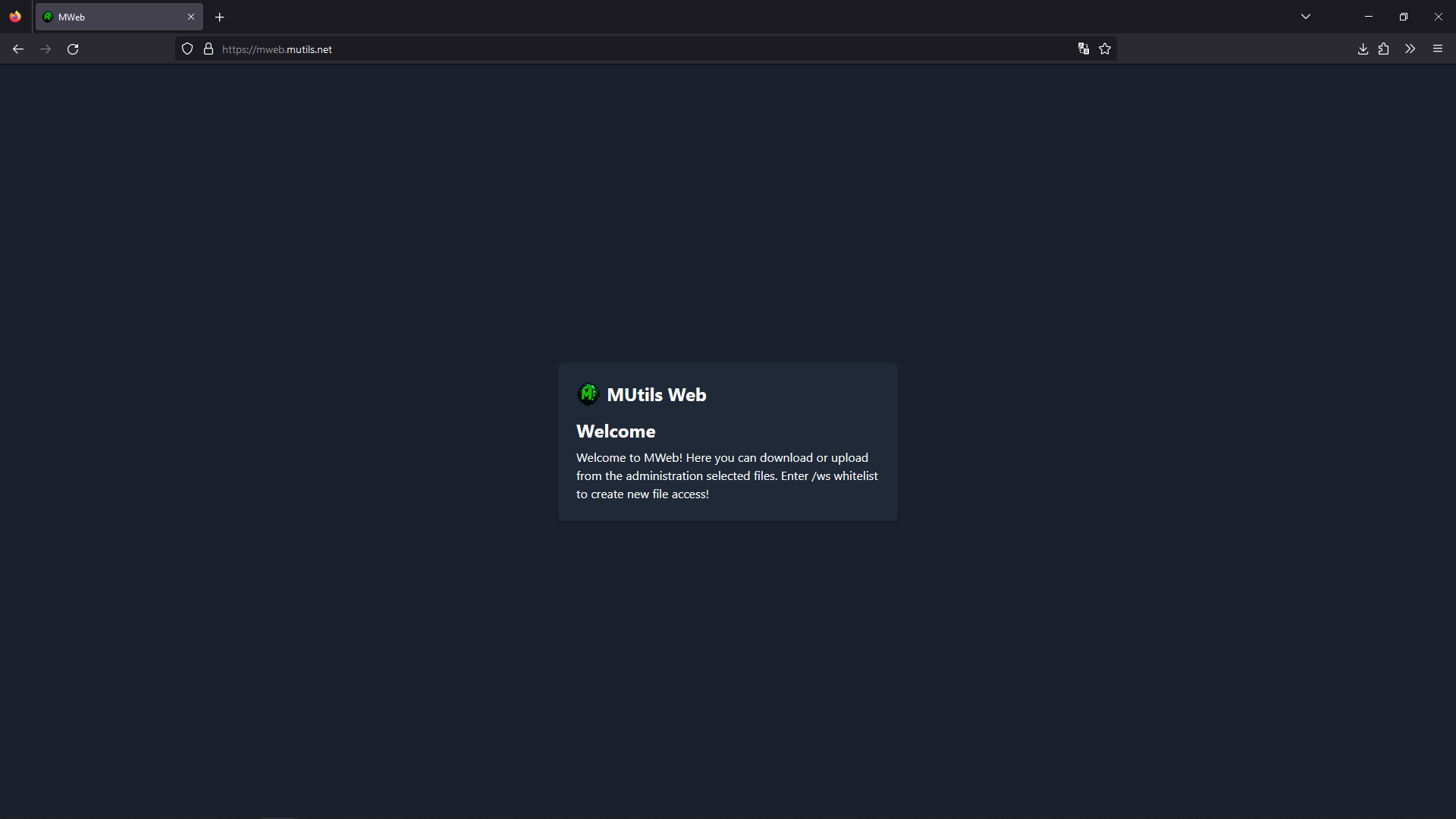 Index Page Access MWeb through your browser. All html responses can be modified
Versions
Files
Relations
Project Relations
More like this
Similar Mods
Suggestions use data such as tags, dependencies, dependents, descriptions, titles, and more to rank how much they overlap with this mod.
On ModDex
Community snapshot
By the numbers
Statistics

Want to reach Minecraft players?
We're looking for a server hosting partner to feature here and other parts of the site. Interested? Send us a message!
Get in touchGet it on
Available Platforms
On ModDex
Community snapshot
By the numbers