Mod
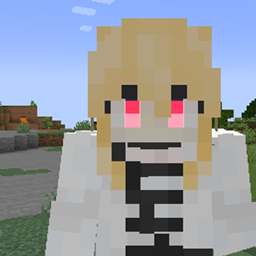
red eyes
No reviews yet
Equip the “Red Eye” item to add a glowing red eye overlay to your skin. Includes a visual editor for eye position, size, color, glow intensity, and a pixel editor for customizing left/right eye shapes. Forge 1.20.1 compatible; optional Curios support.
Forge is a popular mod loader for versions 1.1+ of Minecraft.
Community voices
Reviews
Click once to include, again to exclude, again to clear
No reviews yet. Be the first to review this project!
Get it on
Available Platforms
 CurseForge
 Modrinth
Compatibility
Supported Environments
About
Project Details
For authors
Embed Badge
If you're the author of this project, you can embed a live badge anywhere that supports HTML or Markdown. It updates automatically whenever ratings change.
Use HTML for any page that supports it, or Markdown for README files and Markdown-based descriptions.
Identifiers
Platform IDs
Resources
External Links
About
Description
Red Eyes
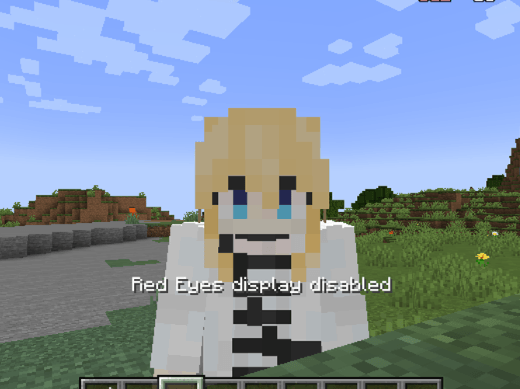
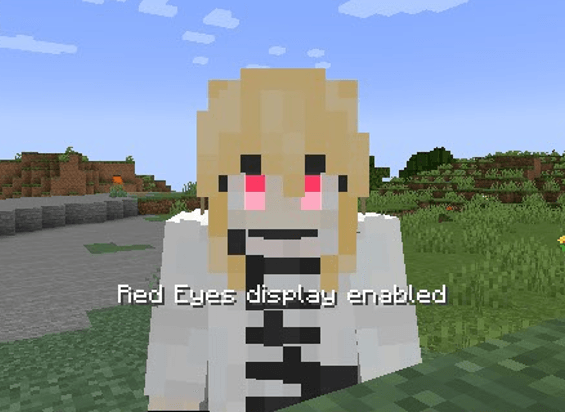
**Red Eyes** is a cosmetic Forge mod for Minecraft 1.20.1. Equipping the **Red Eye** item overlays a bright, glowing red eye effect onto your skin, giving your character a mysterious and striking appearance.
## Features
- Glowing red eye overlay on player skin.
- 3D preview based on your skin.
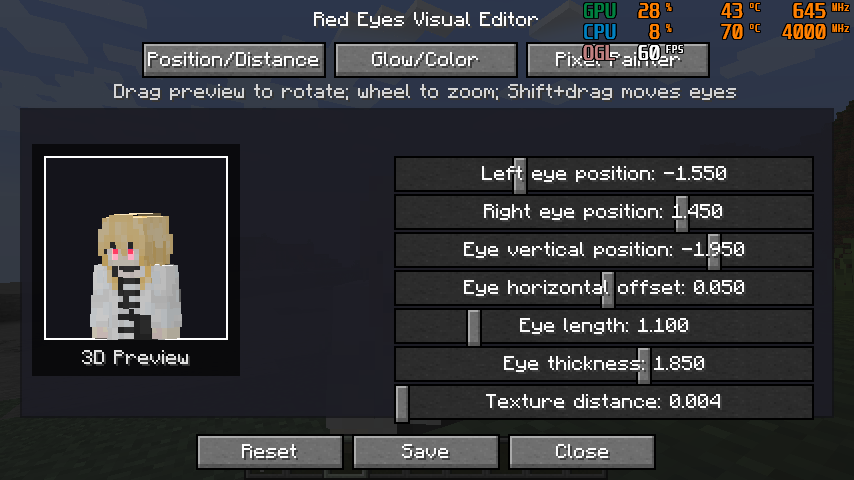
- Adjustable eye position, spacing, length, thickness.
- Adjustable glow range, glow intensity, RGB color.
- Pixel editor for fully customizing left/right eye shapes.
- Copy left ↔ right eye, clear current eye, restore default.
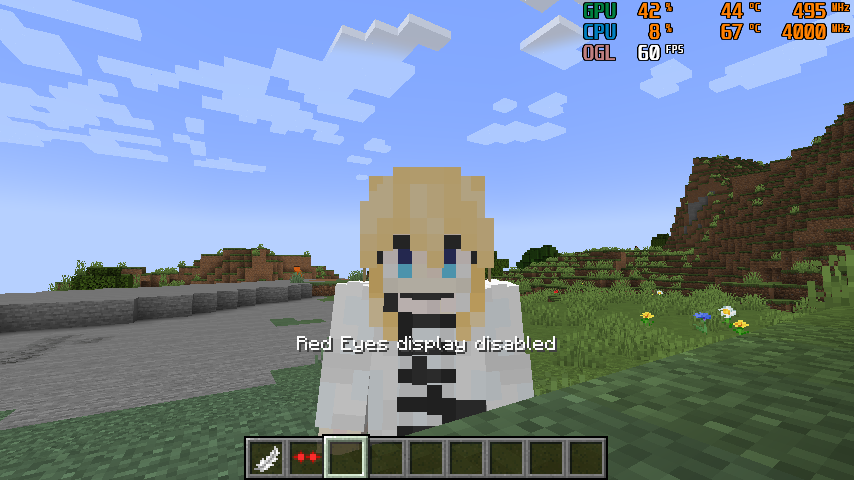
- Toggle red eye display on/off.
- Optional Curios head slot support.
- Configuration saved to client files.
## Usage
Obtain the **Red Eye** item. Since no crafting recipe exists yet, use Creative Mode or:
Equip in the head slot (or Curios head slot if installed) to display the effect.
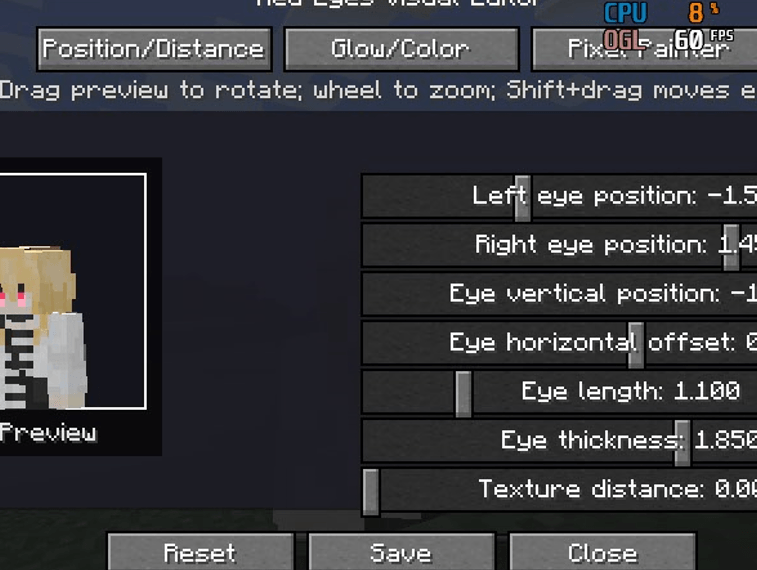
**Keybindings**
- `O` – Open Red Eye editor
- `P` – Toggle Red Eye display
Adjust position, color, glow, and shape in the editor. Click **Save** to apply changes.
## Notes
1. Forge 1.20.1 required.
2. Curios API optional.
3. Cosmetic only; does not affect stats or combat.
4. Adjust "Texture Distance" if red eye flickers or overlaps with skin.
## Changelog
**1.0.0**
- Initial release.
- Added Red Eye item and glowing effect.
- Visual editor with full customization.
- Optional Curios support.
- Keybindings for editor and toggle.
- Multilingual support: English and Chinese.
Red Eyes
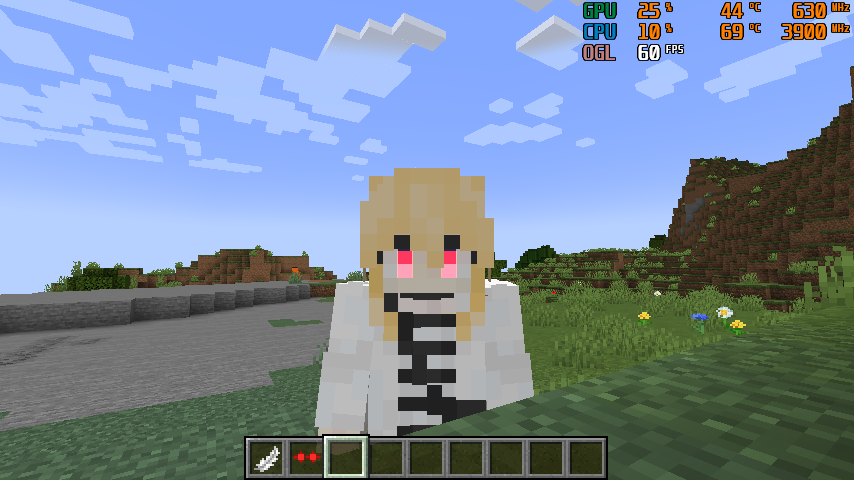 Red Eyes is a cosmetic Forge mod for Minecraft 1.20.1. Equipping the Red Eye item overlays a bright, glowing red eye effect onto your skin, giving your character a mysterious and striking appearance.
Features
- Glowing red eye overlay on player skin.
- 3D preview based on your skin.
- Adjustable eye position, spacing, length, thickness.
- Adjustable glow range, glow intensity, RGB color.
- Pixel editor for fully customizing left/right eye shapes.
- Copy left ↔ right eye, clear current eye, restore default.
- Toggle red eye display on/off.
- Optional Curios head slot support.
- Configuration saved to client files.
Usage
Obtain the Red Eye item. Since no crafting recipe exists yet, use Creative Mode or:
Equip in the head slot (or Curios head slot if installed) to display the effect.
Keybindings
O– Open Red Eye editorP– Toggle Red Eye display
Adjust position, color, glow, and shape in the editor. Click Save to apply changes.
Notes
- Forge 1.20.1 required.
- Curios API optional.
- Cosmetic only; does not affect stats or combat.
- Adjust "Texture Distance" if red eye flickers or overlaps with skin.
Changelog
1.0.0
- Initial release.
- Added Red Eye item and glowing effect.
- Visual editor with full customization.
- Optional Curios support.
- Keybindings for editor and toggle.
- Multilingual support: English and Chinese.
Screenshots
Gallery
Versions
Files
Relations
Project Relations
More like this
Similar Mods
Suggestions use data such as tags, dependencies, dependents, descriptions, titles, and more to rank how much they overlap with this mod.
On ModDex
Community snapshot
By the numbers
Statistics
Want to reach Minecraft players?
We're looking for a server hosting partner to feature here and other parts of the site. Interested? Send us a message!
Get in touchGet it on
Available Platforms
On ModDex
Community snapshot
By the numbers
Statistics
Resources