Mod

Rubble Trouble
No reviews yet
A small mod to add visible rubble that can not be broken until a command is run.
Includes a large focus on traversing worlds with enhanced world generation, structures, dungeons, and more for players to find unique loot.
Forge is a popular mod loader for versions 1.1+ of Minecraft.
Community voices
Reviews
Click once to include, again to exclude, again to clear
No reviews yet. Be the first to review this project!
Get it on
Available Platforms
 Modrinth
Compatibility
Supported Environments
About
Project Details
For authors
Embed Badge
If you're the author of this project, you can embed a live badge anywhere that supports HTML or Markdown. It updates automatically whenever ratings change.
Use HTML for any page that supports it, or Markdown for README files and Markdown-based descriptions.
Identifiers
Platform IDs
Resources
External Links
About
Description
Rubble Trouble (Forge 1.20.1)
Turn mines into actual worksites. RubbleTrouble adds break-resistant rubble that reforms inside protected zones, plus tools that speed clean-up without letting automation grief your base.
🪨 What it does
Rubble blocks that can reform in locked zones (claims/regions) when broken, slowing trespassers and griefers.
Loose Rubble (decorative drop) for building debris piles, paths, or set dressing.
Vibration Motor: place near rubble to “shake” it loose and speed up manual clearing.
Create compatibility (optional): motors on contraptions can affect nearby rubble without allowing drills to mine inside locked zones.
Creative bypass: real creative players can manage rubble in protected areas; automation and fake players can’t.
Configurable behavior so servers can tune strictness and performance.
✨ Highlights
Spoiler
Anti-grief friendly: inside locked zones, normal breaking pops rubble back in—optionally progressing through visual stages before finally clearing.
Performance conscious: chunk-safe motor scanning, lightweight events, and no forced chunk loads.
Plug-and-play: works on dedicated servers and singleplayer. Clients don’t need the mod for basic protection effects if the server enforces them (but textures/visuals require the client).
🔧 Configuration
Spoiler
A server config is generated on first run:
config/rubbletrouble-server.toml
You can tune (names may vary slightly by release):
lockedZone.enabled – enable/disable protected behavior
lockedZone.creativeBypass – allow true creative players to break
rubble.stageCount & visuals – number of visual stages (if enabled)
motor.radius, motor.pokesPerTick – effect range & strength
compat.create.enableContraptionSupport – toggle Create hooks
debug.logging – quiet or verbose
🤝 Compatibility
Spoiler
Forge: 1.20.1 (47.x)
Create: optional; detected at runtime (no hard dep)
Works alongside most claim/protection mods; point your “locked zone” hook at their region checks.
Designed to ignore fake players unless explicitly allowed in config.
📦 Blocks & Items
Spoiler
Rubble — the sturdy, re-forming block (with optional stage visuals).
Loose Rubble — decorative block; servers can allow it to always drop itself.
Vibration Motor — boosts nearby rubble breaking speed; chunk-reload safe.
🧭 Intended gameplay
Builders/admins: keep spawn, museums, and vaults tidy without turning off fun entirely.
Adventure servers: gates, ruins, and dungeons that feel “lived in” and recover after raids.
Create enjoyers: bring a motor along to chew through debris—without drilling through claims.
⌨️ Commands
Spoiler
Scope & perms: Most commands are server-side and require OP (permission level 2+) or a compatible perms plugin. Help: /rubbletrouble help [page]
Zone management
Manage locked/protected zones that control rubble behavior.
/rubbletrouble zone list /rubbletrouble zone info /rubbletrouble zone lock /rubbletrouble zone unlock ← e.g. /rubbletrouble zone unlock test2
(Some builds may also include create/delete/member commands; check /rubbletrouble help for your version.)
Admin tools
Quick controls for operators.
/rubbletrouble bypass <on|off> # Temporarily ignore locked-zone checks for yourself /rubbletrouble debug <on|off> # Toggle verbose logging /rubbletrouble reload # Reload server config (if supported in your build)
Utilities (if present)
Handy helpers that may be included depending on the build.
/rubbletrouble stage set <0-3> # Force rubble visual stage at your crosshair /rubbletrouble give <loose_rubble|...> # Give registered items (admin testing)
Tip: if a subcommand isn’t recognized in your build, use /rubbletrouble help (or /help rubbletrouble) to see the exact commands that shipped with this version.
❓FAQ
Spoiler
Q: Why does rubble “come back” in certain areas? A: You’re in a locked/protected zone. That’s intended—motors and manual effort can still help, but drills won’t grief protected builds.
Q: My creative player can’t break rubble! A: Ensure lockedZone.creativeBypass = true (server config). Only real players (not fake/deployer) qualify.
Q: Do I need Create installed? A: Nope. If present, contraptions near motors will still “poke” rubble. Without Create, everything else works the same.
Q: Can I use the rubble textures/stages purely for aesthetics? A: Yes—enable stage visuals and place rubble/loose rubble anywhere for ambience.
🛠 Troubleshooting
Spoiler
Drops vanish in protected areas: your drop-cleanup plugin/mod may be too aggressive. Whitelist loose_rubble or use the provided “allowed drops” tag if included in your pack.
Motor doesn’t work after relog: fixed in recent versions; make sure you’re on the latest build so motors re-register on chunk load.
Textures purple/black: verify your blockstate property (stage or crumble) matches the blockstate JSON and texture names.
📜 License & Permissions
Server packs and modpacks: allowed—please link back to this page.
You may make forks for your server; credit is appreciated.
Screenshots
Gallery
-
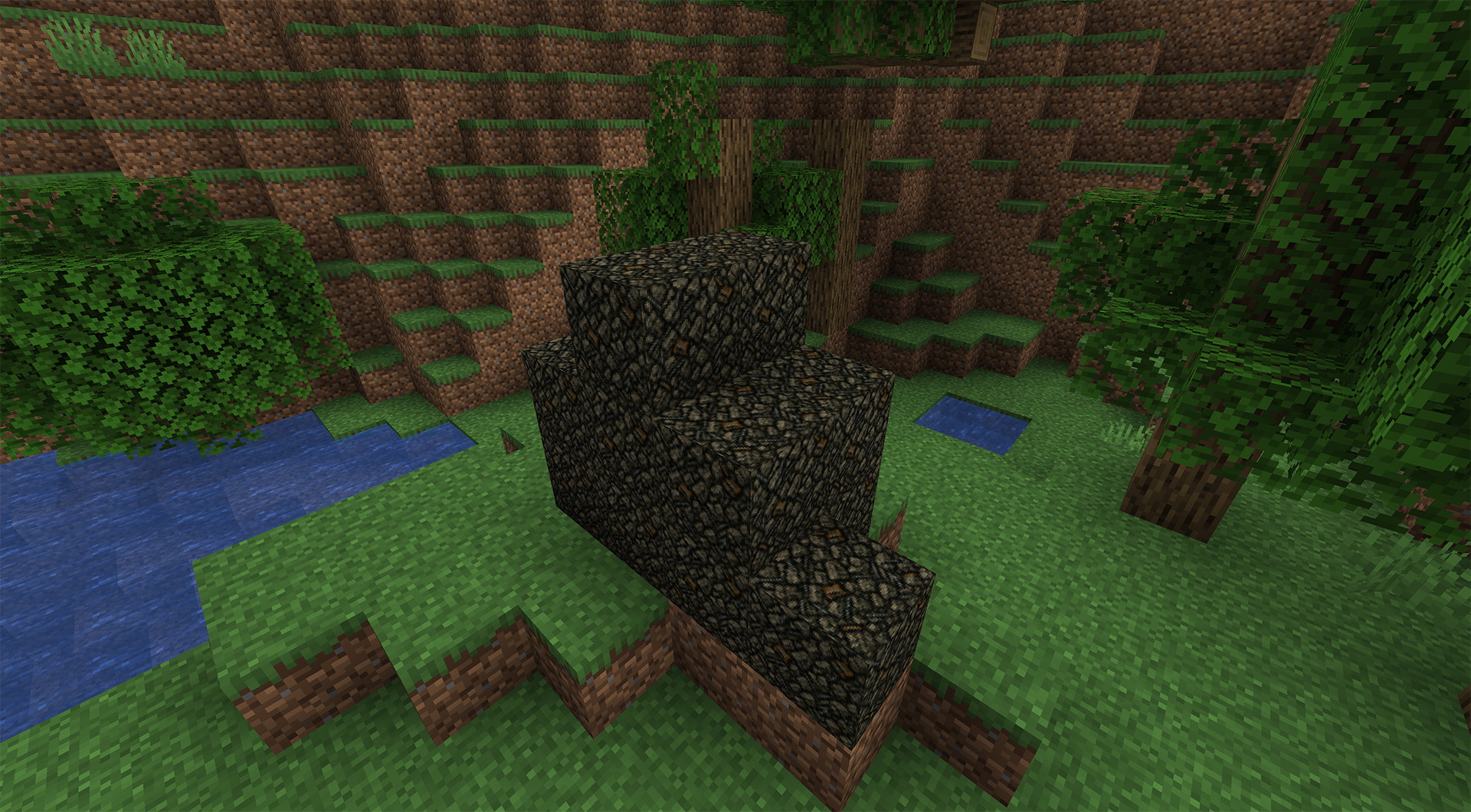 Rubble Trouble 1 Rubble Block
 -
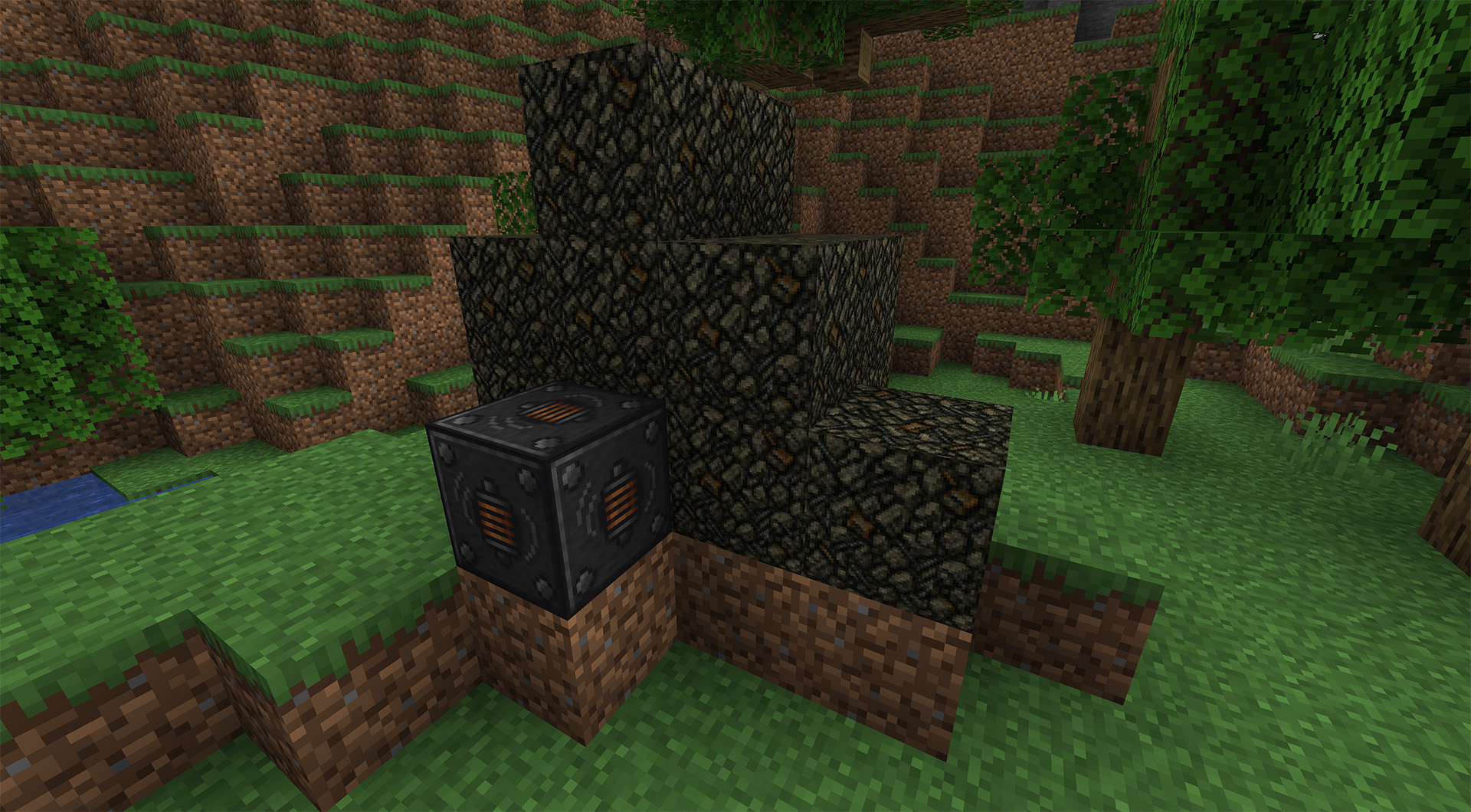 Rubble Trouble 2 Rubble Block with Vibration Motor
 -
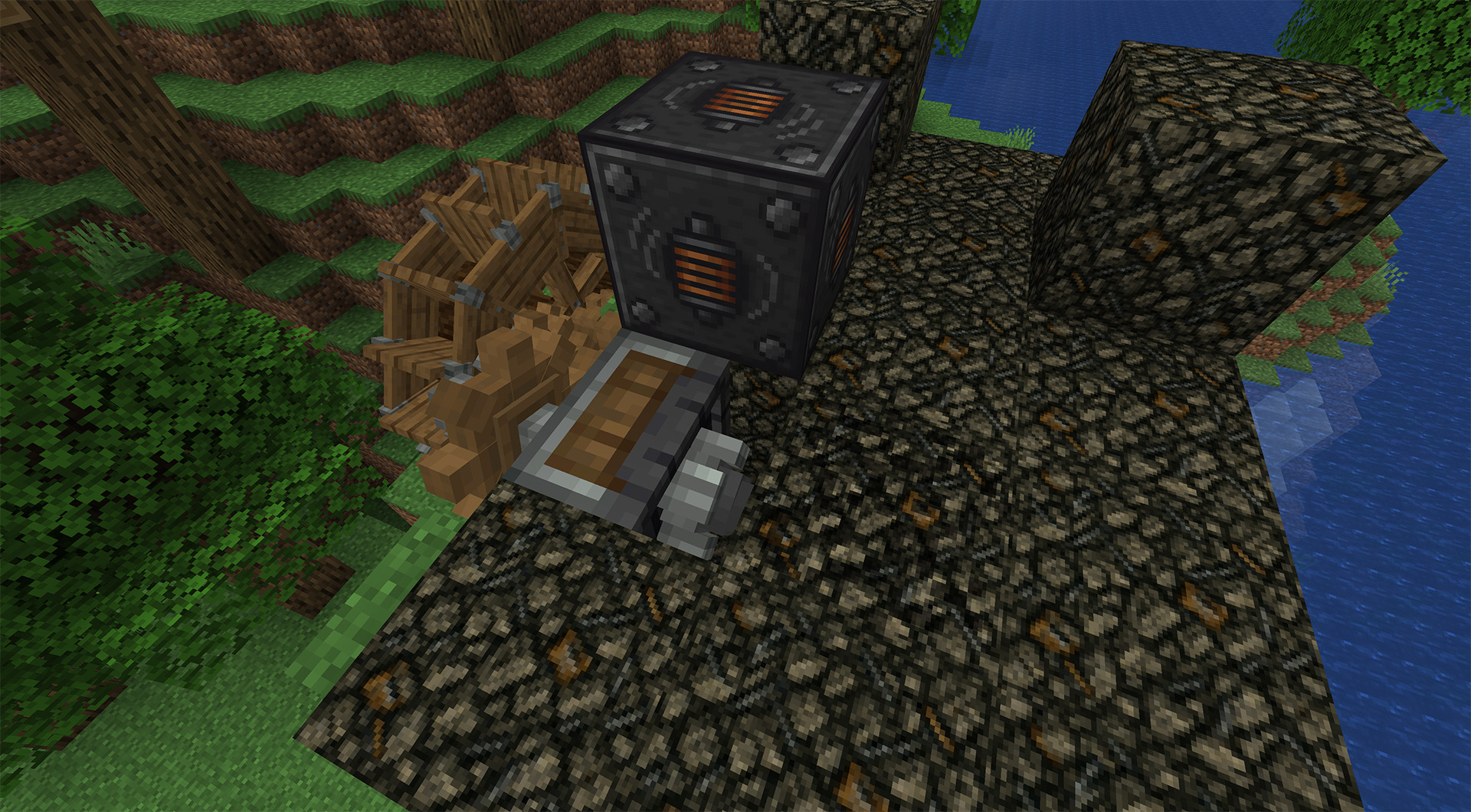 Rubble Trouble 3 Rubble being broken by a create drill, speed is being enhanced by the vibration motor.
 -
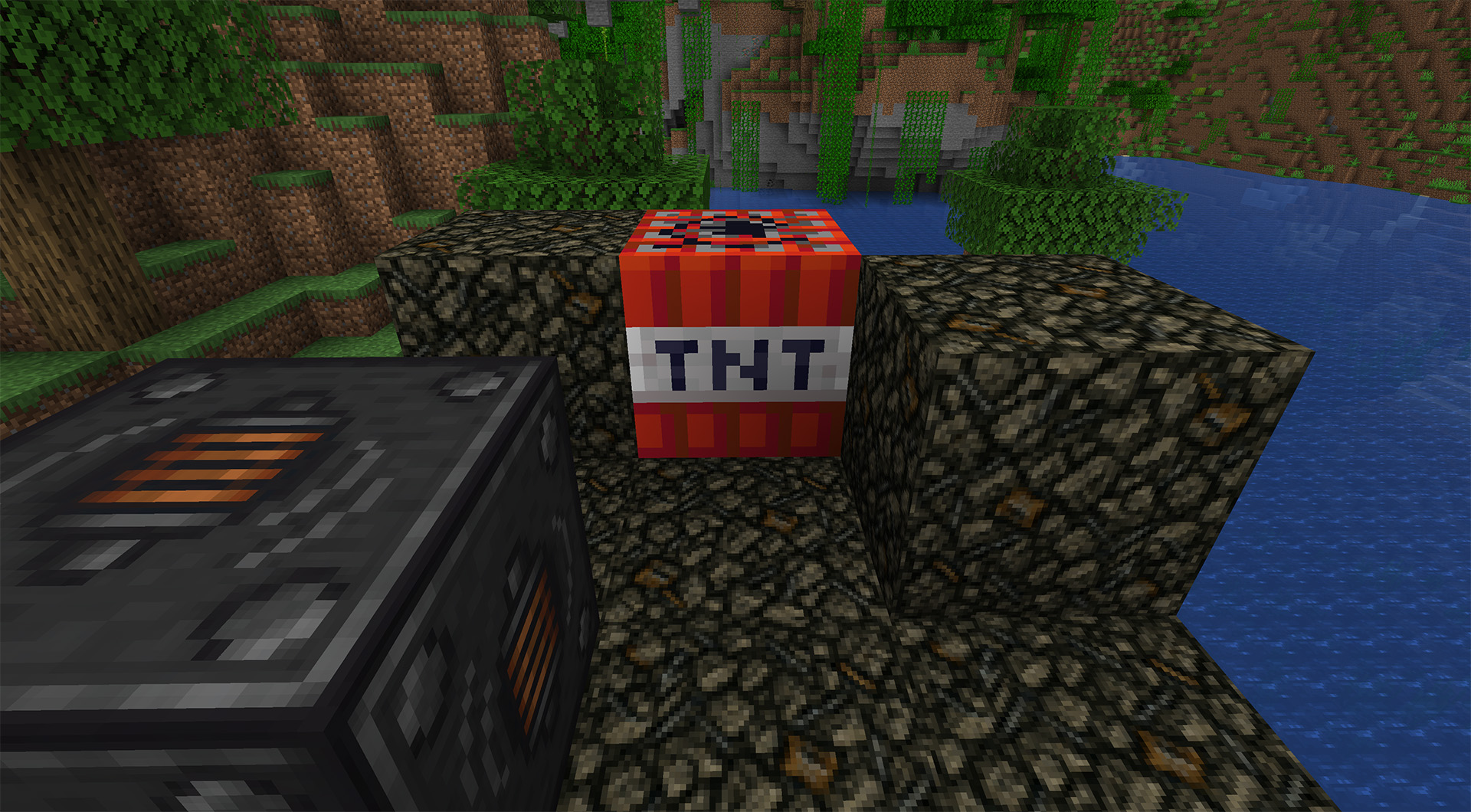 Rubble Trouble 4 Rubble can be broken with TNT
Versions
Files
Relations
Project Relations
More like this
Similar Mods
Suggestions use data such as tags, dependencies, dependents, descriptions, titles, and more to rank how much they overlap with this mod.
On ModDex
Community snapshot
By the numbers
Statistics

Want to reach Minecraft players?
We're looking for a server hosting partner to feature here and other parts of the site. Interested? Send us a message!
Get in touchGet it on
Available Platforms
On ModDex
Community snapshot
By the numbers
Statistics
Resources