Mod

SchematicUpload
No reviews yet
Provide a web server interface for uploading schematics to your server
Paper is a fork of Spigot that adds its own plugin API on top of the Bukkit API. All Spigot plugins are compatible with paper, not all paper plugins are compatible with Spigot.
Spigot is a popular software for running dedicated servers that can load Plugins created with the Bukkit API.
Community voices
Reviews
Click once to include, again to exclude, again to clear
No reviews yet. Be the first to review this project!
Get it on
Available Platforms
 Modrinth
Compatibility
Supported Environments
About
Project Details
For authors
Embed Badge
If you're the author of this project, you can embed a live badge anywhere that supports HTML or Markdown. It updates automatically whenever ratings change.
Use HTML for any page that supports it, or Markdown for README files and Markdown-based descriptions.
Identifiers
Platform IDs
About
Description



SchematicUpload is a plugin that lets players upload schematics to your server through a simple and safe web panel. If you've ever run a build or creative server and have had to respond to annoying requests to import a player's schematic, this is the plugin for you.

Usage
Players simply type the /schematicupload command in-game that sends them a link to the web panel with a unique authentication code. On the panel, all the player needs to do is choose the file and press "Upload". The schematic will be checked and uploaded to the schematics' folder in-game.
Features
- Incredibly simple to use web interface that lets you preview schematics before uploading
- Super easy to configure, just choose your port and hostname
- Limit the file size of schematics that can be uploaded
- Limit how many schematics a player can upload over a given timeframe

Commands
SchematicUpload provides the following commands. By default, only operators are permitted to use the schematic uploader. You'll need a permission plugin such as LuckPerms to let non-operators use these.
| Command | Description | Permission |
|---|---|---|
/schematicupload |
Upload a schematic file through the web interface | schematicupload.command |
/schematicupload about |
View plugin information | schematicupload.command.about |
/schematicupload reload |
Reload config and message files | schematicupload.command.reload |
Setup
- Download the SchematicUpload jar and place it in your
/plugins/directory - Start the server. The web server will be hosted on port 2780 by default. If you're running the server on your computer, you can visit
https://localhost:2780to view the interface. - Turn off the server, navigate to
/plugins/SchematicUploadand modify the contents ofconfig.ymlandmessages_xx-xx.ymlas appropriate. Make sure to changeurlto be the IP address or domain of your server.
Building
To build SchematicUpload, simply run the following in the root of the repository:
./gradlew clean build
License
SchematicUpload is licensed under Apache-2.0 License.
bStats
This plugin uses bStats to provide me with metrics about its usage:
You can turn metric collection off by navigating to ~/plugins/bStats/config.yml and editing the config to disable plugin metrics.
Links
© William278, 2022. Licensed under the Apache-2.0 License.
Screenshots
Gallery
-
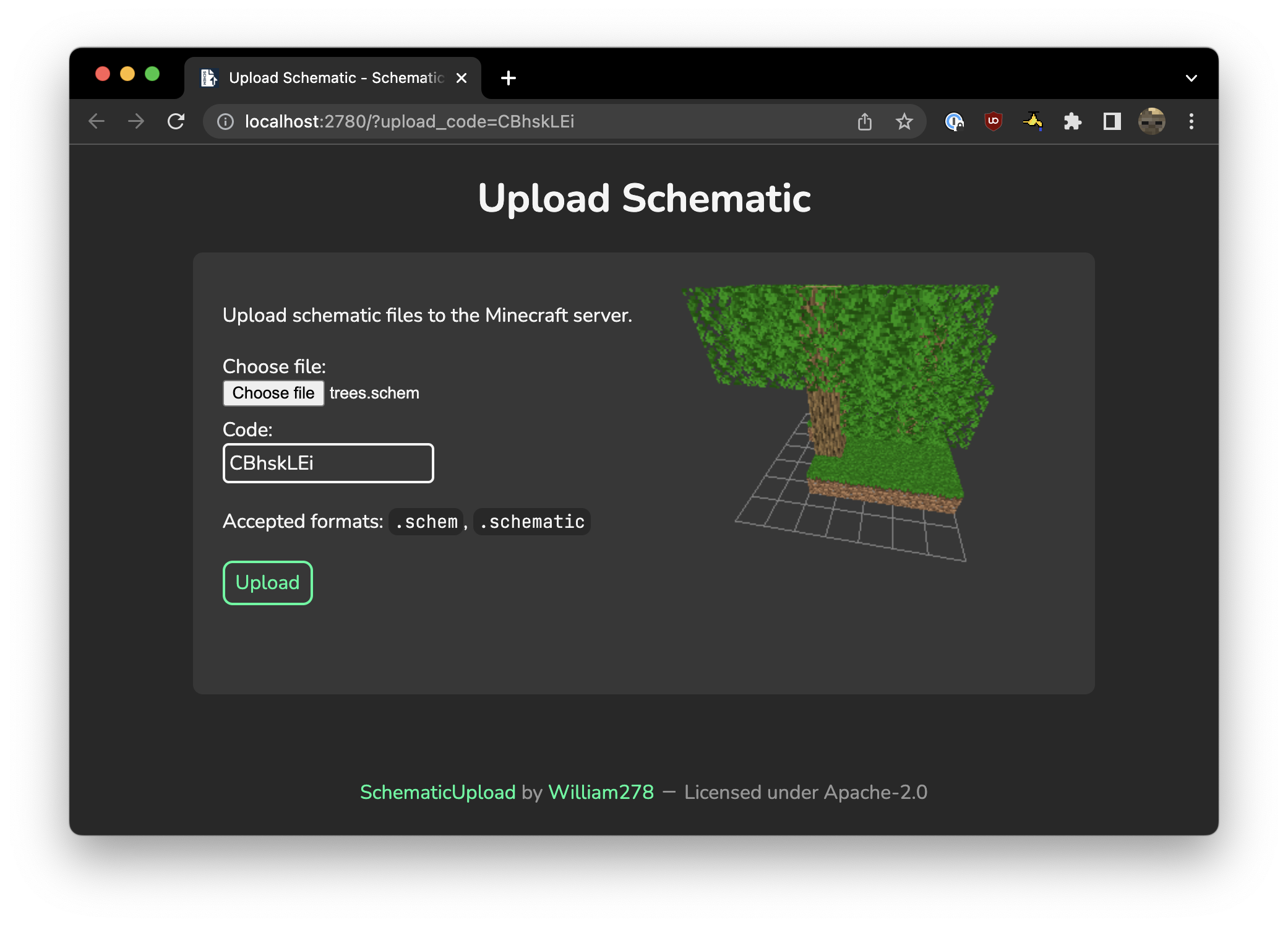 Web interface The web interface and preview panel that lets you upload schematics!
 -
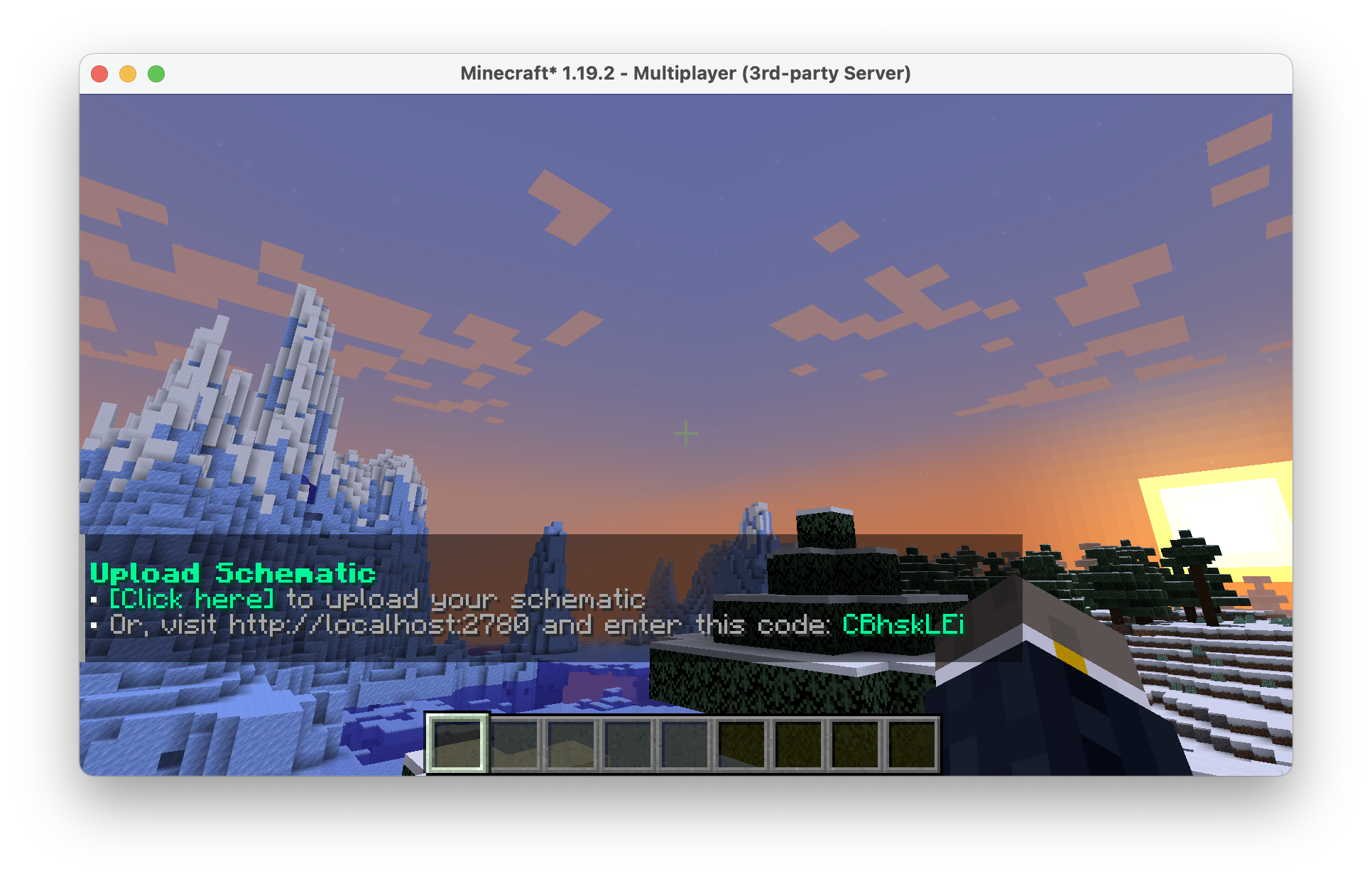 In-game command Screenshot of the /schematicupload command in action!
Versions
Files
Relations
Project Relations
More like this
Similar Mods
Suggestions use data such as tags, dependencies, dependents, descriptions, titles, and more to rank how much they overlap with this mod.
On ModDex
Community snapshot
By the numbers
Statistics

Want to reach Minecraft players?
We're looking for a server hosting partner to feature here and other parts of the site. Interested? Send us a message!
Get in touchGet it on
Available Platforms
On ModDex
Community snapshot
By the numbers