Mod

Sequoia
No reviews yet
A Wynncraft mod for members of the Sequoia guild, providing various features like a party finder, discord chat bridge and war tracking.
Fabric is a mod loader for versions 1.14+ of Minecraft, particularly popular for client side and optimization mods.
Community voices
Reviews
Click once to include, again to exclude, again to clear
No reviews yet. Be the first to review this project!
Get it on
Available Platforms
 Modrinth
Compatibility
Supported Environments
About
Project Details
For authors
Embed Badge
If you're the author of this project, you can embed a live badge anywhere that supports HTML or Markdown. It updates automatically whenever ratings change.
Use HTML for any page that supports it, or Markdown for README files and Markdown-based descriptions.
Identifiers
Platform IDs
About
Description
Sequoia




Sequoia is a client-side Fabric mod for Sequoia guild members on Wynncraft.
It provides the in-game client for Sequoia's guild systems: backend authentication, Discord bridge integration, party finder tools, raid tracking, and a small set of guild-specific utilities. The goal is straightforward: put the guild workflows members actually use into the game client instead of splitting them across chat, Discord, and manual commands.
This is not a general-purpose Wynncraft mod. Most online features require a linked Sequoia account, and several of them only make sense if you are already part of the guild's Discord and in-game processes.
If you are a Sequoia member, the expected setup is simple: install the mod, link your account from the Sequoia menu, connect to the backend, and use the guild integrations from there.
Features
- Sequoia account linking and backend authentication
- Automatic connection to Sequoia services
- In-game Discord chat bridge
- Party finder commands and UI
- Raid tracking and announcements
- Guild-specific settings and status screens
Requirements
- Minecraft
1.21.11 - Fabric Loader
0.18.4or newer - Fabric API
0.141.2+1.21.11 - Java
21 - Wynntils (Optional)
First-time setup
- Join the guild - you need to be a member of Sequoia on Wynncraft for backend features to work.
- Install the mod using the steps below.
- Link your account - open the Sequoia Mod menu (
Oby default) and navigate to the Authentication section. - Connect - the mod auto-connects on startup if enabled, or by using a button in the Authentication section.
- Check status - run
/seq statusto make sure you're connected. - Configure - press
Oand open settings to toggle Discord chat, raid announcements, and related behavior.
Common commands
/seq: open the main Sequoia screen/seq p: open the Sequoia party finder UI/seq connect: connect to the backend/seq link: link or refresh backend authentication/seq status: show connection state and token status/seq logout: clear the saved token
Full command list
/seq/seq connect/seq link/seq disconnect/seq connected/seq status/seq logout/seq party/seq p/seq party list/seq party status/seq party create <activities>/seq party update <activities>/seq party join <listingId>/seq party join <listingId> token <inviteToken>/seq party join <listingId> <role>/seq party join <listingId> <role> token <inviteToken>/seq party deny <listingId>/seq party leave/seq party invite <username>/seq party reserve <count>/seq party open/seq party close/seq party disband/seq party role <role>/seq party kick <username>/seq party promote <username>/seq party game create/seq party game invite <username>/seq party game invite-all
Settings
The settings screen has toggles for:
- Auto connect to the Sequoia backend
- Discord chat display
- Raid auto-announce
- Update checks on startup
Installation
- Install Fabric for Minecraft
1.21.11. - Put the Sequoia mod jar in your Minecraft
modsfolder. - Install Fabric API.
- Install Wynntils for improved class detection.
- Start the game and press
O, or run/seq.
License
MIT: LICENSE.txt.
Screenshots
Gallery
-
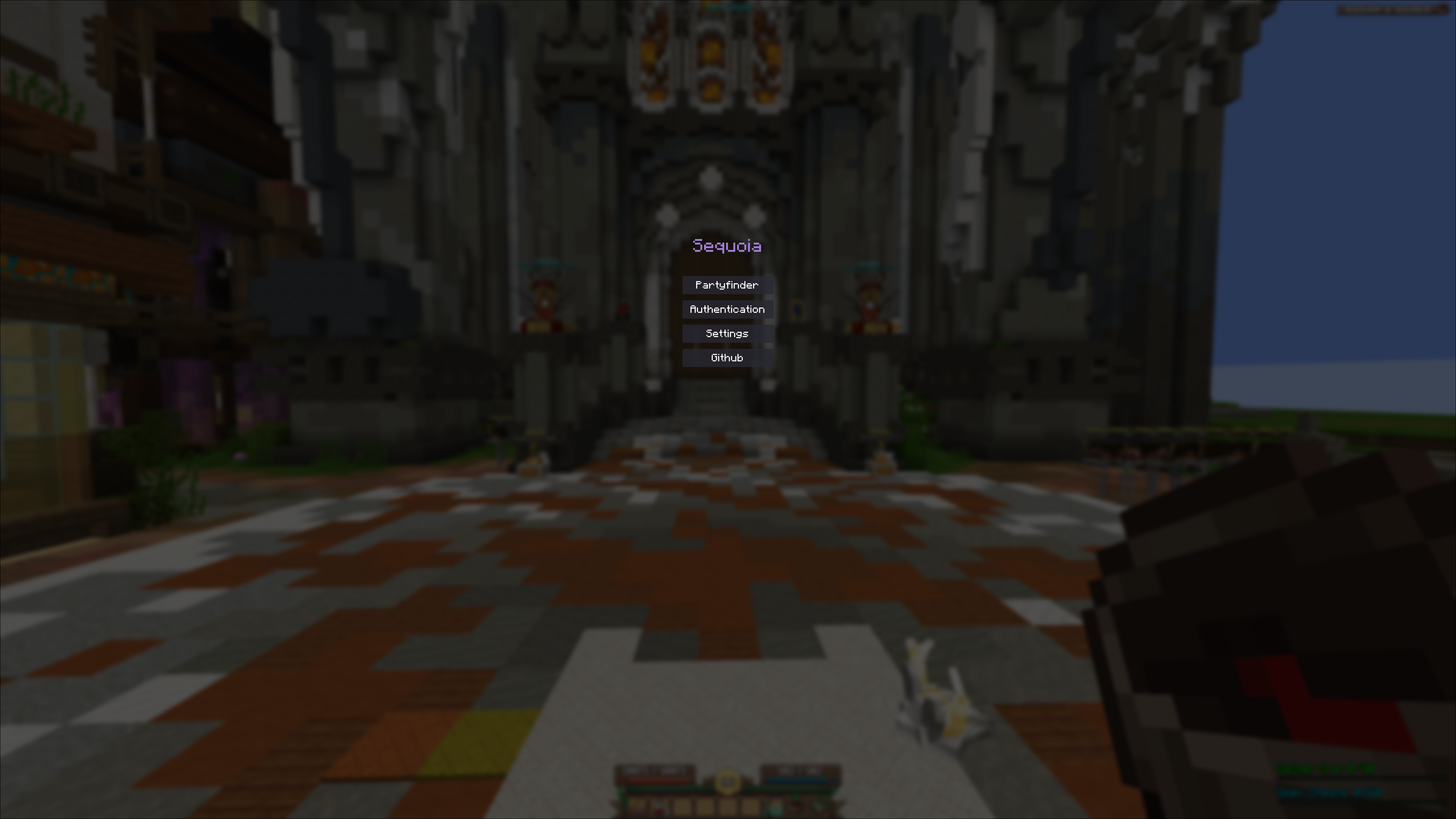 Main menu Sequoia mod main menu, accessible through `O` or `/seq`
 -
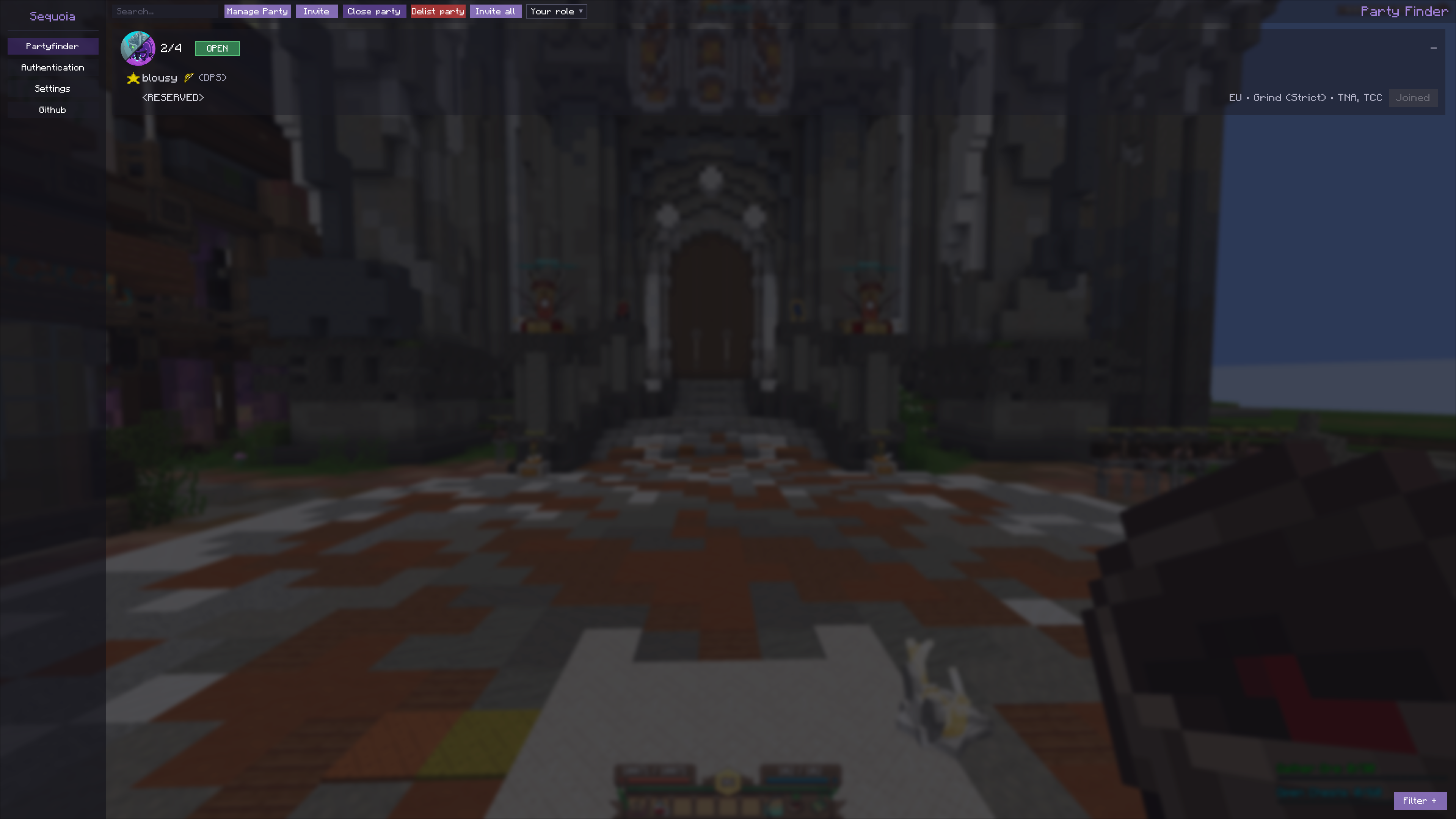 Sequoia party finder The sequoia party finder, accessible through `/seq p` or via the main menu
 -
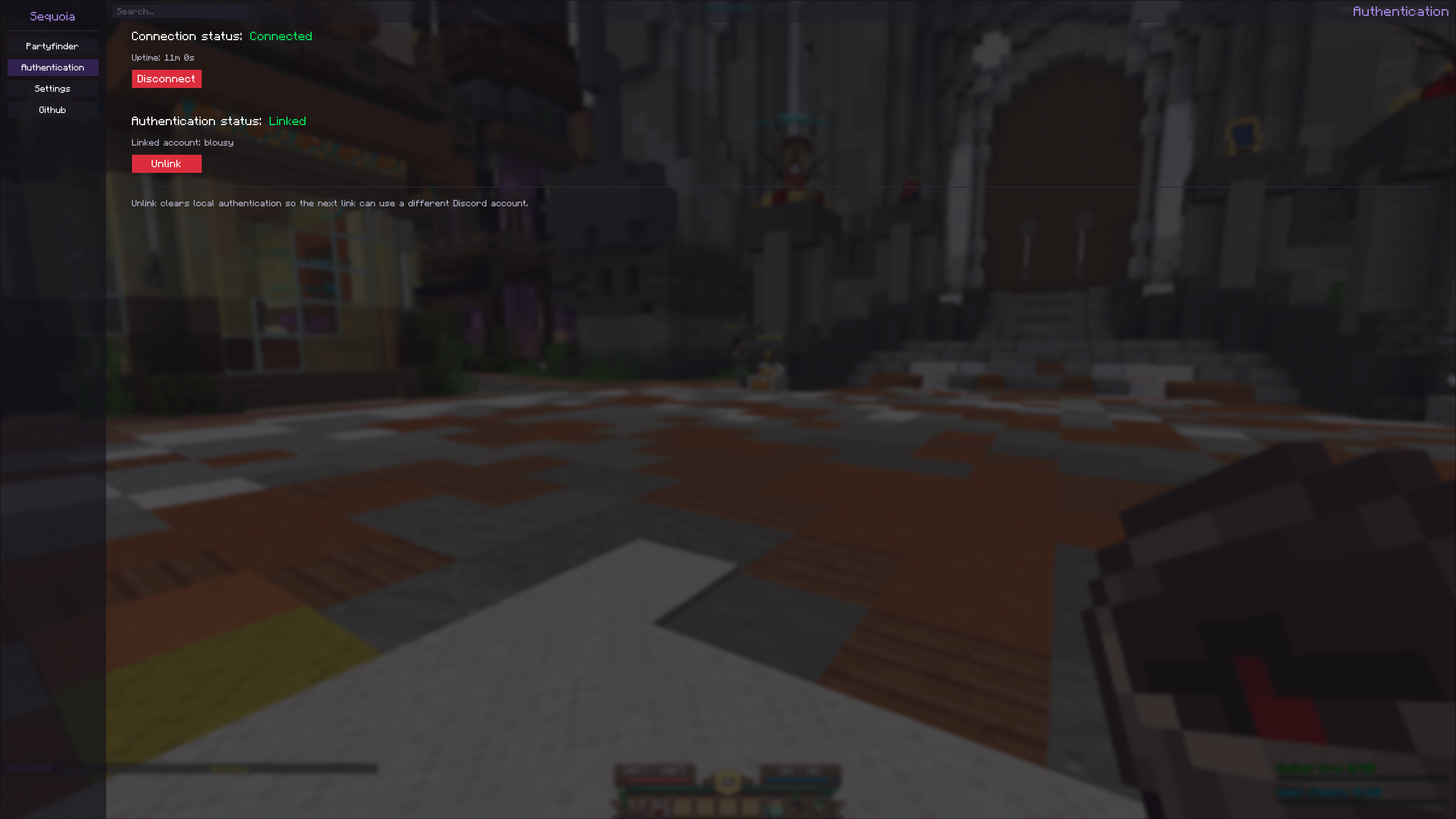 Authentication The authentication screen, with a connection to the backend and a discord connection
 -
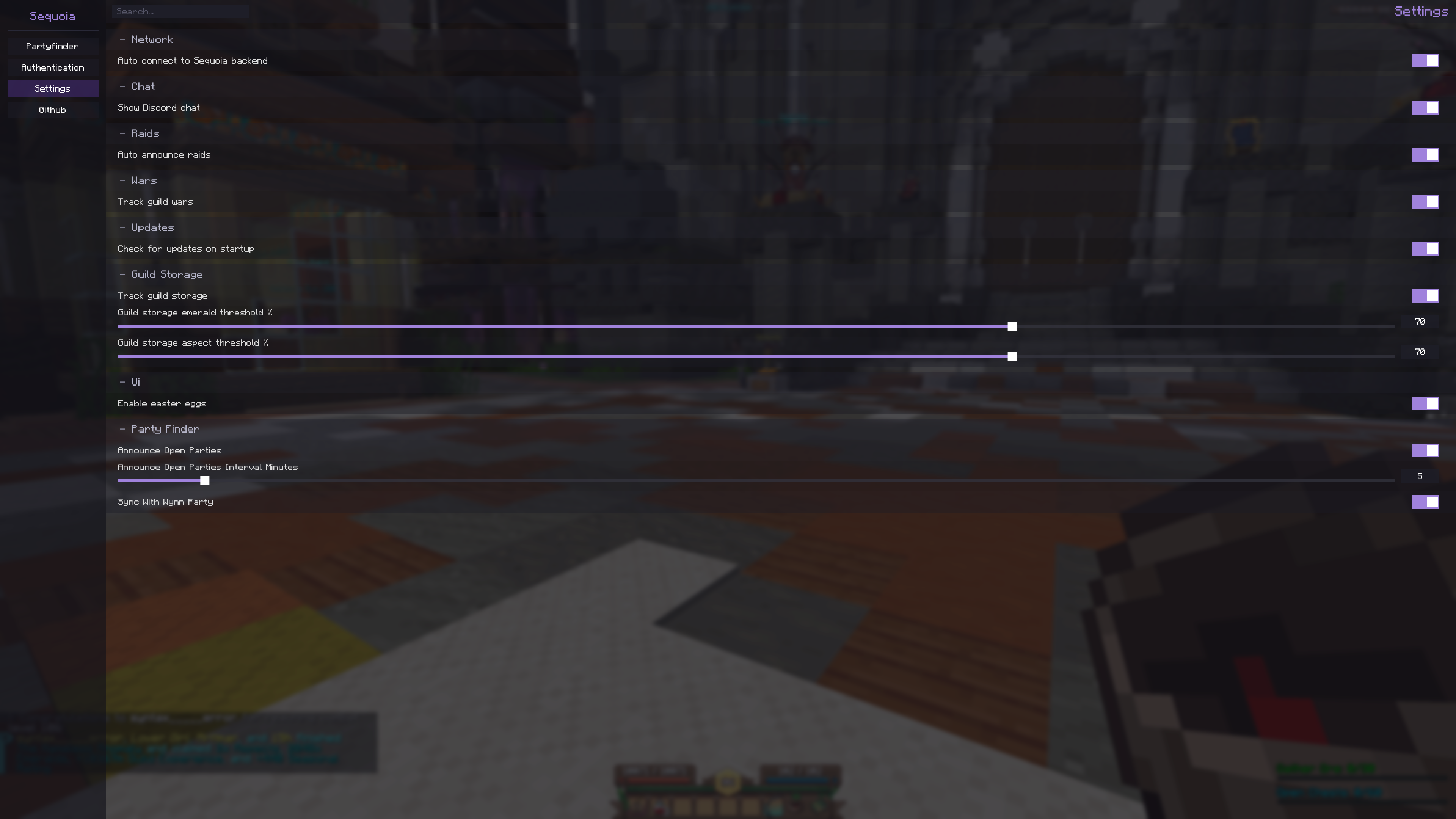 Settings The settings screen
Versions
Files
Relations
Project Relations
More like this
Similar Mods
Suggestions use data such as tags, dependencies, dependents, descriptions, titles, and more to rank how much they overlap with this mod.
On ModDex
Community snapshot
By the numbers
Statistics

Want to reach Minecraft players?
We're looking for a server hosting partner to feature here and other parts of the site. Interested? Send us a message!
Get in touchGet it on
Available Platforms
On ModDex
Community snapshot
By the numbers