Mod

Server Rules
No reviews yet
Mod designed to enforce server rules by displaying a mandatory rules screen to new players. Players must read and accept the rules before they can join the game, ensuring a friendly and respectful community environment.
Fabric is a mod loader for versions 1.14+ of Minecraft, particularly popular for client side and optimization mods.
Community voices
Reviews
Click once to include, again to exclude, again to clear
No reviews yet. Be the first to review this project!
Get it on
Available Platforms
 Modrinth
Compatibility
Supported Environments
About
Project Details
For authors
Embed Badge
If you're the author of this project, you can embed a live badge anywhere that supports HTML or Markdown. It updates automatically whenever ratings change.
Use HTML for any page that supports it, or Markdown for README files and Markdown-based descriptions.
Identifiers
Platform IDs
About
Description
Server Rules Mod for Minecraft Fabric
Server Rules is a Minecraft Fabric mod designed to enforce server rules by displaying a mandatory rules screen to new players. Players must read and accept the rules before they can join the game, ensuring a friendly and respectful community environment.
Features
Rules System
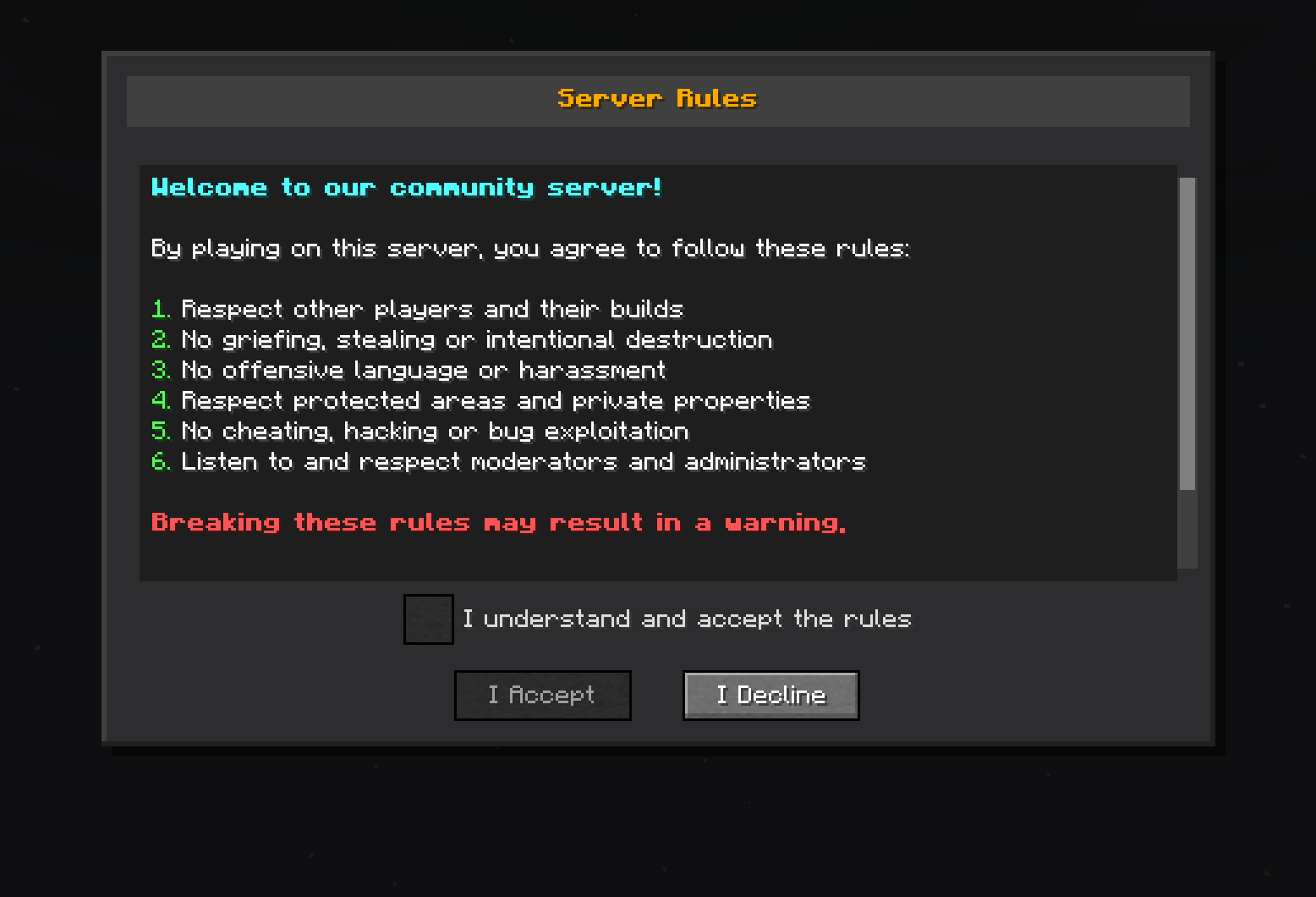
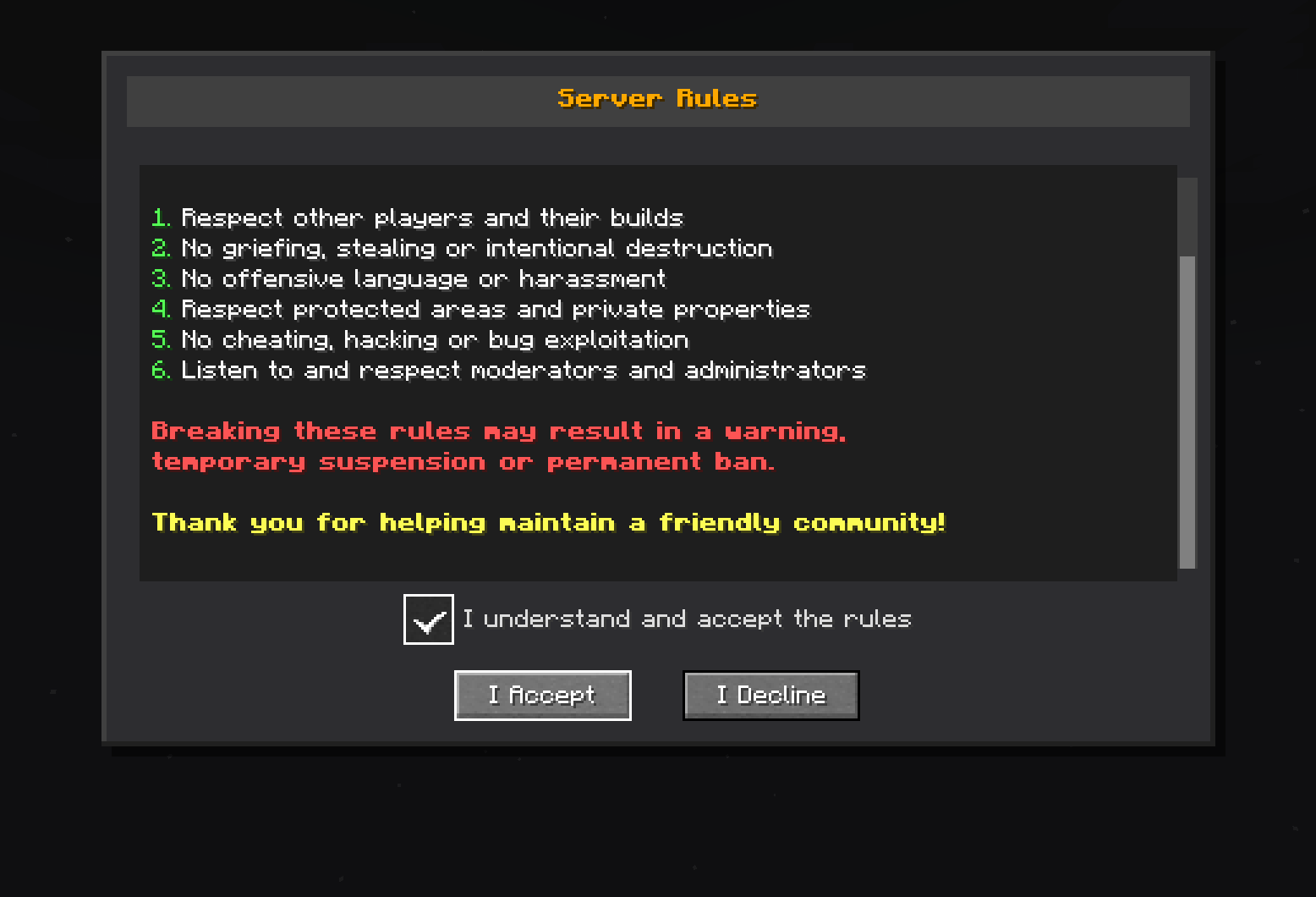
- Custom rules screen: Automatically displays server rules to new players
- Mandatory validation: Players must accept the rules to play
- Graphical interface: Screen with scrolling, checkbox, and customizable buttons
Requirements
- Minecraft: Version 1.20.1 + Fabric
Installation
-
Install the mod:
- Place the
serverrules-1.0-SNAPSHOT.jarfile in themods/folder
- Place the
-
Start the server:
- The mod will configure itself automatically on first startup
- Configuration file will be created at
config/serverrules/config.yml
Configuration
The config/serverrules/config.yml file allows you to customize configuration
rules:
   enabled: true
   title: §6§lServer Rules
   content: |
      §b§lWelcome to our community server!

      §fBy playing on this server, you agree to follow these rules:

      §a1. §fRespect other players and their builds
      §a2. §fNo griefing, stealing or intentional destruction
      §a3. §fNo offensive language or harassment
      §a4. §fRespect protected areas and private properties
      §a5. §fNo cheating, hacking or bug exploitation
      §a6. §fListen to and respect moderators and administrators

      §c§lBreaking these rules may result in a warning,
      §c§ltemporary suspension or permanent ban.

      §e§lThank you for helping maintain a friendly community!
   accept_button: I Accept
   decline_button: I Decline
   checkbox_text: I understand and accept the rules
   declined_message: You must accept the rules to play on this server.
   accepted_message: You have accepted the server rules. Welcome!
   sending_error_message: 'Error sending rules: %error%'
Usage
When a new player connects to the server:
- Automatic display: The rules screen appears automatically
- Mandatory reading: The player must scroll to the bottom
- Validation: A checkbox becomes available after complete reading
- Acceptance: The player must check the box and click "I Accept"
- Memory: Acceptance is saved, no need to re-validate
License
This project is licensed under the AGPL-3.0 License - see the LICENSE file for details.
Author
DrEmixam - Main developer
Support
To report bugs or request features, please create an issue on the project repository.
Screenshots
Gallery
-
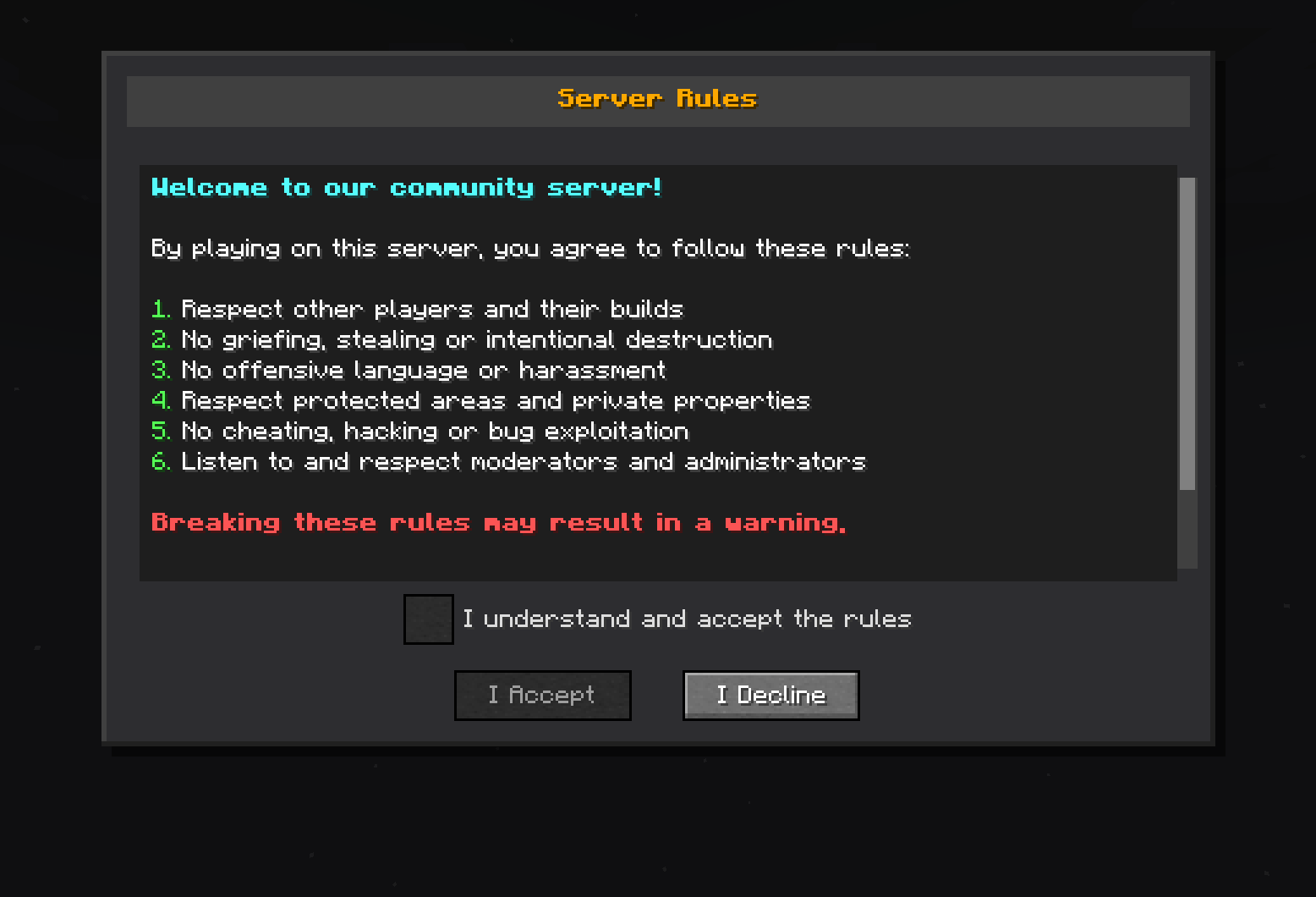 Rules display A Minecraft server rules dialog box titled "Server Rules." The rules state: 1. Respect other players and their builds. 2. No griefing, stealing or intentional destruction. 3. No offensive language or harassment. 4. Respect protected areas and private prop
 -
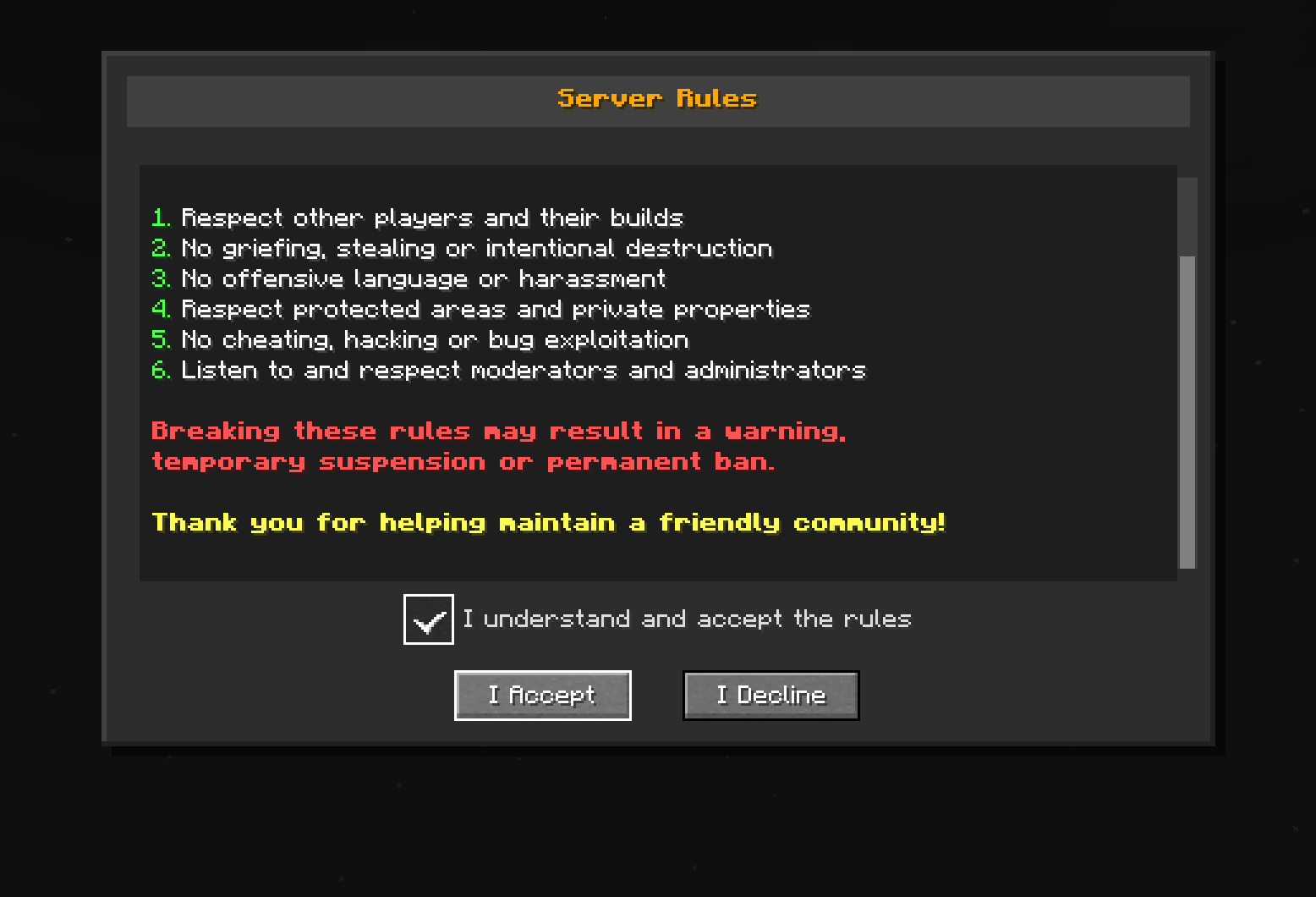 User must scroll down before accepting
Versions
Files
Relations
Project Relations
More like this
Similar Mods
Suggestions use data such as tags, dependencies, dependents, descriptions, titles, and more to rank how much they overlap with this mod.
On ModDex
Community snapshot
By the numbers
Statistics

Want to reach Minecraft players?
We're looking for a server hosting partner to feature here and other parts of the site. Interested? Send us a message!
Get in touchGet it on
Available Platforms
On ModDex
Community snapshot
By the numbers