Mod

Shulker Packer Mod
No reviews yet
This mod adds the ability to automate packing items into shulker boxes.
Features systems for better item storage and organization.
Fabric is a mod loader for versions 1.14+ of Minecraft, particularly popular for client side and optimization mods.
Community voices
Reviews
Click once to include, again to exclude, again to clear
No reviews yet. Be the first to review this project!
Get it on
Available Platforms
 Modrinth
Compatibility
Supported Environments
About
Project Details
For authors
Embed Badge
If you're the author of this project, you can embed a live badge anywhere that supports HTML or Markdown. It updates automatically whenever ratings change.
Use HTML for any page that supports it, or Markdown for README files and Markdown-based descriptions.
Identifiers
Platform IDs
Resources
External Links
About
Description
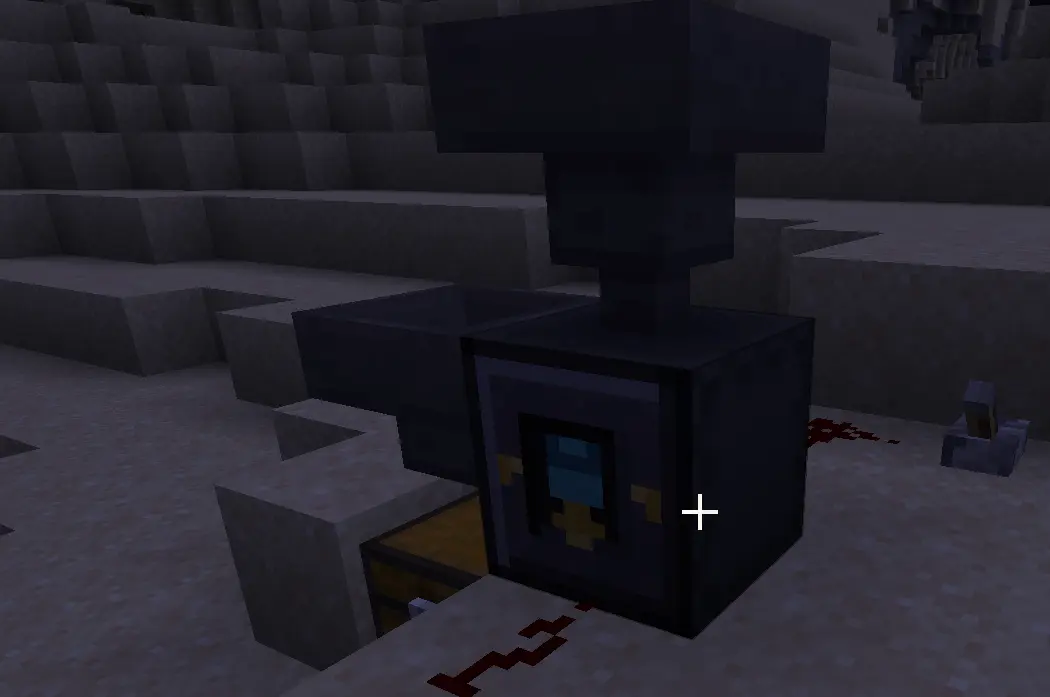
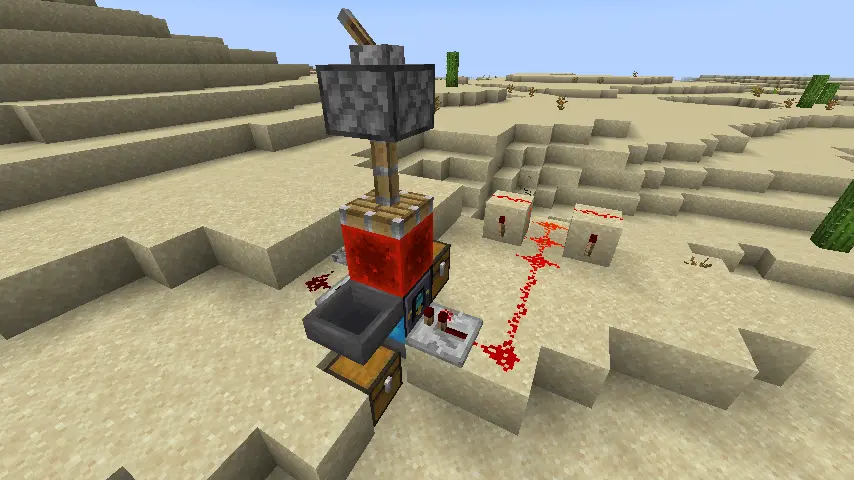 Shulker Packer Mod
Shulker Packer Mod 1.0.2
Shulker Packer Mod adds two compact automation blocks for working with shulker box items: the Shulker Packer and the Shulker Unpacker. They are made for hopper-based storage rooms, farms, sorters, and bulk item systems where shulker boxes should stay as portable items instead of being placed in the world.
Both blocks work without a GUI. Insert a shulker box item, connect hoppers, and control output with simple redstone signals.
Features:
- Pack items directly into a shulker box item without placing it.
- Empty a shulker box item through hopper automation.
- Right-click normal items into a loaded Shulker Packer by hand.
- Auto-eject full packed shulker boxes into an adjacent side chest when possible.
- Let a bottom hopper extract full or manually requested packed shulker boxes.
- Move empty unpacked shulker boxes into an adjacent side chest when possible.
- Let a bottom hopper extract empty unpacked shulker boxes when no side chest is available.
- Read stored shulker contents with a comparator.
Shulker Packer:
- Insert an empty or partially filled shulker box from the side.
- Insert items from the top with a hopper.
- Right-click the block with normal items to pack them into the stored shulker box.
- When the stored shulker box is full, the packer automatically makes it available for output.
- If a chest is adjacent to a side of the packer, a full shulker box is moved there automatically.
- If no side chest can accept it, a hopper below the packer can extract the full shulker box.
- Pulse the front face to request early output before the shulker box is full.
- The marked side indicates the intended comparator readout side for occupied-stack monitoring.
Shulker Packer comparator output:
- Signal 0: no stored shulker box or no occupied item slots.
- Signal 1-14: partial occupied-slot count.
- Signal 15: all 27 shulker slots are occupied.
The comparator signal is based on the number of occupied item stacks, not item fullness. For example, one dirt item and one full dirt stack both count as one occupied stack.
Shulker Unpacker:
- Insert a filled shulker box from the side.
- Pulse the front face to allow a bottom hopper to extract one item.
- Power the top face while pulsing the front face to extract one whole stack instead.
- When the stored shulker box is empty, the unpacker moves it into an adjacent side chest when possible.
- If no side chest is available, a hopper below the unpacker can extract the empty shulker box.
Redstone behavior:
- Front face: output control.
- Back face: automation lock.
- Top face on the unpacker: switches front pulses from one-item output to one-stack output.
- Comparator: reads the stored shulker box contents.
When the back face is powered, hopper insertion, hopper extraction, and automatic side-chest output pause. This makes it possible to lock machines, delay extraction, or synchronize the blocks with larger redstone systems.
Automation summary:
- Packer top: item input.
- Packer sides: shulker box input and optional full-shulker chest output.
- Packer bottom: full or requested shulker box output.
- Unpacker sides: shulker box input and optional empty-shulker chest output.
- Unpacker bottom: item output, stack output, or empty-shulker output.
The goal is to keep shulker box automation practical and vanilla-friendly: no GUI, no multi-block structure, just predictable hopper and redstone behavior.
Author: Antara89
Screenshots
Gallery
Versions
Files
Relations
Project Relations
More like this
Similar Mods
Suggestions use data such as tags, dependencies, dependents, descriptions, titles, and more to rank how much they overlap with this mod.
On ModDex
Community snapshot
By the numbers
Statistics

Want to reach Minecraft players?
We're looking for a server hosting partner to feature here and other parts of the site. Interested? Send us a message!
Get in touchGet it on
Available Platforms
On ModDex
Community snapshot
By the numbers
Statistics
Resources