
Community listing page, reviews here may not be monitored by the author.
Super Resolution


No reviews yet
This mod integrates several super-resolution algorithms in Minecraft to enhance performance or visual quality.
Community voices
Reviews
No reviews yet. Be the first to review this project!
Get it on
Available Platforms
Compatibility
Supported Environments
Runs entirely on the client. Works on vanilla servers.
About
Project Details
For authors
Embed Badge
If you're the author of this project, you can embed a live badge anywhere that supports HTML or Markdown. It updates automatically whenever ratings change.
Use HTML for any page that supports it, or Markdown for README files and Markdown-based descriptions.
Identifiers
Platform IDs
About
Description
Super Resolution Mod for Minecraft
This mod integrates multiple super-resolution algorithms into Minecraft to enhance performance or visual quality, with compatibility for most modern GPUs.
Built-in Algorithms
- AMD FidelityFX Super Resolution 1 (FSR1)
- AMD FidelityFX Super Resolution 2 (FSR2)
- AMD FidelityFX Super Resolution 3 (FSR3)
- Snapdragon Game Super Resolution 1 (SGSR1)
- Snapdragon Game Super Resolution 2 (SGSR2)
- NVIDIA DLSS (DLSS)
- Intel Xe Super Sampling (XeSS)
Compatibility
Hardware Requirements
- OpenGL 4.3+ required
- OpenGL Extensions:
GL_ARB_direct_state_accessGL_ARB_gl_spirvGL_ARB_clear_texture - Game will exit if OpenGL <4.3 detected
- Always update GPU drivers, especially for older cards
OS Support
- Windows: Fully supported
- Linux: Fully supported
- macOS: Incompatible
Mod Compatibility
✅ Supported: Sodium, Iris, DistantHorizons, Embeddium, Voxy
❌ Incompatible: OptiFine, Canvas, VulkanMod
Issue Reporting
Game Crashes
Open an issue with:
- Crash report
- Hardware specs
- Crash context description
Note: Screenshots alone are insufficient for diagnosis
Rendering Artifacts
Open an issue with:
- Installed mod list
- Hardware specs
- Screenshots of artifacts
Usage Scenarios
Performance Mode
- When experiencing poor FPS (e.g., <30 FPS)
- Set SR ratio >1.0 (e.g., 1.7×)
- Typical gain: 2-3× FPS boost with moderate quality loss
Quality Mode
- When targeting visual fidelity
- Set SR ratio <1.0 (e.g., 0.83×)
- Acts as advanced anti-aliasing
- Warning: Avoid extreme values (<0.6×) to prevent instability
Resolution Logic
For window size 1920×1080:
- SR Ratio 1.2× → Render Resolution 1600×900
- Quality = 1/1.2 ≈ 83.33%
FAQ
Q: Why still low FPS in benchmarks?
A: Tests used a 2014-era GTX 750 (1GB VRAM). The mod tripled FPS from unplayable 6 FPS to 19 FPS at 1080p with acceptable quality loss.
Q: Can this improve visuals?
A: At SR ratios ≤1.0, it enhances edge clarity through super-resolution algorithm while maintaining native resolution.
Q: Ideal hardware?
A: CPU-bound systems with:
- Strong CPU + weak GPU
- Shader-heavy workloads
- Minimum: OpenGL 4.1-capable GPU (2012+ discrete GPUs)
Super Resolution Mod for Minecraft
This mod integrates multiple super-resolution algorithms into Minecraft to enhance performance or visual quality, with compatibility for most modern GPUs.
Built-in Algorithms
- AMD FidelityFX Super Resolution 1 (FSR1)
- AMD FidelityFX Super Resolution 2 (FSR2)
- AMD FidelityFX Super Resolution 3 (FSR3)
- Snapdragon Game Super Resolution 1 (SGSR1)
- Snapdragon Game Super Resolution 2 (SGSR2)
- NVIDIA DLSS (DLSS)
- Intel Xe Super Sampling (XeSS)
Compatibility
Hardware Requirements
- OpenGL 4.3+ required
- OpenGL Extensions:
GL_ARB_direct_state_accessGL_ARB_gl_spirvGL_ARB_clear_texture - Game will exit if OpenGL <4.3 detected
- Always update GPU drivers, especially for older cards
OS Support
- Windows: Fully supported
- Linux: Fully supported
- macOS: Incompatible
Mod Compatibility
✅ Supported: Sodium, Iris, DistantHorizons, Embeddium, Voxy
❌ Incompatible: OptiFine, Canvas, VulkanMod
Issue Reporting
Game Crashes
Open an issue with:
- Crash report
- Hardware specs
- Crash context description
Note: Screenshots alone are insufficient for diagnosis
Rendering Artifacts
Open an issue with:
- Installed mod list
- Hardware specs
- Screenshots of artifacts
Usage Scenarios
Performance Mode
- When experiencing poor FPS (e.g., <30 FPS)
- Set SR ratio >1.0 (e.g., 1.7×)
- Typical gain: 2-3× FPS boost with moderate quality loss
Quality Mode
- When targeting visual fidelity
- Set SR ratio <1.0 (e.g., 0.83×)
- Acts as advanced anti-aliasing
- Warning: Avoid extreme values (<0.6×) to prevent instability
Resolution Logic
For window size 1920×1080:
- SR Ratio 1.2× → Render Resolution 1600×900
- Quality = 1/1.2 ≈ 83.33%
FAQ
Q: Why still low FPS in benchmarks?
A: Tests used a 2014-era GTX 750 (1GB VRAM). The mod tripled FPS from unplayable 6 FPS to 19 FPS at 1080p with acceptable quality loss.
Q: Can this improve visuals?
A: At SR ratios ≤1.0, it enhances edge clarity through super-resolution algorithm while maintaining native resolution.
Q: Ideal hardware?
A: CPU-bound systems with:
- Strong CPU + weak GPU
- Shader-heavy workloads
- Minimum: OpenGL 4.1-capable GPU (2012+ discrete GPUs)
Screenshots
Gallery
-
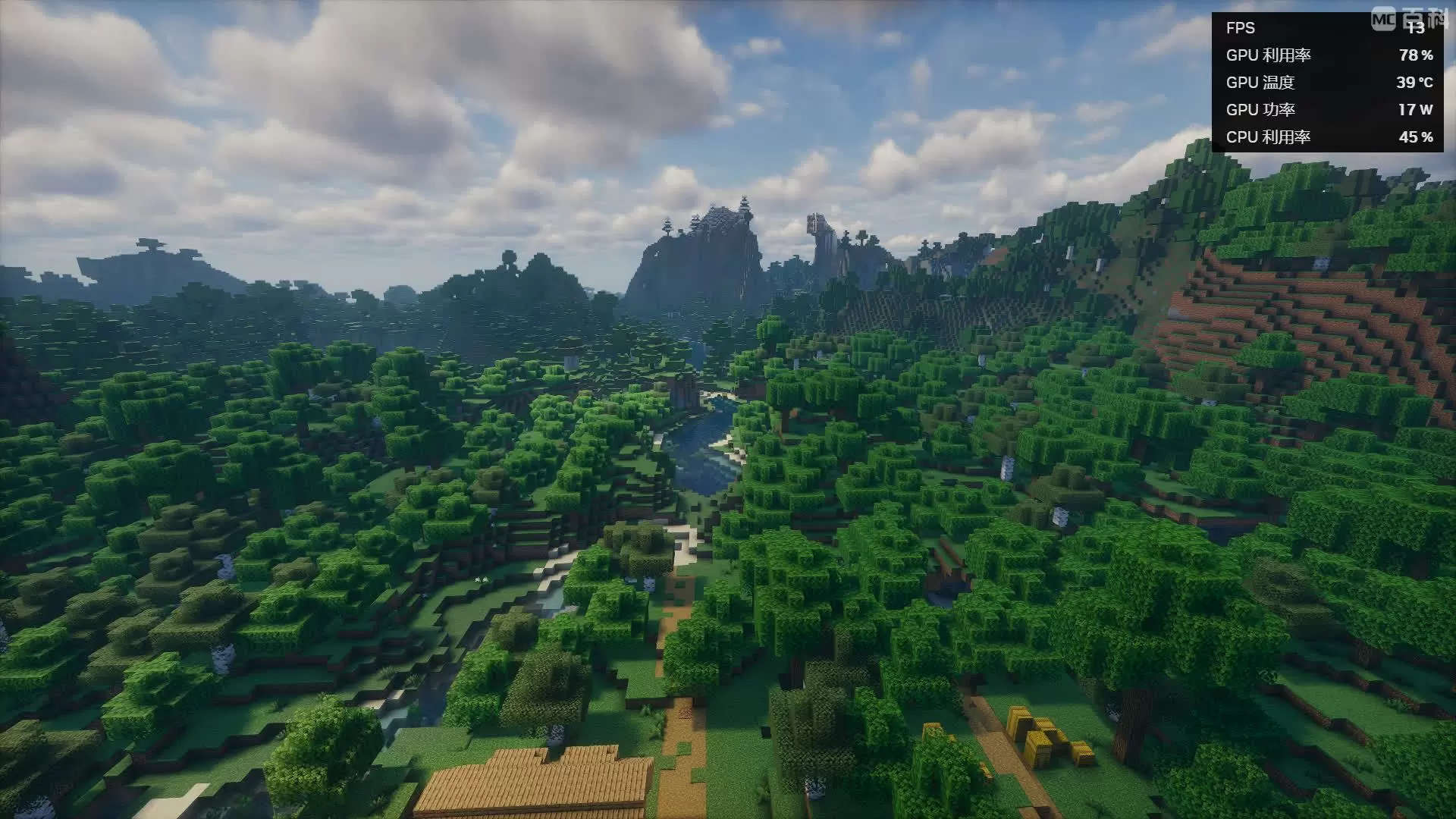 Super Resolution: Disable / FPS:13 Display Resolution: 1920×1080 Native Render Resolution: 1920×1080 (1:1 scale) Render Quality: 100% (Native Precision) Super Resolution: Disabled
 -
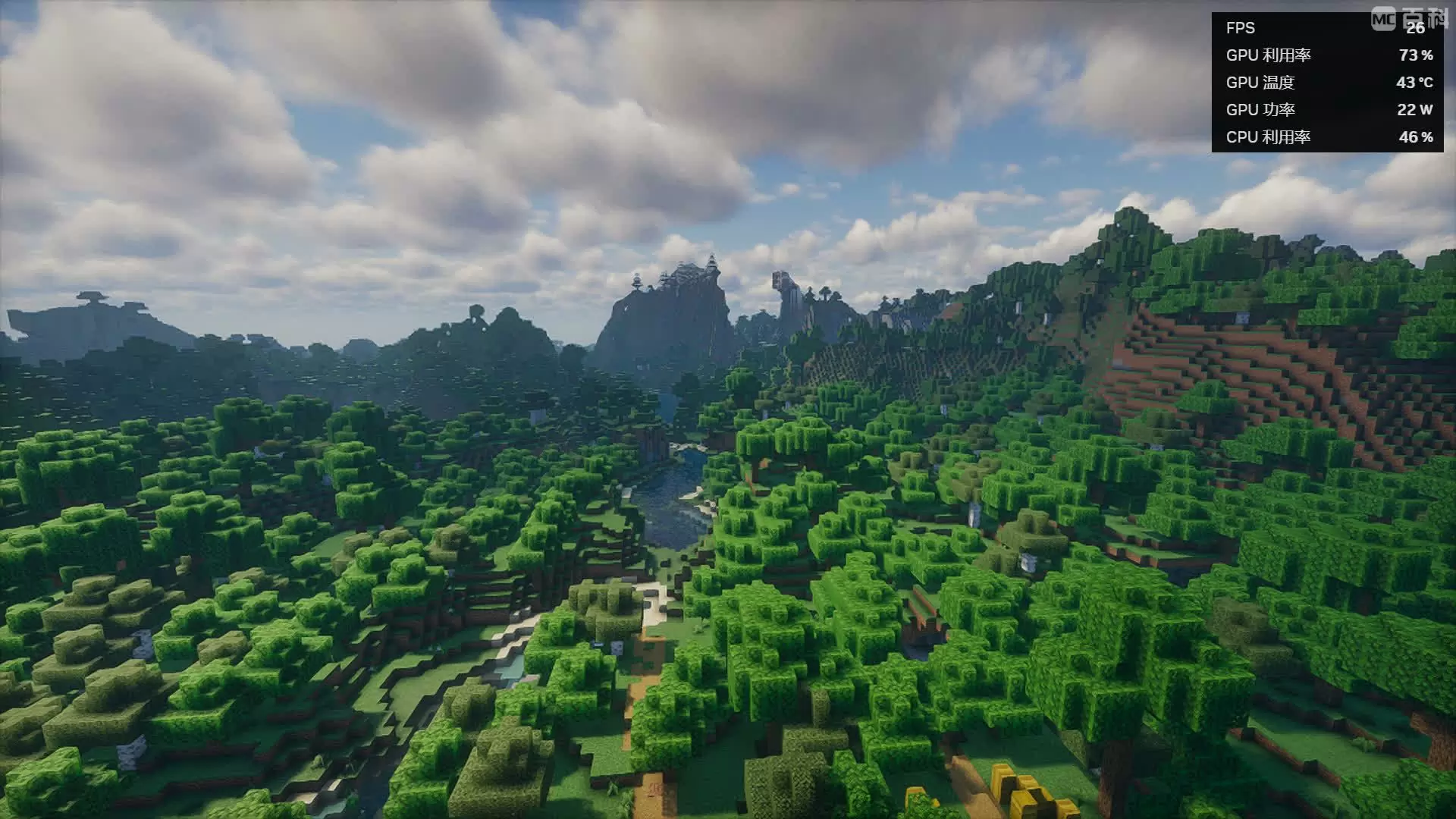 Super Resolution: Enable / FPS:26 Display Resolution: 1920×1080 Native Render Resolution: 1129×635 Render Quality: 58% (Native Precision) Super Resolution: Enable
-
 Example 1 / Super Resolution: Disabled / FPS:9 Display Resolution: 1920×1080 Native Render Resolution: 1920×1080 (1:1 scale) Render Quality: 100% (Native Precision) Super Resolution: Disabled
 -
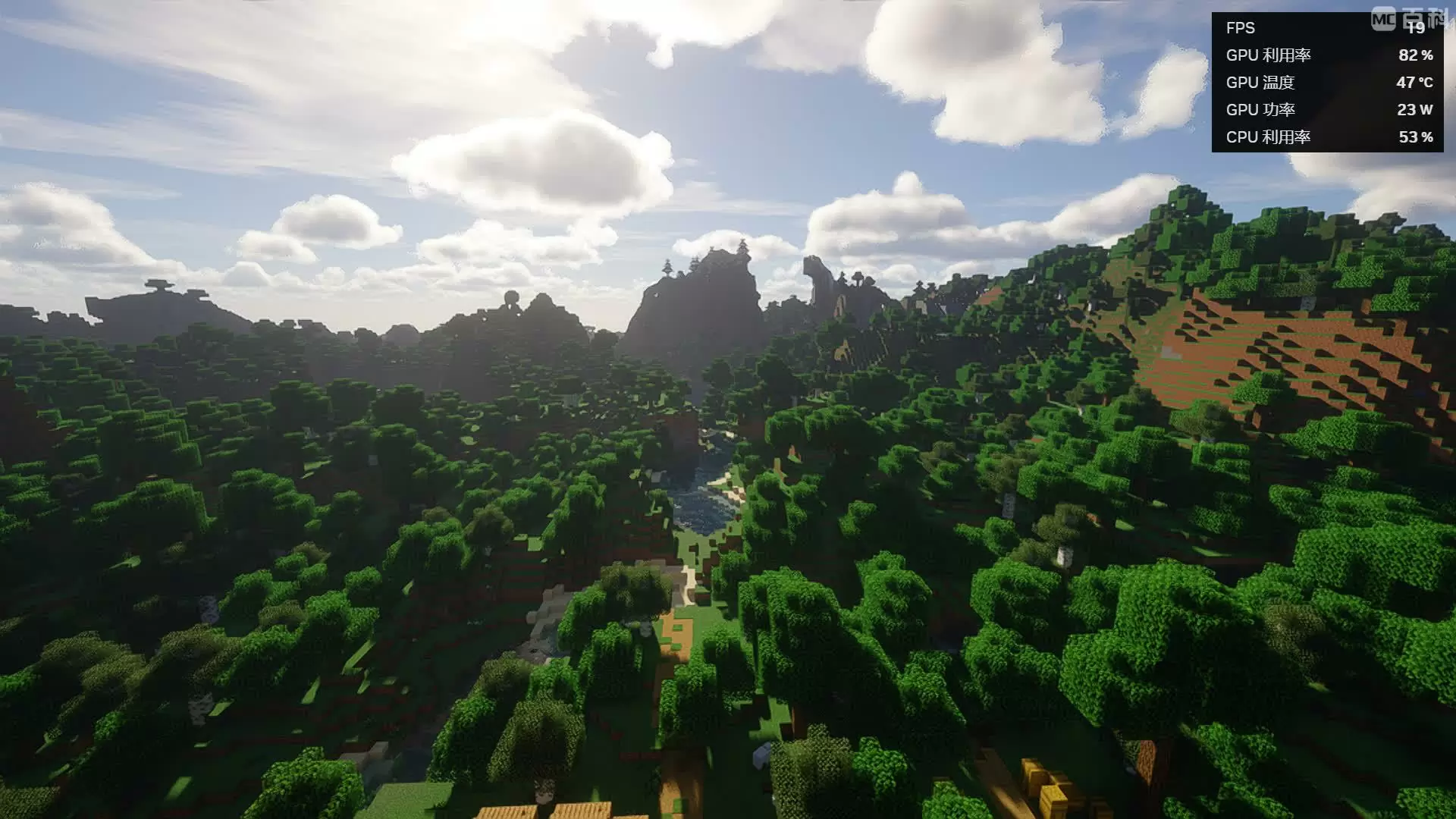 Example 1 / Super Resolution: Enable / FPS:19 Display Resolution: 1920×1080 Native Render Resolution: 1129×635 Render Quality: 58% (Native Precision) Super Resolution: Enable
 -
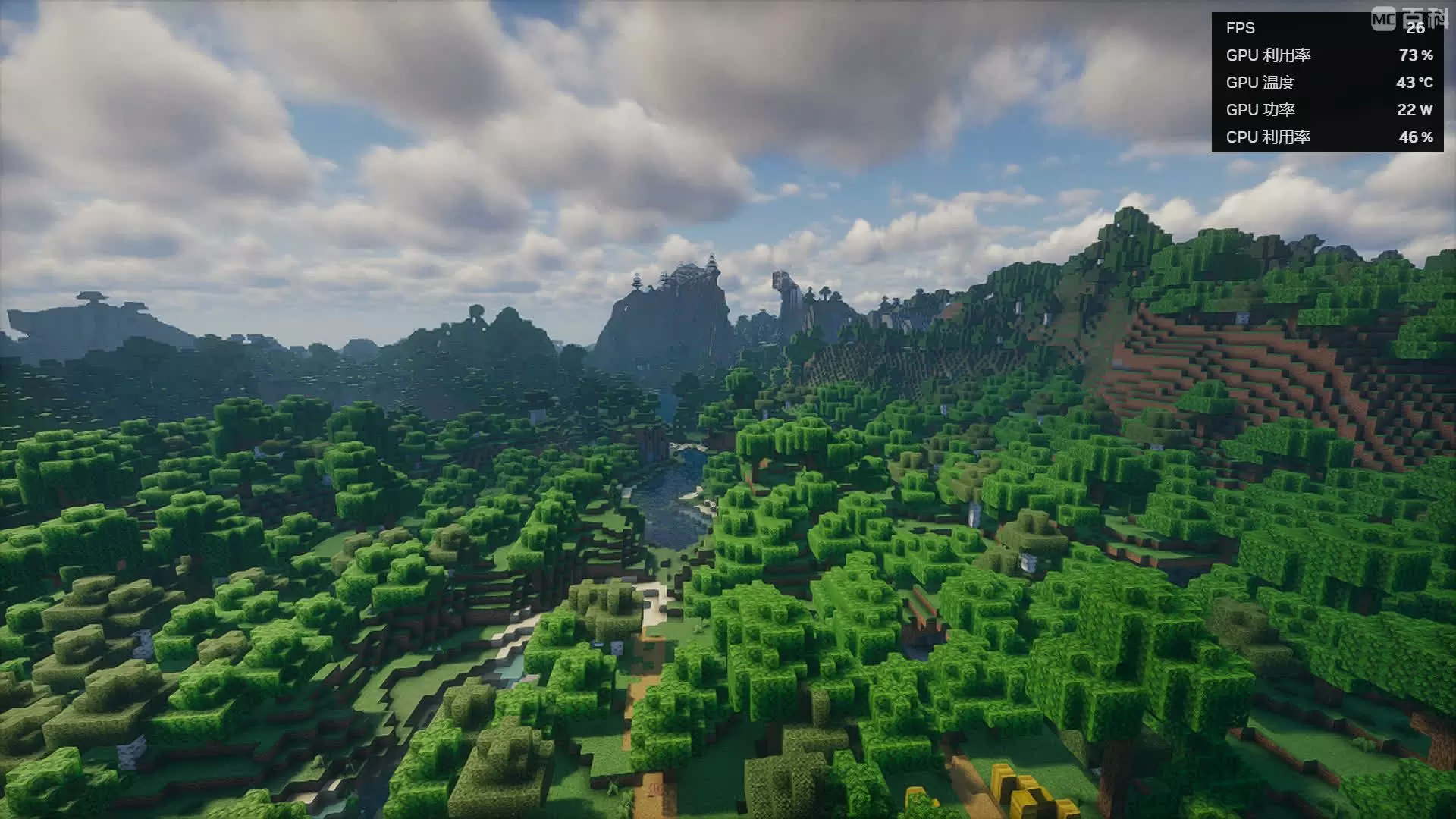 Example 2 / Super Resolution: Enable / FPS:26 Display Resolution: 1920×1080 Native Render Resolution: 1129×635 Render Quality: 58% (Native Precision) Super Resolution: Enable
 -
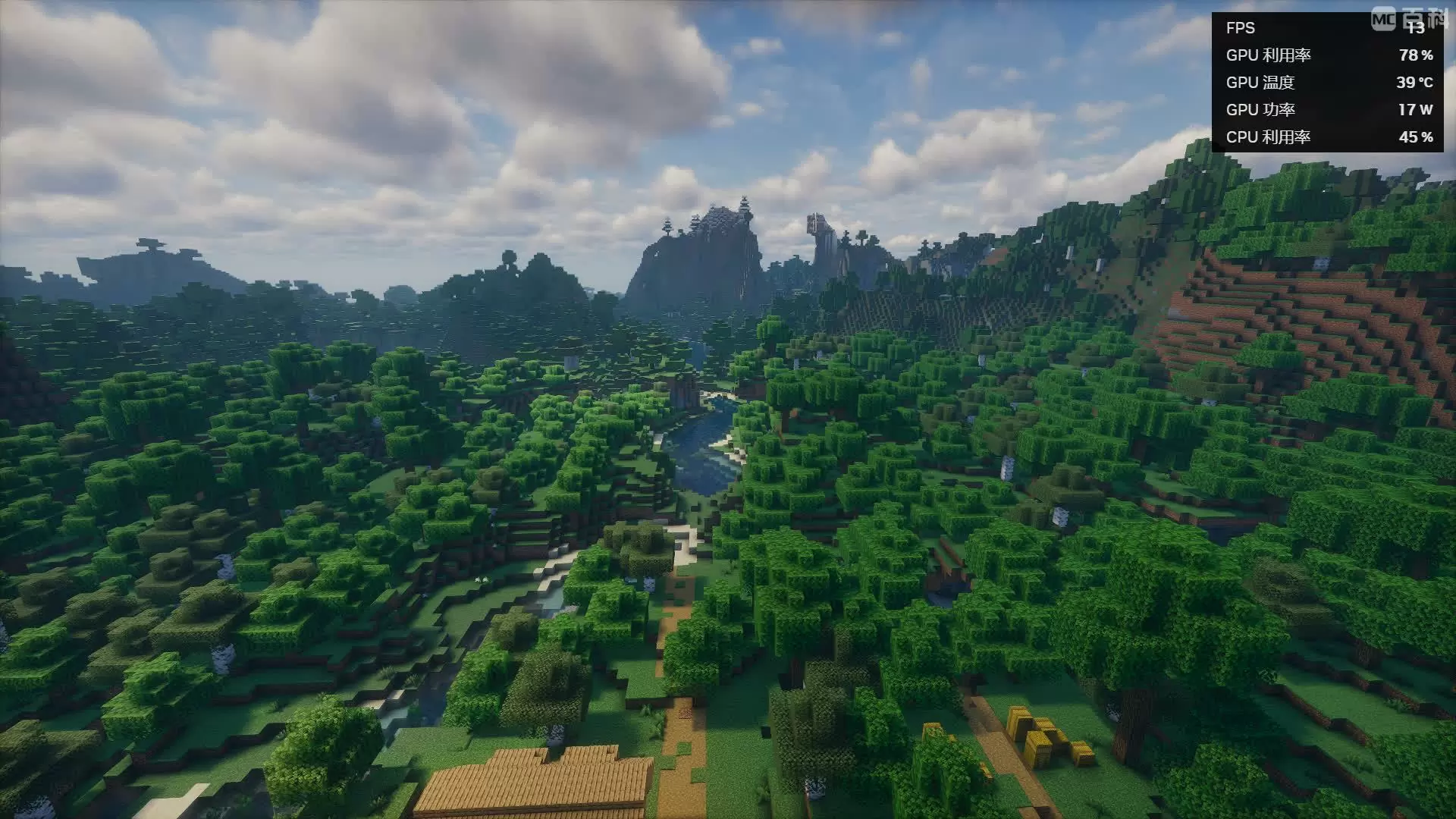 Example 2 / Super Resolution: Disabled / FPS:13 Display Resolution: 1920×1080 Native Render Resolution: 1920×1080 (1:1 scale) Render Quality: 100% (Native Precision) Super Resolution: Disabled
Versions
Files
Relations
Project Relations
More like this
Similar Mods
Suggestions use data such as tags, dependencies, dependents, descriptions, titles, and more to rank how much they overlap with this mod.
On ModDex
Community snapshot
By the numbers
Statistics
Want to reach Minecraft players?
We're looking for a server hosting partner to feature here and other parts of the site. Interested? Send us a message!
Get in touchGet it on
Available Platforms
On ModDex
Community snapshot
By the numbers