Community listing page, reviews here may not be monitored by the author.
Utility Belt


No reviews yet
Adds a wearable secondary hotbar to help manage your tools and clear inventory clutter
Community voices
Reviews
No reviews yet. Be the first to review this project!
Get it on
Available Platforms
Compatibility
Supported Environments
Must be installed on both the client and the server.
About
Project Details
For authors
Embed Badge
If you're the author of this project, you can embed a live badge anywhere that supports HTML or Markdown. It updates automatically whenever ratings change.
Use HTML for any page that supports it, or Markdown for README files and Markdown-based descriptions.
Identifiers
Platform IDs
About
Description
Report Issues • Chat on Discord • CurseForge • Modrinth
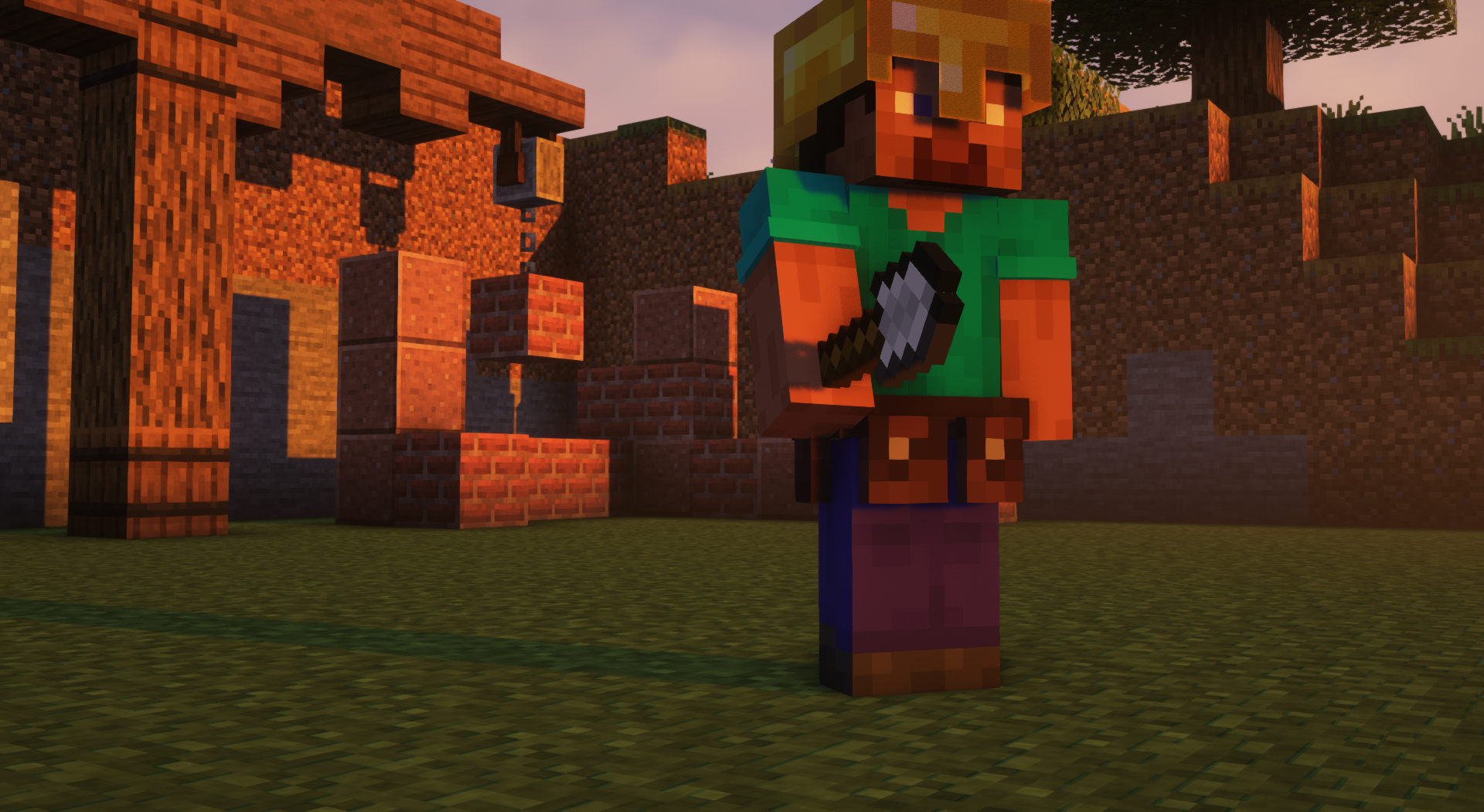
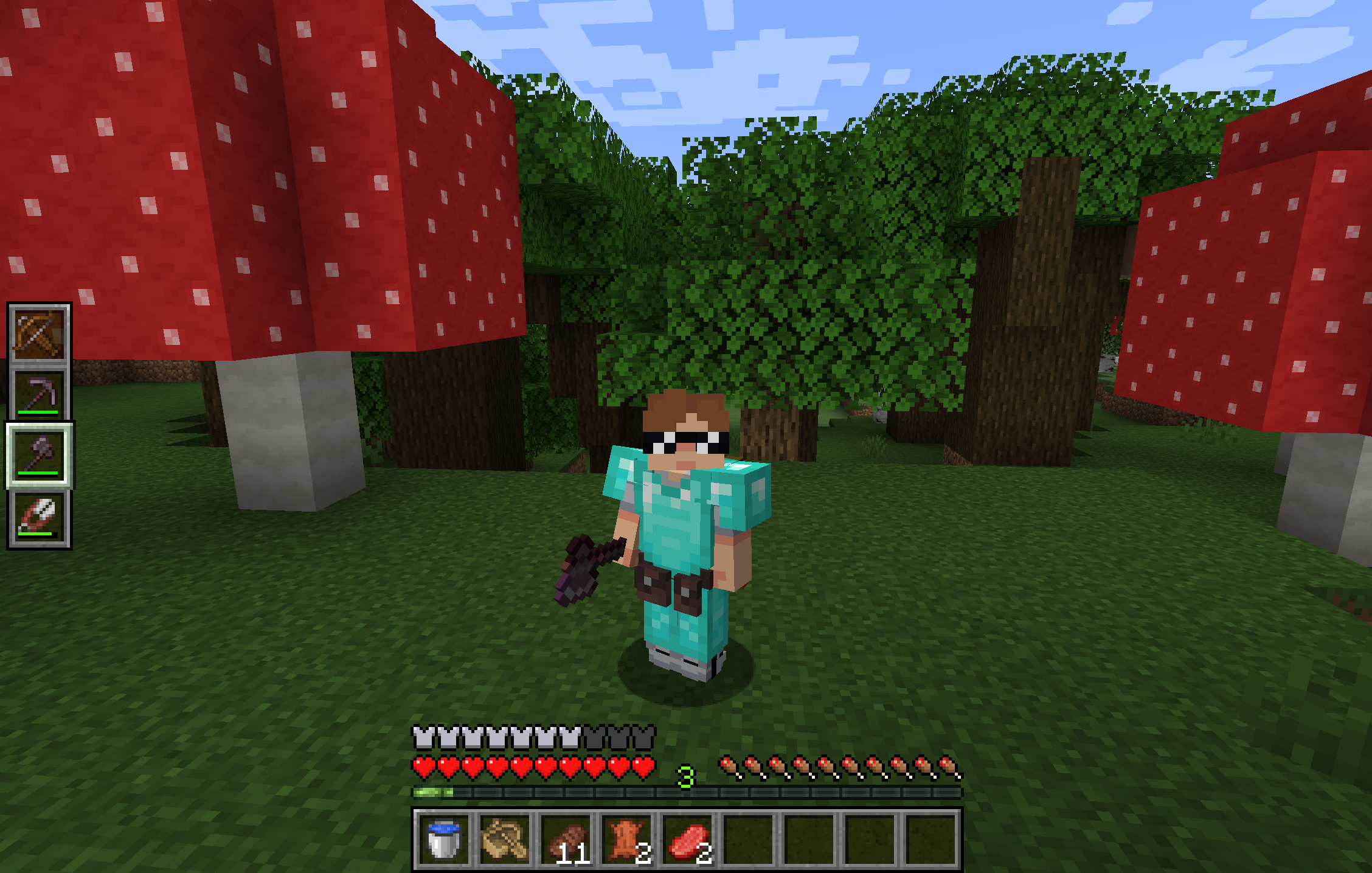
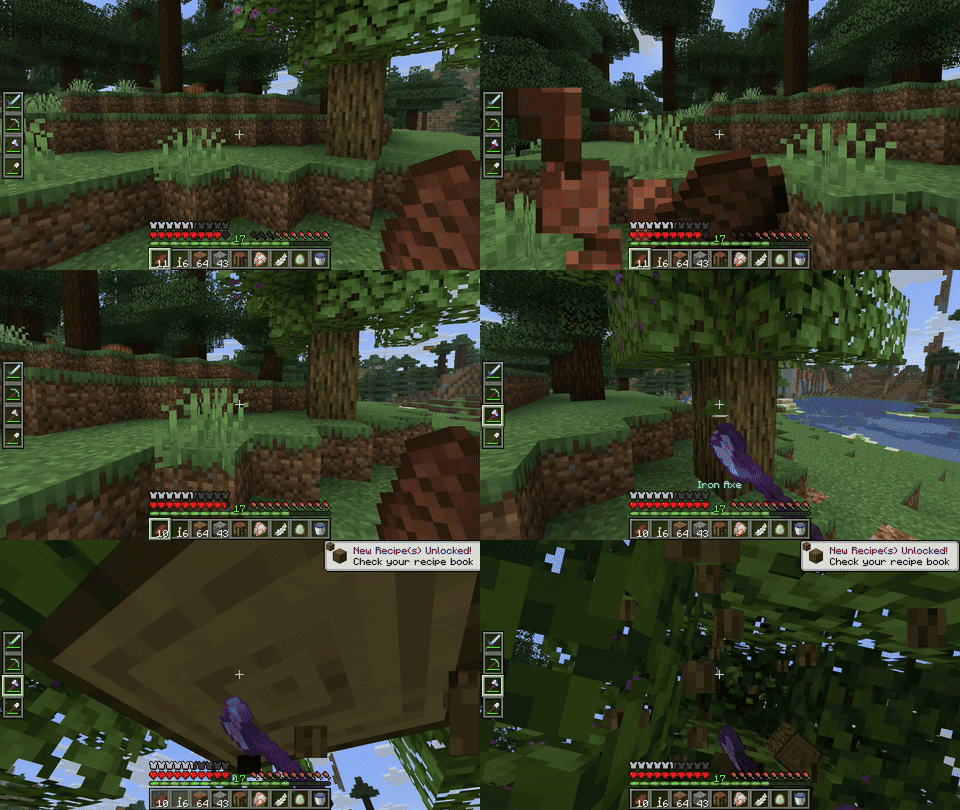
Utility Belt will solve your inventory clutter issues. 9 hotbar slots are not enough, especially when playing with mods. Wearing a Utility Belt gives you a second hotbar where only tools and weapons can be stored.
🛠️ Getting Started
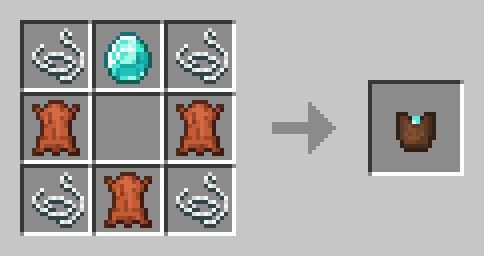
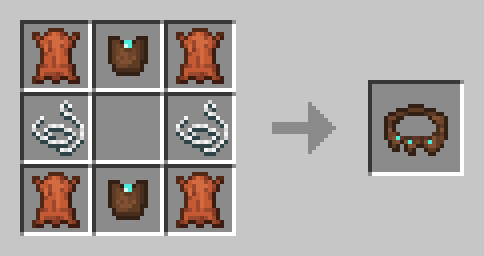
- Craft two belt pouches using the recipe above.
- Craft a Utility Belt using the recipe above.
- Equip it in your belt slot.
- Fill it with your tools and weapons.
⬆️ Upgrading the Belt
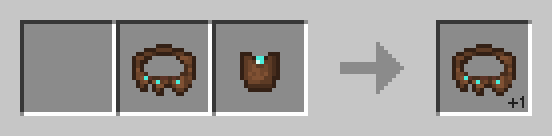
By default, the belt has 4 slots and can be upgraded to have up to 6 slots (these values can be changed in the mod configuration). You can add a slot to a belt in a Smithing Table using the recipe below.
🎮 Controls
| Action | Default Keybind | Description |
|---|---|---|
| Open Belt Screen | ' |
Opens the belt GUI to store items in the belt |
| Swap Hotbar | B (toggle), N (hold) |
Switches between your main hotbar and the belt hotbar |
| Quick Transfer | Sneak + Swap |
Swap the item in your hand between your main hotbar and the belt |
⚙️ Configuration
You can customize Utility Belt's options using the in-game configuration screen:
- Fabric: Accessible using ModMenu.
- Forge/NeoForge: Accessible using the Mods screen.
To change which items are accepted in the belt, you can make a datapack and add items to the allowed_in_utility_belt tag.
🔗 Compatibility
- LambDynamicLights: torches and lanterns in your belt will light up the world around you.
🐛 Bugs and Suggestions
You can report any issues and suggest changes on the GitHub issue tracker. Try out the /utilitybelt fixme command to see if it resolves the issue while you wait for a fix.
Always keep backups of your world, especially when playing versions marked as beta.



Utility Belt will solve your inventory clutter issues. 9 hotbar slots are not enough, especially when playing with mods. Wearing a Utility Belt gives you a second hotbar where only tools and weapons can be stored.
🛠️ Getting Started


- Craft two belt pouches using the recipe above.
- Craft a Utility Belt using the recipe above.
- Equip it in your belt slot.
- Fill it with your tools and weapons.
⬆️ Upgrading the Belt
By default, the belt has 4 slots and can be upgraded to have up to 6 slots (these values can be changed in the mod configuration). You can add a slot to a belt in a Smithing Table using the recipe below.

🎮 Controls
| Action | Default Keybind | Description |
|---|---|---|
| Open Belt Screen | ' |
Opens the belt GUI to store items in the belt |
| Swap Hotbar | B (toggle), N (hold) |
Switches between your main hotbar and the belt hotbar |
| Quick Transfer | Sneak + Swap |
Swap the item in your hand between your main hotbar and the belt |
⚙️ Configuration
You can customize Utility Belt's options using the in-game configuration screen:
- Fabric: Accessible using ModMenu.
- Forge/NeoForge: Accessible using the Mods screen.
To change which items are accepted in the belt, you can make a datapack and add items to the allowed_in_utility_belt tag.
🔗 Compatibility
- LambDynamicLights: torches and lanterns in your belt will light up the world around you.
🐛 Bugs and Suggestions
You can report any issues and suggest changes on the GitHub issue tracker. Try out the /utilitybelt fixme command to see if it resolves the issue while you wait for a fix.
Always keep backups of your world, especially when playing versions marked as beta.

Screenshots
Gallery
Versions
Files
Relations
Project Relations
More like this
Similar Mods
Suggestions use data such as tags, dependencies, dependents, descriptions, titles, and more to rank how much they overlap with this mod.
On ModDex
Community snapshot
By the numbers
Statistics
Want to reach Minecraft players?
We're looking for a server hosting partner to feature here and other parts of the site. Interested? Send us a message!
Get in touchGet it on
Available Platforms
On ModDex
Community snapshot
By the numbers