Mod

Wandering Trades
No reviews yet
Totally Customize the trades of Wandering Traders using easy GUIs! Player Heads, Plugin Items, more!
Includes systems for trading and managing economies.
Paper is a fork of Spigot that adds its own plugin API on top of the Bukkit API. All Spigot plugins are compatible with paper, not all paper plugins are compatible with Spigot.
Community voices
Reviews
Click once to include, again to exclude, again to clear
No reviews yet. Be the first to review this project!
Get it on
Available Platforms
 Modrinth
Compatibility
Supported Environments
About
Project Details
For authors
Embed Badge
If you're the author of this project, you can embed a live badge anywhere that supports HTML or Markdown. It updates automatically whenever ratings change.
Use HTML for any page that supports it, or Markdown for README files and Markdown-based descriptions.
Identifiers
Platform IDs
About
Description
WanderingTrades

WanderingTrades is a plugin that allows server owners to customize the trades of Wandering Traders through an easy to use in-game GUI. Also allows for creating custom traders and villagers, as well as selling Player Heads of players from your server!
Features
- Adds trades defined in config files to Wandering Traders.
- In-game GUI config editor
- Trade config files are located in the
plugins/WanderingTrades/tradesfolder in your server. - You may create as many trade configs as you like. If you have no configs, an example.yml config file will be created for you.
- For more info on what the options are, check out the default config.yml, and the example.yml
- Check out the VanillaTweaks-style microblocks.yml trade config (screenshots in gallery)
- Supports custom player heads, custom item lores, custom item names, enchantments, and custom NBT data.
- Supports RGB colors, gradients, and rainbows for trader and item names in 1.16+ using MiniMessage. To see how to format text for all versions refer to this page
- Customizable chance for each trade config to be added to Wandering Traders, with option to limit to one config per trader.
- Automatically adds trades for player heads of players from your server to Wandering Traders, with customizable head names, lore, amount, and fully customizable prices. Configure in playerheads.yml
- Option to remove the original trades of Wandering Traders
- Summon custom Wandering Trader or Villager defined in config files through commands.
- Command summoned traders can be configured to have custom names above their heads in the trade config.
- Command summoned traders can refresh their trades automatically after an amount of time set in config.yml
- You can summon Traders that do not move around using the noai summon commads.
- If the value 'invincible: true' is in a trade config and a trader is summoned by command using that config, the trader will never despawn or take any damage from anything, except from players with the
wanderingtrades.damagepermission
- Language localization support
- Includes English (en_US), German (de_DE), Romanian (ro_RO), Russian (ru_RU), and Simplified Chinese (zh_CN) locales by default. Set the language in config.yml.
- Any text in menus or commands is translatable
- If you can speak another language and want to help translate the plugin make a Pull Request on GitHub or send me a config on Discord.
Screenshots


See the gallery for more
Commands and Permissions
| Command | Description | Permission |
|---|---|---|
/wanderingtrades |
Base command | - |
/wanderingtrades edit |
Open the trade config edit GUI menu | wanderingtrades.edit |
/wanderingtrades editconfig |
Edit the config.yml in-game through a GUI menu | wanderingtrades.edit |
/wanderingtrades editplayerheads |
Edit the playerheads.yml in-game through a GUI menu | wanderingtrades.edit |
/wanderingtrades reload |
Reload the plugin configuration | wanderingtrades.reload |
/wanderingtrades list |
List available trade configurations | wanderingtrades.list |
/wanderingtrades summon |
Summons a Wandering Trader using the specified config | wanderingtrades.summon |
/wanderingtrades summonvillager |
Summons a Villager using the specified config | wanderingtrades.summonvillager |
Additional permissions:
wanderingtrades.damage: needed to deal damage to command summoned traders with the invincible option on in their trade config.
Plugin Compatibility
- Integration with WorldGuard
- In config.yml there is a configurable white/black list of WorldGuard regions to allow refreshing the trades of command spawned traders in.
- Supports custom items from any plugin! Simply use the in-game config editing GUI (/wt edit) and set your trades to use custom items, for example Crazy Crates keys!
Key Trade


Looking for other Vanilla Tweaks datapack plugins?
VanillaTweaks Plugin
Check out VanillaTweaks by Machine Maker! If you use their "PersistentHeads" Module, Wandering Trades and other plugins Player Heads will preserve their Name and Lore after placing and breaking!
Screenshots
Gallery
-
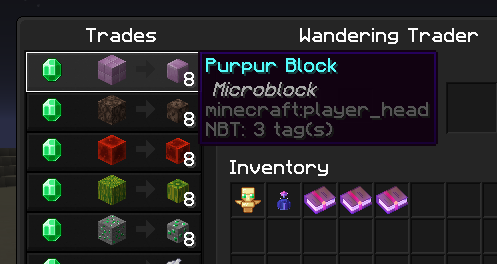 Microblock trades close up
 -
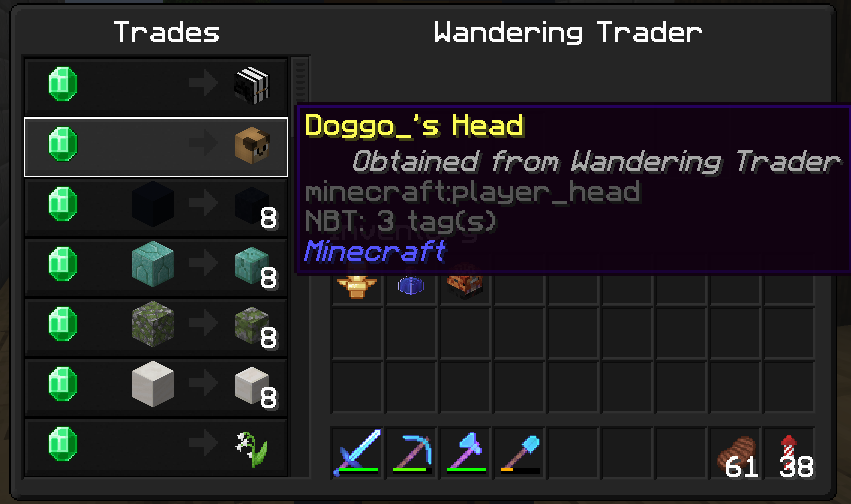 Player heads from your server
 -
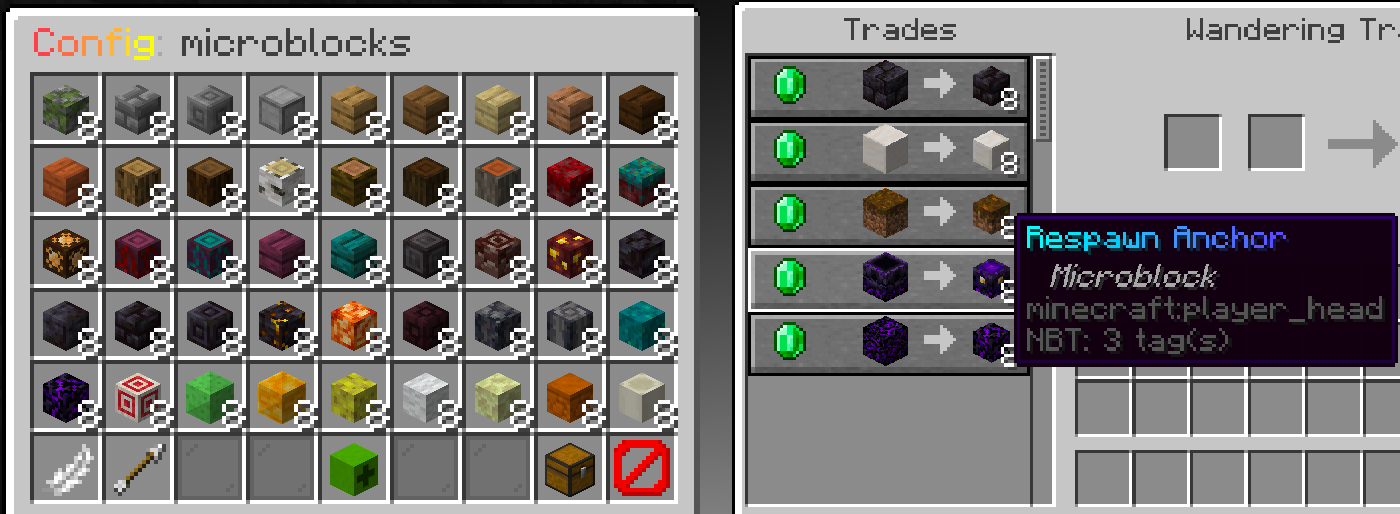 Microblock trades
 -
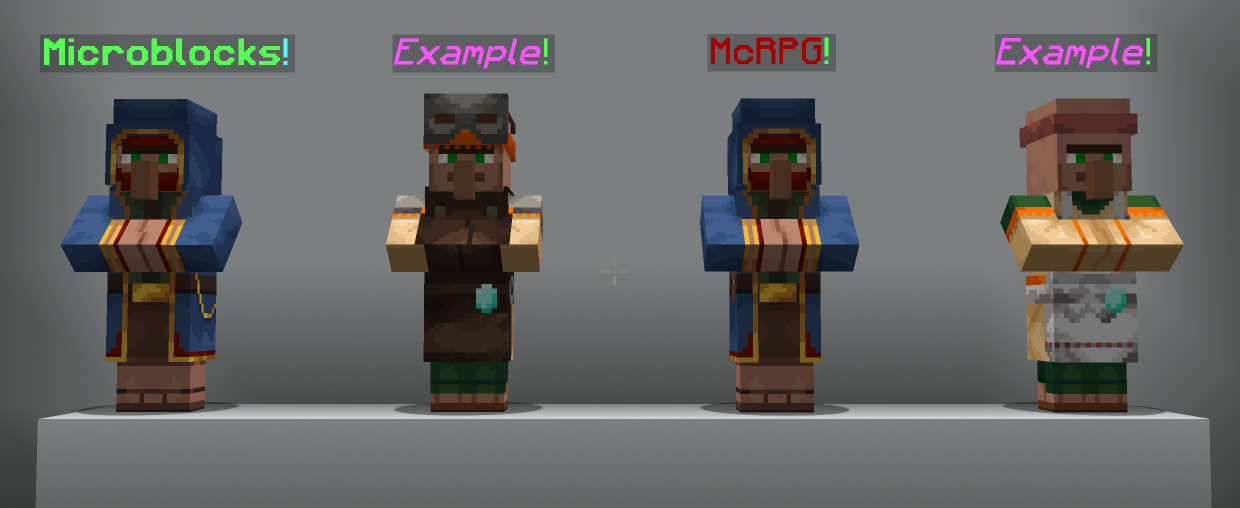 No-AI traders with custom names
Versions
Files
Relations
Project Relations
More like this
Similar Mods
Suggestions use data such as tags, dependencies, dependents, descriptions, titles, and more to rank how much they overlap with this mod.
On ModDex
Community snapshot
By the numbers
Statistics

Want to reach Minecraft players?
We're looking for a server hosting partner to feature here and other parts of the site. Interested? Send us a message!
Get in touchGet it on
Available Platforms
On ModDex
Community snapshot
By the numbers