Modpack
Genesis
No reviews yet
A Vanilla+ Modpack that merges Alpha/Beta elements with the modern builds, alongside adding plenty of QoL features and enhancements.
Includes a large focus on traversing worlds with enhanced world generation, structures, dungeons, and more for players to find unique loot.
Fabric is a mod loader for versions 1.14+ of Minecraft, particularly popular for client side and optimization mods.
Community voices
Reviews
Click once to include, again to exclude, again to clear
No reviews yet. Be the first to review this project!
Get it on
Available Platforms
 Modrinth
Compatibility
Supported Environments
About
Project Details
For authors
Embed Badge
If you're the author of this project, you can embed a live badge anywhere that supports HTML or Markdown. It updates automatically whenever ratings change.
Use HTML for any page that supports it, or Markdown for README files and Markdown-based descriptions.
Identifiers
Platform IDs
Resources
External Links
About
Description
Respecting the past, but not worshipping it
Too many people argue whether Alpha/Beta was better than Modern Minecraft, or vice versa, but I've always felt those arguments were meaningless. Alpha is good, Beta is good, modern is good, they're all good in their own ways. The modpack's goal is to try and merge Minecraft's modern day with its past, so all eras of Minecraft can co-exist.
This isn't a big overhaul mod like Reminiscence or Taproot (go play those modpacks btw, they're good). This is a vanilla+ modpack that has some quality-of-life mods here and there, alongside few new additions and changes that respect Minecraft for what it is and don't add too much. The highlight of this modpack is how elements from Minecraft's past are merged with the present. Alpha and Beta features and bugs co-existing alongside modern features.
What is there to expect? Let's go through some highlights.
- Hunger is now disabled by default, and eating now restores hearts like they did back in Alpha and Beta. Unlike the Alpha and Beta, however, eating still plays an animation that must be completed, adding some mild risk to eating in dangerous scenarios to get a quick heal. Though disabled by default, it can be re-enabled whenever desired through NostalgicTweaks' config screen, and is even favorited for convenience.
- Hunger may be disabled, but in its place is a Stamina system. You can sprint, but don't sprint for too long, or you'll face a penalty and will have to regain your Stamina. Even if you enable Hunger, the Stamina system will be in place. The Stamina system is also favorited for convenience in NT's config to allow disabling it, but you'll have to separately disable sprinting if you don't want sprinting at all. Also favorited for convenience!
- Sword Blocking is re-enabled, but it only blocks 50% of damage. The off-hand slot is also still fully functional, so consider Sword Blocking an alternative until you can craft a shield.
- Acquire a Clock to display the time and number of days since your world started on your HUD, and acquire a Compass to display your looking direction and your coordinates.
- Craft a Map Atlas to have a vanilla-styled minimap in the corner of the screen, but make sure you have plenty of Empty Maps to work with, because it eats through maps very quickly.
- Levels and Experience are enabled, yet they're now tracked via text overlay at the top left of the screen, keeping the classic look of the Hotbar. (Unless playing in the Modern Style, where it keeps the modern look.) Experience is immediately transferred to the closest player where applicable, as well.
- Press G (substituting F) to toggle the Fog and F6 (substituting F5) to toggle cosmetic client-side weather, just like in Minecraft's earliest Alphas and Classic builds. This is purely for fun, but it's a neat little thing.
- Craft or find Waystones for fast travel. You can only fast travel from one Waystone to another, but if you craft a Waystone and name it Home, you can fast travel to your Home Waystone immediately via button in your inventory!
- Modern Combat is in effect, but with classic arm animations from the Alpha/Beta builds, keeping a fun little mesh between modern and classic combat that I feel is quite nice.
- Craft Bundles to hold various items and Quivers to hold lots of arrows! They work very similarly, with Quivers able to be worn on your torso for easy arrow management.
- Smelt Oak Slabs in Furnaces to create Petrified Oak Slabs, the version of Oak Slabs based in the Stone Slab's code from early builds.
Mimic different versions of Minecraft...
 Using NostalgicTweaks' Config, you can change the style of Minecraft to mimic four different versions. Minecraft Classic, Alpha, Beta, and Modern. These presets can be changed by pressing O to bring up NT's config, clicking Manage, then clicking Presets. Then just click and hold "Apply" on the preset you want. Version 2.x.x includes a zip file of these presets if you accidentally delete them or want to access them in other modpacks.
Note: The presets only change visuals. Gameplay is unchanged and consistent between all Styles.
You'll have to adjust your enabled Resource Packs as well...

Here's the intended load order for each style. "Alpha" also applies to Classic too, in this case. You technically can mix and match these all you want, but it'll look quite odd. When using the Modern Style, you only need the Vanilla, Fabric Mods, and Moonlight Lib packs.
Notes
- Genesis includes Moderner Beta as well, if you want more classic or unique world generation. If you're playing with a Moderner Beta preset that has a custom sky color, such as Pocket Edition or Infdev seeds, I'd recommend disabling "Old Universal Sky Color" and "Old Dynamic Sky Color" in the Eye Candy/World Candy/Sky Candy section of NostalgicTweaks' settings to retain the special sky colors. They're favorited for convenience, and remember, you can access NT's config with O!
- I'd recommend keeping the GUI Scale at 4x, as that's what the modpack was built around. Some UI elements may appear incorrect if played with a smaller GUI scale.
- The Classic Style has the Classic Lighting Engine enabled in NT's config, basically meaning that the way lighting worked in Minecraft Classic, where there's only two "light" and "dark" states, applies everywhere. If you wish to use the Classic Style with actual lighting, you can disable the Classic Lighting Engine tweak in NT's config. Once again, it's favorited for convenience!
- The Classic Style was also built with Fast Clouds in mind, as those were the only clouds back then. However, the presets and resource packs have no control over the cloud type, so that will have to be manually switched in Minecraft's video settings if you're aiming for accuracy.
- Clicking the Logo on the Title Screen will revert to the resource pack's logo, if you'd rather not have the dynamic Genesis logo!
- The "Mods" button has been disabled in the Pause Screen and Title Screen for all styles except Modern to maintain accuracy with the versions they're replicating, however the Mods menu can still be accessed with the ` key in-game, and one can easily quit the game by leaving fullscreen and clicking the X in the corner.
Creator Notes
Hey, it's me, the creator, Onemario, here. This is my first modpack ever released, and if you're wondering why the simple act of changing styles involves going into the config of another mod and manually changing your resource packs, it's simply because I'm no modder. I have no modding experience, and Genesis is just a glorified pack of mods with their configs adjusted to work with each other as best as I realistically can with my inexperience. Please don't let this turn you away from the modpack, I did put a lot of time and effort into it to make sure it's a good modpack, but just be aware, if it feels underwhelming, that's why.
Even despite all that, I hope you enjoy!
Screenshots
Gallery
-
 Genesis Logo Designed by a friend of mine, a livestreamer and Sonic Origins modder who goes by the name CubieJudy.
 -
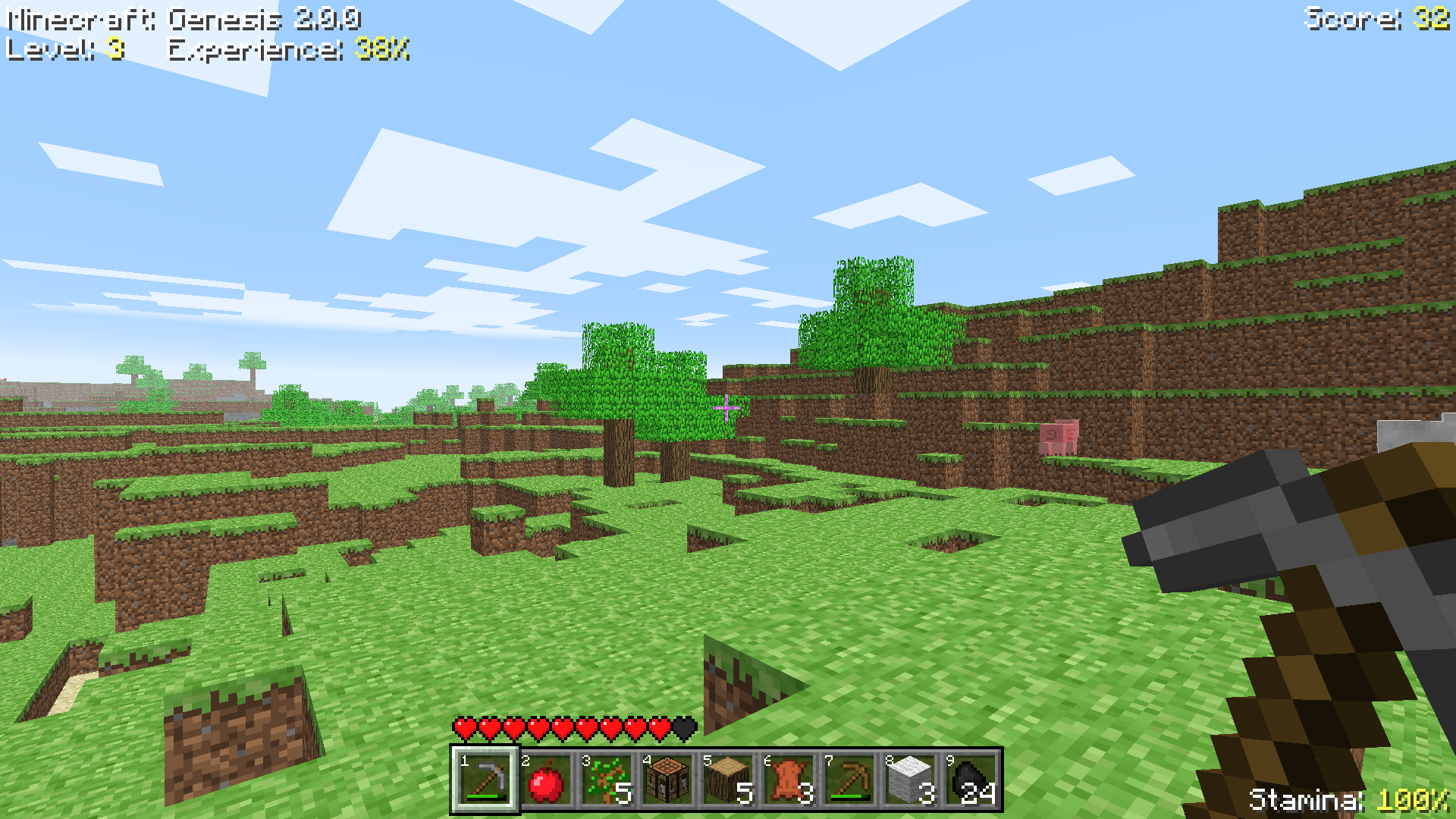 Classic Style Accurately replicating Minecraft Classic. Simple lighting, simple hand animations, flashing blocks instead of an outline, it's beautiful. It's more of a novelty, but you can play with it using normal lighting if you disable the Classic Lighting Engine!
 -
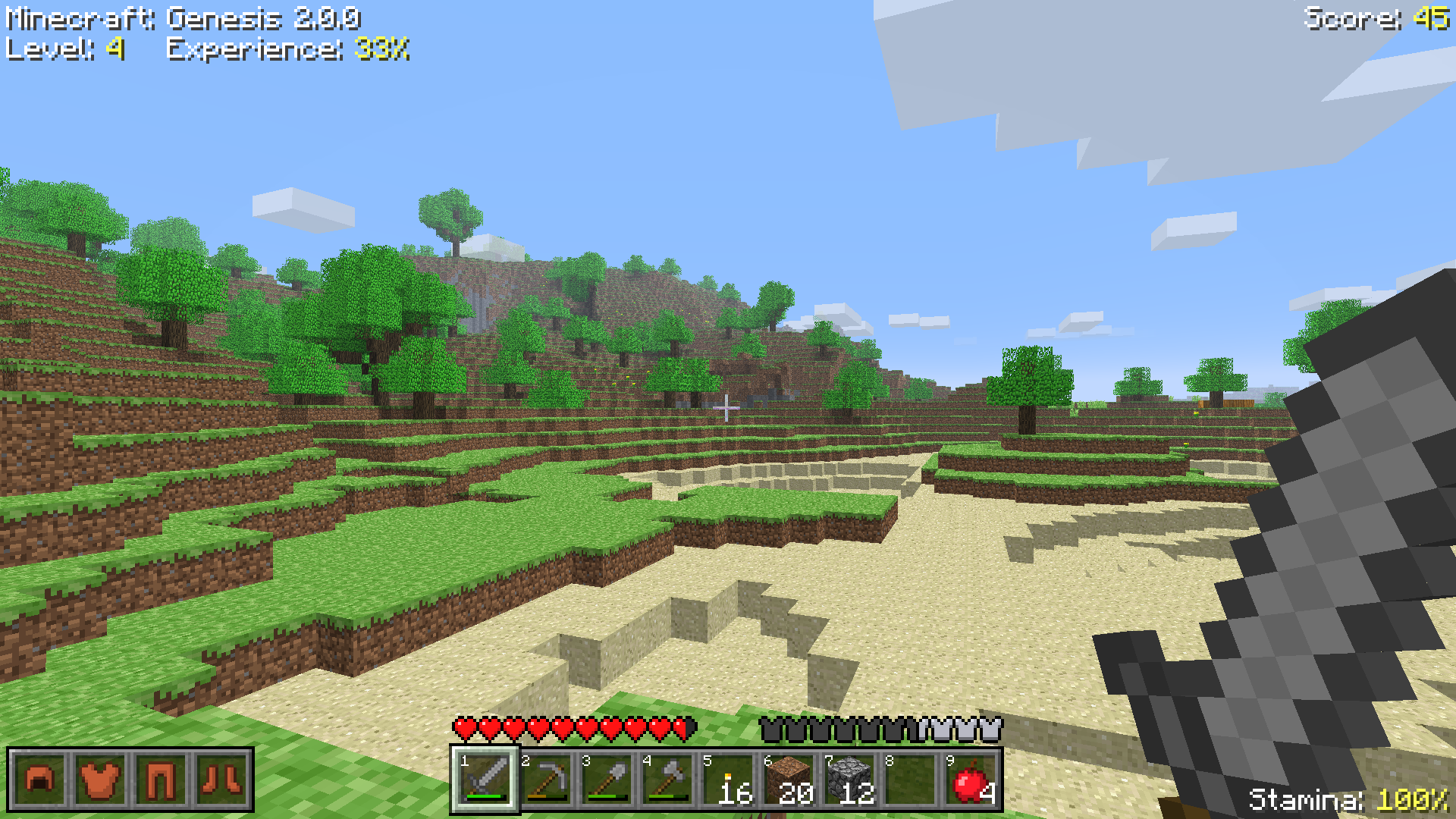 Alpha Style Accurately replicating Minecraft Alpha's visuals as faithfully as possible. My personal favorite, and the modpack's default. When first making the modpack way back when, this was its only style.
 -
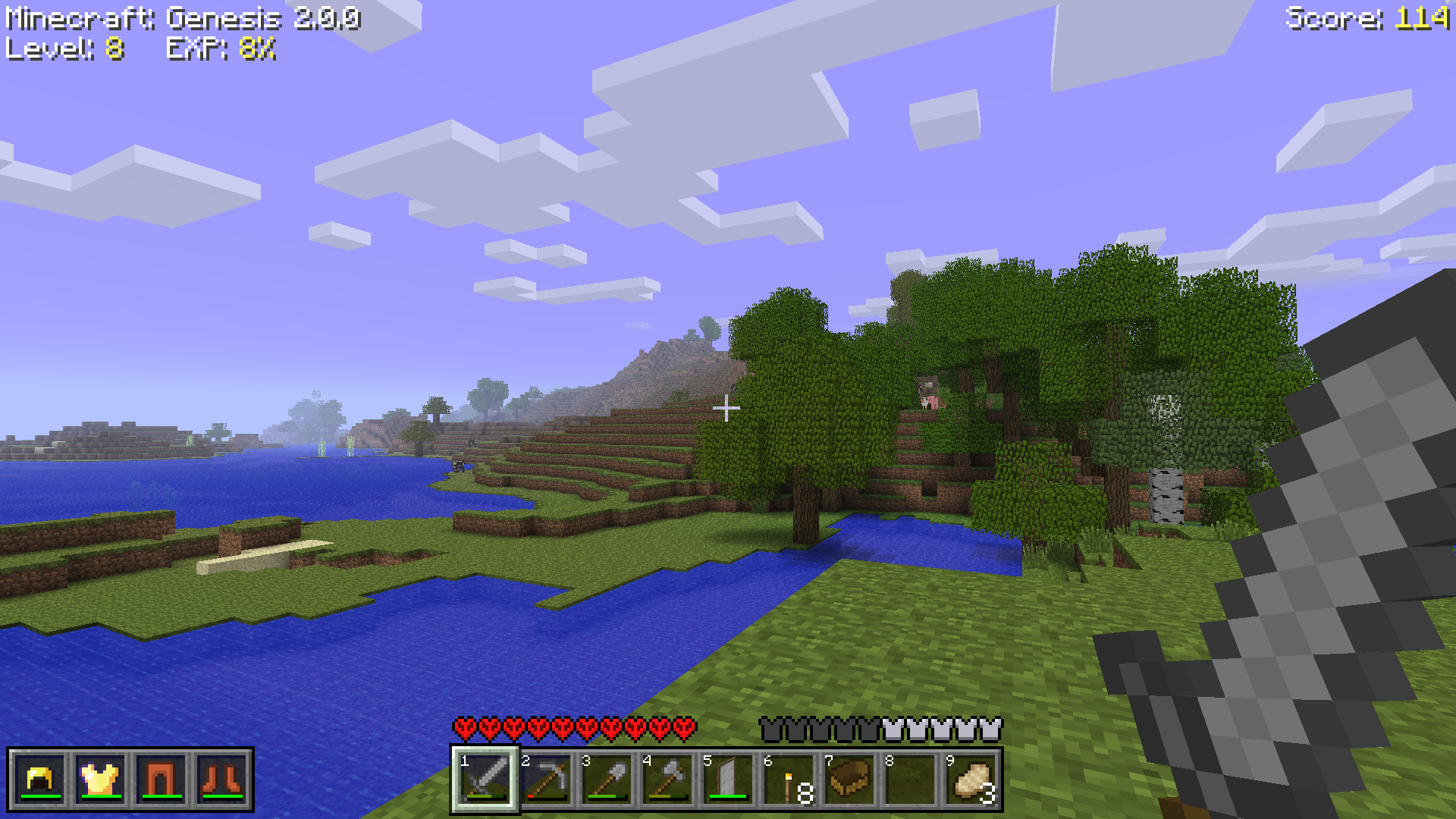 Beta Style Accurately replicates Minecraft's Beta quite tastefully. Another personal favorite, I just love Beta's vibes, and booting up the original Beta 1.7.3 for comparison, this looks nearly identical.
 -
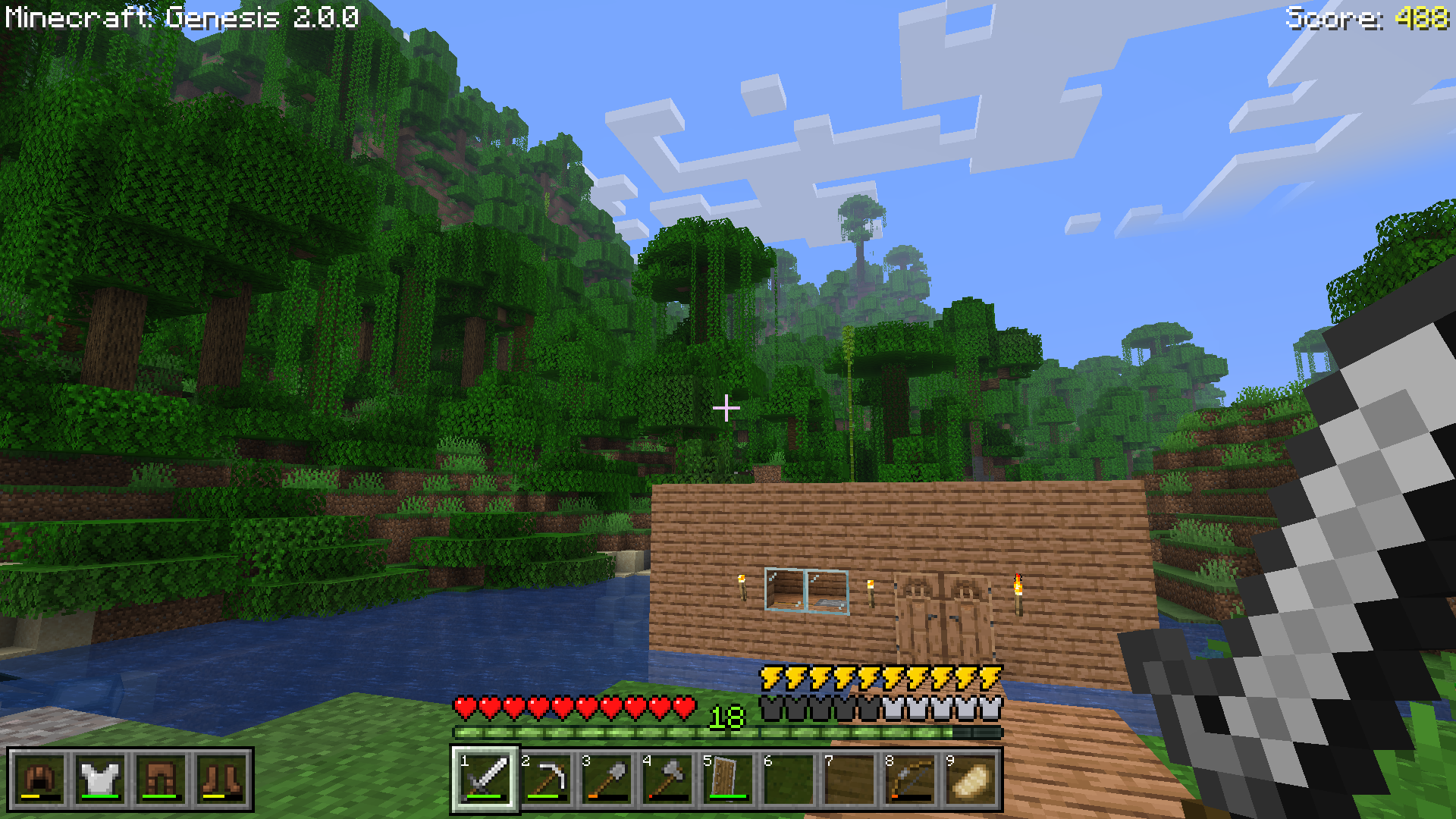 Modern Style Modern textures, modern UI, modern vibes. This Style can be quite fun to play with too, if I'm honest. I say give it a shot, it's kinda fun.
 -
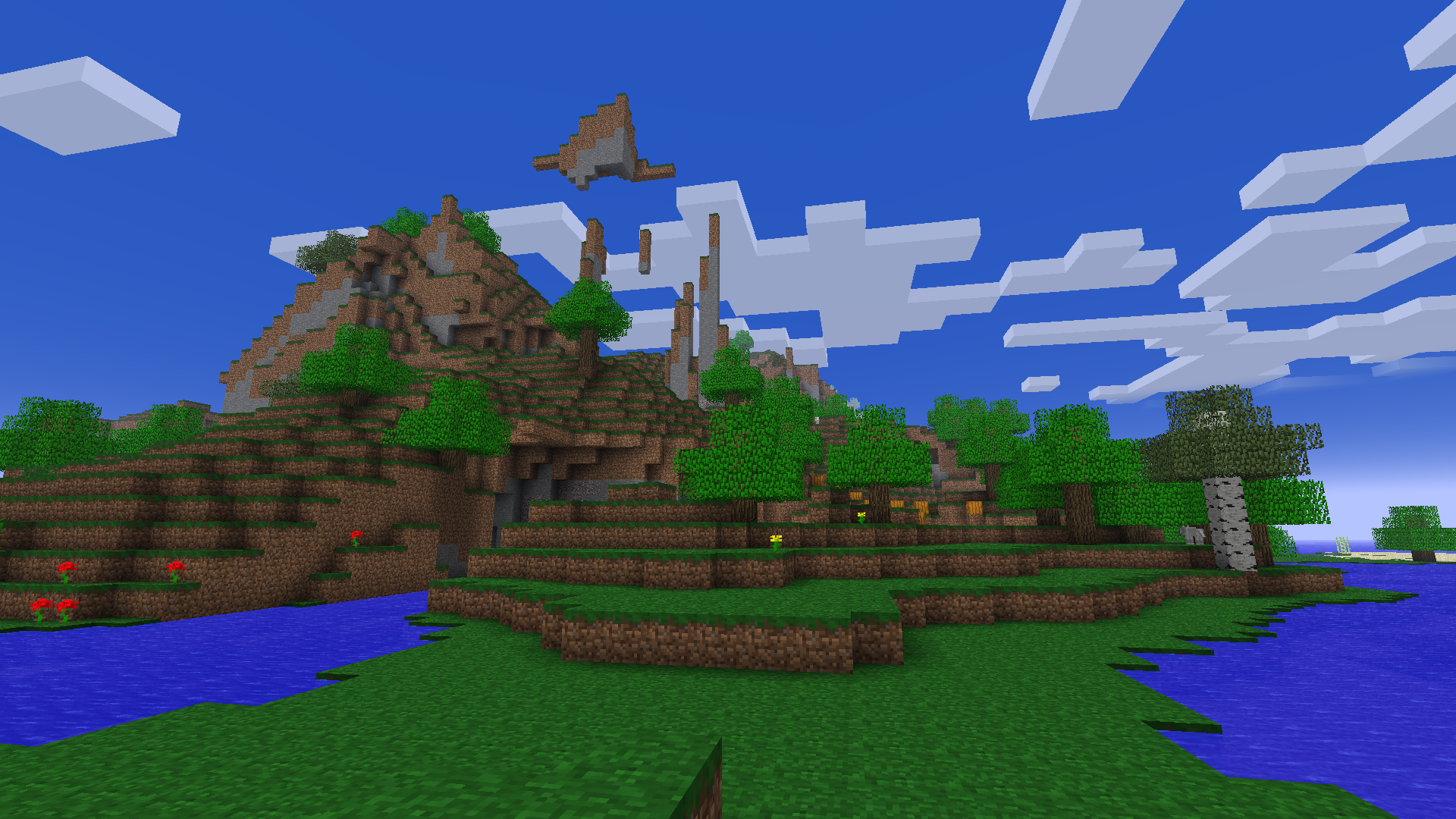 Pocket Edition World Generation With Moderner Beta, you can load up world generation in tons of earlier builds of Minecraft, including Pocket Edition! Be sure to turn off the Sky Color tweaks in NT's config to get the right sky color!
 -
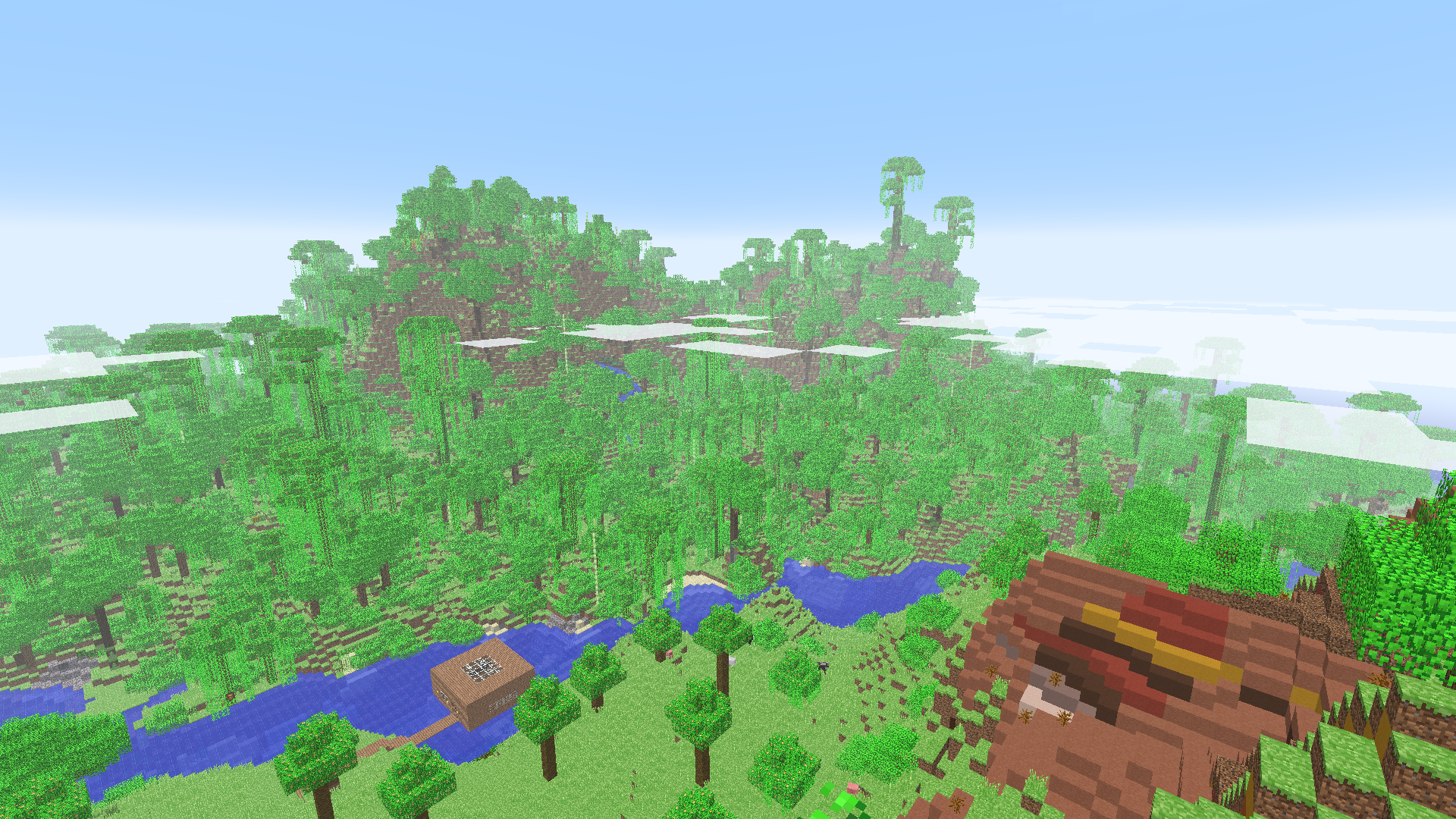 Modern Worldgen in the Classic Style I'm a fan of the Alpha grass and this is even making my eyes hurt. Still, it's doable, if you like a little chaos.
 -
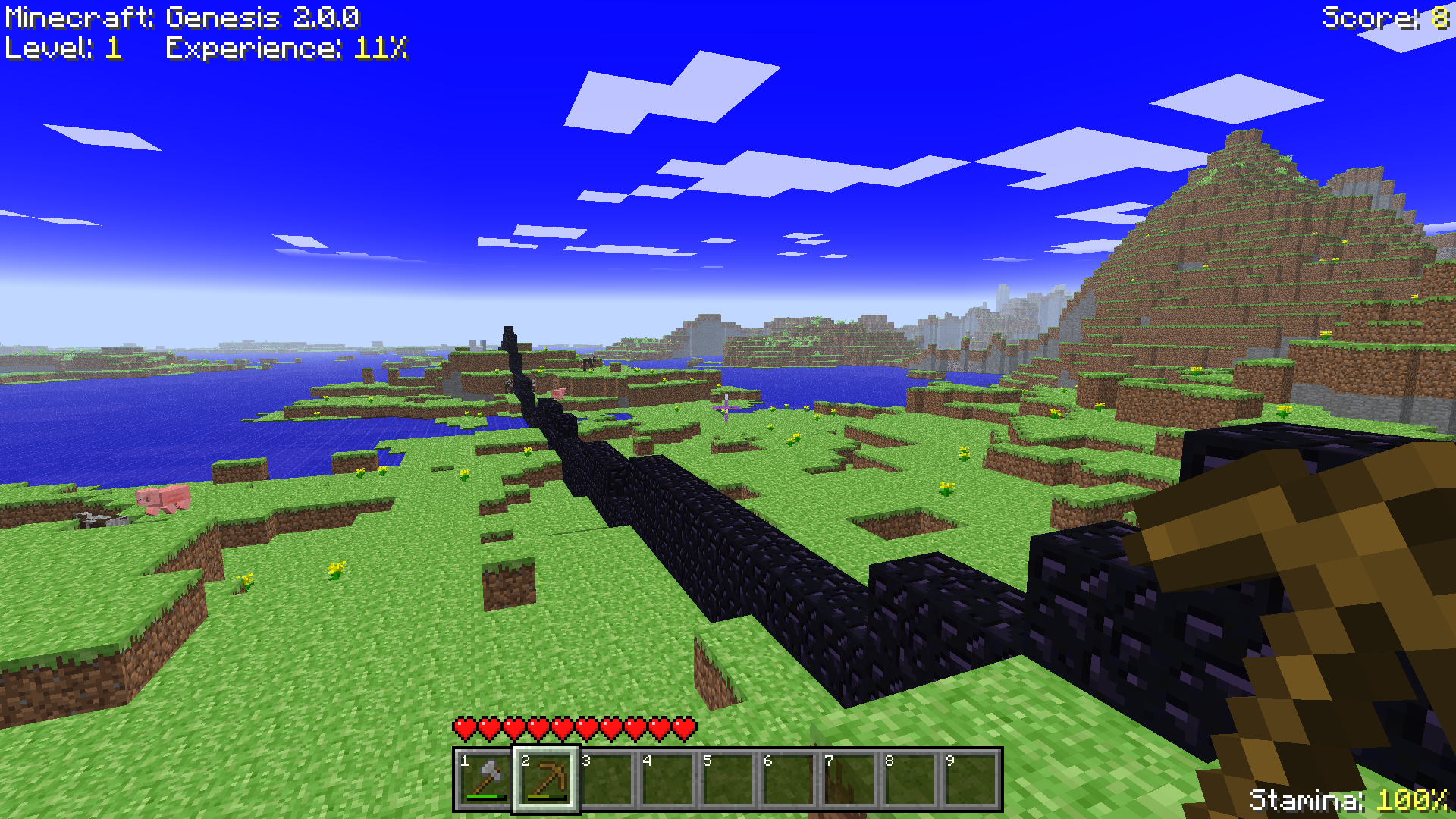 Infdev 227 Worldgen Moderner Beta is really cool. Here we have the world generation of Infdev 227, complete with the Obsidian walls and the occasional Brick Pyramid.
 -
 Hunger in Classic & Alpha If you enable Hunger in the Classic or Alpha styles, it'll appear as a simple text overlay displaying your Food and Saturation right by the Stamina display. A modern mechanic with classic vibes!
 -
 Hunger in Beta & Modern When enabled in the Beta or Modern styles, the vanilla Hunger bar will display while Saturation sits in the corner. The Hunger bar without the Experience bar looks a little odd, doesn't it? In the Modern Style, the Experience bar is retained.
Versions
Files
Relations
Project Relations
More like this
Similar Modpacks
Suggestions use data such as tags, dependencies, dependents, descriptions, titles, and more to rank how much they overlap with this modpack.
On ModDex
Community snapshot
By the numbers
Statistics

Want to reach Minecraft players?
We're looking for a server hosting partner to feature here and other parts of the site. Interested? Send us a message!
Get in touchGet it on
Available Platforms
On ModDex
Community snapshot
By the numbers
Statistics
Resources