Modpack

Krabin's Dirt & Soil
No reviews yet
An Enhanced Vanilla Experience: Performance, Quality of Life Features, and Aesthetic Upgrades
Community voices
Reviews
Click once to include, again to exclude, again to clear
No reviews yet. Be the first to review this project!
Get it on
Available Platforms
 Modrinth
Compatibility
Supported Environments
About
Project Details
For authors
Embed Badge
If you're the author of this project, you can embed a live badge anywhere that supports HTML or Markdown. It updates automatically whenever ratings change.
Use HTML for any page that supports it, or Markdown for README files and Markdown-based descriptions.
Identifiers
Platform IDs
Resources
External Links
About
Description
Archived:
This modpack isn't staying up to date, but it still works perfectly fine on version 1.20.2
Quick Summary:
My favorite way to play Minecraft: vanilla gameplay, but with optimized performance, quality of life features, and aesthetic upgrades. Works perfectly when playing on servers, as everything in the pack is primarily client-side (only affects you). Of course, feel free to add, remove, or reconfigure whatever you like, as this pack and its description are intended to be a source of discovery. If you have a question, suggestion, recommendation, feedback, or notice an issue, post it in my Discord!
Core: ⚙️
The Foundation for everything else
- Fabric API
- Cloth Config API
- Indium
- Sodium
- Iris
- Mod Menu
Performance: 🔥
The Current Leading Performance Mods - x3 FPS!
Referenced from Simply Optimized
I recommend allocating 2-4GB of RAM (≈2000-3800MiB).
- Immediately Fast
- Entity Culling
- Exordium
- Krypton
- ModernFix
- More Culling
- Concurrent Chunk Management Engine
- FerriteCore
- Enhanced Block Entities
- Lithium
Settings for Maximum Performance:
- turn shaders off or use a lighter one - high impact
- lower render & simulation distance - high impact
- graphics from fancy to fast - medium impact
- particles to minimal - impact depends on amount of nearby particles
- cap framerate at about 10-20fps above your monitor's refresh rate - can lower system thermals and improve framerate consistency
- disable/remove always-active QoL features (Auto Hud, Dynamic Crosshair, Ambient Sounds) - low impact
- toggle off FPS - Display and Coordinates Display when not using - low impact, less intensive than F3
- If you use NVIDIA, I highly recommend turning "background application max framerate" to 24fps in NVIDIA Control Panel. Does the same thing as Dynamic FPS mod but better.
- If you use NVIDIA and don't use shaders, Nvidium is an extremely effective performance mod you can add.
QoL Features: ➕
- No Chat Reports - protection from losing account due to new report/moderation systems
- Continuity - connected glass
- Gamma Utils - toggle see in the dark
- Lighty - indicates light levels for mob spawning
- GrassKiss - grass is ignored when using weapons
- FreeCam - gives an ability similar to spectator mode while in survival
- Zoomify - toggle zoom
- ItemPhysic Lite - items behave more realistically
- AmbientSounds - adds immersive ambient sounds, such as birds chirping
- Xaero's World Map
- Xaero's MiniMap
- Coordinates Display
- FPS - Display
Resource Packs: 🌿
- New Glowing Ores - glowing diamonds & debris (modified)
- Ore Grids - adds an outline to all other ores except copper (modified)
- Fast Better Grass - grass blocks are green on every face instead of only the top
- Rain Revamp - desaturates rain to look more realistic
- Seagrass Fix - seagrass doesn't stick out of water
- Vanilla Tweaks - a lot of small aesthetic changes that enhance the game
Specific Vanilla Tweaks Included
NoPanoramaOverlayLiteralGameruleNames
MoreCrosshairs-SmallCross
ItemStitchingFix
IronBarsFix
3DVines
3DRails
3DLadders
3DStonecutters
SmallerUtilities
NoPumpkinOverlay
LowerShield
LowerFire
UnobtrusiveScaffolding
UnobtrusiveParticles
NoteblockBanners
ArabicNumerals
CompassLodestone
VisibleTripwires
GroovyLevers
CleanRedstoneDust
DirectionalDispensersDroppers
StickyPistonSides
ClearBannerPatterns
VariatedBookshelves
VariatedUnpolishedStones
VariatedTerracotta
VariatedStone
VariatedPlanks
VariatedGravel
VariatedEndStone
VariatedLogs
VariatedBricks
RandomMossRotation
VariatedCobblestone
RandomCoarseDirtRotation
WhiterSnow
ShorterTallGrass
SmootherStones
SmootherOakLog
EnderDragonElytra
StemToLog
SofterWool
GoldenCrown
HorizontalWorldBorder
FlintTippedArrows
UniqueDyes
BlackNetherBricks
DifferentStems
LessPurplePurpur
HorizontalNuggets
RedIronGolemFlowers
BrownLeather
ProperBreakParticles
DirectionalHoppers
SoulSoilSoulCampfire
AshlessCampfires
JappaObserver
BetterObservers
DarkUI
BrewingGuide
DarkOakSaturation
CircleLogTops
SmootherWarpedPlanks
PixelConsistentSigns
VariatedDirt
SpruceWoodPlanks
SmoothDirt
Shaders: 🌅
My Favorite Shaders that I actually play with because they're beautiful and are light enough to run well on my mid-tier pc. Makeup & Sildur's Enhanced are relatively light shaders that manage to look stunning, while Sildur's Basic & VanillAA are super light shaders that subtly enhance the vanilla look.
- MakeUp-Ultrafast
- Silder's Enhanced Default
- Silder's Basic Shaders
- VanillAA
Recommendations: ✔️
-
First, configure your controls/keybinds to taste, as well as other settings.
If you have already perfectly configured your settings elsewhere and don't want to manually do it again for this pack, you can simply copy your options.txt from your other .minecraft and paste it into the .minecraft of this pack (deleting the existing one ofc). -
If you want to play your existing worlds, copy their folders (found in "saves" in your .minecraft) and paste them into the "saves" folder of this pack.
-
If you have already used one of the mods in this pack and would like to use the configurations you've already made, simply copy the config file of said mod and paste it into the .minecraft of this pack (deleting the existing one ofc).
-
My preferred shader settings are in the gallery. If you would like to try them out without manually changing your settings, I included my .txt config file within the .zip of each shader, and all you have to do is move it outside of the shader's .zip folder into the shaderpacks folder for them to automatically apply.
-
NOTICE: Lithium must have the following config to be compatible with GrassKiss and not crash the game (included in this pack): mixin.shapes.lazy_shape_context=false
Cool Stuff Not Included:
Not everyone may like these, so I didn't include them in this pack, but I think they're worth mentioning.
- Dynamic Crosshair - crosshair only visible when in range to interact with block or entity
- Auto Hud - health, hunger, etc. only visible when relevant
- ClearDespawn - items blink just before despawning
- Fresh Animations
- BetterEnd
- Distant Horizons
- Craftify
- Better F3
- Reece’s Sodium Options
- Sodium Extra
- Complementary Shaders
- BSL Shaders
- Bliss
- Solas Shader
Extra:
-
To use Modrinth modpacks, use MultiMC, the Modrinth app, or another supported launcher.
-
Install/Update Java (needed for all MC mods)
-
Update Graphics Drivers (at least once every 6 months)
link for NVIDIA users (strongly recommend NOT installing GeForce Experience bloatware) -
If you wish to use this pack as a starting point for your own, go for it! If you plan to distribute it, please be sure that it's truly unique and properly give credit where credit is due: name everything included and link everything that came from outside of Modrinth (not all of them require it, but it's a good practice anyway). If you use the same or similar performance mods and their configurations, please link Simply Optimized and state that you referenced it. Please include a link to this pack if you leave its contents relatively similar. Thanks!
普通话摘要
这是我最喜欢的《我的世界》游戏方式:普通游戏玩法,但具有优化的性能、生活质量功能和美观升级。当在服务器和领域上运行时,它可以完美运行,因为包中的所有内容主要都是客户端。当然,您可以随意添加、删除或重新配置您喜欢的任何内容。包含当前最好的性能模组,让游戏运行得更快、更流畅。一种模组可以防止由于新的报告系统而导致帐户丢失。另一种模式可以让你按下按钮就能在黑暗中看到东西。有一张世界地图。玻璃已连接。钻石在黑暗中发光。草块的每一面都是绿色的。十字准线较小。如果您想使用它们,有四种着色器可供选择,虽然它们具有成本效益,但它们很漂亮。
синопсис на русском языке
Это мой любимый способ играть в Minecraft: стандартный геймплей, но с оптимизированной производительностью, улучшенными функциями и эстетическими улучшениями. Он отлично работает при работе на серверах и в разных сферах, поскольку все в пакете в основном ориентировано на клиентскую сторону. Конечно, вы можете свободно добавлять, удалять или перенастраивать все, что захотите.Включены лучшие на данный момент моды производительности, которые позволяют игре работать быстрее и плавнее. Один мод предлагает защиту от потери аккаунта благодаря новой системе отчетов. Еще один мод позволяет видеть в темноте одним нажатием кнопки. Есть карта мира. Стекло подключено. Бриллианты светятся в темноте. Блоки травы зеленые со всех сторон. Перекрестие меньше. Если вы хотите их использовать, на выбор есть четыре шейдера, и хотя они требуют производительности, они прекрасны.
resumo em português
Esta é minha maneira favorita de jogar Minecraft: jogabilidade simples, mas com desempenho otimizado, recursos de qualidade de vida e atualizações estéticas. Funciona perfeitamente quando executado em servidores e domínios, pois tudo no pacote é principalmente do lado do cliente. Claro, fique à vontade para adicionar, remover ou reconfigurar o que quiser.Os melhores mods de desempenho atuais estão incluídos, o que permite que o jogo rode mais rápido e suave. Um mod oferece proteção contra perda de conta devido ao novo sistema de relatórios. Outro mod permite que você veja no escuro pressionando um botão. Existe um mapa mundial. O vidro está conectado. Os diamantes brilham no escuro. Os blocos de grama são verdes por todos os lados. A mira é menor. Existem quatro shaders para escolher se você quiser usá-los e, embora tenham um custo de desempenho, são lindos.
resumen en español
Esta es mi forma favorita de jugar Minecraft: jugabilidad original, pero con rendimiento optimizado, funciones de calidad de vida y mejoras estéticas. Funciona perfectamente cuando se juega en servidores y reinos, ya que todo lo que contiene el paquete está principalmente del lado del cliente. Por supuesto, siéntete libre de agregar, eliminar o reconfigurar lo que quieras.Se incluyen las mejores modificaciones de rendimiento actuales, que permiten que el juego se ejecute más rápido y sin problemas. Un mod ofrece protección contra la pérdida de cuenta debido al nuevo sistema de informes. Otro mod te permite ver en la oscuridad con solo presionar un botón. Hay un mapa del mundo. El vidrio está conectado. Los diamantes brillan en la oscuridad. Los bloques de césped son verdes por todos lados. La mira es más pequeña. Hay cuatro sombreadores para elegir si desea usarlos y, aunque cuestan rendimiento, son hermosos.
Screenshots
Gallery
-
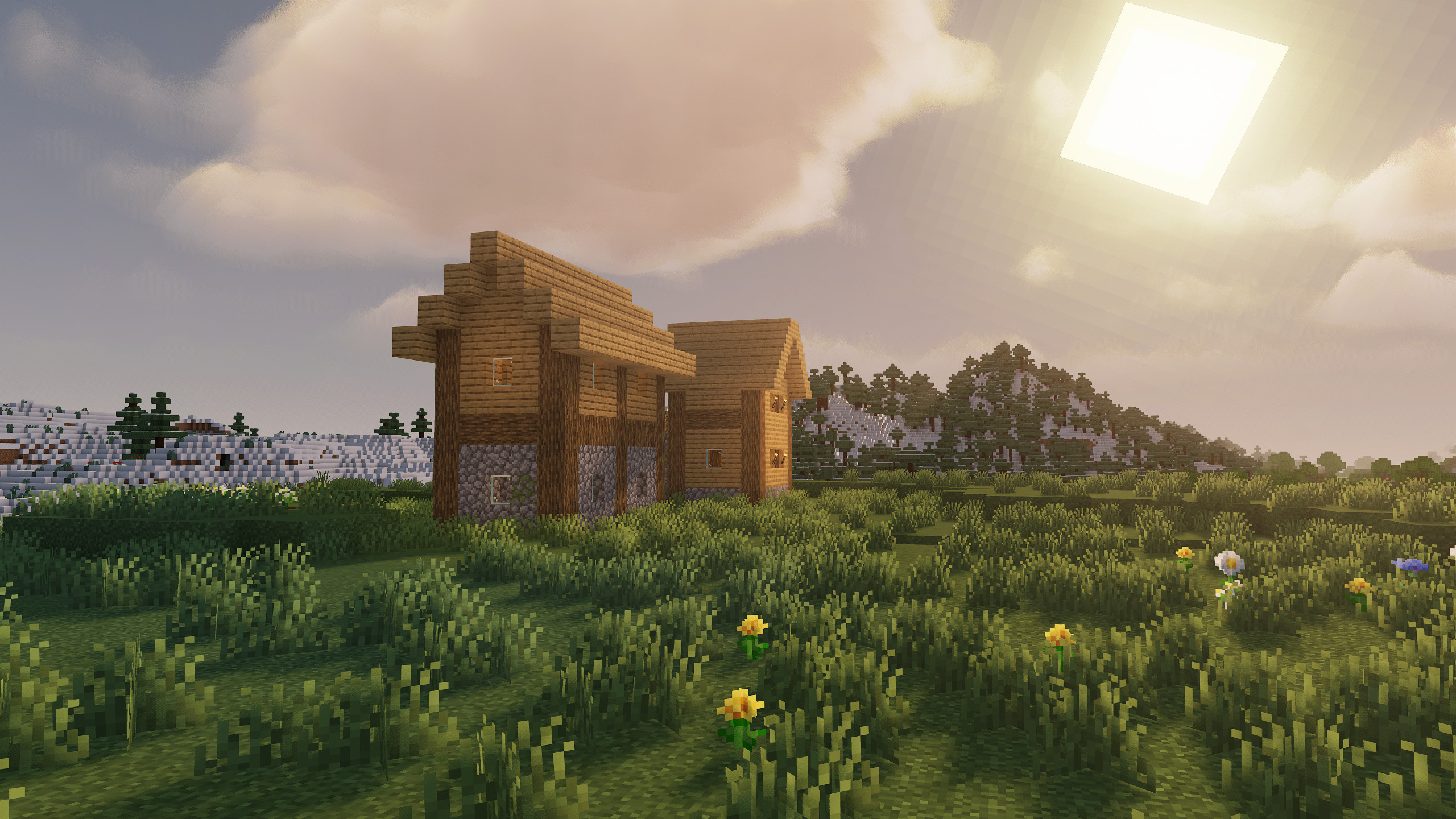 Makeup Ultrafast Shader, FOV at 50, Hud Hidden Using F1, Bloom and Godrays turned on, Render Distance all the Way Up (Recommended for Pretty Screenshots, not Gameplay)
 -
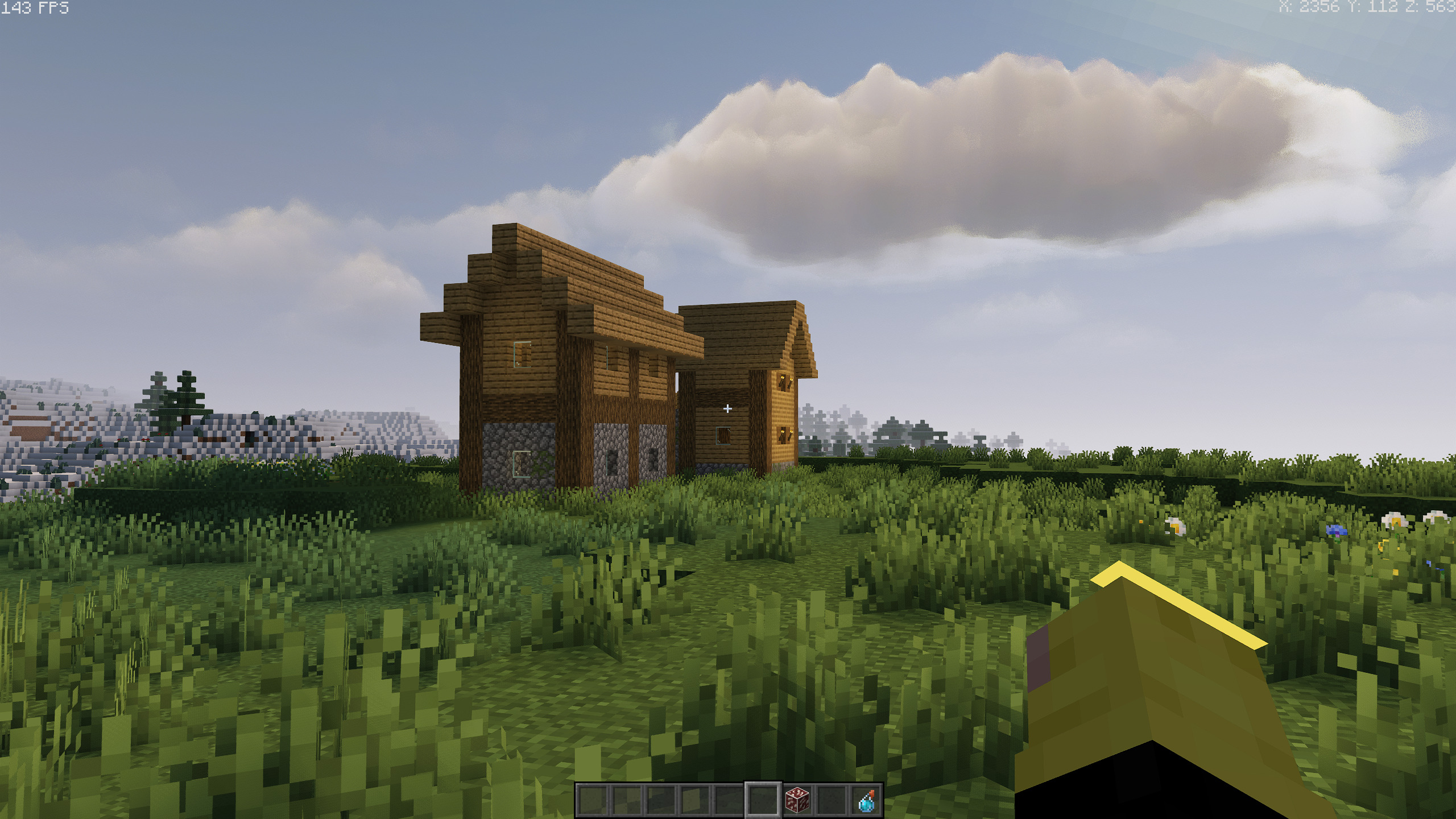 Makeup Ultrafast Shader with FOV at 50 (Recommended for Pretty Screenshots, not Gameplay)
 -
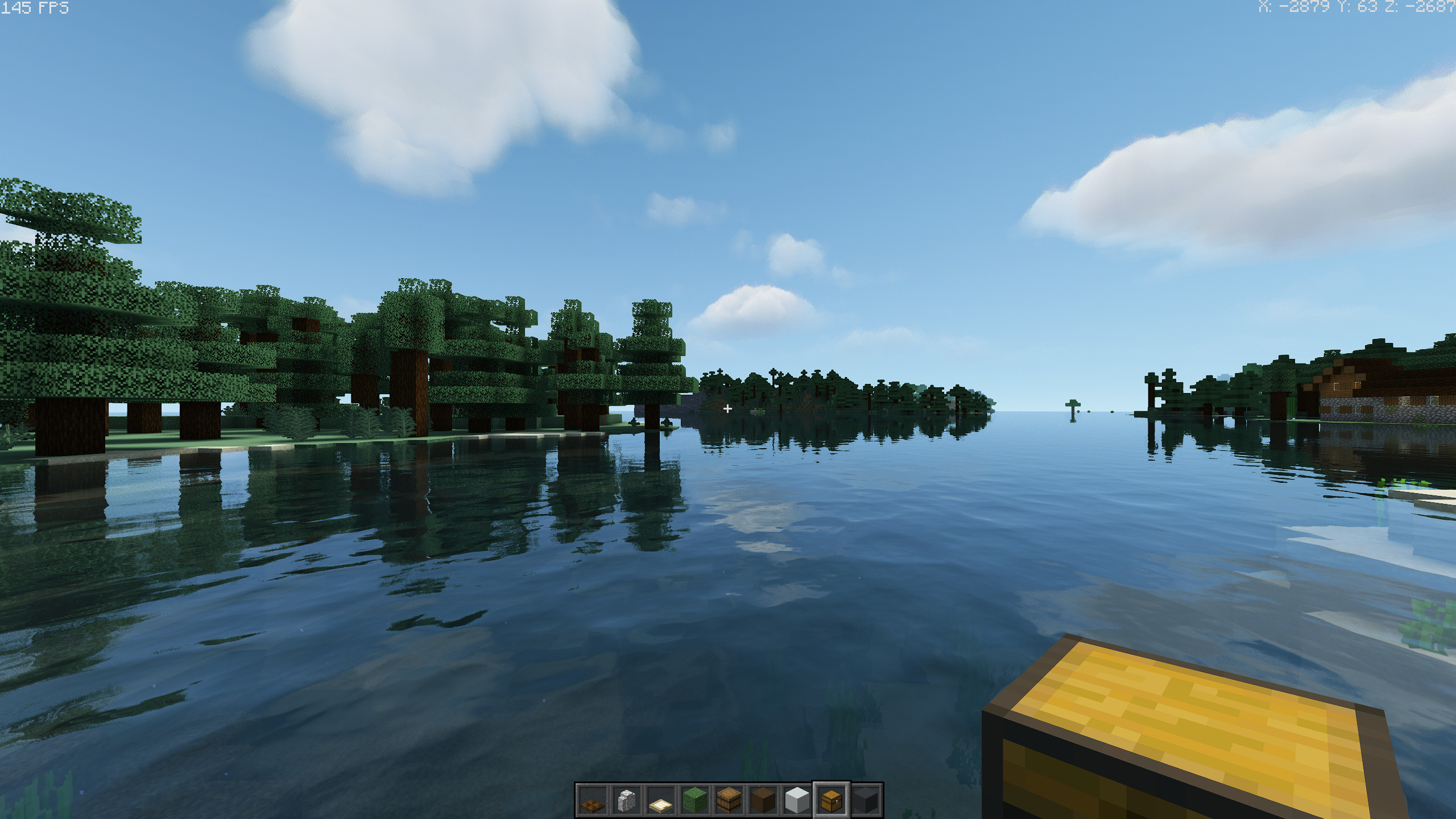 Pwetty
 -
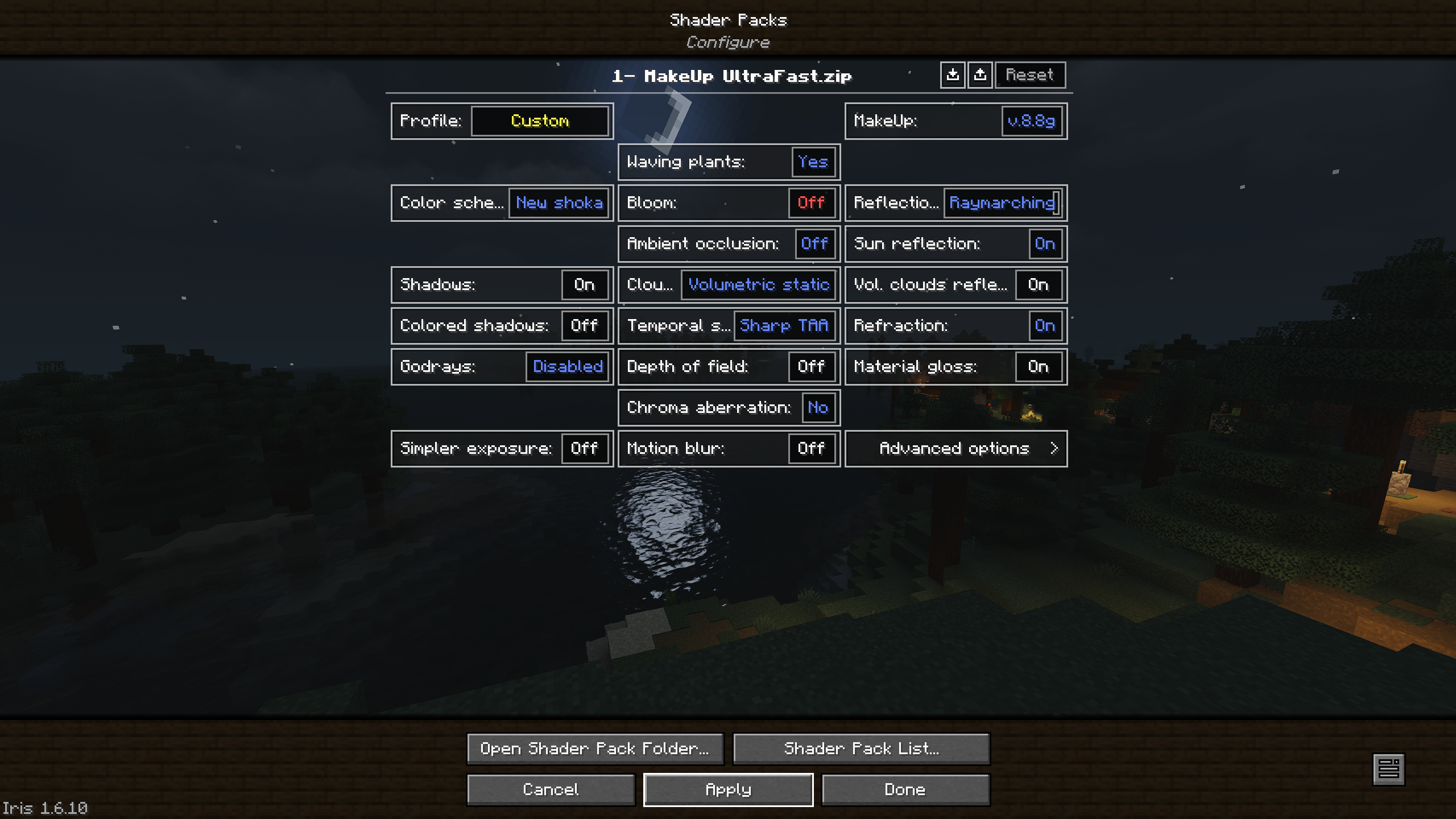 Makeup Ultrafast - My Preferred Settings
 -
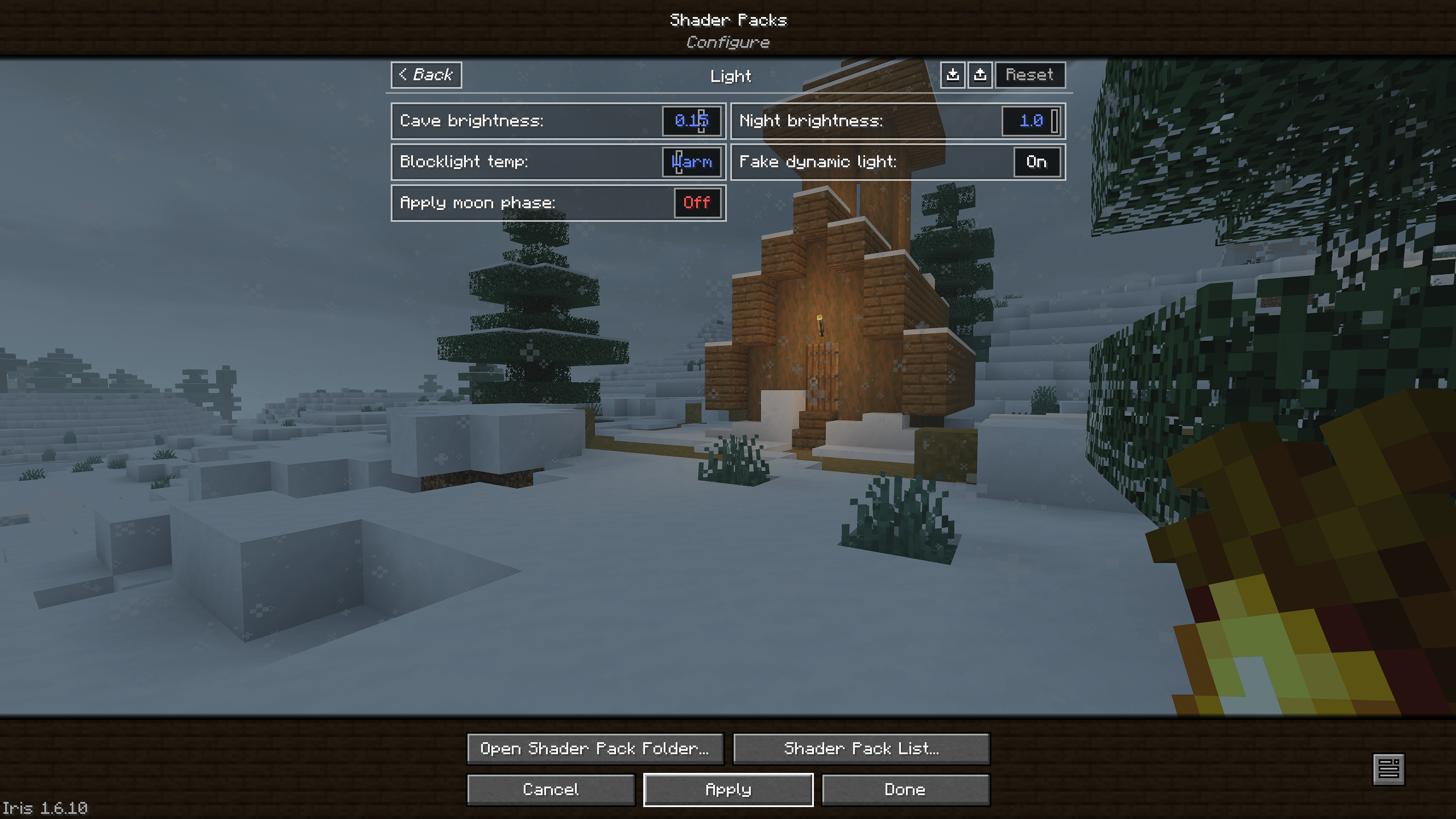 MakeUp Ultrafast - I prefer night brightness and cave brightness turned up, and I strongly prefer moon phase turned off. I really like shadow filter blur amount all the way up and fog density turned down to low.
 -
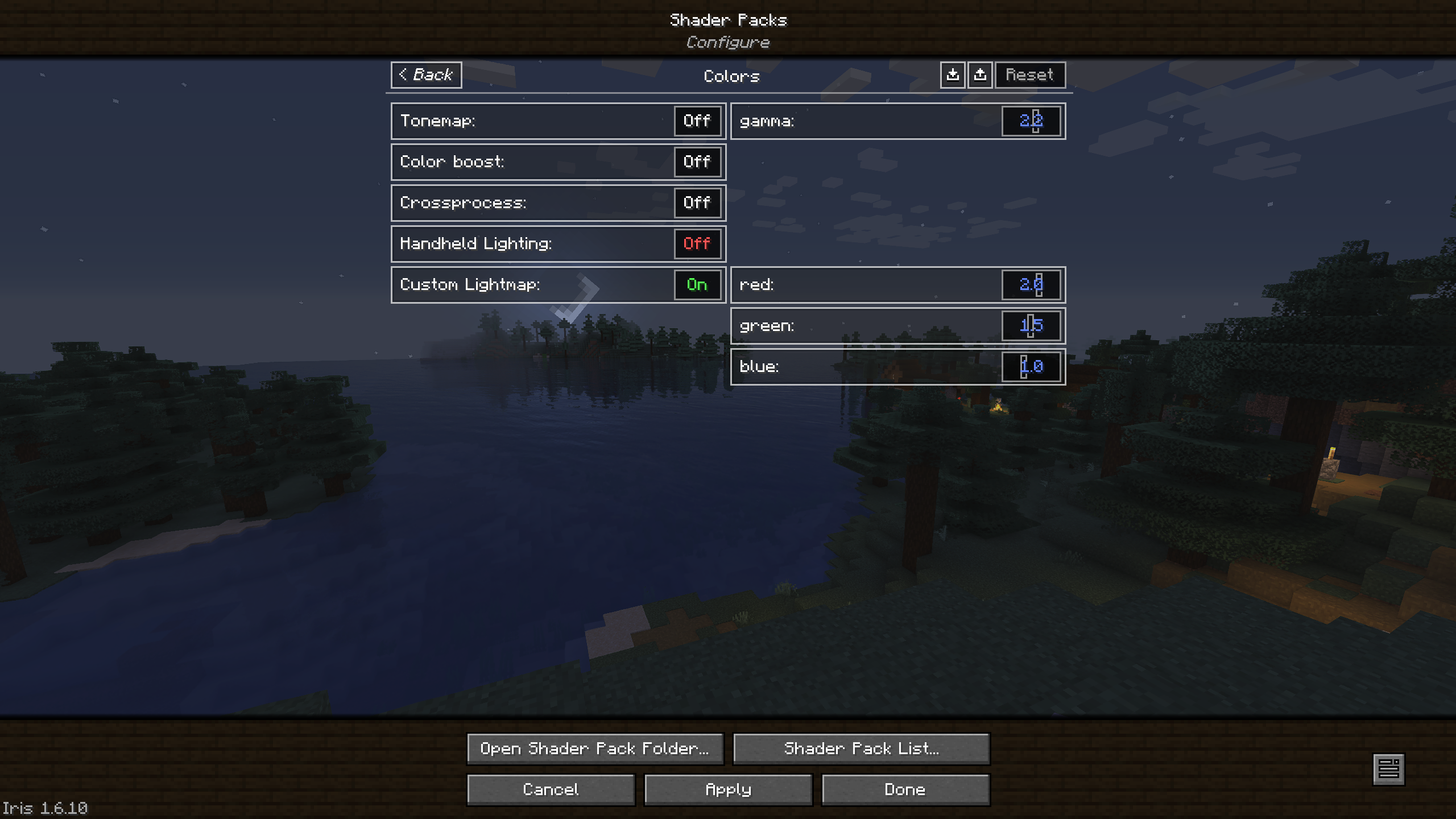 For Sildur's Enhanced, I recommend leaving AO on, but for Sildur's Basic, I recommend turning off AO. For both shaders, I recommend turning off crossprocessing and turning on custom lightmaps. I prefer godrays and water texture off in Sildur's Enhanced.
 -
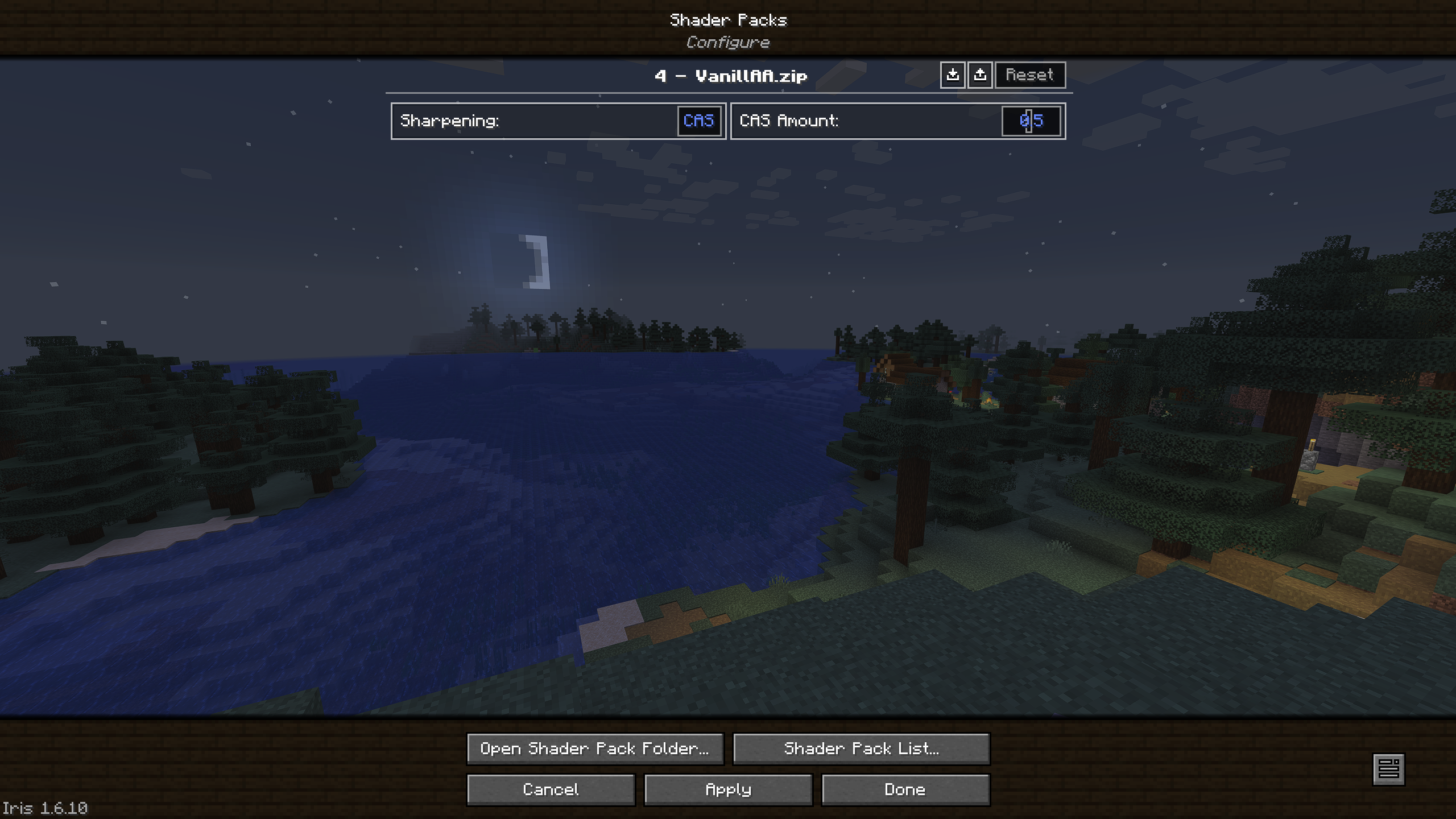 VanillAA - My Preferred Settings. I use VanillAA or Sildur's Basic sometimes when I'm caving or just want the vanilla look. (Note that gamma boost will not work with MakeUp, but will with the other shaders.)
Versions
Files
Relations
Project Relations
More like this
Similar Modpacks
Suggestions use data such as tags, dependencies, dependents, descriptions, titles, and more to rank how much they overlap with this modpack.
On ModDex
Community snapshot
By the numbers
Statistics

Want to reach Minecraft players?
We're looking for a server hosting partner to feature here and other parts of the site. Interested? Send us a message!
Get in touchGet it on
Available Platforms
On ModDex
Community snapshot
By the numbers
Statistics
Resources