Modpack

NaWorld DH&Optimization
No reviews yet
Modpack for Survival Players, Architects, and Adventurers
Does not follow a specific thematic focus apart from vanilla Minecraft.
Centers on surviving in harsh conditions, managing resources, and fending off PvE threats.
Includes quality of life improvements and small tweaks to enhance and customize gameplay.
Enhances game performance and optimizes resource usage.
Fabric is a mod loader for versions 1.14+ of Minecraft, particularly popular for client side and optimization mods.
Community voices
Reviews
Click once to include, again to exclude, again to clear
No reviews yet. Be the first to review this project!
Get it on
Available Platforms
 Modrinth
Compatibility
Supported Environments
About
Project Details
For authors
Embed Badge
If you're the author of this project, you can embed a live badge anywhere that supports HTML or Markdown. It updates automatically whenever ratings change.
Use HTML for any page that supports it, or Markdown for README files and Markdown-based descriptions.
Identifiers
Platform IDs
Resources
External Links
About
Description

|
Website

|
Discord

|
| 🌐 繁 體 中 文 | 🌍 English |
|
這個模組包適合 🛡️ 生存、🏗️ 建築 及 🗺️ 冒險玩家 • 🛡️ 生存玩家:加入多款生存輔助模組,提升遊戲便利性與體驗 • 🏗️ 建築玩家:新增 Axiom 與 WorldEdit 等強大建築工具 • 🗺️ 冒險玩家:加入第一人稱視覺強化與探索體驗優化模組 ⚙️ 客戶端與伺服器端皆可運行 |
This modpack is designed for 🛡️ Survivors, 🏗️ Builders, and 🗺️ Adventurers • 🛡️ Survivors: Includes various quality-of-life and survival-assist modules • 🏗️ Builders: Adds powerful building tools such as Axiom and WorldEdit • 🗺️ Adventurers: Enhances exploration with first-person visual improvements and immersive features ⚙️ Runs on both client and server sides |
⚠️ Important Notices | 重要通知 ⚠️
❗ Troubleshooting Guide | ❗ 疑難排解指南
❗ Troubleshooting Guide | ❗ 疑難排解指南
🌏 繁體中文
🔍 前置檢查
- ✅ 已安裝正確版本的 Java(Java 21)
適用於 Minecraft 1.20.5–1.21.11+ - ✅ 分配足夠記憶體: 建議配置為 4–8 GB。
若使用高品質材質包、更遠的視野距離(例如啟用 Distant Horizon 或 Bobby)時,建議依實際需求提升記憶體分配,以確保遊戲流暢運行。
🛠 常見問題與解決方案
- 🟥 遊戲崩潰: 嘗試移除最近新增的模組
- 🟨 畫面異常: 關閉光影或調整顯示設定
- 🟦 效能低落: 降低視野距離,或關閉高負載材質包/光影/模組(如 Distant Horizon)
🔧 模組相容性說明
🔸 FlashBack 渲染說明
使用前請先停用 CustomSkinLoader 模組,否則 FlashBack 將無法正常運作。
🔸 Distant Horizon 與 Blur+ 模組顯示衝突
同時啟用 Blur+ 模糊效果與 Distant Horizon,可能導致畫面異常或出現重影。
💡 解決方式:請先在 Mod Menu 關閉 Blur+,確認渲染正常後再重新啟用。
🔸 Bliss Shader 光影渲染問題(太陽光黑線)
問題源自 3D Skin Layers 模組,在光照場景中可能導致黑線出現。
💡 請在光影設定中關閉 Fast Render 並啟用 Compatibility Mode(相容模式)
🌐 English
🔍 Initial Checks
- ✅ Java Version: Ensure Java 21 is installed
Compatible with Minecraft 1.20.5–1.21.8 - ✅ Allocate sufficient memory: Recommended allocation is 4–8 GB.
If you're using high-resolution resource packs or extended render distance (e.g., with Distant Horizon or Bobby), increase memory allocation accordingly to maintain smooth performance.
🛠 Common Issues & Fixes
- 🟥 Game Crashes: Remove recently added mods
- 🟨 Visual Glitches: Disable shaders or adjust display settings
- 🟦 Performance Drops: Reduce render distance or disable high-load content (e.g., Distant Horizon)
🔧 Mod Compatibility Notes
🔸 FlashBack Render Instructions
Before rendering and exporting, disable CustomSkinLoader — FlashBack will not function properly otherwise.
🔸 Distant Horizon and Blur+ Rendering Conflict
Enabling Blur+ and Distant Horizon together may cause ghosting or screen artifacts.
💡 Fix: Disable Blur+ via the Mod Menu, ensure rendering is stable, then re-enable if needed.
🔸 Bliss Shader Rendering Issue (Black Lines in Sun Rays)
Caused by the 3D Skin Layers mod when sunlight is active.
💡 Fix: In shader settings, disable Fast Render and enable Compatibility Mode
📘 Other Information | 其他資訊 📘
📋 DH&O Practical Shortcut Mod List | 📋 DH&O 實用快捷鍵模組清單
🔖 繁體中文版清單
| 模組 | 功能 | 快捷鍵 | 說明 |
|---|---|---|---|
| Axiom | 上下文選單 | Tab | 打開上下文選單 |
| 切換編輯器 UI | Right Shift | 切換編輯器介面 |
| 模組 | 功能 | 快捷鍵 | 說明 |
|---|---|---|---|
| Do a Barrel Roll | 開啟/關閉 | F8 | 讓你飛的時候會像真的飛機一樣360度飛來飛去 |
| 模組 | 功能 | 快捷鍵 | 說明 |
|---|---|---|---|
| Client Time | Open Menu | Alt + Z | 可以自訂你所看到的時間跟天氣 |
| 模組 | 功能 | 快捷鍵 | 說明 |
|---|---|---|---|
| ConfigurableBossBars | BossBars 開關 | F7 | 關閉所有的 BossBars |
| 模組 | 功能 | 快捷鍵 | 說明 |
|---|---|---|---|
| Gamma Utils | Toggle Night Vision | . | 開啟/關閉夜視 |
| 模組 | 功能 | 快捷鍵 | 說明 |
|---|---|---|---|
| Iris | Reload Shaders | [ |
重新加載光影 |
| Shaderpack Selection Screen | ] |
光影包選取 | |
| Toggle Shaders | \ |
開啟/關閉光影 |
| 模組 | 功能 | 快捷鍵 | 說明 |
|---|---|---|---|
| Librarian Trade Finder | Open Config Screen | Control + J | 設定腹膜書種類 |
| Select Lectern & Librarian | Control + K | 十字準心對準講台並且按下後「選取講台」 | |
| Start/Stop Search | Control + L | 選取成功後按下將會開始自動化腳本 |
| 模組 | 功能 | 快捷鍵 | 說明 |
|---|---|---|---|
| Litematica | 層模式下一層 | M + H | 切換到下一個藍圖層 |
| 層下一層 | H | 直接切換到下一個藍圖層 | |
| 層模式上一層 | M + J | 切換到上一個藍圖層 | |
| 層上一層 | J | 直接切換到上一個藍圖層 | |
| 切換打印模式 | M + K | 切換打印模式,用於將藍圖構築到世界中 | |
| 執行操作 | M + O | 貼上藍圖 | |
| 快速放置模式 | Z + BUTTON_2 | 切換快速放置模式,快速填充方塊 |
| 模組 | 功能 | 快捷鍵 | 說明 |
|---|---|---|---|
| Simple Voice Chat | 禁用語音聊天 | Alt + N | 關閉語音聊天功能 |
| 群組管理 | Alt + G | 管理語音聊天群組 | |
| 語音聊天設定 | Alt + J | 調整降噪/音量等功能 | |
| 隱藏語音聊天圖標 | Alt + H | 隱藏語音聊天介面上的圖標 | |
| 靜音麥克風 | Alt + V | 靜音麥克風 |
| 模組 | 功能 | 快捷鍵 | 說明 |
|---|---|---|---|
| Tweakroo | 自由視角玩家輸入 | LEFT_CONTROL + V | 切換自由視角下的玩家輸入 |
| 自由視角玩家移動 | LEFT_CONTROL + C | 切換自由視角下的玩家移動 | |
| 切換自由視角 | LEFT_CONTROL + F | 切換自由視角模式 | |
| 方塊靈活放置 | LEFT_CONTROL + Q | 切換方塊靈活放置模式 | |
| 周期性攻擊 | LEFT_CONTROL + T | 切換周期性攻擊模式 | |
| 周期性使用物品 | LEFT_CONTROL + H | 切換周期性使用物品模式 | |
| 顯示潛影盒內容 | tweakShulkerBoxDisplay "true" |
顯示潛影盒中的物品 | |
| 顯示地圖預覽 | tweakMapPreview "true" |
顯示地圖預覽 |
| 模組 | 功能 | 快捷鍵 | 說明 |
|---|---|---|---|
| Xaero’s MiniMap | New Waypoint | Alt + U | 新增紀錄點 |
| Open Waypoint Screen | U | 管理紀錄點 |
| 模組 | 功能 | 快捷鍵 | 說明 |
|---|---|---|---|
| Xaero’s World Map | 打開世界地圖 | N | 打開世界地圖介面 |
| 模組 | 功能 | 快捷鍵 | 說明 |
|---|---|---|---|
| Zoomify | Zoom (Hold) | Button 5 or Z | 放大縮小視野 |
🔖 English Version
| Module | Function | Keybind | Description |
|---|---|---|---|
| Axiom | Open context menu | Tab | Open the context menu |
| Toggle editor UI | Right Shift | Toggle the editor interface |
| Module | Function | Keybind | Description |
|---|---|---|---|
| Do a Barrel Roll | Toggle Enable | F8 | Let you fly around in all directions like a real airplane. |
| Module | Function | Keybind | Description |
|---|---|---|---|
| Client Time | Open Menu | Alt + Z | Customize displayed time and weather |
| Module | Function | Keybind | Description |
|---|---|---|---|
| ConfigurableBossBars | Toggle BossBars | F7 | Disable all BossBars |
| Module | Function | Keybind | Description |
|---|---|---|---|
| Gamma Utils | Toggle Night Vision | . | Toggle night vision |
| Module | Function | Keybind | Description |
|---|---|---|---|
| Iris | Reload Shaders | [ |
Reload shaders |
| Shaderpack Selection Screen | ] |
Select shader pack | |
| Toggle Shaders | \ |
Toggle shaders |
| Module | Function | Keybind | Description |
|---|---|---|---|
| Librarian Trade Finder | Open Config Screen | Control + J | Configure librarian trade categories |
| Select Lectern & Librarian | Control + K | Aim crosshair at lectern & librarian, then select | |
| Start/Stop Search | Control + L | Start automation script after selection |
| Module | Function | Keybind | Description |
|---|---|---|---|
| Litematica | Next layer (mode) | M + H | Switch to next blueprint layer |
| Next layer | H | Directly switch to next blueprint layer | |
| Previous layer (mode) | M + J | Switch to previous blueprint layer | |
| Previous layer | J | Directly switch to previous blueprint layer | |
| Toggle print mode | M + K | Toggle print mode for building blueprints | |
| executeOperation | M + O | Paste blueprint | |
| Quick place mode | Z + BUTTON_2 | Toggle quick place mode for fast block fill |
| Module | Function | Keybind | Description |
|---|---|---|---|
| Simple Voice Chat | Disable voice chat | Alt + N | Disable voice chat feature |
| Group management | Alt + G | Manage voice chat groups | |
| Voice chat settings | Alt + J | Adjust noise reduction/volume settings | |
| Hide chat icons | Alt + H | Hide icons on the voice chat interface | |
| Mute microphone | Alt + V | Mute the microphone |
| Module | Function | Keybind | Description |
|---|---|---|---|
| Tweakroo | Freecam player input | LEFT_CONTROL + V | Toggle player input in freecam |
| Freecam player movement | LEFT_CONTROL + C | Toggle player movement in freecam | |
| Toggle freecam | LEFT_CONTROL + F | Toggle freecam mode | |
| Flexible block placement | LEFT_CONTROL + Q | Toggle flexible block placement mode | |
| Periodic attack | LEFT_CONTROL + T | Toggle periodic attack mode | |
| Periodic item use | LEFT_CONTROL + H | Toggle periodic item use mode | |
| Show Shulker Box contents | tweakShulkerBoxDisplay "true" | Show items inside Shulker Boxes | |
| Show map preview | tweakMapPreview "true" | Show map preview |
| Module | Function | Keybind | Description |
|---|---|---|---|
| Xaero’s MiniMap | New Waypoint | Alt + U | Add a new waypoint |
| Open Waypoint Screen | U | Manage waypoints |
| Module | Function | Keybind | Description |
|---|---|---|---|
| Xaero’s World Map | Open world map | N | Open the world map interface |
| Module | Function | Keybind | Description |
|---|---|---|---|
| Zoomify | Zoom (Hold) | Button 5 or Z | Zoom in/out view |
🎨 Resource Packs Included | 🎨 已包含資源包
| # | 📦 資源包 / Resource Pack | ℹ️ 說明 |
|---|---|---|
| 1 | Astraliyte Animated Textures | 🎞️ 動畫紋理 |
| 2 | Cute Mob Models | 🐾 可愛生物模型 |
| 3 | Cute Mob Models – Sound Pack | 🔊 生物音效 |
| 4 | Default Dark-Mode (NaEdition) | 🌑 自訂深色材質 |
| 5 | Enchant Icons | ✨ 附魔圖示 |
| 6 | Fresh Animations + ALL Extensions | 🔄 強化動畫 |
| 7 | Fancy Crops | 🌸 花式作物 |
| 8 | Fresh Animations | 🎬 更好的動畫 |
| 9 | Human Era Villagers | 👥 真人村民 |
| 10 | Mob Crates | 📦 木箱生怪蛋 |
| 11 | Nanterns (Hand-Held Lanterns) | 🏮 3D 手提燈籠 |
| 12 | Simple Grass Flowers | 🌼 簡單草花 |
| 13 | Sodium Translations | 🔤 “鈉” 翻譯 |
| 14 | Spawned Eggs | 🥚 可愛重生蛋 |
💾 Shaders Bundled | 💾 隨模組附帶光影
Bliss Shader
- Download: 🔗 X0nk Edition / 🔗 Fayer3 RTX
- Author: X0nk | RTX Edit: Fayer3
Photon Shader
- Download: 🔗 Gluon Edit
- Author: sixthsurge | Edit: Gluon
Complementary Unbound
- Download: 🔗 Modrinth
- Author: EminGT
Derivative Main
- Download: 🔗 MineGraph
- Author: HaringPro
📜 Copyright Notice | 版權聲明
- Shaders
- EN: Some profiles have been modified; all copyrights remain with the original authors.
- ZH: 部分設定經修改,版權仍屬原作者。
- Resource Packs
- EN: Shared for convenience only; all rights reserved by the original creators.
- ZH: 僅作分享,所有權歸原作者所有。
💾 Memory Note | 記憶體提示
- EN: If you enable Distant Horizons, make sure to allocate 4-8 GB of JVM memory to avoid FPS drops.
- ZH: 若啟用 Distant Horizons,請將 JVM 記憶體調整至 4-8 GB,以免影響 FPS。
🖥️ Recommended Minimum Specs
| 💻 Component | ⚙️ Minimum |
|---|---|
| OS | Windows 10 |
| CPU | Intel Core i3 / AMD Ryzen 5 |
| GPU | NVIDIA GTX 1660 / AMD RX 6600 |
| RAM | 8 GB |
Specs are based on community data and may not guarantee perfect performance.
Screenshots
Gallery
-
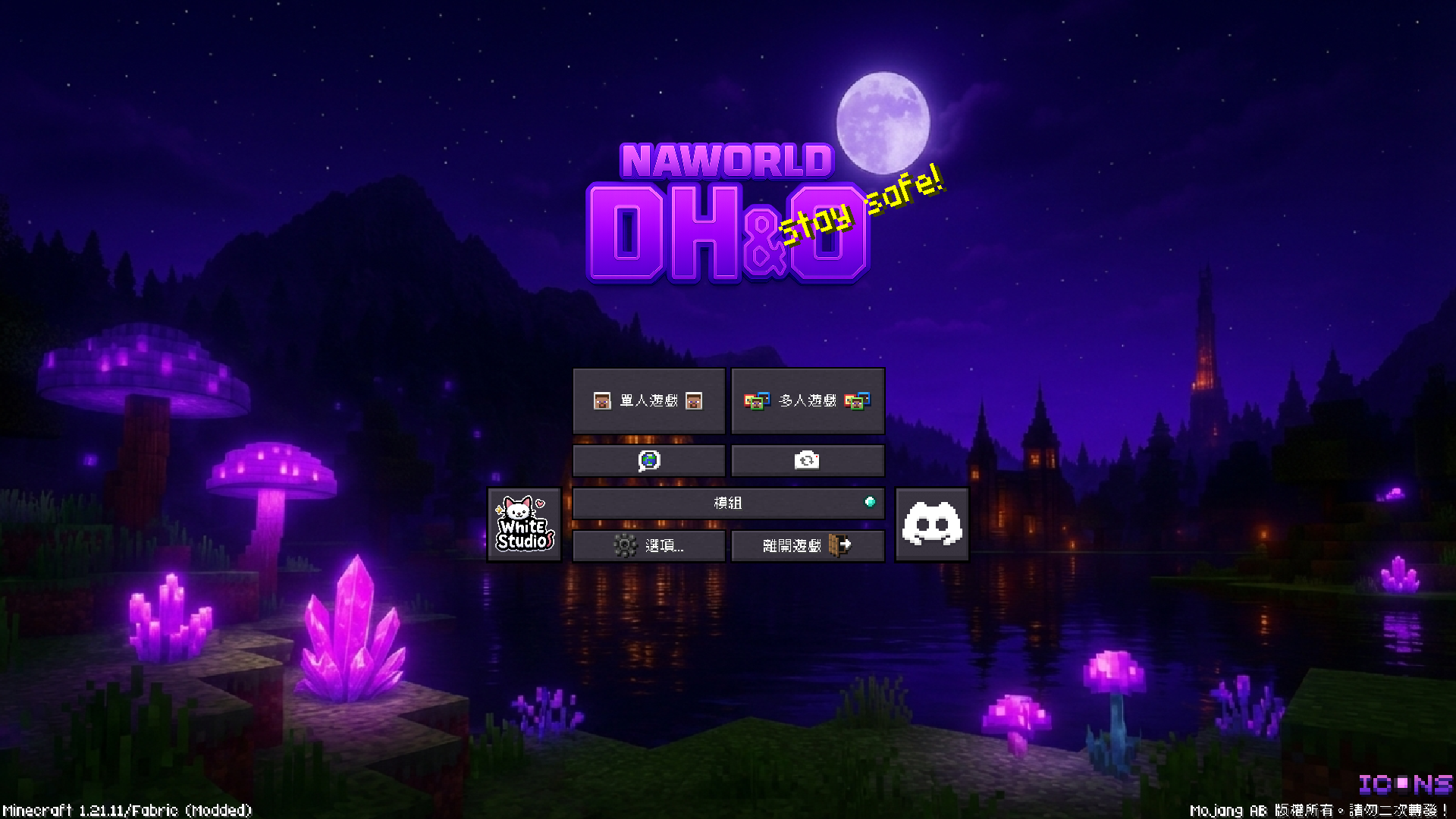 Preview
 -
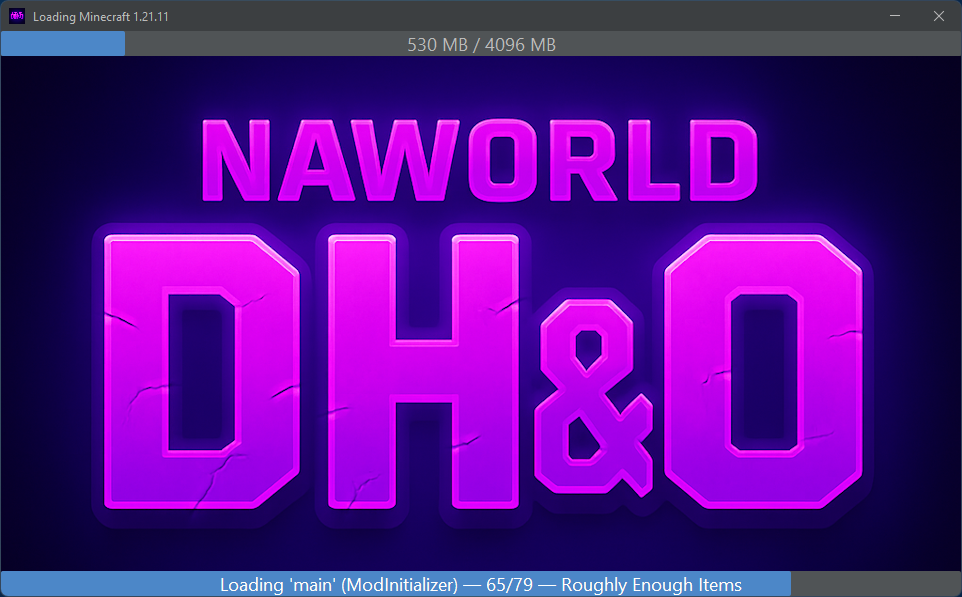 Loading
 -
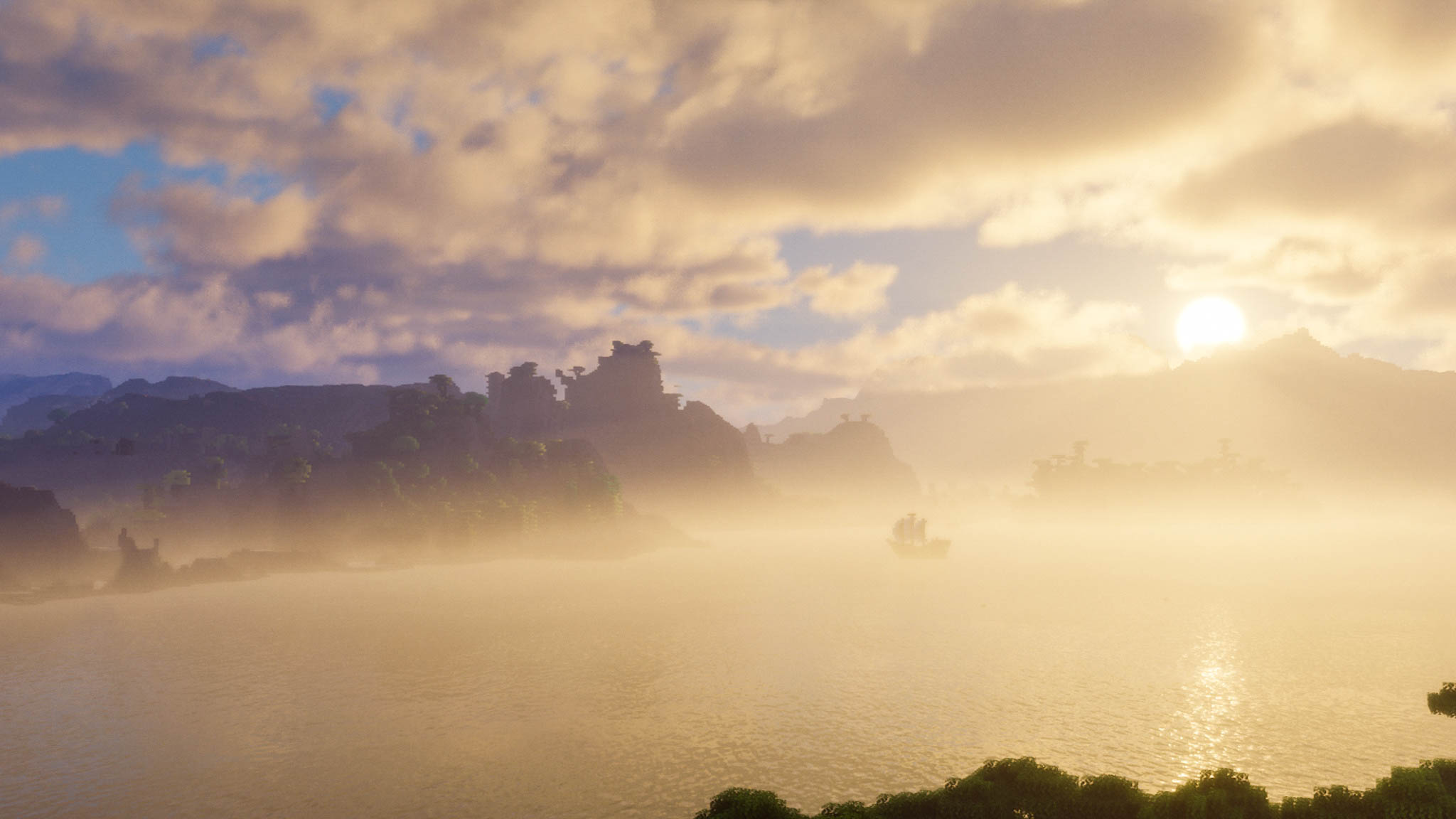 Golden Misty Dawn 🌲 A breathtaking sunrise illuminating a mist-covered lake, set against distant mountains and lush landscapes. Volumetric fog and delicate lighting combine to create a deeply atmospheric, tranquil scene. Designed to highlight the immersive visual fidelity
 -
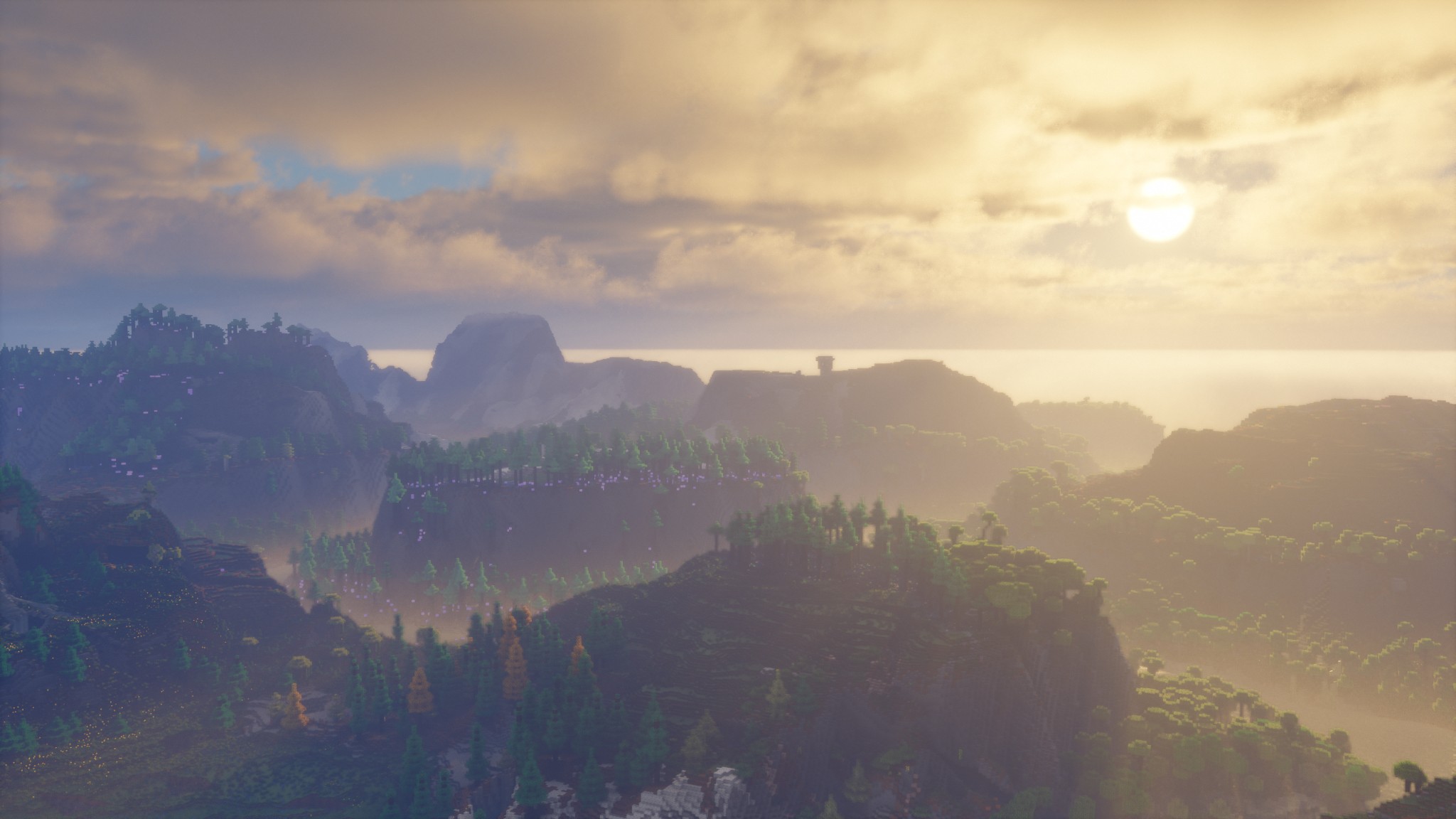 Dawn over the Wilderness 🌄 A serene highland world rendered in singleplayer mode, showcasing volumetric fog, layered terrain, and immersive lighting. This scene captures the atmospheric depth and visual fidelity intended for the NaWorld DH&O modpack experience.
Versions
Files
Relations
Project Relations
More like this
Similar Modpacks
Suggestions use data such as tags, dependencies, dependents, descriptions, titles, and more to rank how much they overlap with this modpack.
On ModDex
Community snapshot
By the numbers
Statistics

Want to reach Minecraft players?
We're looking for a server hosting partner to feature here and other parts of the site. Interested? Send us a message!
Get in touchGet it on
Available Platforms
On ModDex
Community snapshot
By the numbers
Statistics
Resources