Modpack

Optimization Q
No reviews yet
Optimizations and Quality mods/settings for your minecraft client and internal server
Enhances game performance and optimizes resource usage.
Neoforge is a fork of the Minecraft Forge available for versions 1.20.1+ of Minecraft. Many Forge mods are compatible with Neoforge and vice versa.
Fabric is a mod loader for versions 1.14+ of Minecraft, particularly popular for client side and optimization mods.
Community voices
Reviews
Click once to include, again to exclude, again to clear
No reviews yet. Be the first to review this project!
Get it on
Available Platforms
 Modrinth
Compatibility
Supported Environments
About
Project Details
For authors
Embed Badge
If you're the author of this project, you can embed a live badge anywhere that supports HTML or Markdown. It updates automatically whenever ratings change.
Use HTML for any page that supports it, or Markdown for README files and Markdown-based descriptions.
Identifiers
Platform IDs
Resources
External Links
About
Description
OPtimization Q
This modpack's purpose is to give players enjoyable expirience in minecraft on the latest versions. Carefully taken and tested OPtimization mods on vanilla and after, a toping consisting of Quality mods and resource packs for You.
Features:
- Fast updates
- Lightweight and Better Optimizations
- Supports for Iris Shaders
- Dynamic Lights
- Smooth Gui/Hotbar/Swapping items
Installation
- Modrinth Launcher - Find the project in modpacks section and click "Install"
- Prism Launcher - Add Instance -> ( on the left side) Modrinth -> Search "OPtimization Q" -> Select it -> Press ok
- Other launchers - Download from site -> visit this site -> convert mrpack to zip -> unpack zip file into instance or .minecraft
Personal Recomendations
- Try Not to use Grallvm jdk for the game
- Try Not to overload modpack with +500 mods ( if you are making your own modpack )
- Try to use optimization flags for jdk25 such as
-XX:+UseZGC -XX:+UseCompactObjectHeaders
or for jdk21:
-XX:+UseZGC -XX:+ZGenerational
Screenshots
Gallery
-
 Logo in case you want to see it up close
 -
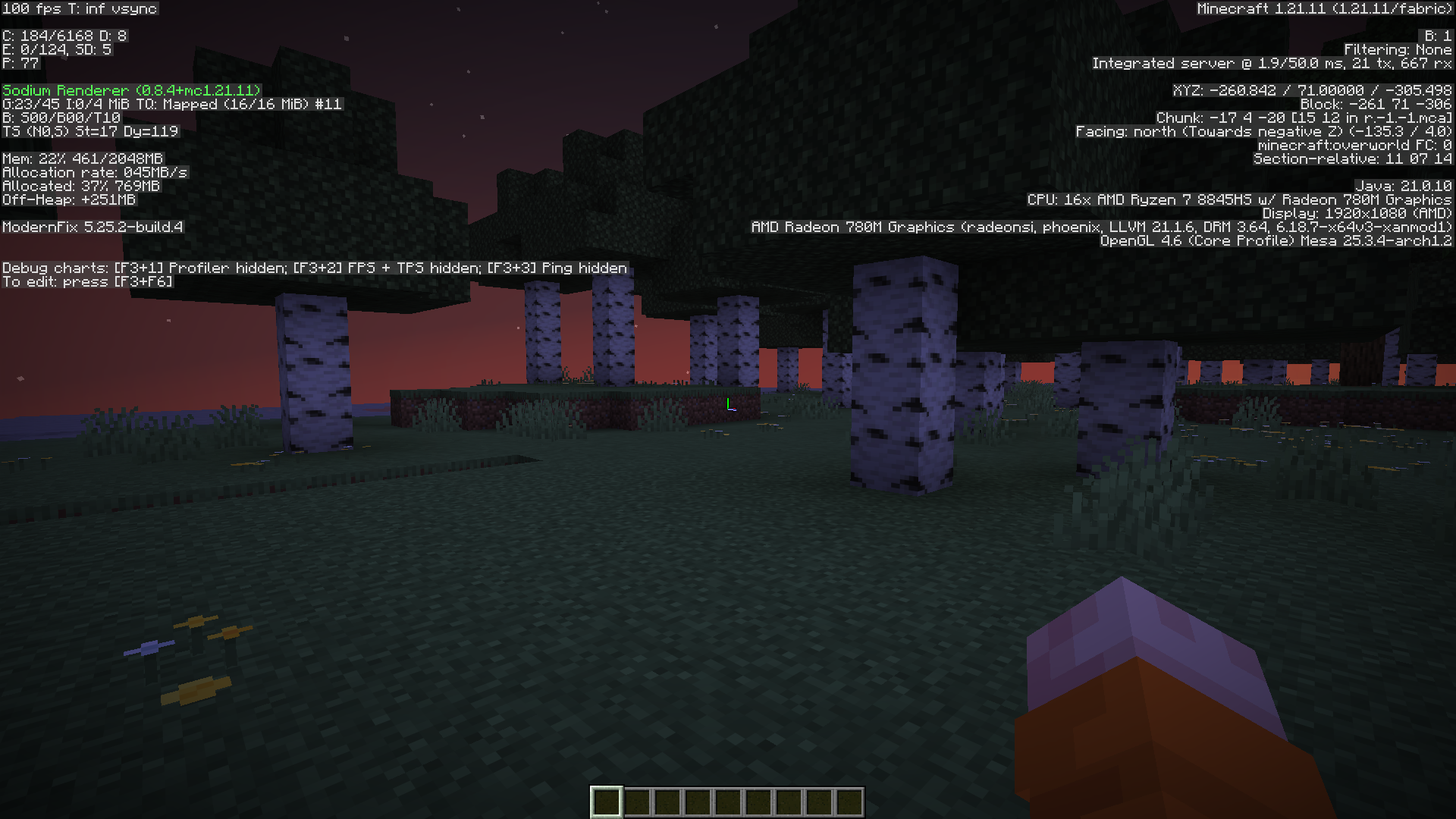 Special edition Performance on ryzen 8845hs with igpu
Versions
Files
Relations
Project Relations
More like this
Similar Modpacks
Suggestions use data such as tags, dependencies, dependents, descriptions, titles, and more to rank how much they overlap with this modpack.
On ModDex
Community snapshot
By the numbers
Statistics

Want to reach Minecraft players?
We're looking for a server hosting partner to feature here and other parts of the site. Interested? Send us a message!
Get in touchGet it on
Available Platforms
On ModDex
Community snapshot
By the numbers
Statistics
Resources