
3x3 Customizable Hotbar
No reviews yet
This projects changes your hotbar to be in a 3x3 grid, making it easier to figure out the correct hotkey button on an mmo mouse
Fabric is a mod loader for versions 1.14+ of Minecraft, particularly popular for client side and optimization mods.
Community voices
Reviews
Click once to include, again to exclude, again to clear
No reviews yet. Be the first to review this project!
Get it on
Available Platforms
 Modrinth
Compatibility
Supported Environments
About
Project Details
For authors
Embed Badge
If you're the author of this project, you can embed a live badge anywhere that supports HTML or Markdown. It updates automatically whenever ratings change.
Use HTML for any page that supports it, or Markdown for README files and Markdown-based descriptions.
Identifiers
Platform IDs
About
Description
3x3 Customizable hotbar
This mod adds a 3x3 customizable hotbar to the game. This is for people using an mmo mouse in minecraft as it makes it far easier to see which button corresponds to which slot on the hotbar.
Dependencies
This mod requires the following mods to be installed
- Fabric (Modloader)
- Fabric API (For modding support)
- Cloth Config API (For configurable options)
- ModMenu (So you can actually change those options)
Options:
Hotbar Mode:
- Vanilla: The how the hotbar usually looks in minecraft
- 3x3: 3x3 hotbar, but the slots up to down, then left to right
- 3x3 (sequential): 3x3, with the slots going left to right before up to down.
Hotbar Position: There are hotbar positions like bottom left that will place the hotbar on any of the corners of your screen. In addition, there are the following positions:
- Bottom Middle: Experience Bar is positioned further down while the hotbar will stick above it
- Bottom Middle (Compact): Health and Hunger bar are moved to the side to allow to come a bit further down.
Move UI elements to the bottom: Only used for the corner positions. Moved the remaining elements above the hotbar down to the edge of the screen
Horizontal and Vertical Offset: Only used while hotbar position is on one of the corners. Give the hotbar a few pixel offset from the corner of the screen.
License
This project is licensed under the CC BY-NC-SA 4.0 license.
Screenshots
Gallery
-
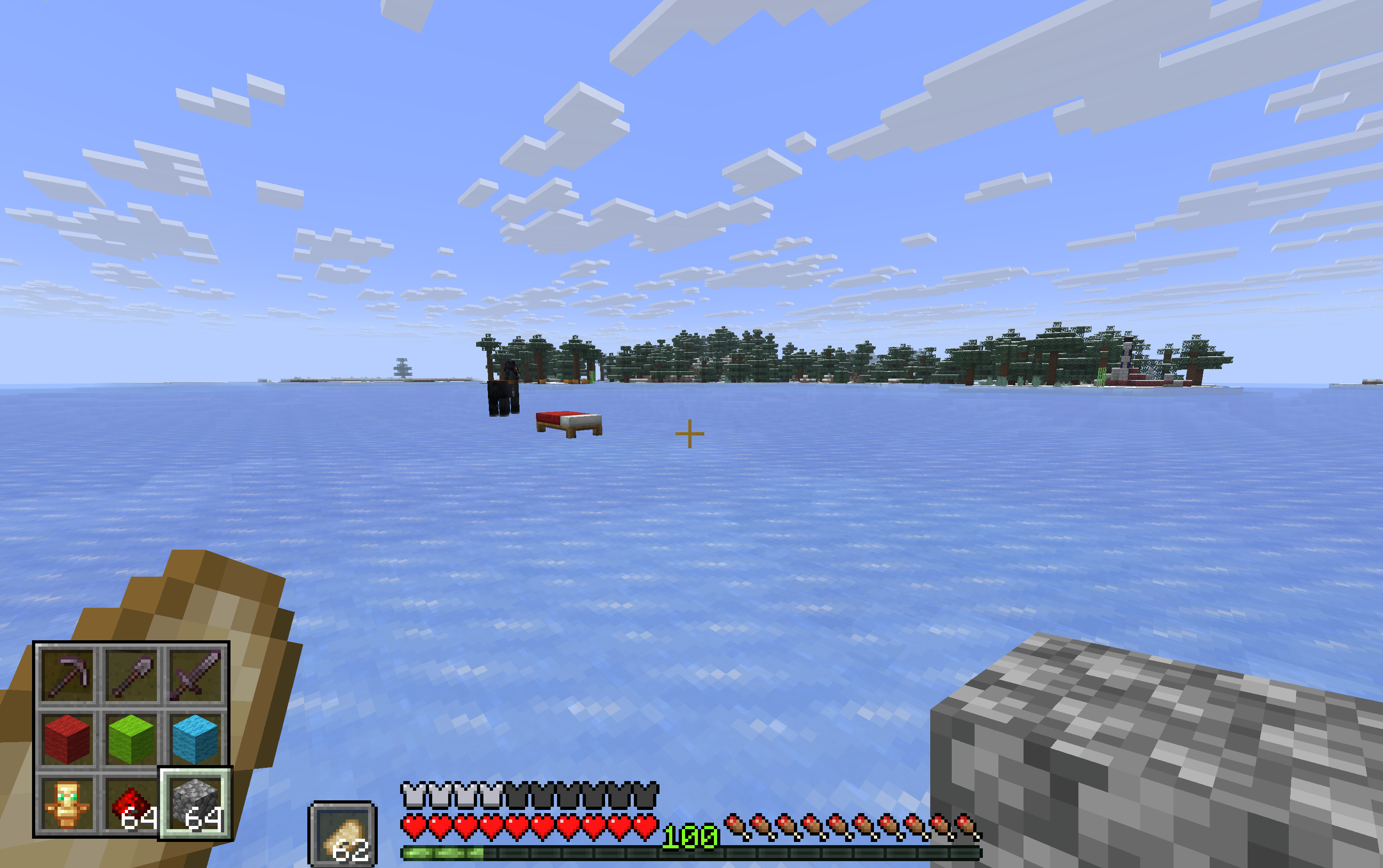 Hotbar bottom left Hotbar set to bottom left (with 10 offset on both axis)
 -
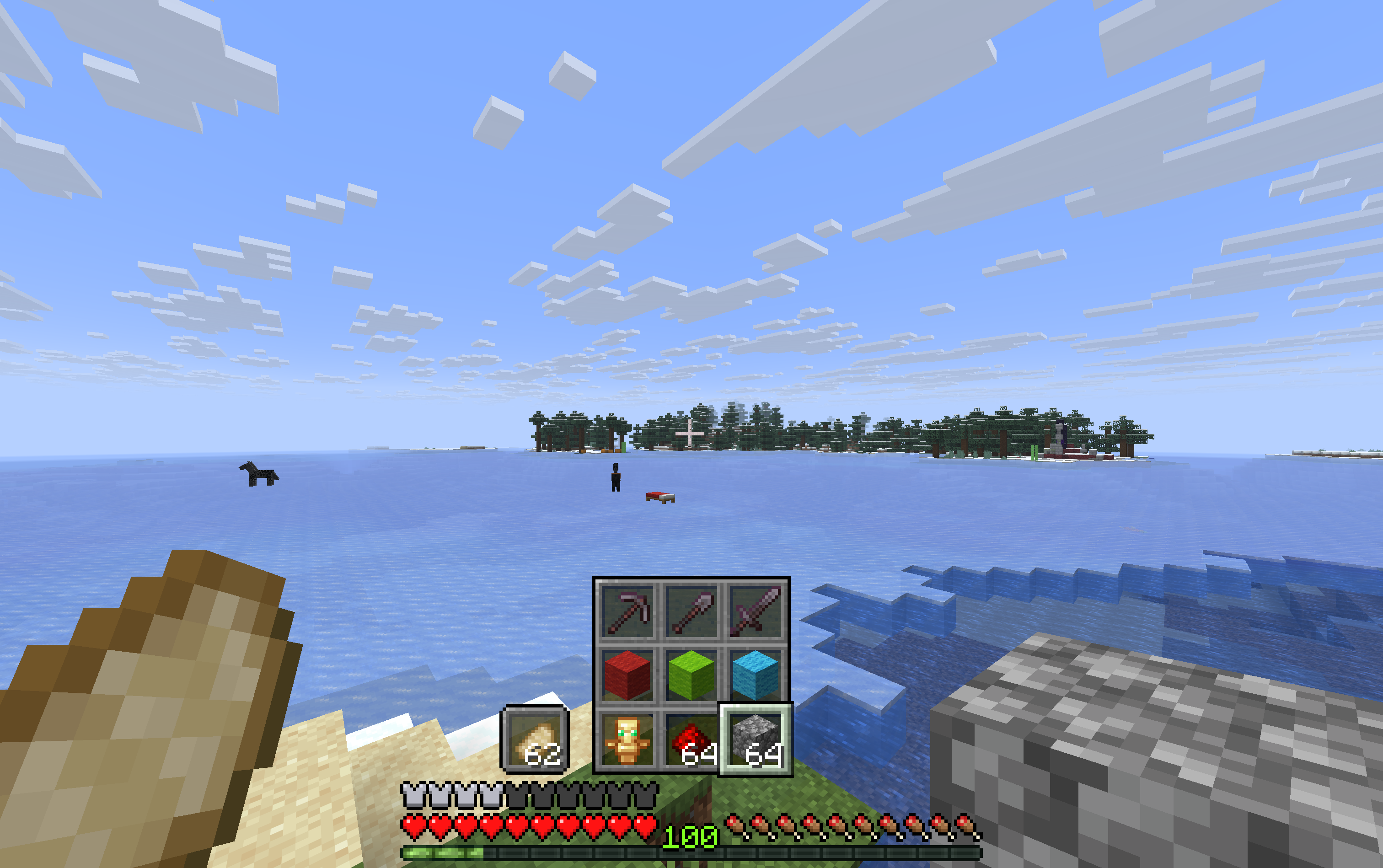 Hotbar Bottom Middle Hotbar this time at bottom middle.
 -
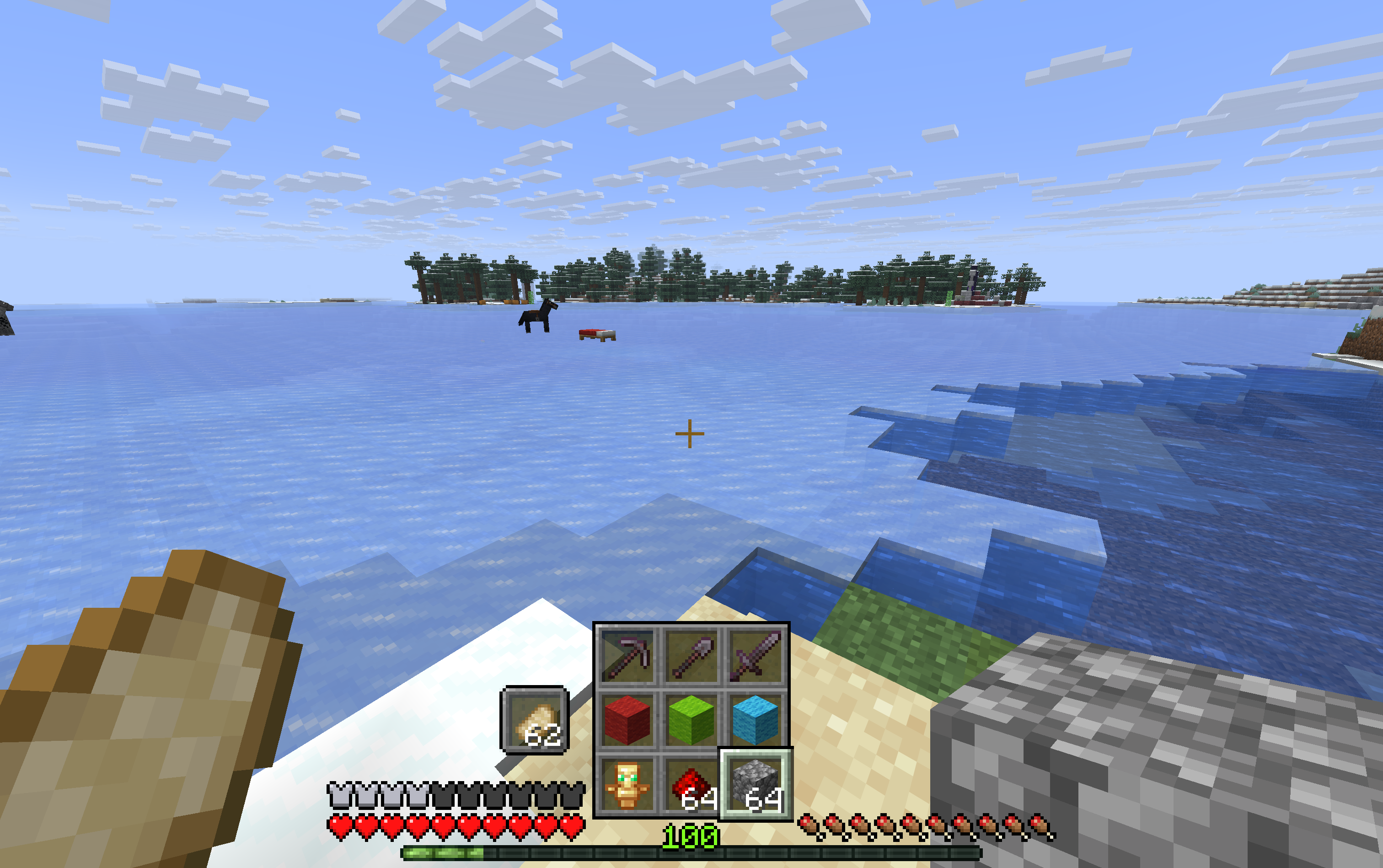 Bottom Middle Compact Hotbar Bottom Middle Compact. Health, food and armour bar have been moved to the side.
Versions
Files
Relations
Project Relations
More like this
Similar Mods
Suggestions use data such as tags, dependencies, dependents, descriptions, titles, and more to rank how much they overlap with this mod.
On ModDex
Community snapshot
By the numbers
Statistics

Want to reach Minecraft players?
We're looking for a server hosting partner to feature here and other parts of the site. Interested? Send us a message!
Get in touchGet it on
Available Platforms
On ModDex
Community snapshot
By the numbers