Community listing page, reviews may not be monitored by the author.
Absolute Inventory Buttons

No reviews yet
The buttons you always wanted. Right where your hands already are. New Modpack Authors Update

Community voices
Reviews
No reviews yet. Be the first to review this project!
Get it on
Available Platforms
About
Project Details
For authors
Embed Badge
If you're the author of this project, you can embed a live badge anywhere that supports HTML or Markdown. It updates automatically whenever ratings change.
Use HTML for any page that supports it, or Markdown for README files and Markdown-based descriptions.
Identifiers
Platform IDs
Resources
External Links
About
Description


🎛️ Absolute Inventory Buttons
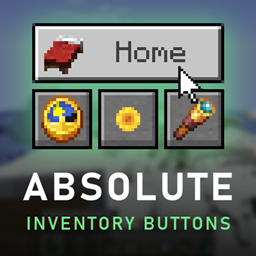
The buttons you always wanted. Right where your hands already are.
How often do you type /home in a day? /spawn? /time set day on your test world? How often do
you dig through the options just to switch a resource pack or the shaders off and on again?
Put it on a button. Next to your inventory. One click.
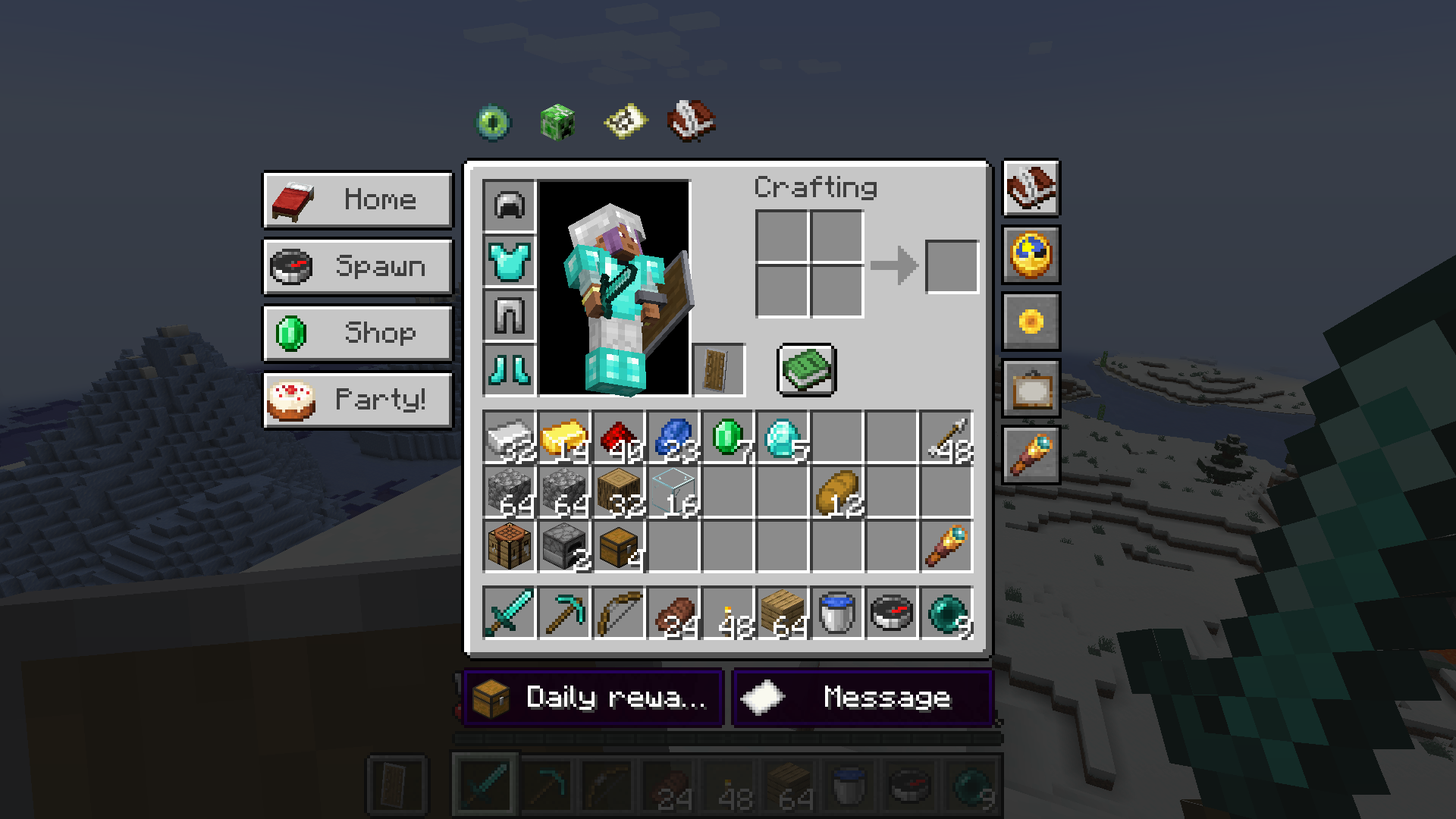
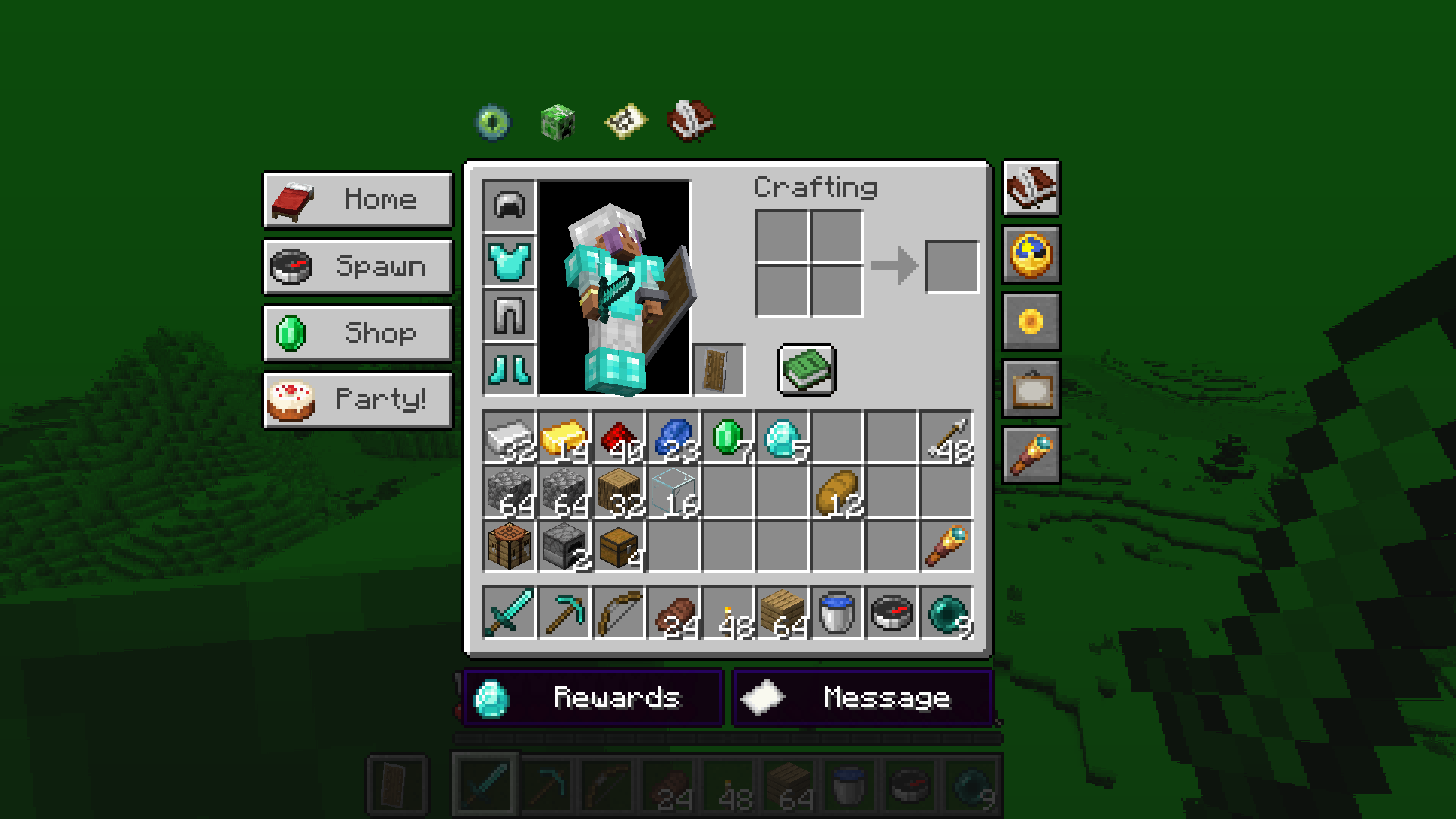
Absolute Inventory Buttons hangs your own buttons around the inventory frame – left, right, above, below, wherever you like. They look like they belong there: the inventory's own frame, vanilla buttons, a dark style or glass. Any item can be the icon, the label is optional, and every button follows the inventory when the window or the GUI scale changes.
🧩 New in 2.0.0: made for modpack authors
Ship your buttons with your modpack – and your players cannot break them.
Two layers, no surprises
Your buttons live in their own file, config/absoluteinventorybuttons-pack.json. Your players' own
buttons stay in theirs. A pack update replaces your buttons and never touches what a player built.
No JSON by hand
- Build your buttons in the game, with the normal editor.
- Click Pack… in the editor's toolbar.
- Decide whether players may add their own buttons, and whether the fold-away arrow shows.
- Click Export for the modpack. Ship that one file – done.
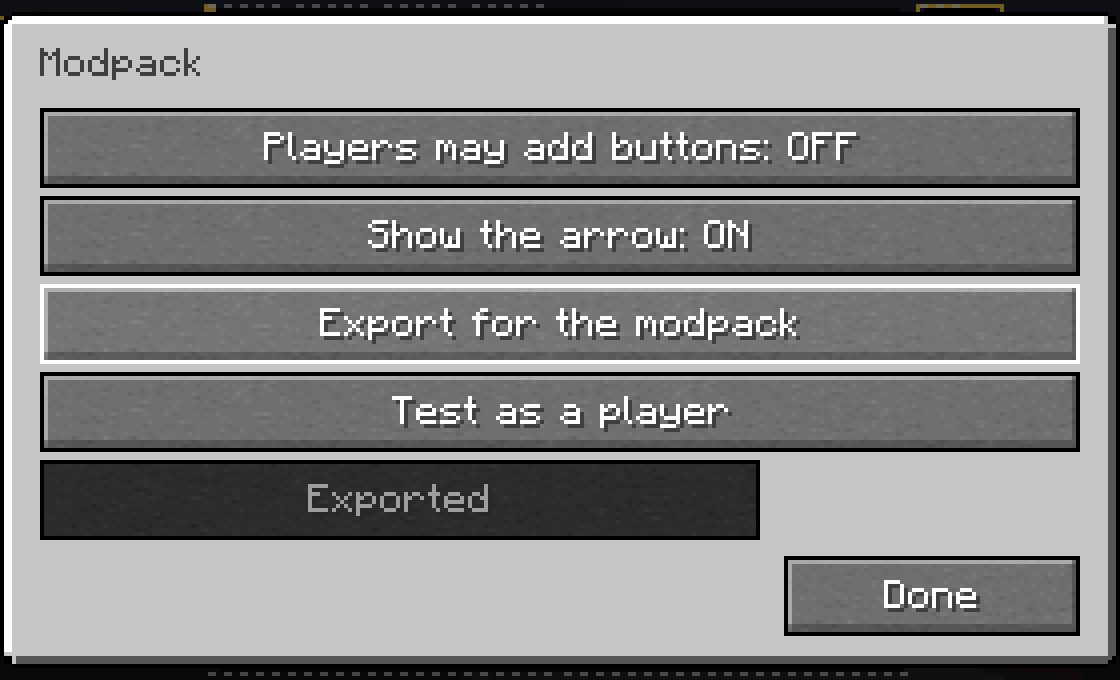
Click Test as a player and you see your pack exactly like your players will: no book and quill, no right-click editing, no edit hint in the tooltip – just your buttons, working. A restart brings you back to editing.
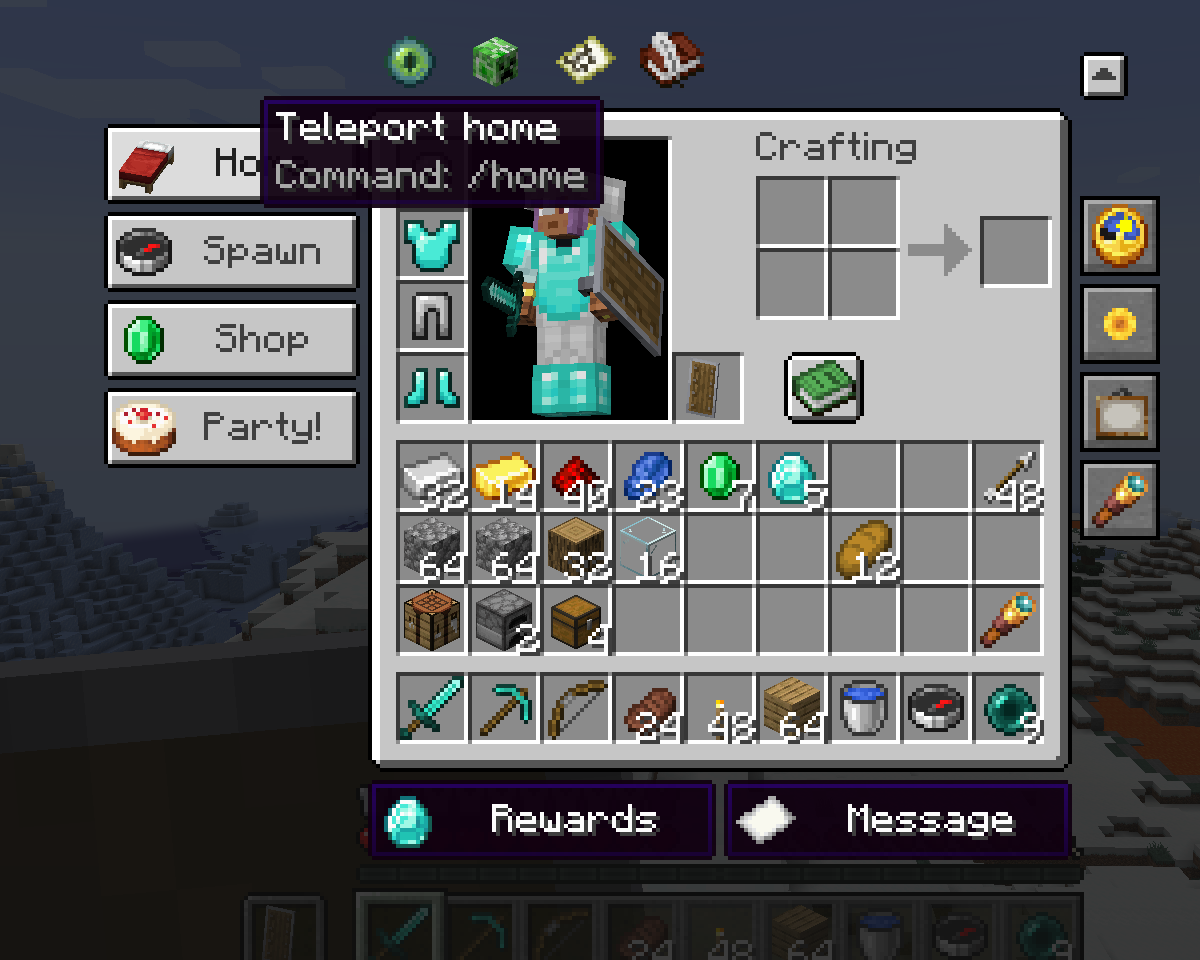
Built for packs and servers
- Admin buttons: show a button only to operators, only in survival or only in creative.
- Cooldown per button, against spam on servers.
- Only your tooltip: hide what a button does and show just your own text.
- Open link: your Discord, wiki or shop, behind Minecraft's own safety question.
- Several commands in a row with one click, separated by
;. - Your own icons: any picture from your pack's resources, like
mypack:textures/gui/discord.png. - Translatable texts: use language keys, and your buttons speak every language your pack does.
- Edit while the game runs: change the pack file, reopen the inventory, done. A broken file is named in the chat and never crashes the game.
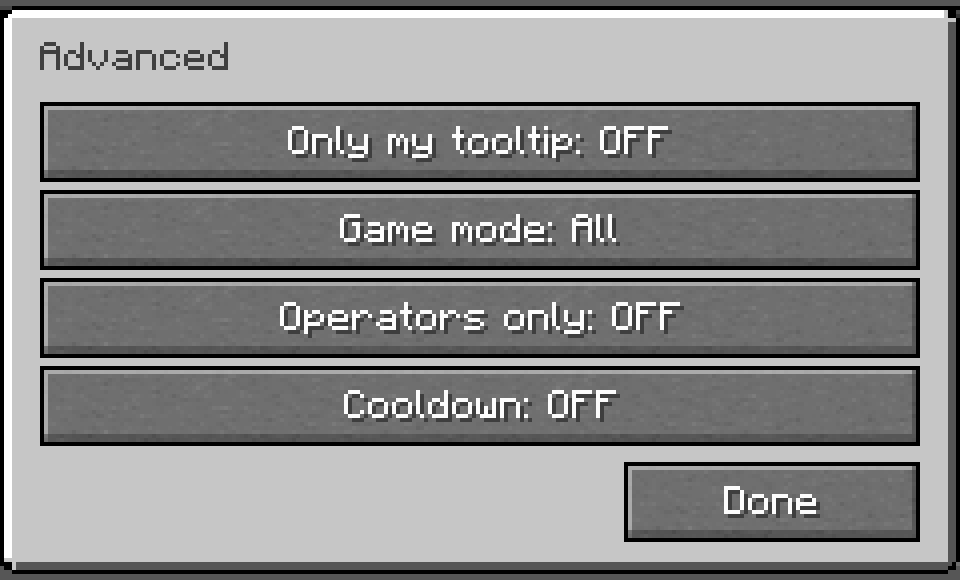
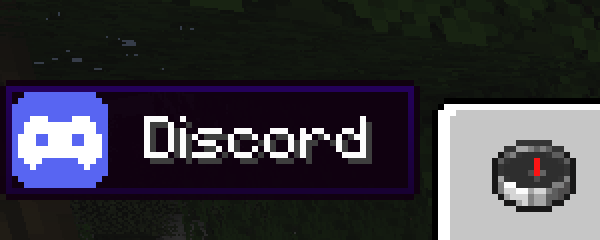
Using this mod in modpacks is allowed. The whole guide, with every setting and the file format, is in the wiki for modpack authors.
New in 1.2.0: fold it away
Buttons in the way? One click on the small arrow next to the inventory hides all of them, the book and quill included, and the next click brings them back. There is also a key for it in the game's controls and a new action, Show/hide buttons. Hidden buttons give their space back to JEI and the recipe book, and keys on them keep working.
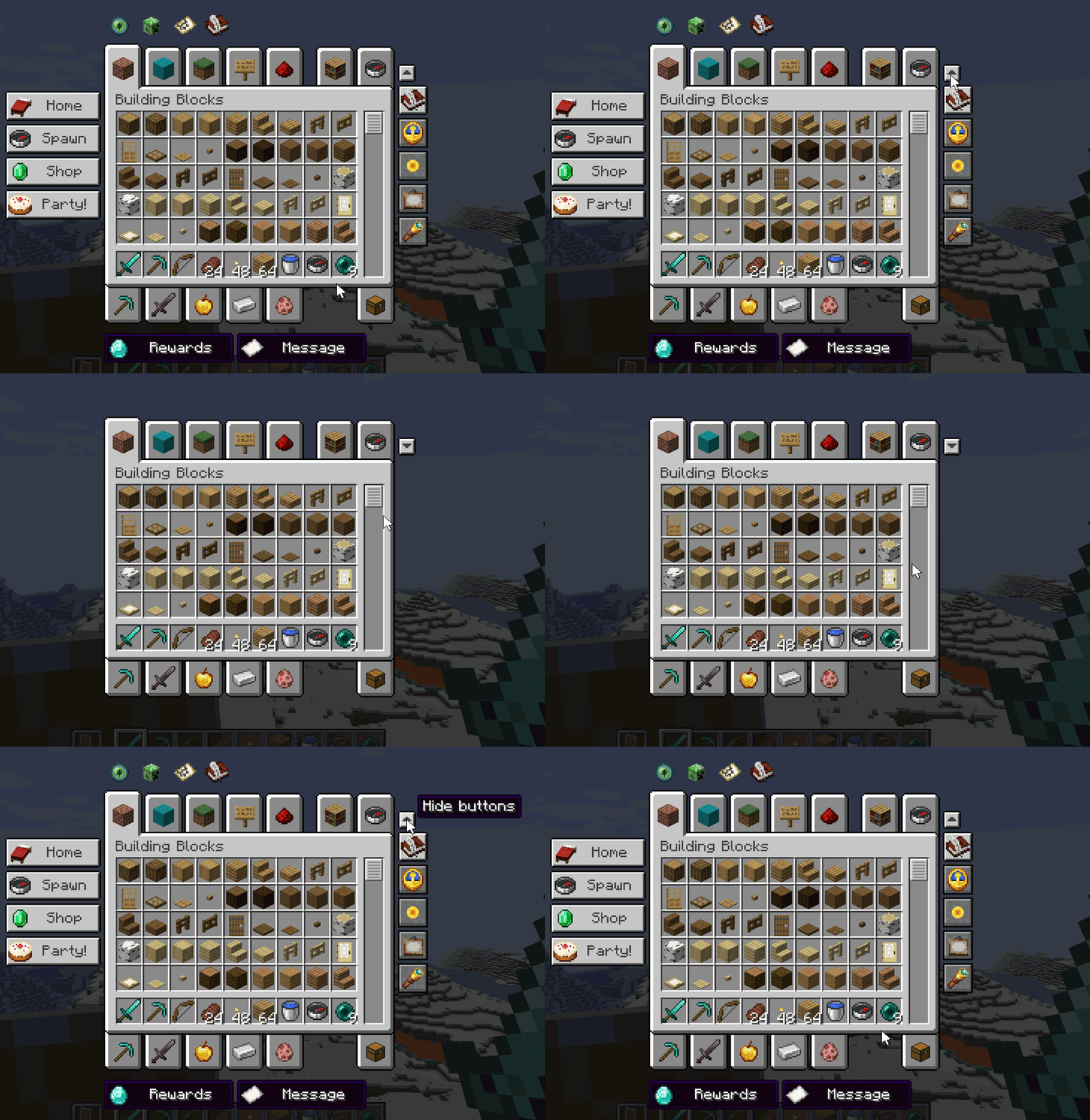
The creative menu gets its room back too: buttons above or below the inventory now move out past the tabs instead of covering them.
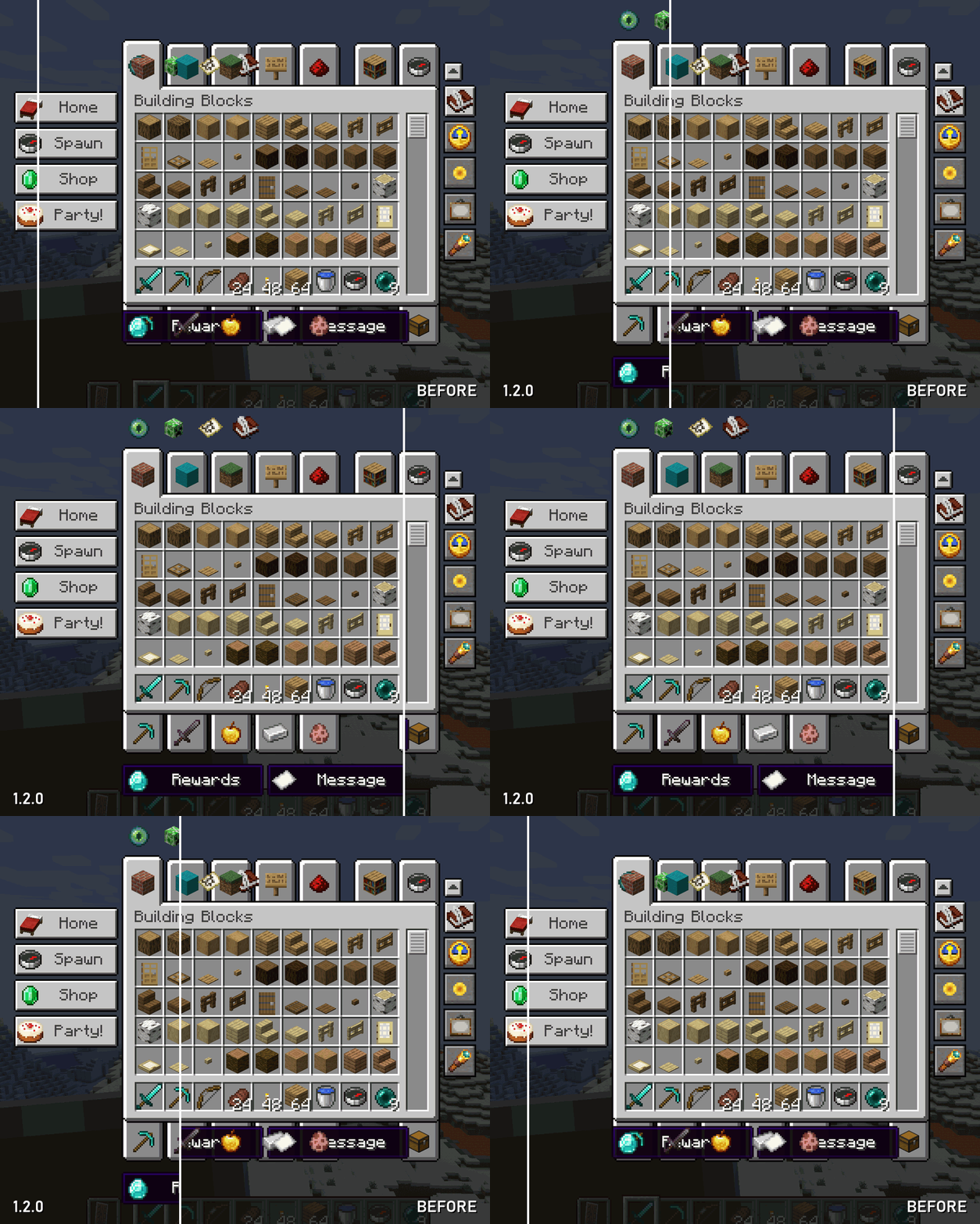
New in 1.1.0: keys
Give a button a key and it runs without a click – with the inventory open or closed. Keyboard keys and extra mouse buttons both work, and the edit dialog warns you when a key is already taken.
Trigger keybind is a new action: pick any keybind of the game or of any mod from a searchable list, and the button presses it for you. The Curios inventory, your map, your backpack – no special support needed, it works with whatever registers a key.
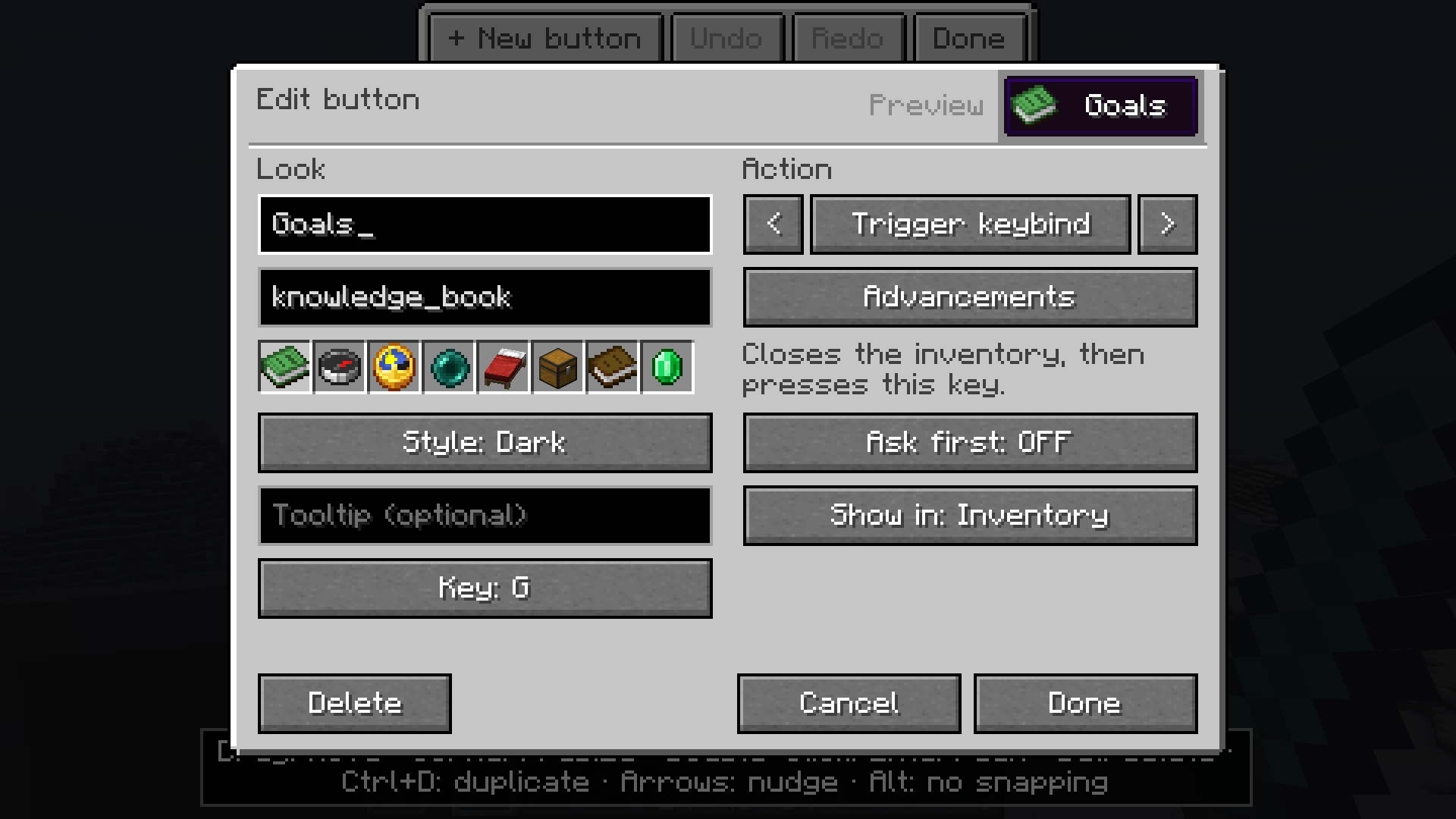
Good to know: the button closes the inventory first, so keys that only work inside an open screen (sorting, JEI's recipe key) have no effect, and keys you normally hold down are only tapped.
What a button can do
| Action | Example | |
|---|---|---|
| Command | /home, /spawn, /time set day |
runs with your normal permissions |
| Chat message | "Party at my base tonight!" | starting with / makes it a command |
| Suggest in chat | /tp |
opens the chat with the text – you finish it |
| Private note | "Feed the cats" | shows up in your chat only, the server sees nothing |
| Resource pack | programmer_art |
switches an installed pack on and off |
| Shader effect | creeper |
the vanilla post effects, or one from a resource pack |
| Shader pack on/off | – | with Iris or Oculus |
| Screenshot | – | like F2 |
| Perspective | – | like F5 |
| Trigger keybind | Open the Curios inventory | presses any keybind of the game or a mod |
| Show/hide buttons | – | folds all buttons away, the small arrow brings them back |
| Open link | https://discord.gg/... |
opens your browser after asking |
| Several commands | /time set day; /weather clear |
up to 10 in a row, separated by ; |
Any button can ask first before it runs, and any button can show up in every container – chests, furnaces, shulker boxes – not just your inventory.
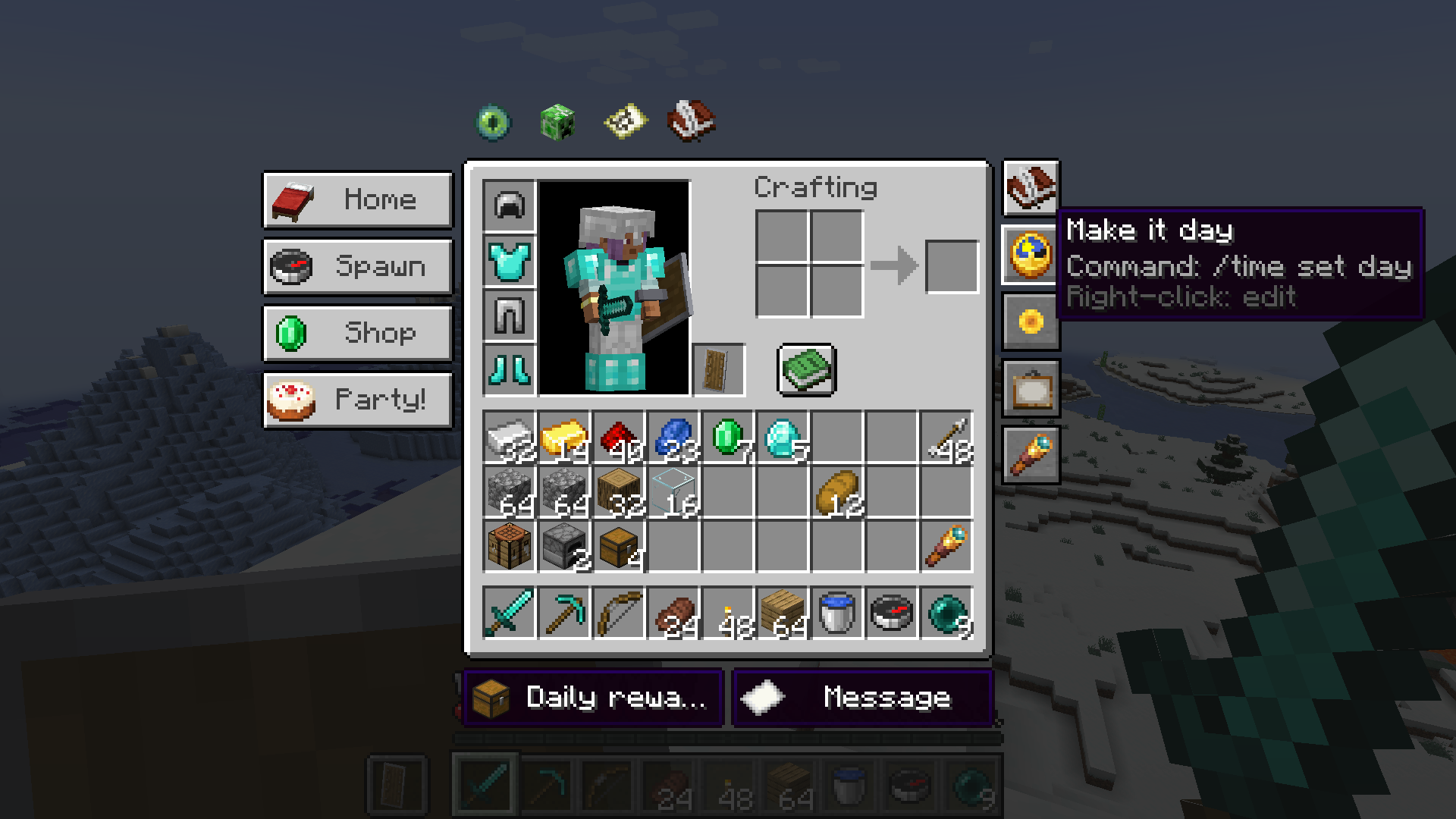
Hover a button and it tells you exactly what it does: your tooltip, then the action itself. No surprises, no guessing what the green one was again.
Building your layout
Click the book and quill next to your inventory. The screen dims and you are in the editor – inside your real inventory, not in some settings page.
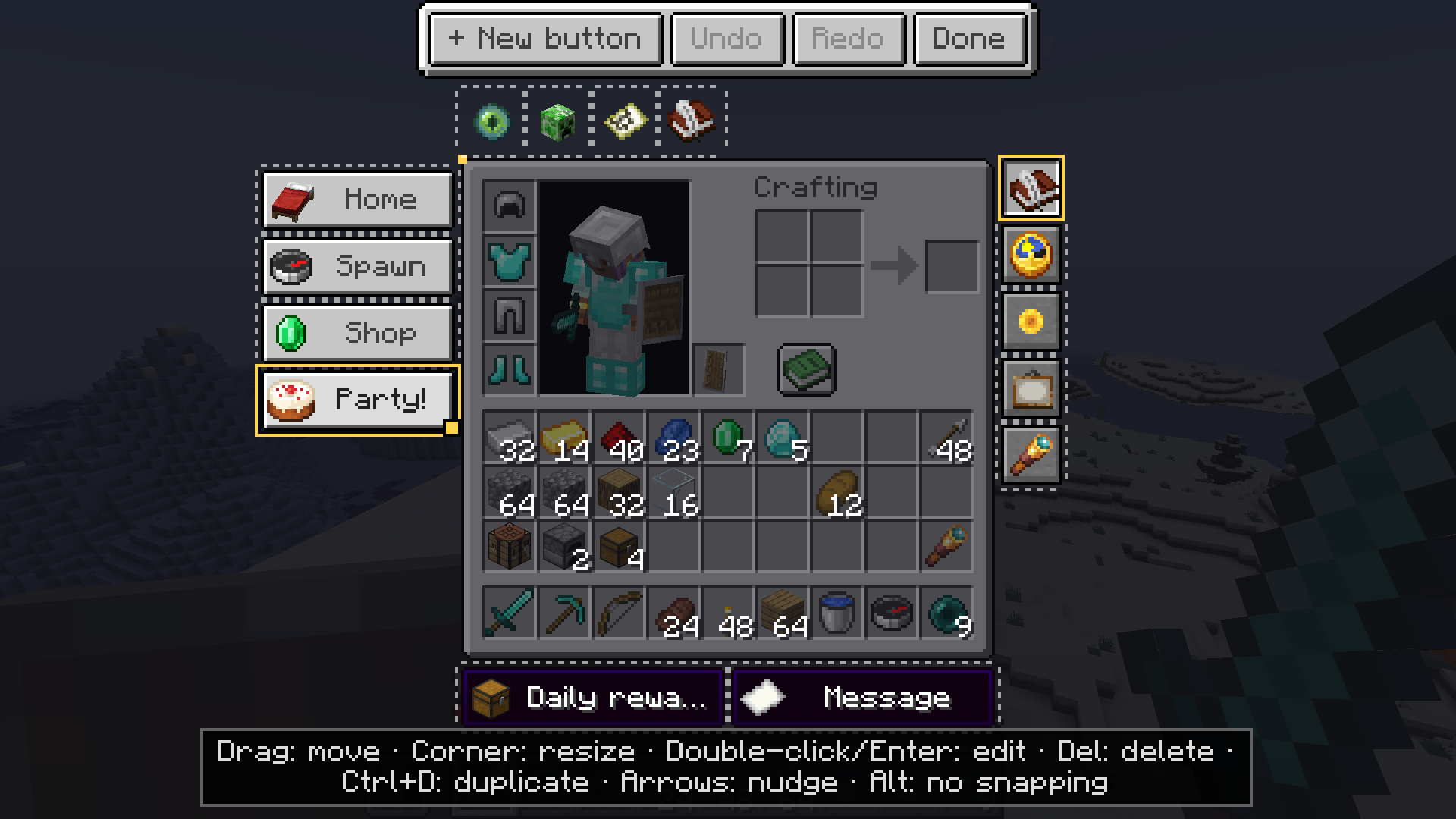
- Drag a button to move it, drag its corner to resize it.
- Edges snap to the inventory frame and to the other buttons, with guide lines while you drag. Hold Alt to place freely.
- Right-click an empty spot to put a new button exactly there.
- The small arrow can be dragged anywhere too.
- Undo / Redo, duplicate with Ctrl+D, nudge with the arrow keys, delete with Del.
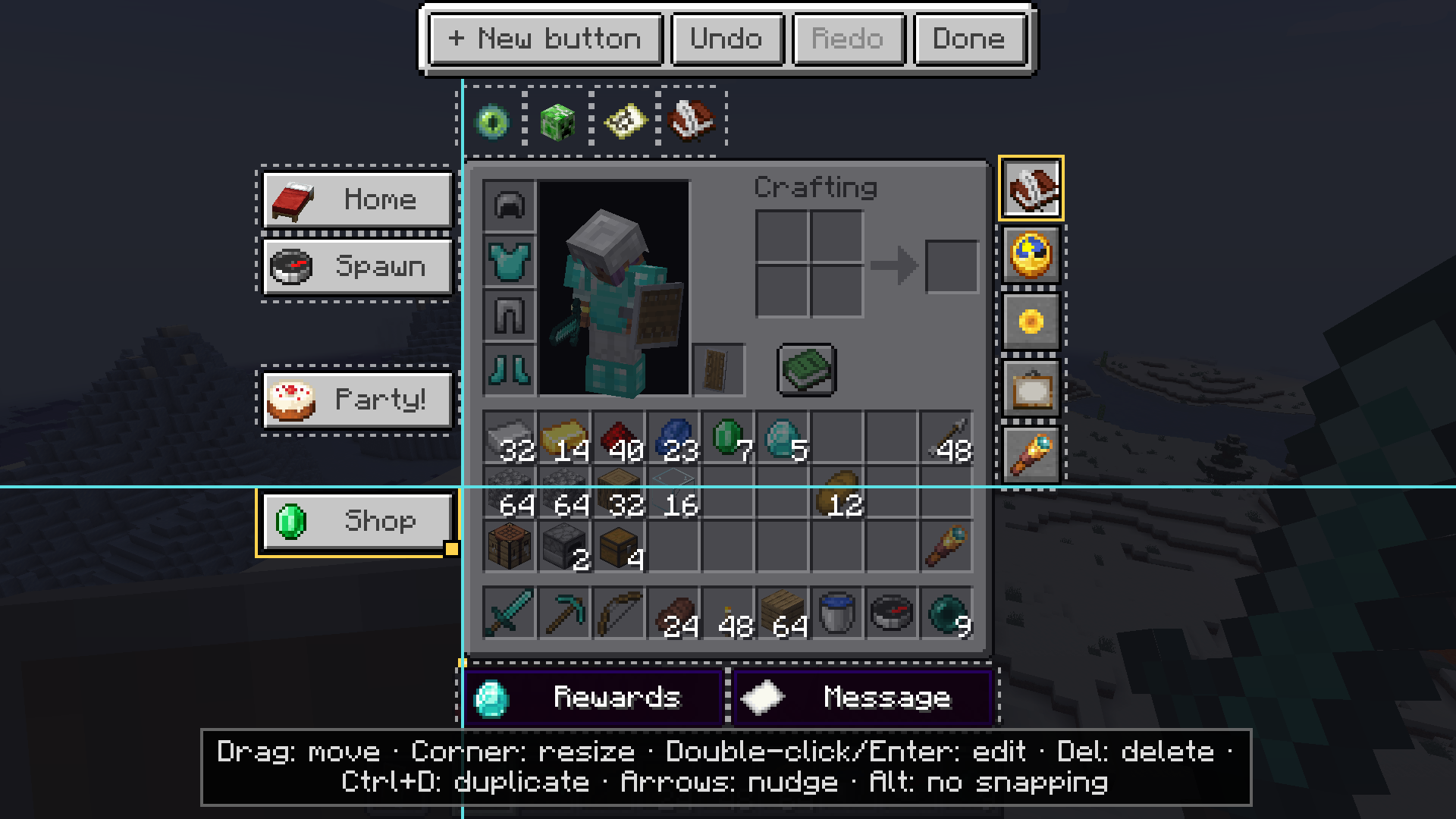
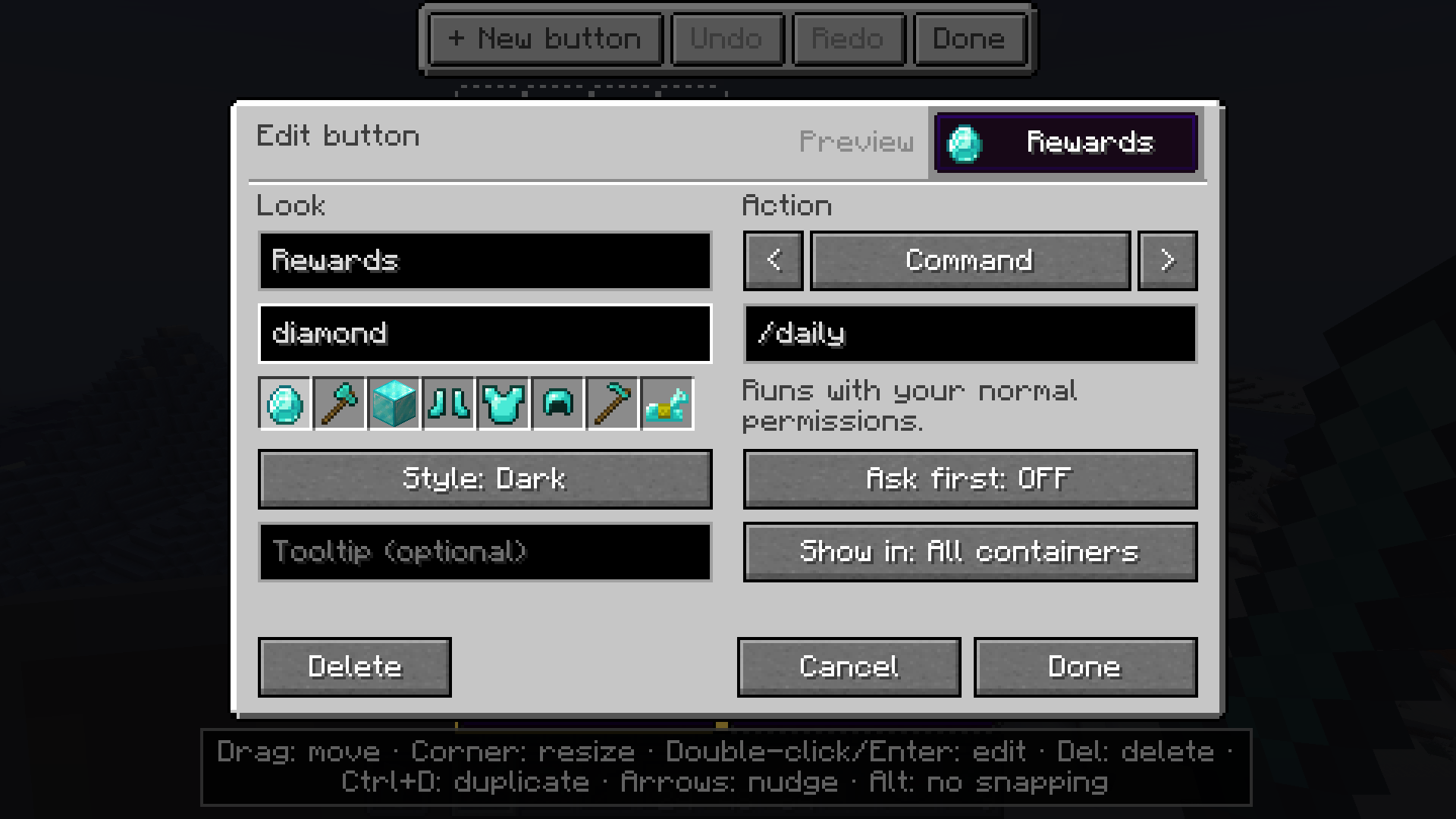
Double-click a button (or press Enter) and the edit dialog opens: the look on the left, the action on the right, and a live preview at the top. Type into the icon field and pick from the matching items – it finds them by ID and by their name in your language.
Little things that matter
- Plays nice with the recipe book: buttons left of the inventory step aside when you open it – and where the screen is too narrow for that, they wait until the book is closed again.
- Plays nice with JEI: the item list flows around your buttons instead of covering them.
- Plays nice with the creative tabs: buttons above or below the inventory move out past the tabs.
- Never loses your work: a broken config is repaired or set aside, never a crash, and there is always a backup.
- Client-side only. Works on any server – the buttons only press what you could type yourself.
- 11 languages: English, German, Portuguese (BR), Spanish, French, Polish, Turkish, Italian, Russian, Japanese, Korean.
Versions
| Minecraft | Forge | NeoForge | Fabric |
|---|---|---|---|
| 1.20.1 | ✔ | – | ✔ |
| 1.21.1 | ✔ | ✔ | ✔ |
| 26.1 | – | ✔ | ✔ |
| 26.2 | – | ✔ | ✔ |
| 26.3 | – | ✔ (beta) | ✔ |
Fabric needs Fabric API. JEI, Iris and Oculus are optional.
Questions, ideas, bugs
Every part of the mod is explained in the wiki, in English, German, French, Spanish and Portuguese.
Tell me in the comments – which button is missing for you?
Screenshots
Gallery
Versions
Files
Relations
Project Relations
More like this
Similar Mods
Suggestions use data such as tags, dependencies, dependents, descriptions, titles, and more to rank how much they overlap with this mod.
On ModDex
Community snapshot
By the numbers
Statistics

Get it on
Available Platforms
On ModDex
Community snapshot
By the numbers
Statistics
Resources