Community listing page, reviews here may not be monitored by the author.
Absolute Order: Custom Chest Auto-Sorter


No reviews yet
Achieve fast inventory clearing with custom auto-deposit. The game finally knows exactly what you want, where you want it — and keeps it sorted for you.
Community voices
Reviews
No reviews yet. Be the first to review this project!
Get it on
Available Platforms
Compatibility
Supported Environments
Runs entirely on the client. Works on vanilla servers.
Must be installed on both the client and the server.
Works on the client or the server alone, but does more when on both.
Varies by version.
About
Project Details
For authors
Embed Badge
If you're the author of this project, you can embed a live badge anywhere that supports HTML or Markdown. It updates automatically whenever ratings change.
Use HTML for any page that supports it, or Markdown for README files and Markdown-based descriptions.
Identifiers
Platform IDs
Resources
External Links
About
Description
Achieve fast inventory clearing with custom auto-deposit. The game finally knows exactly what you really want, where you want it — and now it keeps it perfectly sorted, all on its own.
Tired of manually sorting your loot after a long mining session? Returning to your base should feel rewarding, not like a chore. Absolute Order revolutionizes inventory management by giving you complete control over your storage system. Design your chests visually, set strict sorting rules, and empty your inventory with a single click.
Whether you are a casual player tidying up a starter base or a technical modpack player juggling thousands of items, this mod is the ultimate vanilla-friendly solution to chest chaos — and v2.0.0 rebuilds it from the ground up with a stunning new look, self-sorting priority filters, and full two-way item flow.
One-Click Auto-Deposit
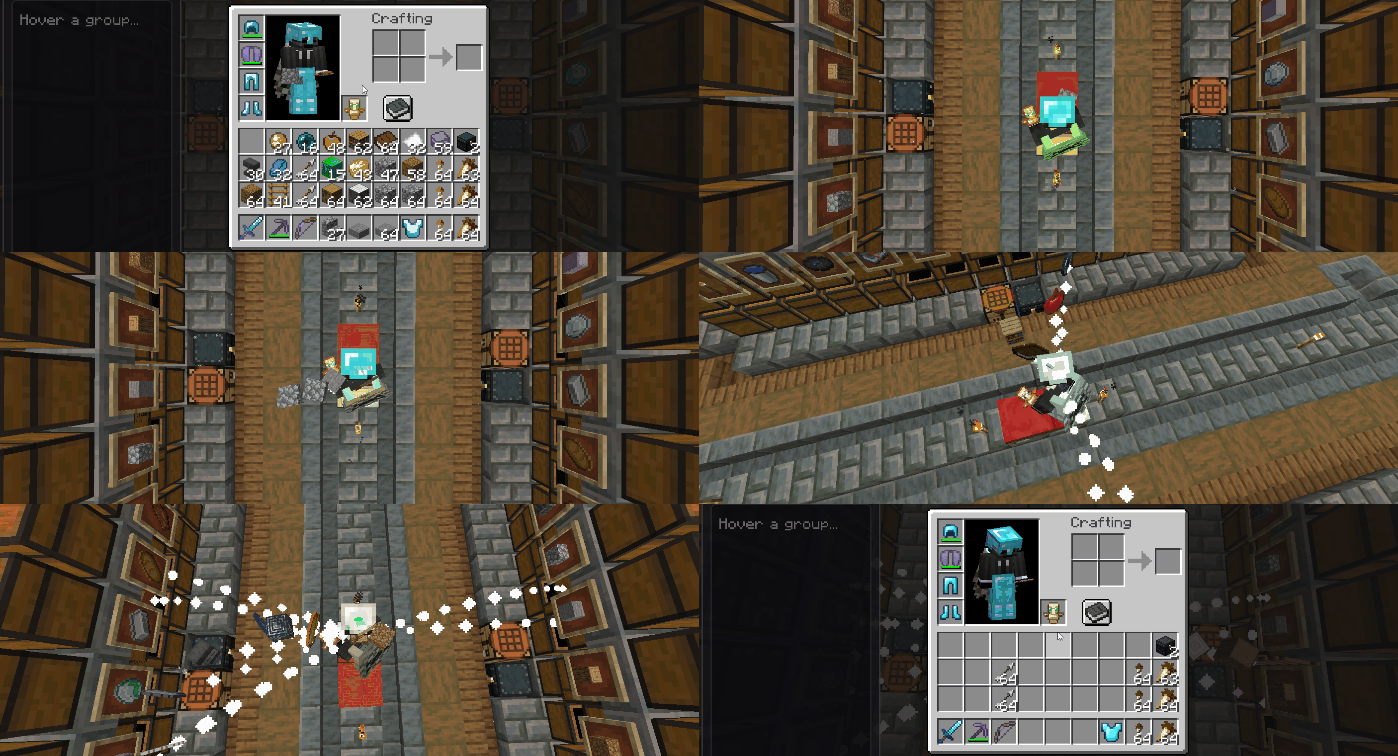
The core of Absolute Order is pure efficiency. Once you have defined your chest rules, you no longer need to drag and drop items. Simply press the dedicated "Deposit" button (or your configured hotkey). ⚡
Watch your chaotic inventory instantly fly into the exact slots you designated. The system intelligently scans your inventory and only extracts the items that match your custom chest filters, leaving your essential tools and food untouched.
Pull It Right Back 🔄
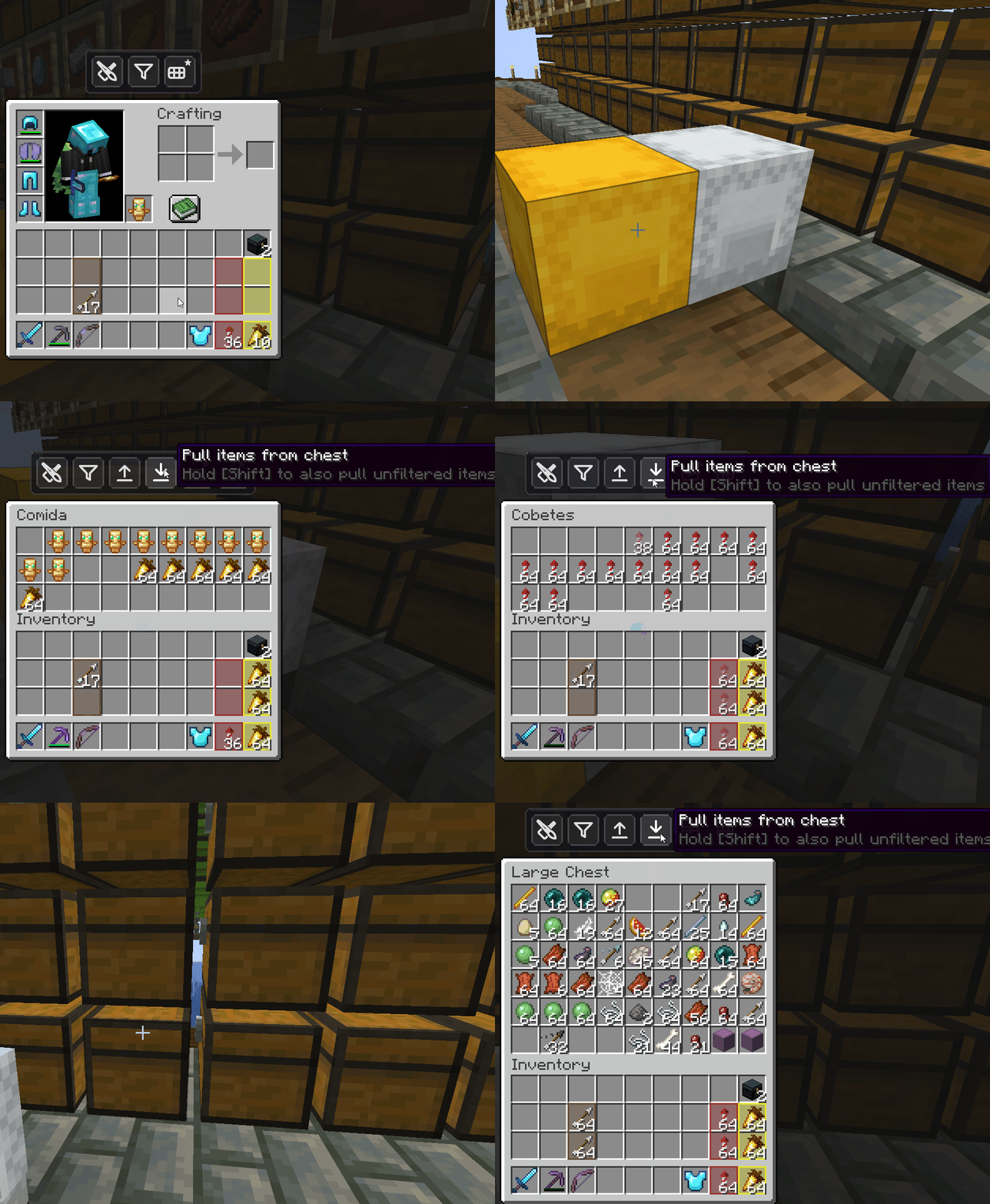
Deposit was only half the story. New in v2.0.0, the flow now goes both ways: open any container and pull every matching item straight into your inventory with a single click.
Restocking your hotbar, grabbing exactly the stack you need, refilling for the next trip — the mod respects your filters in both directions, so you only ever grab what belongs to you. And a live preview shows precisely where every item will land before you commit.
Priority Filtering That Sorts Itself 🎯
This is the heart of the v2.0.0 update. Your filter list is no longer just a set of rules — its order is its priority.
Drag an item to the top of a chest's filter and it becomes the highest priority; the mod then arranges matching items into the right slots inside that very same chest, automatically. No more half-filled stacks scattered across the grid, no more manual cleanup. You set the order once, and every deposit lands exactly where your priority says it should.
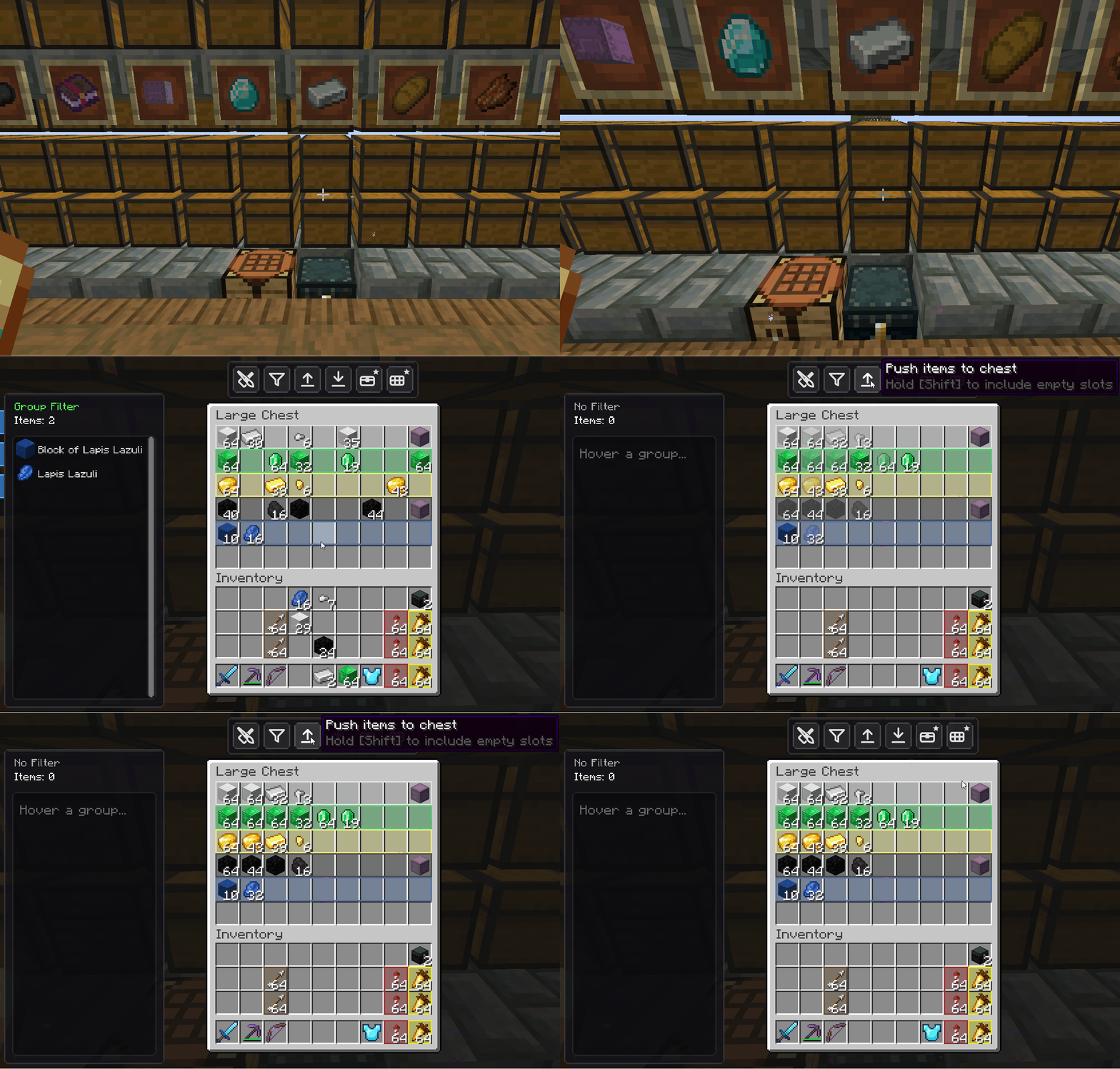
Build Filters by Dragging 🖐️
Creating filters has never felt this natural. New in v2.0.0, you shape a filter entirely by hand:
- Drag to add: pull any item straight into the filter list.
- Drag to remove: flick an item out to drop it from the rules.
- Drag to reorder: rearrange the list to set your sorting priority (see above).
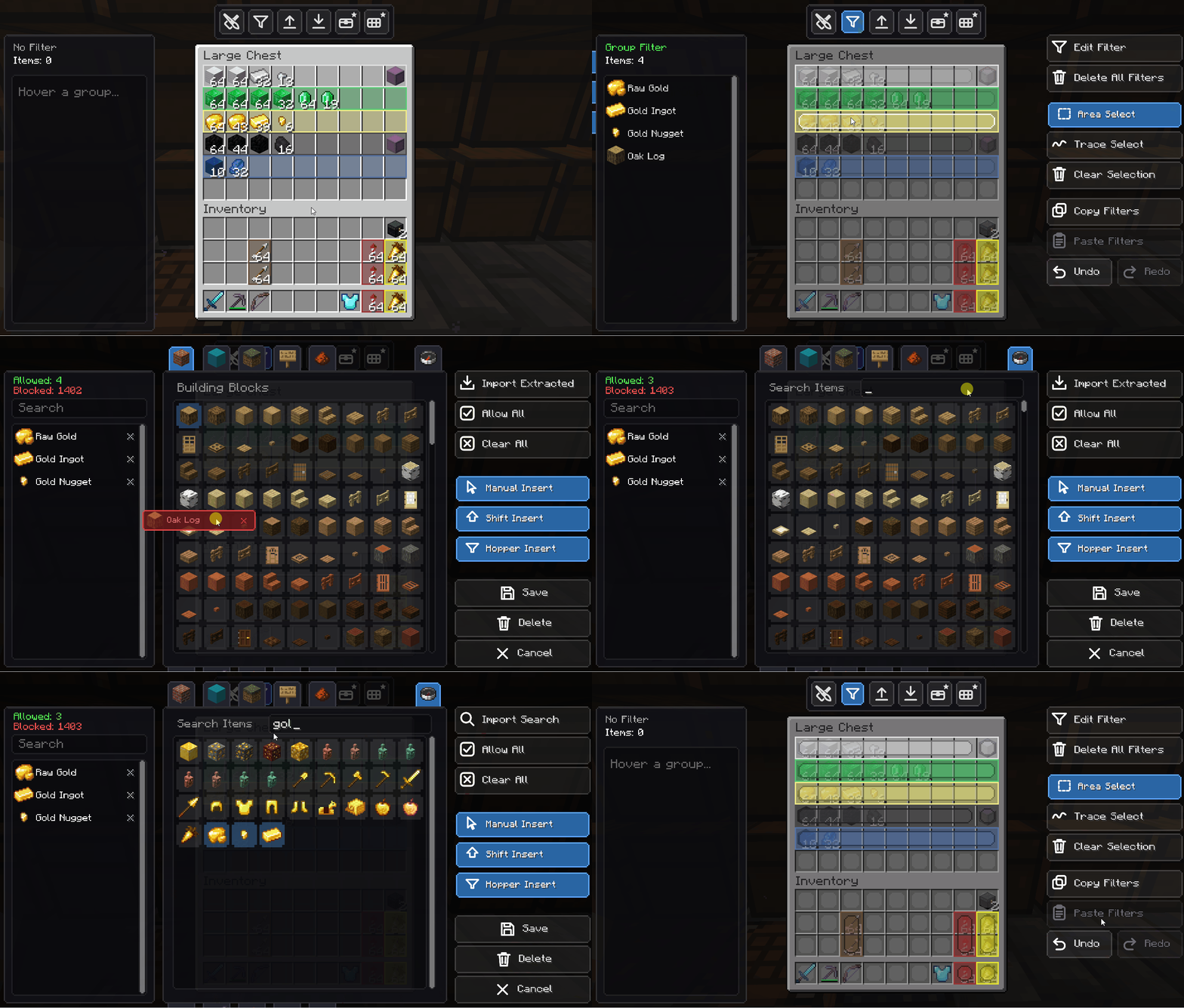
And the classic power tools are still here for bulk work:
- Import Extracted: add every physical item currently in the selected slots in one click.
- Tag & Search Import: use the search bar to import many matching items at once, or click an item tag (all logs, all stones…) to add a whole category instantly.
- Strict Enforcement: the wrong item is actively denied, with a satisfying rejection animation if you try to force it in. 🛡️
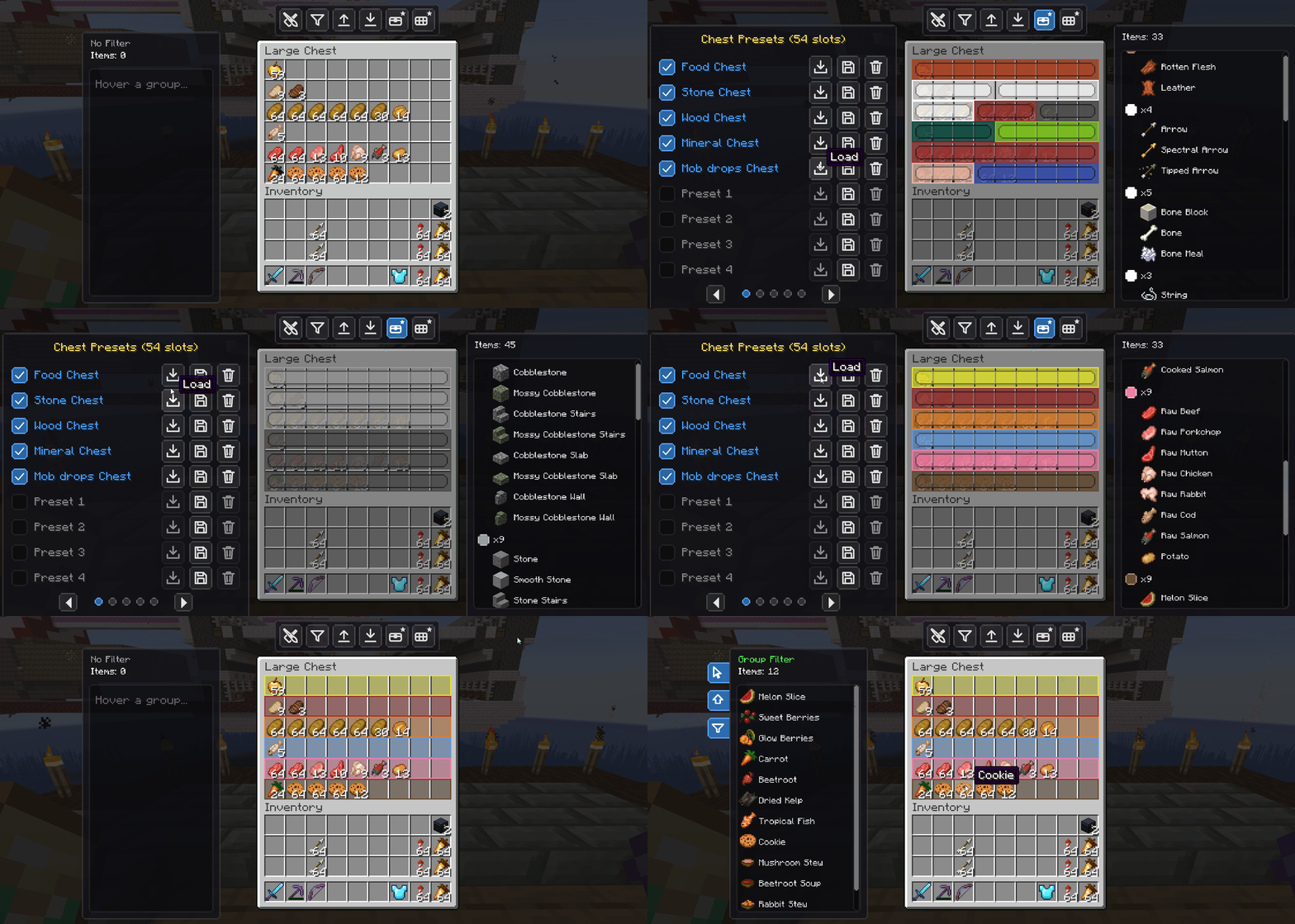
Ready-Made Presets ⚡
Don't want to build a layout from scratch every time? New in v2.0.0, presets get you sorted in seconds. Apply a ready-made template to a chest or your inventory, then rename it inline — your custom names and layouts are saved and travel with you.
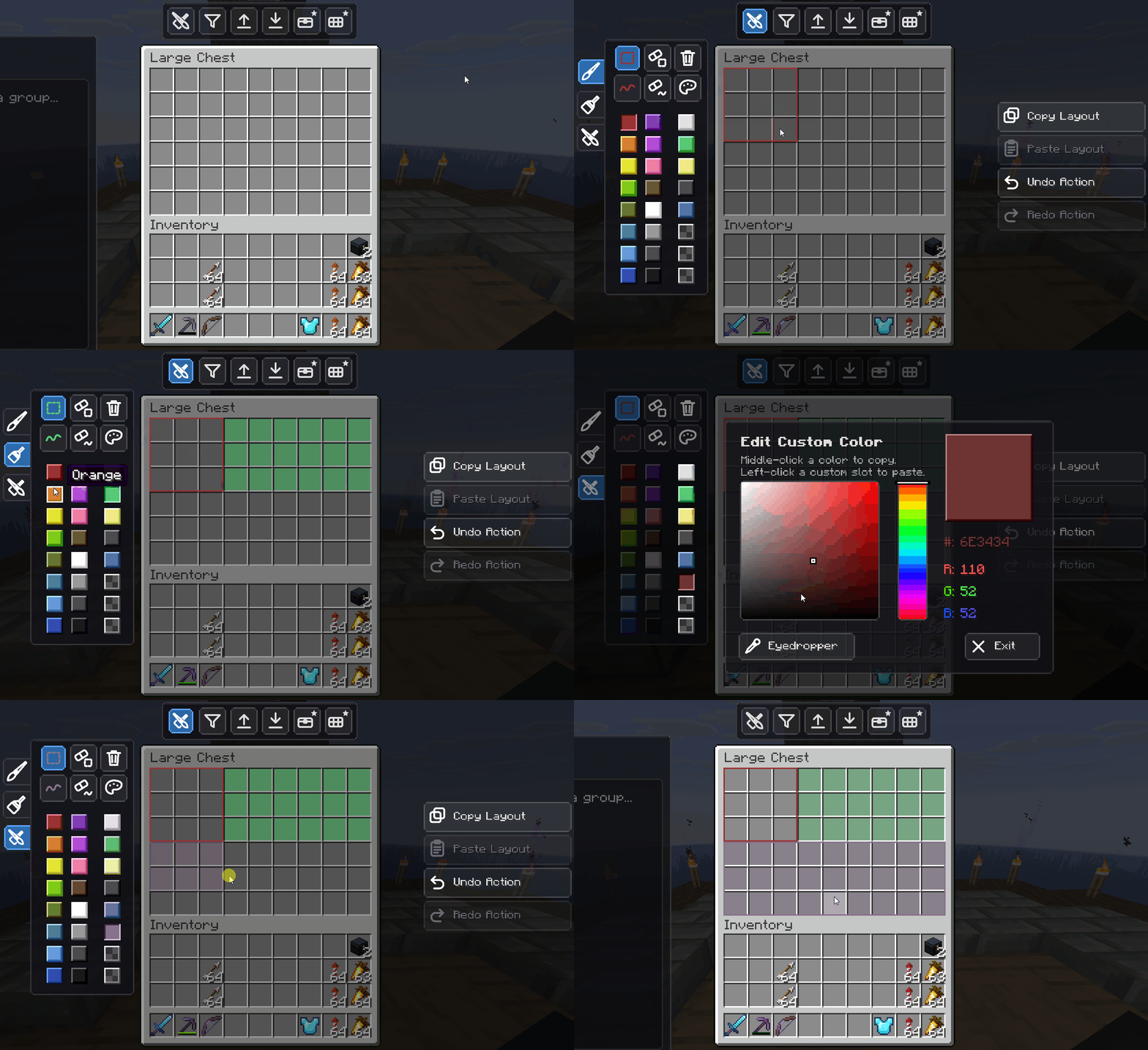
Visual Chest Customization 🎨
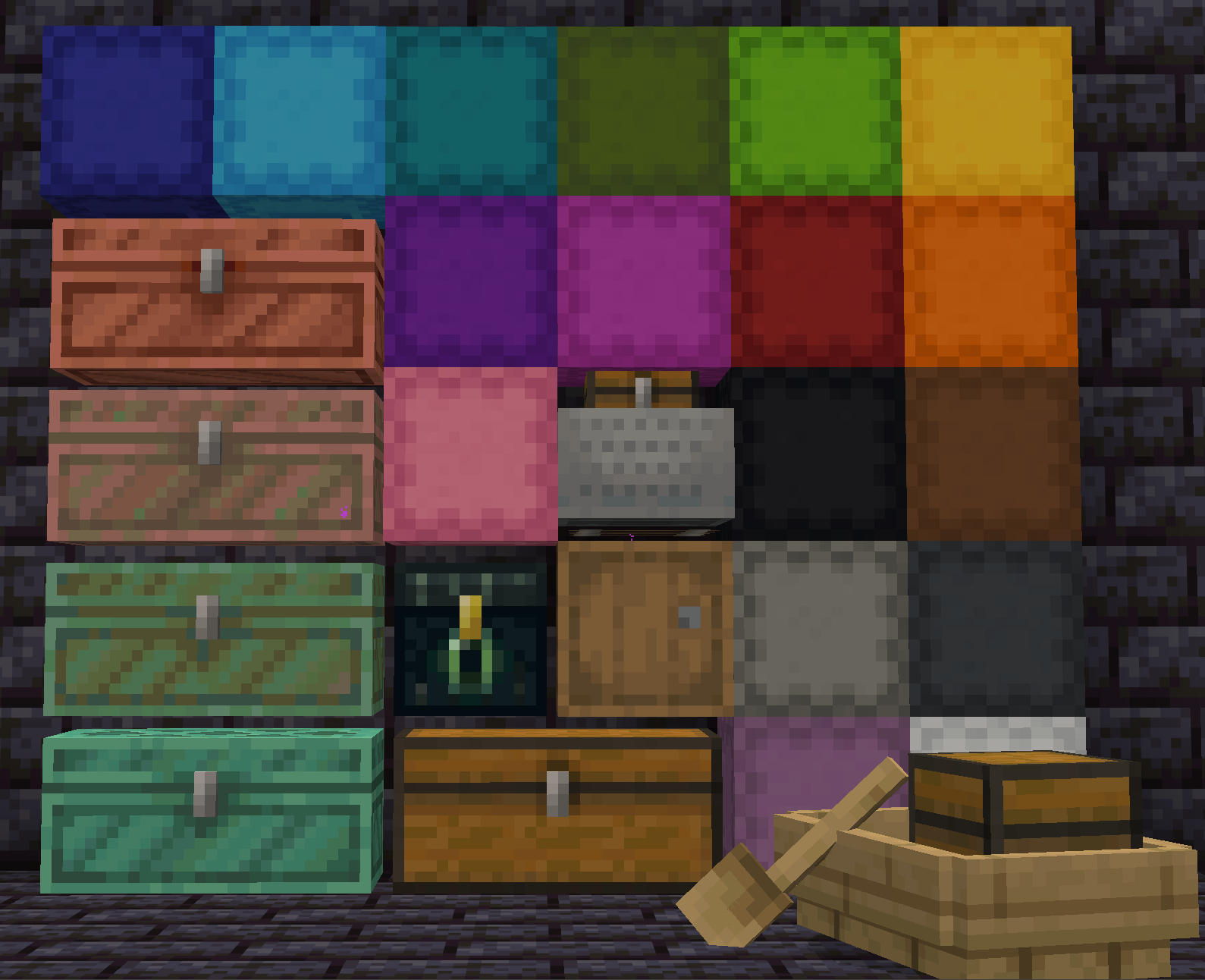
Organization should be beautiful as well as functional. A full suite of painting tools lives right inside the chest interface, so you can color-code your storage without crafting dozens of different colored chests.
- Area & Trace Modes: click and drag to flood large sections with color, or trace complex, irregular layouts with pinpoint precision.
- Color Palette: pick from a wide range of vibrant colors to separate your storage zones (blue for ores, green for crops…).
- Eyedropper Tool: copy a color from an existing slot to keep a cohesive look across the whole room.
Fully Configurable to Your Liking
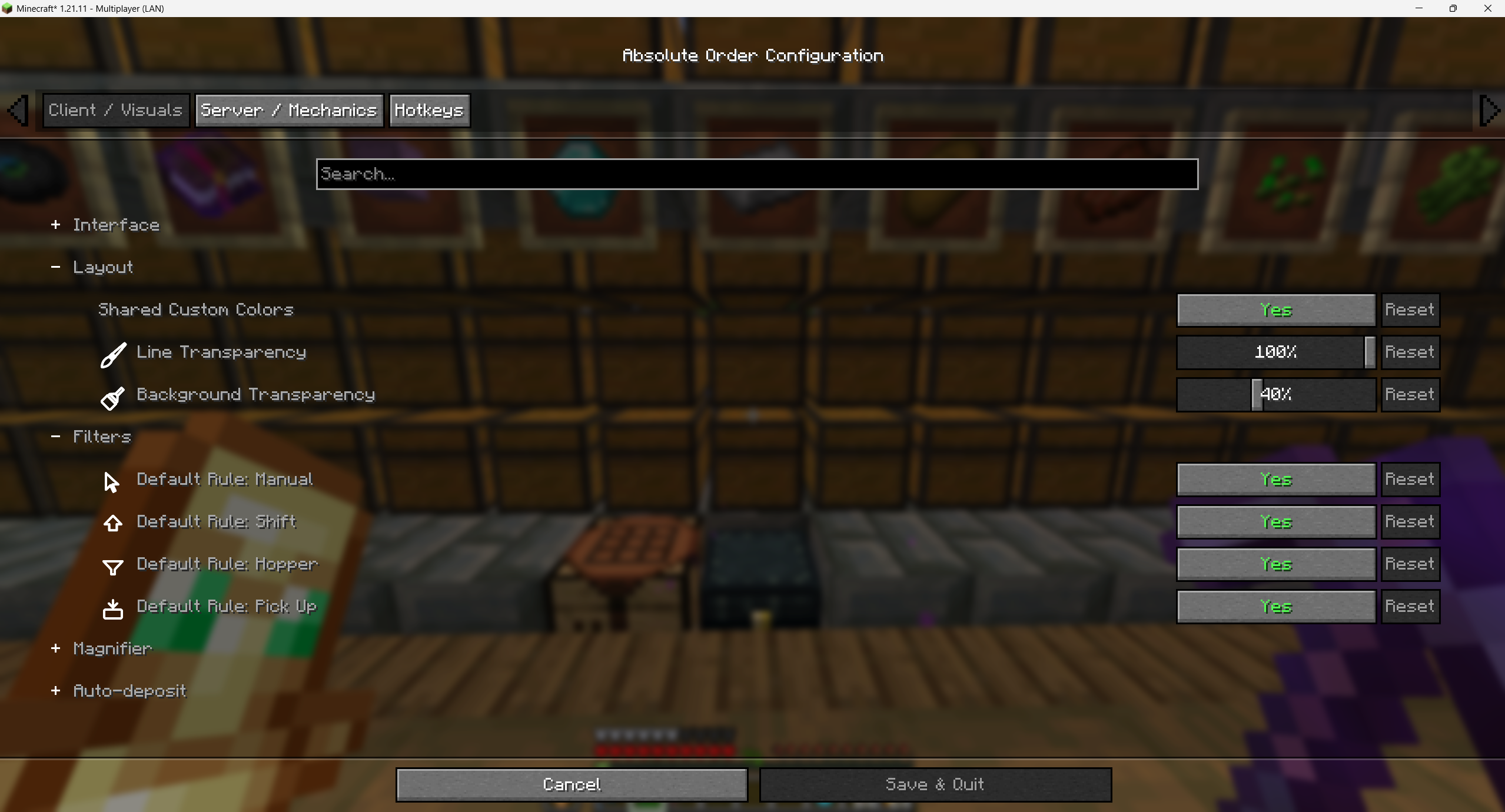
Absolute Order adapts to your playstyle, not the other way around. An extensive configuration menu lets you tweak almost every aspect of the mod:
- Client & Visuals: toggle off editor buttons, hide the preview panel, disable animations, or fine-tune the transparency of backgrounds and separation lines. Dark mode fully supported. 🌙
- Server & Mechanics: admins and technical players can adjust behaviors, such as whether the chest actively expels invalid items.
- Custom Hotkeys: bind every action — toggling panels, depositing, pulling — to your preferred keys. ⌨️
Universal Compatibility 📦
You are not restricted to standard wooden boxes. Absolute Order is built to be a universal storage solution.
It works seamlessly with vanilla chests, barrels, ender chests, and shulker boxes — and shulker layouts are saved directly to the box, so you can break it, carry it, or stash it in your Ender Chest without losing a single line. It even works with mobile storage like minecarts and boats with chests, plus many popular modded containers.
Now Playable Almost Everywhere 🌍
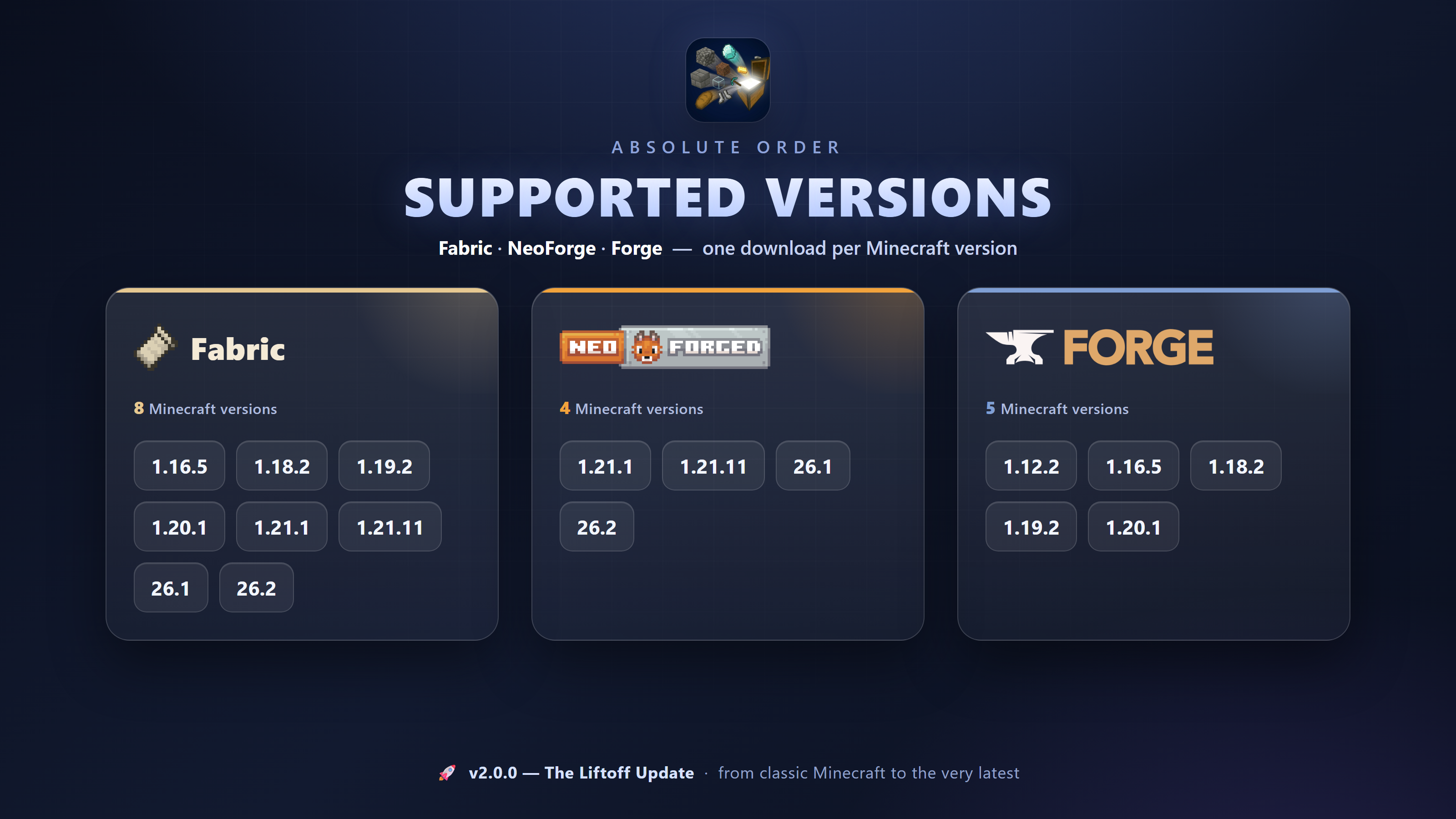
v2.0.0 is the biggest compatibility leap in the mod's history. Absolute Order now runs on Fabric, NeoForge and Forge, spanning everything from classic versions all the way to the latest Minecraft releases. Wherever your world lives, order can follow.
Modpack Creators: you are entirely free to include Absolute Order in your modpacks. Help your players keep their bases perfectly organized!
I make these mods in my free time — if they save you time or make you smile, a coffee keeps the updates coming ☕
Absolute Order
Achieve fast inventory clearing with custom auto-deposit. The game finally knows exactly what you really want, where you want it — and now it keeps it perfectly sorted, all on its own.
Tired of manually sorting your loot after a long mining session? Returning to your base should feel rewarding, not like a chore. Absolute Order revolutionizes inventory management by giving you complete control over your storage system. Design your chests visually, set strict sorting rules, and empty your inventory with a single click.
Whether you are a casual player tidying up a starter base or a technical modpack player juggling thousands of items, this mod is the ultimate vanilla-friendly solution to chest chaos — and v2.0.0 rebuilds it from the ground up with a stunning new look, self-sorting priority filters, and full two-way item flow.
One-Click Auto-Deposit
The core of Absolute Order is pure efficiency. Once you have defined your chest rules, you no longer need to drag and drop items. Simply press the dedicated "Deposit" button (or your configured hotkey). ⚡
Watch your chaotic inventory instantly fly into the exact slots you designated. The system intelligently scans your inventory and only extracts the items that match your custom chest filters, leaving your essential tools and food untouched.
Pull It Right Back 🔄
Deposit was only half the story. New in v2.0.0, the flow now goes both ways: open any container and pull every matching item straight into your inventory with a single click.
Restocking your hotbar, grabbing exactly the stack you need, refilling for the next trip — the mod respects your filters in both directions, so you only ever grab what belongs to you. And a live preview shows precisely where every item will land before you commit.
Priority Filtering That Sorts Itself 🎯
This is the heart of the v2.0.0 update. Your filter list is no longer just a set of rules — its order is its priority.
Drag an item to the top of a chest's filter and it becomes the highest priority; the mod then arranges matching items into the right slots inside that very same chest, automatically. No more half-filled stacks scattered across the grid, no more manual cleanup. You set the order once, and every deposit lands exactly where your priority says it should.
Build Filters by Dragging 🖐️
Creating filters has never felt this natural. New in v2.0.0, you shape a filter entirely by hand:
- Drag to add: pull any item straight into the filter list.
- Drag to remove: flick an item out to drop it from the rules.
- Drag to reorder: rearrange the list to set your sorting priority (see above).
And the classic power tools are still here for bulk work:
- Import Extracted: add every physical item currently in the selected slots in one click.
- Tag & Search Import: use the search bar to import many matching items at once, or click an item tag (all logs, all stones…) to add a whole category instantly.
- Strict Enforcement: the wrong item is actively denied, with a satisfying rejection animation if you try to force it in. 🛡️
Ready-Made Presets ⚡
Don't want to build a layout from scratch every time? New in v2.0.0, presets get you sorted in seconds. Apply a ready-made template to a chest or your inventory, then rename it inline — your custom names and layouts are saved and travel with you.
Visual Chest Customization 🎨
Organization should be beautiful as well as functional. A full suite of painting tools lives right inside the chest interface, so you can color-code your storage without crafting dozens of different colored chests.
- Area & Trace Modes: click and drag to flood large sections with color, or trace complex, irregular layouts with pinpoint precision.
- Color Palette: pick from a wide range of vibrant colors to separate your storage zones (blue for ores, green for crops…).
- Eyedropper Tool: copy a color from an existing slot to keep a cohesive look across the whole room.
Fully Configurable to Your Liking
Absolute Order adapts to your playstyle, not the other way around. An extensive configuration menu lets you tweak almost every aspect of the mod:
- Client & Visuals: toggle off editor buttons, hide the preview panel, disable animations, or fine-tune the transparency of backgrounds and separation lines. Dark mode fully supported. 🌙
- Server & Mechanics: admins and technical players can adjust behaviors, such as whether the chest actively expels invalid items.
- Custom Hotkeys: bind every action — toggling panels, depositing, pulling — to your preferred keys. ⌨️
Universal Compatibility 📦
You are not restricted to standard wooden boxes. Absolute Order is built to be a universal storage solution.
It works seamlessly with vanilla chests, barrels, ender chests, and shulker boxes — and shulker layouts are saved directly to the box, so you can break it, carry it, or stash it in your Ender Chest without losing a single line. It even works with mobile storage like minecarts and boats with chests, plus many popular modded containers.
Now Playable Almost Everywhere 🌍
v2.0.0 is the biggest compatibility leap in the mod's history. Absolute Order now runs on Fabric, NeoForge and Forge, spanning everything from classic versions all the way to the latest Minecraft releases. Wherever your world lives, order can follow.
Modpack Creators: you are entirely free to include Absolute Order in your modpacks. Help your players keep their bases perfectly organized!
I make these mods in my free time — if they save you time or make you smile, a coffee keeps the updates coming ☕
Screenshots
Gallery
-
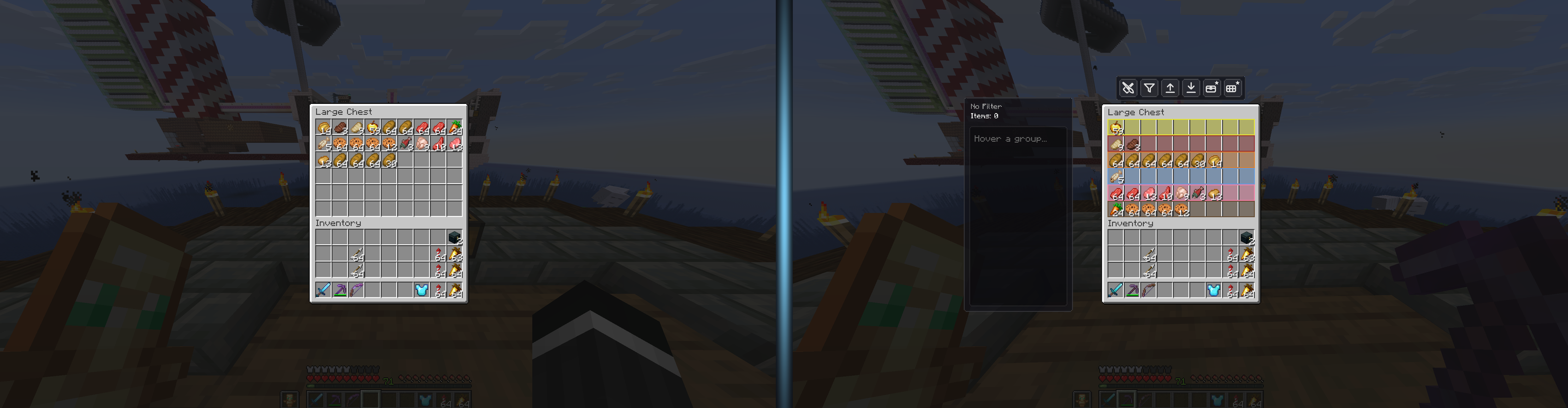
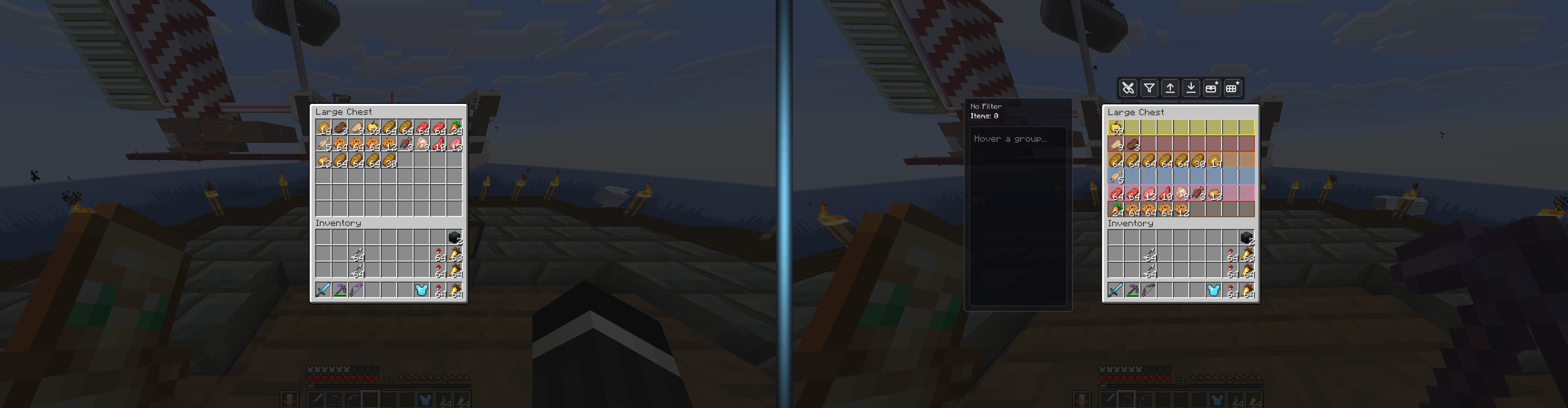 Before & After A plain vanilla chest versus a chest perfectly organized by Absolute Order — same items, total control.
 -
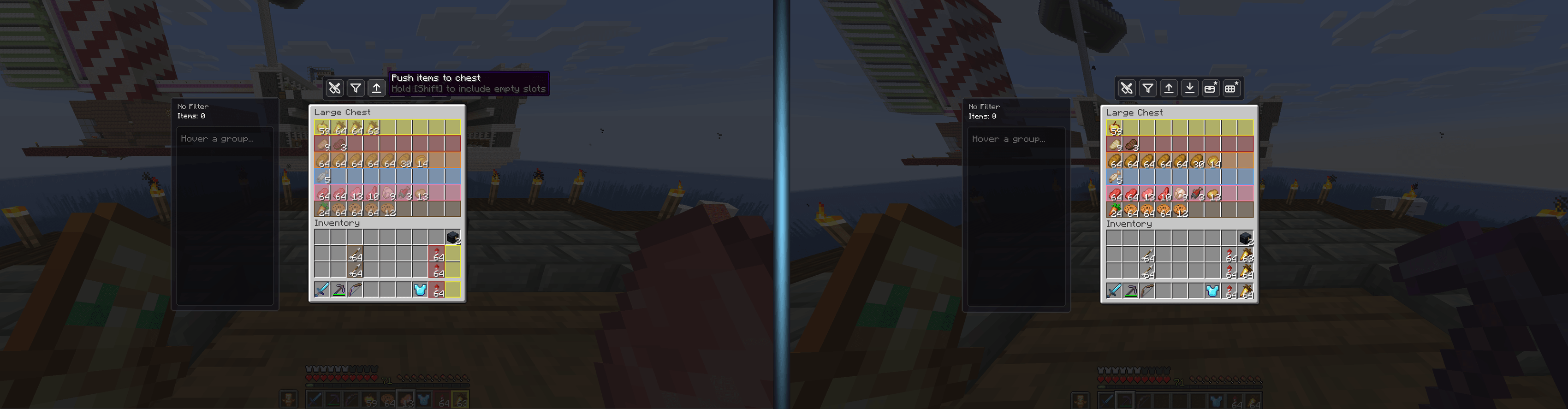 Deposit — Before & After One click on the deposit button and your full inventory empties straight into the chest, sorted.
 -
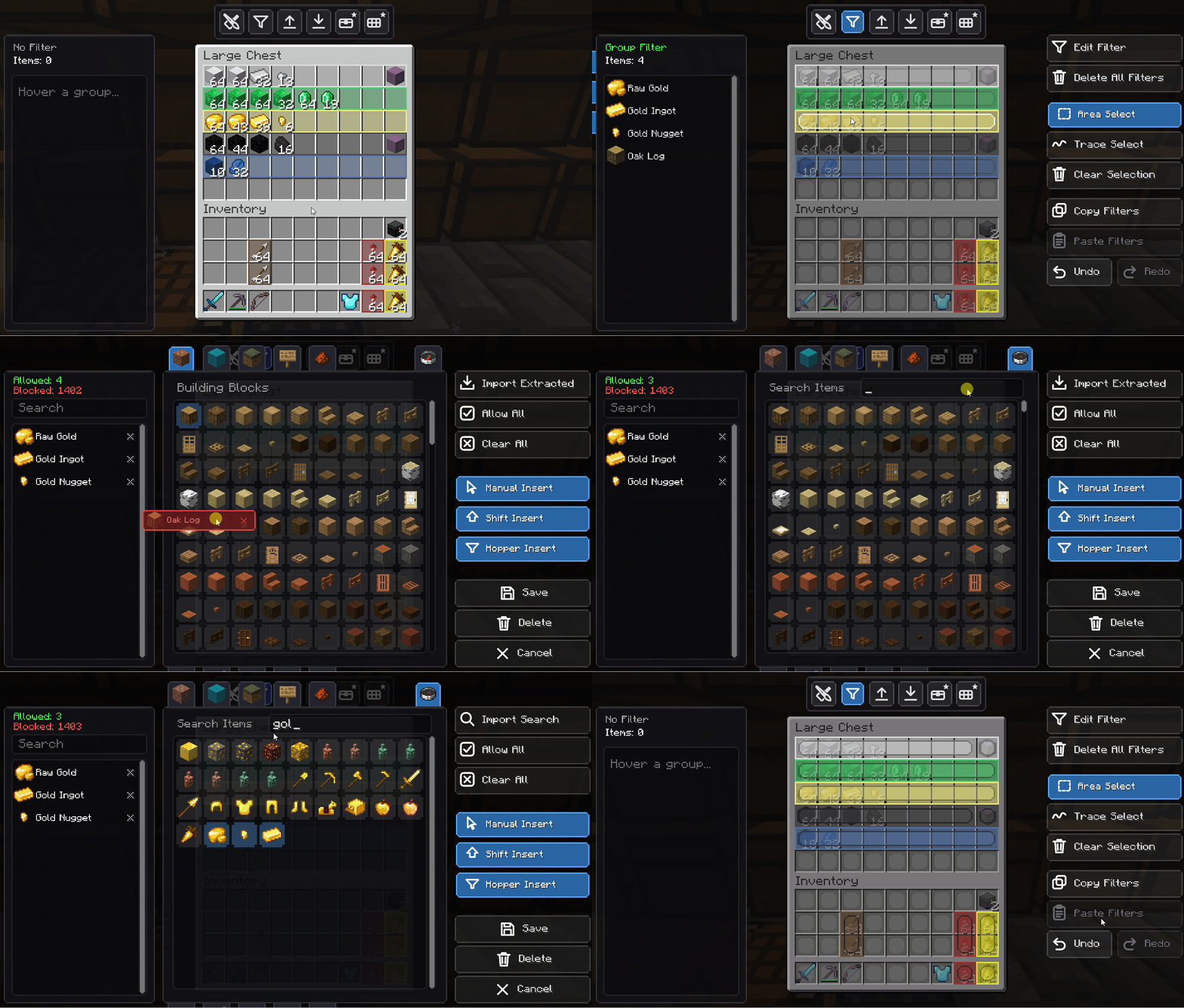 Drag to Add & Remove Build a filter by hand — drag any item straight into the list, or flick it out to remove it.
 -
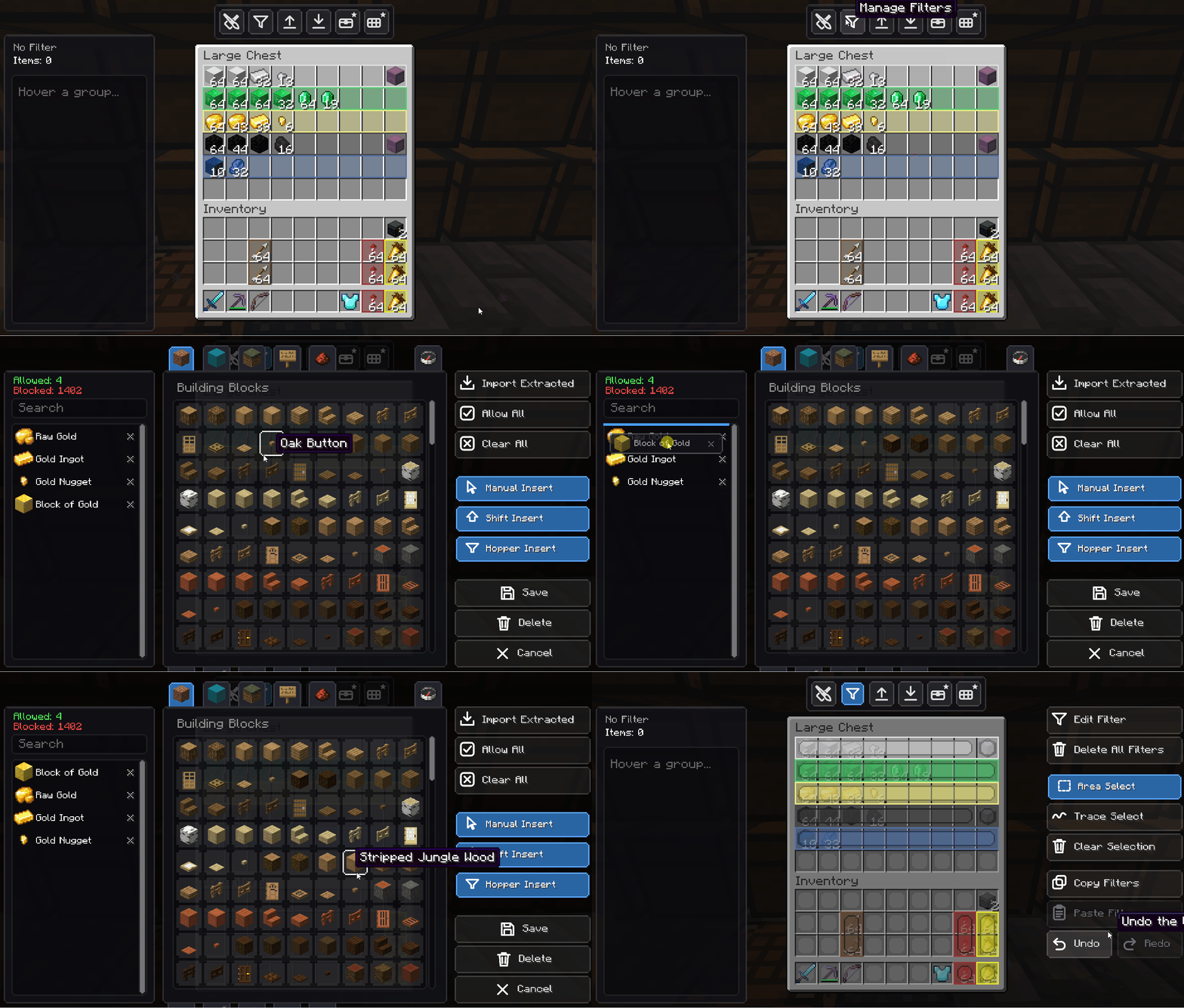 Reorder to Set Priority Drag items up or down inside the filter to change their sorting priority. The small touch that changes everything.
 -
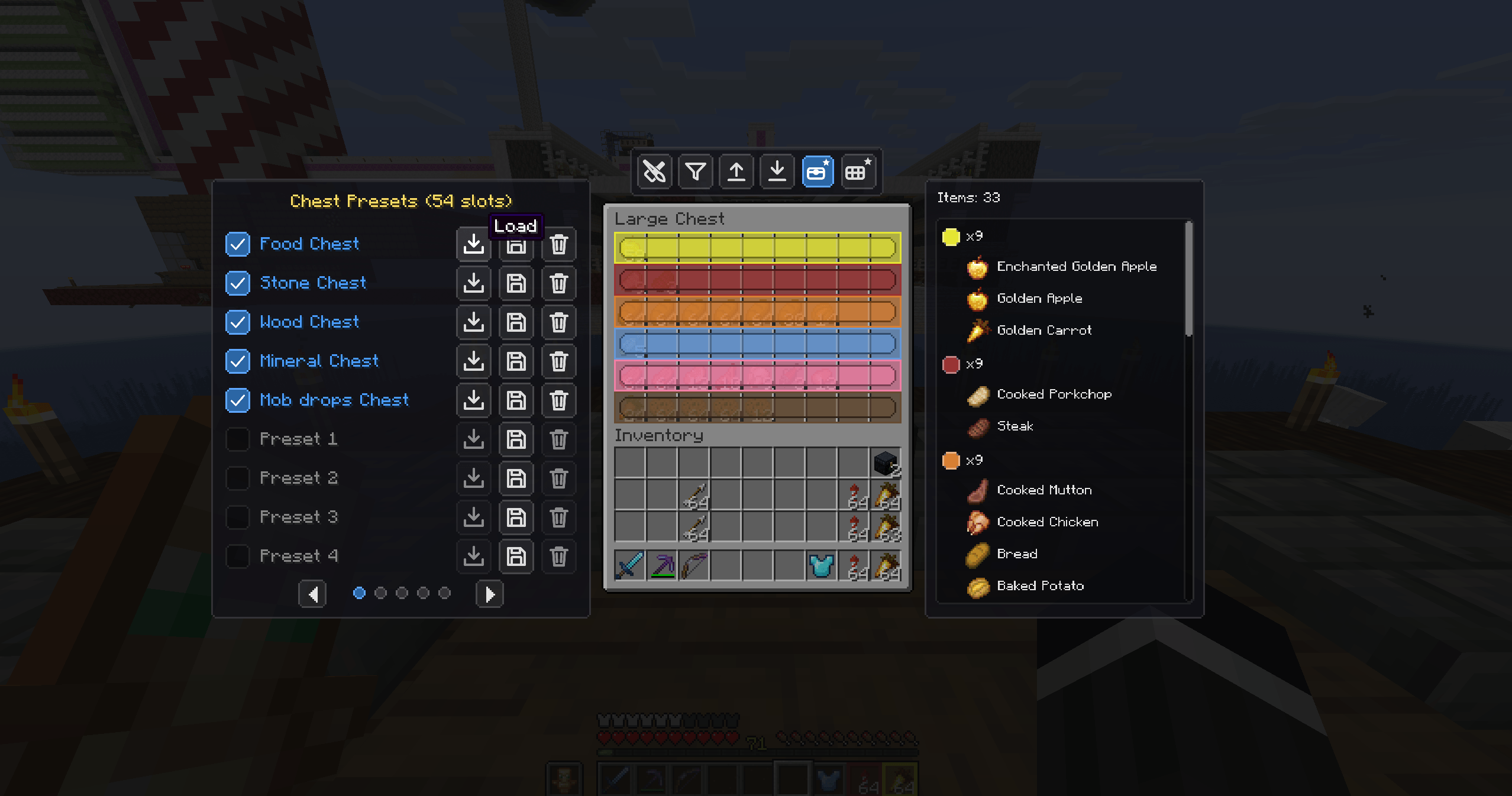 Chest Presets Ready-made chest layouts — Food, Ores, Wood, Minerals, Mob drops and more, one click away.
 -
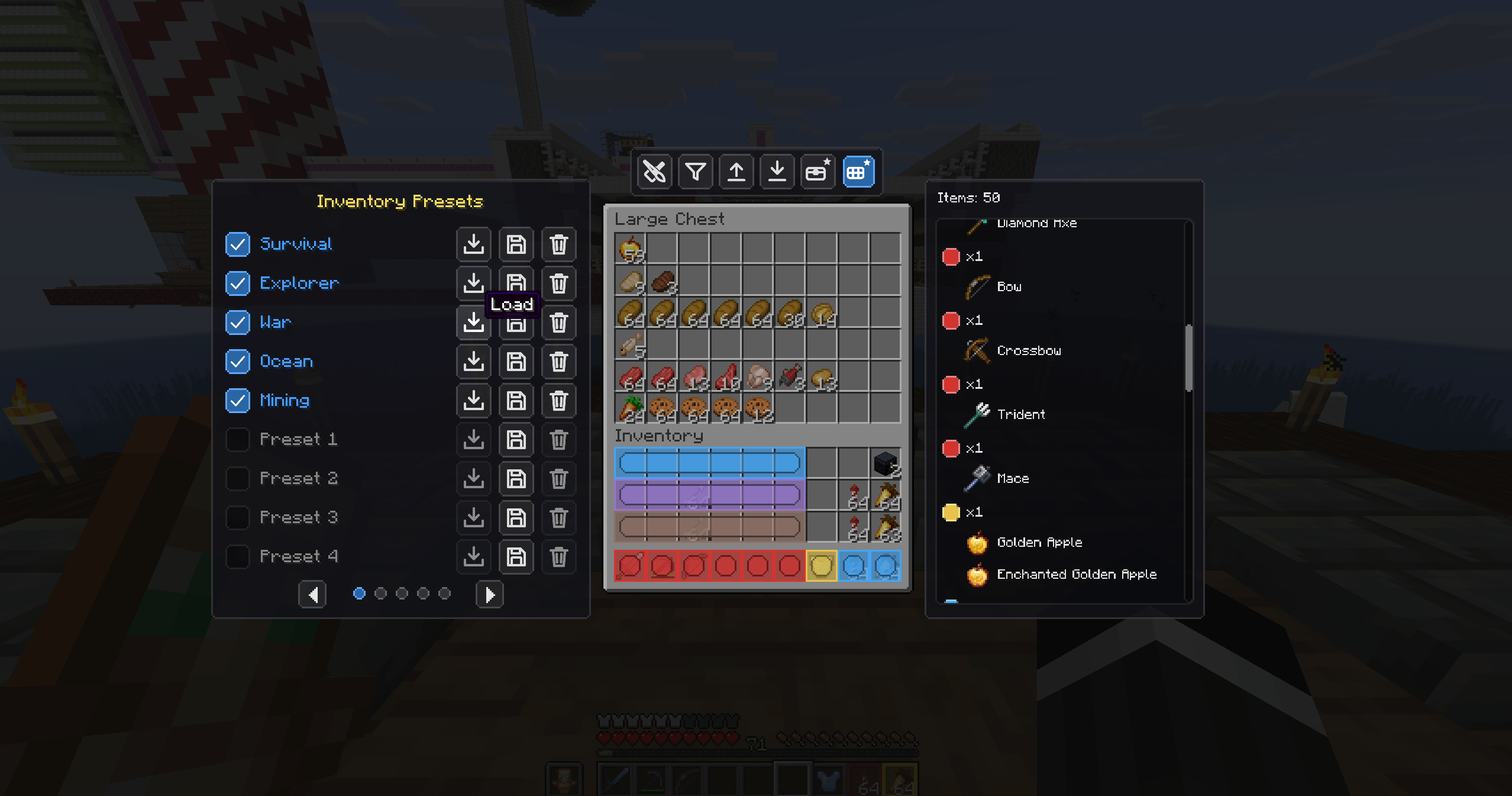 Inventory Presets Preset loadouts for your inventory — Survival, Explorer, War, Ocean, Mining and custom slots.
 -
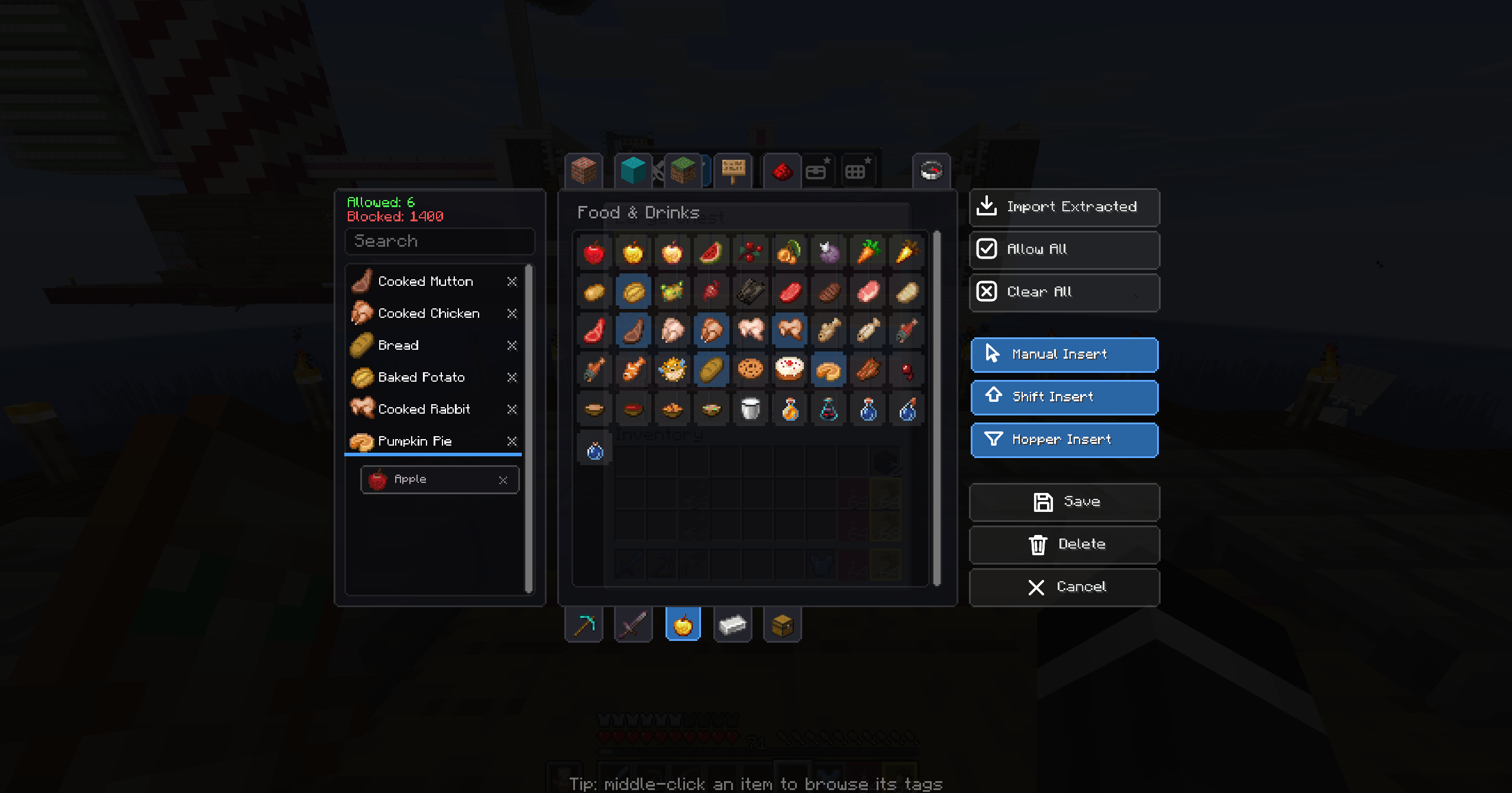 The Filter GUI A dedicated, custom-built interface for choosing exactly what each part of your chest accepts.
 -
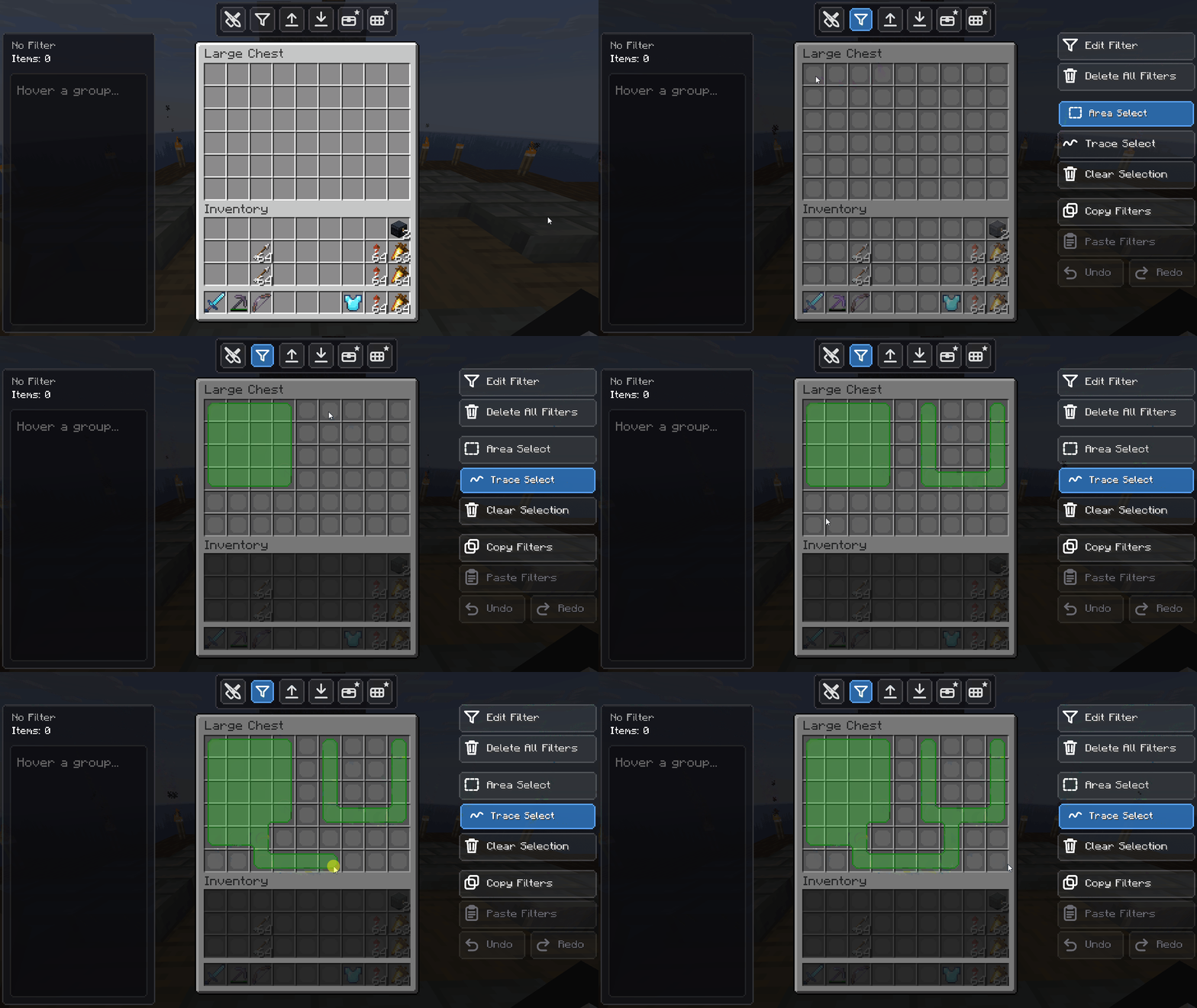 Select & Define Zones Select any region of a chest and apply an absolute filter to it in seconds.
 -
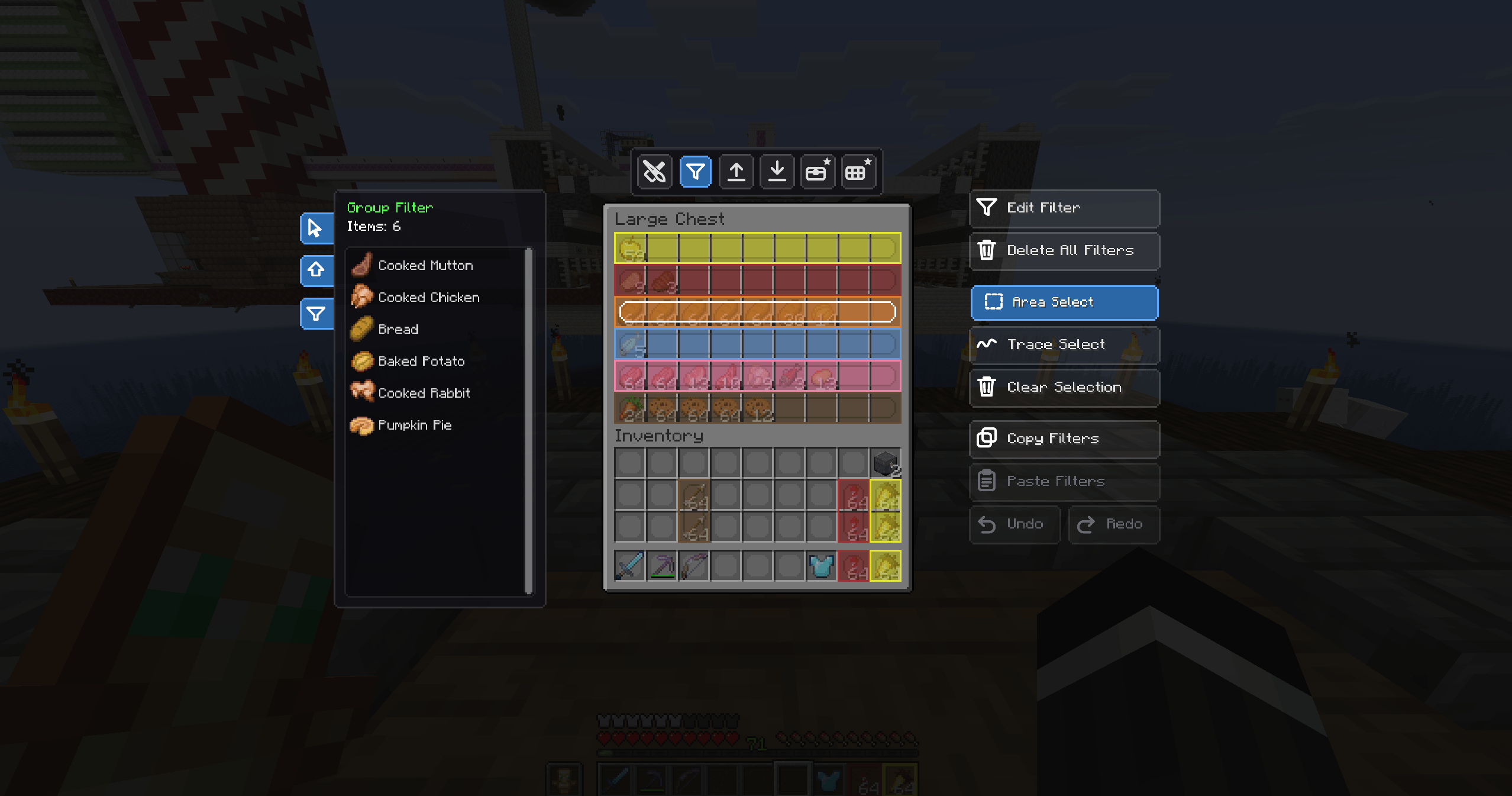 Filter Zone Tools Edit, Area-Select, Trace-Select, clear, copy and paste filters — full control over every zone.
 -
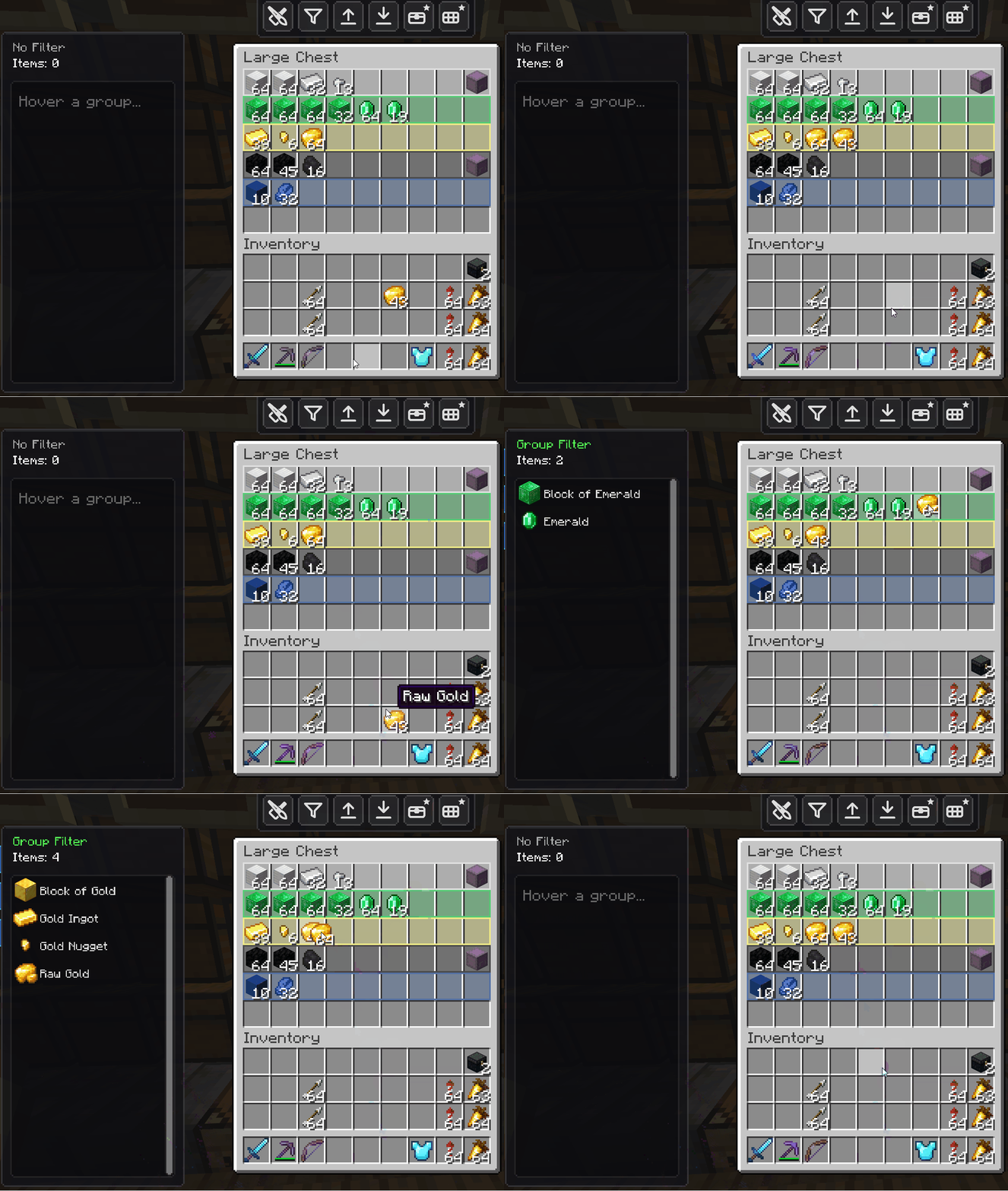 Strict Enforcement If a slot is reserved for diamonds, nothing else gets in. Wrong items are actively rejected with an animation.
 -
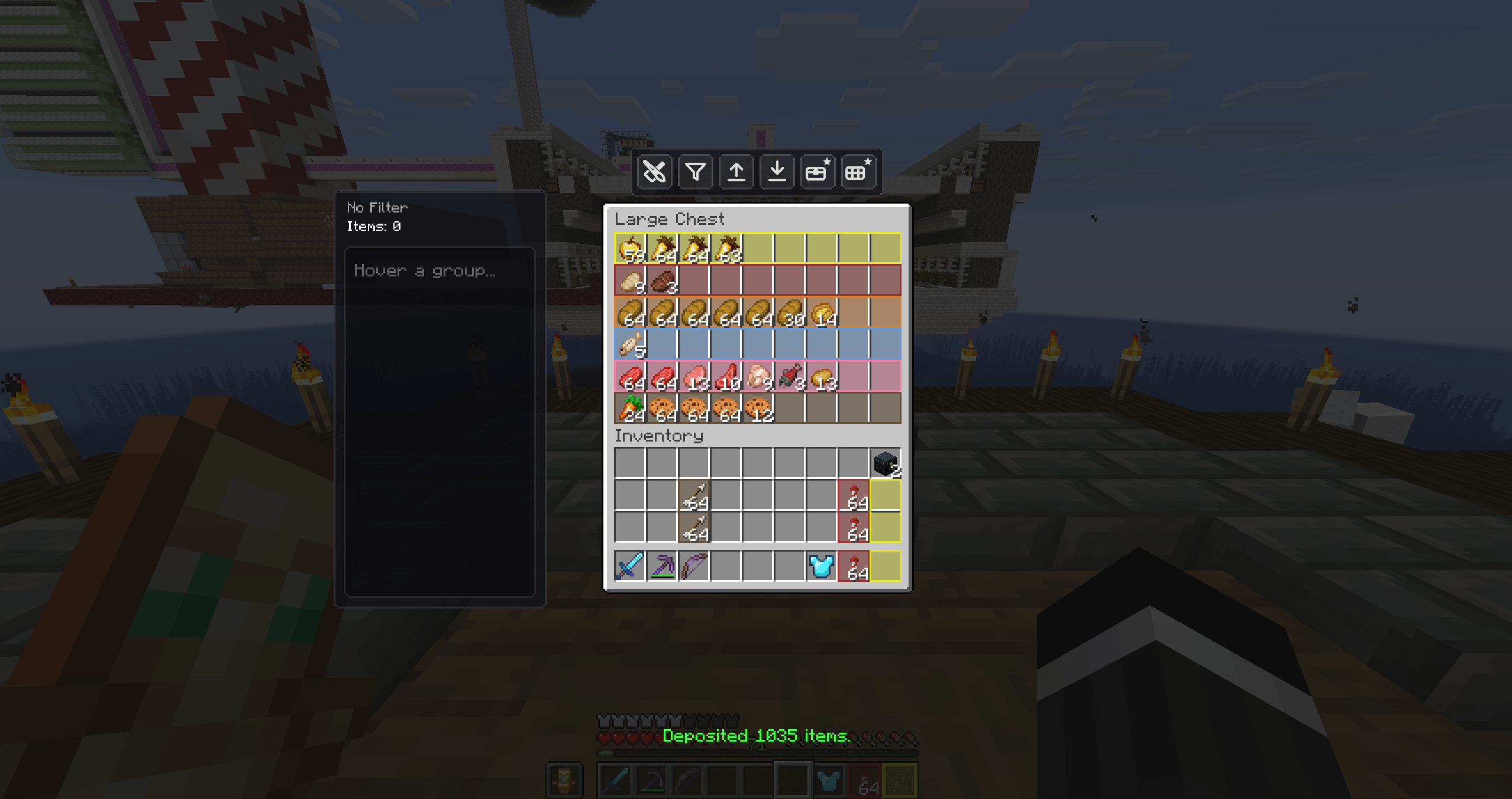 Deposited 1,835 Items One click clears a full inventory — the on-screen counter reports the exact amount moved.
 -
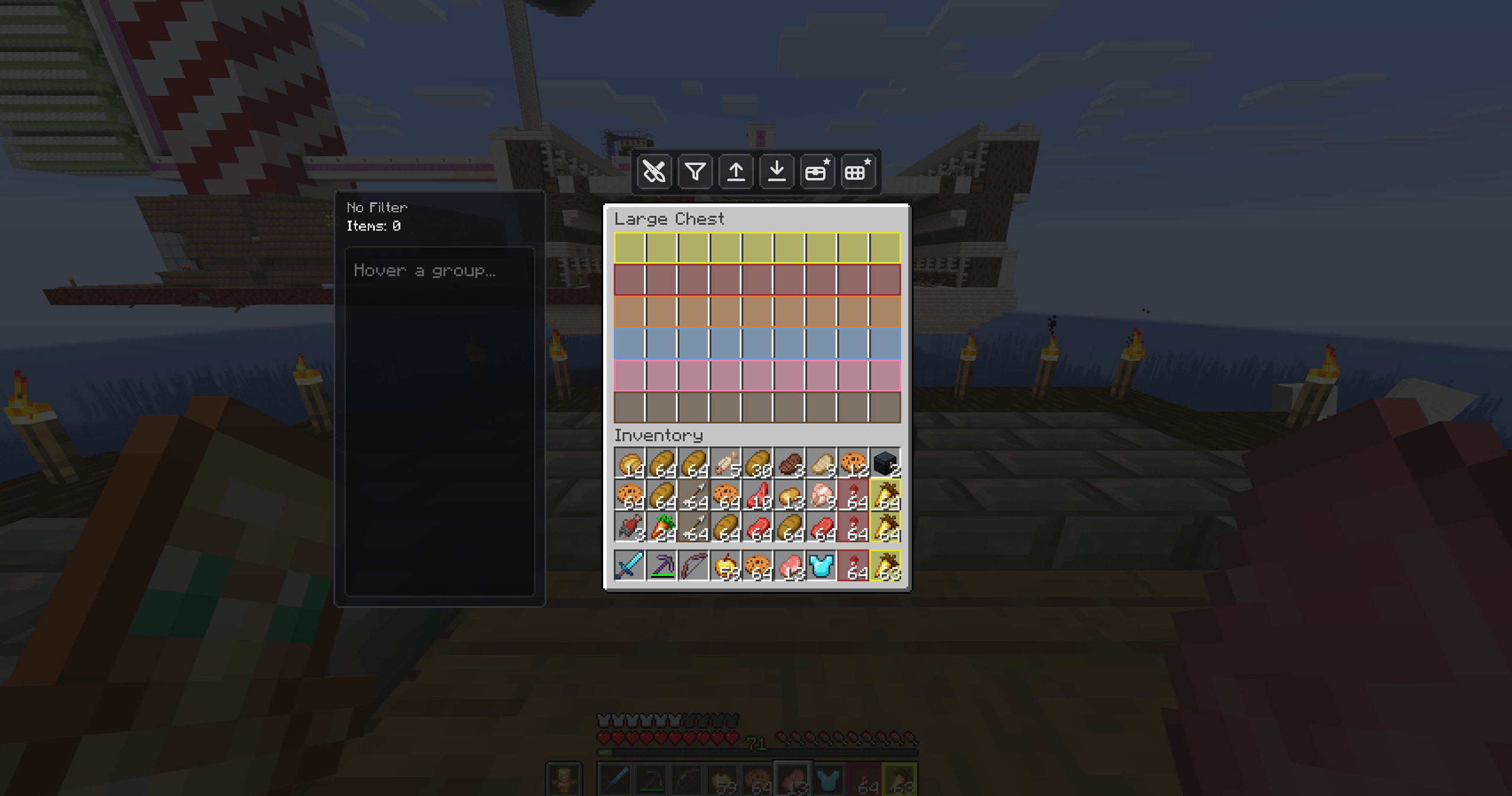 A Full Inventory, One Key Away The moment before an auto-deposit: a cluttered inventory ready to be cleared in a single press.
 -
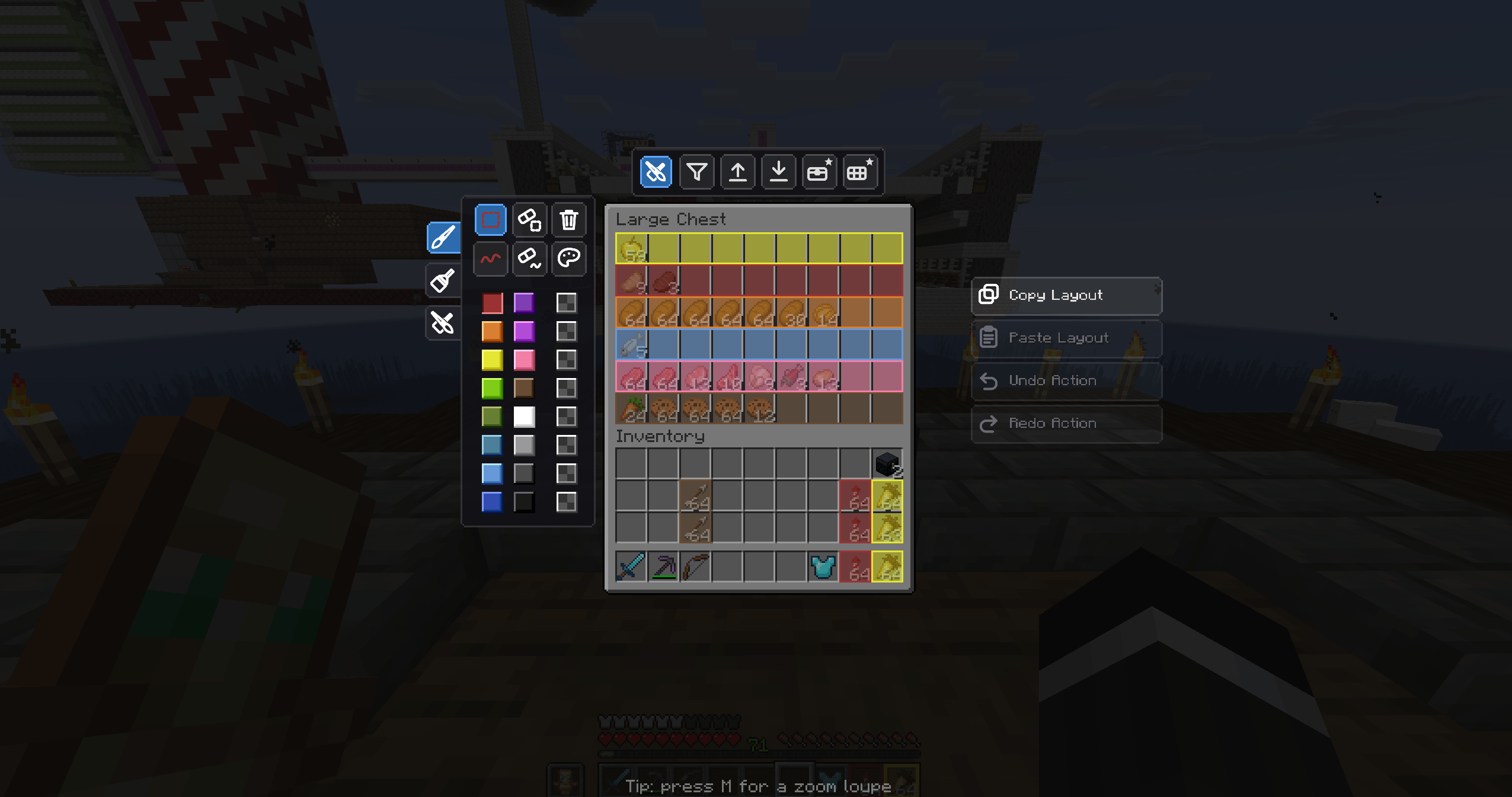 Layout Editing Tools Copy, paste, undo and redo entire chest layouts — plus area and trace tools for precise editing.
 -
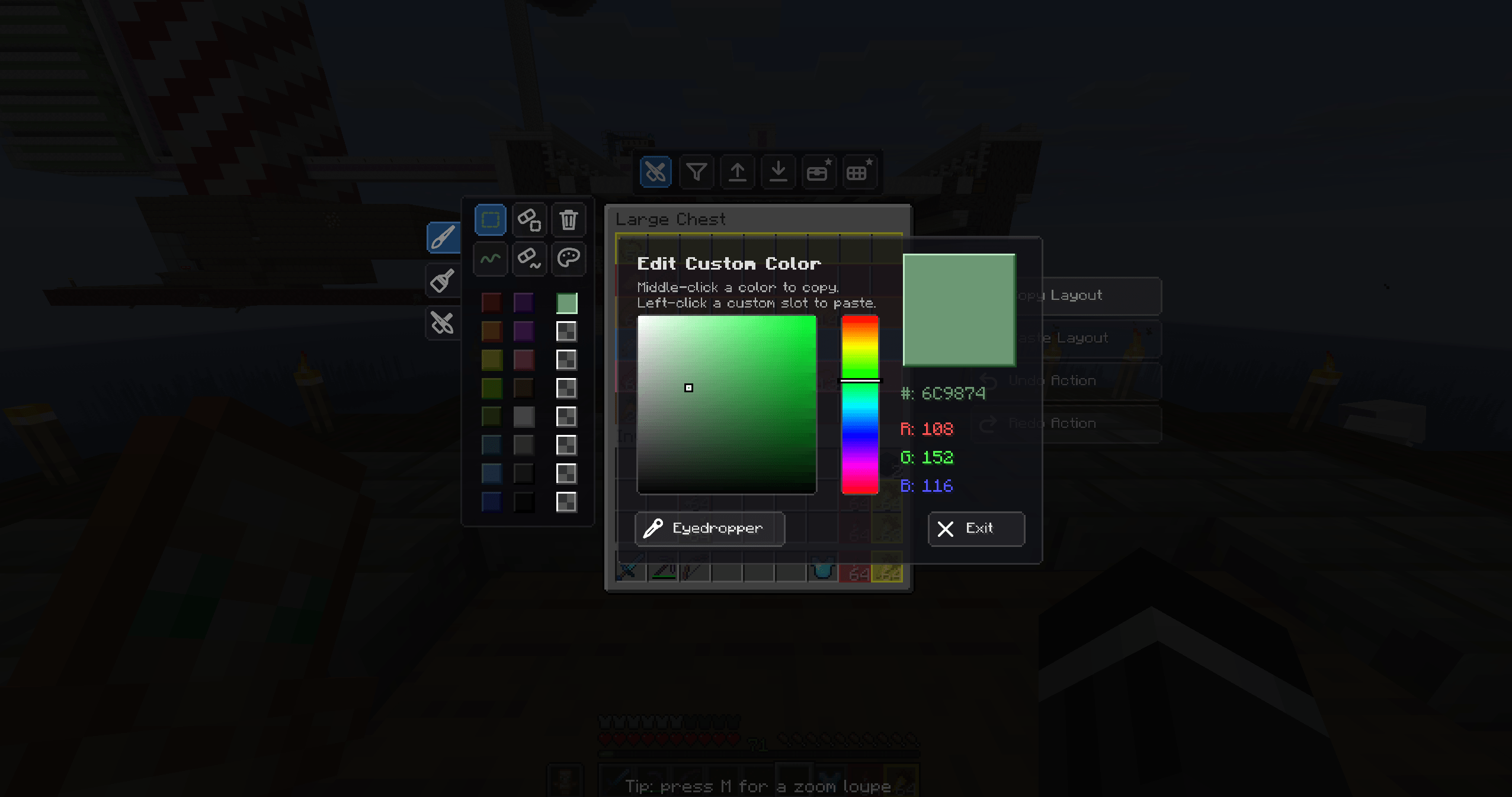 RGB / HSV Color Picker Break free from the basic colors — pick any shade with the full RGB/HSV picker and save your favorites.
 -
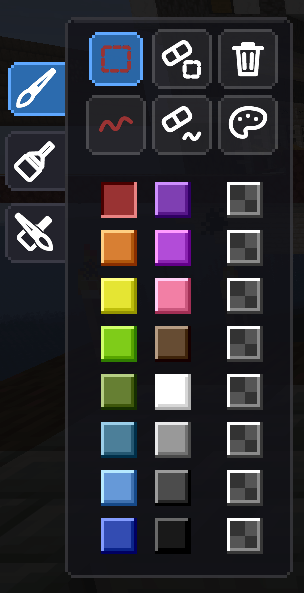 Full Color Palette A wide palette of vibrant colors to separate your storage zones — blue for ores, green for crops, and more.
 -
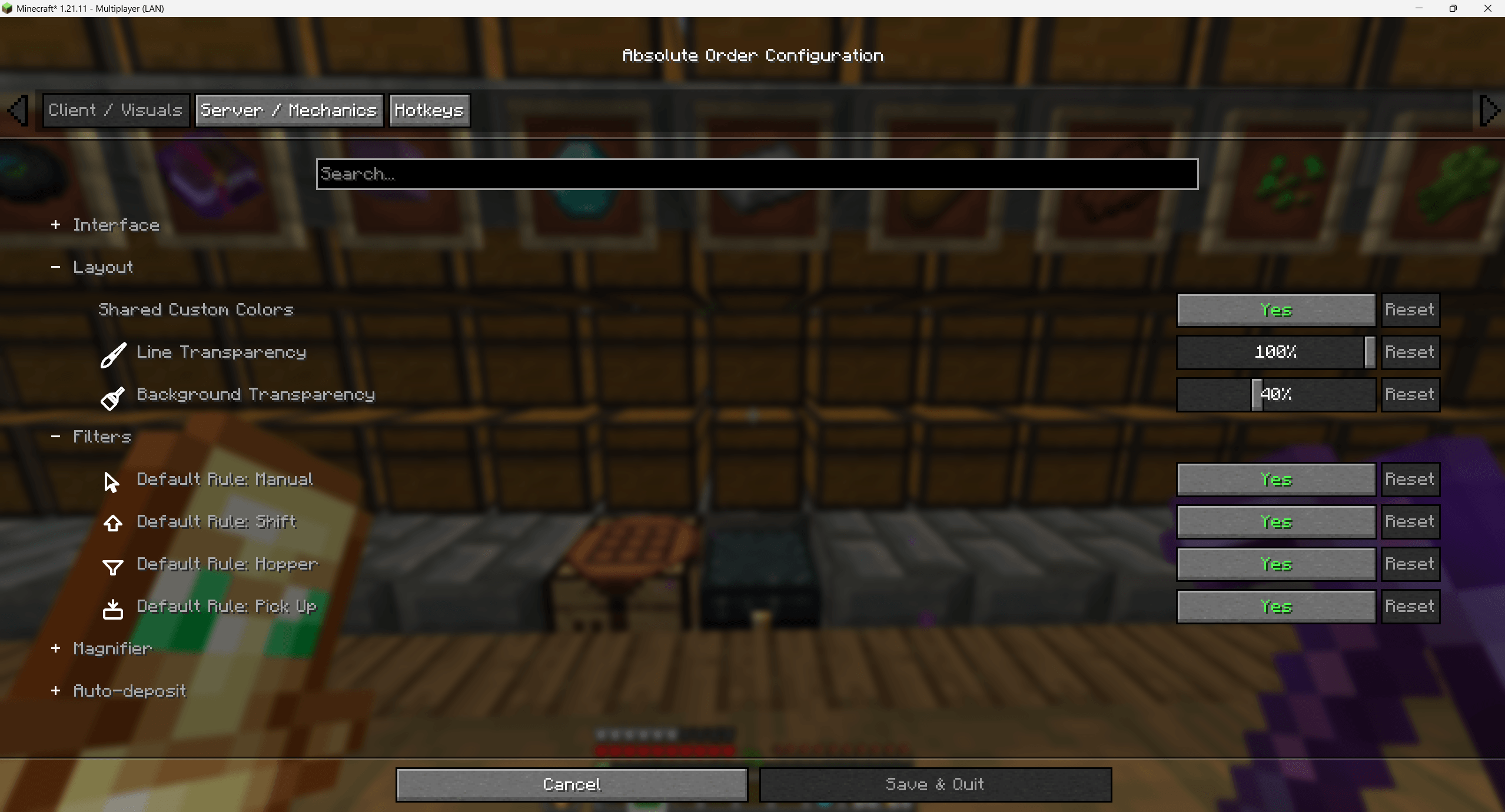 Configuration — Visuals Tune transparency, custom colors, default rules and more to match your taste. Dark mode supported.
 -
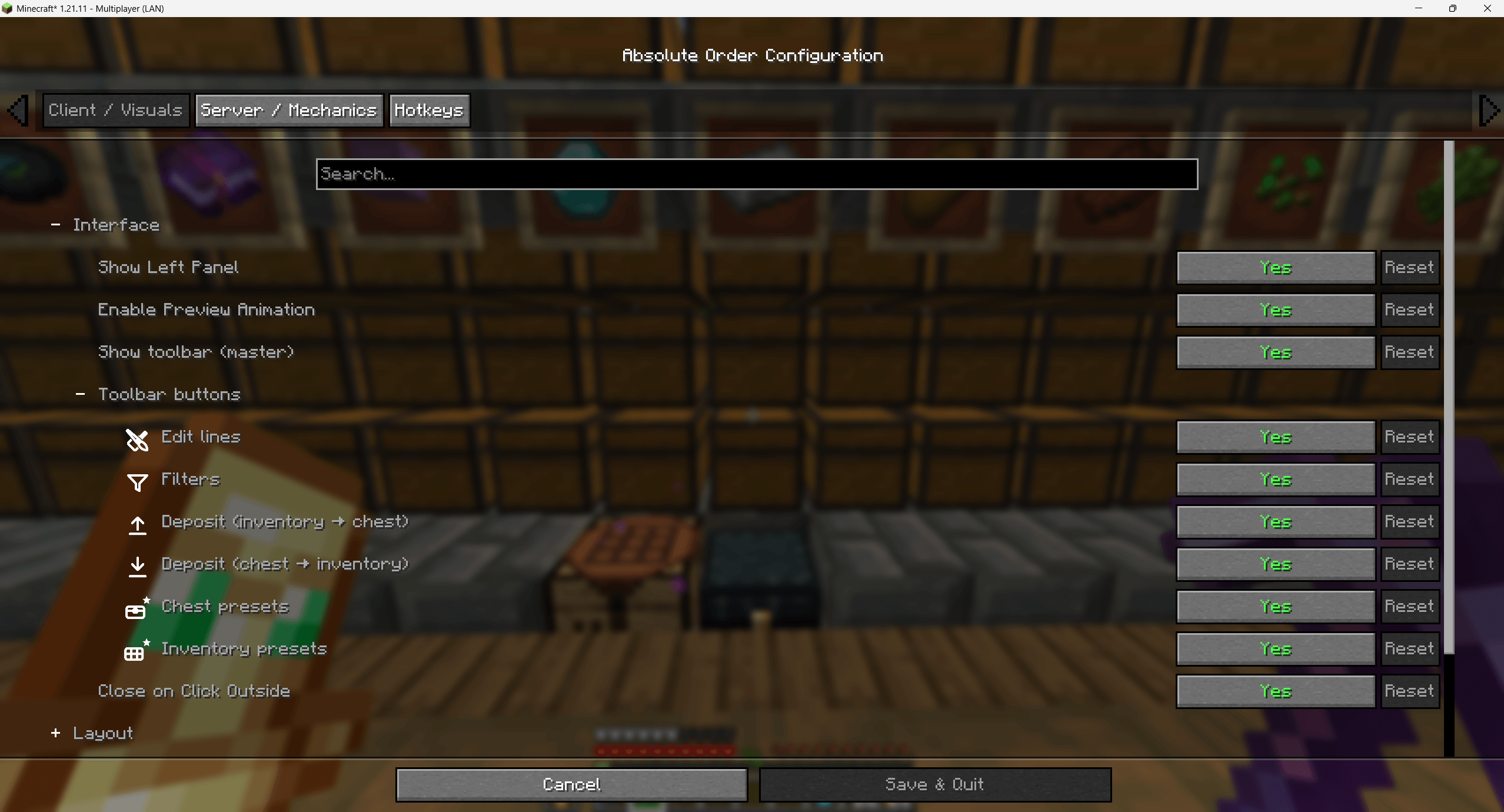 Configuration — Interface Toggle panels and toolbar buttons, enable preview animation, and lay the editor out your way.
 -
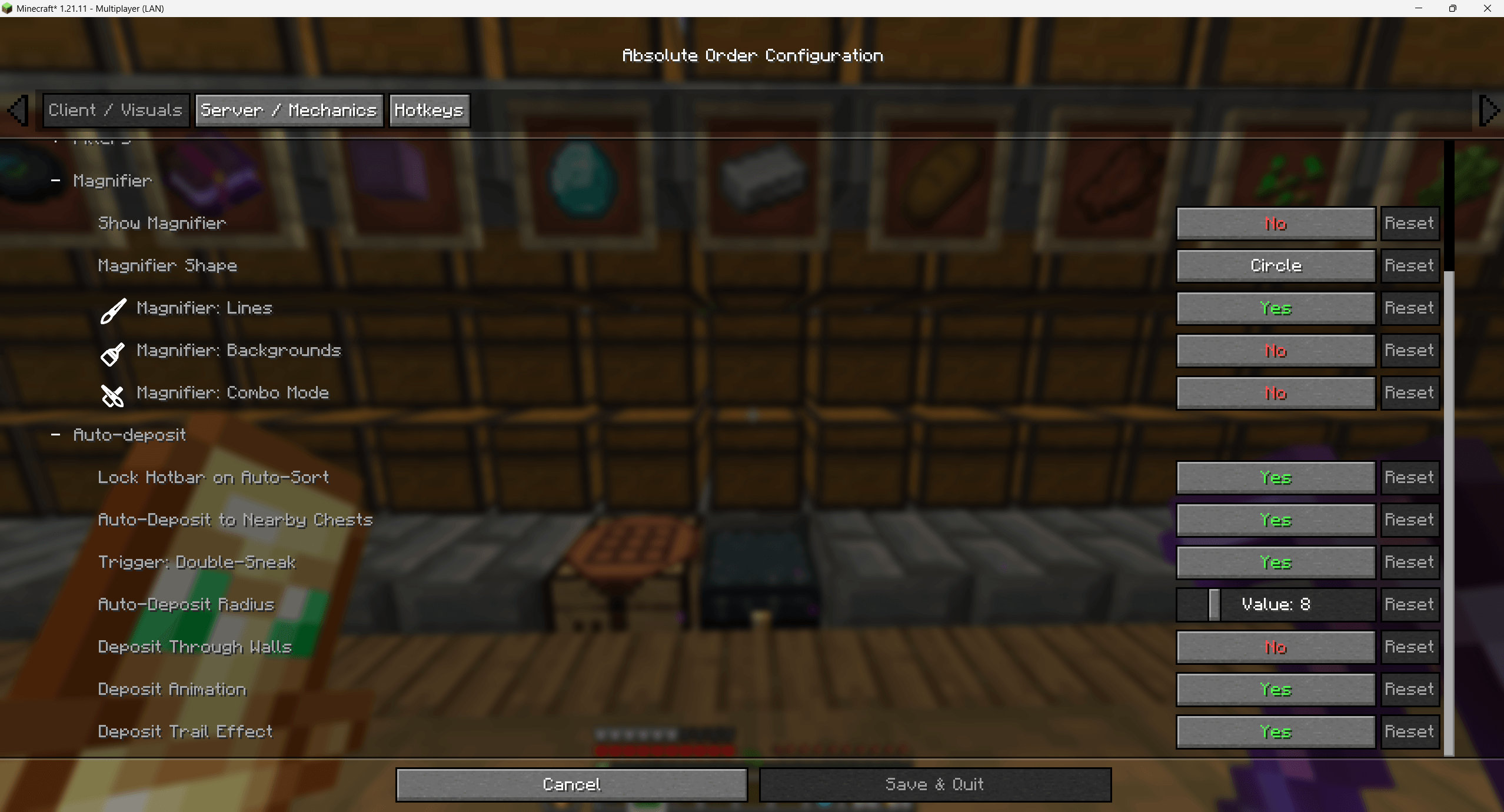 Configuration — Mechanics Server and technical options — magnifier, auto-deposit radius, deposit threshold, trail effects and more.
 -
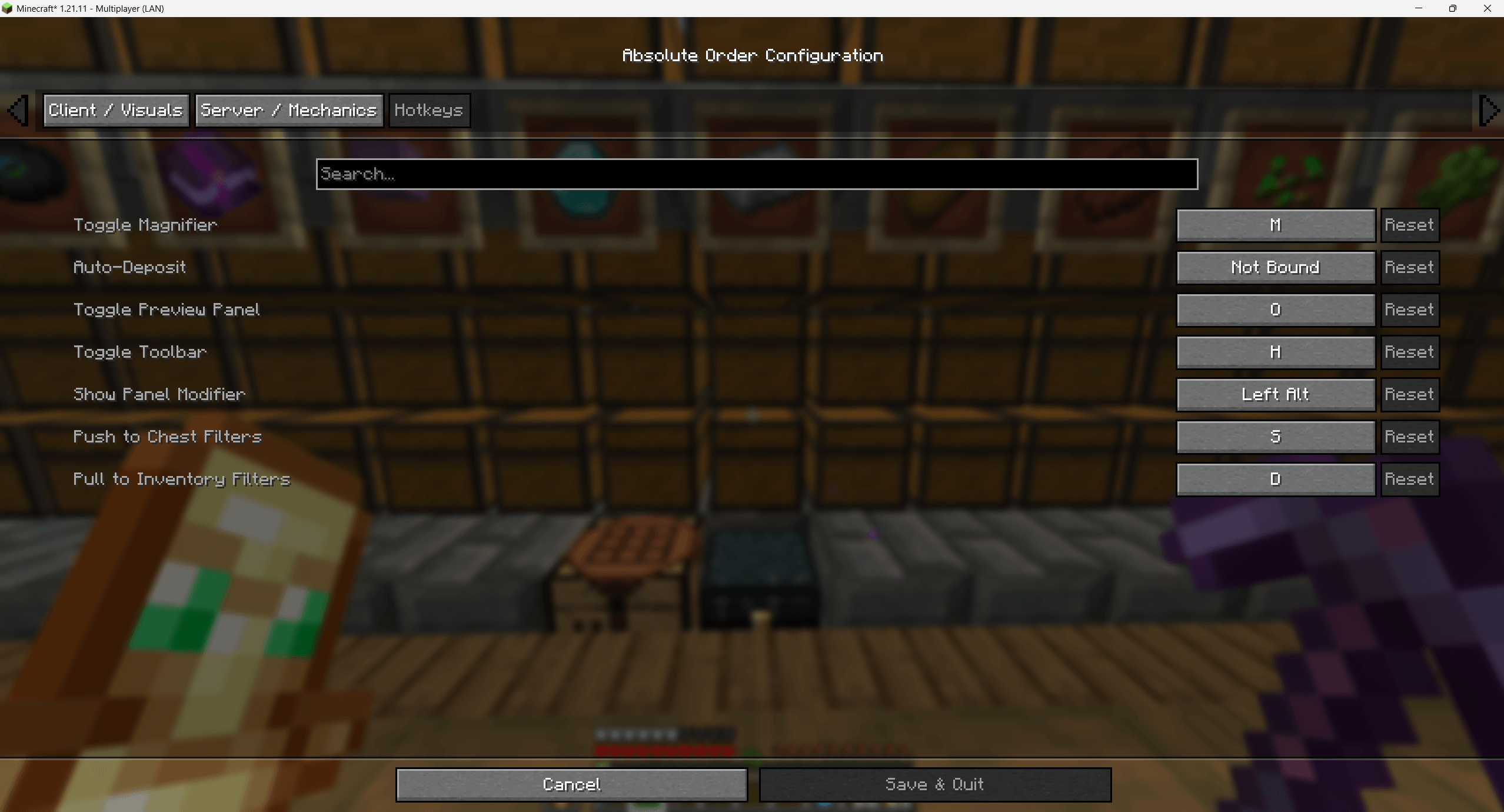 Configuration — Hotkeys Bind every action — deposit, pull, toggle panels — to your preferred keys.
 -
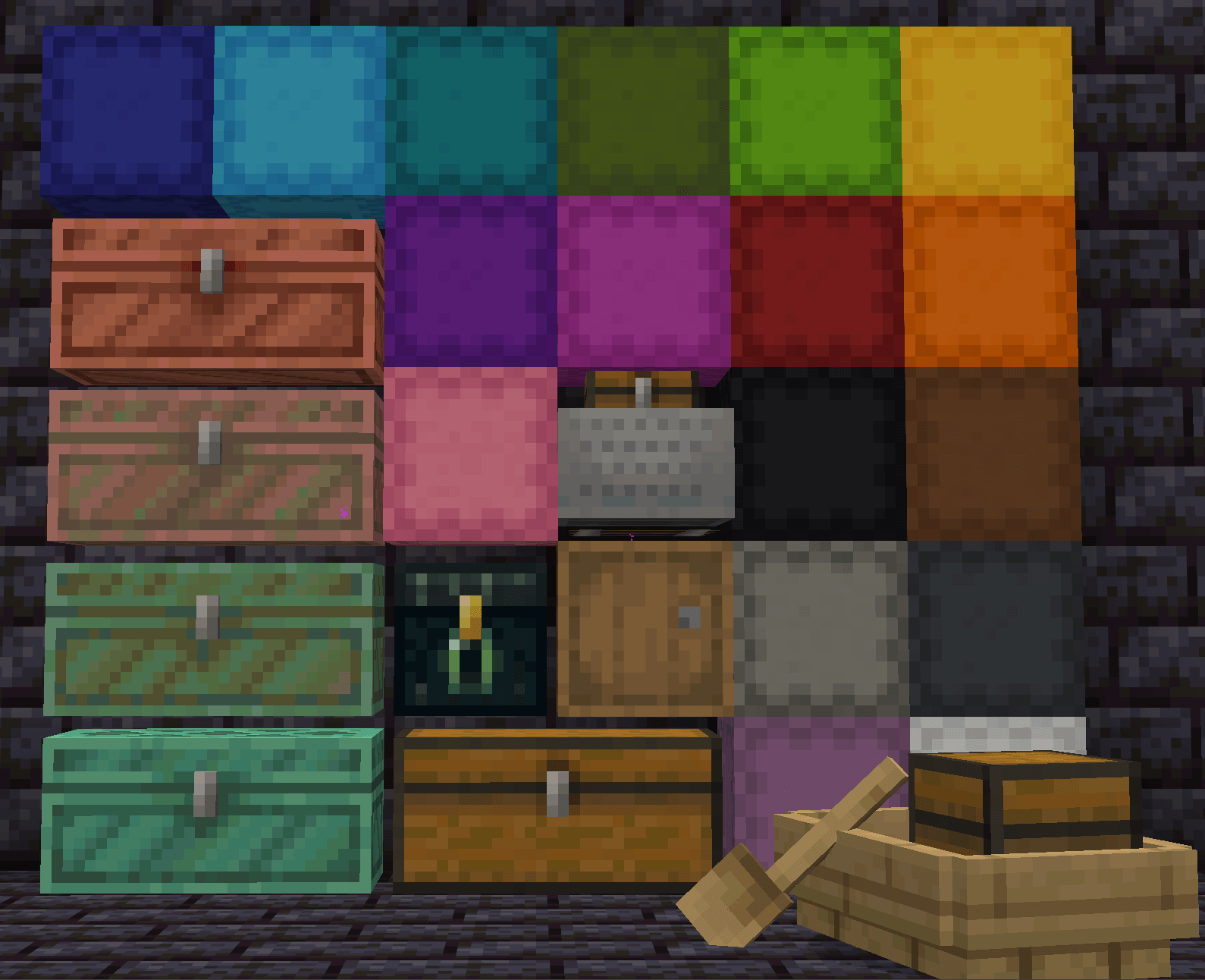 Universal Compatibility Chests, barrels, ender chests, shulker boxes, minecarts, boats with chests, and many modded containers.
-
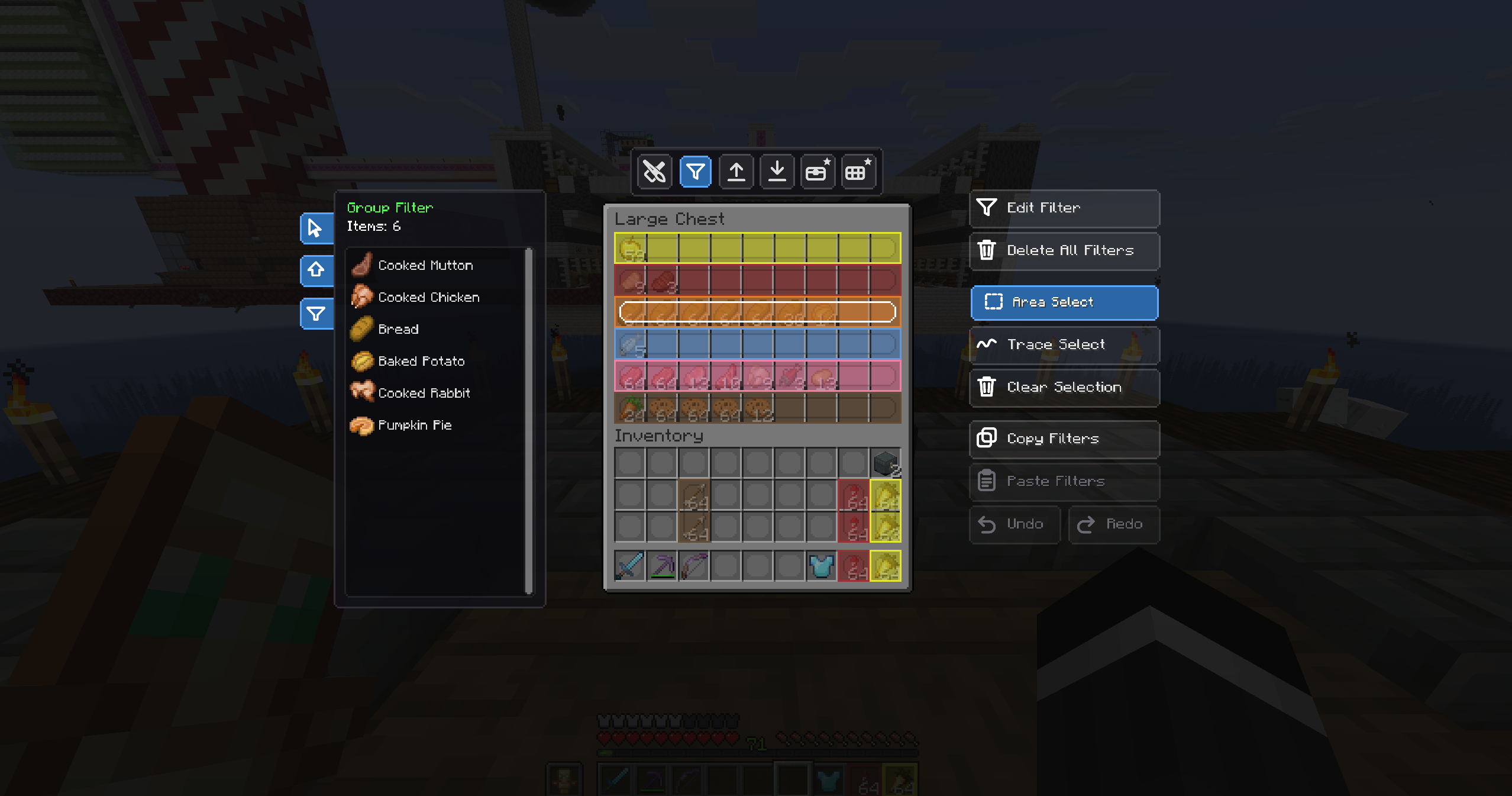 Filter Zone Tools Edit, Area-Select, Trace-Select, clear, copy and paste filters — full control over every zone.
 -
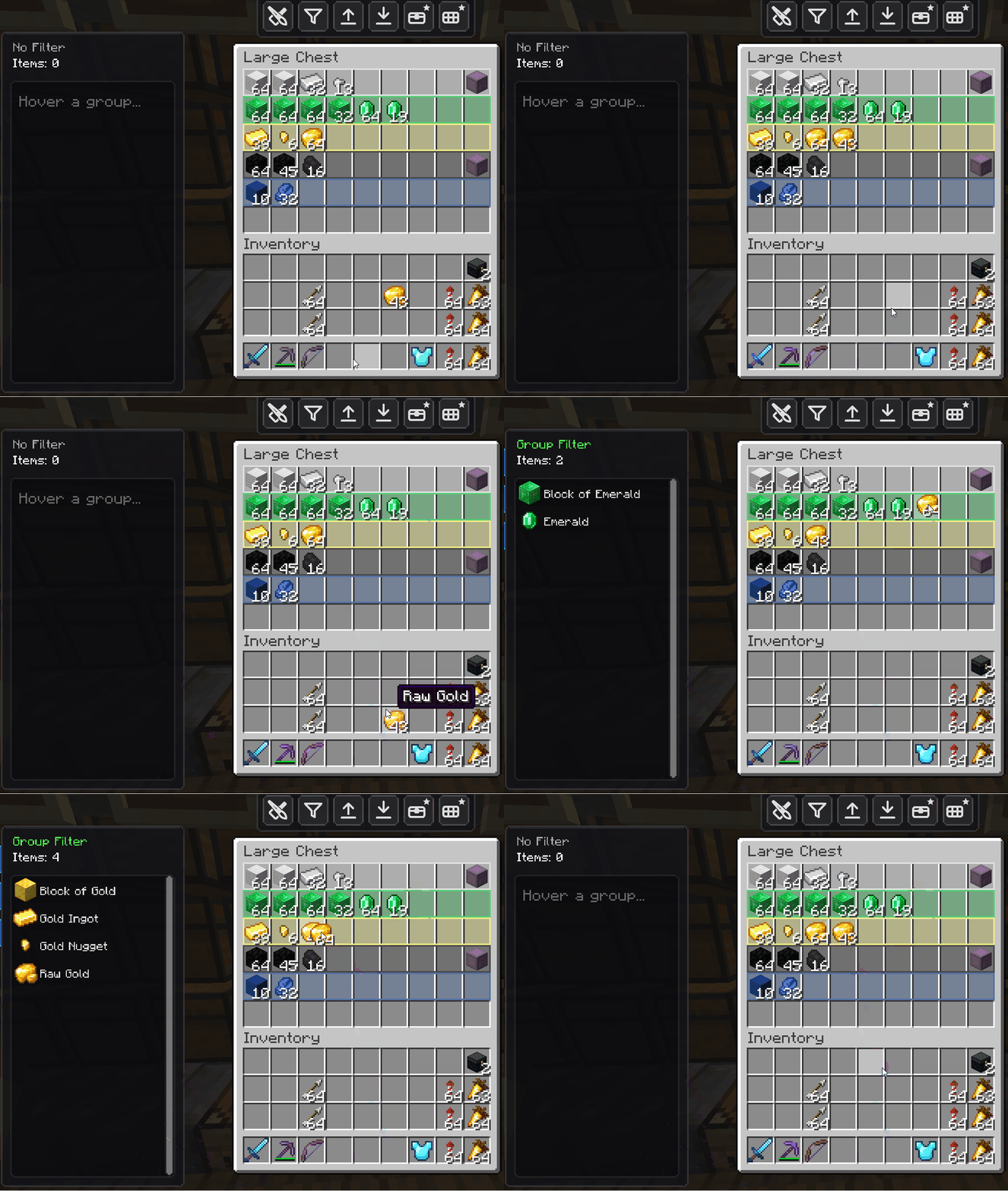 Strict Enforcement If a slot is reserved for diamonds, nothing else gets in. Wrong items are actively rejected with an animation.
 -
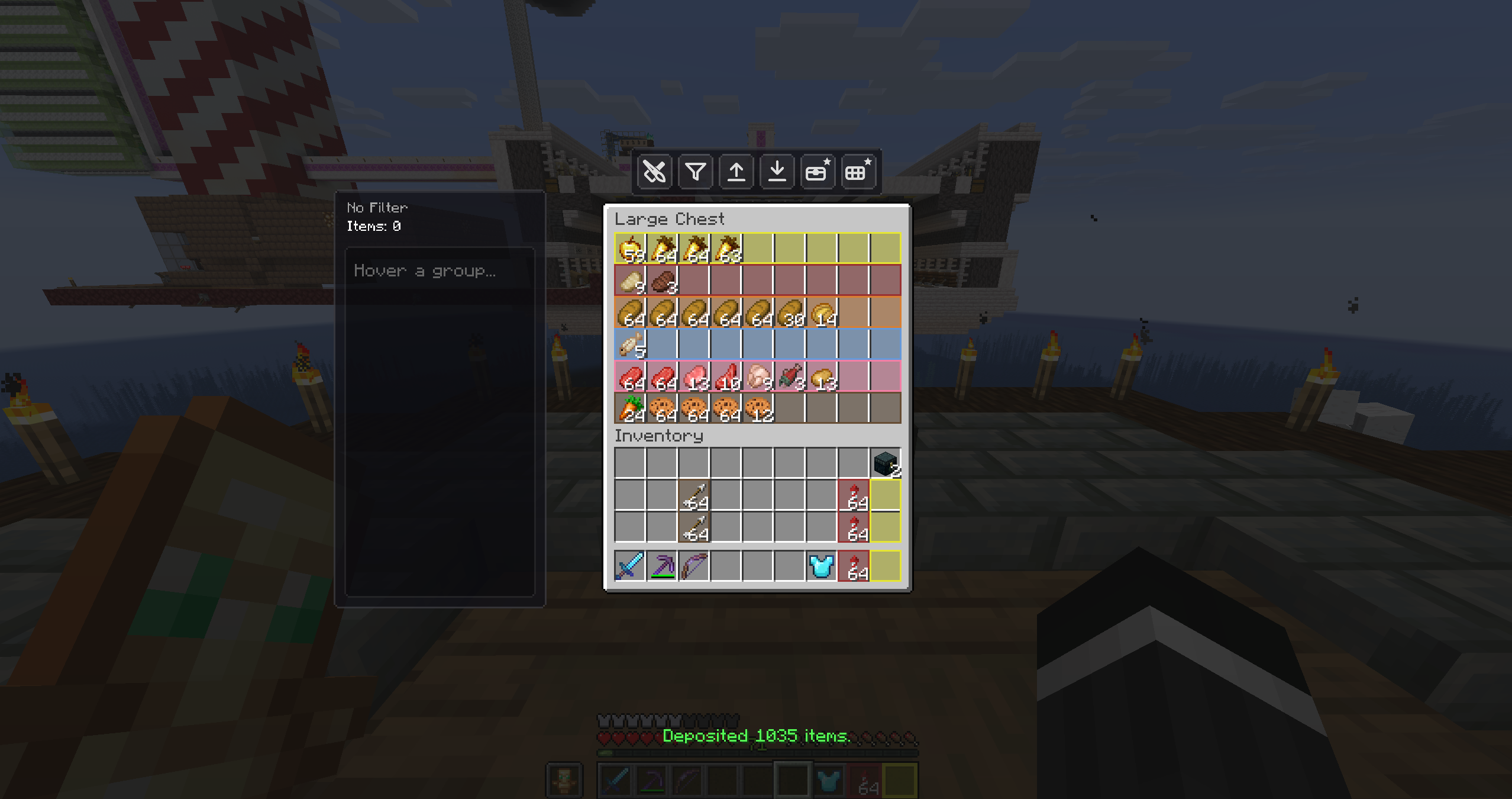 Deposited 1,835 Items One click clears a full inventory — the on-screen counter reports the exact amount moved.
 -
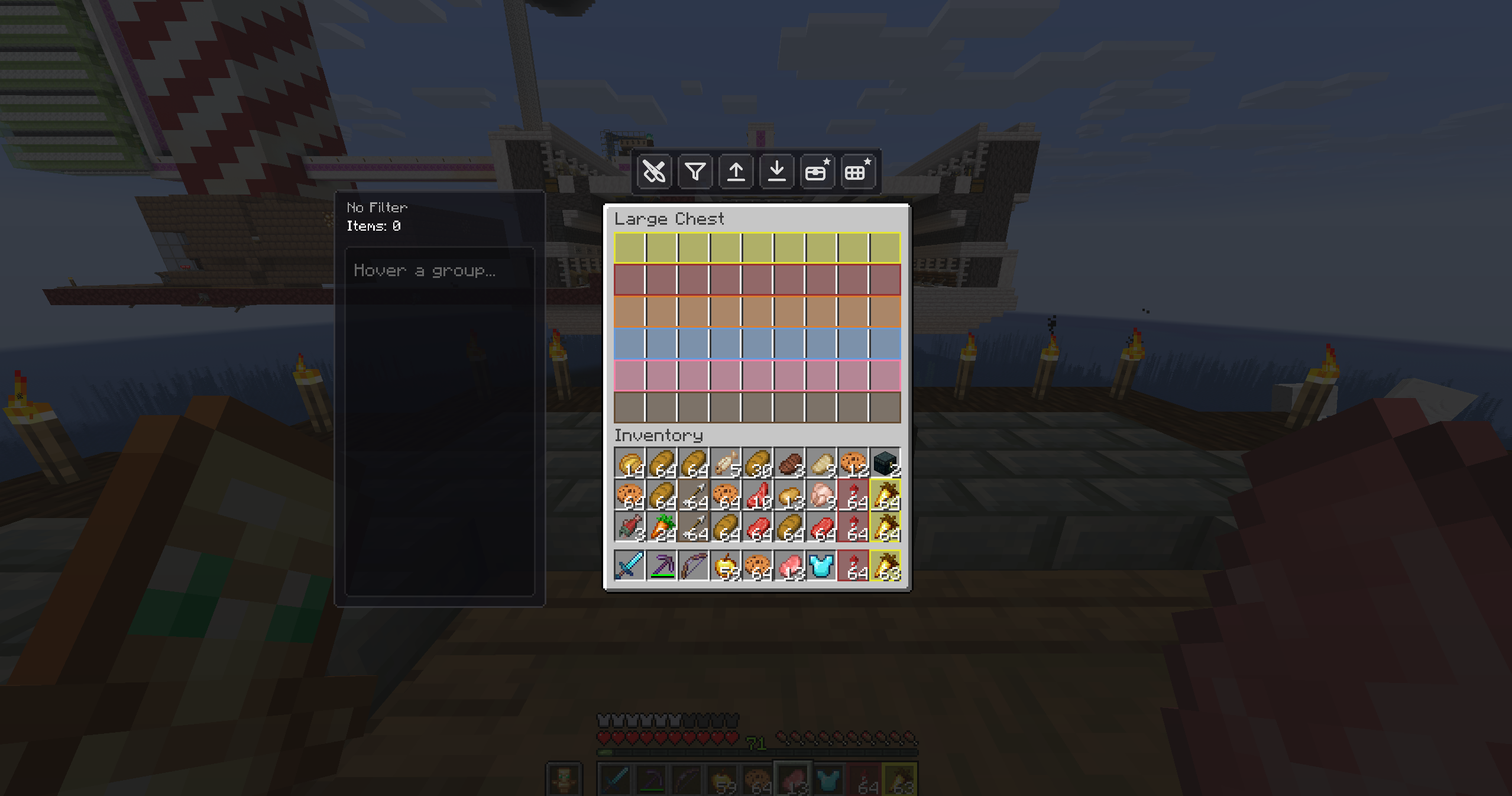 A Full Inventory, One Key Away The moment before an auto-deposit: a cluttered inventory ready to be cleared in a single press.
 -
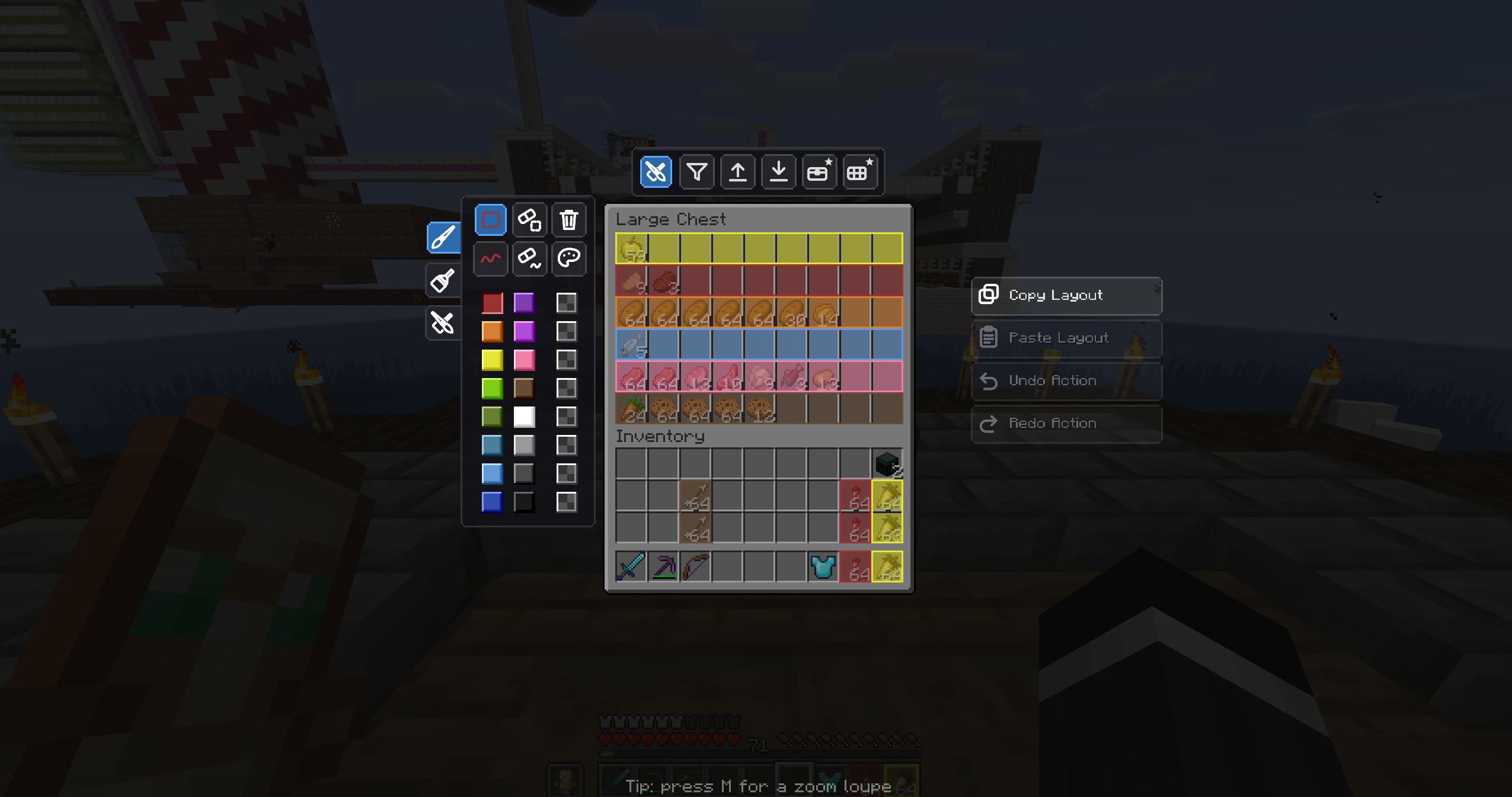 Layout Editing Tools Copy, paste, undo and redo entire chest layouts — plus area and trace tools for precise editing.
 -
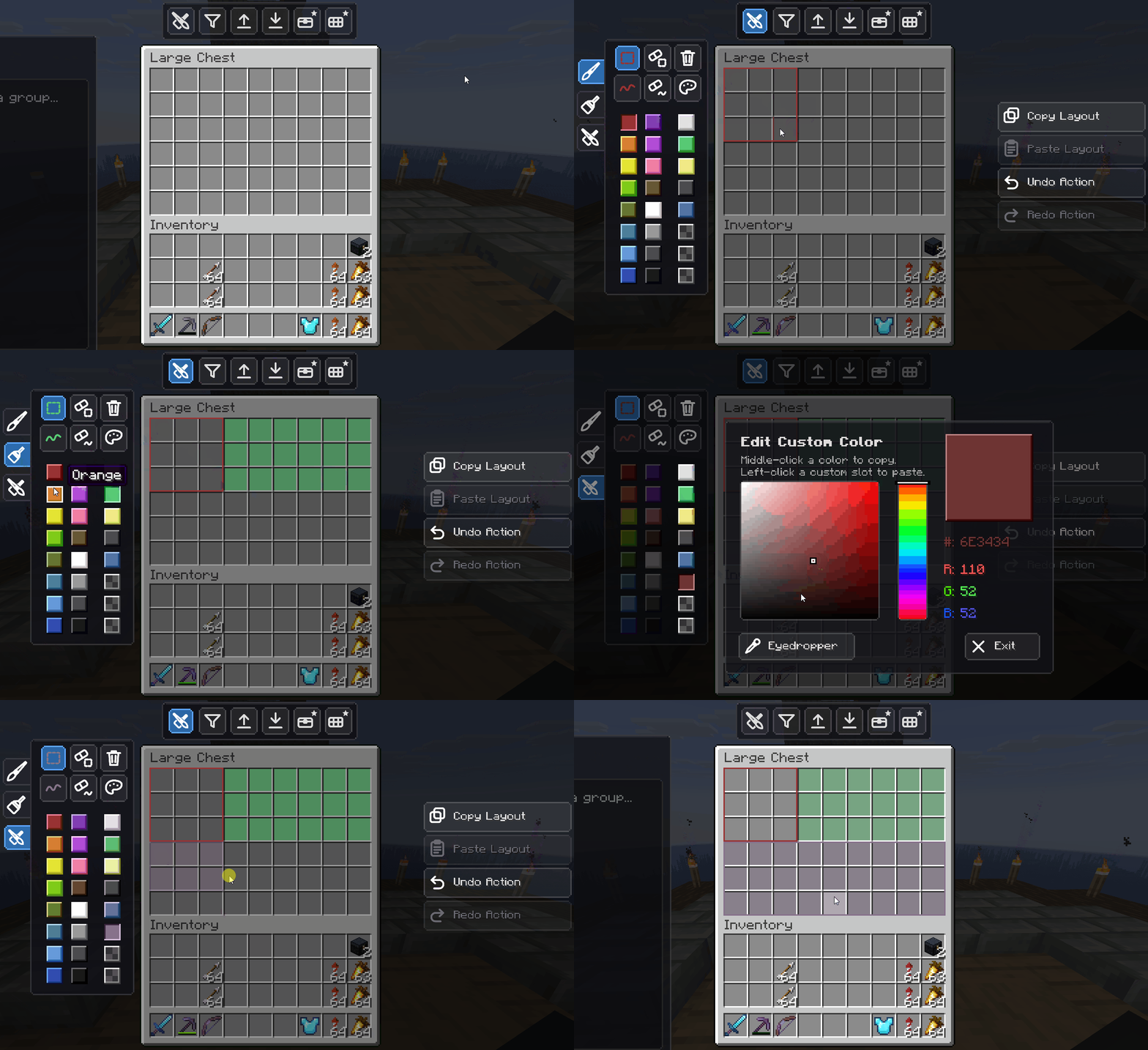 Visual Customization — Area Mode Click and drag to flood large sections of a chest with color and organize your storage visually.
 -
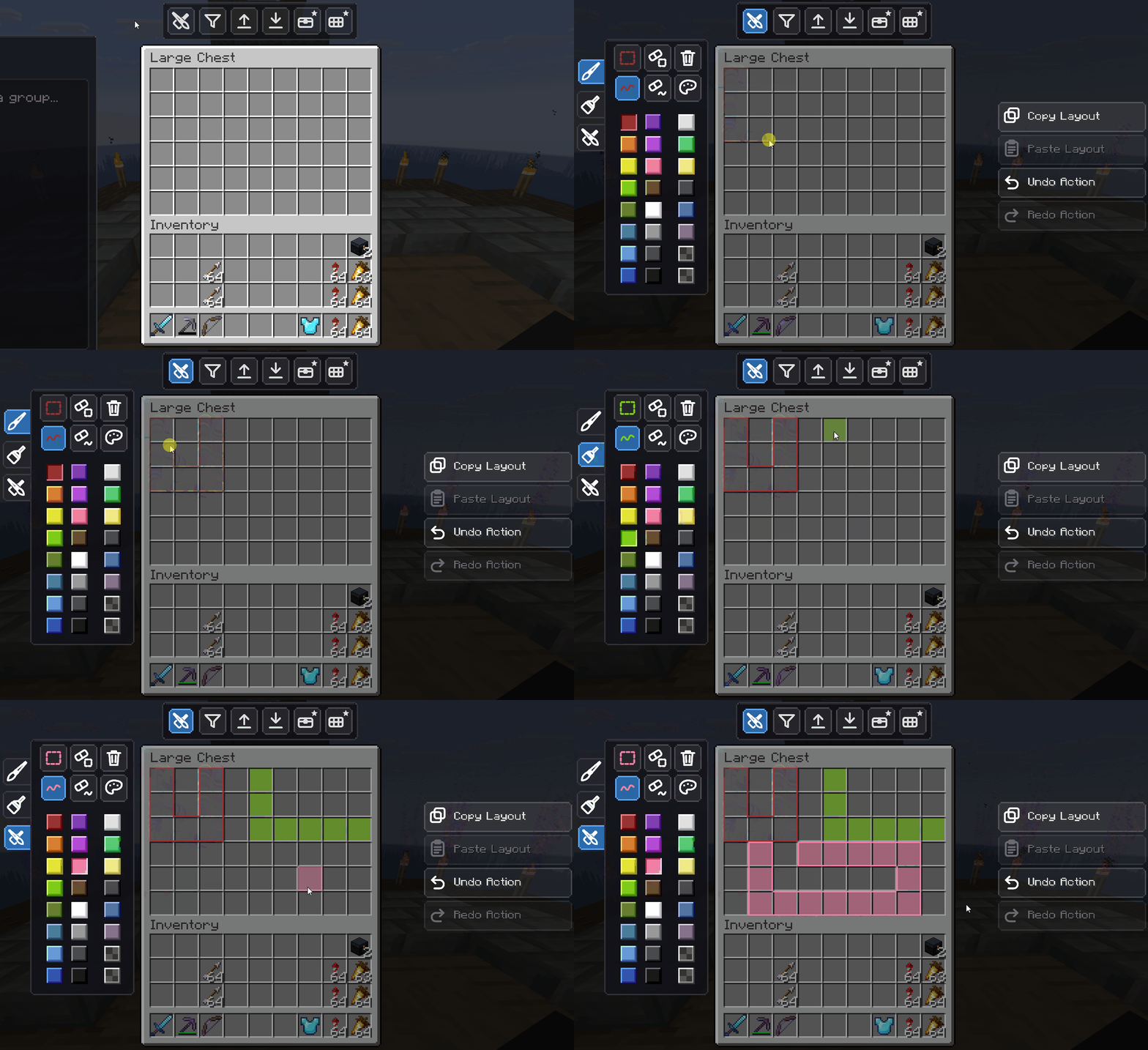 Visual Customization — Trace Mode Draw complex, irregular layouts with pinpoint precision, like painting inside your inventory.
 -
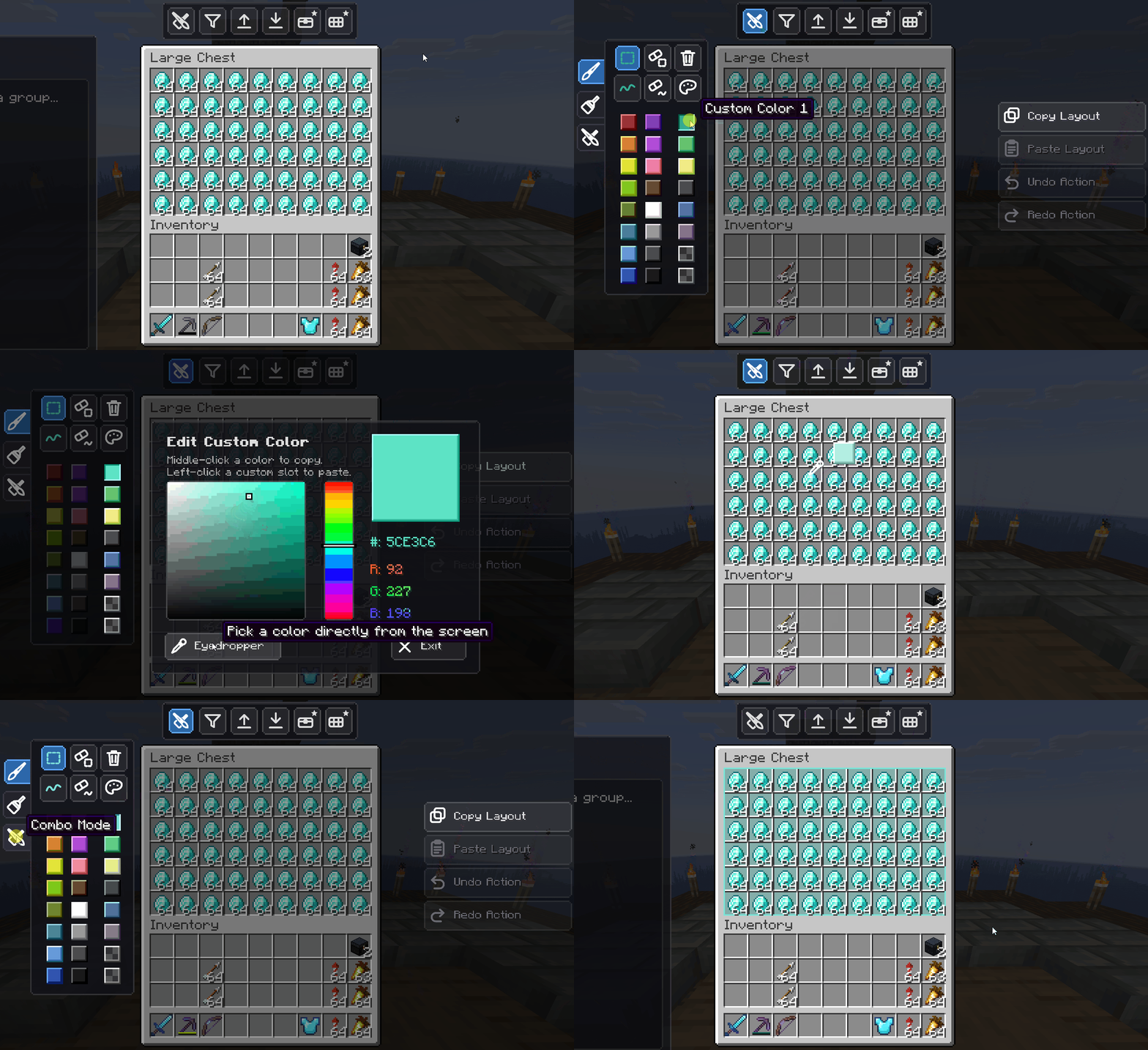 Eyedropper Tool Copy a color from any existing slot to keep a cohesive look across your whole storage room.
 -
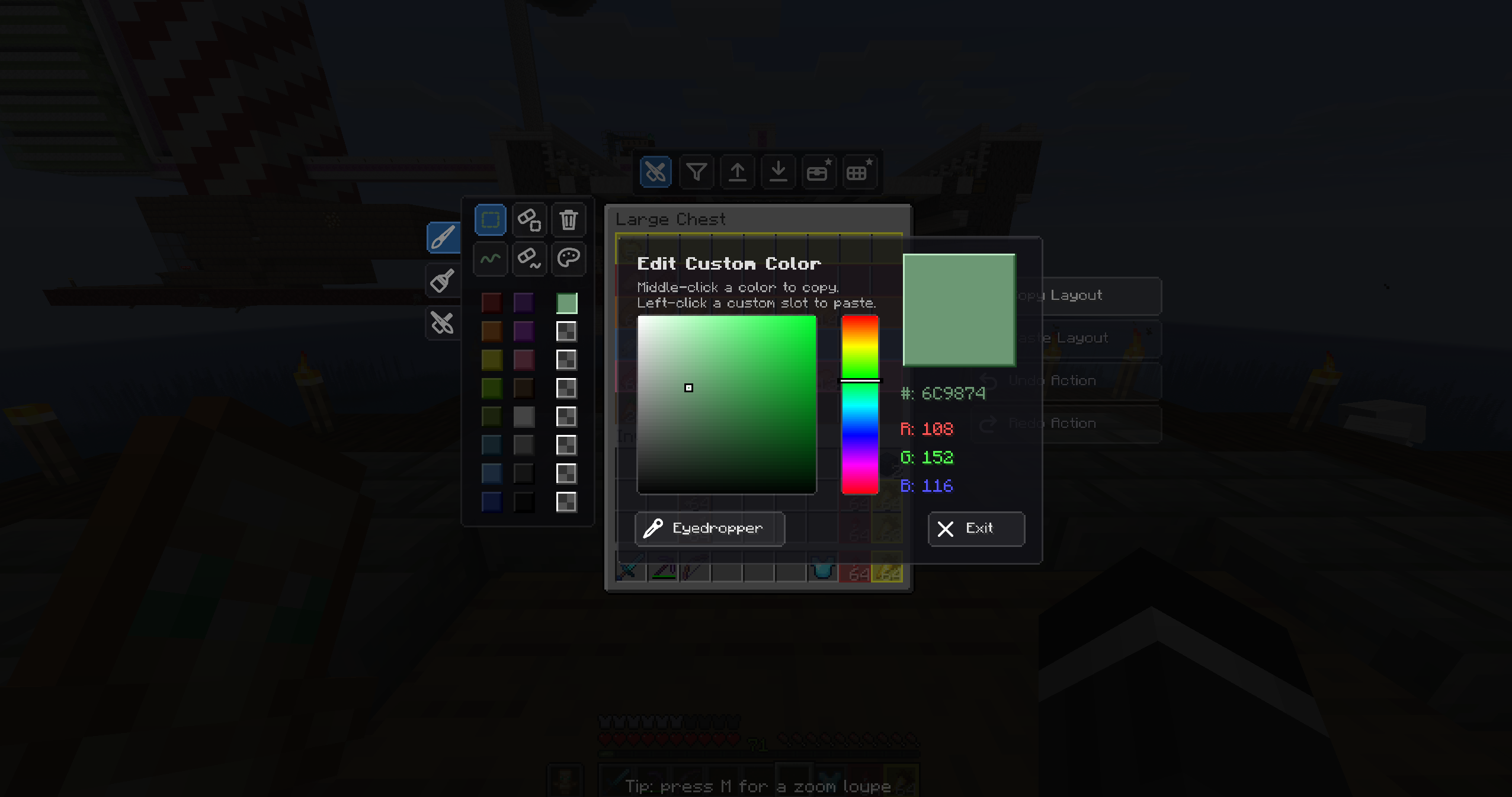 RGB / HSV Color Picker Break free from the basic colors — pick any shade with the full RGB/HSV picker and save your favorites.
 -
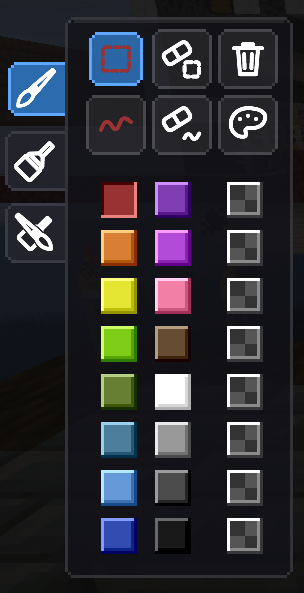 Full Color Palette A wide palette of vibrant colors to separate your storage zones — blue for ores, green for crops, and more.
 -
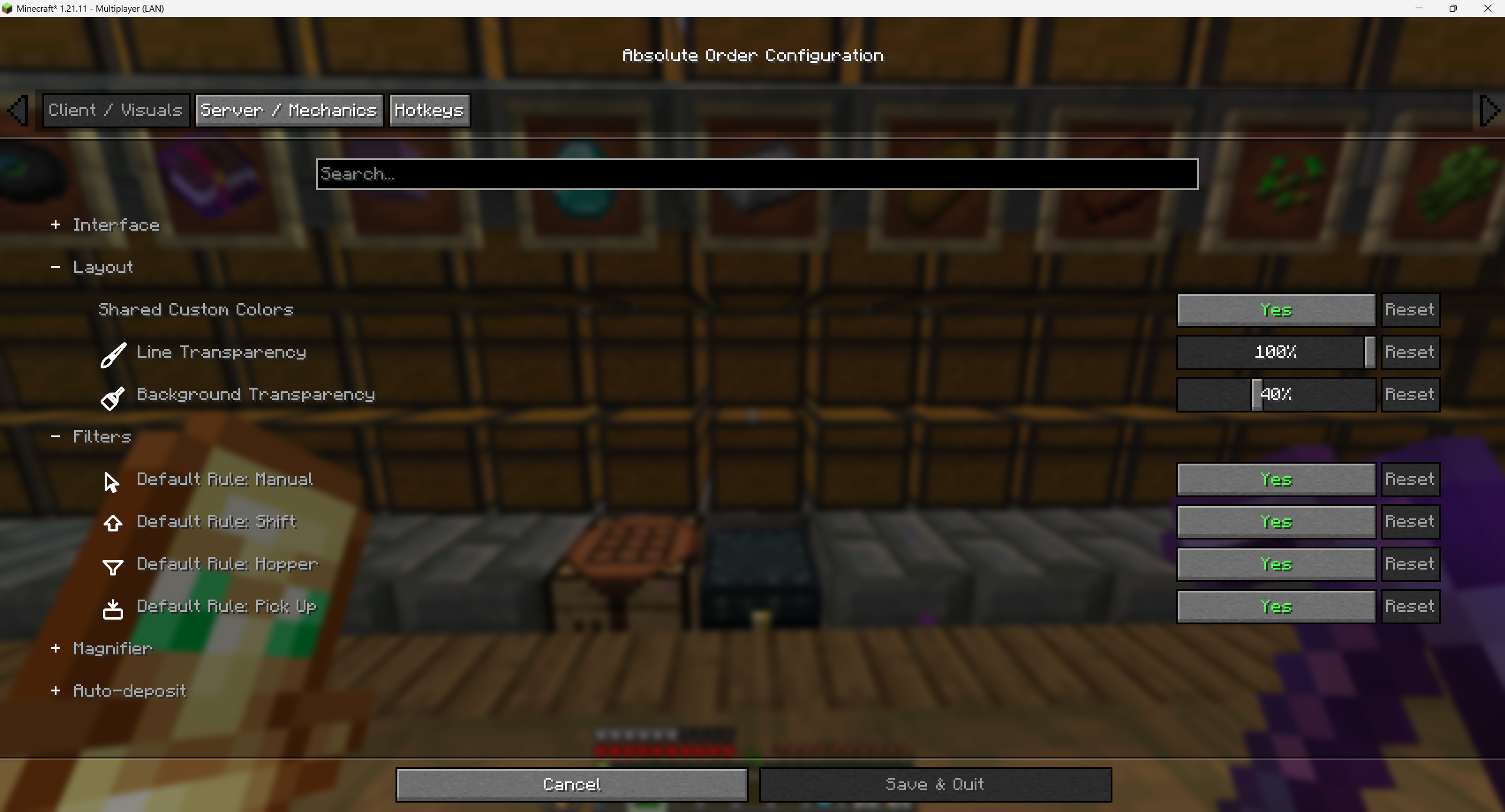 Configuration — Visuals Tune transparency, custom colors, default rules and more to match your taste. Dark mode supported.
 -
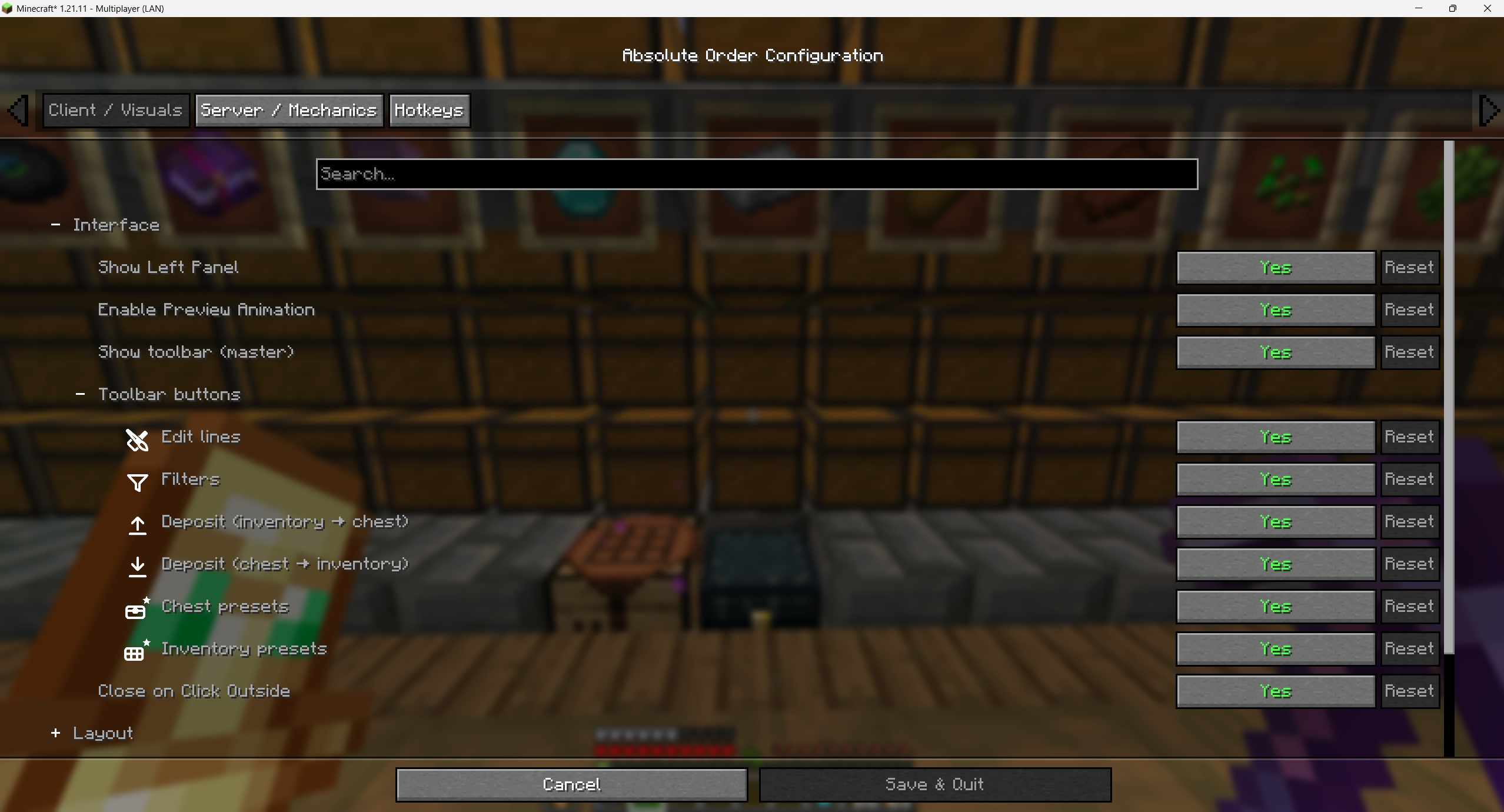 Configuration — Interface Toggle panels and toolbar buttons, enable preview animation, and lay the editor out your way.
 -
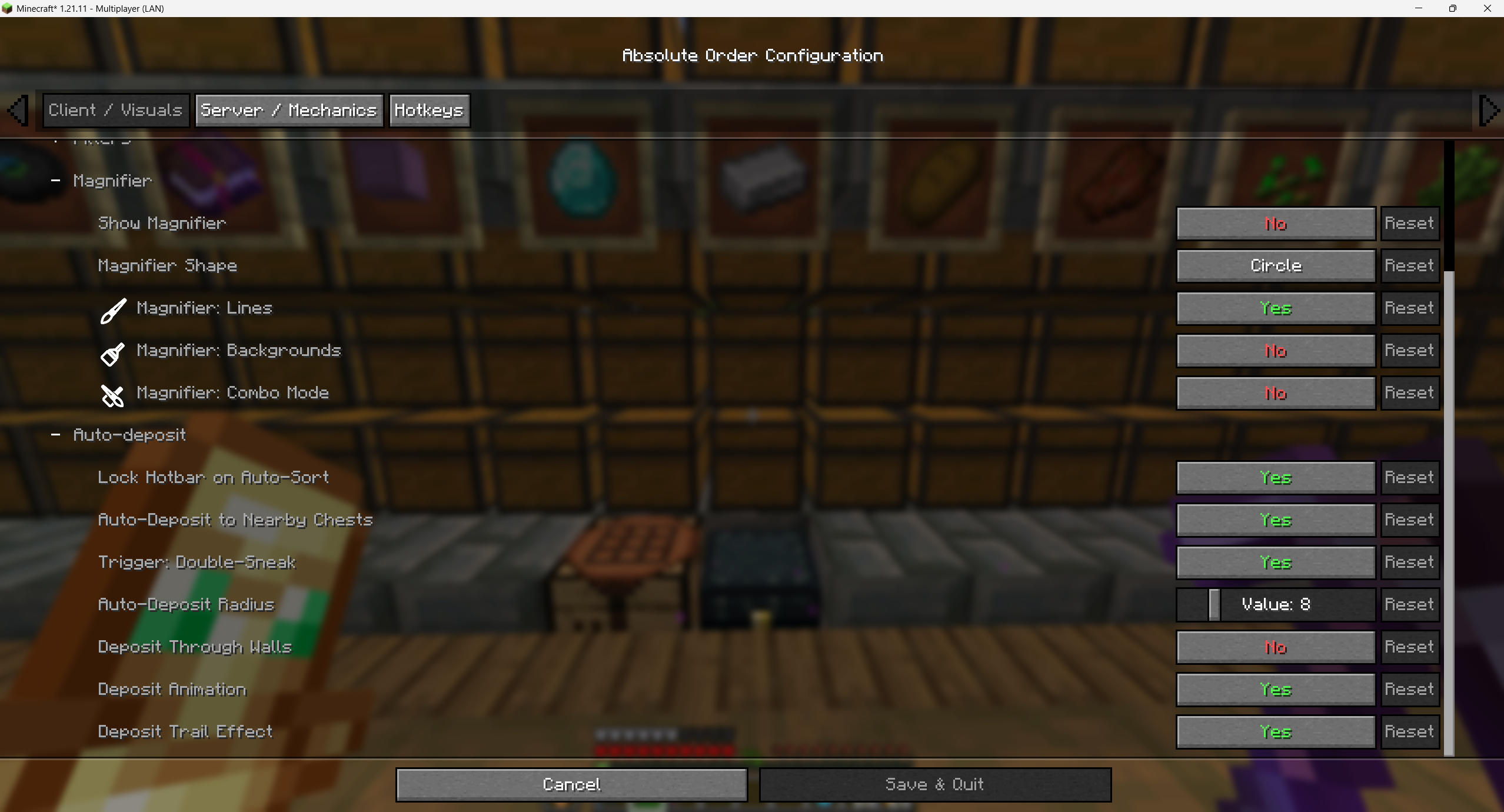 Configuration — Mechanics Server and technical options — magnifier, auto-deposit radius, deposit threshold, trail effects and more.
 -
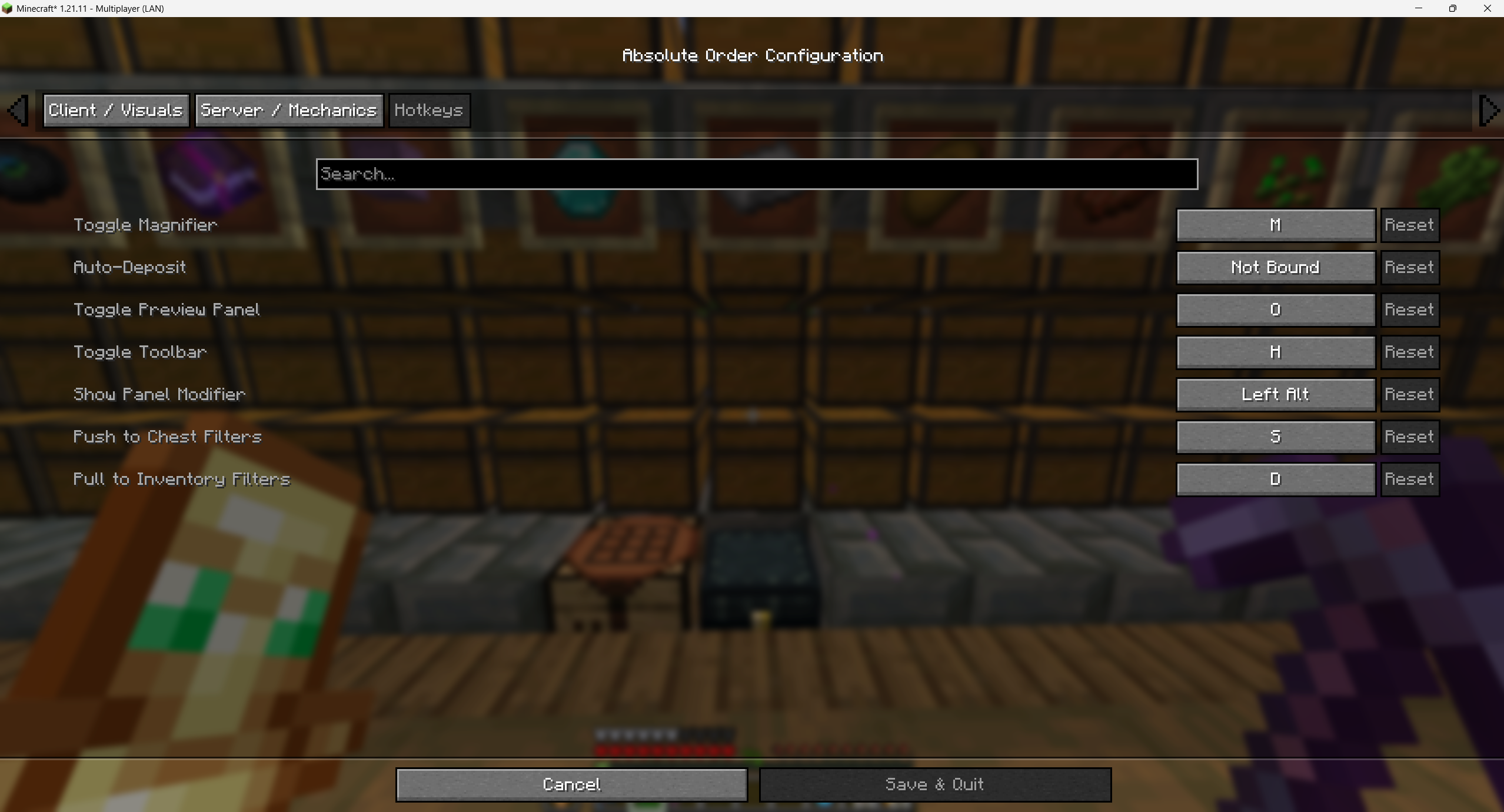 Configuration — Hotkeys Bind every action — deposit, pull, toggle panels — to your preferred keys.
 -
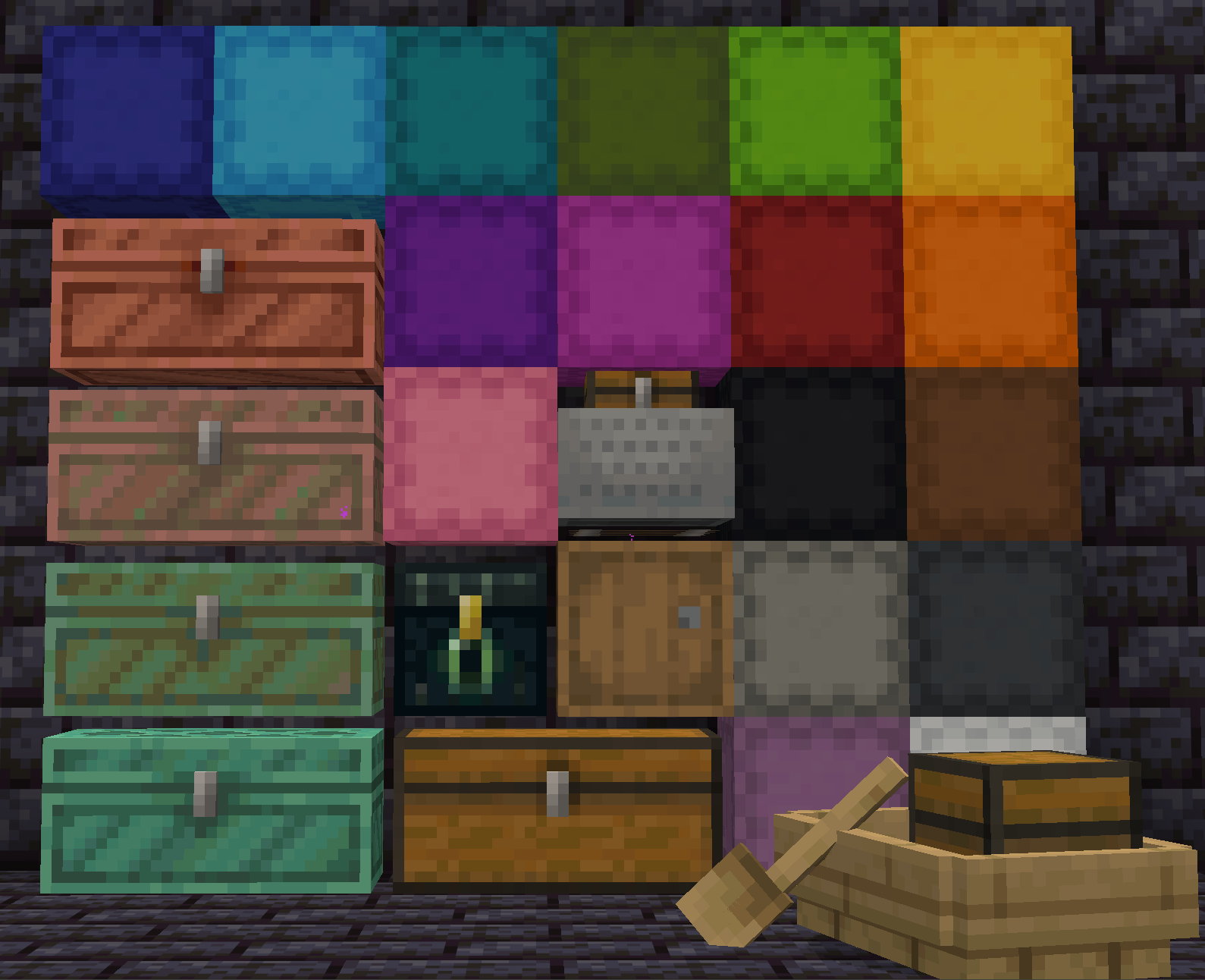 Universal Compatibility Chests, barrels, ender chests, shulker boxes, minecarts, boats with chests, and many modded containers.
 -
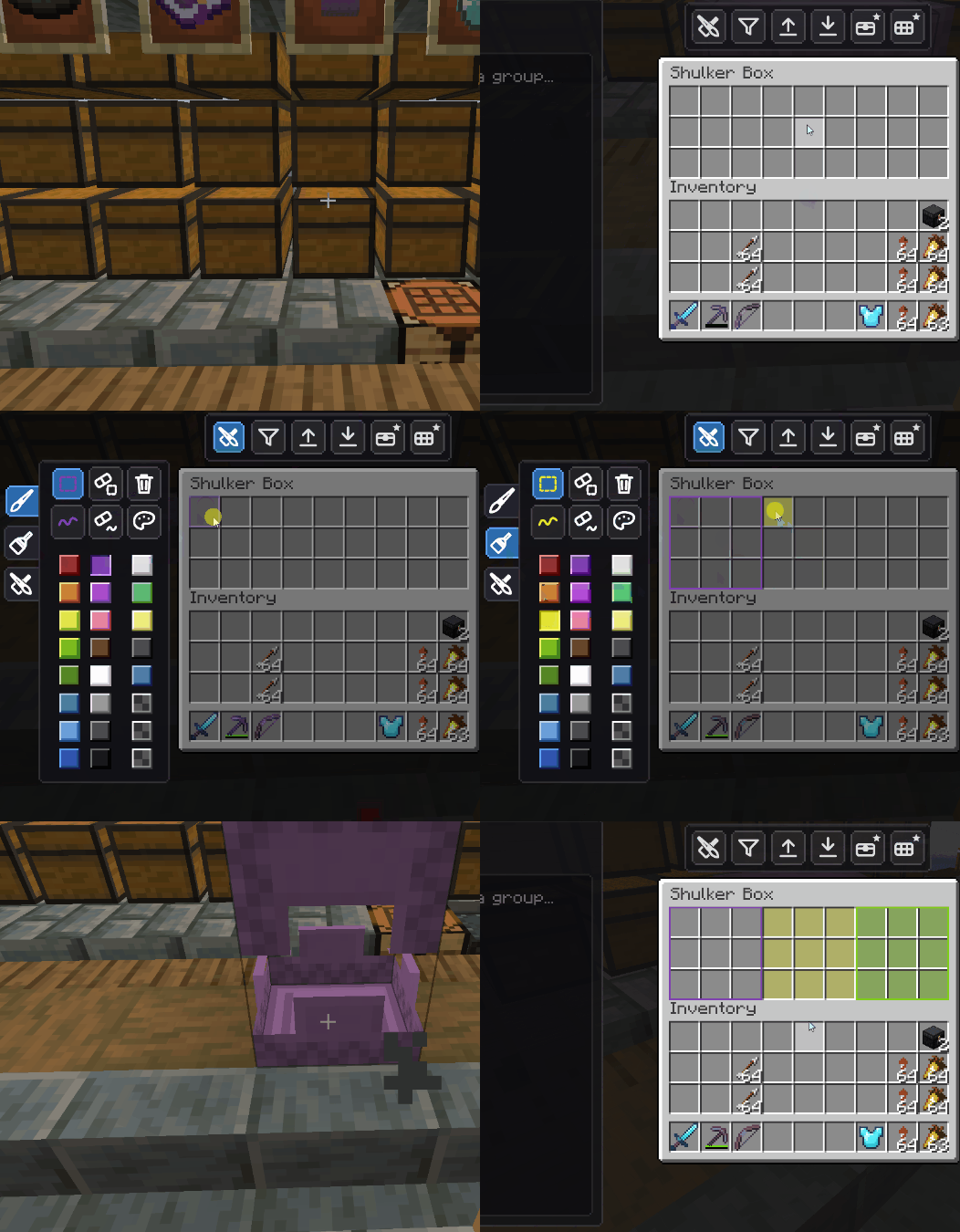 Portable Shulker Layouts Shulker designs are saved to the box — break it, carry it, stash it in your Ender Chest, and keep every line.
 -
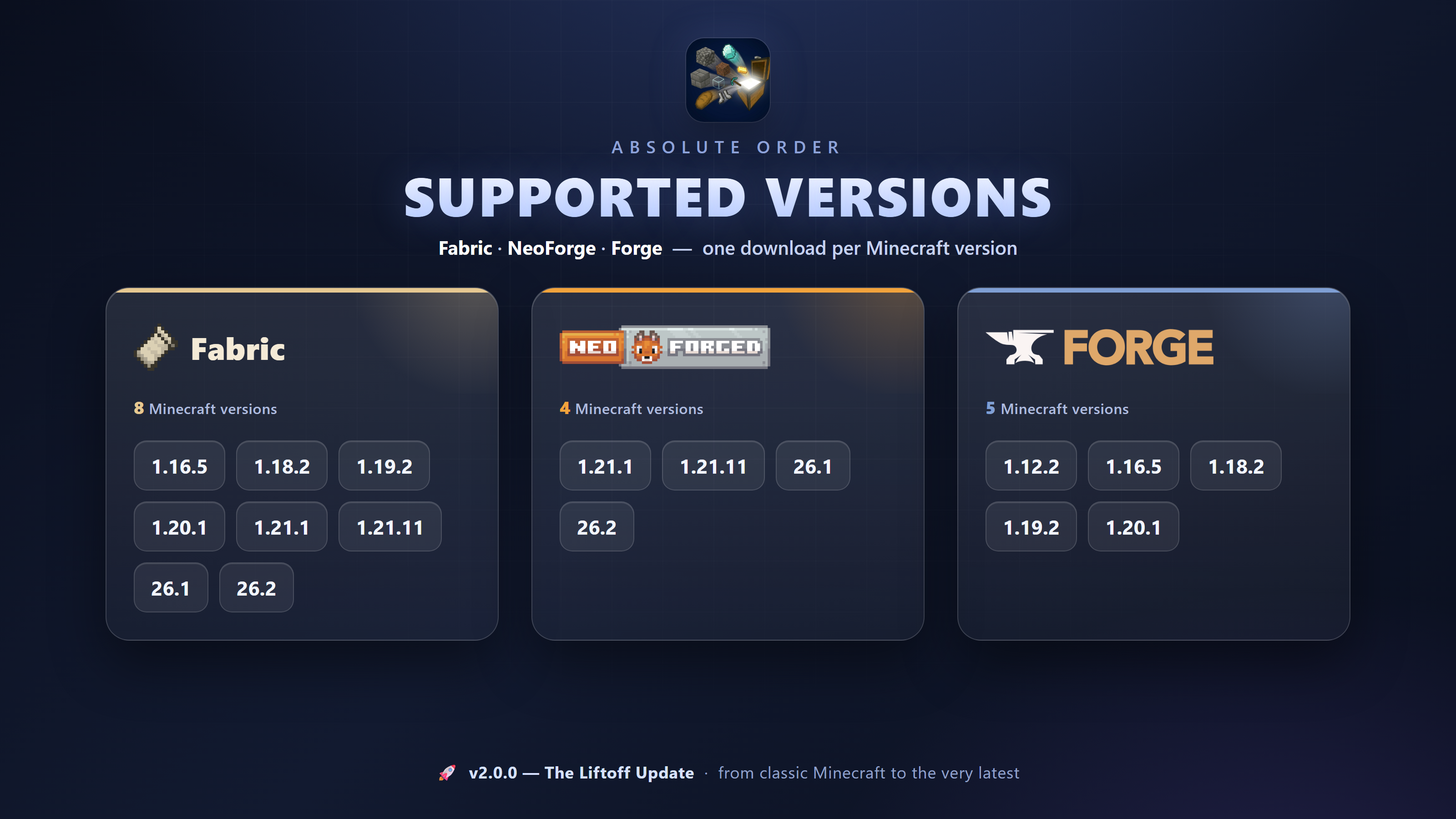 Fabric · NeoForge · Forge The biggest compatibility leap in the mod's history — from classic Minecraft versions to the very latest.
 -
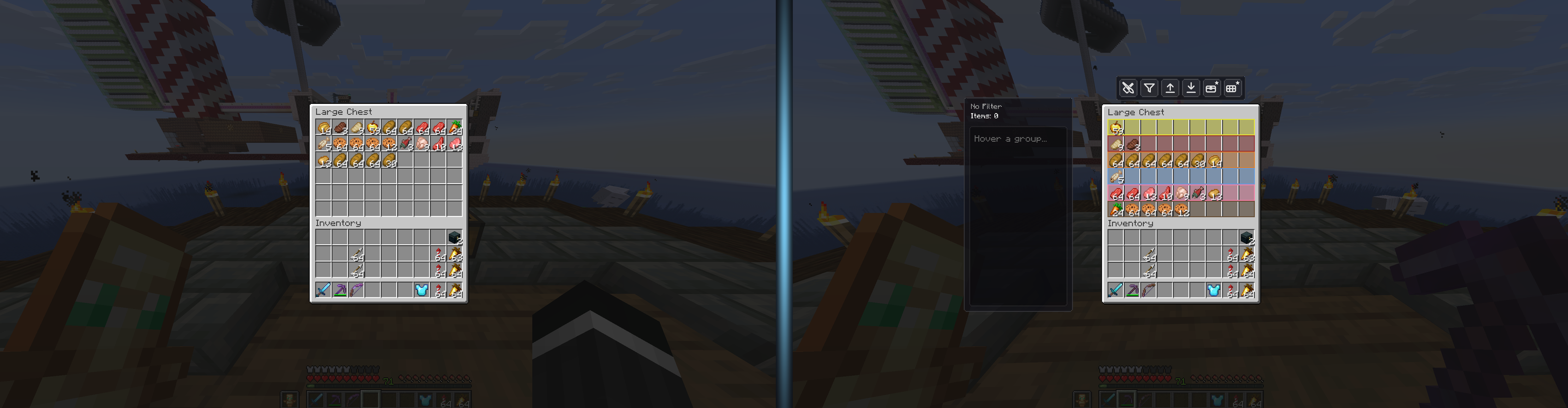 Before & After A plain vanilla chest versus a chest perfectly organized by Absolute Order — same items, total control.
 -
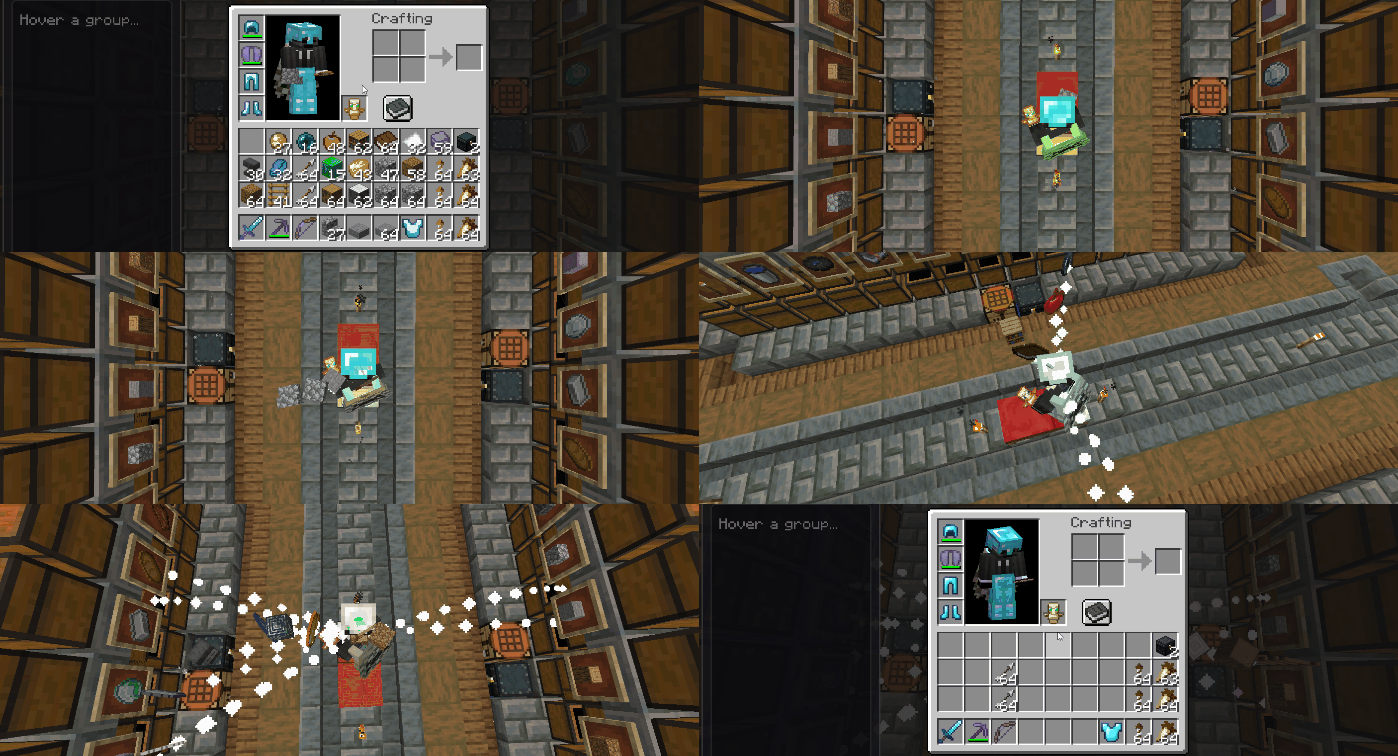 One-Click Auto-Deposit Press one key and watch your whole inventory fly into the exact chest slots you designated — tools and food left untouched.
 -
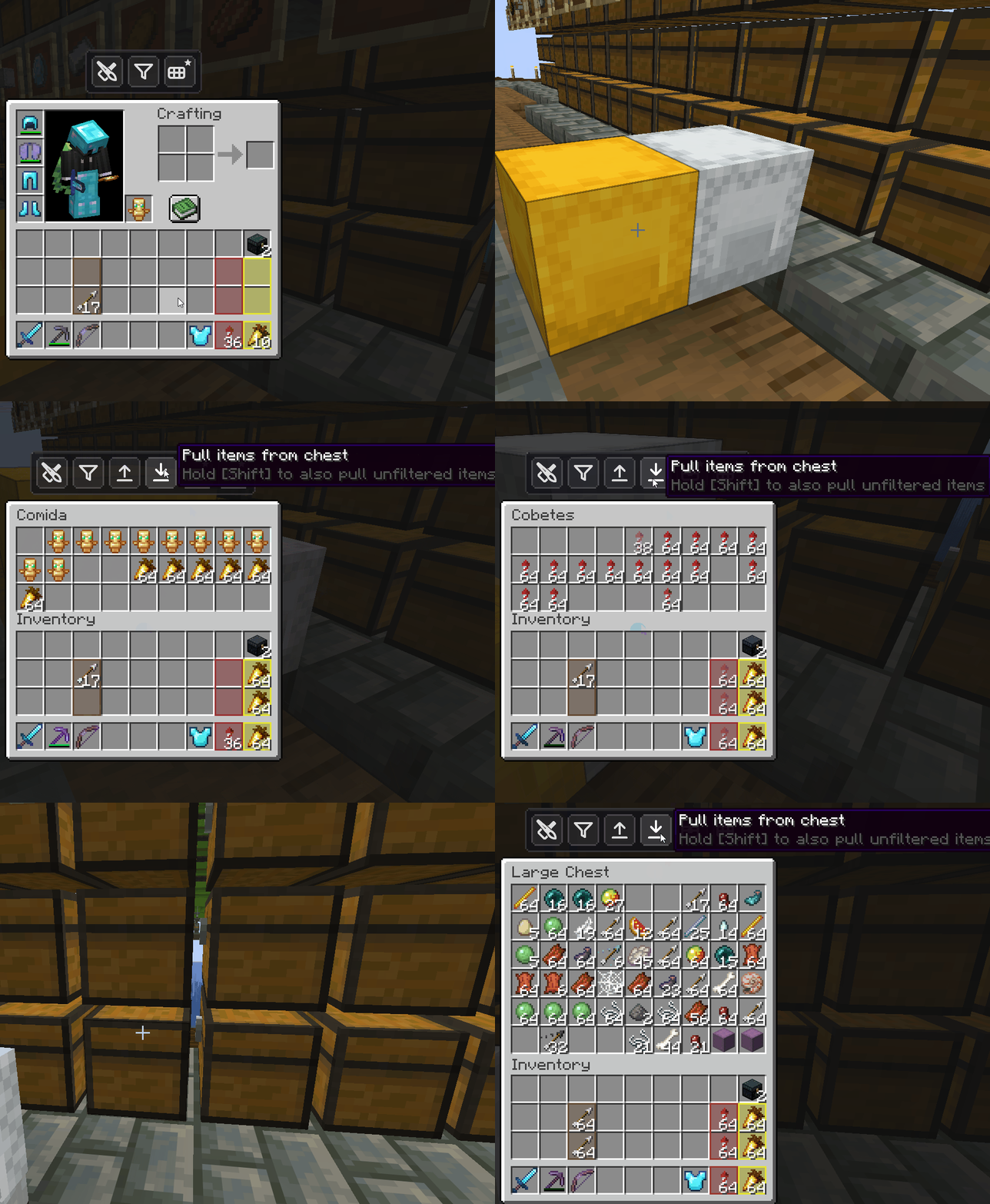 Two-Way Flow — Pull From Any Container Open a container and pull every matching item straight into your inventory with a single click. New in v2.0.0.
 -
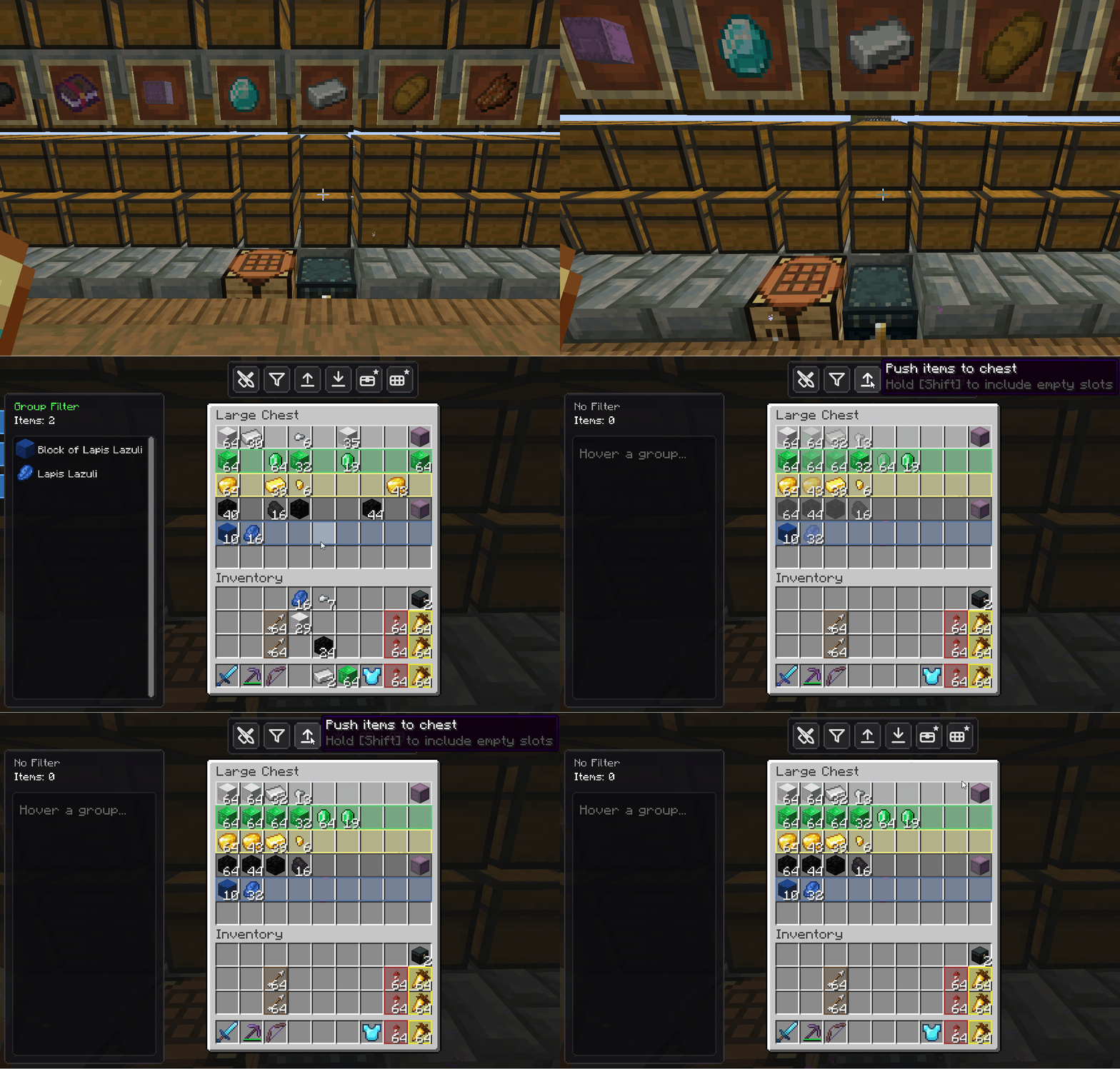 Priority Filters That Sort Themselves The order of your filter is its priority — items auto-arrange into the right slots inside the same chest, automatically.
 -
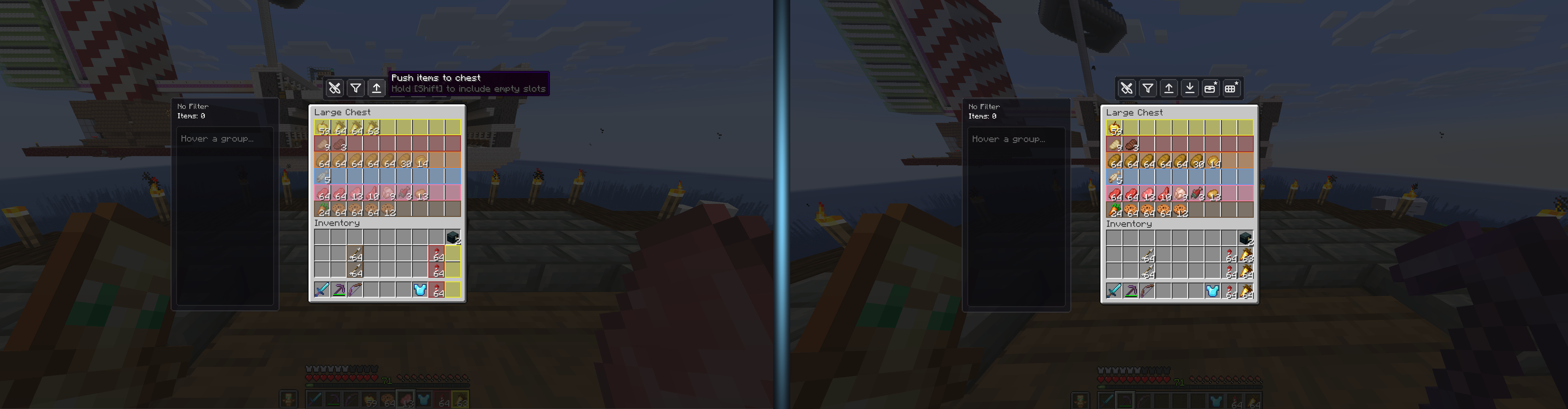 Deposit — Before & After One click on the deposit button and your full inventory empties straight into the chest, sorted.
 -
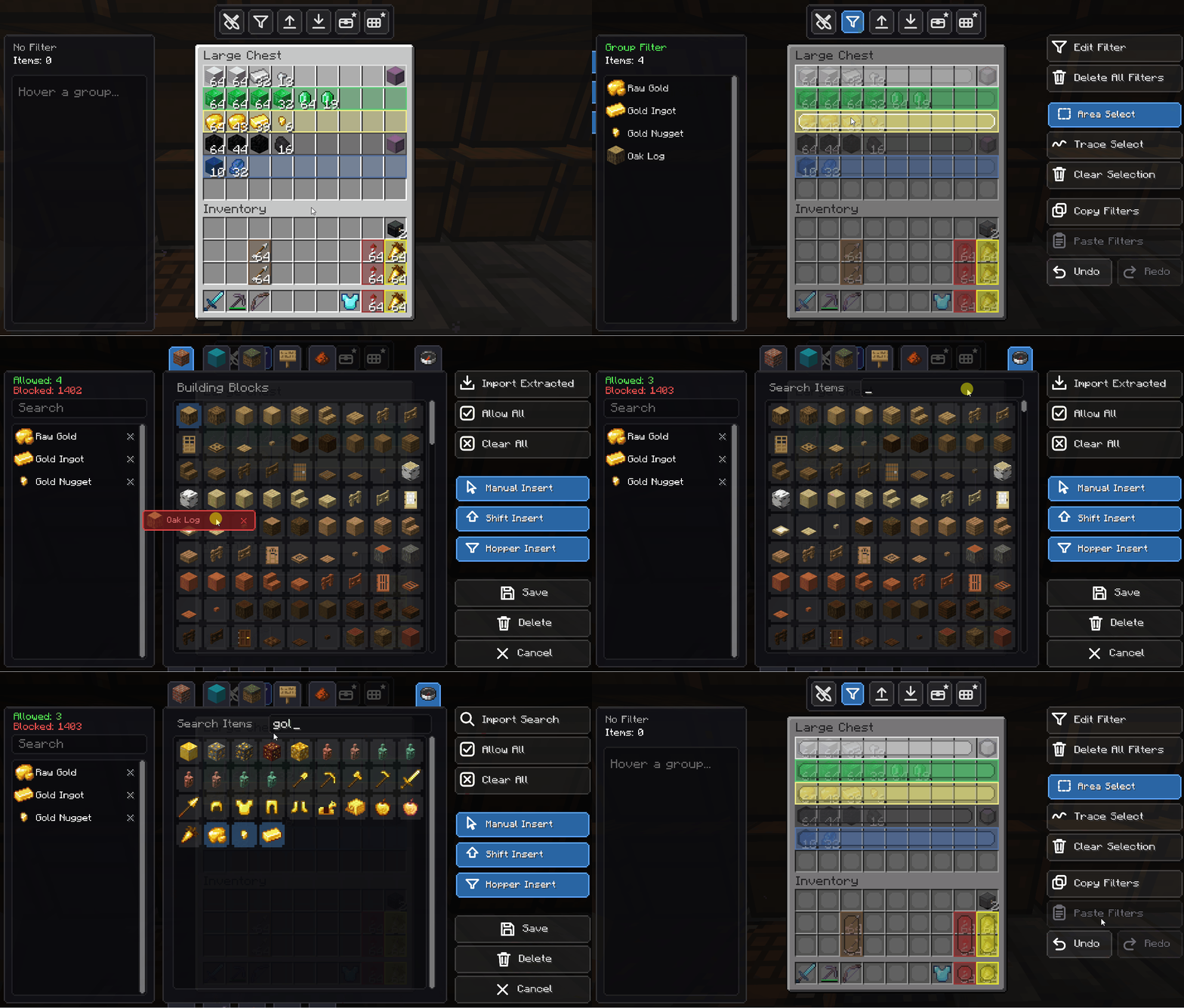 Drag to Add & Remove Build a filter by hand — drag any item straight into the list, or flick it out to remove it.
 -
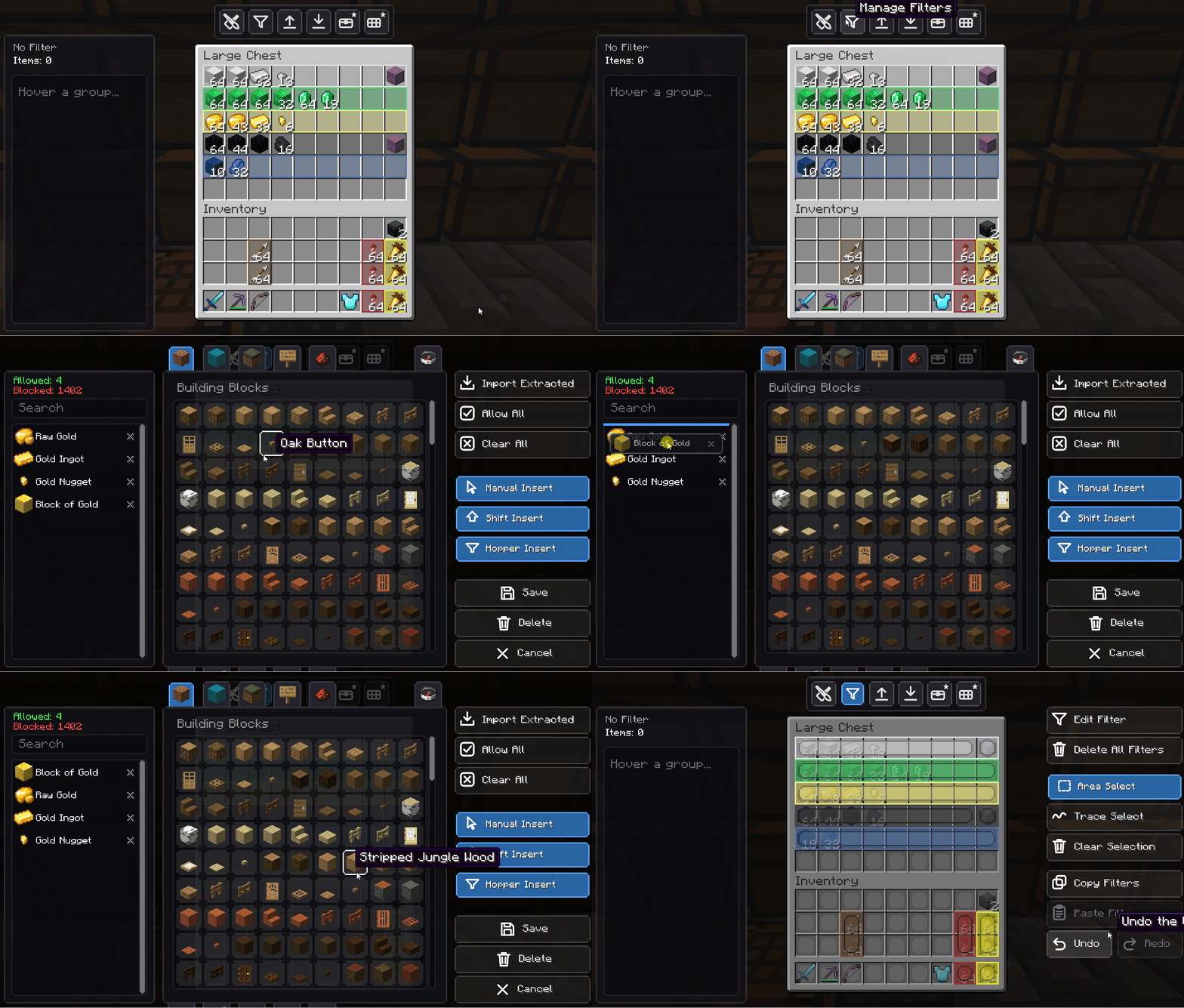 Reorder to Set Priority Drag items up or down inside the filter to change their sorting priority. The small touch that changes everything.
 -
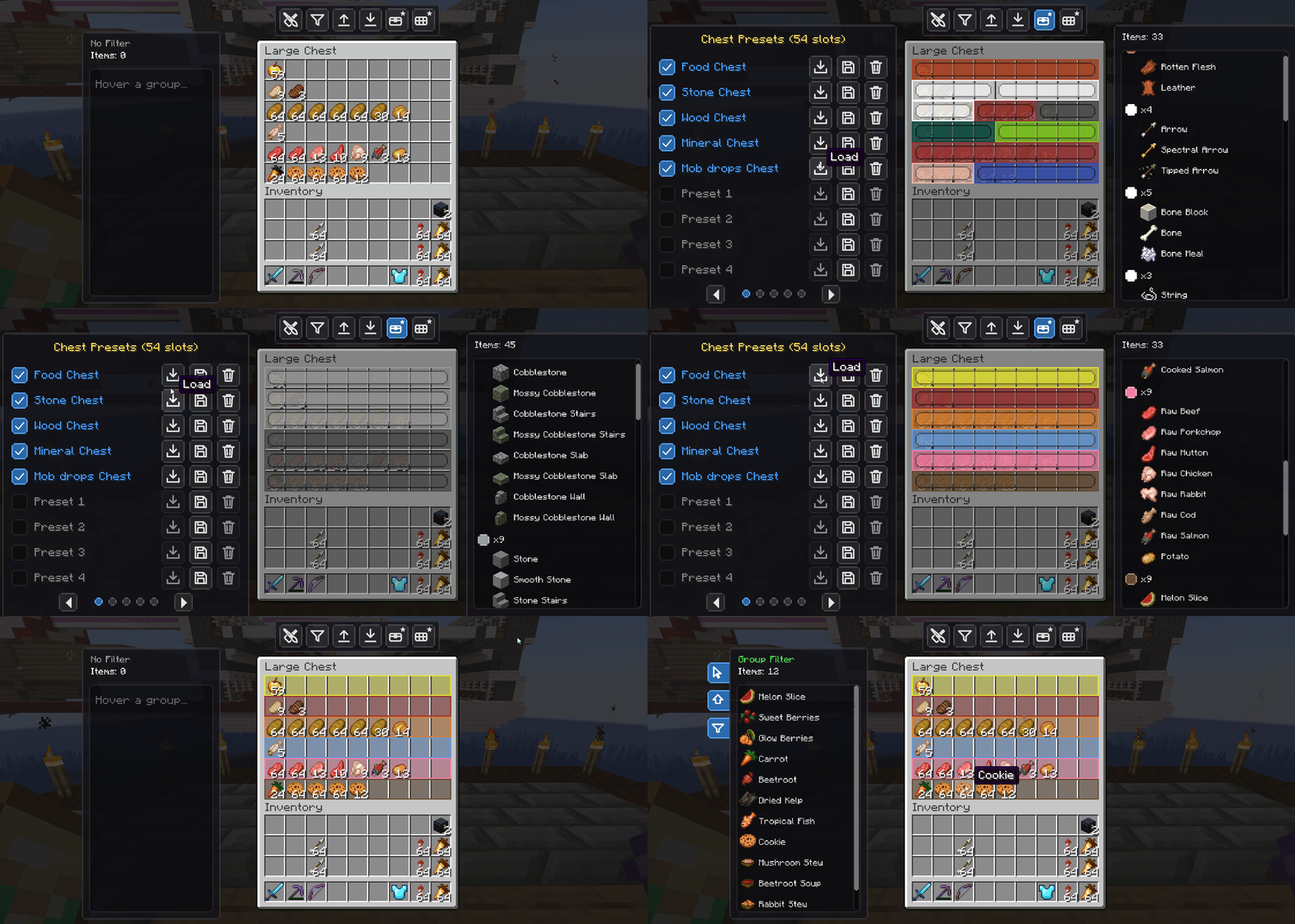 Ready-Made Presets Apply a full layout to a chest or your inventory in one click, instead of building it from scratch.
 -
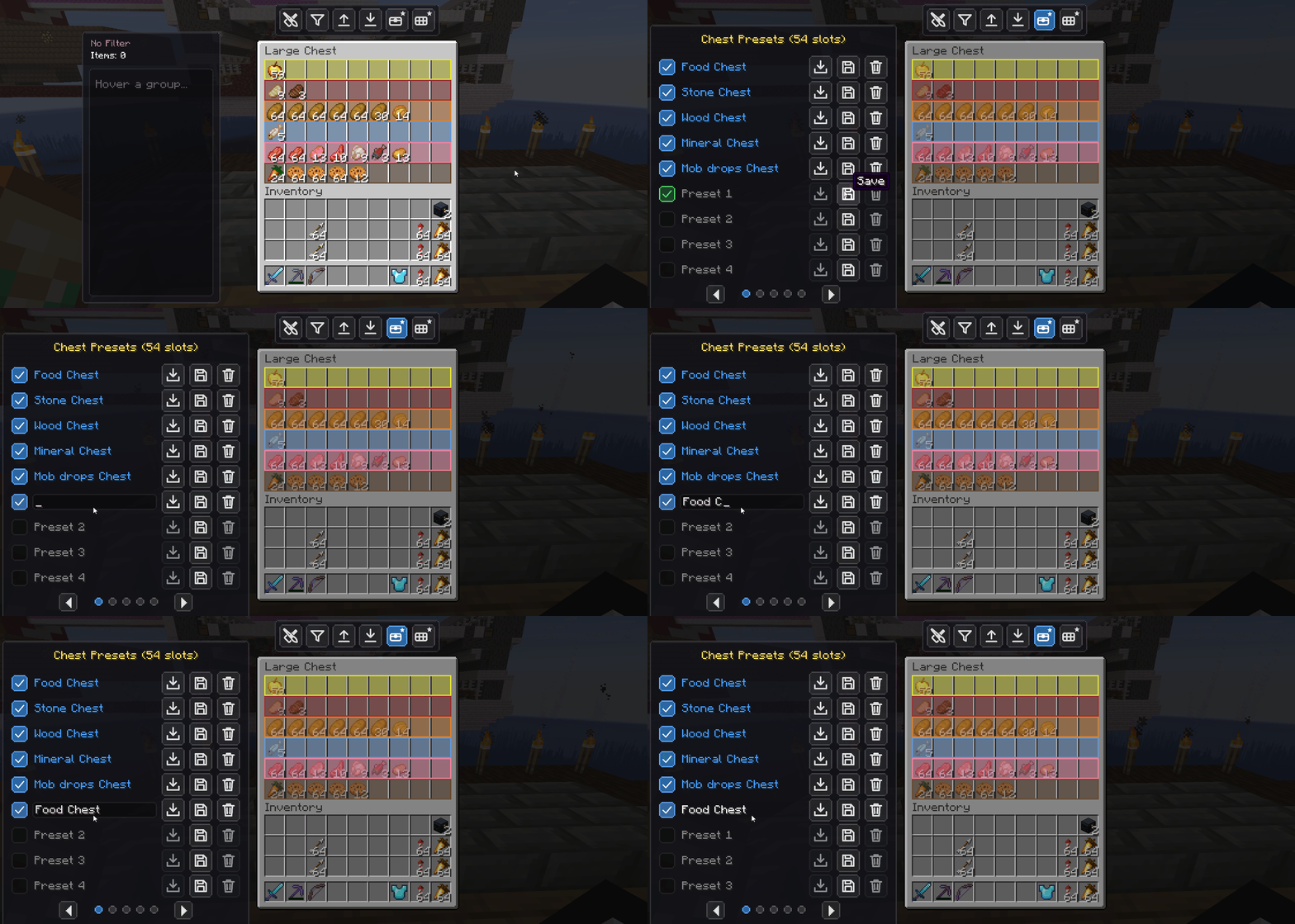 Rename & Save Presets Rename presets inline
 -
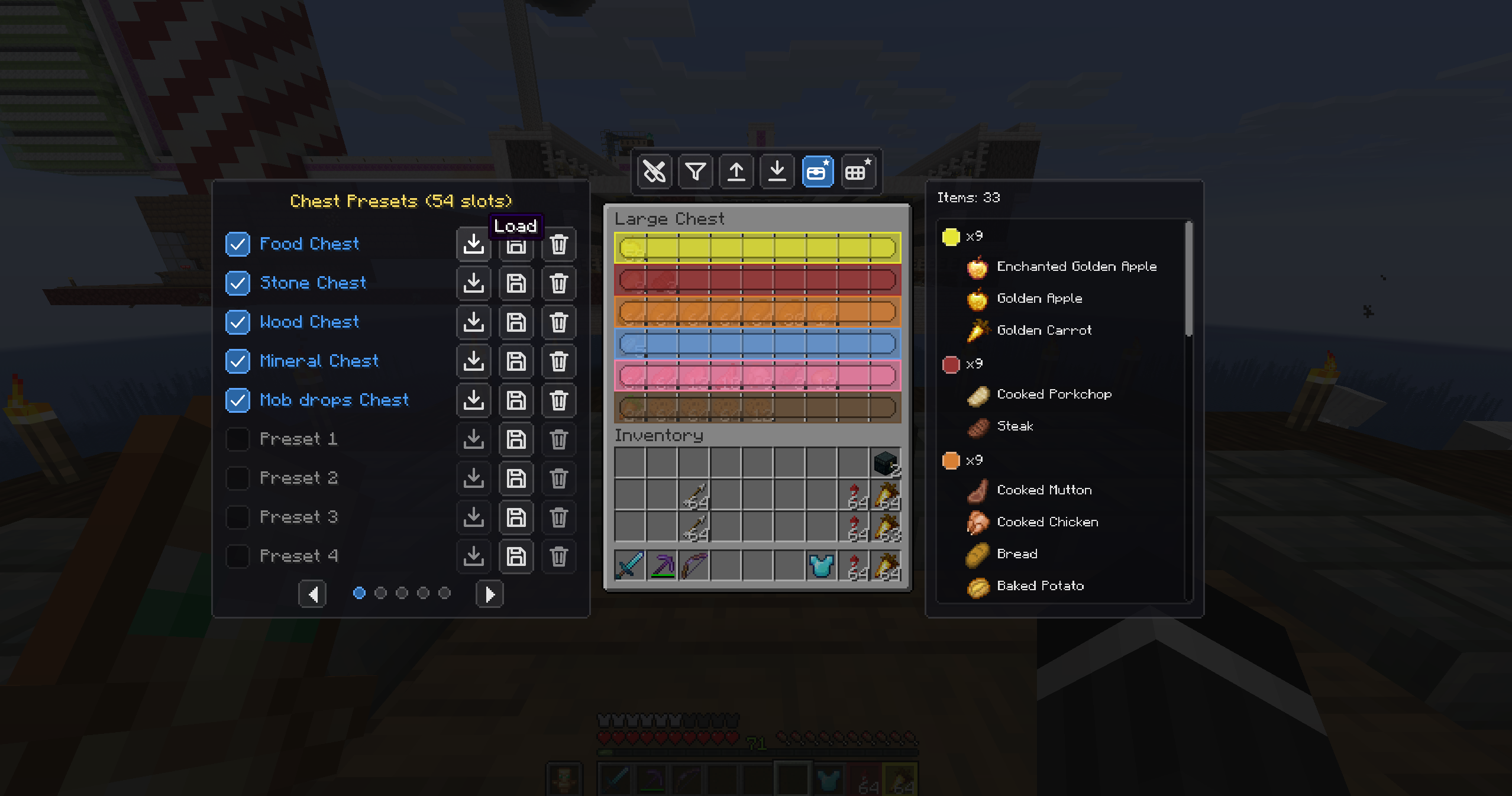 Chest Presets Ready-made chest layouts — Food, Ores, Wood, Minerals, Mob drops and more, one click away.
 -
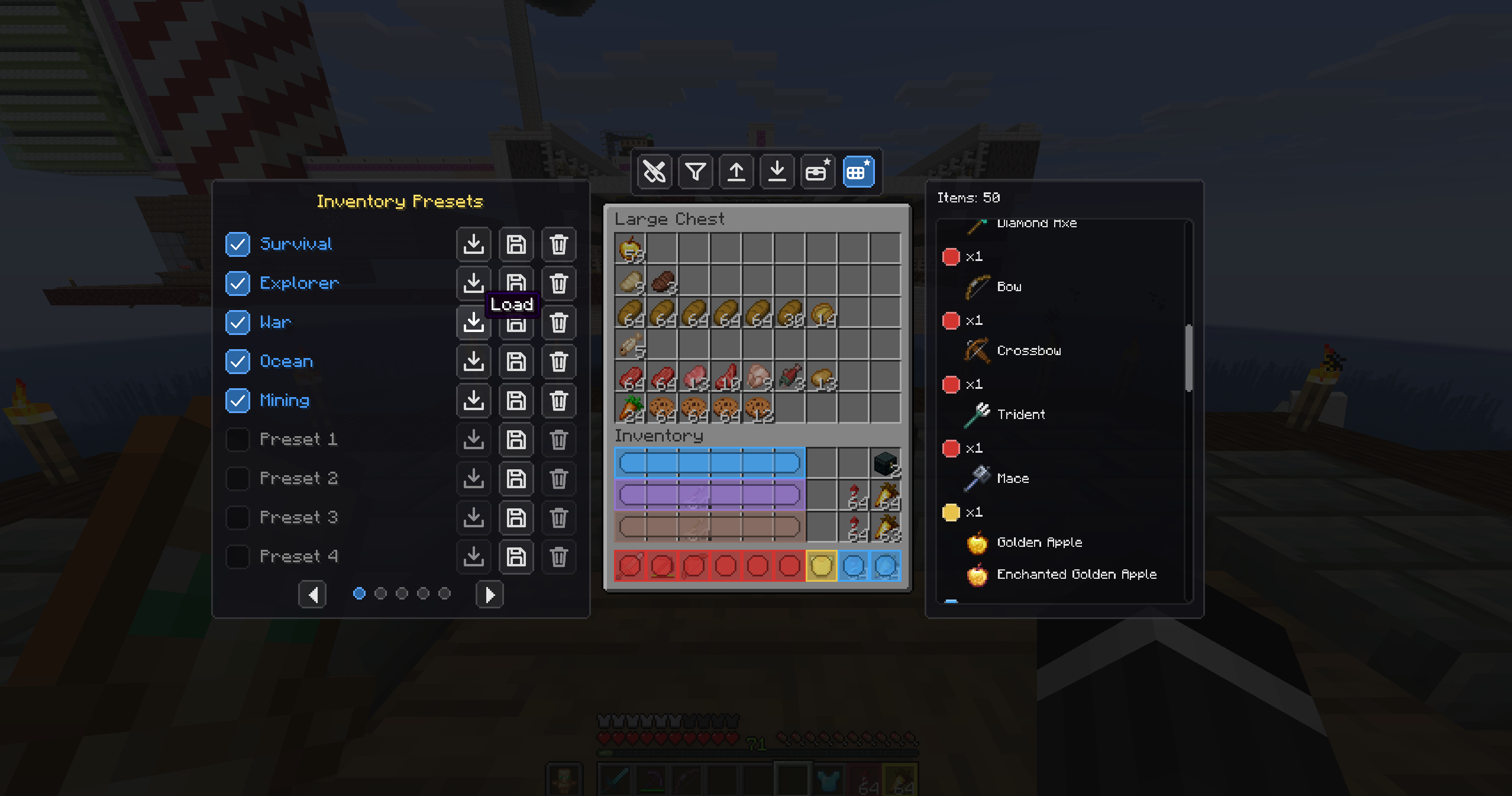 Inventory Presets Preset loadouts for your inventory — Survival, Explorer, War, Ocean, Mining and custom slots.
 -
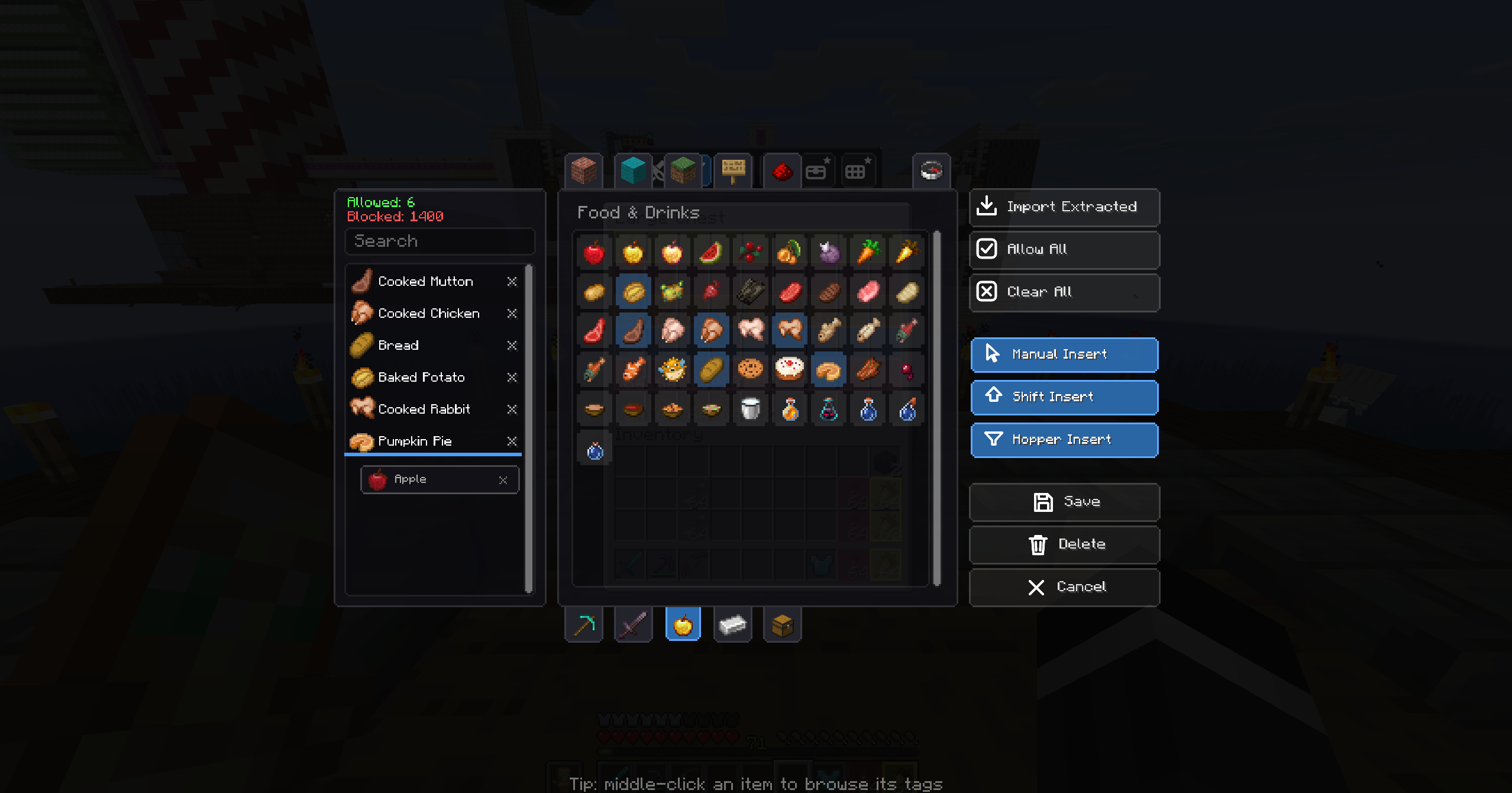 The Filter GUI A dedicated, custom-built interface for choosing exactly what each part of your chest accepts.
 -
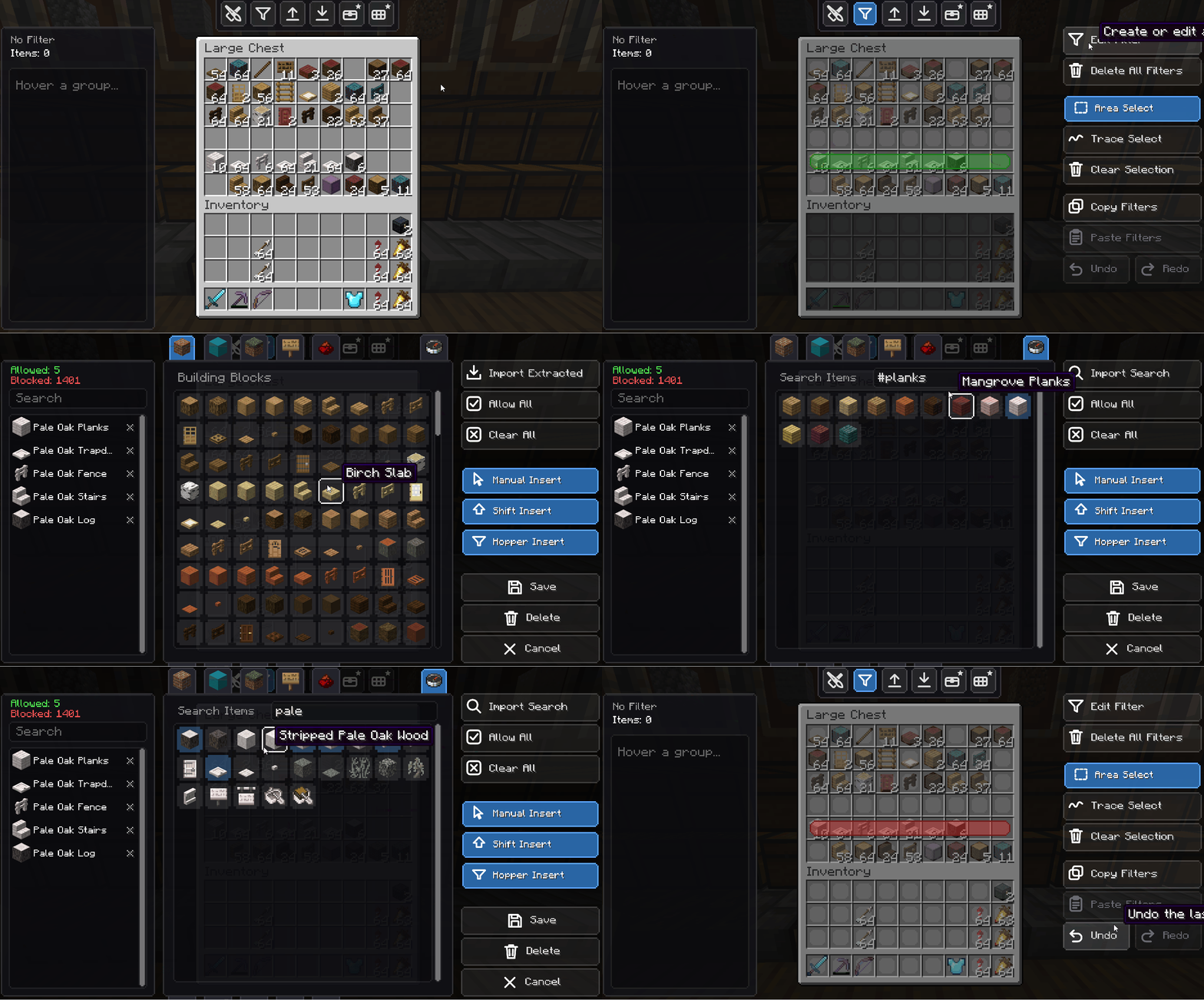 Import Extracted, Tags & Search Import every item in the selected slots at once, add a whole category by clicking a tag, or search to add many items instantly.
 -
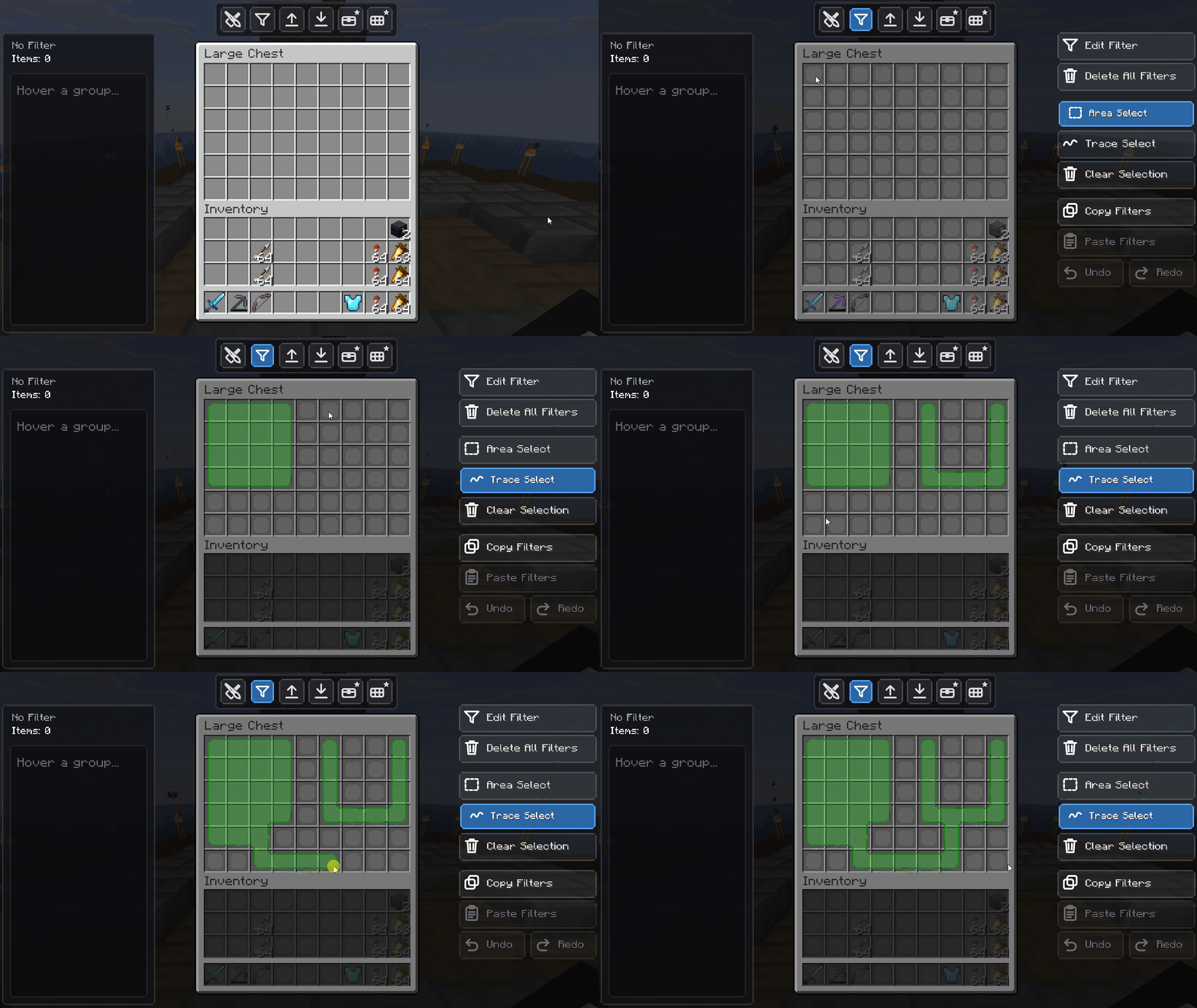 Select & Define Zones Select any region of a chest and apply an absolute filter to it in seconds.
Versions
Files
Relations
Project Relations
More like this
Similar Mods
Suggestions use data such as tags, dependencies, dependents, descriptions, titles, and more to rank how much they overlap with this mod.
On ModDex
Community snapshot
By the numbers
Statistics
Want to reach Minecraft players?
We're looking for a server hosting partner to feature here and other parts of the site. Interested? Send us a message!
Get in touchGet it on
Available Platforms
On ModDex
Community snapshot
By the numbers
Statistics
Resources