
Community listing page, reviews here may not be monitored by the author.
AcceptTheRules

No reviews yet
Forces and reward player by accepting your server rules
Community voices
Reviews
No reviews yet. Be the first to review this project!
Get it on
Available Platforms
About
Project Details
For authors
Embed Badge
If you're the author of this project, you can embed a live badge anywhere that supports HTML or Markdown. It updates automatically whenever ratings change.
Use HTML for any page that supports it, or Markdown for README files and Markdown-based descriptions.
Identifiers
Platform IDs
Resources
External Links
About
Description
Please do not test this plugin with op permission. There are some bypass permissions!
Description
Many players do not read the server rules and cannot follow them. "Accept the rules" offers a remedy at this point. And it is free!
Players must accept the server rules once and then play with the others. The rules are displayed on different pages so that no rule can be overlooked. At the end the player is asked whether he wants to accept these rules or not.
At this point a simple configuration can be used to decide what should happen if the player accepts or rejects the rules. When accepting the rules, e.g. ranks can be assigned or special items can be given to the players. This is left to the owner of the server.
The ATR plugin also offers the possibility to freeze a player until the rules are accepted. This function can be set via the configuration.
Usually the rules do not remain unchanged. Of course this has been taken into account and therefore the version of the rules can be set. As a result, all players receive the changes and can follow the rules.
With "Accept the rules" there will never again be the excuse: "I didn't read the rules ..." or "I didn't know where the rules are ...". Take a step into the future and simplify the communication of your server rules to your players with "Accept the rules".
Features
A welcome message for players who have not yet accepted the rules Freeze players to read the rules Read rules interactively by clicking buttons Simple notification of rule changes Use of colors for your rules or messages Variable commands when accepting or denying the rules Get information about players, whether the rules were accepted and in which version Everything configurable Prevents chat messages, executing commands (with exceptions), moving on the server or interacting with objects until the rules are read and accepted Markdown for rules
Installation
- Stop your server
- Drag and drop the jar file into your "plugins" folder a. Optional: Floodgate (Download here)
- Start your server
Commands
- /rules - Shows the rules
- /rule - Shows the rules
- /rules [number] - Shows a specific rule
- /rule [number] - Shows a specific rule
- /atr - Shows the admin menu with all commands
- /atr [player] - Shows information about the player
- /atr report - Generate a zip-File for faster support
- /atr reload - Reloads all configurations
- /atr info - Shows some plugin infomation
- /atr reset [name] - Resets the "accepted status" for a player
- /atraccept [player] - Accept the rules for the player
- /atr stats - Shows some user statistics
- /atr player [player] - Shows information about the player
Permission
- atr.user.rules - default: true
- atr.user.atrgui - default: true
- atr.admin.atr - default: op (permission to use "/atr")
- atr.admin.* - (all admin permissions)
- atr.admin.reload (permission to use "/atr reload")
- atr.admin.help (permission to use "/atr help")
- atr.admin.playerInfo (permission to use "/atr [name]")
- atr.admin.info (permission to use "/atr info")
- atr.user.bypass (permission to ignore the period re-acception)
- atr.admin.acceptOthers (permission to accept the rules for another player)
- atr.admin.updateCheck (permission to use the update checker)
- atr.admin.reset (permission to reset the "accepted status" for a single player)
Permissions for normal players:
default: true
- atr.user.rules
- atr.user.atrnext
- atr.user.atrback
- atr.user.atraccept
- atr.user.atrdeny
- atr.user.atrgui
Placeholder
- %player% - player name
- %page% - current rules page
- %maxPage% - max. rules page number
- %asPlayer% - executes the commands as player, with his permission
Support / Bugs / Suggestion
Disord: https://discord.gg/5zuC36R
For requests, comments or upcoming errors, I am happy to help. In order to be able to help quickly, I would be pleased if the following information is already filled in during the inquiry:
- Execute „/atr report“
- Send me your file „Report.zip“ from your plugins folder („.../plugins/AcceptTheRules/Report.zip“)
Give a short description of your problem Requests can be made in German and English.
Screenshots
Gallery
-
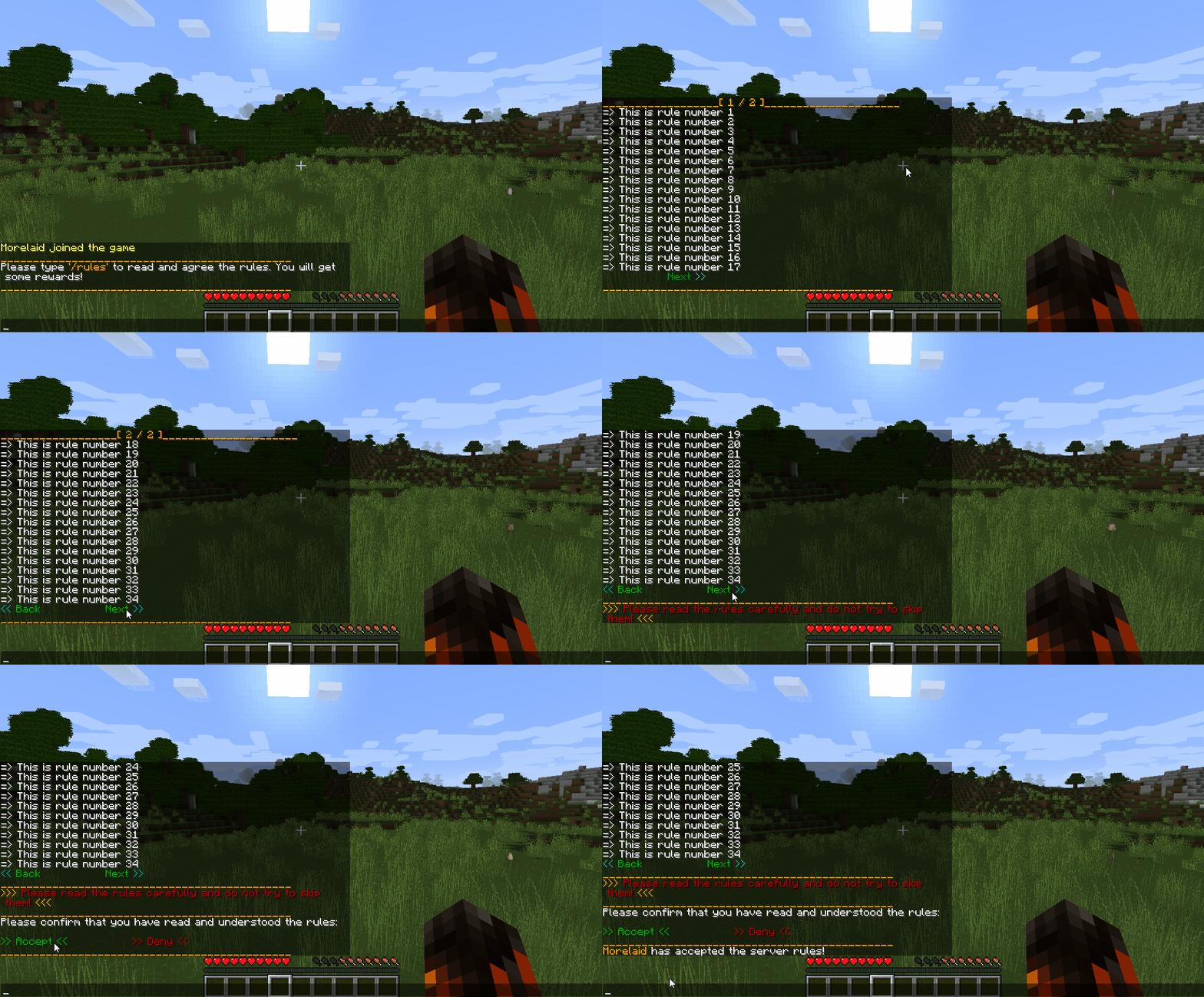 Rules Example of rules
 -
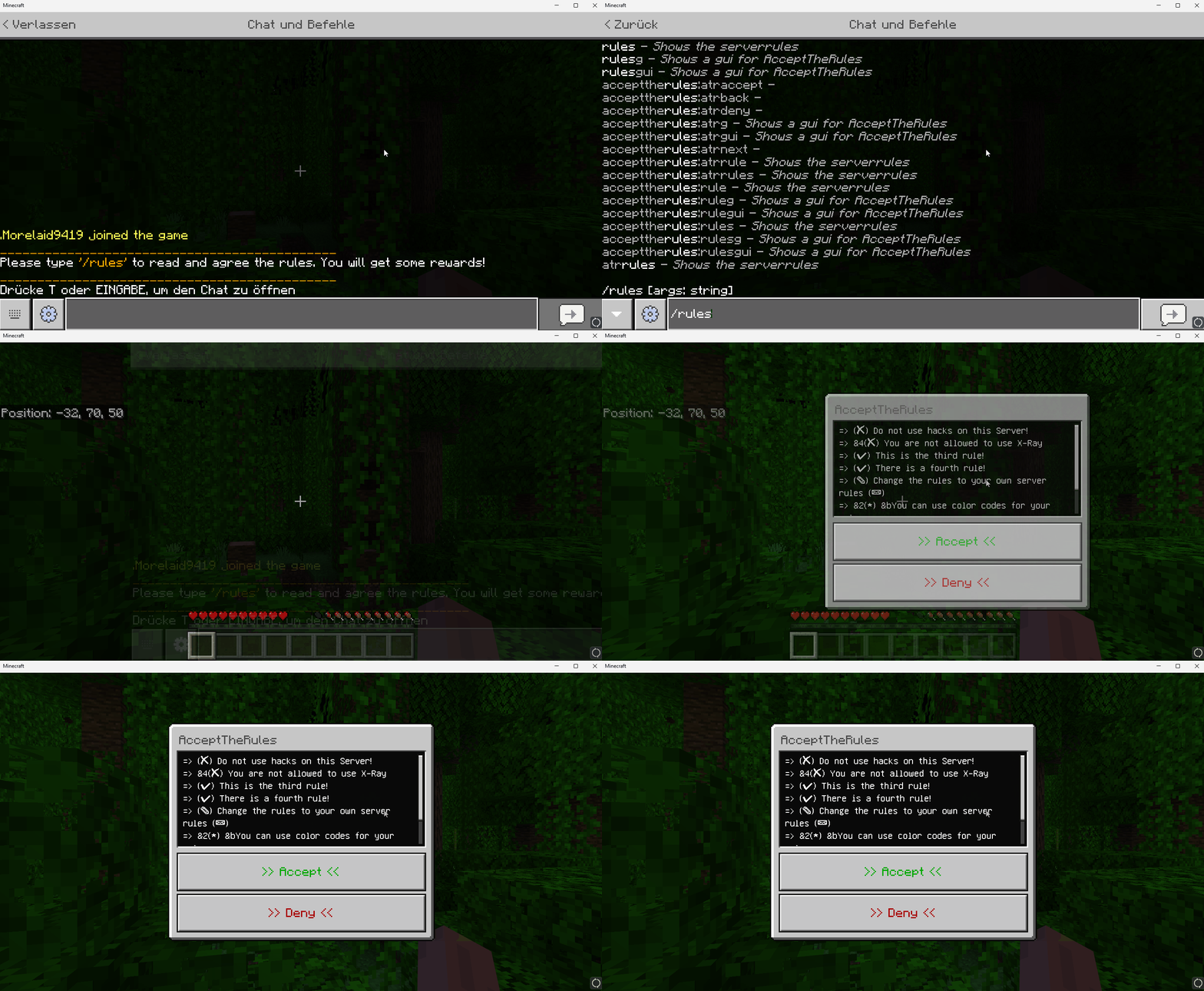 Bedrock GUI Rules for bedrock players
 -
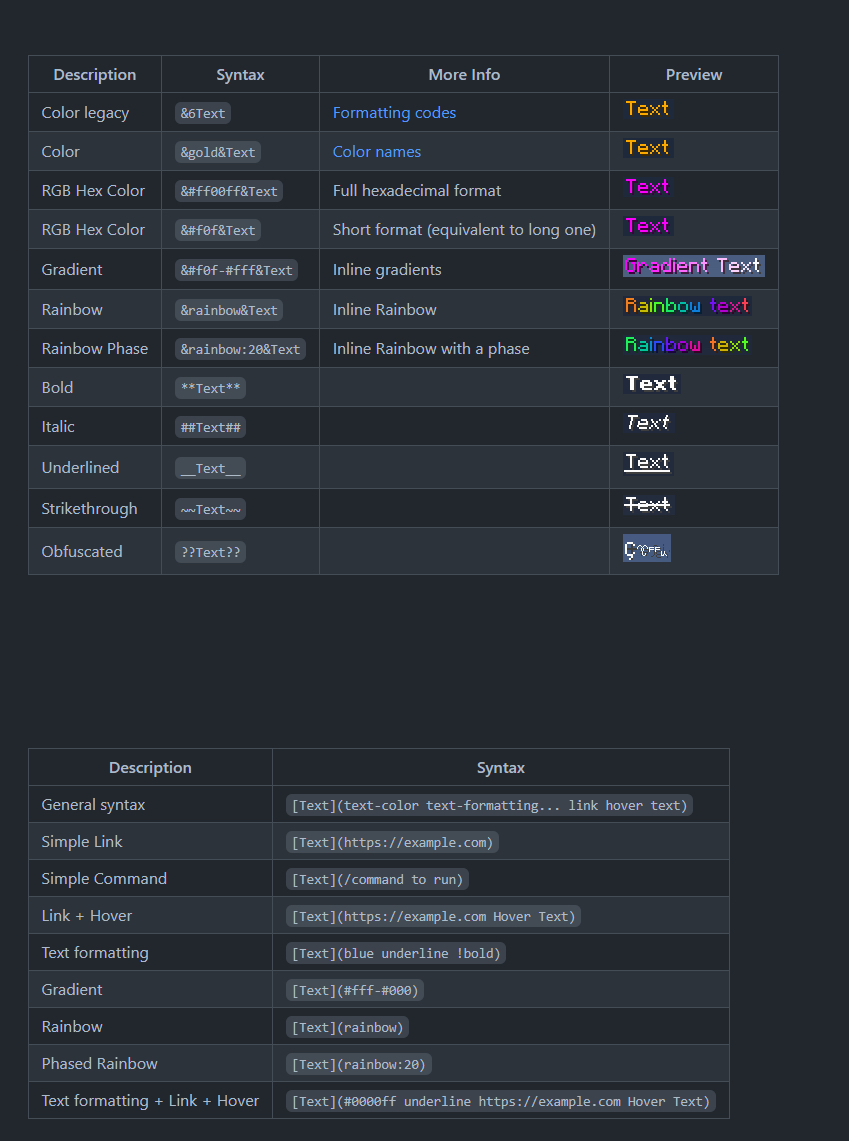 Minedown configuration via minedown
Versions
Files
Relations
Project Relations
More like this
Similar Mods
Suggestions use data such as tags, dependencies, dependents, descriptions, titles, and more to rank how much they overlap with this mod.
On ModDex
Community snapshot
By the numbers
Statistics

Want to reach Minecraft players?
We're looking for a server hosting partner to feature here and other parts of the site. Interested? Send us a message!
Get in touchGet it on
Available Platforms
On ModDex
Community snapshot
By the numbers
Statistics
Resources