
ActionHUD
No reviews yet
This is a client-side HUD mod with four manual modes for mining, exploring, combat, and building.
Includes a large focus on traversing worlds with enhanced world generation, structures, dungeons, and more for players to find unique loot.
Fabric is a mod loader for versions 1.14+ of Minecraft, particularly popular for client side and optimization mods.
Community voices
Reviews
Click once to include, again to exclude, again to clear
No reviews yet. Be the first to review this project!
Get it on
Available Platforms
 Modrinth
Compatibility
Supported Environments
About
Project Details
For authors
Embed Badge
If you're the author of this project, you can embed a live badge anywhere that supports HTML or Markdown. It updates automatically whenever ratings change.
Use HTML for any page that supports it, or Markdown for README files and Markdown-based descriptions.
Identifiers
Platform IDs
Resources
External Links
About
Description
ActionHUD is a client-side Fabric HUD mod that lets you manually switch between focused HUD layouts for different parts of Minecraft gameplay. Instead of keeping the same information on screen at all times, ActionHUD gives you dedicated modes so the HUD matches what you are doing.
What ActionHUD adds:
- Four manual HUD modes: Mining, Exploration, Combat, and Construction
- A visible side selector for quick status awareness
- A dedicated selector screen for reliable in-game mode switching
- Mode-specific accent colors so each mode is easy to recognize at a glance
- Practical alerts and readable status text instead of raw technical clutter
- Mod Menu integration for layout and visibility settings
Mining Mode
- Shows held tool information and durability
- Shows Y level for mining and cave navigation
- Shows light level with readable danger context
- Warns when your tool is getting low
- Warns when the area is too dark
Exploration Mode
- Shows coordinates, biome, and facing direction
- Shows readable time-of-day status instead of raw world tick numbers
- Tracks your last death location
- Gives more practical travel awareness with status text like day safety and - approaching danger
Combat Mode
- Focuses on the last entity you hit, not just your own player stats
- Shows target health and armor
- Shows the target’s main hand item
- Indicates whether the target appears to have a totem ready
- Shows target effects when applicable
- Helps keep important opponent information visible during fights
Construction Mode Shows held block or item context Shows how many matching blocks you still have in inventory Shows target block feedback Includes alignment guidance for building Warns when you are running low on materials Why download ActionHUD Keeps your screen cleaner by only showing the information that matters for the task you are doing Makes survival information easier to read at a glance Gives mining, exploring, fighting, and building their own focused HUD style Stays fully client-side and quality-of-life focused Configuration
ActionHUD includes Mod Menu support so you can adjust:
- Selector visibility
- HUD position
- Opacity
- Enabled modes
- Layout preferences
- Visible widgets
- Client-side only
- ActionHUD is a quality-of-life HUD mod.
It does not:
- automate gameplay
- reveal hidden blocks or hidden world information
- modify movement
- add combat automation
Credits: Made by Kai with implementation help from OpenAI Codex.
Screenshots
Gallery
-
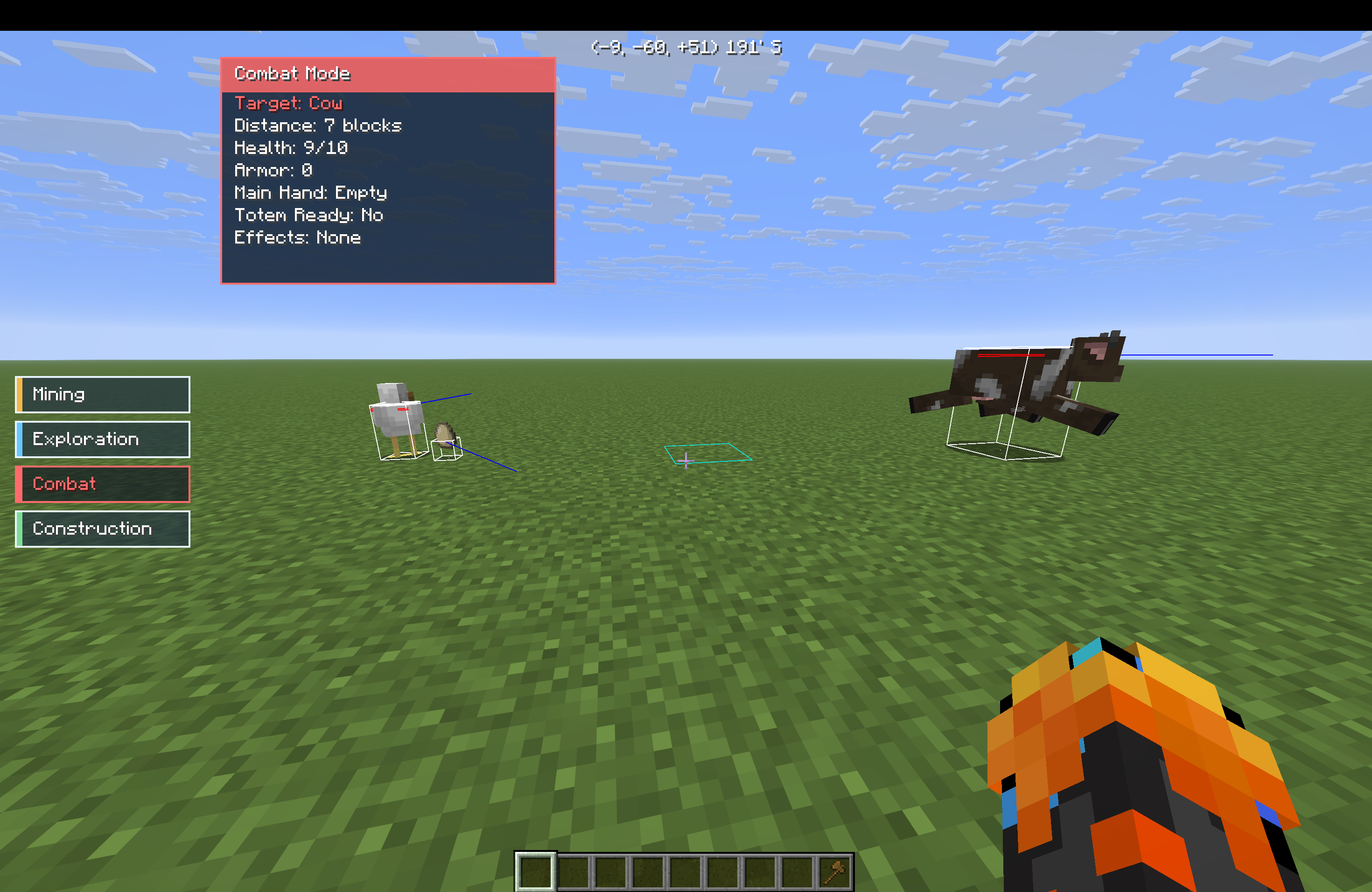 Combat Mode Combat Mode lets you see info about the last entity you hit. It tells you their: health, armor, main hand, totems, and effects.
 -
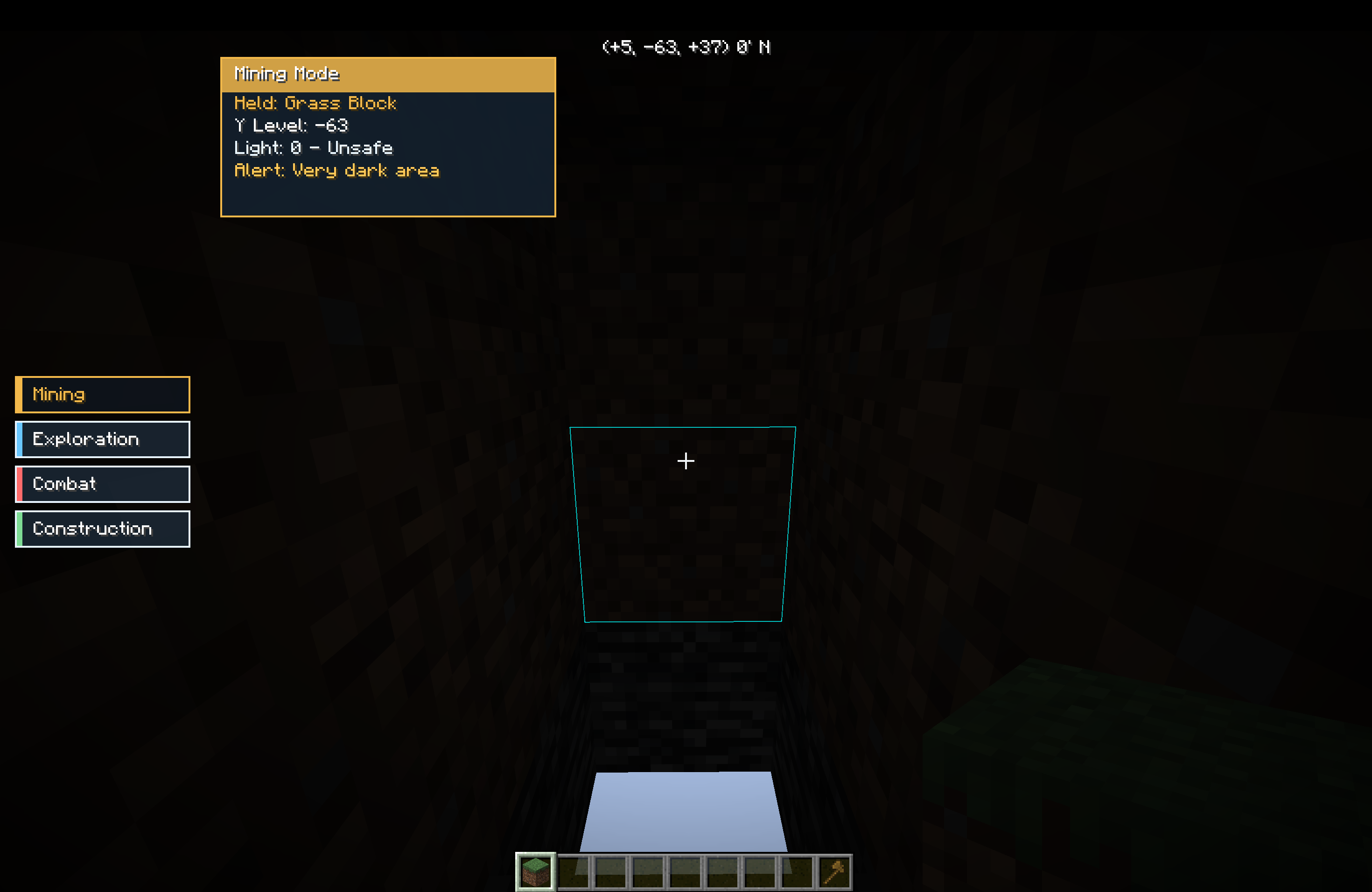 Mining Mode Mining Mode is a mode that is designed to tell you if it's safe to mine. It gives you alerts if it is dark, and tells you the Y level and Light level.
 -
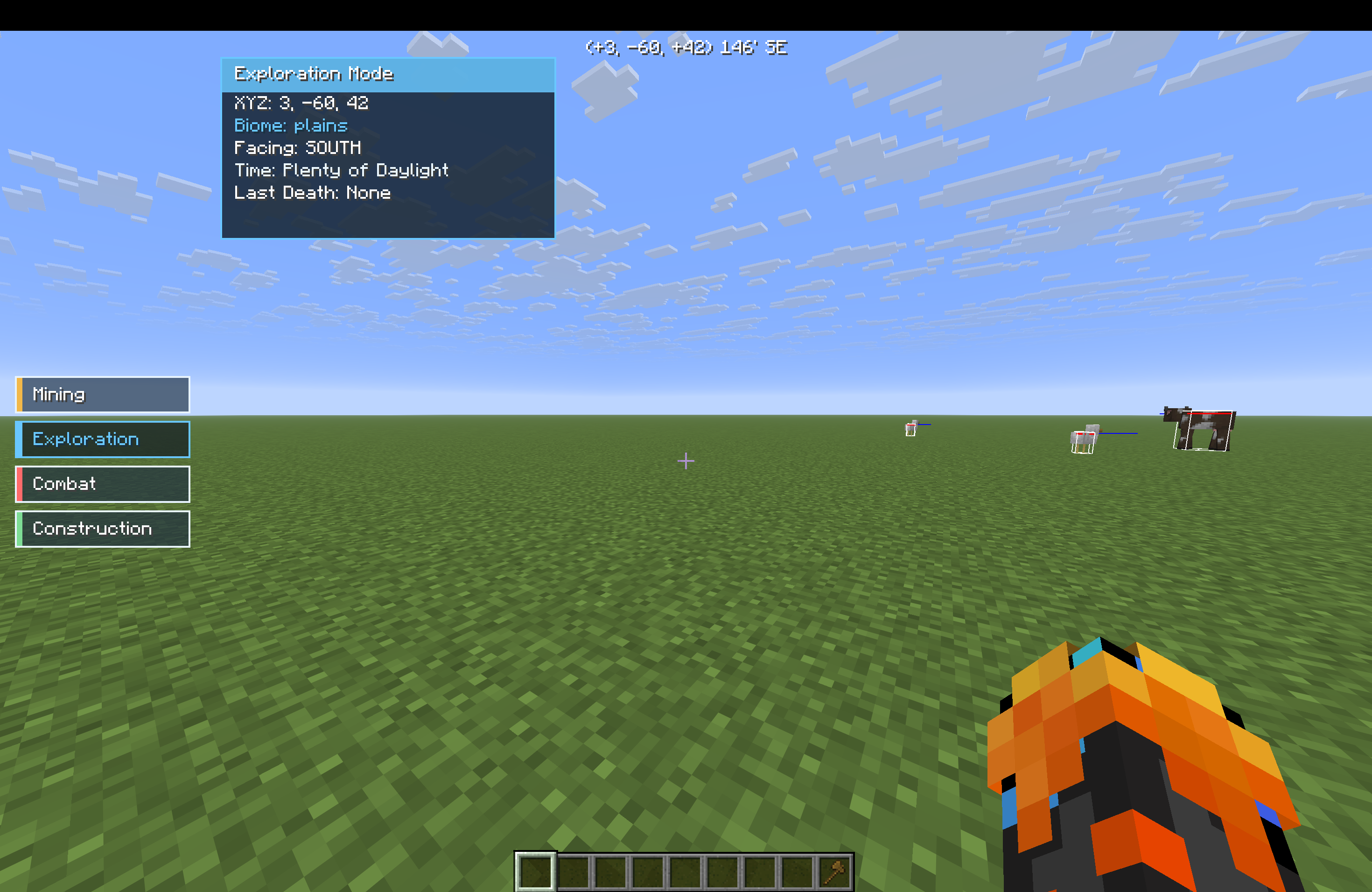 Exploration Mode Exploration Mode is a mode that is designed to help you explore. It tells you the biome you are in, the time, the place you last died, and direction you are facing.
 -
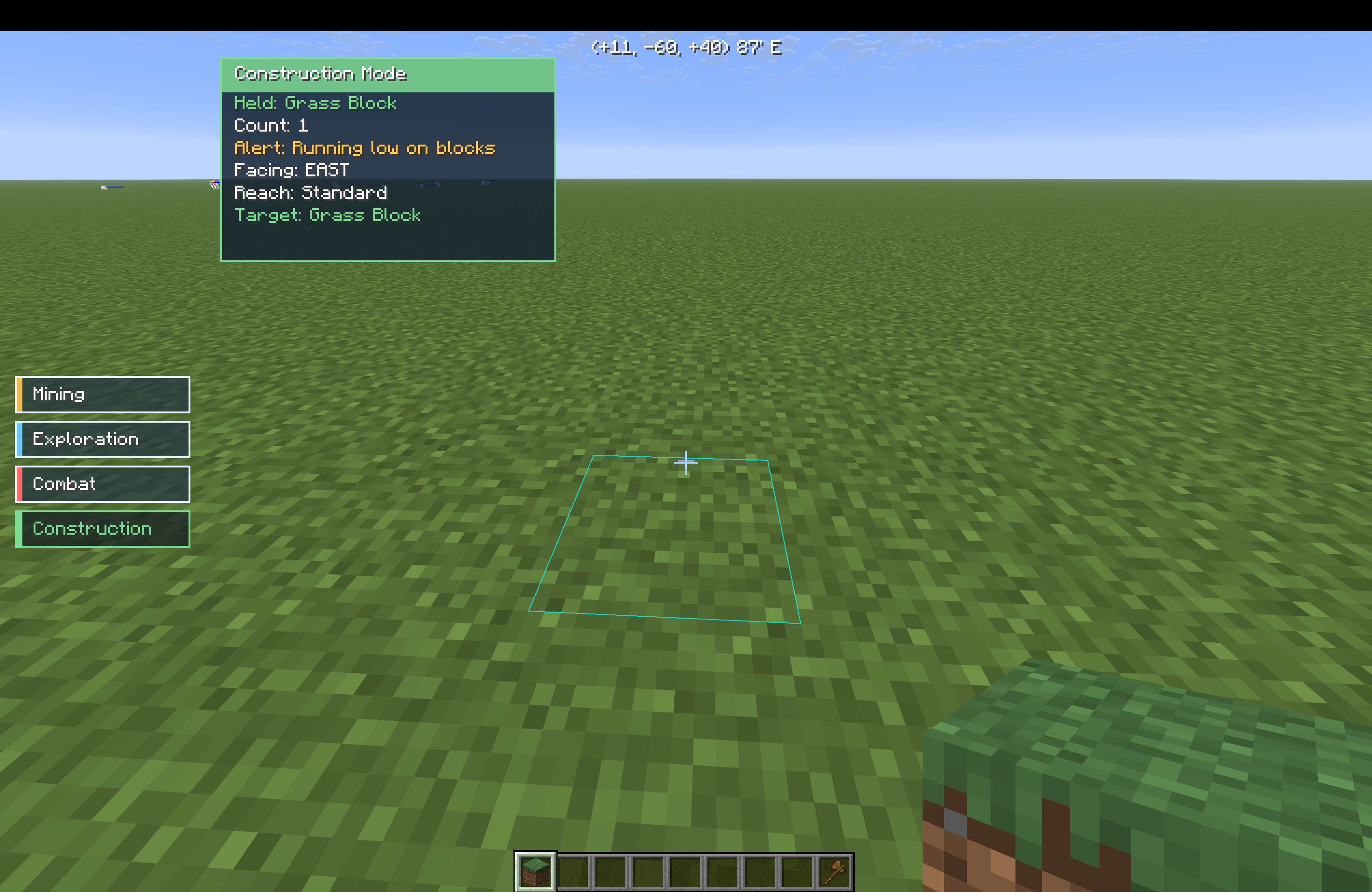 Construction Mode Construction Mode is a mode that is designed to help to build. It tells you your reach, where you are facing, what block you are holding, and gives an alert on if you are running low on blocks.
Versions
Files
Relations
Project Relations
More like this
Similar Mods
Suggestions use data such as tags, dependencies, dependents, descriptions, titles, and more to rank how much they overlap with this mod.
On ModDex
Community snapshot
By the numbers
Statistics

Want to reach Minecraft players?
We're looking for a server hosting partner to feature here and other parts of the site. Interested? Send us a message!
Get in touchGet it on
Available Platforms
On ModDex
Community snapshot
By the numbers
Statistics
Resources