
Community listing page, reviews here may not be monitored by the author.
Additions Mod

No reviews yet
A mod that lets YOU mod! Add items, blocks, recipes, and many more things to the game, without using code!

Community voices
Reviews
No reviews yet. Be the first to review this project!
Get it on
Available Platforms
About
Project Details
For authors
Embed Badge
If you're the author of this project, you can embed a live badge anywhere that supports HTML or Markdown. It updates automatically whenever ratings change.
Use HTML for any page that supports it, or Markdown for README files and Markdown-based descriptions.
Identifiers
Platform IDs
Resources
External Links
About
Description

Hey everyone! This is Additions, the mod that lets you add your own content to the game! Do you want to add items to the game but don't know how to code? Or do you want to add some unique content to your modpack? Then this mod is perfect for you!
This mod lets you add items, blocks, recipes, and many more things to the game, without using code.
So how does this work, you may ask?
First thing you want to do is click on the ++ button on the main menu screen!
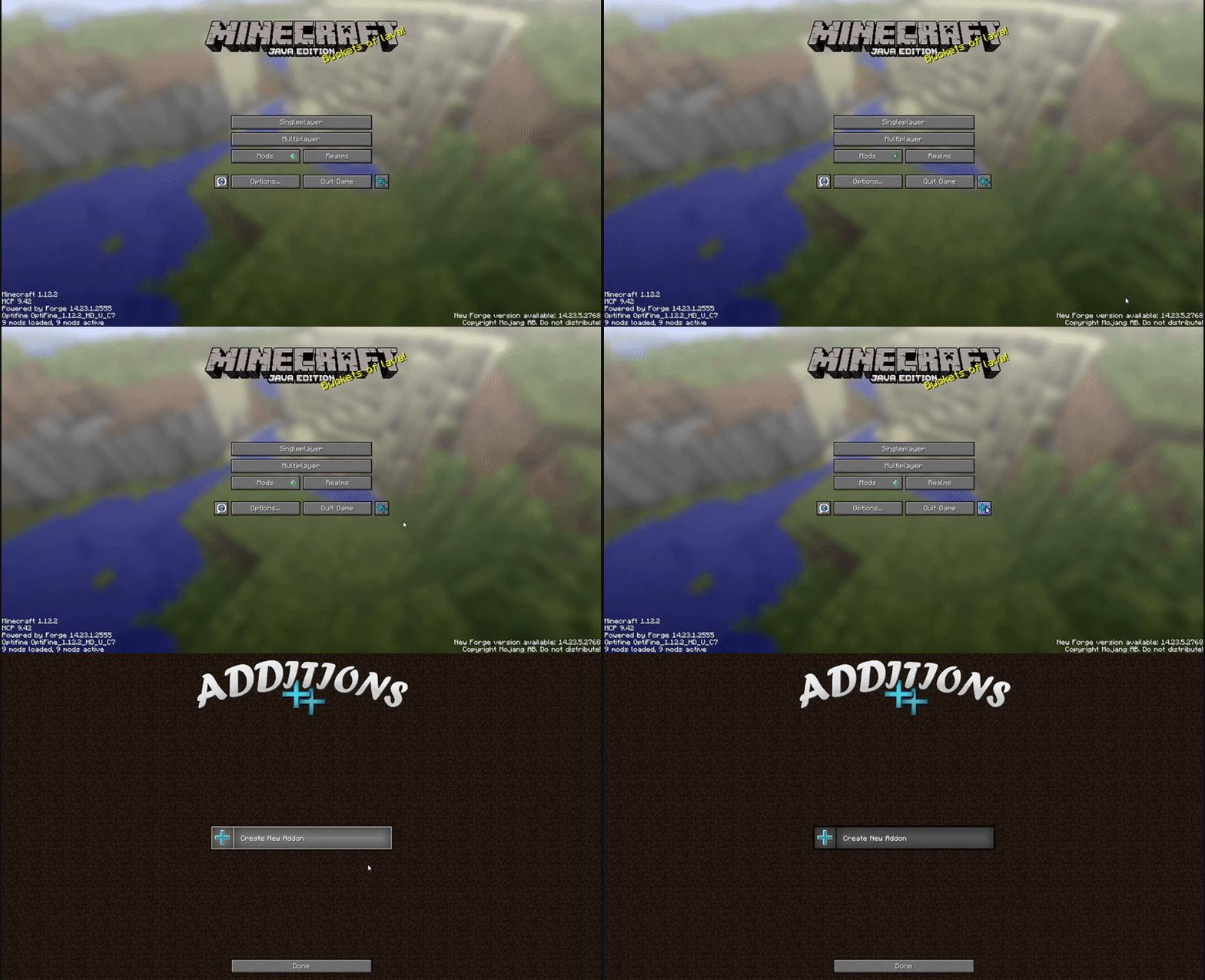
If you are using a custom main menu, or the button interferes with a button from another mod, you can move it in the config file. Or remove it entirely, in which case you can still get to the Additions GUI by going to Mods, selecting Additions, and clicking Config.
Next, click on Create New Addon, and enter an id, name, and select an item as icon for your addon, then click Save
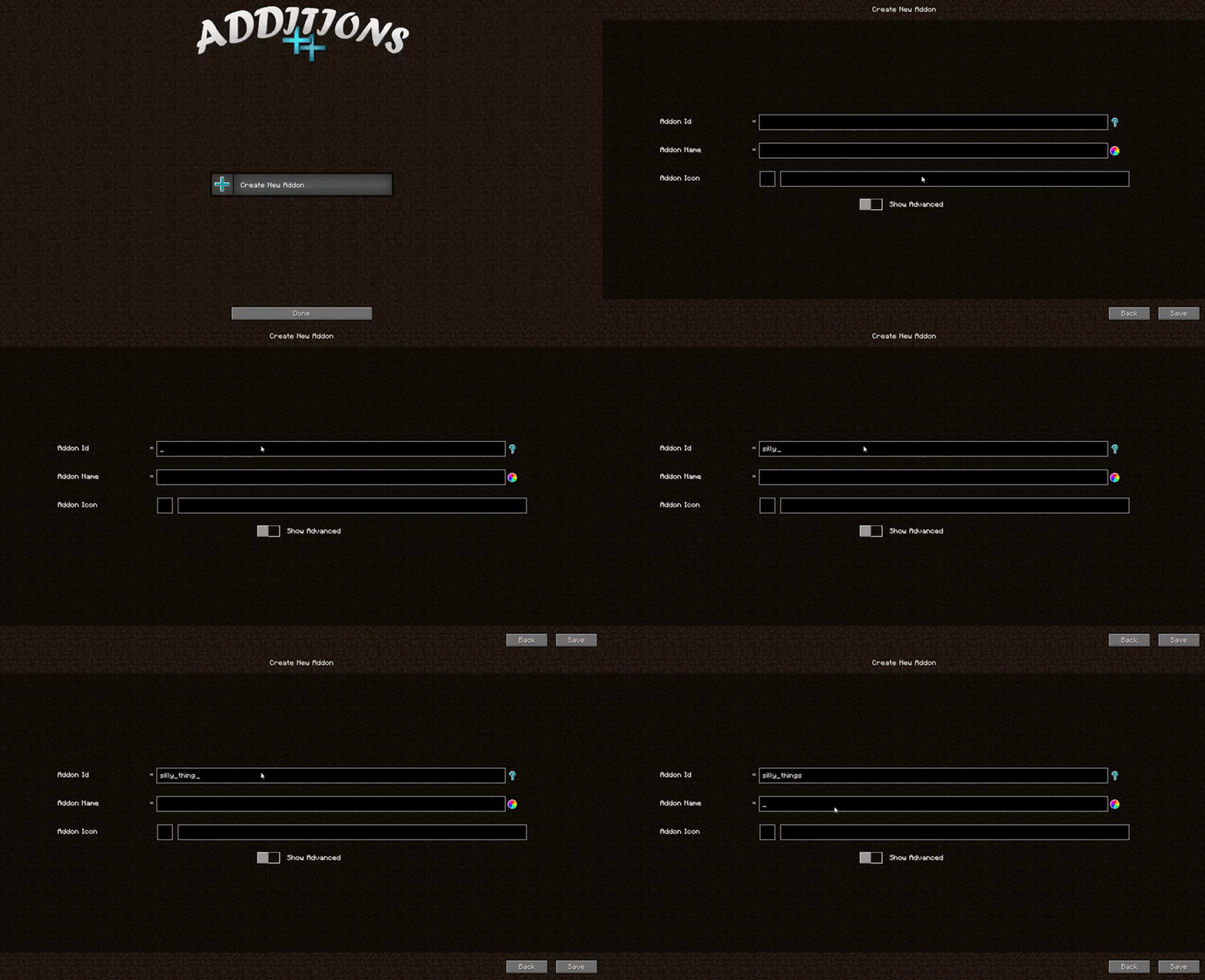
You can change the name and icon later, but not the Id!
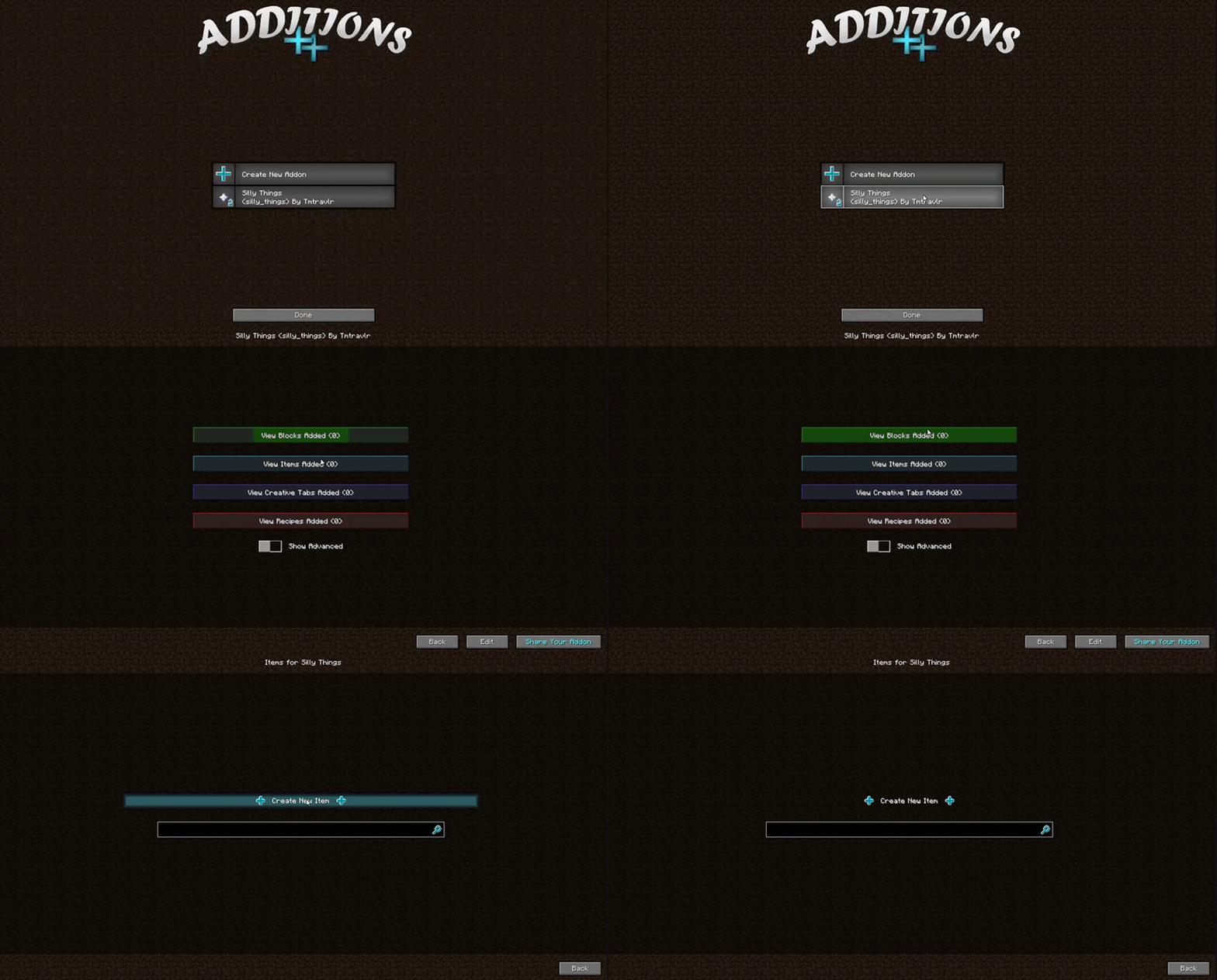
There you go! You created an addon. Now you can add items, blocks, recipes, creative tabs, effects, and more to it, through the GUI.
You may have noticed that button with blue text that says Share Your Addon. When you finish creating your addon, click that button to zip it in a form you can upload and share with others. It will lock your addon from changes, but you can unlock it later, of course, when you want to add a new feature. =)
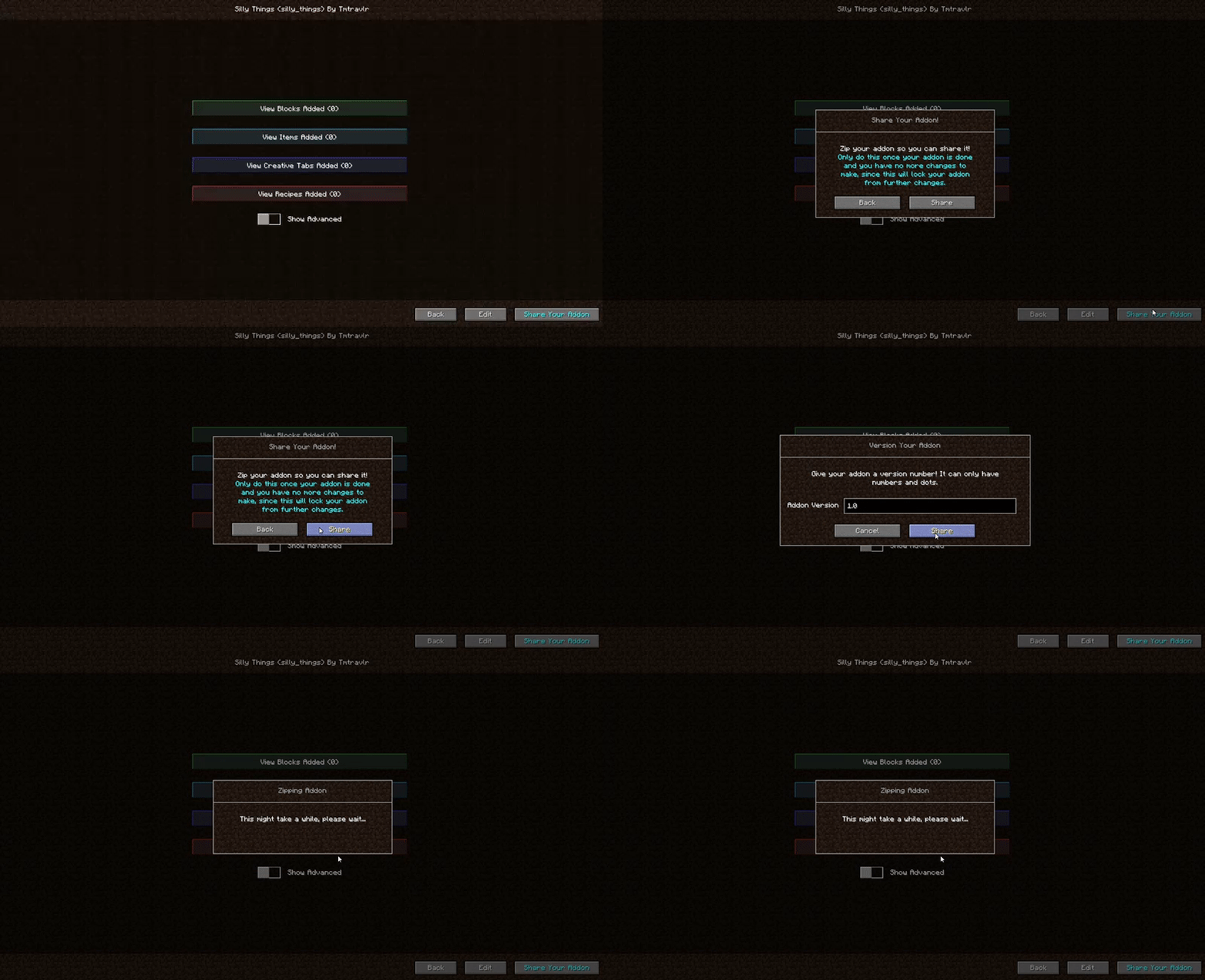
You can place the addon in the addons/Additions folder or the mods folder (or the addons/lucky_block folder if you have the lucky block mod installed and are making a lucky block addon).
Videos:
Quick showcase by sschr15:
https://www.youtube.com/watch?v=aqz4eBpQUNM
Showcase in Chinese by F_thx:
Requires Loot Overhaul: https://minecraft.curseforge.com/projects/loot-overhaul
This mod is the successor to Loot++ for 1.12, and has taken two and a half years to code so far. It's not feature complete yet... At the moment there are only a few block types and no world generation yet. The rest of the mod is complete, though.
You can definitely use this in modpacks!
Check out some addons people have made!

Weapons 'n More, by MrMidnightt: https://www.planetminecraft.com/mod/addon-weapons-n-more/
If you have any suggestions, I'd love to hear them! Also, I greatly appreciate any bugs you report. You can post them down below, or come to the discord server if you need help, or just want to chat: https://discord.gg/NSyWDAQ
Screenshots
Gallery
Versions
Files
Relations
Project Relations
More like this
Similar Mods
Suggestions use data such as tags, dependencies, dependents, descriptions, titles, and more to rank how much they overlap with this mod.
On ModDex
Community snapshot
By the numbers
Statistics
 (opens in a new tab)
Get it on
Available Platforms
On ModDex
Community snapshot
By the numbers
Statistics
Resources