
Community listing page, reviews may not be monitored by the author.
Addoners Optimizers


No reviews yet
High-performance Minecraft optimization mod that dynamically improves FPS and system efficiency while maintaining visual quality.

Community voices
Reviews
No reviews yet. Be the first to review this project!
Get it on
Available Platforms
Compatibility
Supported Environments
Runs entirely on the client. Works on vanilla servers.
About
Project Details
For authors
Embed Badge
If you're the author of this project, you can embed a live badge anywhere that supports HTML or Markdown. It updates automatically whenever ratings change.
Use HTML for any page that supports it, or Markdown for README files and Markdown-based descriptions.
Identifiers
Platform IDs
Resources
External Links
About
Description
Addoners Optimizers is a lightweight, client-side optimization mod designed to enhance Minecraft performance without compromising visual quality. It intelligently monitors in-game conditions such as FPS and dynamically applies optimized settings to ensure smooth and stable gameplay across a wide range of systems.
Built for both low-end and mid-range PCs, the mod reduces lag, improves frame consistency, and minimizes unnecessary resource usage. Unlike aggressive optimizers, it focuses on balanced adjustments, avoiding sudden visual drops or unstable performance spikes.
The mod works seamlessly with shaders and other client-side mods, making it ideal for players who want better performance while maintaining their preferred visual experience. With a simple and automatic approach, Addoners Optimizers requires no manual configuration—just install and play.
Addoners Optimizer
Addoners Optimizer is a client-side performance mod for Minecraft 1.26.1.2 (Fabric) that dynamically adjusts selected video settings based on real-time FPS measurements to help maintain smoother and more stable gameplay performance.
How it works
The mod samples the player's FPS every second using a rolling average and applies one of three optimization levels:
- LOW (≥80 FPS) — minimal adjustments, prioritizing visual quality
- MEDIUM (50–79 FPS) — moderate reductions to selected graphics settings
- AGGRESSIVE (<50 FPS) — stronger reductions intended to improve frame stability on lower performance systems
A 3-second cooldown between changes helps prevent rapid setting fluctuations.
Features
-
Automatically adjusts:
- Render distance
- Particle settings
- Smooth lighting
- Shader quality settings
-
Optional status HUD displaying:
- Current FPS
- Active optimization level
- Shader detection state
-
Shader-aware mode:
- Reduces optimization aggressiveness when Iris or Canvas shaders are detected
-
.addonersprofile system:- JSON-based profiles for hardware tiers or shader packs
- User-customizable optimization rules
-
Built-in profiles for:
- Quartzglow Shaderpack
- Skygleam Shaderpack
-
In-game configuration support through Mod Menu
-
Structured debug logging to
logs/latest.log
Adjustable settings
Depending on the active optimization profile, the mod can dynamically modify:
- Render distance (2–32 chunks)
- Particle settings
- Smooth lighting
- Shadow quality levels
- Shader toggles through profile rules
Requirements
- Minecraft 1.26.1.2
- Fabric Loader 0.18.6 or newer
- Fabric API
- Java 25+
- Mod Menu (optional)
Configuration
Config location:
%appdata%/.minecraft/config/teamaddoners/modconfig.json
Profiles folder:
%appdata%/.minecraft/config/teamaddoners/profiles/
No manual setup is required. The optimizer starts automatically when Minecraft launches.
Performance notes
Performance impact and effectiveness may vary depending on:
- Hardware specifications
- Installed mods
- Shader packs
- World complexity
- Render resolution
- Server load
Testing was primarily performed on systems using Fabric with Sodium-based rendering environments under varying render distances and shader configurations.
Screenshots
Gallery
-
 Cover Image Cover Image
 -
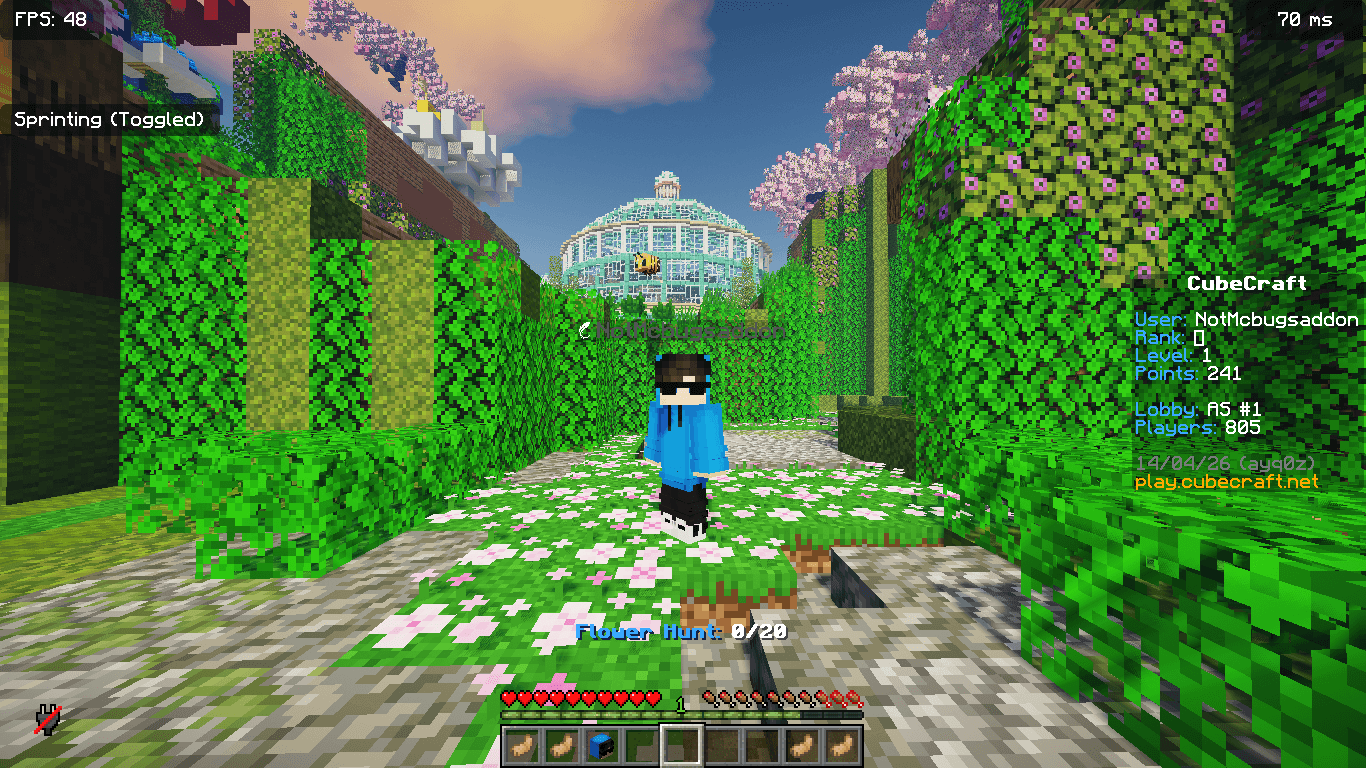 Better Shader Performance Better Shader Performance
 -
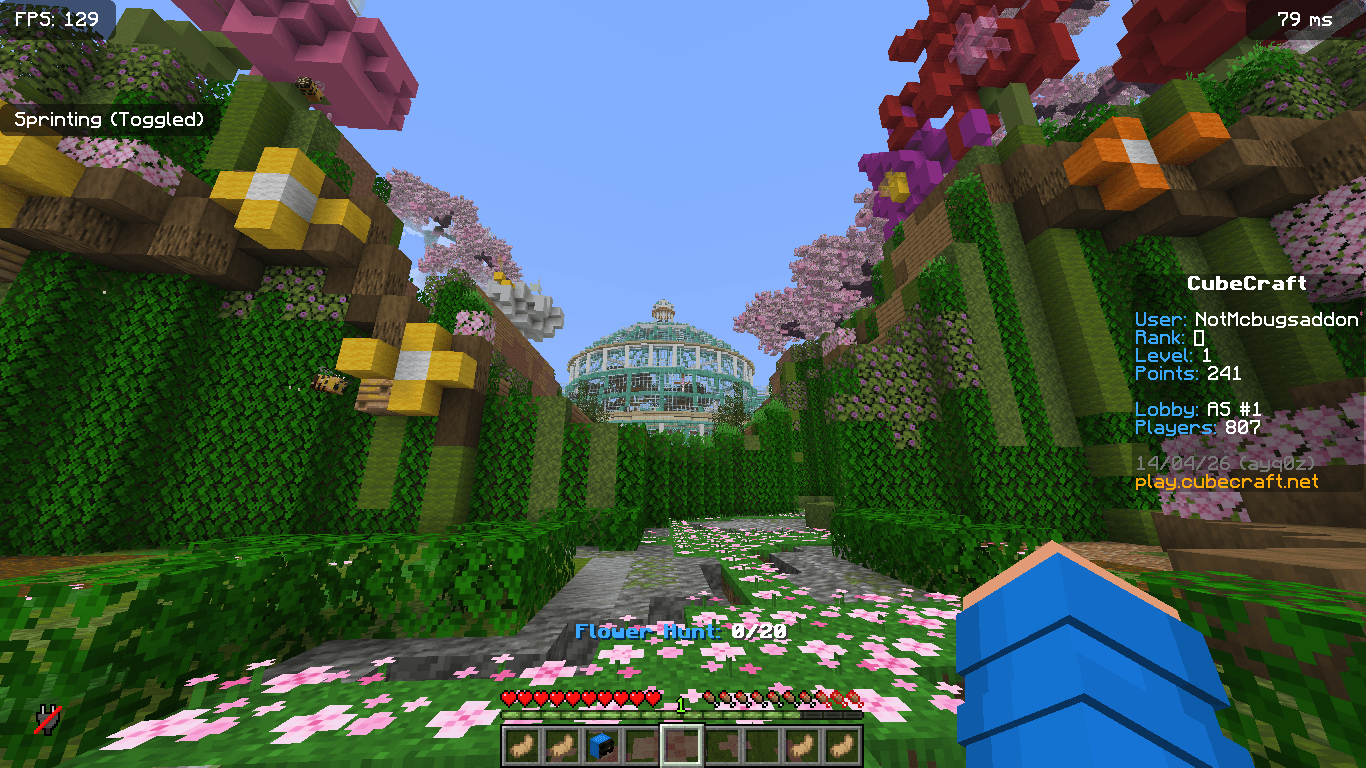 Better Performance in overall Gameplay Better Performance in overall Gameplay
 -
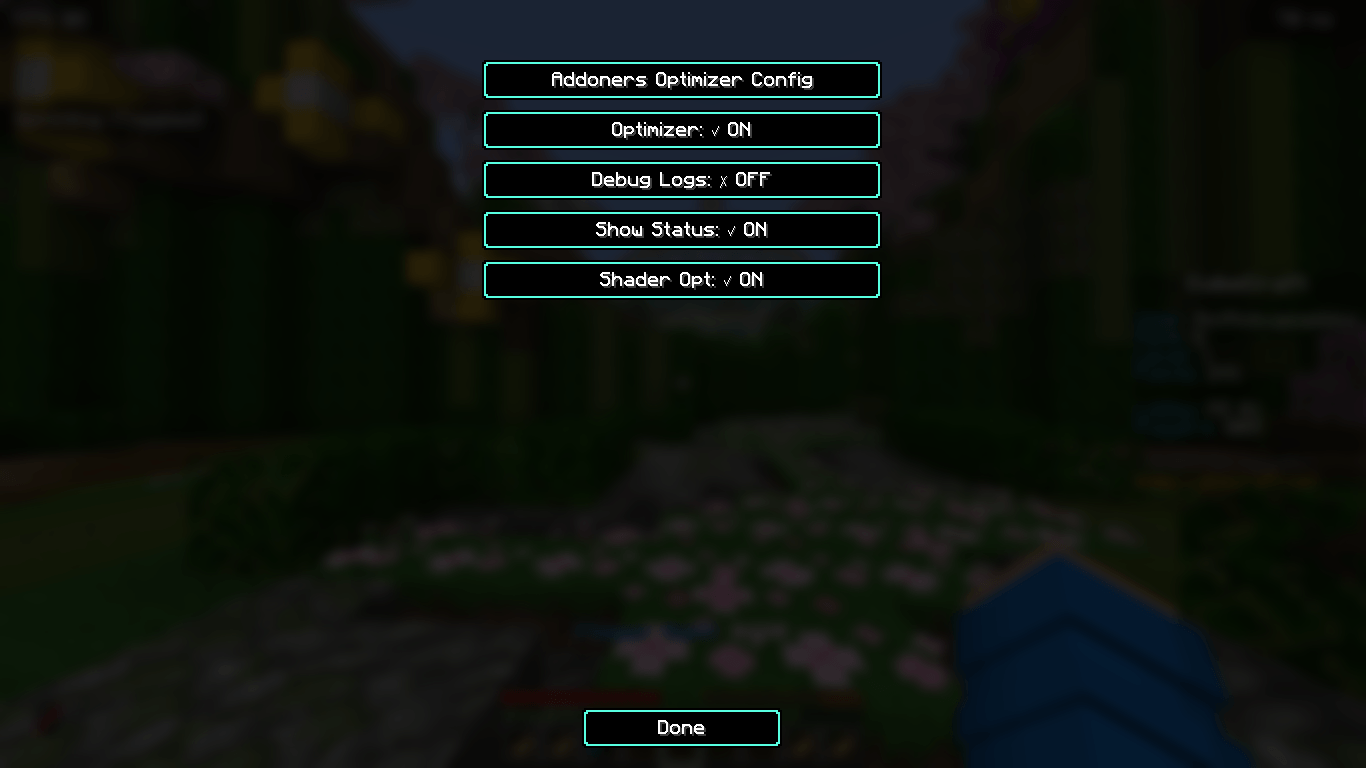 Config Config
-
 Cover Image
 -
 Better Shader Performance Without Mod fps: 30-40 With Mod fps: 50-70
 -
 Better Performance in overall Gameplay Without Mod fps: 80-100 With Mod fps: 120-200+
 -
 Config Simple and easy to use
Versions
Files
Relations
Project Relations
More like this
Similar Mods
Suggestions use data such as tags, dependencies, dependents, descriptions, titles, and more to rank how much they overlap with this mod.
On ModDex
Community snapshot
By the numbers
Statistics

Get it on
Available Platforms
On ModDex
Community snapshot
By the numbers
Statistics
Resources