
The Admin Tool
No reviews yet
A device that opens a menu with a lot of useful options
Enhances game performance and optimizes resource usage.
Data Packs were introduced to vanilla Minecraft in version 1.13 and allow the server to modify data about the game, or run commands. Data Packs are compatible with all mod loaders.
Forge is a popular mod loader for versions 1.1+ of Minecraft.
Neoforge is a fork of the Minecraft Forge available for versions 1.20.1+ of Minecraft. Many Forge mods are compatible with Neoforge and vice versa.
Fabric is a mod loader for versions 1.14+ of Minecraft, particularly popular for client side and optimization mods.
Quilt is a fork of the Fabric mod loader. Many Fabric mods are compatible with Quilt and vice versa.
Community voices
Reviews
Click once to include, again to exclude, again to clear
No reviews yet. Be the first to review this project!
Get it on
Available Platforms
 Modrinth
Compatibility
Supported Environments
About
Project Details
For authors
Embed Badge
If you're the author of this project, you can embed a live badge anywhere that supports HTML or Markdown. It updates automatically whenever ratings change.
Use HTML for any page that supports it, or Markdown for README files and Markdown-based descriptions.
Identifiers
Platform IDs
About
Description

The Admin Tool
- An advanced and user-friendly in-game interface designed for both server admins and singleplayer users.
▶️ The Tool

▶️ How to use
You can get a dedicated Admin Tool item to access all menus from your hotbar (Creative only).
Run this command to open the admin tool main menu:
/dialog show @s admin_tools:main_menu
To get the Admin Tool item (Creative only):
/function admin_tools:1_give_admin_tool
Note: In Datapack Version, the resource pack is required to display the Admin Tool correctly.
▶️ Current Features
■ Player Settings
Ban a player
 Allows banning a player by entering their name, reason, and duration.
Kick a player
 Disconnects a specified player from the server without banning them.
Kill a player
 Kills a specified player instantly using the
 /kill command.
Apply effect
 Apply potion effects to yourself or another player, choosing effect type, duration, and level.
Apply effect (advanced)
 Allows applying a custom potion effect to yourself or another player by setting effect ID, duration, and level.
Gamemode switcher
 Switch gamemode for yourself or others quickly.
Teleport to player / location
 Teleports you to a specified player or coordinates by entering the exact player name or position.
Modify player attributes
 Modify a player’s attribute base value by selecting the player, attribute, and new value
Set player spawnpoint
 Set a player’s spawnpoint by specifying the player and coordinates X, Y, Z.
Give Armor Kit
 Select an armor kit material and give it to the targeted player.
■ World Settings
Time changer
 Set the time of day by choosing ticks.
Weather changer
 Set custom weather type and duration in ticks.
Set world spawn
 Set the global spawn point by entering X, Y, Z coordinates.
Difficulty changer
 Select the world difficulty (peaceful, easy, normal, hard).
Advanced mob spawner
 Summon a mob with detailed options: name, attributes, equipment, effects, size, visibility, and more.
Mob control
 Spawn or kill selected mobs easily by choosing the mob type and amount.
Modify entity attributes
 Edit the base attribute value of the nearest mob within 10 blocks.
Set Custom Mob Spawner
 Configure a custom mob spawner by adjusting spawn parameters, equipment, effects, and custom light conditions.
■ Utility Settings
Broadcast title
 Send global announcements with formatted messages.
Items cleaner
 Removes dropped items.
Custom item creator
 Create custom items with names, lore, enchantments, and attribute modifiers.
Dimension switcher
 Select a dimension to teleport to. Custom IDs allowed.
Create text display
 Create
 text_display entities with full control over text style, alignment, size, color, visibility, rotation, and more.
Edit text display
 Edit existing
 text_display entities in the world directly.
Teams manager:
Create a team

Delete a team

Manage team members

Edit team settings

Show team list

■ Quick Settings:
Set Ranks
 Set predefined ranks easily (just visual prefix, not perms).
■ Fun Settings
Explosion generator
 Generate TNT with adjustable explosion power and fuse timer.
■ Gamerules Settings
Toggle gamerules through categorized menus with activate/deactivate options:
Gamerules menu

■ Help Menu
- Contains information and tips about how to use every menu
Help dialog example

▶️ Details
- Perfect for adventure map creators, server operators, or singleplayer users who want control without commands
- Still in development – new tools and menu categories will be added in future updates
- Suggestions, bug reports, and feature requests are welcome!
Screenshots
Gallery
-
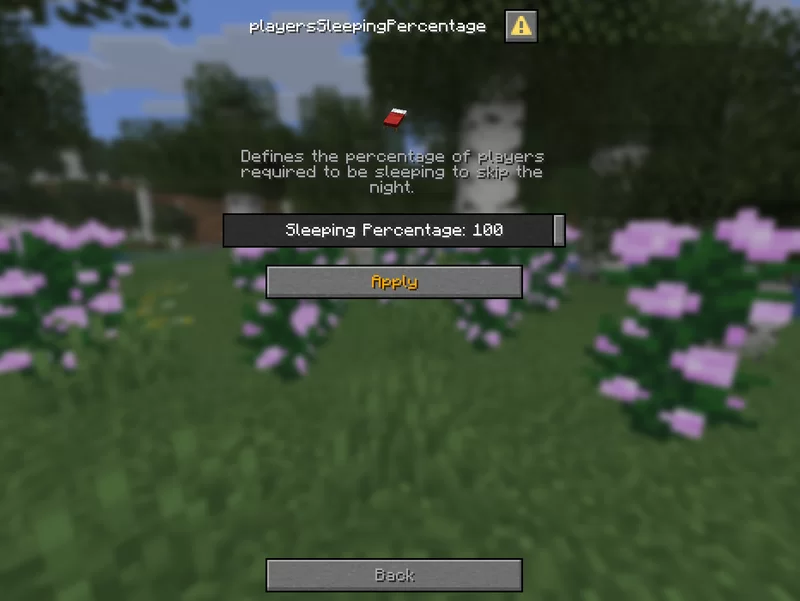 Define gamerules easy
 -
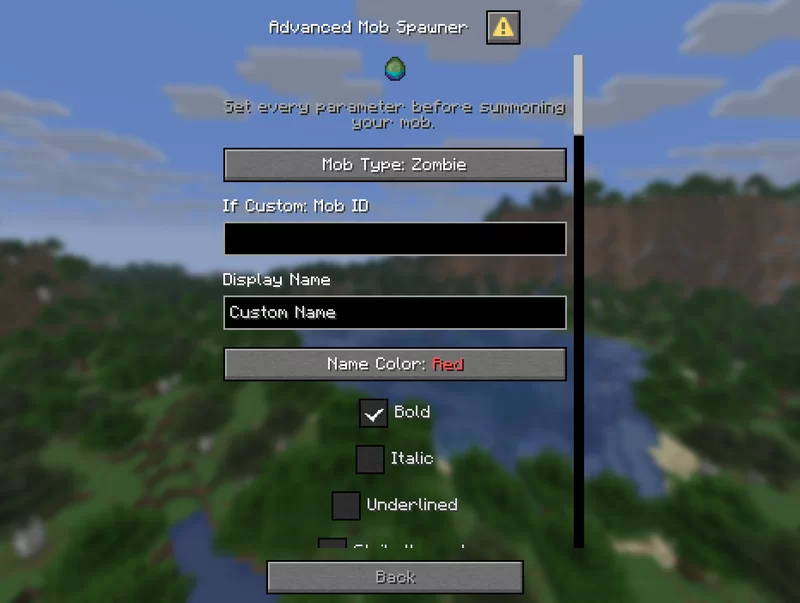 Advanced Mob Spawner
 -
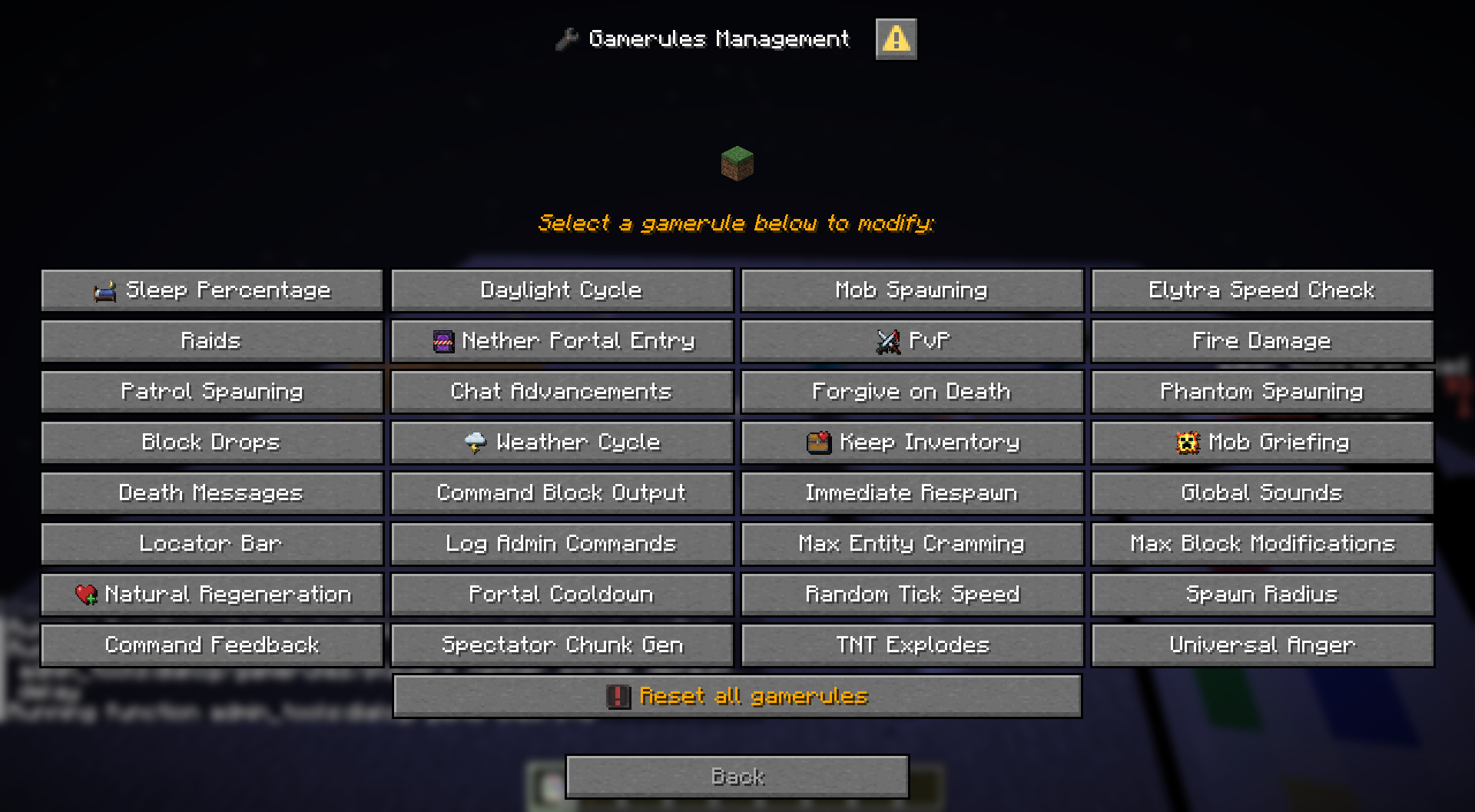 Gamerules menu
 -
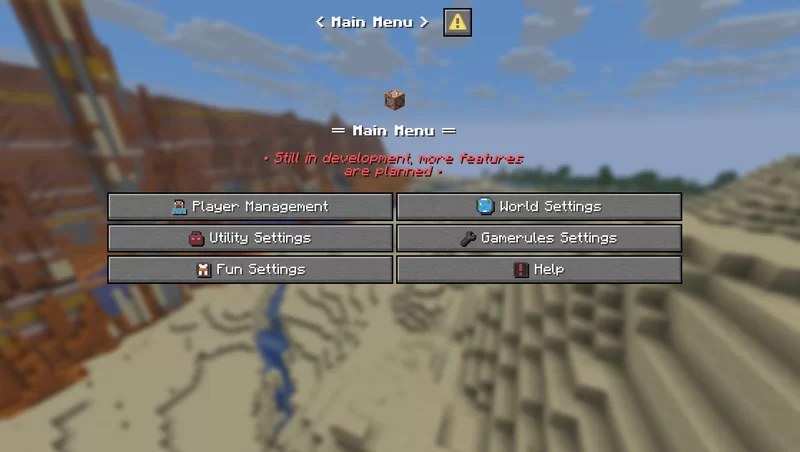 Admin Tools - Main menu
 -
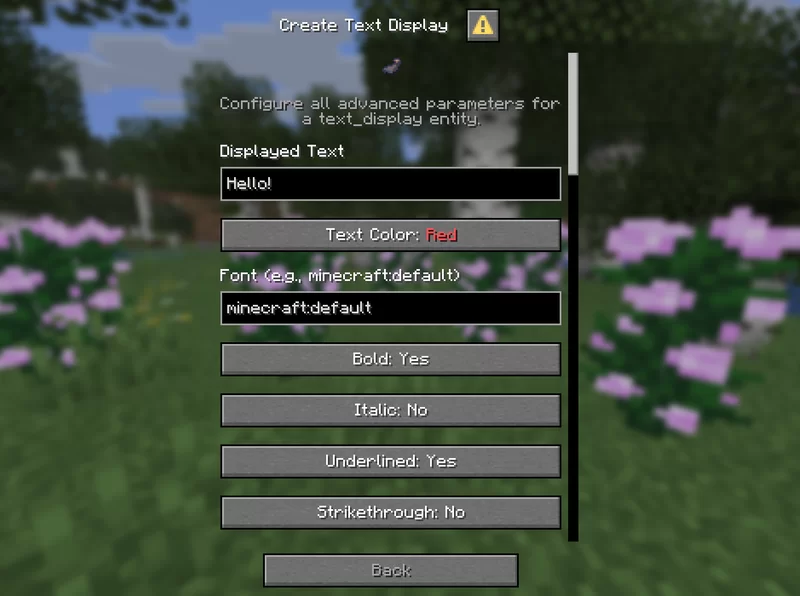 Create Text Display
 -
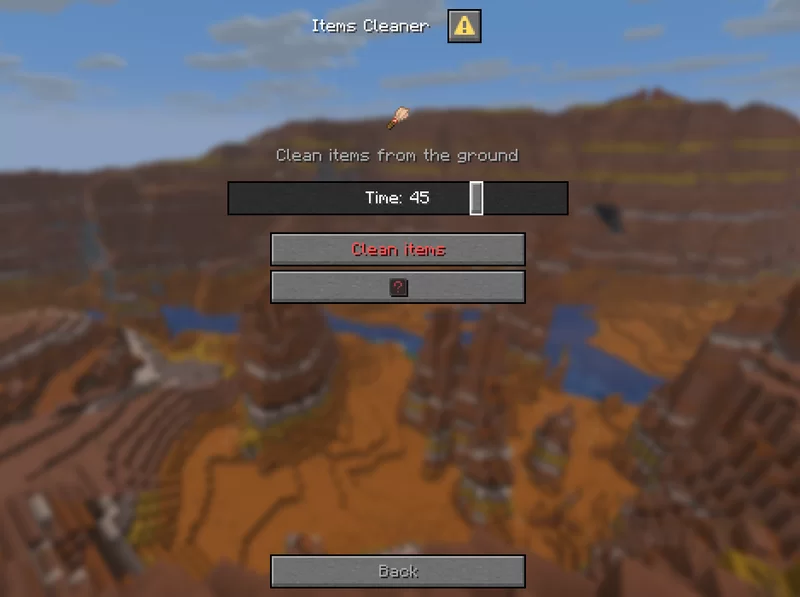 Items cleaner
 -
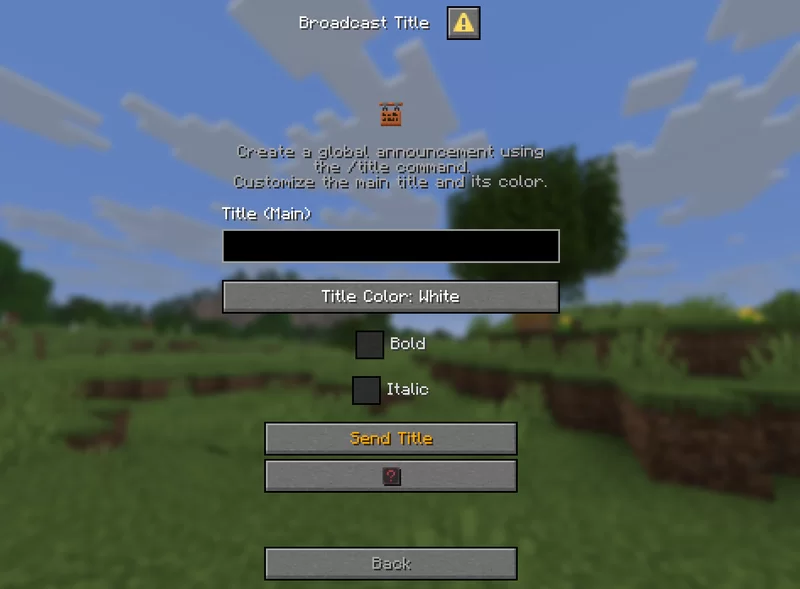 Broadcast title
 -
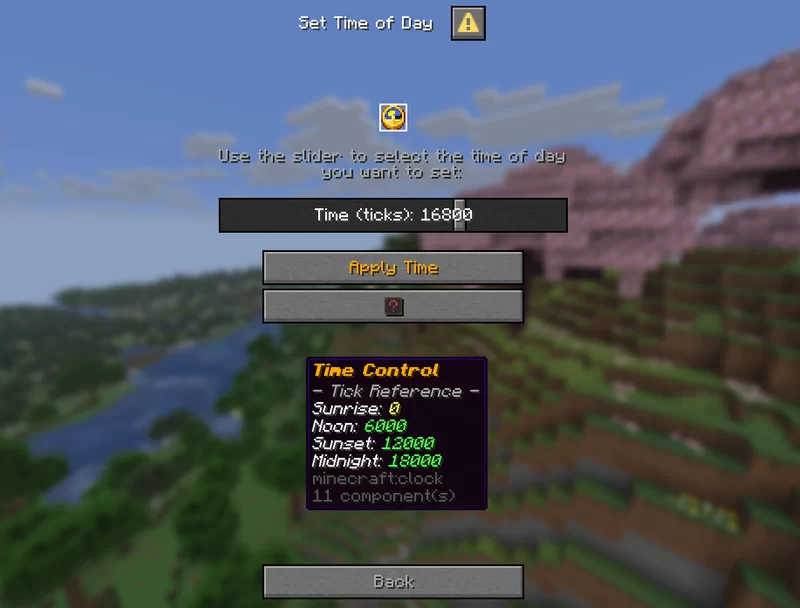 Set time of day
 -
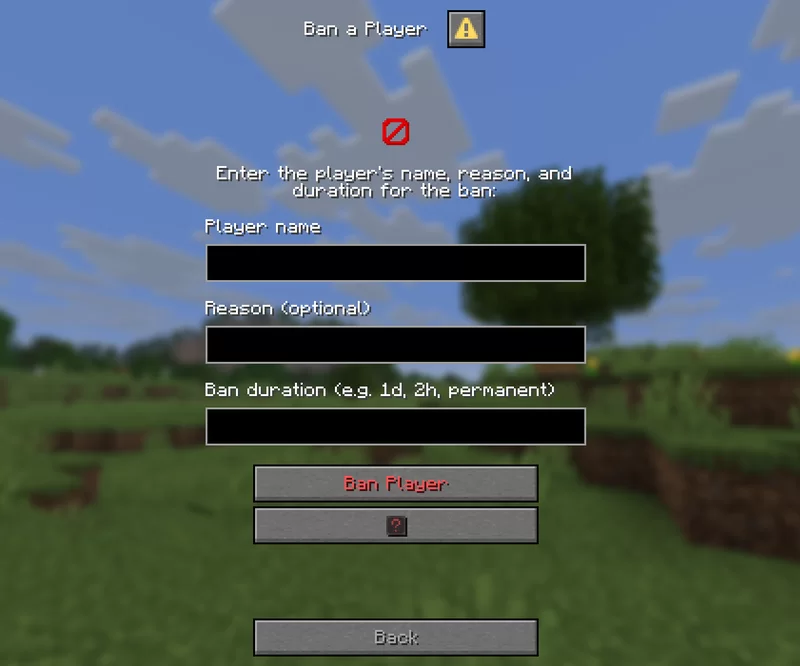 Ban a player
 -
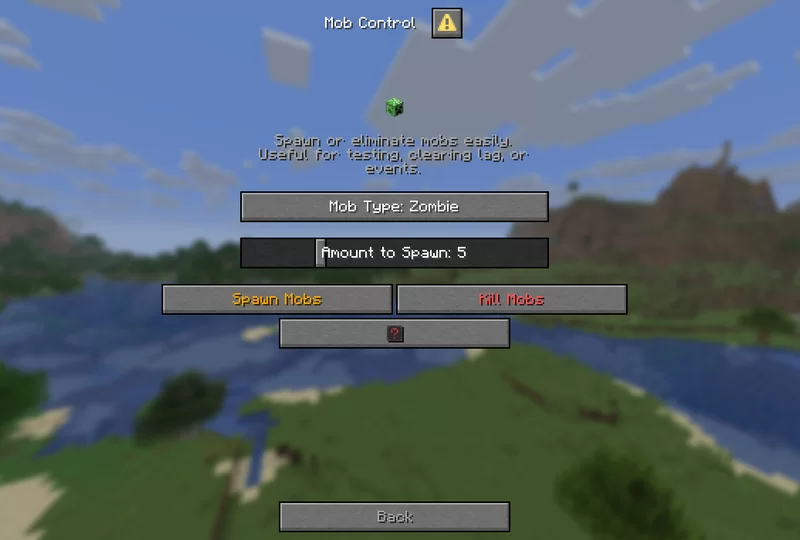 Mob Control
Versions
Files
Relations
Project Relations
More like this
Similar Mods
Suggestions use data such as tags, dependencies, dependents, descriptions, titles, and more to rank how much they overlap with this mod.
On ModDex
Community snapshot
By the numbers
Statistics

Want to reach Minecraft players?
We're looking for a server hosting partner to feature here and other parts of the site. Interested? Send us a message!
Get in touchGet it on
Available Platforms
On ModDex
Community snapshot
By the numbers