
Community listing page, reviews here may not be monitored by the author.
Adoner’s Tweaks


No reviews yet
A configurable NeoForge QoL mod featuring Stack Size Override, Category Chest + Auto Sorter, Auto Fishing Rod, and more.

Community voices
Reviews
No reviews yet. Be the first to review this project!
Get it on
Available Platforms
Compatibility
Supported Environments
Must be installed on both the client and the server.
About
Project Details
For authors
Embed Badge
If you're the author of this project, you can embed a live badge anywhere that supports HTML or Markdown. It updates automatically whenever ratings change.
Use HTML for any page that supports it, or Markdown for README files and Markdown-based descriptions.
Identifiers
Platform IDs
Resources
External Links
About
Description
Adoner's Tweaks
Adoner's Tweaks is a collection of configurable QoL features for NeoForge and Fabric.
Project pages:
- CurseForge: https://www.curseforge.com/minecraft/mc-mods/adoners-tweaks
- Modrinth: https://modrinth.com/mod/adoners-tweaks
Quick start
- Put one or more vanilla chests (or trapped chests) near you.
- Use the Auto Sorter to sort your inventory into nearby Category Chests.
- Category Chest is not craftable: when the mod needs a new Category Chest, the Auto Sorter can convert an empty vanilla chest automatically.
- For safety, chests that already contain items are never converted.
Main features
- Category Chest + Auto Sorter
- Sorts your inventory into nearby chests by category id / display name.
- Supports custom categories and special rules (item/tag → category), plus creative-tab priority (config-driven).
- Sneak + use while looking at a chest: sorts that chest’s contents.
- Client QoL: category chest icons (configurable overrides) + hover shows the category name.
- Inventory Item Lock
- In inventory screens, hover a player inventory slot and use the lock key to lock/unlock an ItemStack.
- The lock key is rebindable in Minecraft's Controls menu.
- Locked ItemStacks show a small lock overlay in GUI slots.
- Locked ItemStacks are excluded from Auto Sorter distribution.
- Locked ItemStacks cannot be dropped through normal inventory drop actions.
- Advanced Crafting Table
- A standalone feature, separate from the Category Chest system.
- Can pull / auto-refill / return items from nearby chests, trapped chests, and Category Chests.
- Shift-click bulk crafting can continue using nearby storage.
- Advanced Enchanting Table
- A standalone feature, separate from the vanilla enchanting table.
- Can use lapis lazuli from nearby chests.
- Adds a reroll UI where you choose target enchantments and an emerald cost per reroll.
- Repeats rerolls until a selected enchantment appears or resources run out.
- Stack Size Override (configurable)
- Raise the maximum stack size for stackable items (vanilla max stack > 1), up to 2147483647 (default: 5120).
- Note: values above 1000000 are not recommended (may cause performance/compat issues).
- Includes compact large-number formatting (e.g. 1000 → 1K, 1000000 → 1M).
- Auto Fishing Rod
- Auto reels in on bite, stores loot into nearby chests and chest boats.
- Right-click toggles auto recast ON/OFF. While ON, it automatically casts again right after auto reeling in.
- Can include FishPlus extra drops as chest-insert candidates.
- Anvil support: merge enchants from a vanilla fishing rod onto the Auto Fishing Rod.
- FishPlus Extras (configurable)
- Add extra fishing drops via config (key:
[fish_plus] extra_drops). - Luck of the Sea increases the chance and the amount.
- Add extra fishing drops via config (key:
- Capture Capsule: capture/release villagers & animals.
- Purifying Amulet (Purify): toggleable mode with HUD indicator; each purification consumes 1 durability, with 32 durability total (golden sword level).
- Cat Amulet: keeps nearby creepers away while it is in your inventory, and cancels the fuse of creepers that start swelling right next to you.
- Metal Detector: detects nearby ores and shows a visual indicator (can prioritize when held in off-hand).
- Magic Key: while held, nearby doors auto-open/close.
- Bonus Chest extras (configurable)
- Inject extra items into the bonus chest (default: Purifying Amulet + Village Map).
- Config key:
[bonus_chest] extra_items. - Note:
adonersmod:village_mapis a special entry that generates a Village Explorer Map.
- Shockwave (Sword Enchantment)
- Adds the Shockwave enchantment. Attacking with a Shockwave sword can spawn a shockwave.
- Shield enchantments
- Adds Auto Guard for shields: when enemy damage is about to land, the enchanted shield is raised automatically.
- Adds Reflection for shields: blocked projectiles are reflected back to deal damage.
- Both enchantments can appear from librarian trades and the enchanting table.
Other QoL tweaks (configurable)
- Auto tree cutting: break a natural tree log with an axe to break connected logs.
- Bone Meal+: bone meal can grow sugar cane (also works via dispenser behavior).
- Block EXP + Emerald chance: breaking natural blocks spawns EXP; natural blocks can drop emeralds with Fortune scaling.
- Villager trades refresh button: adds a button to the trading screen to re-roll trades for eligible villagers (server-validated).
- World QoL settings screen: in singleplayer, the world owner can open an in-game ON/OFF settings screen for these World QoL features using a rebindable key.
- String from White Wool (always enabled): shapeless recipe (1× White Wool → 4× String).
- Waist Lantern (always enabled): if you have a lantern item from
ItemTags.LANTERNSin hand or hotbar, you get a small moving light around your feet (places temporary invisible light blocks).
Inventory / stack QoL (configurable)
- Max stack size override for stackable items (key:
[stack_size] max_stack_size, up to 2147483647; >1000000 not recommended). - Auto tool exchange: when a tool breaks, swap in a spare of the same item.
- Large stack count display formatting (e.g. 1000 → 1K, 1000000 → 1M).
Config
- Config file:
config/adonersmod-common.toml - In singleplayer, the world owner can open an in-game World QoL settings screen with a rebindable key. There is still no full general-purpose config GUI for every feature.
Languages
- English (
en_us) - Japanese (
ja_jp)
Feedback
Suggestions, requests, and comments are welcome!
Adoner's Tweaks
Adoner's Tweaks is a collection of configurable QoL features for NeoForge and Fabric.
Project pages:
- CurseForge: https://www.curseforge.com/minecraft/mc-mods/adoners-tweaks
- Modrinth: https://modrinth.com/mod/adoners-tweaks
Quick start
- Put one or more vanilla chests (or trapped chests) near you.
- Use the Auto Sorter to sort your inventory into nearby Category Chests.
- Category Chest is not craftable: when the mod needs a new Category Chest, the Auto Sorter can convert an empty vanilla chest automatically.
- For safety, chests that already contain items are never converted.
Main features
- Category Chest + Auto Sorter
- Sorts your inventory into nearby chests by category id / display name.
- Supports custom categories and special rules (item/tag → category), plus creative-tab priority (config-driven).
- Sneak + use while looking at a chest: sorts that chest’s contents.
- Client QoL: category chest icons (configurable overrides) + hover shows the category name.
- Inventory Item Lock
- In inventory screens, hover a player inventory slot and use the lock key to lock/unlock an ItemStack.
- The lock key is rebindable in Minecraft's Controls menu.
- Locked ItemStacks show a small lock overlay in GUI slots.
- Locked ItemStacks are excluded from Auto Sorter distribution.
- Locked ItemStacks cannot be dropped through normal inventory drop actions.
- Advanced Crafting Table
- A standalone feature, separate from the Category Chest system.
- Can pull / auto-refill / return items from nearby chests, trapped chests, and Category Chests.
- Shift-click bulk crafting can continue using nearby storage.
- Advanced Enchanting Table
- A standalone feature, separate from the vanilla enchanting table.
- Can use lapis lazuli from nearby chests.
- Adds a reroll UI where you choose target enchantments and an emerald cost per reroll.
- Repeats rerolls until a selected enchantment appears or resources run out.
- Stack Size Override (configurable)
- Raise the maximum stack size for stackable items (vanilla max stack > 1), up to 2147483647 (default: 5120).
- Note: values above 1000000 are not recommended (may cause performance/compat issues).
- Includes compact large-number formatting (e.g. 1000 → 1K, 1000000 → 1M).
- Auto Fishing Rod
- Auto reels in on bite, stores loot into nearby chests and chest boats.
- Right-click toggles auto recast ON/OFF. While ON, it automatically casts again right after auto reeling in.
- Can include FishPlus extra drops as chest-insert candidates.
- Anvil support: merge enchants from a vanilla fishing rod onto the Auto Fishing Rod.
- FishPlus Extras (configurable)
- Add extra fishing drops via config (key:
[fish_plus] extra_drops). - Luck of the Sea increases the chance and the amount.
- Add extra fishing drops via config (key:
- Capture Capsule: capture/release villagers & animals.
- Purifying Amulet (Purify): toggleable mode with HUD indicator; each purification consumes 1 durability, with 32 durability total (golden sword level).
- Cat Amulet: keeps nearby creepers away while it is in your inventory, and cancels the fuse of creepers that start swelling right next to you.
- Metal Detector: detects nearby ores and shows a visual indicator (can prioritize when held in off-hand).
- Magic Key: while held, nearby doors auto-open/close.
- Bonus Chest extras (configurable)
- Inject extra items into the bonus chest (default: Purifying Amulet + Village Map).
- Config key:
[bonus_chest] extra_items. - Note:
adonersmod:village_mapis a special entry that generates a Village Explorer Map.
- Shockwave (Sword Enchantment)
- Adds the Shockwave enchantment. Attacking with a Shockwave sword can spawn a shockwave.
- Shield enchantments
- Adds Auto Guard for shields: when enemy damage is about to land, the enchanted shield is raised automatically.
- Adds Reflection for shields: blocked projectiles are reflected back to deal damage.
- Both enchantments can appear from librarian trades and the enchanting table.
Other QoL tweaks (configurable)
- Auto tree cutting: break a natural tree log with an axe to break connected logs.
- Bone Meal+: bone meal can grow sugar cane (also works via dispenser behavior).
- Block EXP + Emerald chance: breaking natural blocks spawns EXP; natural blocks can drop emeralds with Fortune scaling.
- Villager trades refresh button: adds a button to the trading screen to re-roll trades for eligible villagers (server-validated).
- World QoL settings screen: in singleplayer, the world owner can open an in-game ON/OFF settings screen for these World QoL features using a rebindable key.
- String from White Wool (always enabled): shapeless recipe (1× White Wool → 4× String).
- Waist Lantern (always enabled): if you have a lantern item from
ItemTags.LANTERNSin hand or hotbar, you get a small moving light around your feet (places temporary invisible light blocks).
Inventory / stack QoL (configurable)
- Max stack size override for stackable items (key:
[stack_size] max_stack_size, up to 2147483647; >1000000 not recommended). - Auto tool exchange: when a tool breaks, swap in a spare of the same item.
- Large stack count display formatting (e.g. 1000 → 1K, 1000000 → 1M).
Config
- Config file:
config/adonersmod-common.toml - In singleplayer, the world owner can open an in-game World QoL settings screen with a rebindable key. There is still no full general-purpose config GUI for every feature.
Languages
- English (
en_us) - Japanese (
ja_jp)
Feedback
Suggestions, requests, and comments are welcome!
Screenshots
Gallery
-
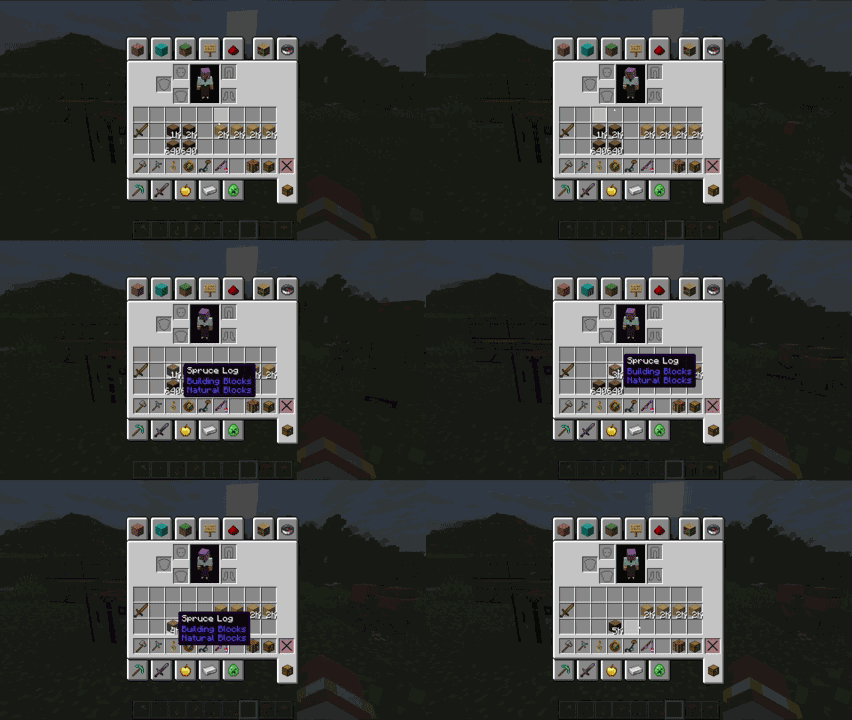 adoners-tweaks_1.1.0_stack-size-override.gif Stack Size Override: configurable max stack size + compact count display (K/M).
 -
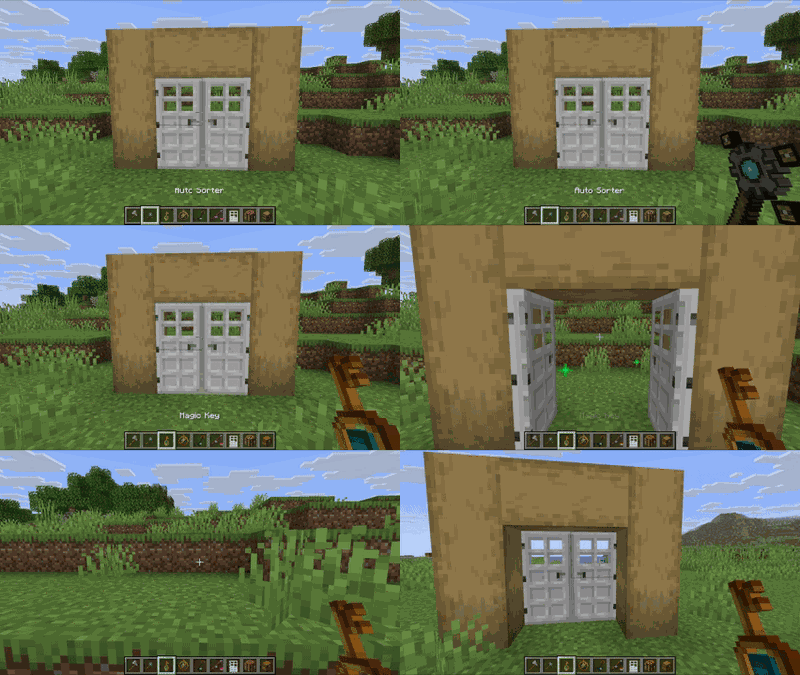 adoners-tweaks_1.1.0_magic-key.gif Magic Key: automatically opens/closes nearby doors while held.
 -
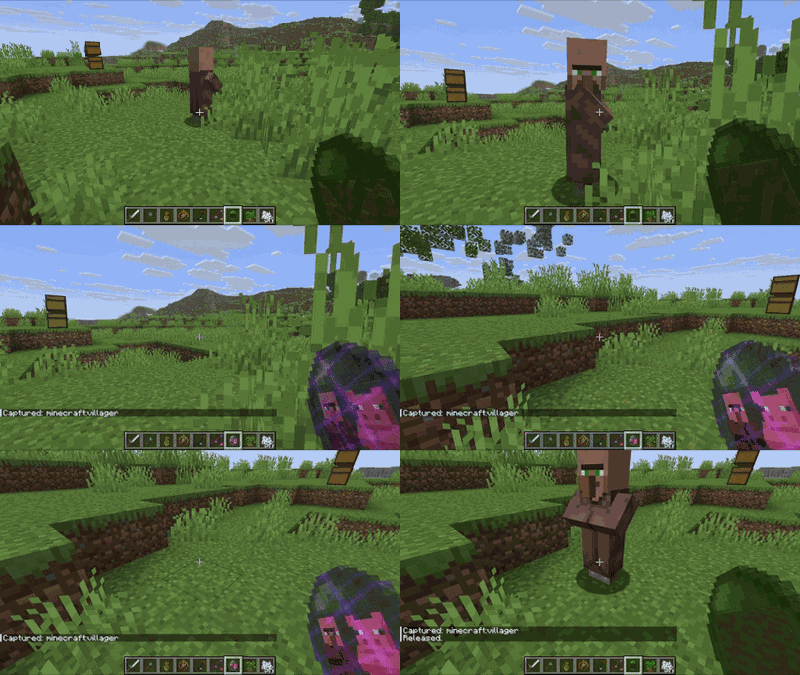 adoners-tweaks_1.1.0_capture-capsule.gif Capture Capsule: capture and release villagers/animals safely.
 -
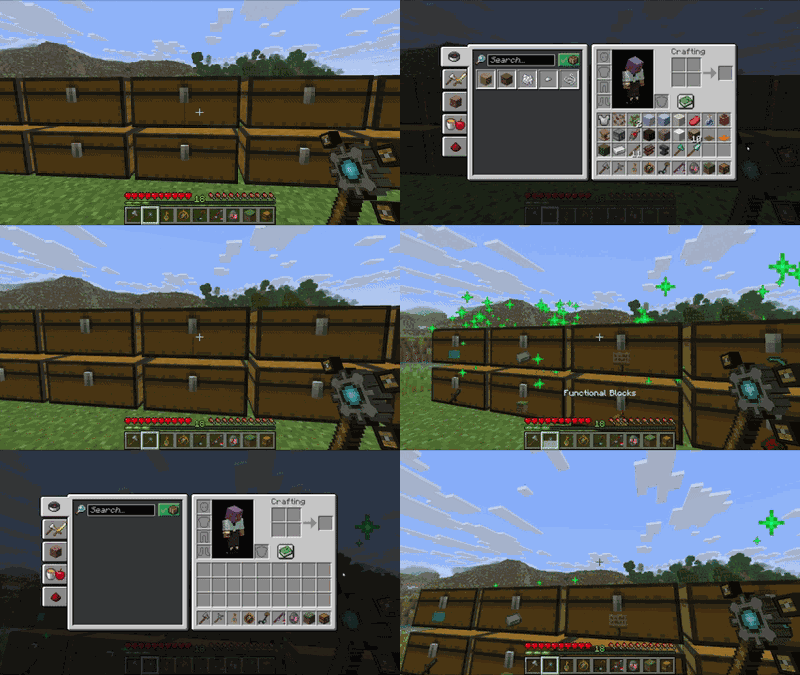 adoners-tweaks_1.1.0_auto-sorter.gif Auto Sorter quickly sorts your inventory into nearby Category Chests.
 -
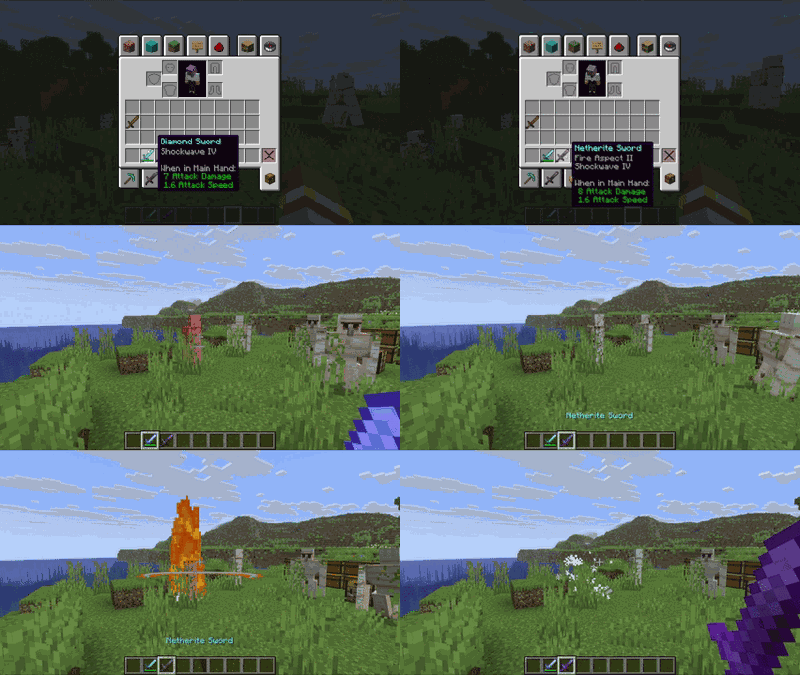 adoners-tweaks_1.1.0_shockwave.gif Shockwave enchantment: attacks can spawn a shockwave (with cooldown).
 -
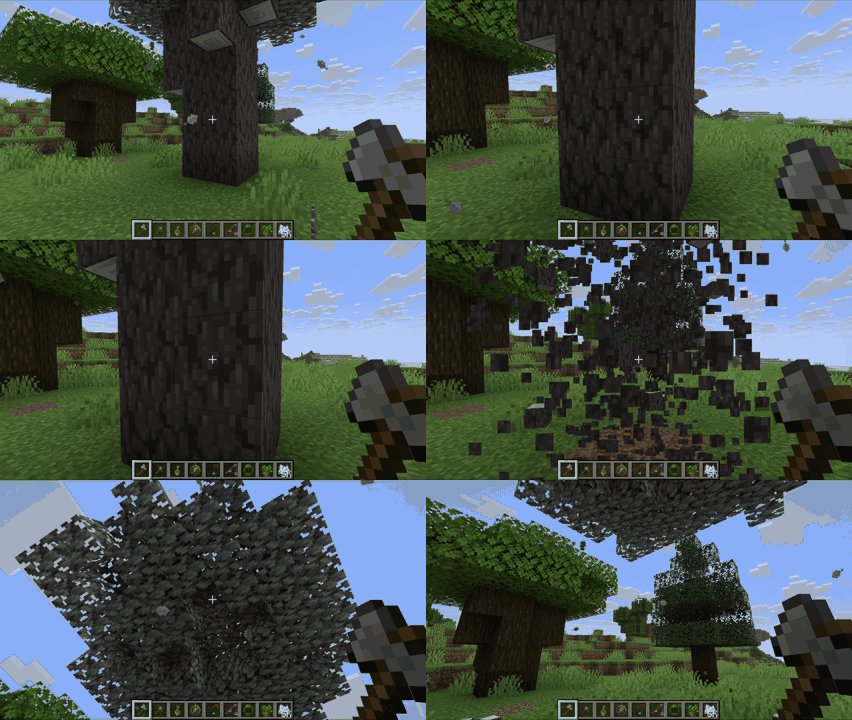 adoners-tweaks_1.1.0_auto-tree-cutting.gif Auto Tree Cutting: break one natural log to fell the whole tree.
 -
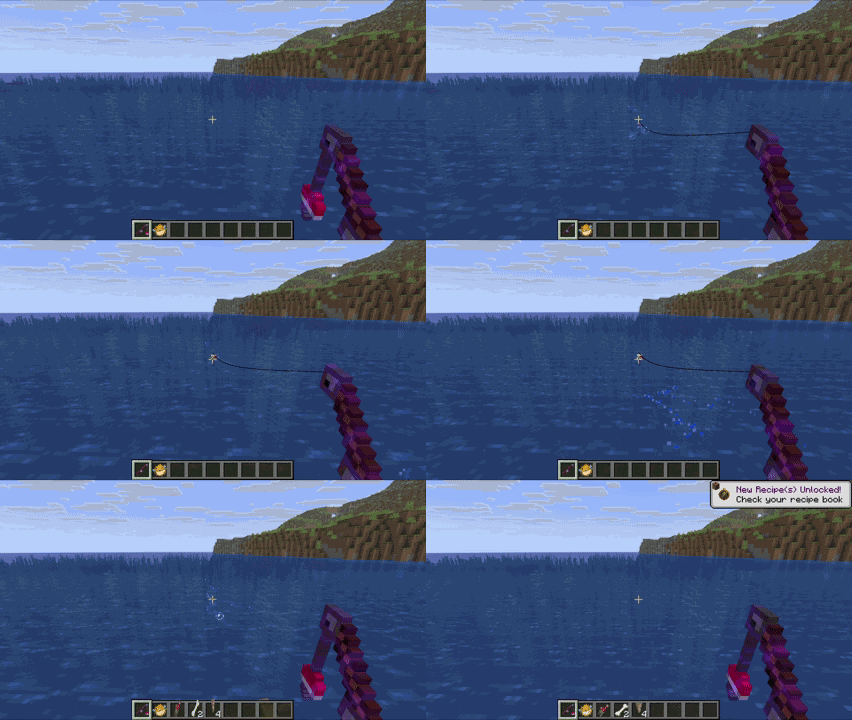 adoners-tweaks_1.1.0_auto-fishing-rod.gif Auto Fishing Rod reels in automatically and stores loot into nearby chests.
 -
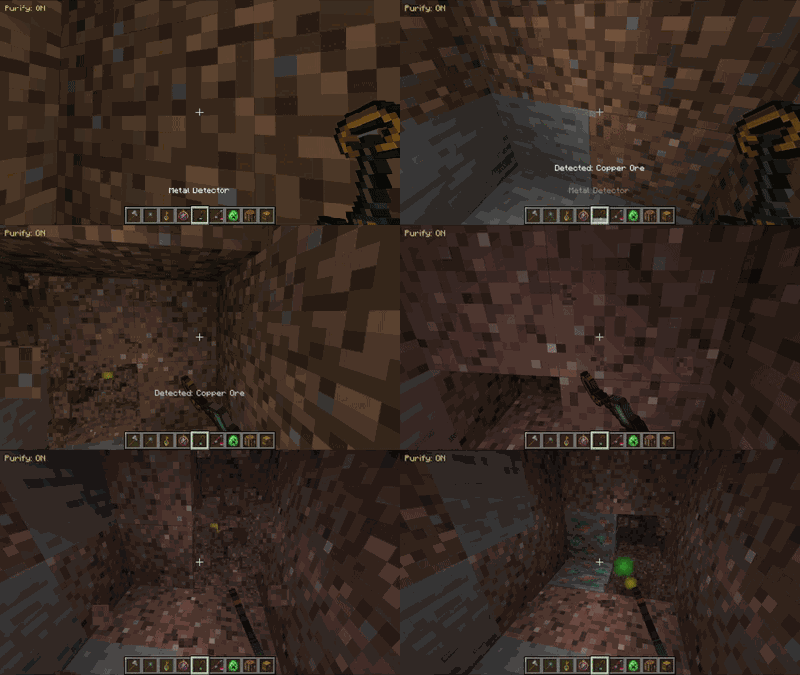 adoners-tweaks_1.1.0_metal-detector.gif Metal Detector: detects nearby ores and shows a visual indicator.
 -
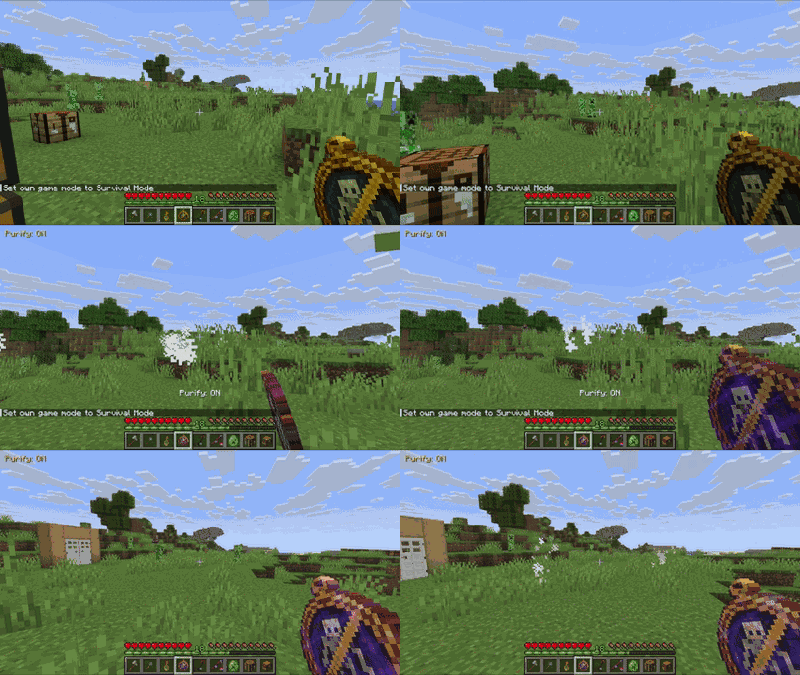 adoners-tweaks_1.1.0_purifying-amulet-purify.gif Purifying Amulet: toggleable “Purify” mode with HUD indicator.
 -
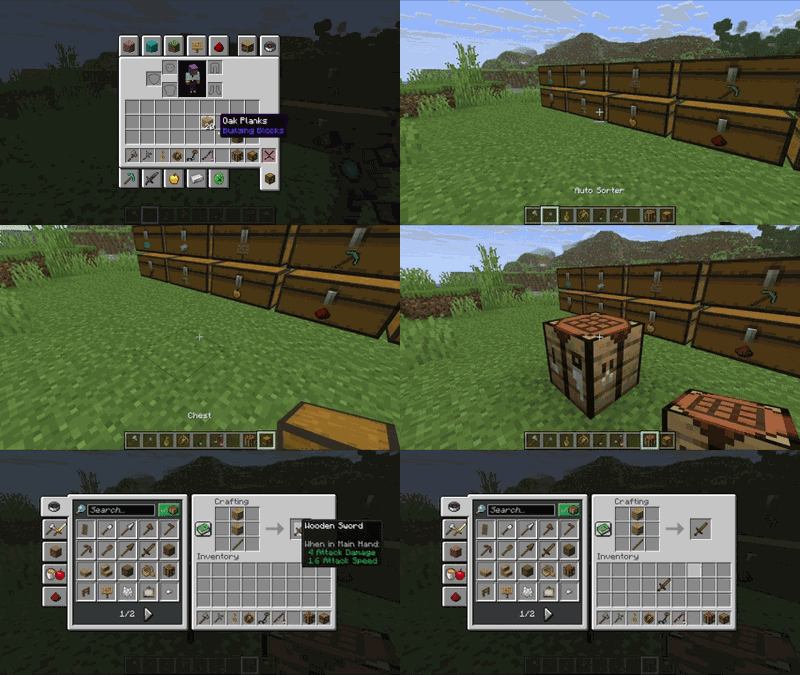 adoners-tweaks_1.1.0_category-chest.gif Category Chests auto-created from empty vanilla chests (not craftable).
 -
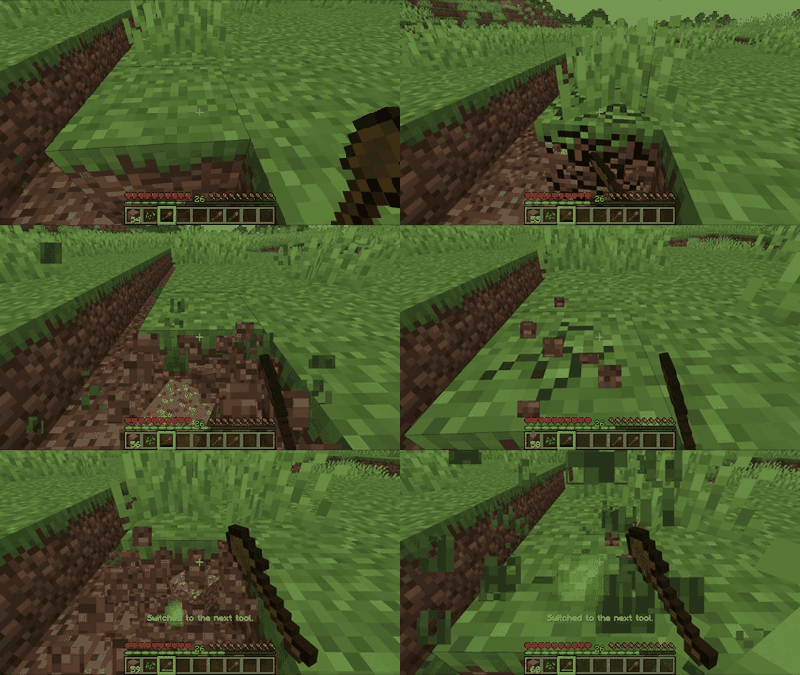 adoners-tweaks_1.1.0_auto-tool-exchange.gif adoners-tweaks_1.1.0_auto-tool-exchange.gif
 -
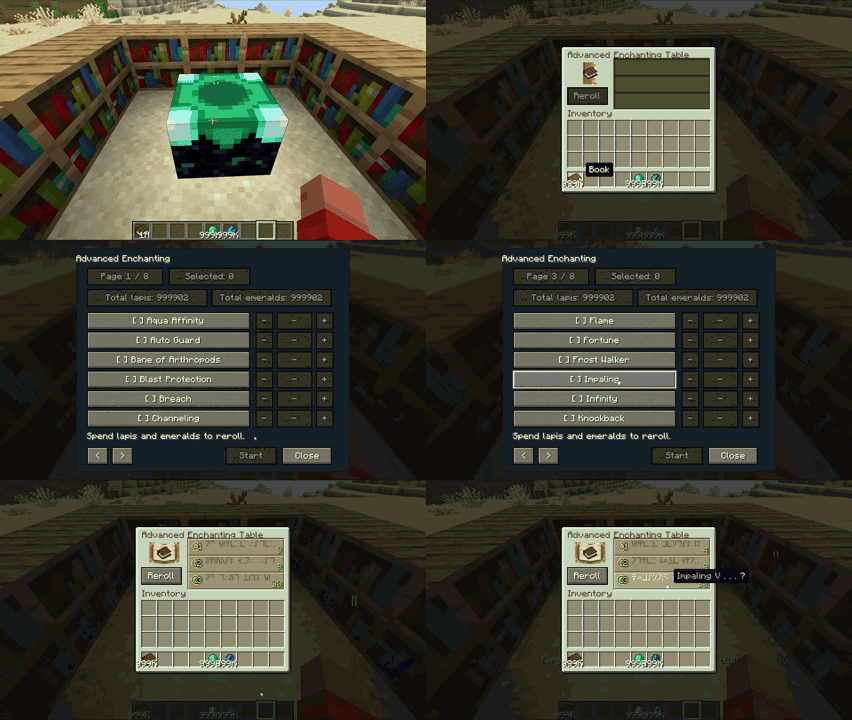 adoners-tweaks_1.4.0_advanced-enchant-table.gif adoners-tweaks_1.4.0_advanced-enchant-table.gif
 -
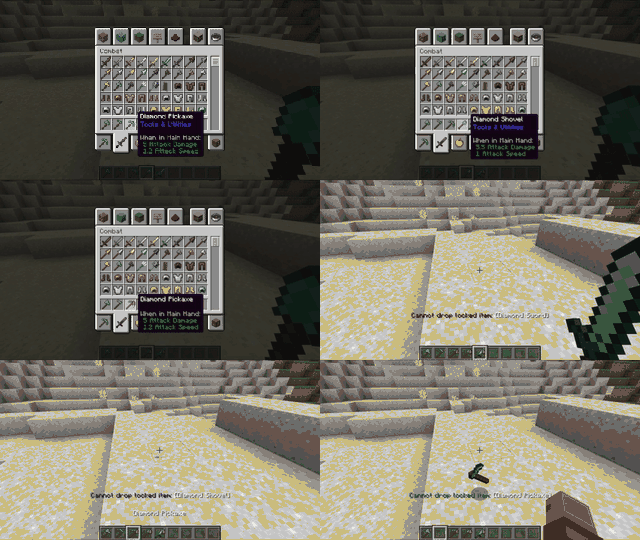 adoners-tweaks_1.4.0_inventory-lock.gif adoners-tweaks_1.4.0_inventory-lock.gif
-
 Inventory Item Lock - In inventory screens, hover a player inventory slot and use the lock key to lock/unlock an ItemStack. - The lock key is rebindable in Minecraft's Controls menu. - Locked ItemStacks show a small lock overlay in GUI slots. - Locked ItemStacks are
 -
 stack size override
 -
 Advanced Enchanting Table - A standalone feature, separate from the vanilla enchanting table. - Can use lapis lazuli from nearby chests. - Adds a reroll UI where you choose target enchantments and an emerald cost per reroll. - Repeats rerolls until a selected enchantment a
 -
 auto tool exchange
 -
 capture capsule
 -
 category chest Craft using items stored in nearby Category Chests — just click a recipe in the crafting table, and required ingredients are automatically pulled from your chests, then returned when you close the UI.
 -
 shockwave enchant
 -
 magic key
 -
 auto tree cutting
 -
 auto sorter
 -
 auto fishing rod
 -
 purifying amulet
 -
 metal detector
Versions
Files
Relations
Project Relations
More like this
Similar Mods
Suggestions use data such as tags, dependencies, dependents, descriptions, titles, and more to rank how much they overlap with this mod.
On ModDex
Community snapshot
By the numbers
Statistics
 (opens in a new tab)
Get it on
Available Platforms
On ModDex
Community snapshot
By the numbers
Statistics
Resources