
Advance Architect Block
No reviews yet
It adds a new architect block, which you can use to create large buildings in ease and even visualize different structure pattern before building.
Fabric is a mod loader for versions 1.14+ of Minecraft, particularly popular for client side and optimization mods.
Community voices
Reviews
Click once to include, again to exclude, again to clear
No reviews yet. Be the first to review this project!
Get it on
Available Platforms
 Modrinth
Compatibility
Supported Environments
About
Project Details
For authors
Embed Badge
If you're the author of this project, you can embed a live badge anywhere that supports HTML or Markdown. It updates automatically whenever ratings change.
Use HTML for any page that supports it, or Markdown for README files and Markdown-based descriptions.
Identifiers
Platform IDs
Resources
External Links
About
Description
Architect Block
Design and visualize your builds in 3D before placing a single block!

🏗️ Overview
The Architect Block is a powerful building assistant that lets you plan, preview, and execute complex structures with ease. Simply place the block, design your build in a virtual 3D grid, load your materials, and watch your creation come to life!
✨ Features
📐 3D Grid Design System
- Choose between 16x16x16 or 32x32x32 building grids
- Navigate through layers with intuitive up/down controls
- Color-coded blocks show your design at a glance
- Gray cells indicate existing terrain that can't be overwritten

🎨 Visual Block Selection
- 9-slot inventory for different block types
- Right-click any slot to select it for drawing
- Each slot displays with a unique color in the grid
- Left-click or drag to place your selected block
- If you want to draw multiple lines or blocks then drag with left click, and if you want to remove multiple selection then drag with right click

⚡ One-Click Building
- Click BUILD to construct your entire design instantly
- Blocks are automatically consumed from the inventory
- Clear error messages if you don't have enough materials
- Design resets after building, ready for your next creation!

🗺️ Terrain Awareness
- Automatically scans the area in front of the block
- Shows existing blocks as obstacles in your grid
- Prevents accidental overwrites of existing structures
- Perfect for building additions to existing builds
- Also after you have build something, the block shall rescan and then gray out those occupied blocks also

📖 How to Use
- Craft the Architect Block (recipe unlocks when you craft a Crafting Table)
- Place the block facing the direction you want to build
- Right-click to open the design interface
- Select a grid size (16×16×16 or 32×32×32)
- Load building materials into the 9-slot inventory
- Right-click a material slot to select it
- Left-click on the grid to place blocks in your design
- Right-click drag on the grid to erase blocks
- Click BUILD when ready!
🔧 Crafting Recipe

📦 Installation
- Install Fabric Loader
- Install Fabric API
- Download the Architect Block JAR for your Minecraft version
- Place the JAR in your
modsfolder - Launch Minecraft!
📜 License
This mod is released under the MIT License. Feel free to include it in modpacks!
Screenshots
Gallery
-
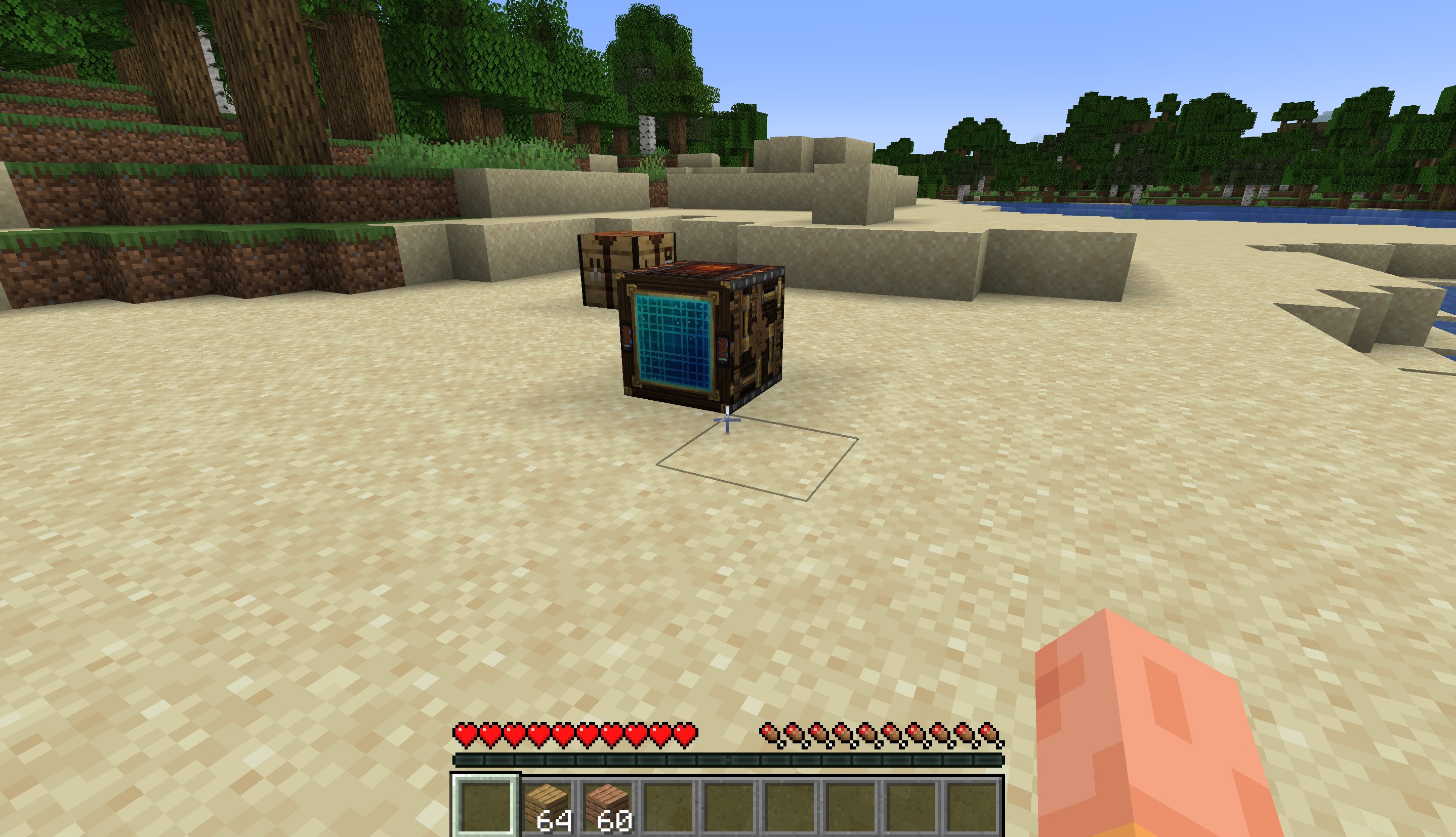 Architect Block
 -
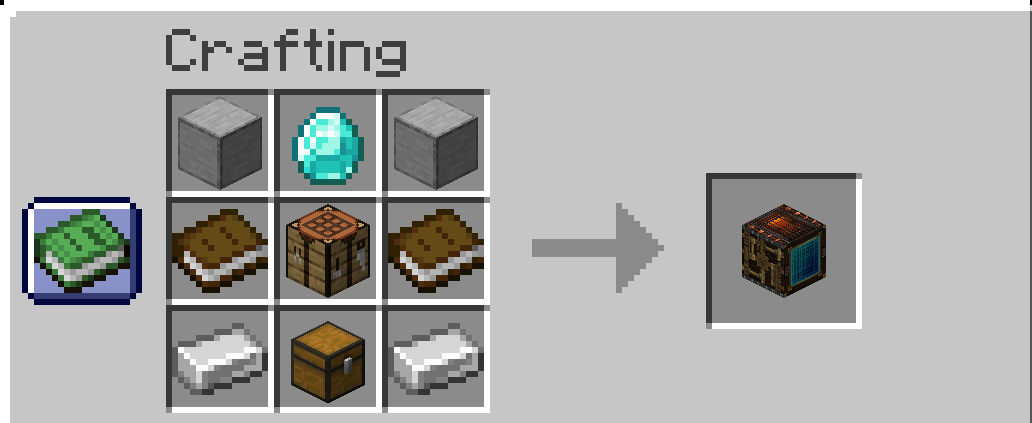 Recipe
 -
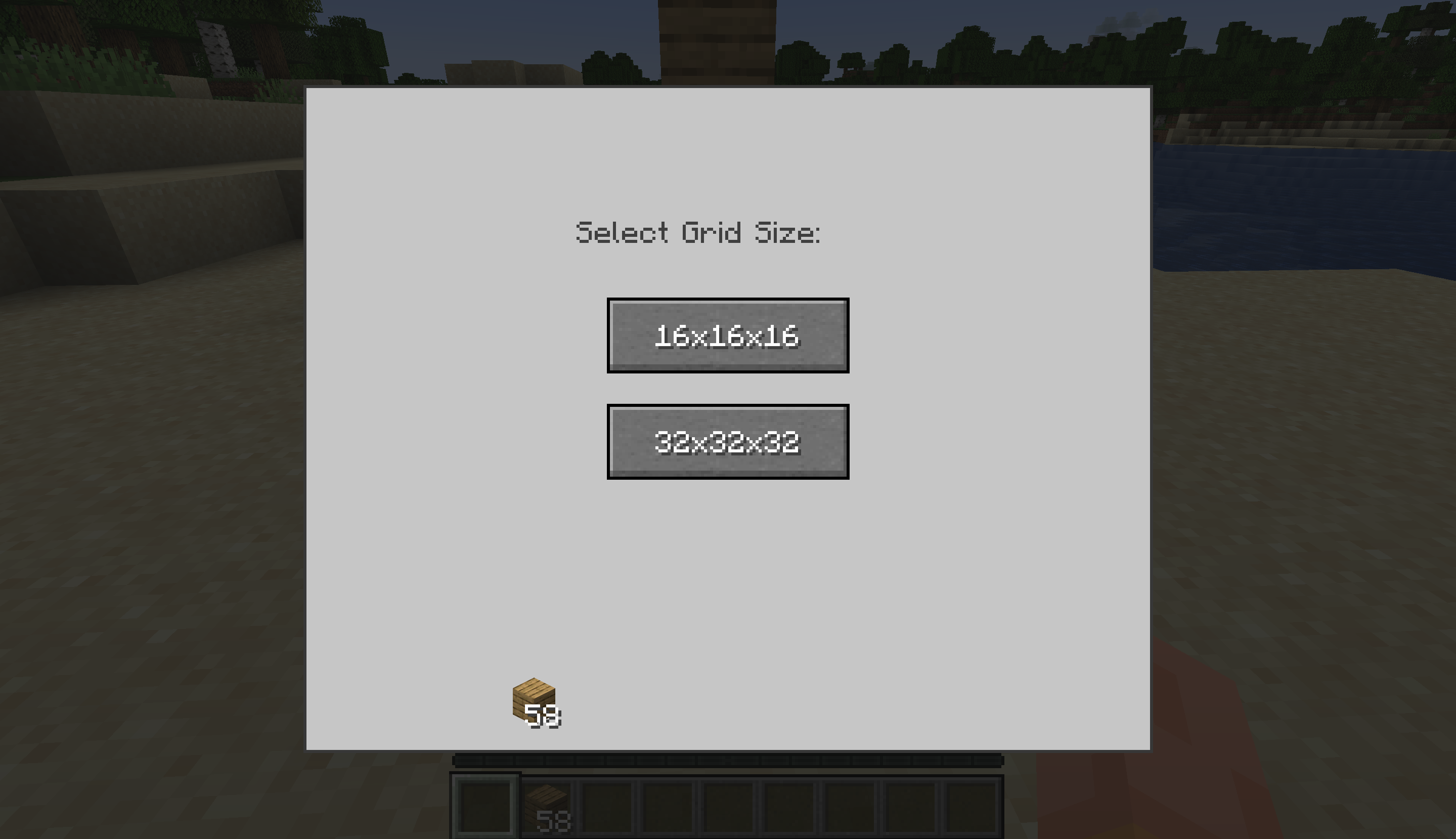 First Interface Grid selection for building
 -
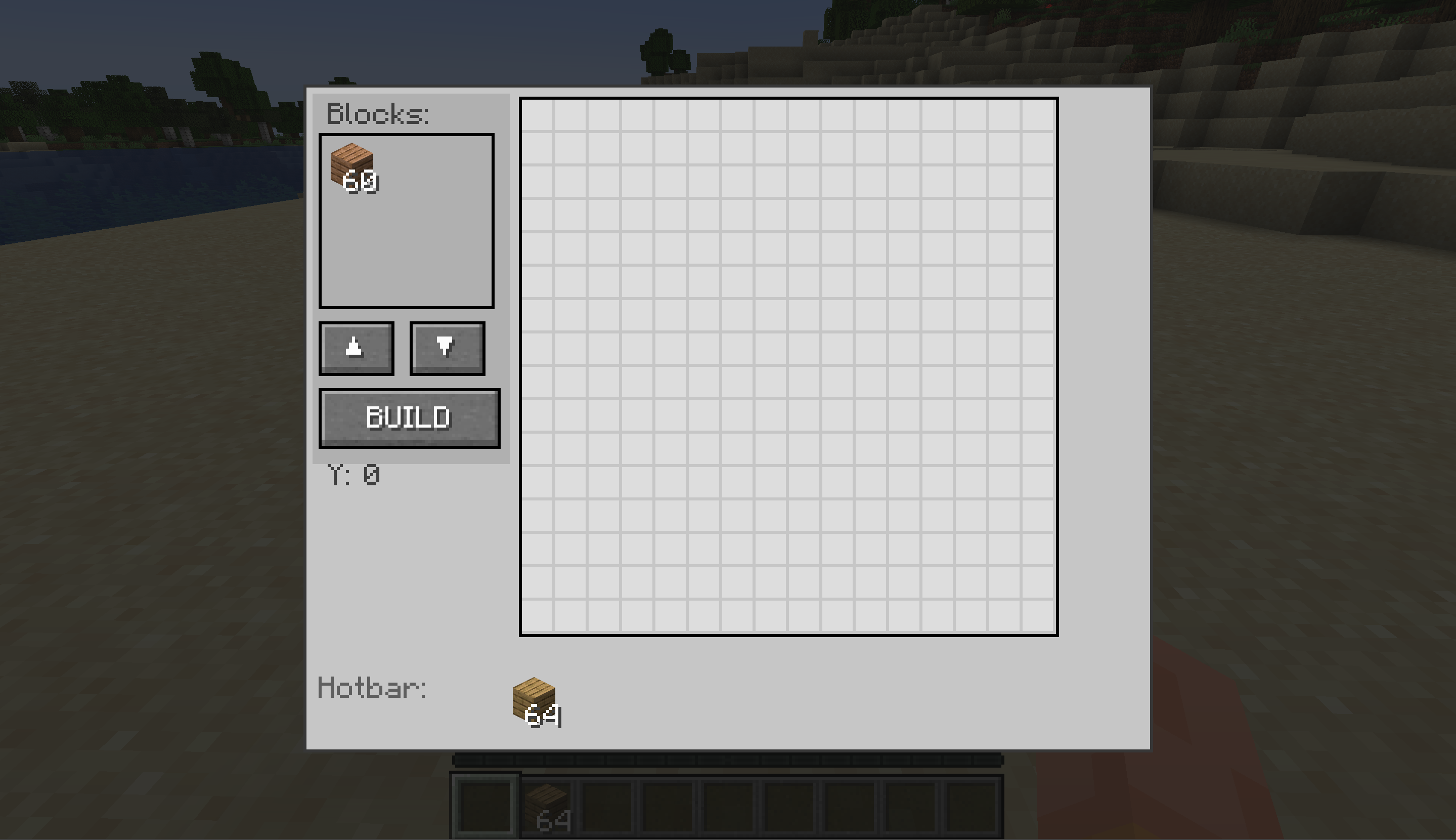 Main UI Add blocks from inventory(hotbar) to the architect block's space
 -
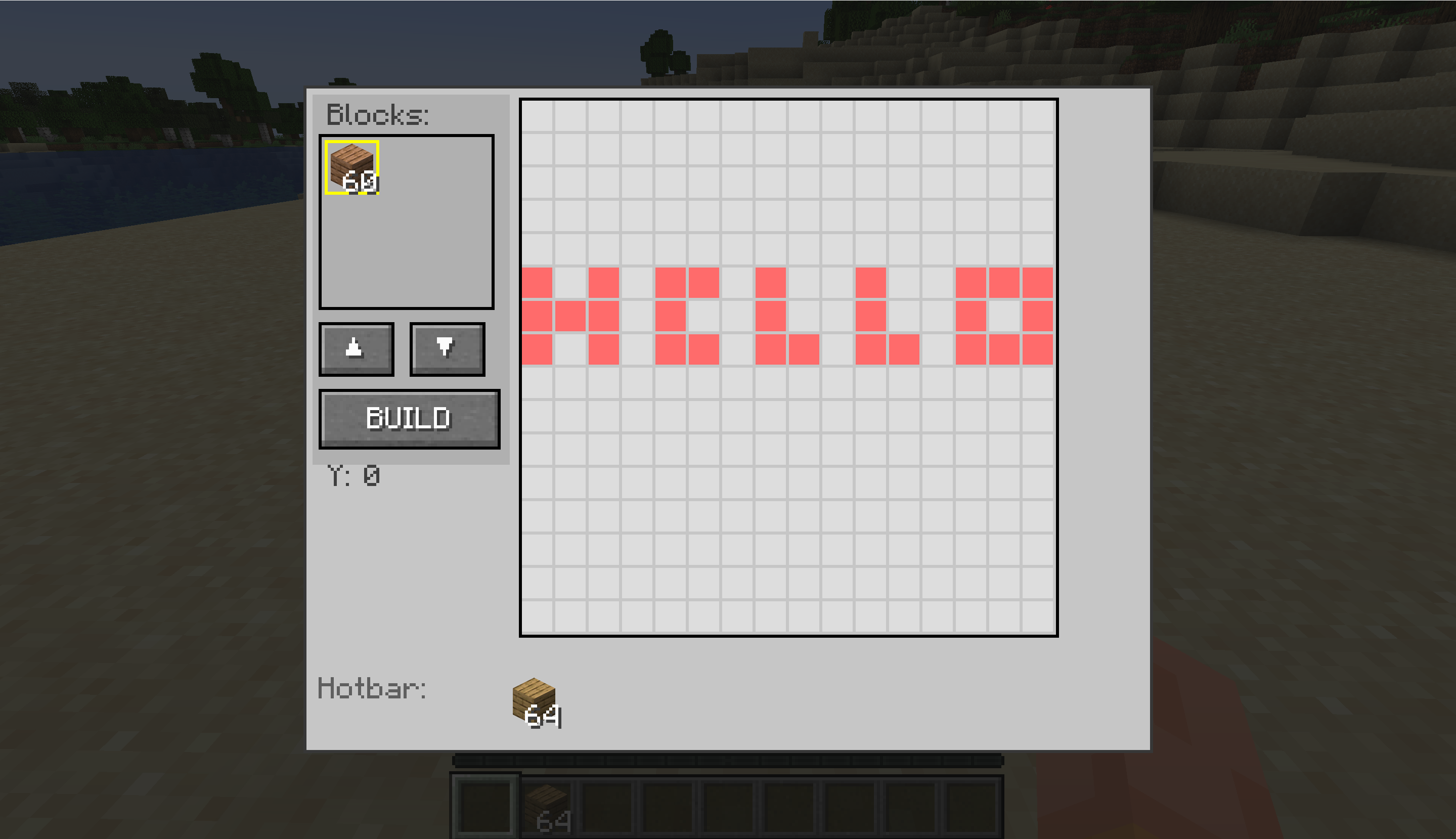 Drawing your imagination Right click on the block which you have added, and then left click to draw, left click drag to draw multiple, right click to undraw a selection, right click drag to undraw multiple selection then press build.
 -
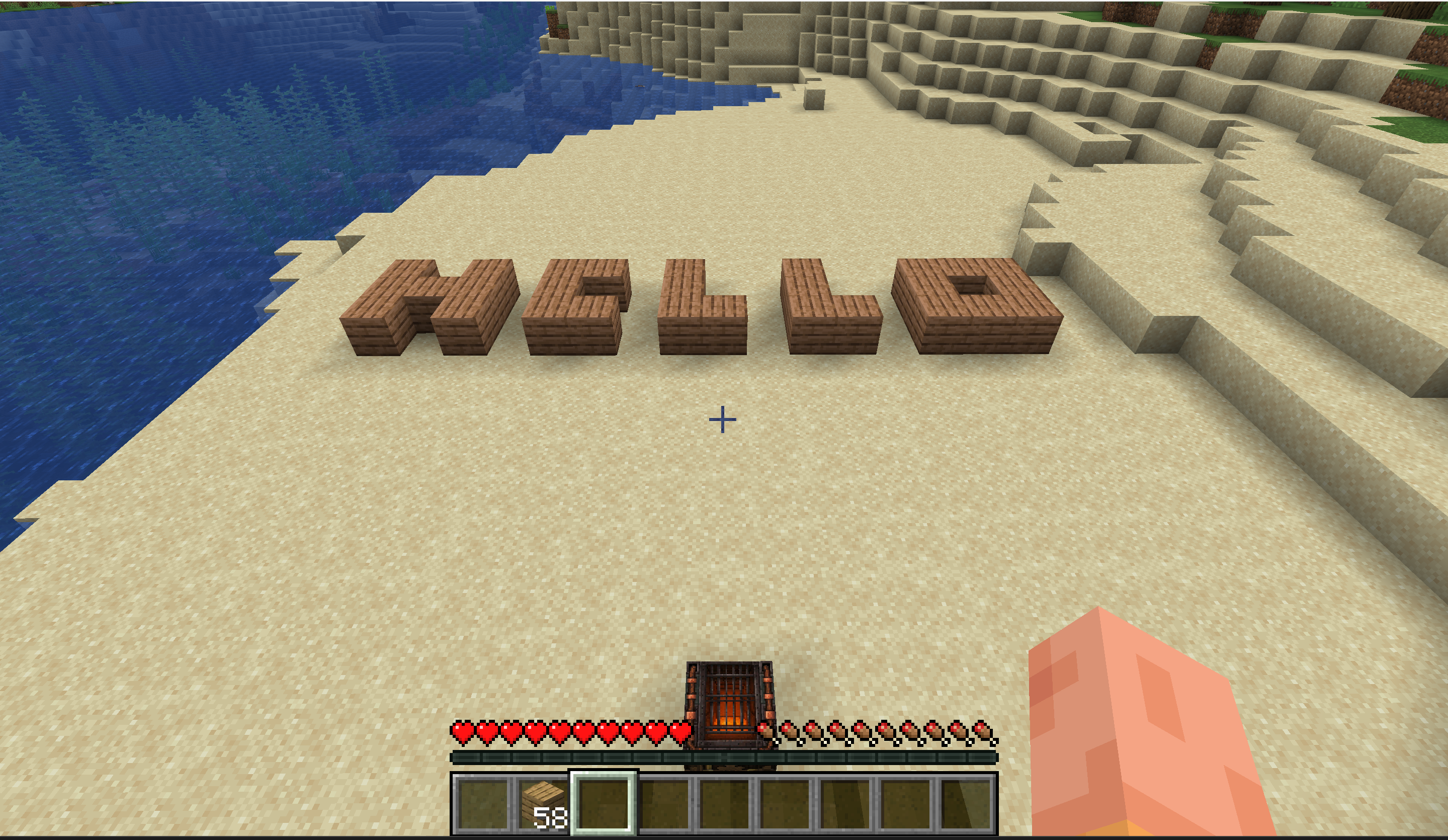 After Building Your imagination gets build, you can build on top of one another by using up and down arrow to seelct between different layers(Eg. Make a tower by selecting a base and then coping on the layer above it)
 -
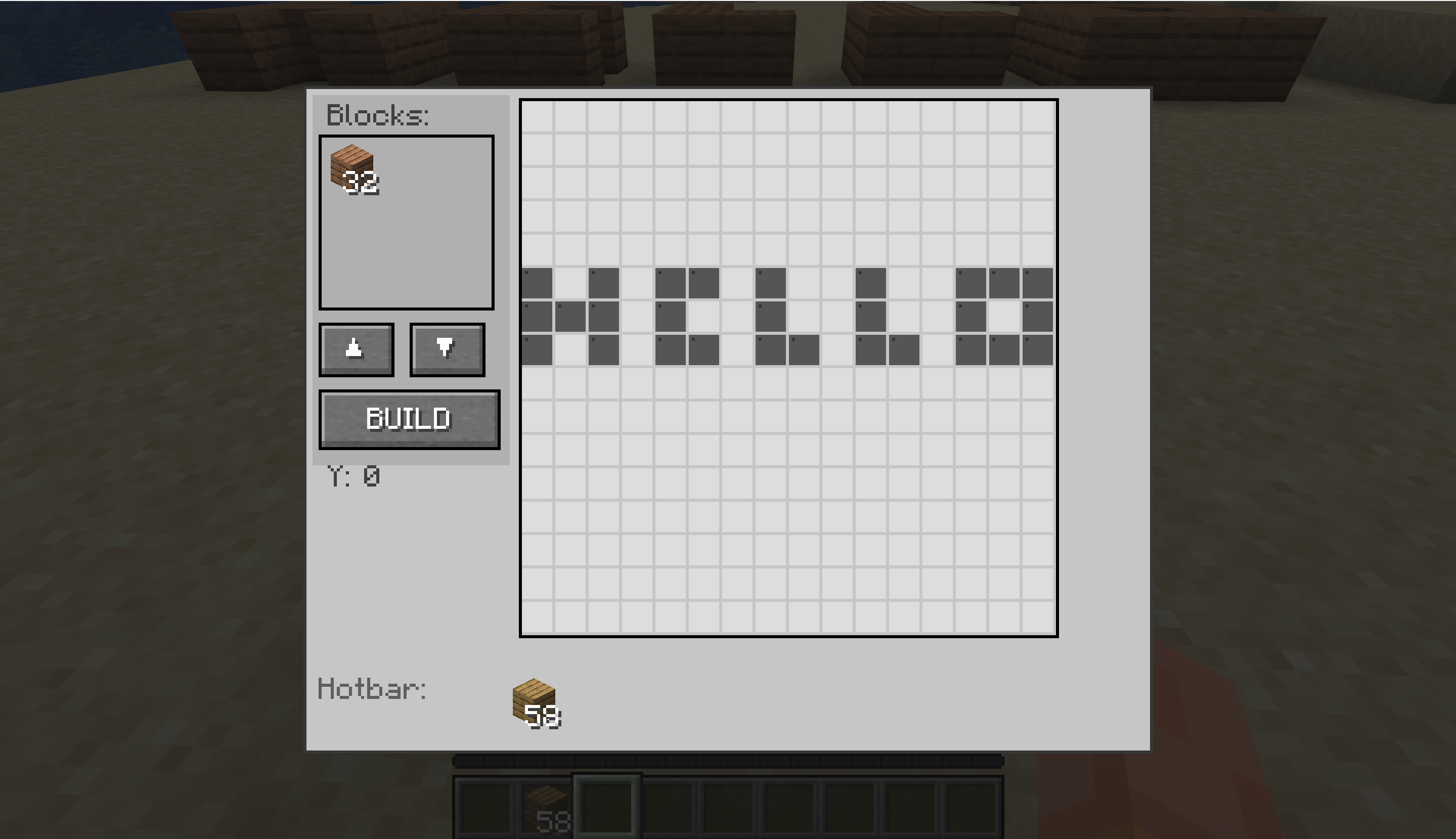 Terrain detection As soon as you place the block it will scan terrain and gray out boxes where blocks are already present, after building it rescans so that you don't overlap your older builds
Versions
Files
Relations
Project Relations
More like this
Similar Mods
Suggestions use data such as tags, dependencies, dependents, descriptions, titles, and more to rank how much they overlap with this mod.
On ModDex
Community snapshot
By the numbers
Statistics

Want to reach Minecraft players?
We're looking for a server hosting partner to feature here and other parts of the site. Interested? Send us a message!
Get in touchGet it on
Available Platforms
On ModDex
Community snapshot
By the numbers
Statistics
Resources