
Community listing page, reviews here may not be monitored by the author.
Advanced NBT Tooltips


No reviews yet
Adds custom tooltips to items based to their NBT data.
Community voices
Reviews
No reviews yet. Be the first to review this project!
Get it on
Available Platforms
Compatibility
Supported Environments
Runs entirely on the client. Works on vanilla servers.
About
Project Details
For authors
Embed Badge
If you're the author of this project, you can embed a live badge anywhere that supports HTML or Markdown. It updates automatically whenever ratings change.
Use HTML for any page that supports it, or Markdown for README files and Markdown-based descriptions.
Identifiers
Platform IDs
About
Description

Current Features:
- Hover over any item in an inventory, on an armor stand, in an item frame, on the ground and it shows you extra information about some items.
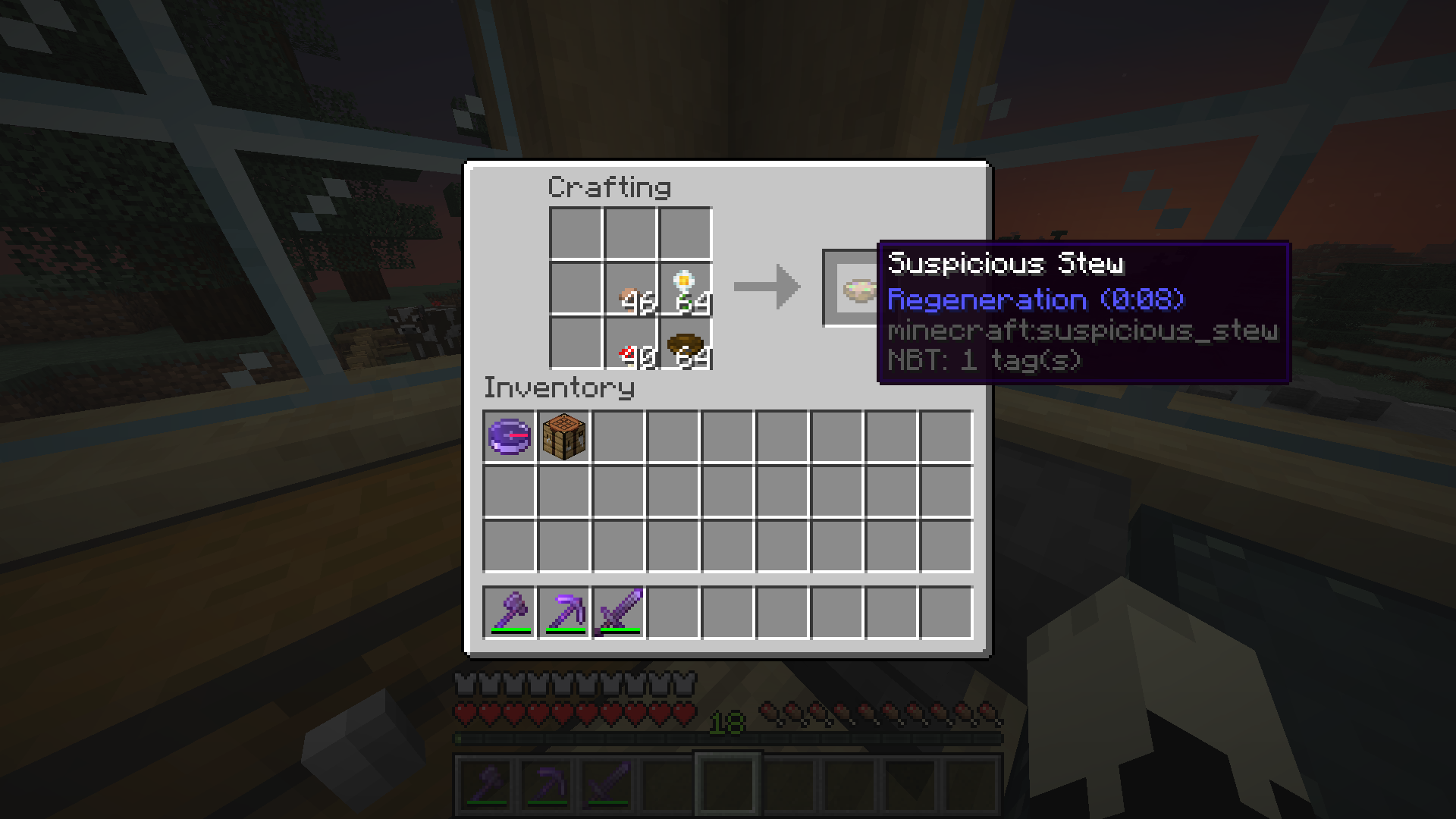
- Shows potion effects of suspicious stew
- Shows the position of the Lodestone on a Lodestone compass
- Shows additional information about a book (like number of pages)
- Shows the CustomModelData property
- Shows the RepairCost property
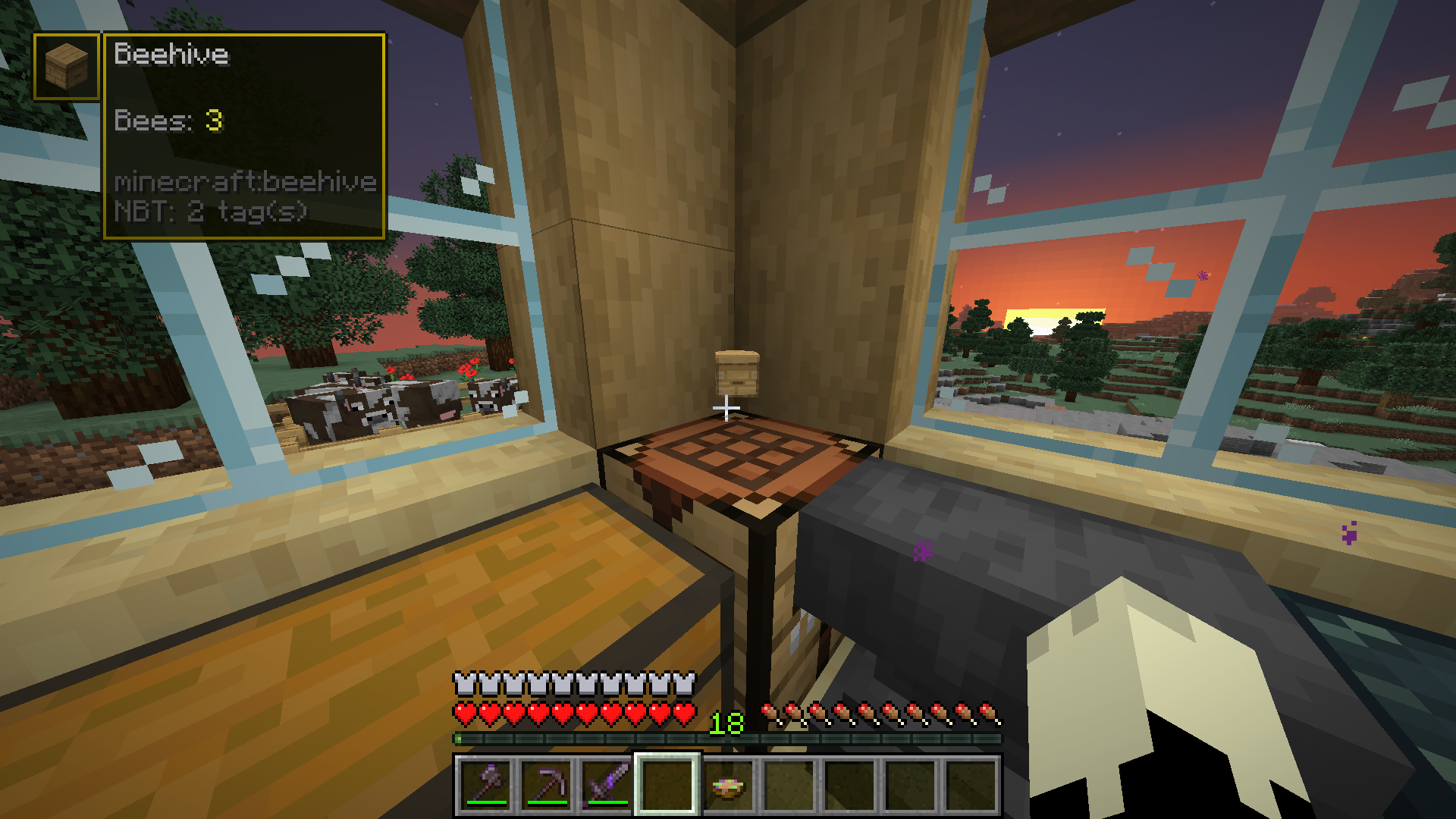
- Shows the number of bees in hives/nests
- Shows info about modified spawn eggs
- Shows the content of copied/already written on signs
- Shows the command of command blocks
- Shows which properties are hidden from you with the HideFlags property
- Remove HideFlags restrictions
- Create, load or even override the mod's built-in custom Tooltips using JSON files in resource packs (more info here)
Changelog:
Update 1.8.0/1.8.1
- Added more possibilities for custom tooltips (including rendering items and a few other things)
- Added more already built-in tooltips (Thank you to RooftopJoe)
- Updated the mod to 1.18.2 and 1.19
I am very busy right now so documentation will not be immediately updated.
Update 1.7.0
- Big rework for custom tooltips (I'm working on a wiki on my github to explain this "final" rework)
- Deleted UpdateChecker for the most part. (The config is yet to be changed but I will hopefully work on that soon...)
Update 1.6.0:
- Added some new functionality for Tooltip factories centered around better dealing with NBT lists
Update 1.5.0:
- Moved Tooltip location to "assets/yournamespace/tooltip" inside of resource packs.
- Made built-in Tooltips to .json files.
- Added reference resource packs here.
- Added a new screen which opens on the "Open Config" hotkey and lets you toggle all Custom Tooltips.
Update 1.4.0:
- Added a HUD to show a Tooltip when aiming at an armor stand, item frame, or item on the ground.
- Improved the spawn eggs Tooltip.
Update 1.3.2:
- Fixed a crash which happened while reload a resource pack. Please update!
Update 1.3.1:
- Added Chinese translations (Thanks to GuNanOvO)
- Improved performance in title screen
- Fixed a compatibility issue
Update 1.3:
- Introducing a new fresh config which will replace the old one! (This might lead to previously configurations being erased).
- Added hot key for opening the mods config which can be changed in the control options. The default key is 'b'.
- Improved translations
Update 1.2.1:
To all people who updated to 1.2.0: PLEASE UPDATE! Some Tooltips were not updated properly and might not work
Update 1.1.0 & 1.2.0:
I reworked many things behind the scenes and reworked the custom JSON Tooltip loading, so no new Tooltips this time...
Feature requests and bugs:
For feature requests as well as bugs, please use the issue tracker over on GitHub.
Help me translate this mod:
This mod is currently available in English, Chinese (Simplified) and German. If you speak a language that is not in this list and want to help me, feel free to issue a pull request on the GitHub.
What is this mod about?
Advanced NBT Tooltips is a small utitlity mod showing you extra information on items in your inventory. It also adds tooltips for items on the ground, in item frames and on armor stands. Every tooltip can be toggled seperately and you can even fully customize tooltips and create your own using resource packs.
How do I use this mod?
This mod has no additional dependecies, although I recommend using Mod Menu. In mod menu, you can open this mod's settings for general configuration. To toggle tooltips, press "B" in-game. This keybinding can be changed in the normal input settings.
How do I create my own tooltips?
I recommend checking out the built-in tooltips to get a feel for how the system works. For a detailed explanation on every possible component, check out the wiki.
Screenshots
Gallery
-
Fabric Only
-
 Mod Banner
 -
 Fabric only
 -
 Mod Banner
 -
HUD Just look at an item and it will show up
-
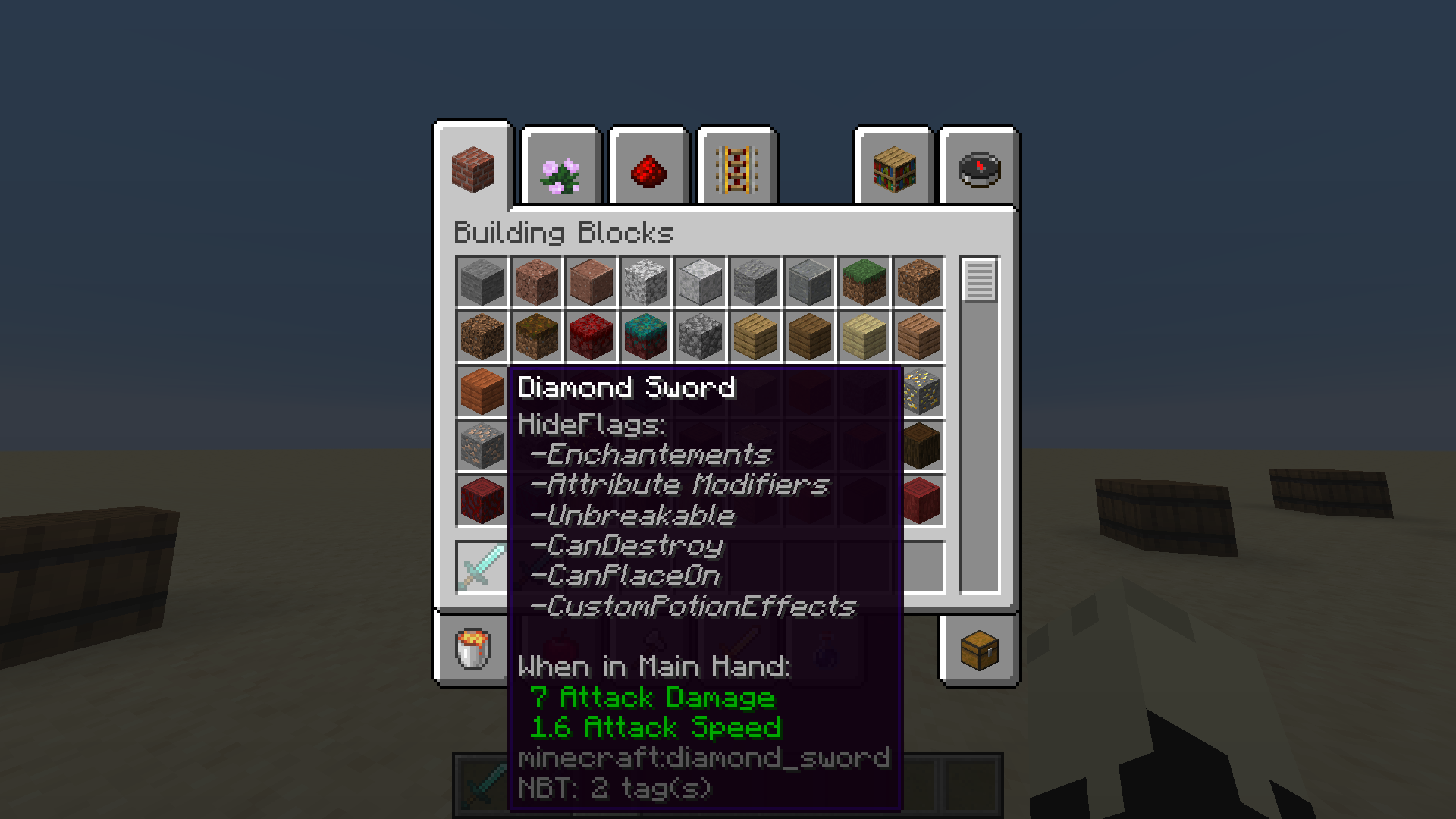 HideFlags Now you know what they are hiding from you.
 -
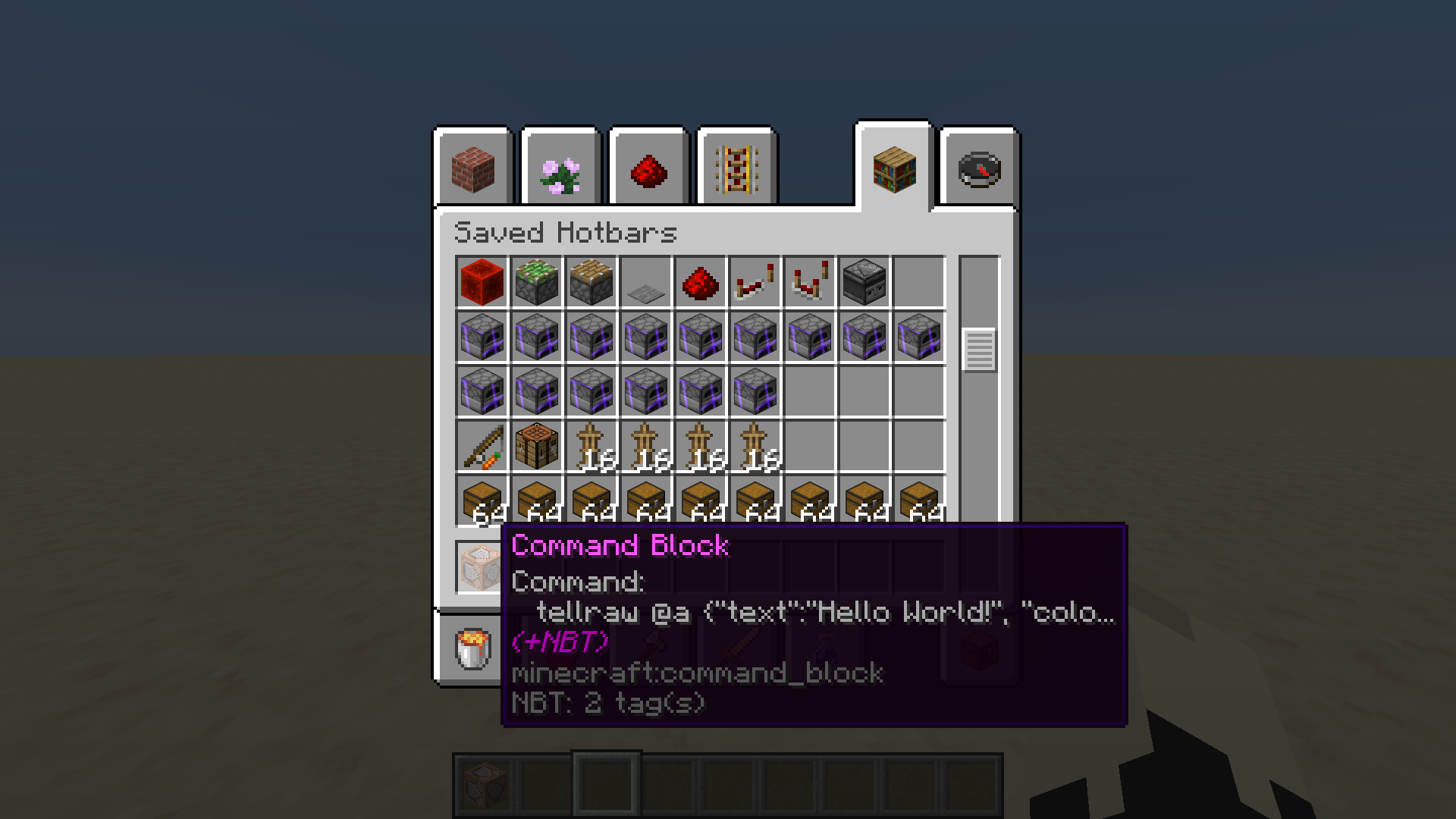 Command Blocks Tired of loosing track of which command block does which?
 -
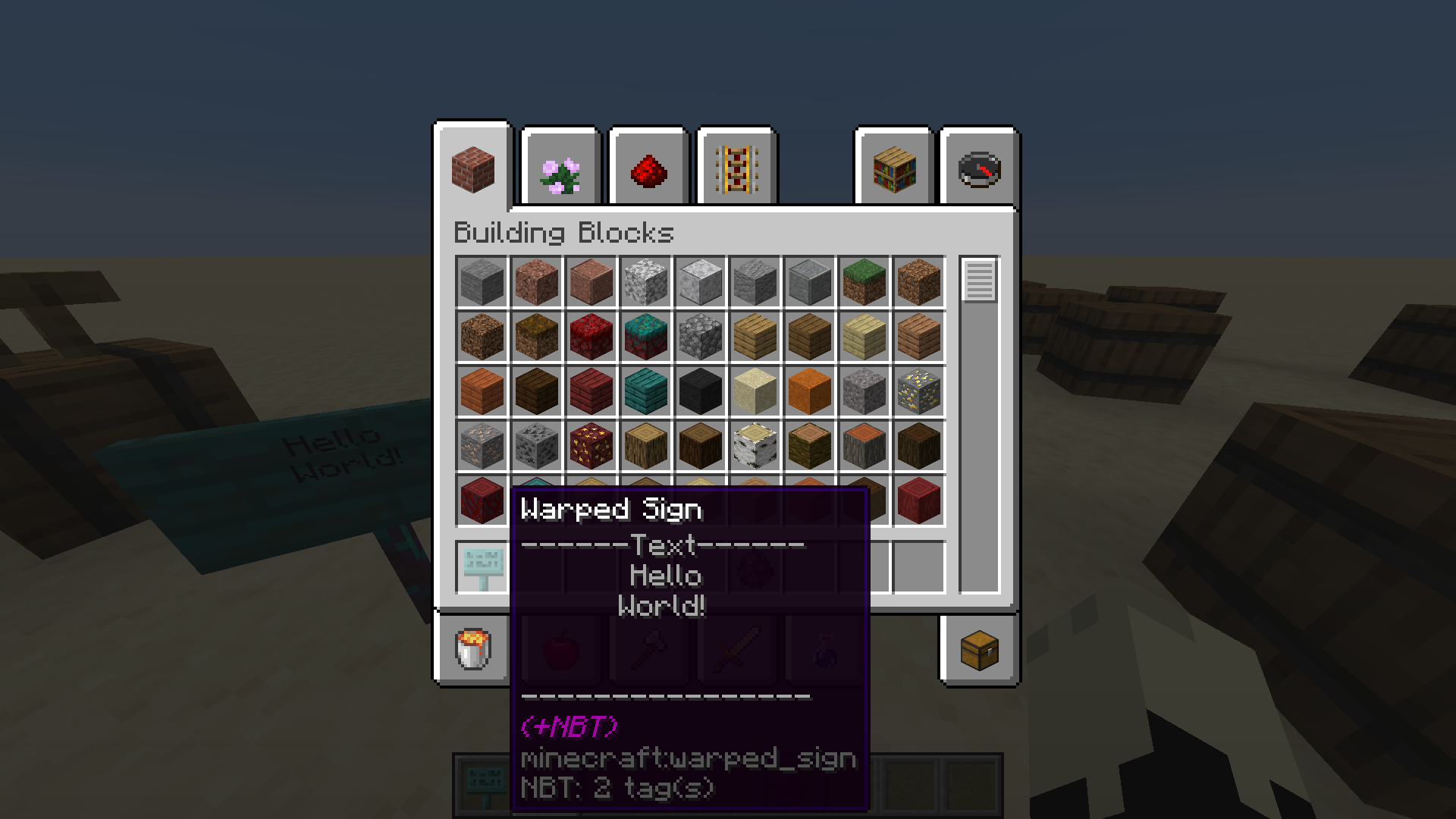 Signs You need this when dealing with a lot of signs in creative mode.
 -
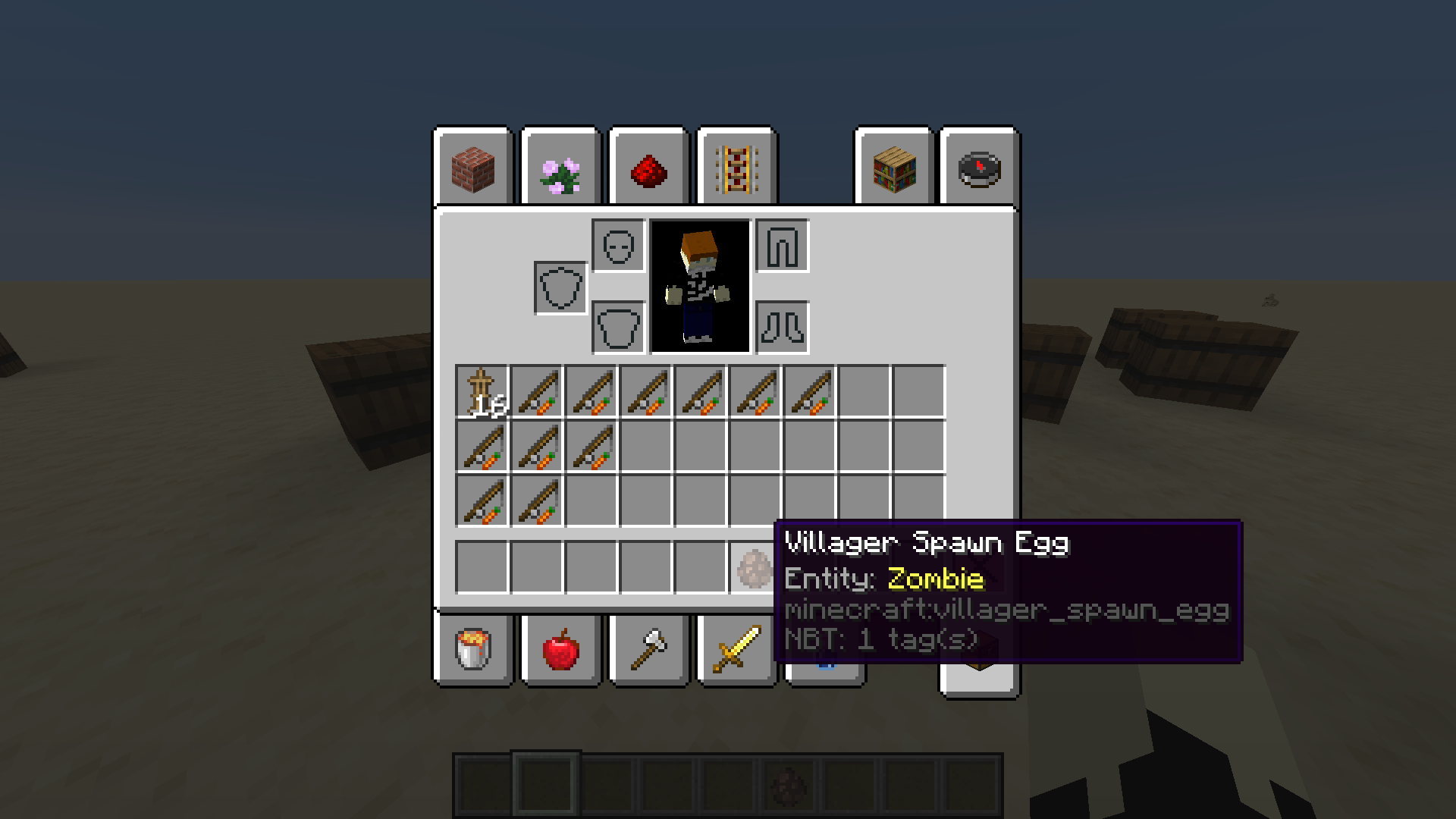 Spawn Eggs This way you will see what any modified spawn egg will spawn!
 -
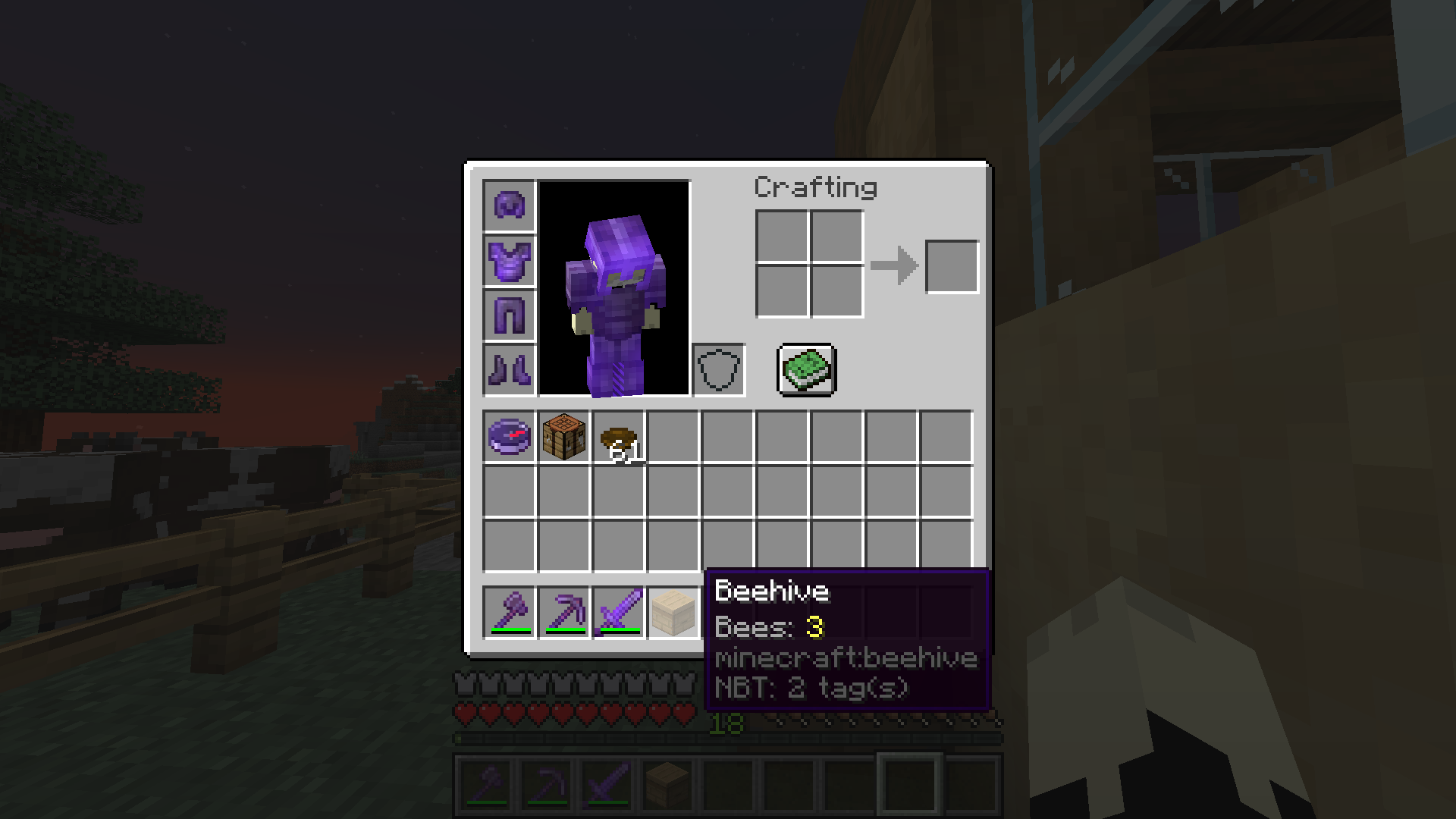 Bees This might come in handy when you need to move your bees around!
 -
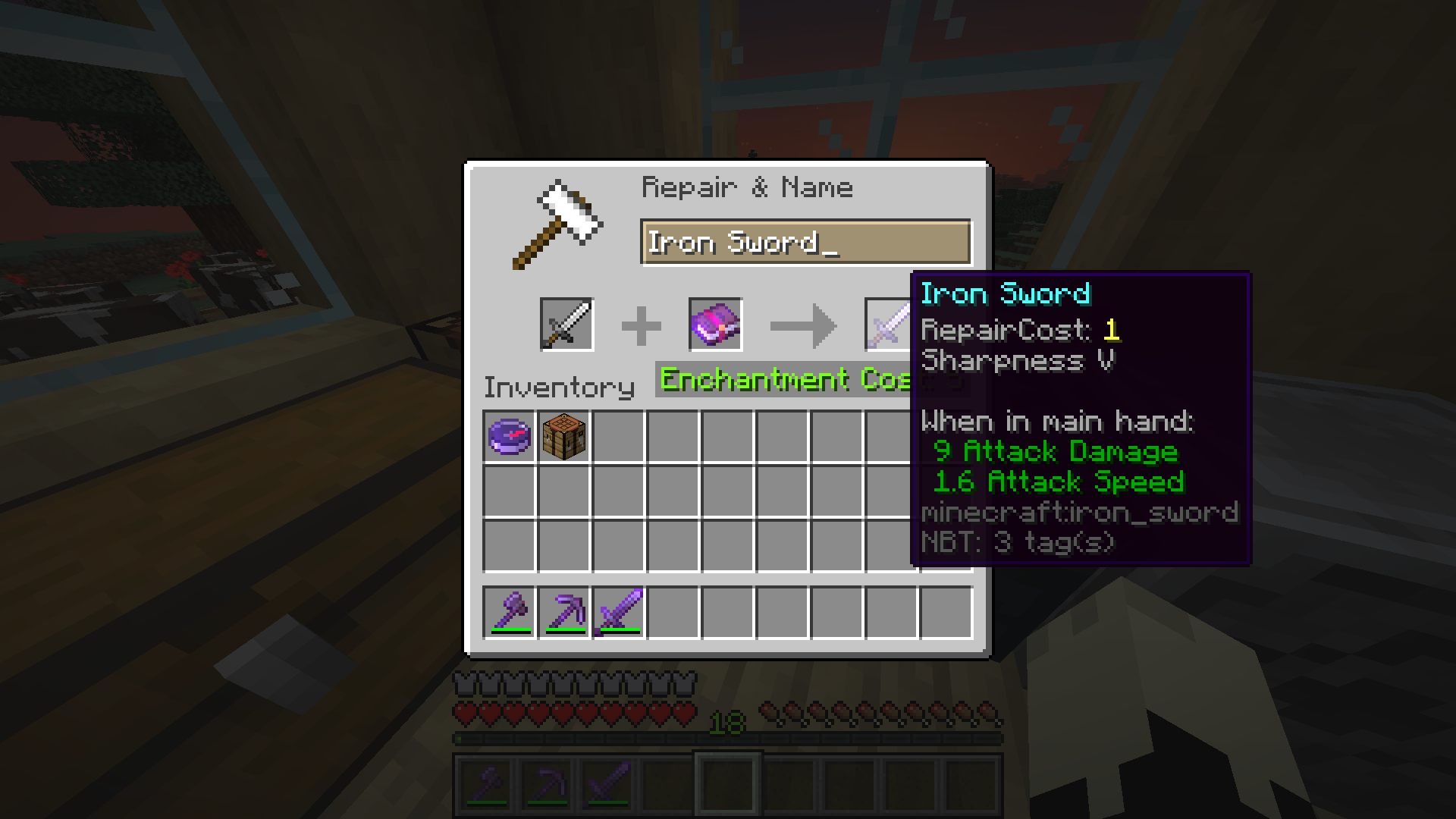 RepairCost Especially useful when creating OP gear! Helps you manage the XP-price when combining armor
 -
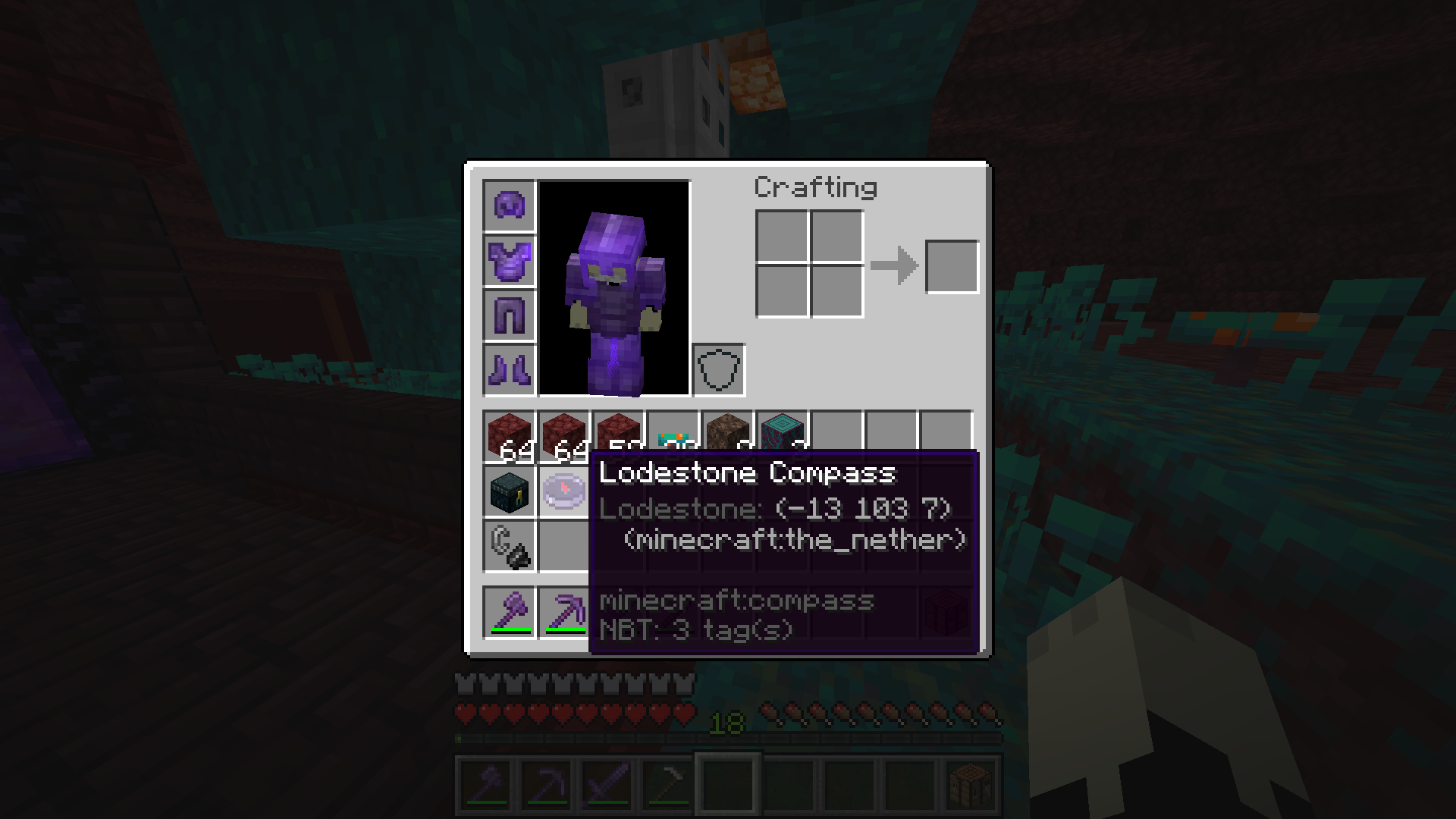 Compasses Having trouble organizing your lodestone compasses? Say no more! Now you can see which compass points to which lodestone.
 -
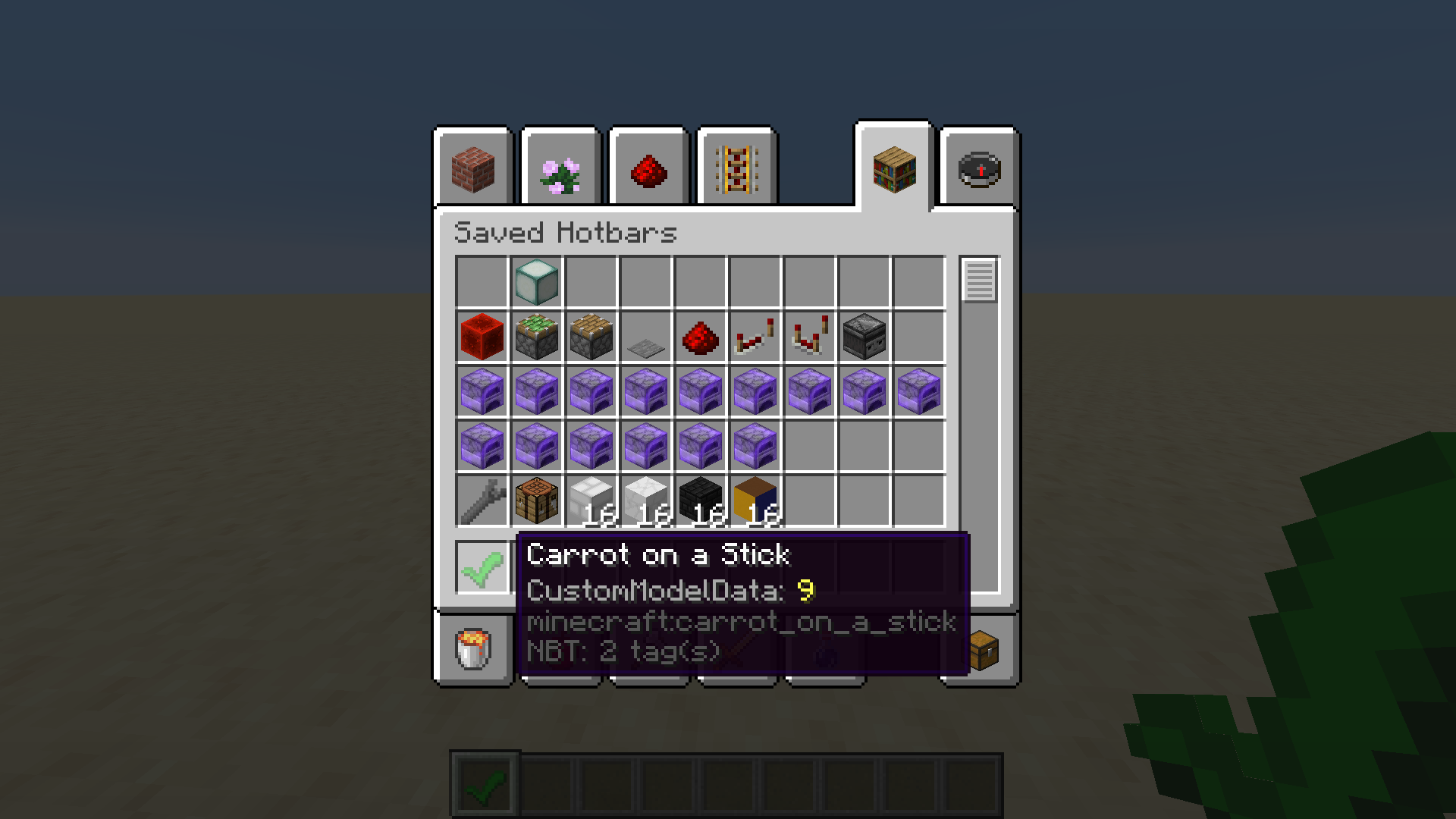 CustomModelData Shows the CustomModelData attribute! Useful for map makers!
 -
Suspicious stew Shows the potion effect of suspicious stews!
-
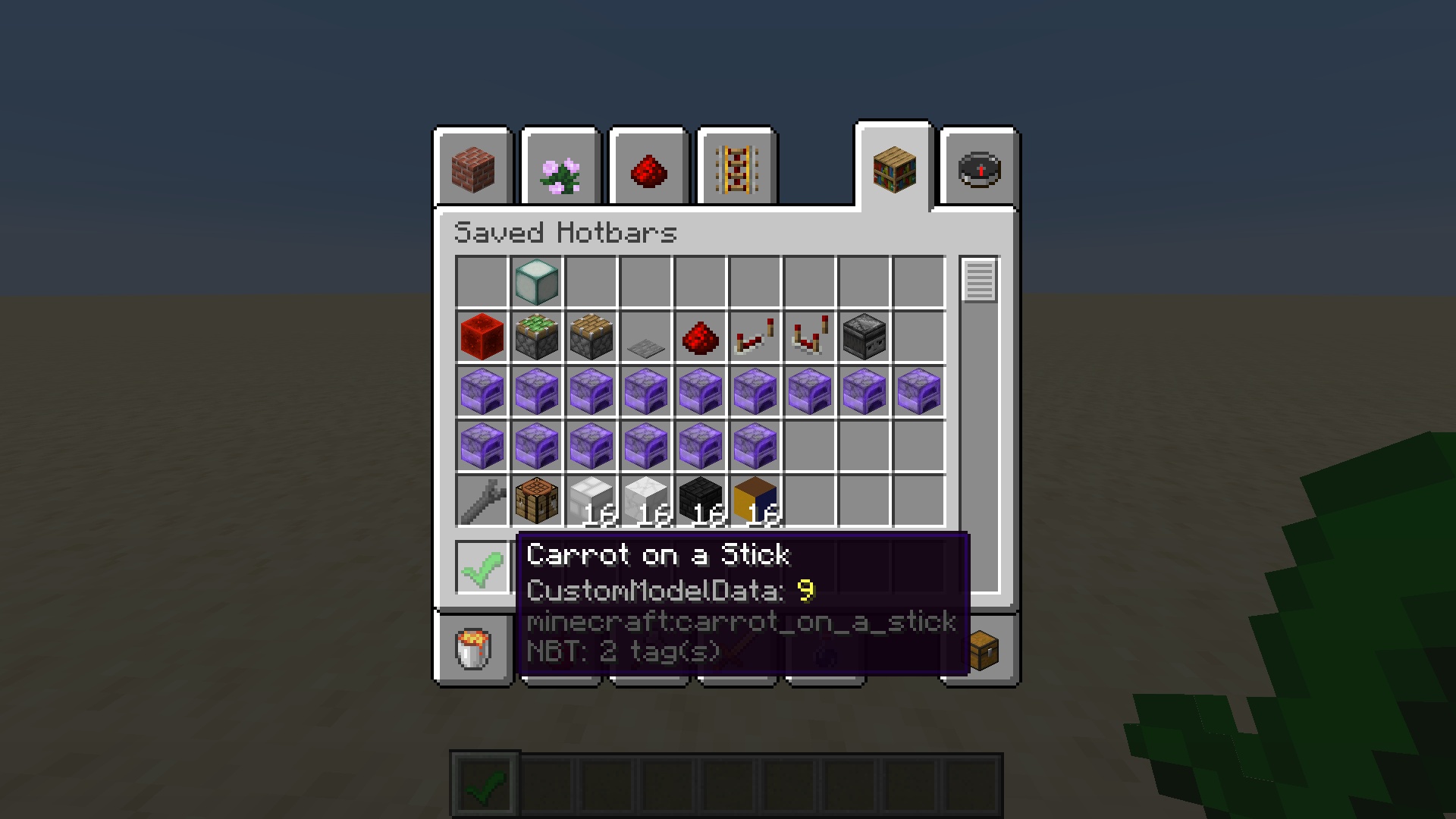 See CustomModelData tag! Very useful for map developers that want to use custom textures.
 -
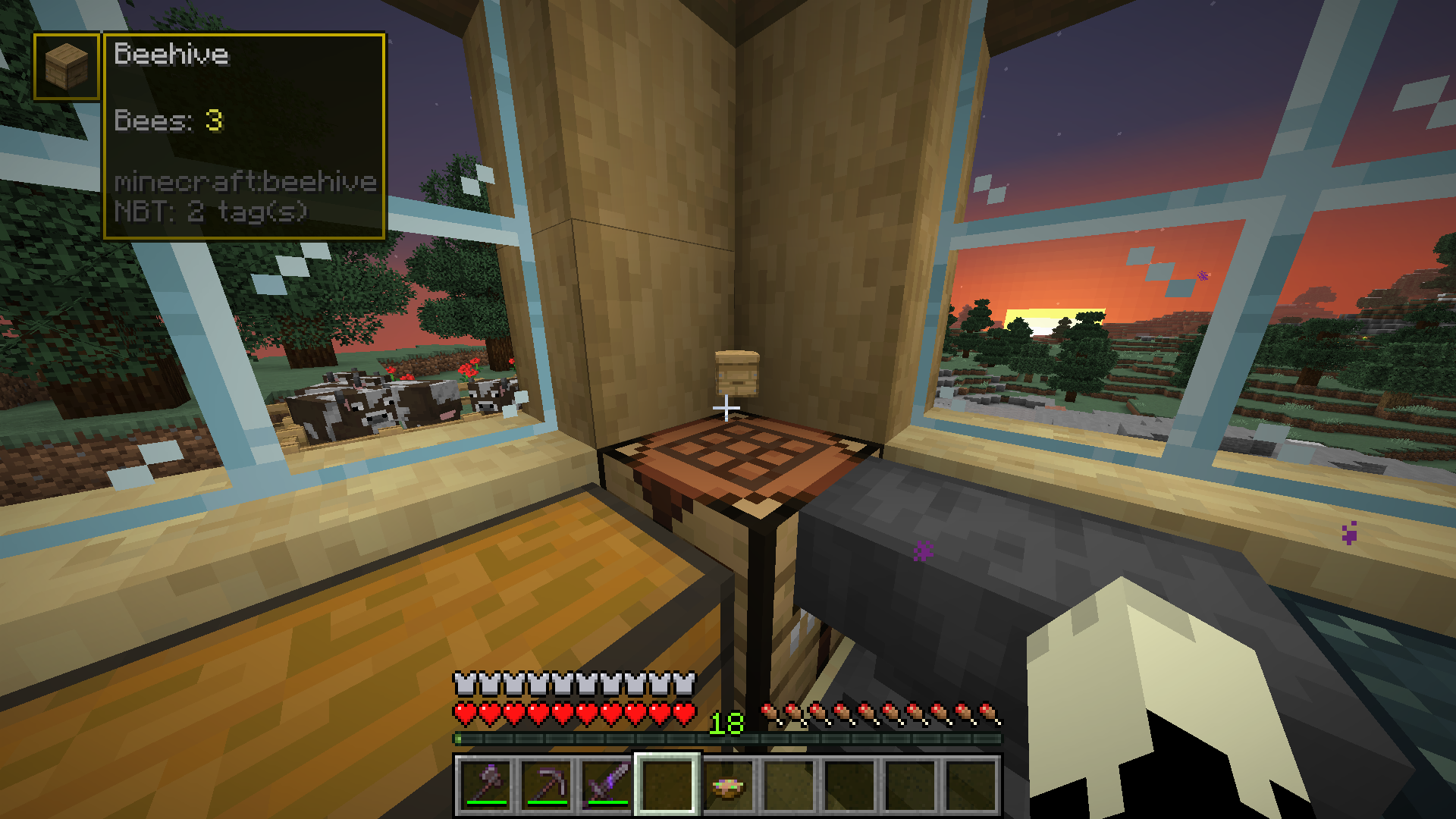 HUD Use the built-in HUD to see the tooltip of items laying on the ground, put on armor stands or in item frames!
 -
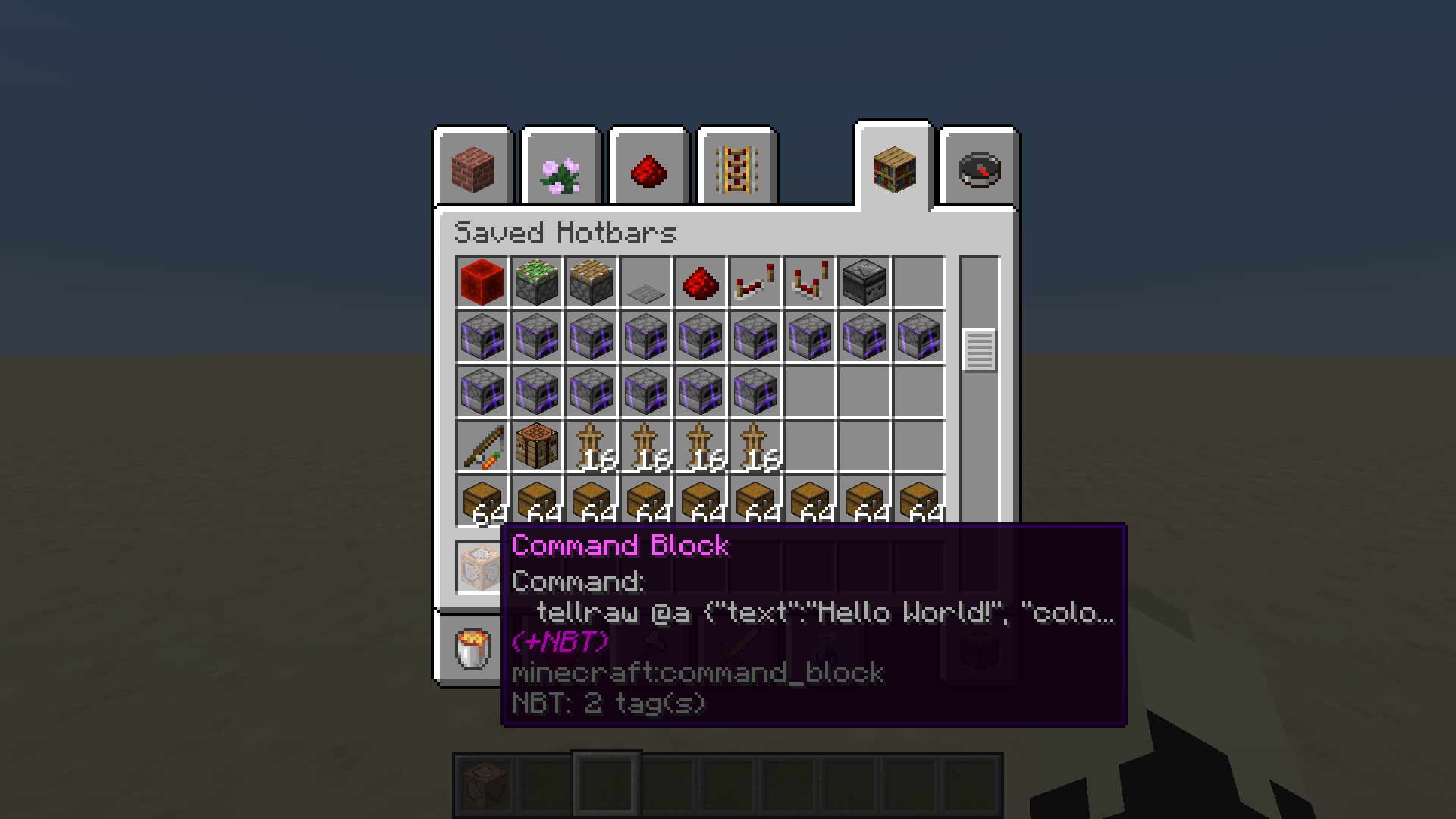 See commands of copied command blocks! Very useful when moving command blocks around!
Versions
Files
Relations
Project Relations
More like this
Similar Mods
Suggestions use data such as tags, dependencies, dependents, descriptions, titles, and more to rank how much they overlap with this mod.
On ModDex
Community snapshot
By the numbers
Statistics
Want to reach Minecraft players?
We're looking for a server hosting partner to feature here and other parts of the site. Interested? Send us a message!
Get in touchGet it on
Available Platforms
On ModDex
Community snapshot
By the numbers