Community listing page, reviews here may not be monitored by the author.
Advanced Networking


No reviews yet
Adds systems for programmable transfer of resources (soon TM)
Community voices
Reviews
No reviews yet. Be the first to review this project!
Get it on
Available Platforms
Compatibility
Supported Environments
Must be installed on both the client and the server.
About
Project Details
For authors
Embed Badge
If you're the author of this project, you can embed a live badge anywhere that supports HTML or Markdown. It updates automatically whenever ratings change.
Use HTML for any page that supports it, or Markdown for README files and Markdown-based descriptions.
Identifiers
Platform IDs
About
Description
Advanced Networking




A mod that adds systems for transfer of resources and data using a node based programming system. While inspired by Integrated Dynamics and XNet, this mod makes sure to stay distinct and get its own place in modpacks (even though neither of the aforementioned mods are on fabric). Originally made for Modfest Singularity.
Getting Started
To get started craft some crystalline compound, with an amethyst shard, a clay ball and a piece of coal. Using that you can craft cables and controllers. Sneak-click on a cable with an empty hand to open its configuration. There you can set the mode of each side of the cable. Make one side an interface and give it a name. Open up the controller, add some nodes and connect them. Select your interface in the configuration of a node and you should have a working network.
<img src="" rel="noopener nofollow" target="_blank">https://github.com/MattiDragon/AdvancedNetworking/raw/1.20.4/.github/media/room.png" width="50%"/>
Features
Cables
Cables are a core part of the mod, they are used to connect controllers to everything they need. Click on them with a stick or any wrench from other mods to quickly change the mode of a side. More advanced configuration can be accessed by sneak-clicking on the cable. Cables automatically connect to each other and controllers, but not other blocks. For those you will need to set the cable to interface mode.
<img src="" rel="noopener nofollow" target="_blank">https://github.com/MattiDragon/AdvancedNetworking/raw/1.20.4/.github/media/cables.png" width="50%"/>
Controllers
Controllers house your programs. They have a node based UI where you can perform routing of resources and all kinds of logic.
You can add nodes from the Add Nodes menu and it's submenus.
Deleting nodes can be done by right-clicking and selecting Delete or using the Delete Nodes mode.
Nodes can also be duplicated from the right-clicking menu. You can freely move around by dragging and zoom by scrolling in the editor.
<img src="" rel="noopener nofollow" target="_blank">https://github.com/MattiDragon/AdvancedNetworking/raw/1.20.4/.github/media/right_click_menu.png" width="50%"/>
Resource Transfer and Streams
Some of the most important nodes are for transfer of energy, items and fluids. They work on with a stream system where the nodes control set the flow of resources and the actual transfer happens after all nodes have evaluated. There are also nodes for getting the capacity and fill level of storages. These are evaluated before any transfer happens. The filter and limit nodes allows you to control what items are transferred. The limit node sets a maximum number of items to transfer and the filter blocks certain items from passing through.
<img src="" rel="noopener nofollow" target="_blank">https://github.com/MattiDragon/AdvancedNetworking/raw/1.20.4/.github/media/fluids.png" width="50%"/>
Other Info
Modpack permission
You can use this mod in any modpack as long as you don't reupload the mod. You can get a direct download link from modrinth or github.
Downloading
This mod is only officially available on curseforge, modrinth and github. Any other sites are third-party reuploads and should not be trusted.
Incompatibilities
I intend to try and stay compatible with as many mods as possible, but might abandon support for some if it becomes too hard.
- Sodium compatibility is only guaranteed if indium is installed.
- Optifine will never be officially supported. Might work, might not.
Porting and Forking
You can read my policy on forking and porting mods.
Licencing
The mod is licensed under the Apache License, Version 2.0.
You are free to use the mods code in any way you want as long as you follow the license and credit me for the original (link is enough).
Advanced Networking


A mod that adds systems for transfer of resources and data using a node based programming system. While inspired by Integrated Dynamics and XNet, this mod makes sure to stay distinct and get its own place in modpacks (even though neither of the aforementioned mods are on fabric). Originally made for Modfest Singularity.
Getting Started
To get started craft some crystalline compound, with an amethyst shard, a clay ball and a piece of coal. Using that you can craft cables and controllers. Sneak-click on a cable with an empty hand to open its configuration. There you can set the mode of each side of the cable. Make one side an interface and give it a name. Open up the controller, add some nodes and connect them. Select your interface in the configuration of a node and you should have a working network.

Features
Cables
Cables are a core part of the mod, they are used to connect controllers to everything they need. Click on them with a stick or any wrench from other mods to quickly change the mode of a side. More advanced configuration can be accessed by sneak-clicking on the cable. Cables automatically connect to each other and controllers, but not other blocks. For those you will need to set the cable to interface mode.

Controllers
Controllers house your programs. They have a node based UI where you can perform routing of resources and all kinds of logic.
You can add nodes from the Add Nodes menu and it's submenus.
Deleting nodes can be done by right-clicking and selecting Delete or using the Delete Nodes mode.
Nodes can also be duplicated from the right-clicking menu. You can freely move around by dragging and zoom by scrolling in the editor.

Resource Transfer and Streams
Some of the most important nodes are for transfer of energy, items and fluids. They work on with a stream system where the nodes control set the flow of resources and the actual transfer happens after all nodes have evaluated. There are also nodes for getting the capacity and fill level of storages. These are evaluated before any transfer happens. The filter and limit nodes allows you to control what items are transferred. The limit node sets a maximum number of items to transfer and the filter blocks certain items from passing through.

Other Info
Modpack permission
You can use this mod in any modpack as long as you don't reupload the mod. You can get a direct download link from modrinth or github.
Downloading
This mod is only officially available on curseforge, modrinth and github. Any other sites are third-party reuploads and should not be trusted.
Incompatibilities
I intend to try and stay compatible with as many mods as possible, but might abandon support for some if it becomes too hard.
- Sodium compatibility is only guaranteed if indium is installed.
- Optifine will never be officially supported. Might work, might not.
Porting and Forking
You can read my policy on forking and porting mods.
Licencing
The mod is licensed under the Apache License, Version 2.0.
You are free to use the mods code in any way you want as long as you follow the license and credit me for the original (link is enough).
Screenshots
Gallery
-
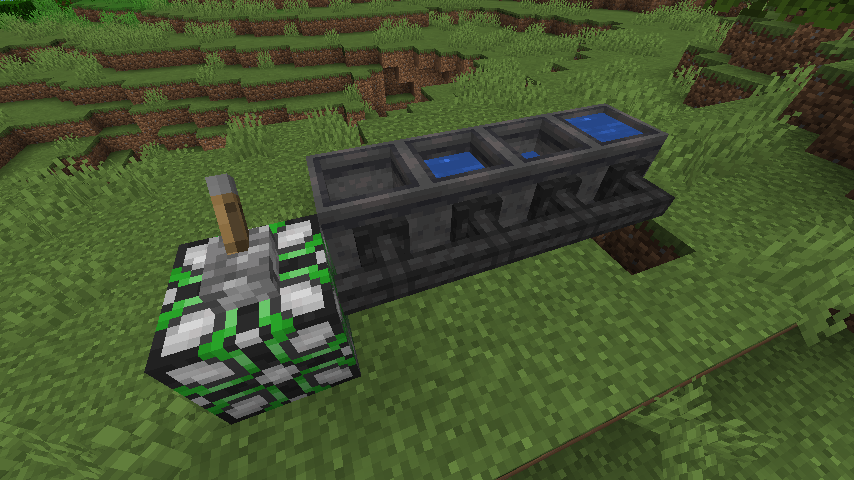 Fluid Transfer An image of a fluid transferring setup
 -
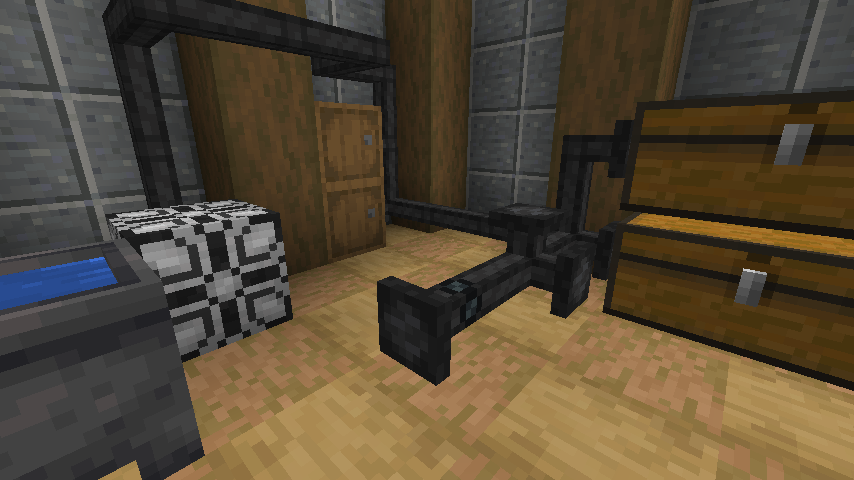 A Room of Cables A room showing some of the mods building potential
 -
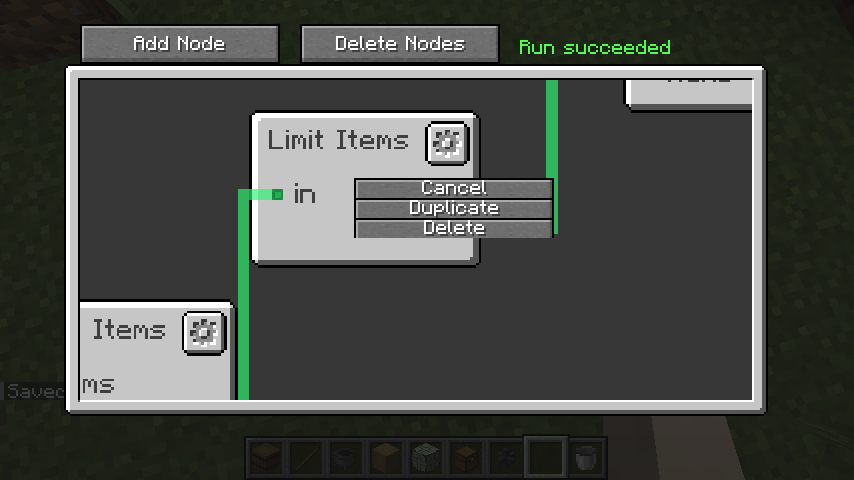 The Editor A screenshot of the editor showing some of the nice features like zoom
-
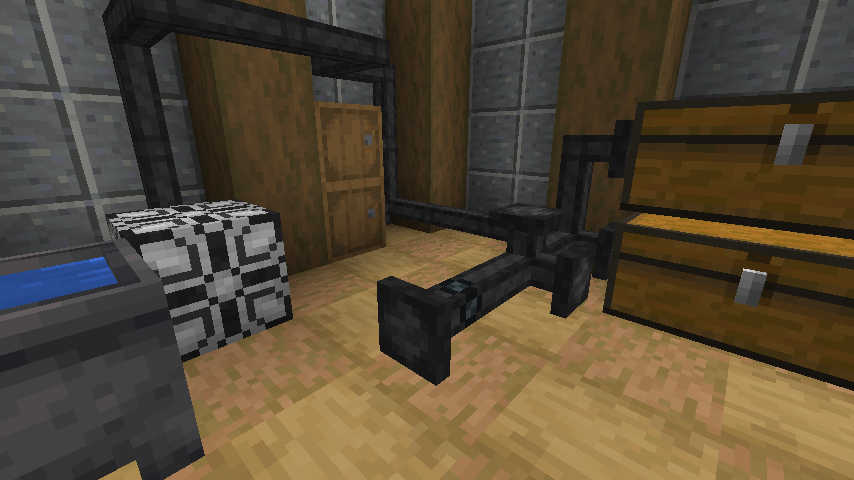 A Room of Cables A room showing some of the mods building potential
 -
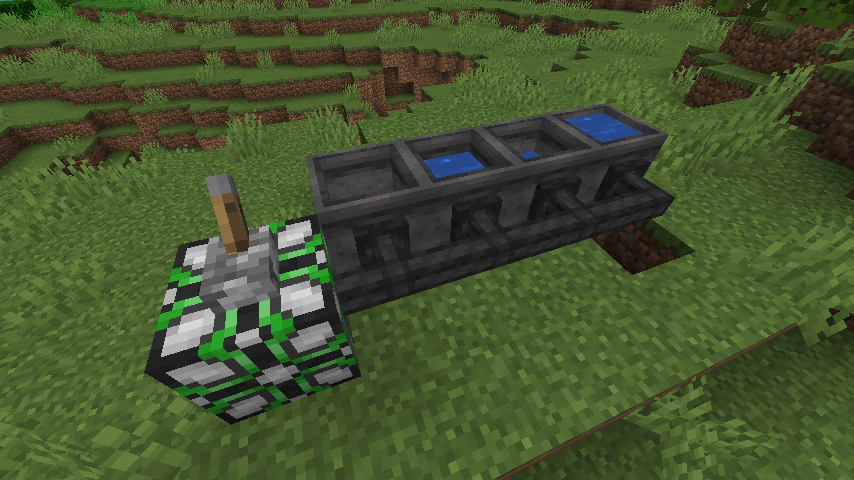 Fluid Transfer An image of a fluid transferring setup
 -
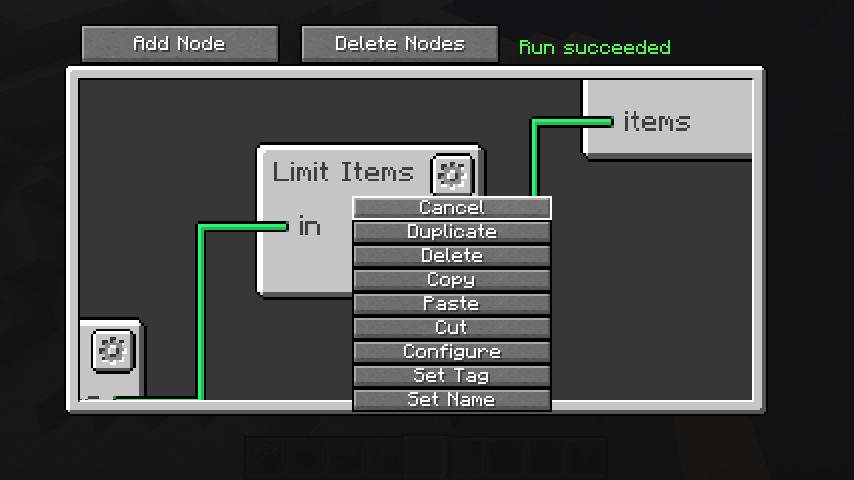 The Editor A screenshot of the editor showing some of the nice features like zoom
 -
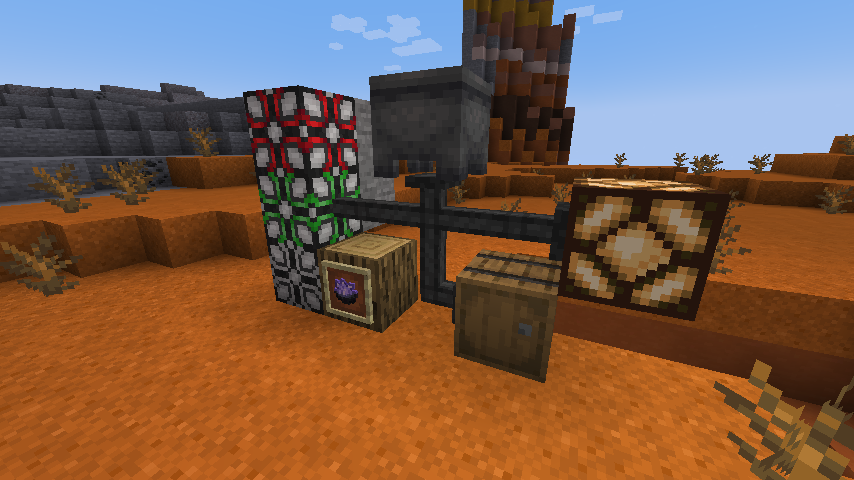 The blocks of the mod
 -
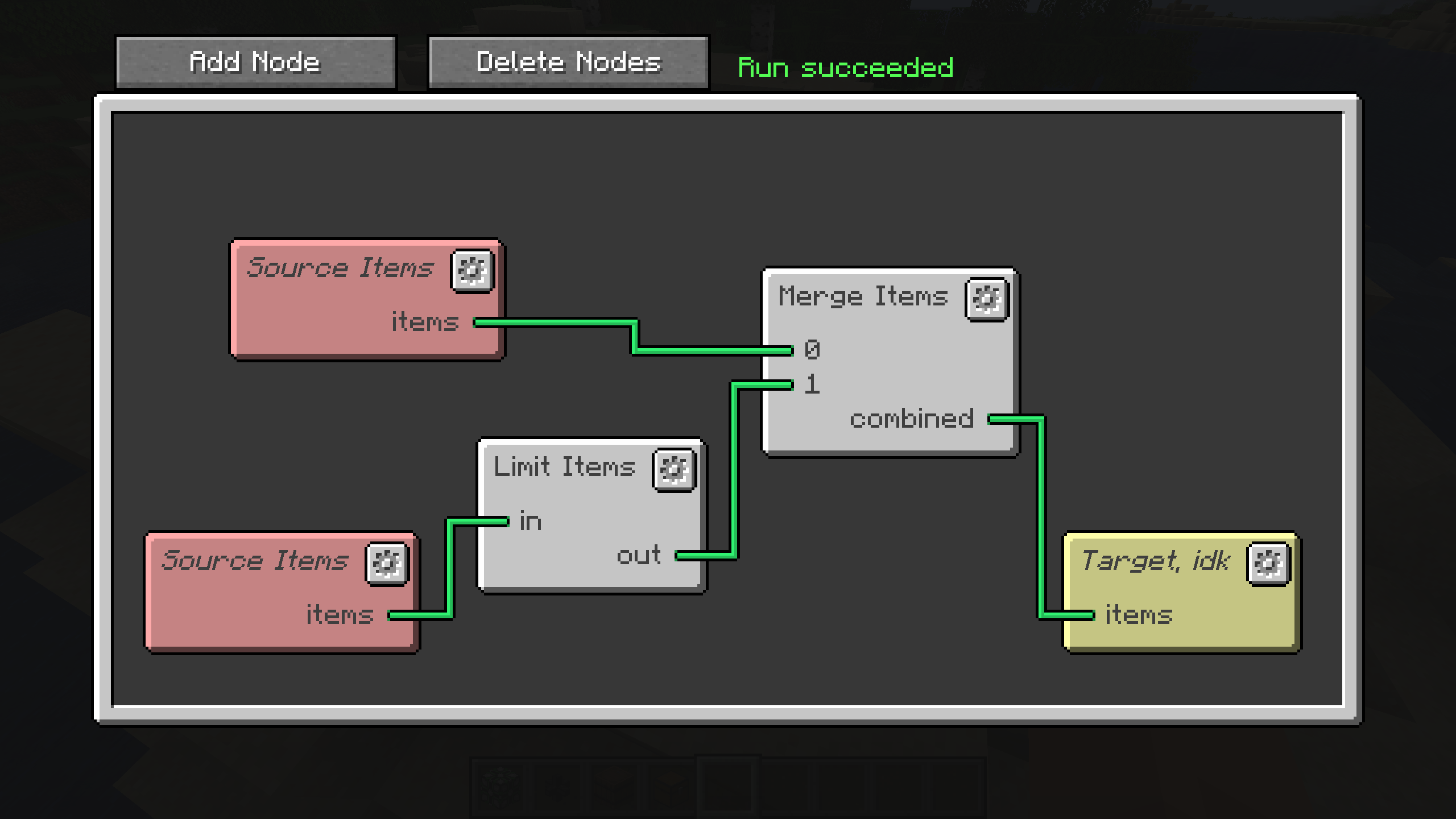 Colorful Editing The editor has many options to organize your nodes
 -
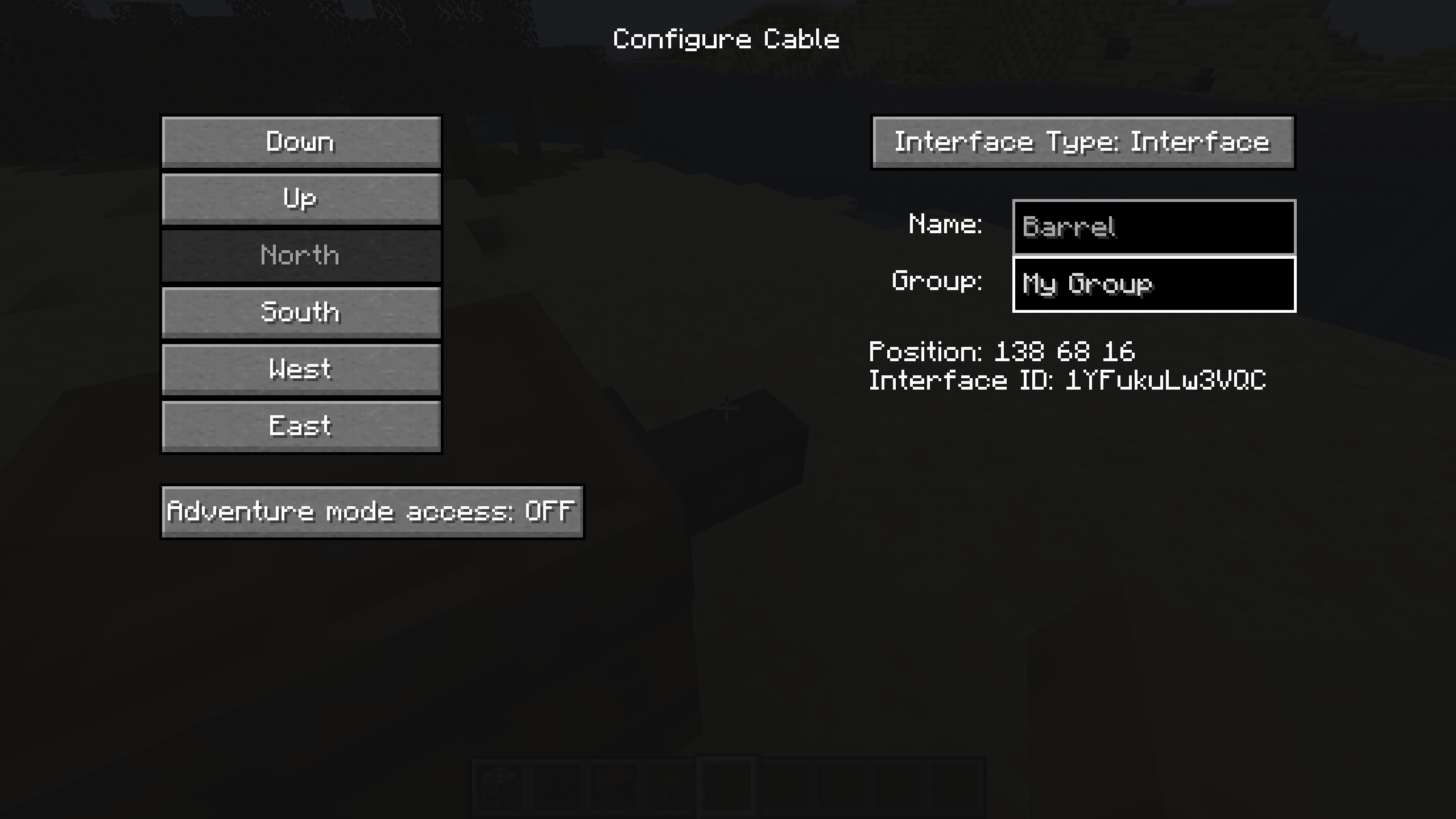 Cable Config The cables that connect networks to the world come with a lot of options for configuration.
Versions
Files
Relations
Project Relations
More like this
Similar Mods
Suggestions use data such as tags, dependencies, dependents, descriptions, titles, and more to rank how much they overlap with this mod.
On ModDex
Community snapshot
By the numbers
Statistics
Want to reach Minecraft players?
We're looking for a server hosting partner to feature here and other parts of the site. Interested? Send us a message!
Get in touchGet it on
Available Platforms
On ModDex
Community snapshot
By the numbers