
Advanced TFC Blueprint
No reviews yet
The Advanced Blueprint aims to enhance the functionality of TFC blueprints. This mod is a reconstruction of the Advanced Blueprint. Since the original mod's files or code were unavailable, a similar mod was developed independently.
Forge is a popular mod loader for versions 1.1+ of Minecraft.
Community voices
Reviews
Click once to include, again to exclude, again to clear
No reviews yet. Be the first to review this project!
Get it on
Available Platforms
 Modrinth
Compatibility
Supported Environments
About
Project Details
For authors
Embed Badge
If you're the author of this project, you can embed a live badge anywhere that supports HTML or Markdown. It updates automatically whenever ratings change.
Use HTML for any page that supports it, or Markdown for README files and Markdown-based descriptions.
Identifiers
Platform IDs
About
Description
Advanced Blueprint
The Advanced Blueprint aims to enhance the functionality of TFC blueprints. This mod is a reconstruction of the Advanced Blueprint. Since the original mod's files or code were unavailable, a similar mod was developed independently.
Item Usage
- Import Schematic: Use the new blueprint, hold
Shiftand right-click on a detailed block to import the block's schematic into the blueprint. You can also right-click in the air to edit the blueprint directly. - Apply Schematic: Once the blueprint stores a schematic, right-click on a detailed block to apply the blueprint's schematic. Similar to TFC blueprints, a hammer and chisel are required in the hotbar to apply the schematic.
- Edit Schematic: Right-click in the air to open the Advanced Blueprint GUI for schematic editing.
GUI Usage
- GUI Title: The top section is the GUI title, which can be ignored.
- Blueprint Naming: Below the title, you can input any string as the blueprint's name. After saving, this name will be used as the item's name.
- Blueprint Controls:
- Left-click to toggle whether the current position is carved. The default state is uncarved, displayed as a slashed grid.
- Right-click to toggle the state of all blocks on the current layer and below.
- Left-click and drag to carve a continuous area.
- Operation Buttons:
- Below the blueprint controls, there are 8 buttons that allow you to perform the following operations on the carved schematic:
- Move left
- Move right
- Move up
- Move down
- Rotate 90° clockwise
- Rotate 90° counterclockwise
- Mirror left-right
- Mirror up-down
- Below the blueprint controls, there are 8 buttons that allow you to perform the following operations on the carved schematic:
- View Direction:
- On the left side of the blueprint controls, there are 6 buttons to select the viewing direction. The default is
TOP(viewing the blueprint from above).
- On the left side of the blueprint controls, there are 6 buttons to select the viewing direction. The default is
- View Layer:
- On the right side of the blueprint controls, buttons allow you to select the current viewing layer. The layer closest to you is
0, and the farthest is7.
- On the right side of the blueprint controls, buttons allow you to select the current viewing layer. The layer closest to you is
- Save and Cancel:
- The two buttons at the bottom right are used to either cancel the current changes or save the blueprint:
- Cancel: Reads data from NBT and overwrites the current changes.
- Save: Stores the current data into NBT.
- The two buttons at the bottom right are used to either cancel the current changes or save the blueprint:
Notes
- The blueprint can be edited and used infinitely without being consumed, making its recipe relatively expensive.
- This mod is an addon of both terrafirmacraft and terrafirmacraftplus, download the correct version to play.
- This mod needs ModularUI and ModularUI2, developed by GTNH team.
Planned Features
- Save and load blueprints to and from files.
- Share blueprints with other players on the server.
- Add a block to upload and download blueprints to and from the server.
Screenshots
Gallery
-
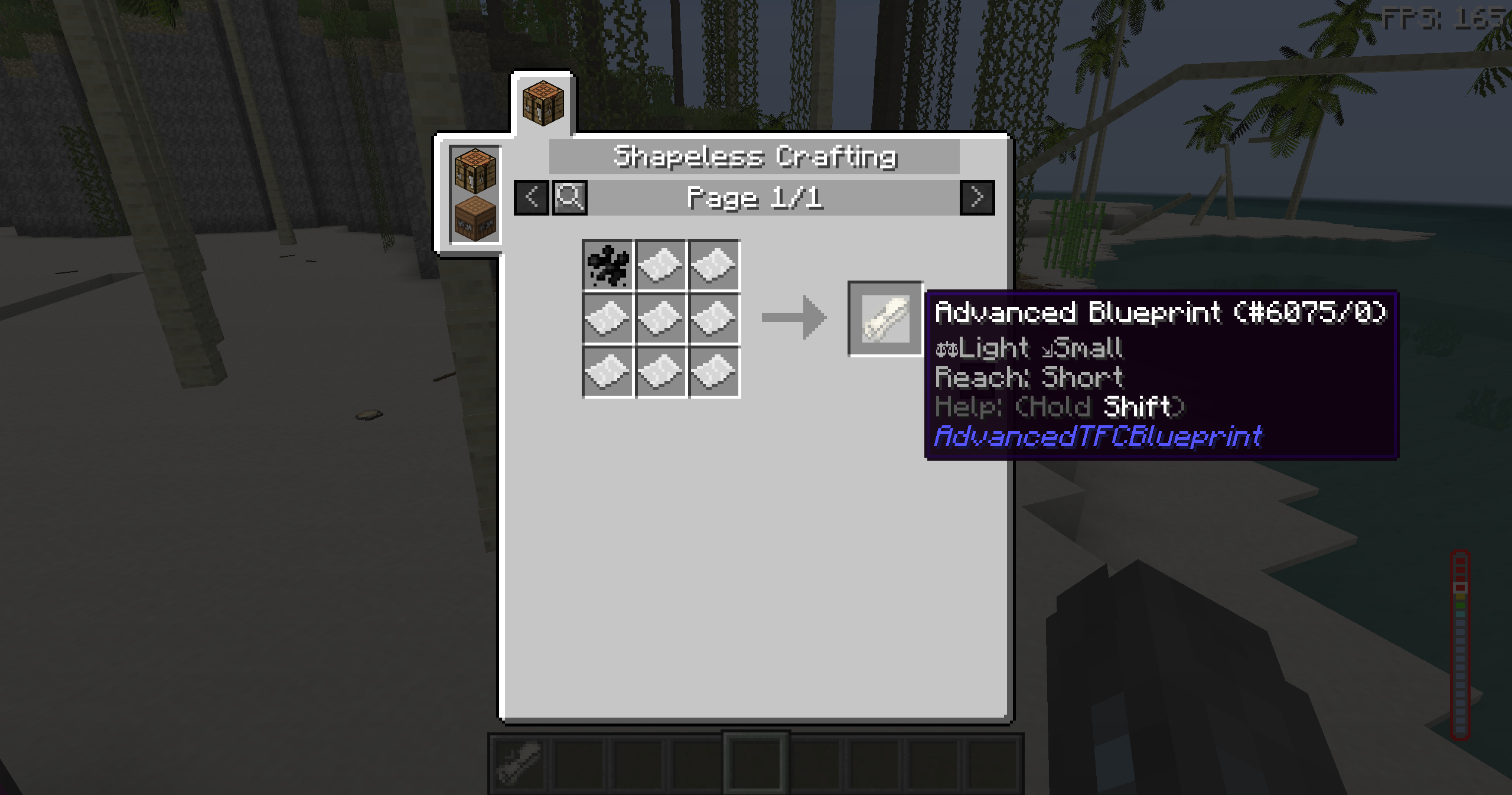 Recipe
 -
 Display
Versions
Files
Relations
Project Relations
More like this
Similar Mods
Suggestions use data such as tags, dependencies, dependents, descriptions, titles, and more to rank how much they overlap with this mod.
On ModDex
Community snapshot
By the numbers
Statistics

Want to reach Minecraft players?
We're looking for a server hosting partner to feature here and other parts of the site. Interested? Send us a message!
Get in touchGet it on
Available Platforms
On ModDex
Community snapshot
By the numbers