
Community listing page, reviews may not be monitored by the author.
AE2 Inventory Connector

No reviews yet
A Tom's Storage style inventory connector that plugs straight into AE2 cables. Mounts chests and other inventories as ME storage, event driven, with no per-tick scanning. Built to fix TPS lag from Inventory Connector + Storage Bus setups.

Community voices
Reviews
No reviews yet. Be the first to review this project!
Get it on
Available Platforms
About
Project Details
For authors
Embed Badge
If you're the author of this project, you can embed a live badge anywhere that supports HTML or Markdown. It updates automatically whenever ratings change.
Use HTML for any page that supports it, or Markdown for README files and Markdown-based descriptions.
Identifiers
Platform IDs
About
Description
AE2 Inventory Connector
Tom's Storage Inventory Connector + an AE2 Storage Bus is a popular way to put a wall of chests into an ME network, and one of the most common causes of server lag. Tom's connector re-scans its area every second, and the storage bus re-reads every slot of every connected chest whenever it runs.
AE2 Inventory Connector replaces both with one block that does the same job without ticking.
How it works
Place the ME Inventory Connector next to your chests (or connect them with Tom's trims), then attach an ME cable to it. It uses one channel, like a storage bus. Every chest, barrel and modded inventory it finds shows up in your ME network as storage.
- No ticking. The block reacts to events: an inventory changing, a block being placed or broken, a chunk loading. If nothing changes, it costs nothing.
- Only re-reads what changed. When a chest changes, only that chest is read again, and only when AE2 actually asks.
- Cheap for AE2. AE2 asks for the item list every tick while a terminal is open. The connector answers from a cached total, so the cost depends on how many item types you have, not how many slots.
- Works with Tom's Storage. Its trims connect inventories just like for Tom's own connector. Tom's Storage itself is optional.
Right-click the connector to see used slots, connected inventories and item types. Right-clicking also forces a rescan.
Configuration
- Range, scan limit, power use and "only trims connect" are in the server config.
connectorBlacklistlists blocks the connector must never use: a block id (minecraft:furnace), a block tag (#c:barrels) or a whole mod (@sophisticatedstorage). On 1.20.1 editconfig/ae2_inventory_connector.propertiesand run/reload. On 1.21.1 editserverconfig/ae2_inventory_connector-server.toml; saving the file applies it.- Pack makers can also use the
ae2_inventory_connector:connector_skipandae2_inventory_connector:trimsblock tags.
Recipe
Iron ingots, two AE2 Storage Buses, two chests and an Engineering Processor.
Versions
- Minecraft 1.20.1: Forge and Fabric (AE2 15.x)
- Minecraft 1.21.1: NeoForge (AE2 19.x)
Source and issues: https://github.com/ledokua/ae2_inventory_connector
Screenshots
Gallery
-
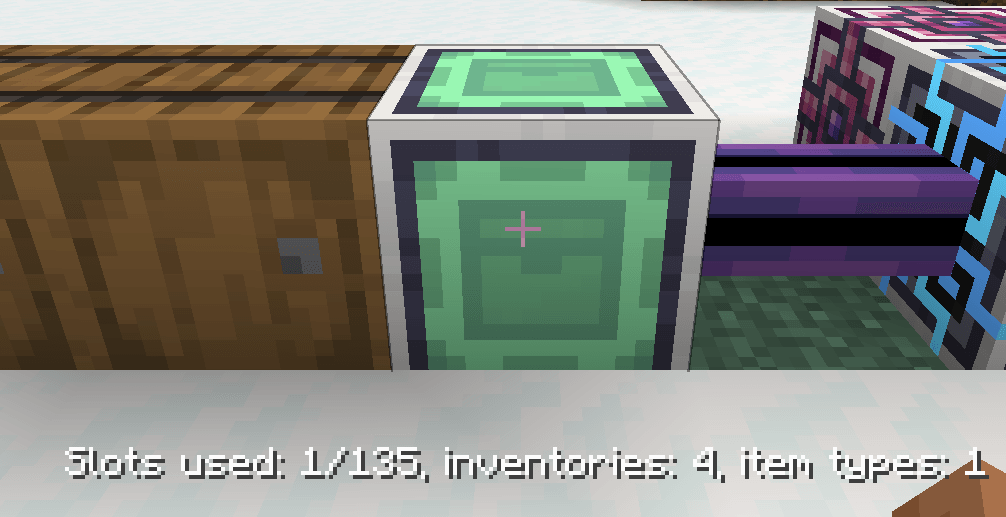 information-titlebar.png
-
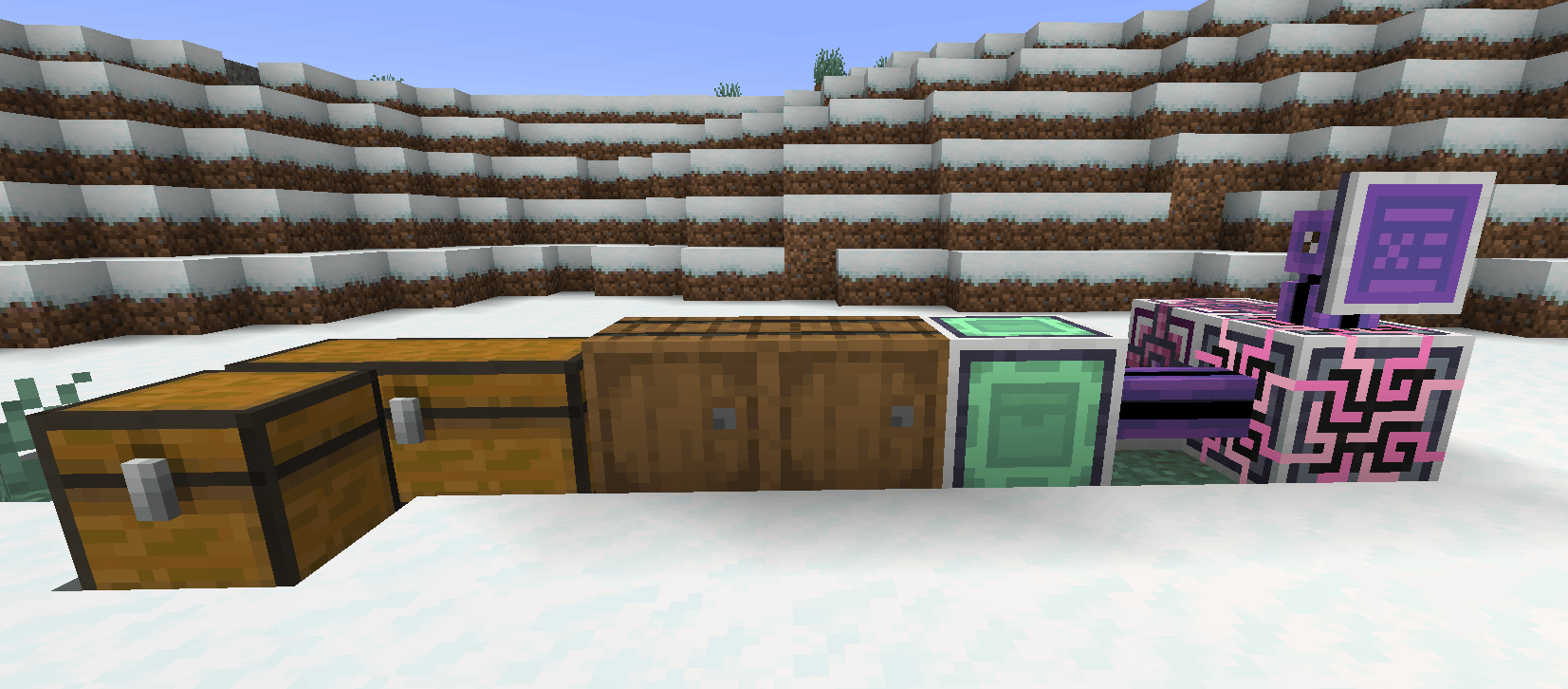 in-world-setup.png
Versions
Files
Relations
Project Relations
More like this
Similar Mods
Suggestions use data such as tags, dependencies, dependents, descriptions, titles, and more to rank how much they overlap with this mod.
On ModDex
Community snapshot
By the numbers
Statistics

Get it on
Available Platforms
On ModDex
Community snapshot
By the numbers