Community listing page, reviews may not be monitored by the author.
AE2 Modular Energy Units

No reviews yet
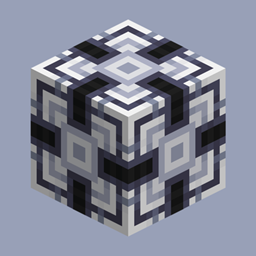
An Applied Energistics 2 add-on for NeoForge 1.21.1: modular energy units that snap together into a single solid-cube energy storage, with per-block component slots feeding one shared energy pool.

Community voices
Reviews
No reviews yet. Be the first to review this project!
Get it on
Available Platforms
About
Project Details
For authors
Embed Badge
If you're the author of this project, you can embed a live badge anywhere that supports HTML or Markdown. It updates automatically whenever ratings change.
Use HTML for any page that supports it, or Markdown for README files and Markdown-based descriptions.
Identifiers
Platform IDs
Resources
External Links
About
Description
AE2 Modular Energy Units
An add-on for Applied Energistics 2 that adds modular energy units: stack them into a solid cube and the whole cube joins the ME network as a single energy storage, from 3×3×3 up to 16×16×16.
Early build. The first public build: blocks, structure detection, the terminal, the monitors, the guide book and the recipes are all in the jar. Balance numbers and textures may still change between versions.
Requirements
| Mod | Why |
|---|---|
| NeoForge 21.1.241+ (Minecraft 1.21.1) | Platform |
| Applied Energistics 2 19+ | The ME network this mod stores energy for |
| GuideME | Required by AE2; add-on screens link to the guide through it |
| MezzConfig 0.5.0 – 1.0.0 | Hosts this mod's configuration |
Optional: MEGA Cells (the superdense tier takes its energy cell as material), AppFlux and AE2 OMNI Cells (extra storage components you can install into the units).
Installing Jade adds the structure readout described below.
Features
Modules in three tiers
| Module | Storage per block | Component slots | Rate per block | Rate cap per block | Input cap per block |
|---|---|---|---|---|---|
| Modular Basic Energy Unit | 200 kAE | 1 | 1 kAE/t | 16 kAE/t | 8 kAE/t |
| Modular Dense Energy Unit | 1.6 MAE | 2 | 8 kAE/t | 128 kAE/t | 64 kAE/t |
| Modular Superdense Energy Unit | 12.8 MAE | 3 | 64 kAE/t | 1024 kAE/t | 512 kAE/t |
A single module standing on its own still works as a small energy cell.
One cube, one battery
- Build a solid cube of modules — tiers can be mixed — anywhere from 3×3×3 to 16×16×16.
- Once formed, the cube is one energy storage on the ME network with a single shared pool: only the structure's core provides the storage, and cables attach to module blocks — any face of a module works. (The monitors take part in the cube but expose no grid connection, only the FE face.)
- Storage is summed per block, so a larger cube holds more; the transfer caps are summed too, so a larger cube really does move more power.
- Discharging into the network runs at the full rate. Charging is deliberately slower — the input cap is half the transfer rate.
- Break any block and the structure comes apart: the terminal closes, that block's components drop, and the remaining blocks fall back to standalone units. Place the block again and the cube reforms.
Storage components
Every module carries its own component slots, and slots take the storage components you already have:
- AE2's
1k–256kstorage components - MEGA Cells'
cell_component_1m–256m - AppFlux's
core_1k–256mME Energy Storage Components - AE2 OMNI Cells'
omni_/complex_omni_/quantum_omni_cell_component_lines
Components are installed from the terminal, or by right-clicking a module with the component in hand. The component slots are also exposed to AE2 export buses, so automation can fill them (the handler is insert-only: import buses find nothing to take).
Energy Module Terminal
Right-click a formed cube to open its terminal. It manages the components of every module in the structure at once:
- Rows are grouped by tier; one tier shares a 12-slot row, one cell per component type with the count inside, so 81 of the same component read as one cell instead of 81 slots.
- Each tier group shows how many modules it holds and how many component slots are filled.
- Right-clicking a tier icon selects that group, and quick-moving then only fills it.
- The terminal style button switches between 4 / 6 / 8 / full-height rows, and the notation button cycles letter (
12.3M), scientific (1.23E7) and engineering (12.3E6) number formats on the two bars and the header totals.
Energy monitors
Two structure blocks that only display:
- Energy Storage Monitor — how full the cube's pool is, as a percentage on one line.
- Energy Flow Monitor — an FE icon with the structure's average throughput over the last second. (The live input rate jumps around too much to read on the face — it is in the terminal instead.)
They take part in the cube (the structure still forms with them in it) but contribute no storage and no rate, and the two convert into each other by crafting. A cube of monitors alone is not a structure — it needs at least one module.
Access from the network and from FE
- On the AE grid the cube is a normal energy storage: the network charges it and draws from it.
- On the NeoForge side it accepts FE through AE2's own FE adapter, at AE2's configured ratio (1 FE = 0.5 AE by default). FE goes straight into the energy pool.
Tooltips and Jade
Item tooltips list base storage, base input cap and component slots. With Jade installed, looking at a module shows whether the structure is formed, its side length, and — through AE2's own provider — the stored amount.
Recipes
Every block is craftable in survival:
- Blank Modular Energy Unit — certus quartz gems and fluix dust.
- Basic / Dense module — a blank unit with AE2's regular / dense energy cell.
- Dense module (upgrade) — eight basic modules and a calculation processor.
- Superdense module — a blank unit with MEGA Cells' MEGA Energy Cell; promote a dense module instead if you would rather not build the cells (with MEGA Cells installed that upgrade takes an accumulation processor, without it a calculation processor).
- Monitors — a blank unit with AE2's storage monitor.
In-game guide
The mod ships a guide book, reachable from the AE2 guide: the three tiers, component slots, the terminal, the monitors, and a page deriving the gain formulas with full-build figures. It is available in English and Simplified Chinese.
Configuration
The coefficients that describe the structure and its input (capacity count bonus b, rate count bonus bv, input ratio f_in) are configurable, as is the component table: which items count as storage components and what each one contributes. That table is the only source of truth for component recognition, so a modpack can add entries or re-tune values without code. Component discounts (k / kv) are part of the components themselves and are not configurable.
For modpacks and add-on developers
- KubeJS: a startup script registers a new tier together with its block, item and block entity in one chained call — see the examples shipped with the repository.
- Java API: register a tier into
ae2modularcells:energy_cell_tierand pair it with a block set. Blocks registered by other mods land in the External creative tab, and both energy access and model replacement pick them up automatically.
License
Licensed under LGPL-3.0. Source, issues and the full license text: github.com/xingluo01/AE2-Modular-Energy-Cells.
Screenshots
Gallery
Versions
Files
Relations
Project Relations
More like this
Similar Mods
Suggestions use data such as tags, dependencies, dependents, descriptions, titles, and more to rank how much they overlap with this mod.
On ModDex
Community snapshot
By the numbers
Statistics
 (opens in a new tab)
Get it on
Available Platforms
On ModDex
Community snapshot
By the numbers
Statistics
Resources