
AggStack
No reviews yet
AggStack allows you to store multiple items with the same ID but different NBT data (durability, enchantments, etc.) in a single inventory slot, with an expandable panel to view and manage all sub-items.
Features systems for better item storage and organization.
Fabric is a mod loader for versions 1.14+ of Minecraft, particularly popular for client side and optimization mods.
Community voices
Reviews
Click once to include, again to exclude, again to clear
No reviews yet. Be the first to review this project!
Get it on
Available Platforms
 Modrinth
Compatibility
Supported Environments
About
Project Details
For authors
Embed Badge
If you're the author of this project, you can embed a live badge anywhere that supports HTML or Markdown. It updates automatically whenever ratings change.
Use HTML for any page that supports it, or Markdown for README files and Markdown-based descriptions.
Identifiers
Platform IDs
Resources
External Links
About
Description
AggStack
What is AggStack?
AggStack allows you to store multiple items with the same ID but different NBT data (different durability, enchantments, or custom names) in a single inventory slot.
💡 Example: Store a 5% durability diamond pickaxe and a 100% durability diamond pickaxe in the same slot!
🎮 How to Use
Creating an Aggregated Stack
| Method | How to do it |
|---|---|
| Drag to Merge | Pick up an item with your mouse, then drag and drop it onto another item of the same type (e.g., two iron pickaxes with different durability). They will merge into an aggregated stack. |
| Auto Pickup | If you already have an aggregated stack in your inventory, picking up the same type of item will automatically add it to the stack. (Can be disabled in config) |
Viewing Sub-items
- Hover your mouse over an aggregated stack slot
- Hold
Left Alt(default) – a panel will appear below your inventory - The panel displays all sub-items in a 7-column grid, each showing its own durability bar and enchantment glint
- Release
Left Alt– the panel closes
🔧 You can change the expand behavior in config:
HOLD/TOGGLE/CLICK_OUTSIDE
Interacting with Aggregated Stacks
| Action | Result |
|---|---|
| Left Click (on the stack) | Pick up the entire aggregated stack (all sub-items) |
| Right Click (on the stack) | Take half of the top item (if stackable), or the whole top item (if unstackable) |
| Shift + Left Click | Split the stack – all sub-items scatter into your inventory (or drop on the ground if inventory is full) |
| Q (Drop) | Drop the entire aggregated stack as a single item |
Interacting with Sub-items (in the expanded panel)
| Action | Result |
|---|---|
| Left Click on a sub-item | Take that single sub-item out – it will appear on your mouse cursor |
| Right Click on a sub-item | Set that sub-item as the new top item (changes the appearance, durability bar, and enchantment glint) |
Adding Items to an Existing Stack
- Pick up an item with your mouse (must be the same type as the aggregated stack)
- Right-click on the aggregated stack
- The item is added as a new sub-item
⚙️ Configuration
Press G in-game to open the configuration GUI.
| Option | Description | Default |
|---|---|---|
| Enabled | Enable/disable the entire mod | true |
| Max Sub-Items | Maximum items per aggregated stack (1-64) | 64 |
| Auto Pickup | Automatically merge picked-up items | true |
| Expand Key | Key to open the sub-item panel | Left Alt |
| Expand Behavior | HOLD = hold to open, release to close / TOGGLE = press to toggle / CLICK_OUTSIDE = click outside to close |
HOLD |
| Death Drop | SPLIT = drop all sub-items separately / KEEP_ALL = drop as a single stack |
SPLIT |
| Creative Auto Stack | Auto pickup in creative mode (disabled by default) | false |
| Split Key | Modifier key for splitting aggregated stacks | Left Ctrl |
🚫 Restrictions
Aggregated stacks cannot be placed into the following container slots (to prevent bugs/exploits):
- Crafting Table • Furnace/Smoker/Blast Furnace • Brewing Stand
- Villager Trading • Grindstone • Anvil • Smithing Table
- Stonecutter • Loom • Cartography Table
✅ You can still take out aggregated stacks from these containers.
Screenshots
Gallery
-
 Expanded Item Panel Expand to select items with different NBT data
 -
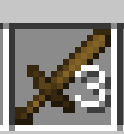 Stacked Wooden Sword Wooden Swords Can Be Stacked
Versions
Files
Relations
Project Relations
More like this
Similar Mods
Suggestions use data such as tags, dependencies, dependents, descriptions, titles, and more to rank how much they overlap with this mod.
On ModDex
Community snapshot
By the numbers
Statistics

Want to reach Minecraft players?
We're looking for a server hosting partner to feature here and other parts of the site. Interested? Send us a message!
Get in touchGet it on
Available Platforms
On ModDex
Community snapshot
By the numbers
Statistics
Resources