
Community listing page, reviews here may not be monitored by the author.
Infinite Inventory

No reviews yet
Never run out of inventory space again. Infinite Inventory is a mod that turns your inventory storage into a personal database-style infinite workflow with full-screen search, tab organization, fast extraction, and optional public storage.
Community voices
Reviews
No reviews yet. Be the first to review this project!
Get it on
Available Platforms
Compatibility
Supported Environments
Must be installed on both the client and the server.
About
Project Details
For authors
Embed Badge
If you're the author of this project, you can embed a live badge anywhere that supports HTML or Markdown. It updates automatically whenever ratings change.
Use HTML for any page that supports it, or Markdown for README files and Markdown-based descriptions.
Identifiers
Platform IDs
Resources
External Links
About
Description
Infinite Inventory
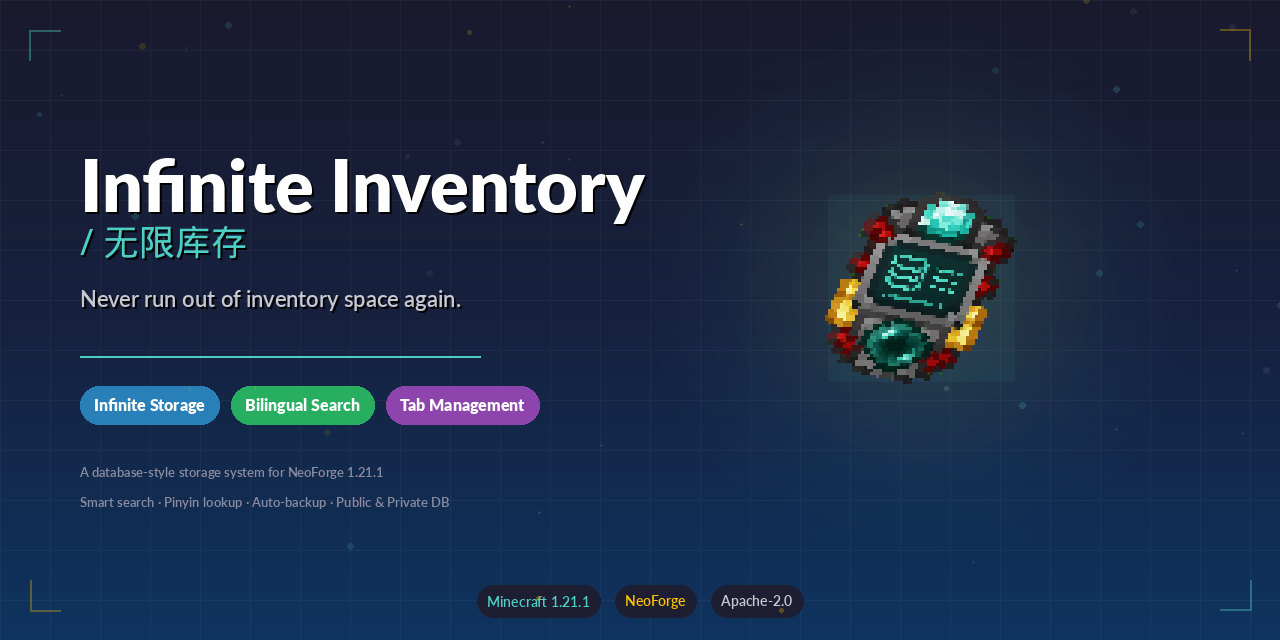





Never run out of inventory space again.
Infinite Inventory is a NeoForge mod for Minecraft 1.21.1 that transforms the cramped player backpack into a personal, infinitely-expandable, database-style storage system. Instead of juggling chests, shulker boxes, and scattered storage rooms, you carry your entire item collection in a single searchable terminal — organized by tabs, filterable by bilingual search, and backed by automatic safety systems.
Why Download This Mod?
If you have ever:
- Run out of hotbar and inventory slots while mining or building
- Spent more time sorting chests than actually playing
- Lost track of which chest contains which item
- Wanted to find an item instantly without memorizing storage layouts
Then Infinite Inventory replaces all of that overhead with one full-screen database interface. Search by name, pinyin, item ID, tag, or mod — and extract exactly what you need in seconds.
Core Features
- Infinite Personal Storage — One database, zero slot limits. Store as many unique item stacks as you want.
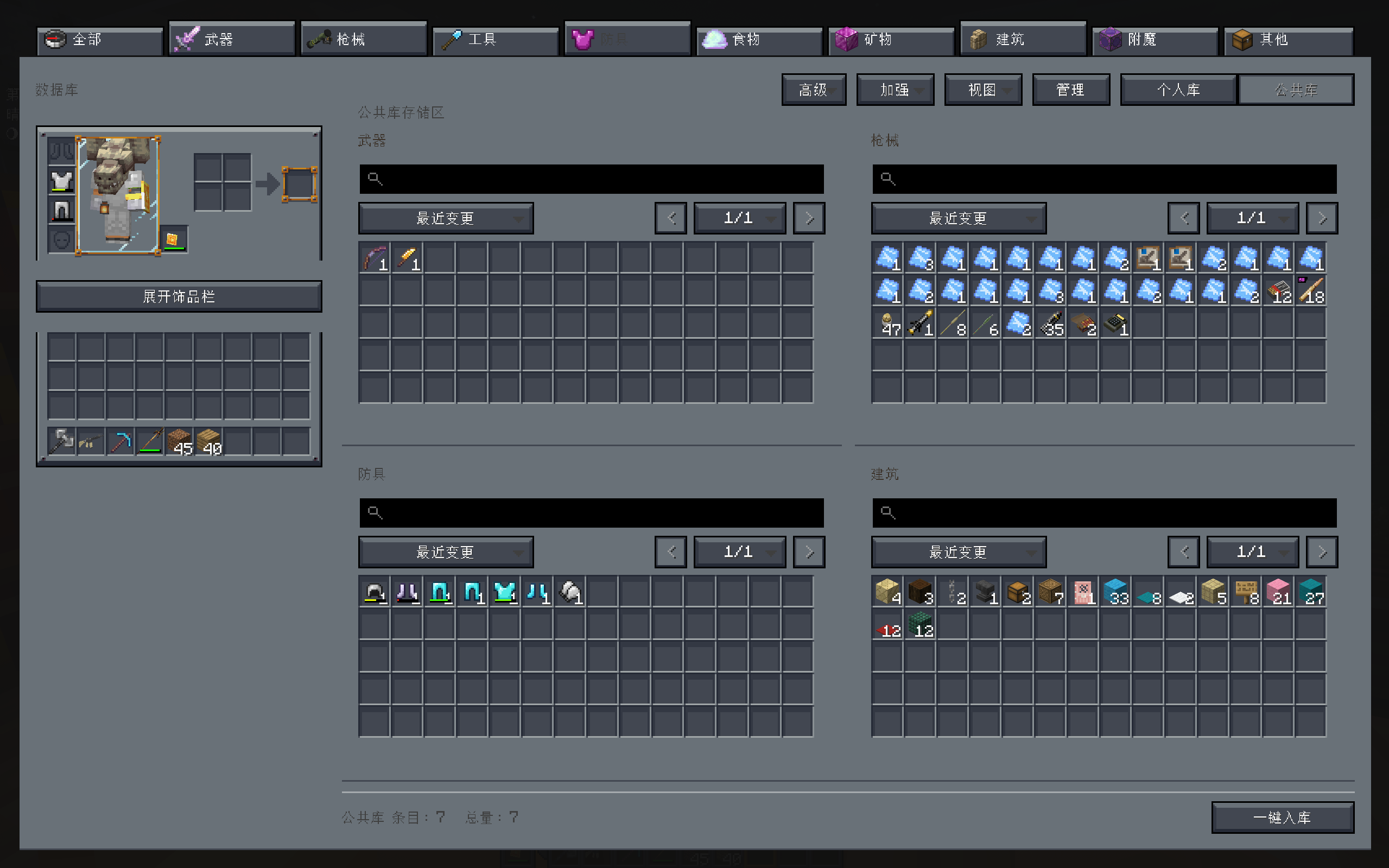
- Full-Screen Database UI — Multi-panel views: personal storage, public storage (server-wide shared pool), or mixed mode.
- Bilingual Smart Search — Understands Chinese display names, English aliases, item IDs, namespaces, and pinyin (full spelling + initials).
- JEI-Style Advanced Search Syntax — Filter by mod (
@), item tag (#), registry name (&), creative tab (%), with AND/OR/NOT logic. - Tab Organization — Create, rename, reorder, and assign custom icons to tabs. Move entire tab contents in one action.
- Stable Sorting — Sort by recent changes, recently added, name, count, namespace, or item ID.
- Star & Note System — Mark frequently-used items as starred, or attach custom notes to any item.
- Operation Log Viewer — Review history of deposits, extractions, and other database actions.
- Auto-Store Enhancement — Automatically send picked-up items into a designated target tab.
- Data Safety — Rolling auto-backups every 15 minutes, manual backup/restore commands, and unresolved-item preservation when mods are temporarily missing.
- Optional Accessories / Curios Integration — Wear the database terminal as a back-slot accessory for quick access via a configurable hotkey.
Environment
| Aspect | Value |
|---|---|
| Side | Client and Server (required on both for full functionality; server-side handles data persistence and public storage) |
| Minecraft | 1.21.1 |
| Mod Loader | NeoForge |
| Supported NeoForge | 21.1.222+ |
| Java | 21 |
| Optional Dependencies | Accessories 1.1.0-beta.53+1.21.1, Curios 9.5.1+1.21.1 |
Installation
- Install Minecraft 1.21.1.
- Install a compatible NeoForge build in the 21.1.x range.
- Place the
Infinite InventoryJAR into yourmods/folder. - (Optional) Install Accessories or Curios if you want wearable terminal access from the back slot.
Note: The mod must be present on both client and server for multiplayer. The server handles data persistence and public storage; the client renders the UI and handles search input.
Crafting
Craft the Database Terminal in survival mode:

D E D
R C R
D G D
| Symbol | Item |
|---|---|
| D | Diamond Block |
| E | Ender Pearl |
| R | Redstone Block |
| C | Chest |
| G | Gold Block |
Item ID: infiniteinventory:database_access_item
How to Use
Opening the Database
- Handheld: Right-click with the Database Terminal to open the full-screen interface.
- Equipped (Accessories / Curios): Bind a hotkey in Controls → Key Binds → "Infinite Inventory" → "Open Equipped Database" to open the UI instantly when the terminal is worn in the back slot.
Switching Views
Use the top toolbar to toggle between:
- Personal — your own private item database
- Public — server-wide shared storage (if enabled)
- Mixed — combined view of both
Depositing Items
- Left-click an item in your inventory to deposit 1
- Shift+click to deposit a full stack into a target tab
- Store All button — deposits your entire player inventory into the database
- Store Existing button — deposits only items that already have a matching entry in the database (useful for bulk restocking)
Deposit Conflict: If an item already exists in a different tab, a popup will let you choose whether to deposit to the original tab or move everything to the target tab.
Extracting Items
- Left-click a database entry to extract 1
- Shift+click to extract a full stack directly to your inventory
- Right-click for contextual options:
- Pick up a full stack to your cursor
- Pick up half a stack to your inventory
- Extract a custom amount (opens a number input overlay)
Searching
Type in the search bar to filter items. The search understands:
- Chinese item names and pinyin (full spelling + initials)
- English display names and aliases
- Exact item IDs and namespaces
Special search syntax:
| Prefix | Meaning | Example |
|---|---|---|
@ |
Filter by mod ID | @infiniteinventory |
# |
Filter by item tag | #minecraft:logs |
& |
Filter by registry name | &diamond |
% |
Filter by creative tab | %building blocks |
| |
OR operator | diamond | emerald |
- |
Exclude | -stone |
Spaces between terms act as AND.
Managing Tabs
- Create new tabs via the tab bar to categorize items
- Drag tabs to reorder them
- Right-click a tab to rename, change its icon, transfer its contents to another tab, or delete it
- Hide less-used tabs to keep the interface clean
- Batch transfer: Multi-select entries (click and drag or Shift+click), then right-click → "Move Selected to Another Category"
Stars & Notes
- Star frequently-used items for quick access
- Right-click → "Edit Note" to attach a custom note to any item
- Notes can be applied to a single item or to all selected items at once
Database Settings (Gear Icon)
The settings panel provides 5 navigation tabs:
- Adv. Search — Configure search behavior and default filters
- Boost — Toggle optional enhancements:
- Auto-store picked-up items — automatically deposit newly picked-up items into a designated target tab
- Show amount in tooltip — display the total stored count of an item in its tooltip
- Force save on critical mutation — immediately persist the database after important changes
- Views — Preview and switch between personal, public, and mixed views
- Manage — Create, delete, rename, reorder, and reorganize tabs in bulk
- Log — Review a chronological history of all deposits, extractions, transfers, and other database actions
Data Safety
Your data is stored in the overworld's SavedData system, not on the terminal item itself. This means:
- Terminal is replaceable — losing or breaking the terminal does not delete your database.
- Unresolved items preserved — if a mod is temporarily removed, its items are kept as unresolved entries and restored when the mod returns.
- Auto-backups — the database is backed up automatically every 15 minutes.
- Manual backup/restore — server operators can create snapshots and restore from them at any time.
Backup Commands
/infiniteinventory database backup now       # Create a manual backup
/infiniteinventory database backup list      # List available backups
/infiniteinventory database restore <name>   # Restore from a named backup
Reference Documentation
Links
- Source Code: https://github.com/A-G-guy/infinite-inventory
- Issue Tracker: https://github.com/A-G-guy/infinite-inventory/issues
- Modrinth: https://modrinth.com/mod/agguy-infinite-inventory
License
- Project license: Apache-2.0
- Third-party attributions: THIRD_PARTY_NOTICES.md
Screenshots
Gallery
Versions
Files
Relations
Project Relations
More like this
Similar Mods
Suggestions use data such as tags, dependencies, dependents, descriptions, titles, and more to rank how much they overlap with this mod.
On ModDex
Community snapshot
By the numbers
Statistics

Want to reach Minecraft players?
We're looking for a server hosting partner to feature here and other parts of the site. Interested? Send us a message!
Get in touchGet it on
Available Platforms
On ModDex
Community snapshot
By the numbers
Statistics
Resources