
Community listing page, reviews here may not be monitored by the author.
AI Tooltip

No reviews yet
An intelligent AI-powered HUD tooltip that uses Gemini 2.5 Flash to instantly describe any block or entity you look at!
Community voices
Reviews
No reviews yet. Be the first to review this project!
Get it on
Available Platforms
Compatibility
Supported Environments
Runs entirely on the client. Works on vanilla servers.
About
Project Details
For authors
Embed Badge
If you're the author of this project, you can embed a live badge anywhere that supports HTML or Markdown. It updates automatically whenever ratings change.
Use HTML for any page that supports it, or Markdown for README files and Markdown-based descriptions.
Identifiers
Platform IDs
Resources
External Links
About
Description
AI Tooltip
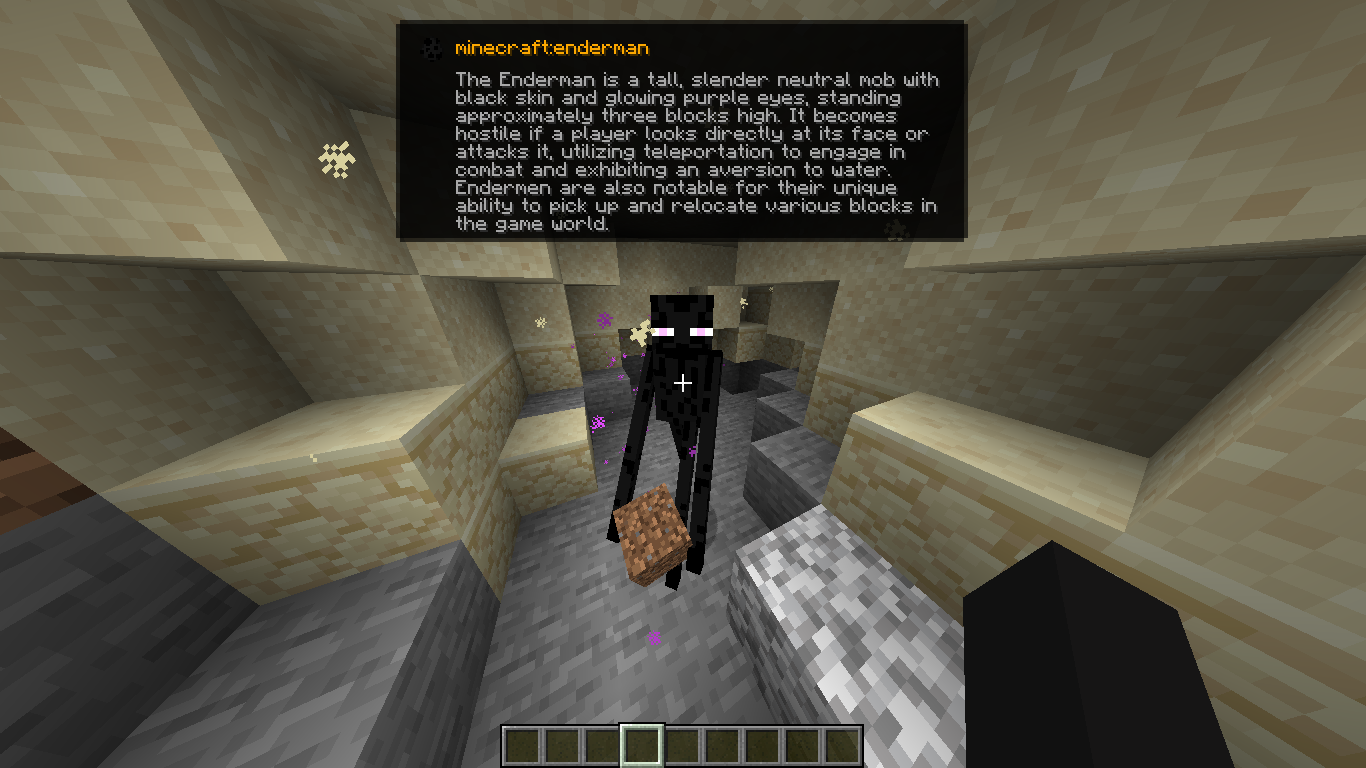
AI Tooltip is a simple, polished client-side mod for NeoForge 1.21.1 that integrates Google's Gemini 2.5 Flash AI directly into your Minecraft HUD!
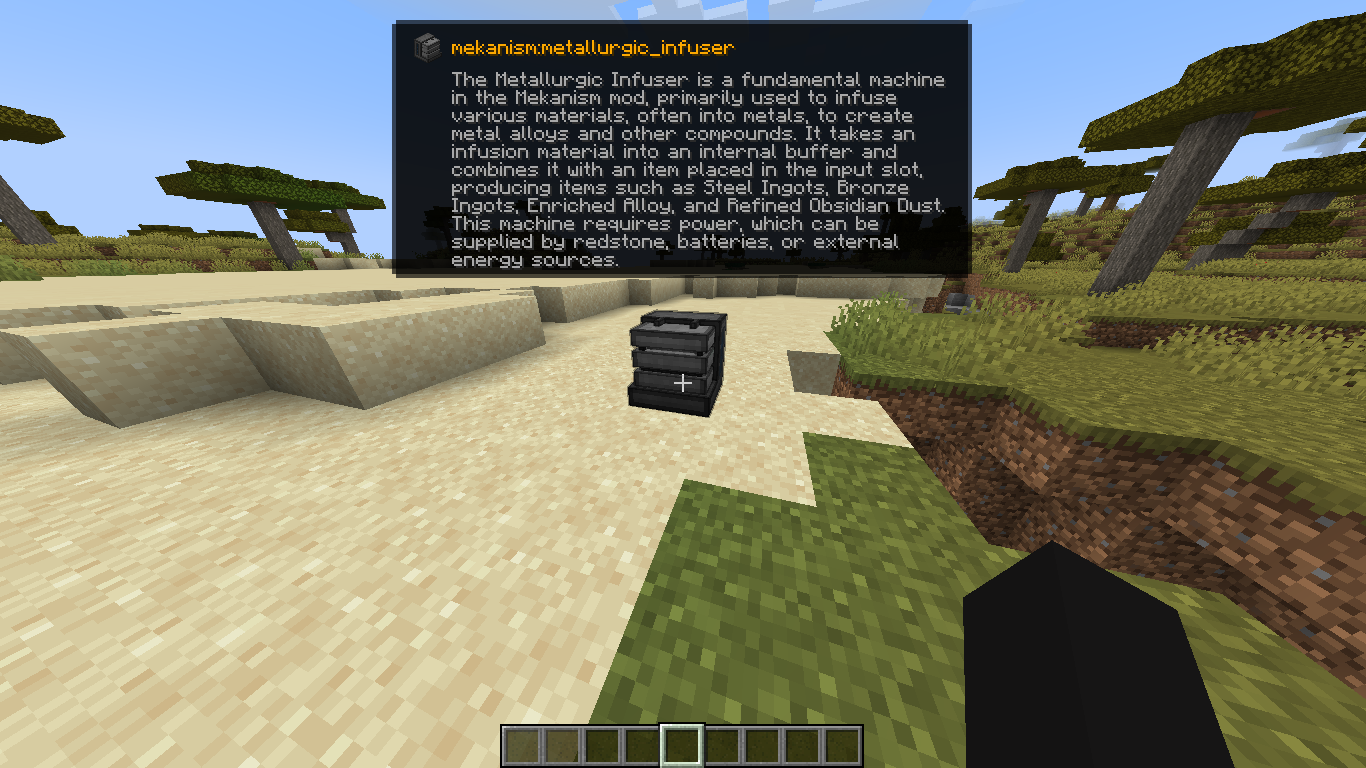
Ever look at a strange modded block or entity and wonder what it does? Now you can just press a keybind!
Features
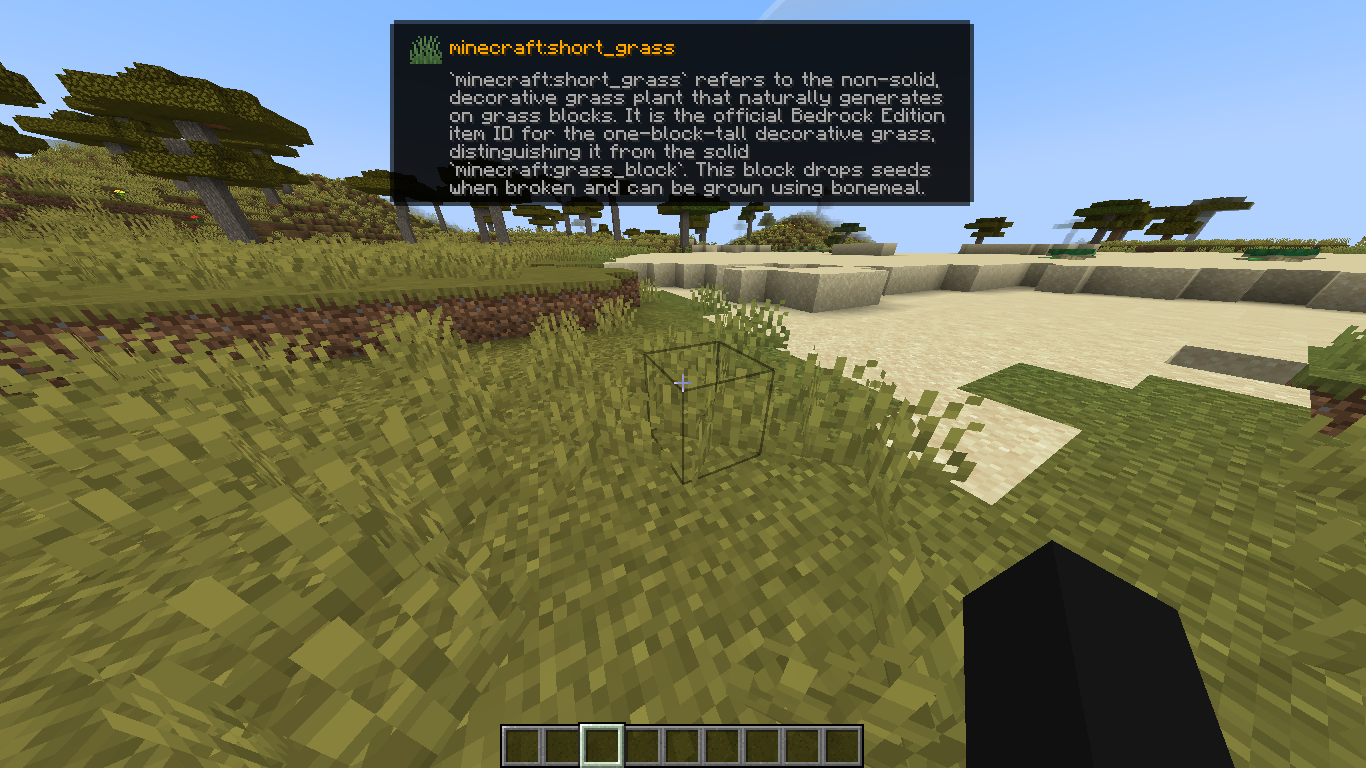
- Smart Descriptions: Uses Gemini 2.5 Flash to generate a factual, 2-3 sentence description of any Block or Entity you are looking at.
- Google Web Search Grounding: The AI isn't just guessing; if you enable it, the AI browses the live web to find accurate, up-to-date documentation on obscure modded items before it answers you!
- Native Tooltip UI: Renders a gorgeous, native-looking tooltip right below your crosshair. It even pulls the exact Item Icon and Mod ID of the block or entity!
- Hold ALT to Expand: The tooltip defaults to a single, compact summary line so it doesn't clutter your screen. Hold the
ALTkey to instantly expand the box and read the full paragraph. - Optimized & Cached: It only queries the API once per unique block/entity and caches the response in memory, meaning you won't burn through your API quota looking at the same chest twice.
How to Use
- Install the Mod: Drop
aitooltipinto yourmodsfolder. - Launch Minecraft: Launch the game at least once so the mod can generate its configuration file.
- Configure your API Key:
- Go to your Minecraft folder and open
config/aitooltip_config.json. - Get a free API key from Google AI Studio (https://aistudio.google.com/).
- Replace
"PUT_YOUR_GEMINI_KEY_HERE"with your actual key and save the file.
- Go to your Minecraft folder and open
- Toggle the HUD In-Game:
- Join a world or server.
- Press
M(by default, can be changed in Options > Controls) to toggle the AI Tooltip HUD on or off. - Look at something!
Configuration (config/aitooltip_config.json)
{
  "geminiApiKey": "YOUR_KEY_HERE",
  "useWebSearch": true
}
geminiApiKey: Your Google Gemini API key.useWebSearch: Set totrue(default) to allow the AI to browse the internet for better answers on modded content. Set tofalseif you want slightly faster, but potentially less accurate, responses.
Credits
Made by arthurus36.
Screenshots
Gallery
Versions
Files
Relations
Project Relations
More like this
Similar Mods
Suggestions use data such as tags, dependencies, dependents, descriptions, titles, and more to rank how much they overlap with this mod.
On ModDex
Community snapshot
By the numbers
Statistics

Want to reach Minecraft players?
We're looking for a server hosting partner to feature here and other parts of the site. Interested? Send us a message!
Get in touchGet it on
Available Platforms
On ModDex
Community snapshot
By the numbers
Statistics
Resources