
AIChat
No reviews yet
A mod wich allows you to communicate with ChatGPT while playing Minecraft!
Fabric is a mod loader for versions 1.14+ of Minecraft, particularly popular for client side and optimization mods.
Community voices
Reviews
Click once to include, again to exclude, again to clear
No reviews yet. Be the first to review this project!
Get it on
Available Platforms
 Modrinth
Compatibility
Supported Environments
About
Project Details
For authors
Embed Badge
If you're the author of this project, you can embed a live badge anywhere that supports HTML or Markdown. It updates automatically whenever ratings change.
Use HTML for any page that supports it, or Markdown for README files and Markdown-based descriptions.
Identifiers
Platform IDs
About
Description
This fully client side mod adds a command that allows you to communicate with ChatGPT while playing Minecraft. It also works while you are playing on a Server. With the added /ask command, you can ask any question you want and receive an answer in the Minecraft chat:

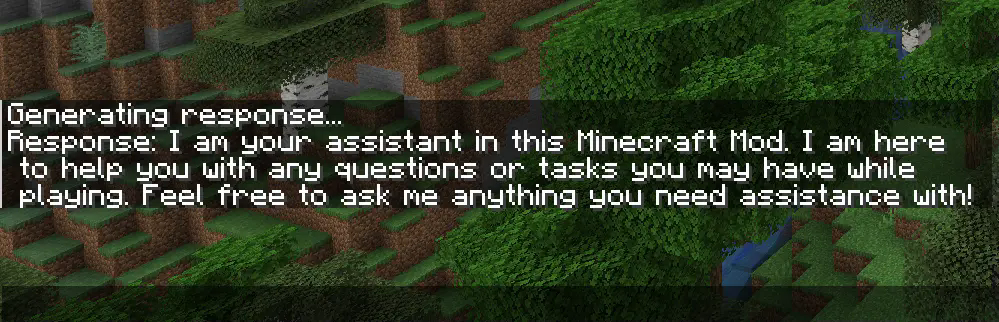
With the newest Version, you can now also upload pictures to ChatGPT. When you take a screenshot, you can see a button called "Send to OpenAI". Now you type in your question an hit enter. Make sure you use a model wich can process pictures like gpt-4o-mini if you have used the mod before the latest version, you have to change your model from gpt-3.5-turbo to gpt-4o-mini.


Setup Guide
To use the mod, you first need to type /config without any arguments to open the config screen. There you have to paste your OpenAI API Key and hit save. You can also use /config OPENAI_API_KEY <Your API key> to connect your client to the OpenAI API. Your API key is obtainable here.

Make sure you have some funds in your OpenAI account. The default model (gpt-4o-mini) doesn’t really require any money, but you still need a minimum balance of $0.01 to use the API. You can add funds to your account here
Configuration
If you want to use a model other than gpt-4o-mini (e.g., gpt-4o), you can configure it by changing the name of the model in the config screen or you type /config AI_MODEL <AI model you want to use>. Keep in mind that better models are also more expensive. You can view all available models here.

To change the role of ChatGPT, you have to change the sentance in the role field at the config screen or you type /config ROLE_OF_THE_AI <Role the AI should play>
. The default role is:
"You are an assistant implemented in a Minecraft mod to help players. You provide short answers with a maximum length of 4 short sentences."

Screenshots
Gallery
-
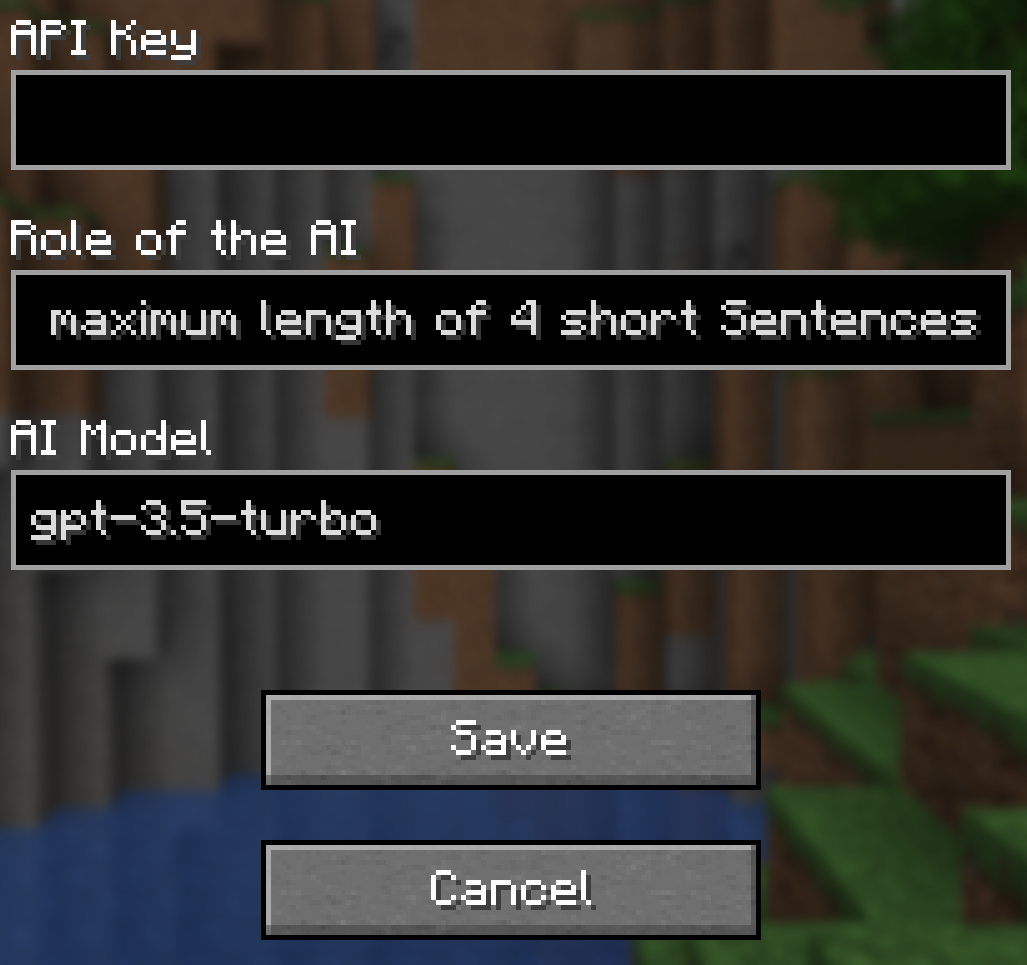 Config Screen
Versions
Files
Relations
Project Relations
More like this
Similar Mods
Suggestions use data such as tags, dependencies, dependents, descriptions, titles, and more to rank how much they overlap with this mod.
On ModDex
Community snapshot
By the numbers
Statistics

Want to reach Minecraft players?
We're looking for a server hosting partner to feature here and other parts of the site. Interested? Send us a message!
Get in touchGet it on
Available Platforms
On ModDex
Community snapshot
By the numbers