Alfred
No reviews yet
A MultiServer Fabric Discord Bot
Fabric is a mod loader for versions 1.14+ of Minecraft, particularly popular for client side and optimization mods.
Community voices
Reviews
Click once to include, again to exclude, again to clear
No reviews yet. Be the first to review this project!
Get it on
Available Platforms
 Modrinth
Compatibility
Supported Environments
About
Project Details
For authors
Embed Badge
If you're the author of this project, you can embed a live badge anywhere that supports HTML or Markdown. It updates automatically whenever ratings change.
Use HTML for any page that supports it, or Markdown for README files and Markdown-based descriptions.
Identifiers
Platform IDs
Resources
External Links
About
Description
NOTICE! There is a mod that I am working on that incorperates Afreds features into it while having other tools for server administration called Guardian. I am working on a stable release for it as it is currently in testing on my minecraft server.
THIS MOD IS CURRENTLY IN ALPHA. THERE WILL BE BREAKING CHANGES UNTIL STABLE. CHECK CHANGELOGS BEFORE CHANGING VERSIONS!!!
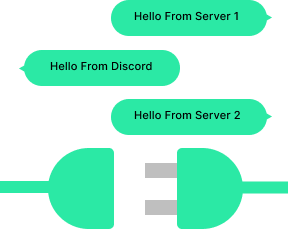
Alfred is a groundbreaking addition to the Minecraft gaming experience, designed to enhance player connectivity and communication across multiple Minecraft servers seamlessly. This mod introduces a robust system that facilitates the exchange of player chats among various Minecraft servers while also integrating seamlessly with Discord, creating a unified and dynamic community.
Key Features:
Multi-Server Communication: Forge alliances, coordinate strategies, or simply chat with friends across different Minecraft servers effortlessly. Our mod breaks down the barriers between servers, allowing players to engage in conversations and share experiences regardless of the server they are currently on.
Real-Time Synchronization: Enjoy the benefits of real-time chat synchronization, ensuring that messages are instantly relayed between servers.
Discord Bot Integration: Take your community's communication to the next level with seamless integration between Minecraft servers and Discord. This mod allows for the automatic relay of in-game chats to specified Discord channels, keeping both platforms in sync. Discord members can also interact with players in-game, creating a unified environment for communication.
Compatibility and Performance: Designed specifically for Fabric, our mod is lightweight, efficient, and compatible with a wide range of Minecraft server setups. Experience smooth performance and minimal impact on server resources while enjoying enhanced communication features.
Example Config: alfred.json
{
  "Bot": {
    "token": "YOUR_DISCORD_BOT_TOKEN",
    "channel": "YOUR_DISCORD_CHANNEL_ID"
  },
  "WebSocket": {
    "host": "192.168.1.1",
    "port": 9090
  },
  "Generic": {
    "name": "Your Minecraft Server",
    "mode": "STANDALONE"
  }
}
Explanation of Each Option:
Bot:
token: This is where you provide the token for your Discord bot. Replace "YOUR_DISCORD_BOT_TOKEN" with the actual token generated for your Discord bot. This allows the mod to connect to the specified Discord bot for communication. Only set this if you are running the mod with WebSocket type set to "SERVER"
channel: Replace "YOUR_DISCORD_CHANNEL_ID" with the Discord channel ID where you want in-game chats to be relayed. The mod will send and receive messages in this channel.
WebSocket:
host: Provide the IP address or fully qualified domain name(FQDN) of your WebSocket server.
port: Set the port number your WebSocket server is using. In this example, it's 9090. Adjust it to match the port your WebSocket server is configured to use.
Generic:
name: Customize the name of your Minecraft server. Replace "Your Minecraft Server" with the desired name. This name will be used in various communications, making it easier to identify the origin of messages.
mode: Specify the mode of WebSocket connection. Setting this to "SERVER" it will act as the main communication hub for all "CLIENT"s and is where the bot will run from. Use "STANDALONE" to act as a generic discord bot.
Screenshots
Gallery
Versions
Files
Relations
Project Relations
More like this
Similar Mods
Suggestions use data such as tags, dependencies, dependents, descriptions, titles, and more to rank how much they overlap with this mod.
On ModDex
Community snapshot
By the numbers
Statistics

Want to reach Minecraft players?
We're looking for a server hosting partner to feature here and other parts of the site. Interested? Send us a message!
Get in touchGet it on
Available Platforms
On ModDex
Community snapshot
By the numbers
Statistics
Resources