Community listing page, reviews here may not be monitored by the author.
Alt-F4

No reviews yet
Alternative Furnace Full of Fancifull Features
Community voices
Reviews
No reviews yet. Be the first to review this project!
Get it on
Available Platforms
About
Project Details
For authors
Embed Badge
If you're the author of this project, you can embed a live badge anywhere that supports HTML or Markdown. It updates automatically whenever ratings change.
Use HTML for any page that supports it, or Markdown for README files and Markdown-based descriptions.
Identifiers
Platform IDs
About
Description

Overview
This mod is a simple expansion on the concept behind the vanilla furnace, it features a furnace which has a few buffer stacks for output, no more wasting fuel because the output has no where to go, as well as a single buffer stacks for both the fuel input and the "to smelt" stack. This furnace also caches experience so that you can extract it and it doesn't get voided if you decide you wish to automate your smelting. Oh, and everything is customizable via a JSON file ;)
GUI
The gui should be intuitive to use and looks as follows:

It shows you visually and through a graphical element modelled after the player's experience bar how much experience it holds. It is important to note that the experience in the gui rounds down to the nearest integer because of how communication between the tile entity and the GUI works.
You can place an experience crystal in the slot underneath the first output slot and if the furnace is storing 10 or more experience it will put it into the crystal and place it in the output slot.
JEI Integration

You can see all of the registered recipes through JEI, the fantastic Item/Recipe handler made by Mezz, check out the optional libraries for the file downloads. *This is an example, showing differing smelt times. None are changed by default*
Recipes

The Experience Crystal will render the approximate amount of experience it contains inside it, as well as display it in the tooltip.
Configurability
This mod has an extensive configurability aspect to it, all of the recipes registered for the furnace get printed out to a json file for reference on gameload, and then get read back in and fill the Evolved Furnace's recipe registry, you can insert new recipes or change the properties of existing ones by adding entries to the generated user file, make sure that the json format is valid otherwise the game will crash (no comma after the last entry). The items shown in the JEI screenshot were modified by adding these items to the JSON file. *this is an example, none are changed by default*
[
{
"modNameInput": "minecraft",
"stackNameInput": "quartz_ore",
"metaDataInput": 32767,
"ignoreInputMeta": true,
"stackSizeInput": 1,
"nbtStringInput": null,
"modNameOutput": "minecraft",
"stackNameOutput": "quartz",
"metaDataOutput": 0,
"stackSizeOutput": 1,
"nbtStringOutput": null,
"experience": 0.2,
"burnTime": 800,
"toRegister": true
},
{
"modNameInput": "minecraft",
"stackNameInput": "coal_ore",
"metaDataInput": 32767,
"ignoreInputMeta": true,
"stackSizeInput": 1,
"nbtStringInput": null,
"modNameOutput": "minecraft",
"stackNameOutput": "coal",
"metaDataOutput": 0,
"stackSizeOutput": 1,
"nbtStringOutput": null,
"experience": 0.1,
"burnTime": 600,
"toRegister": true
},
{
"modNameInput": "minecraft",
"stackNameInput": "redstone_ore",
"metaDataInput": 32767,
"ignoreInputMeta": true,
"stackSizeInput": 1,
"nbtStringInput": null,
"modNameOutput": "minecraft",
"stackNameOutput": "redstone",
"metaDataOutput": 0,
"stackSizeOutput": 1,
"nbtStringOutput": null,
"experience": 0.7,
"burnTime": 400,
"toRegister": true
}
]
Using the nbt tag feature is a little tricky, but a sample tag would be "{ench:[0:{lvl:1s,id:8s}]}" to place level one depth strider as the only enchantment on an item.
If you wish to remove a recipe from the registry, copy it's entry over from the reference json and change "to register" to false.
Caveats
As of beta release 0.2.x for both 1.7.10 and 1.8.8/9 the recipe registry runs on world/server start instead of game load which mean that it is guaranteed to catch all regular properly registered furnace recipes from other mods. I will have a look at minetweaker in the future.
Screenshot

Screenshots
Gallery
-
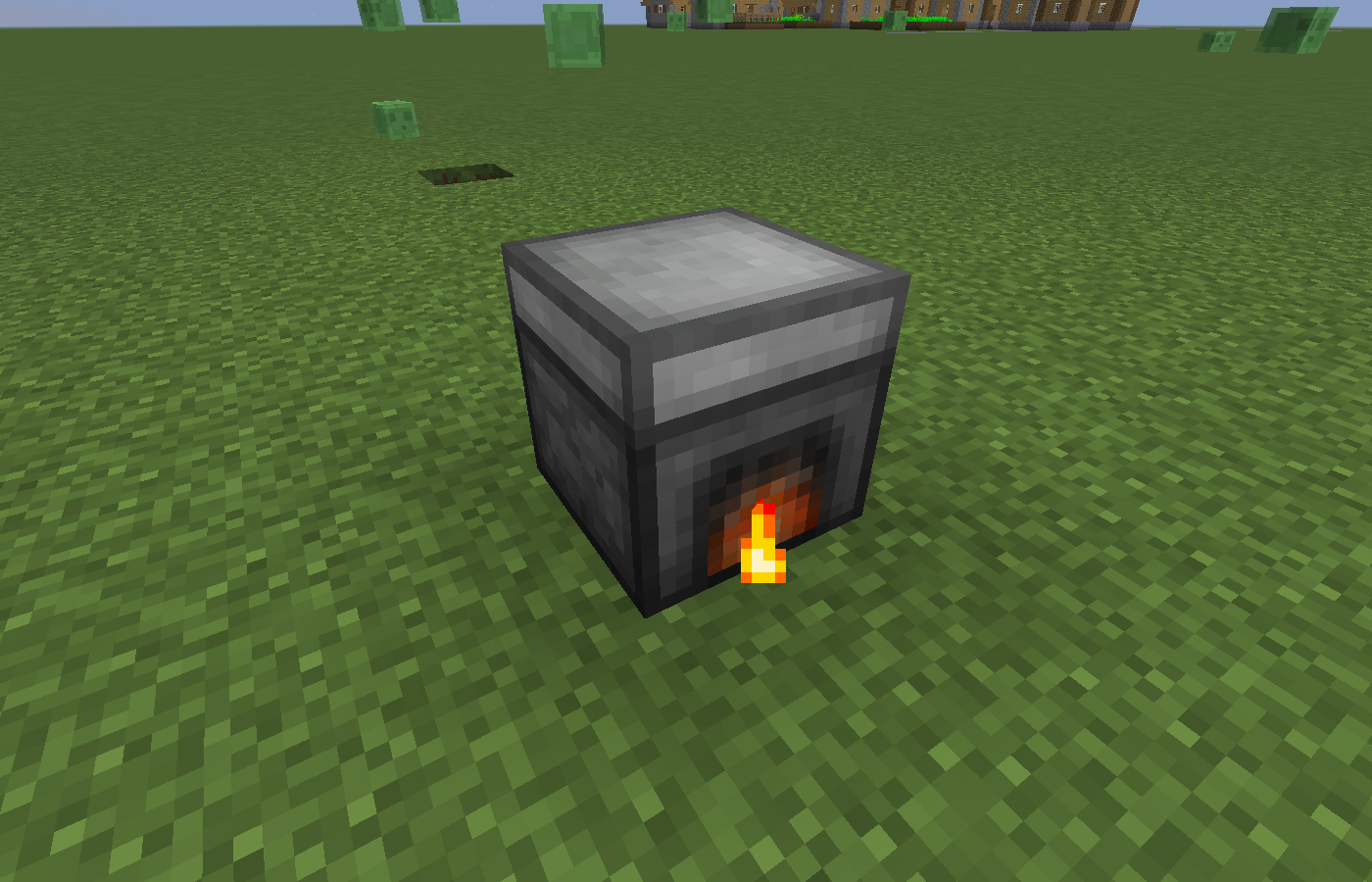 InWorld Block The furnace at work in the world
 -
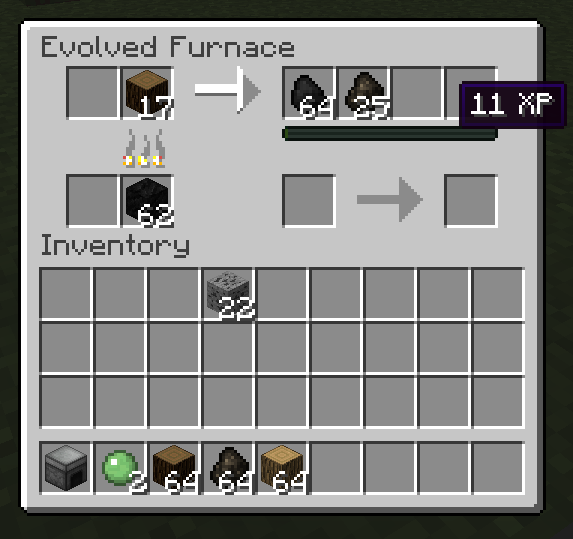 GUI The Furnace in use
 -
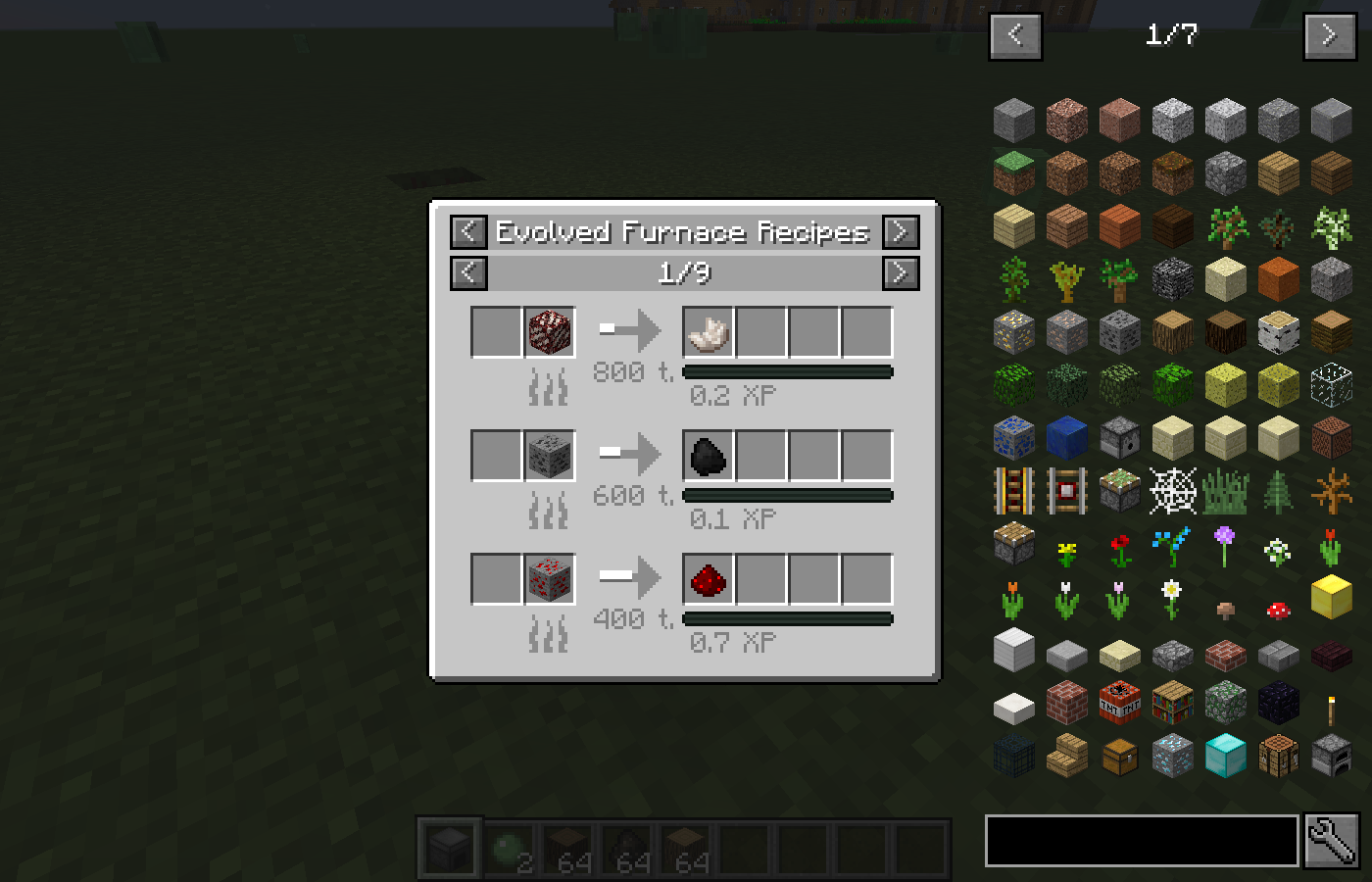 JEI Integration Just Enough Items recipe handler
 -
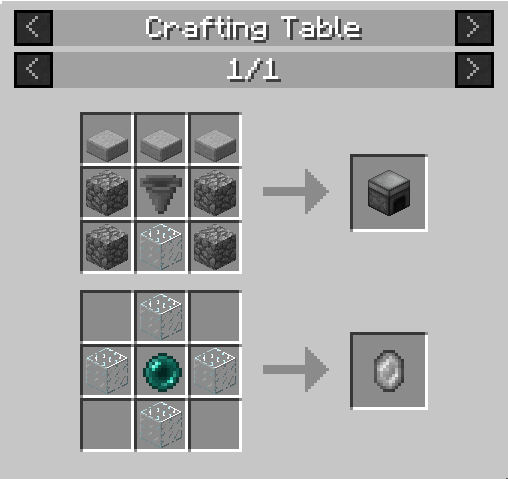 Recipes The current two recipes for the mod
Versions
Files
Relations
Project Relations
More like this
Similar Mods
Suggestions use data such as tags, dependencies, dependents, descriptions, titles, and more to rank how much they overlap with this mod.
On ModDex
Community snapshot
By the numbers
Statistics
Want to reach Minecraft players?
We're looking for a server hosting partner to feature here and other parts of the site. Interested? Send us a message!
Get in touchGet it on
Available Platforms
On ModDex
Community snapshot
By the numbers