
Community listing page, reviews may not be monitored by the author.
Amoji (Unofficial Mirror)


No reviews yet
Adds emojis to Minecraft.

Community voices
Reviews
No reviews yet. Be the first to review this project!
Get it on
Available Platforms
Compatibility
Supported Environments
Runs entirely on the client. Works on vanilla servers.
About
Project Details
For authors
Embed Badge
If you're the author of this project, you can embed a live badge anywhere that supports HTML or Markdown. It updates automatically whenever ratings change.
Use HTML for any page that supports it, or Markdown for README files and Markdown-based descriptions.
Identifiers
Platform IDs
About
Description
💡 Credits
-
Original mod created by albarv340
-
Mod page: Modrinth – Amoji
-
License: MIT
This is an unofficial mirror of the original mod, uploaded to CurseForge for easier access.
This mod is based largely on Emojiful, but with a focus on simplicity and making it easier to add custom emojis.
The functionality is intended to be kept to a bare minimum, to make maintenance easier.
Adding your own emojis
There is a simple way of adding your own sets of emojis. Using the command /amoji add <name> <url> you can add a set of your own custom emojis.
The URL provided should return data of the following format:
{
  "emoji1Name": "image1Url",
  "emoji2Name": "image2Url",
  "emoji3Name": "image3Url"
}
Example:
{
  "like": "https://raw.githubusercontent.com/albarv340/amoji/main/like.png"
}
This example can be added with the command:
/amoji add example https://raw.githubusercontent.com/albarv340/amoji/main/example.json
The image URLs can be pretty much any static image URLs, and none of the files used have to be hosted on GitHub, it is just an example.
Using Google Sheets
A relatively user-friendly emoji API can be created using google sheets.
-
Make a copy of this Google Sheet (By clicking
File > Make a copy) -
Open the Apps Script editor by clicking
Extensions > Apps Script. -
Click
Deploy > New Deployment. Fill in the relevant information and chooseAnyonefor who has access. And clickDeploy. -
Authorize Apps Script with your Google Account. (If it tells you the website is unsafe, you should still proceed, it is an official Google product, nothing to worry about).
-
Copy the link, visiting it should yield a JSON of the correct format with the emojis added to the sheet.
-
The emoji API can then be added to the mod with the command:
/amoji add <name> <url>Amoji
Adds emojis to Minecraft.
This mod is based largely on Emojiful, but with a focus on simplicity and making it easier to add custom emojis.
The functionality is intended to be kept to a bare minimum, to make maintenance easier.
Adding your own emojis
There is a simple way of adding your own sets of emojis. Using the command /amoji add <name> <url> you can add a set of your own custom emojis.
The URL provided should return data of the following format:
{
  "emoji1Name": "image1Url",
  "emoji2Name": "image2Url",
  "emoji3Name": "image3Url"
}
Example:
{
  "like": "https://raw.githubusercontent.com/albarv340/amoji/main/like.png"
}
This example can be added with the command:
/amoji add example https://raw.githubusercontent.com/albarv340/amoji/main/example.json
The image URLs can be pretty much any static image URLs, and none of the files used have to be hosted on GitHub, it is just an example.
Using Google Sheets
A relatively user-friendly emoji API can be created using google sheets.
-
Make a copy of this Google Sheet (By clicking
File > Make a copy) -
Open the Apps Script editor by clicking
Extensions > Apps Script. -
Click
Deploy > New Deployment. Fill in the relevant information and chooseAnyonefor who has access. And clickDeploy. -
Authorize Apps Script with your Google Account. (If it tells you the website is unsafe, you should still proceed, it is an official Google product, nothing to worry about).
-
Copy the link, visiting it should yield a JSON of the correct format with the emojis added to the sheet.
-
The emoji API can then be added to the mod with the command:
/amoji add <name> <url>
Screenshots
Gallery
-
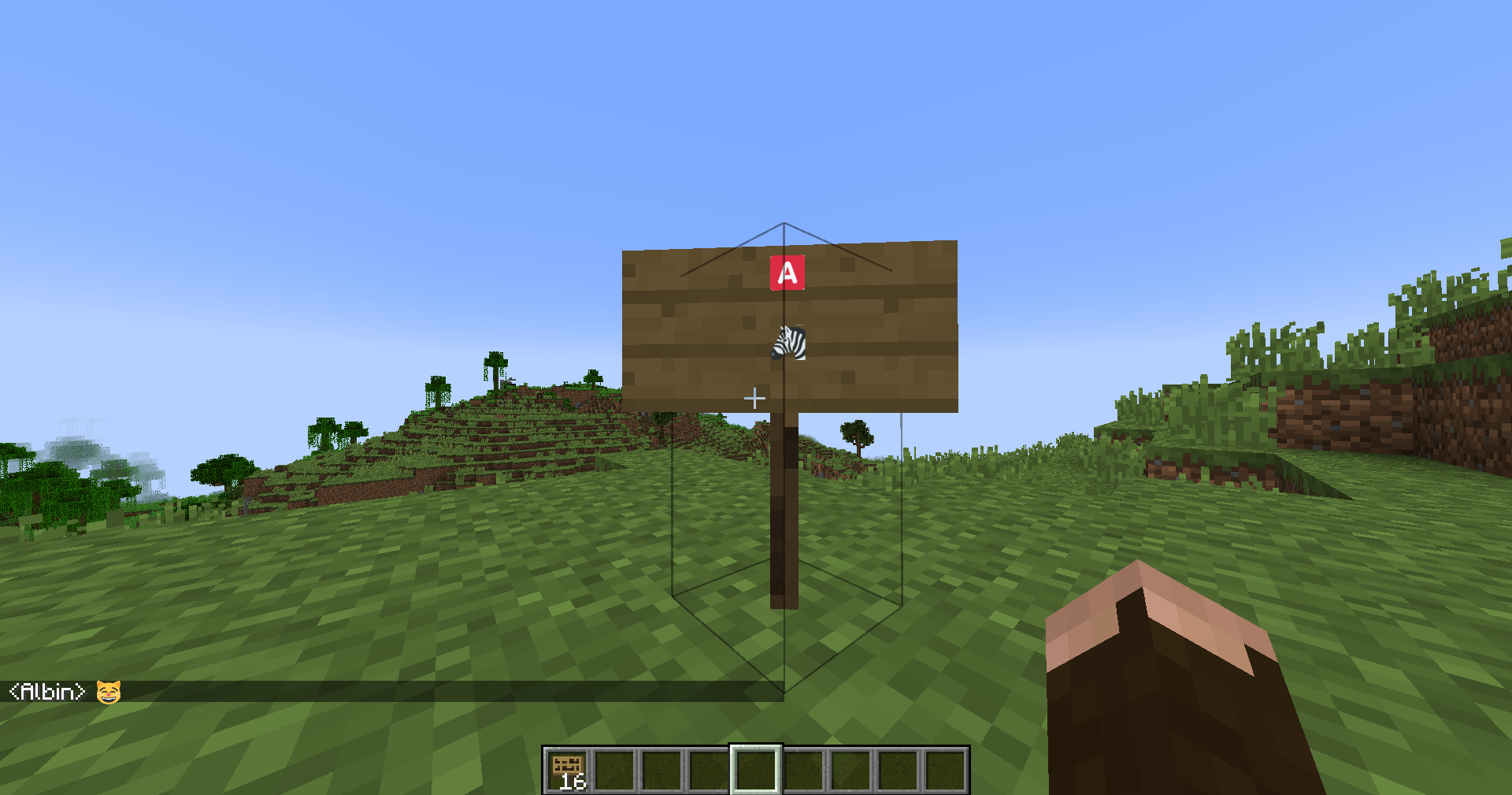 example.png example.png
Versions
Files
Relations
Project Relations
More like this
Similar Mods
Suggestions use data such as tags, dependencies, dependents, descriptions, titles, and more to rank how much they overlap with this mod.
On ModDex
Community snapshot
By the numbers
Statistics

Get it on
Available Platforms
On ModDex
Community snapshot
By the numbers