
Community listing page, reviews here may not be monitored by the author.
AMS Pings


No reviews yet
Lightweight multiplayer pings for locations, players, and shared items.
Community voices
Reviews
No reviews yet. Be the first to review this project!
Get it on
Available Platforms
Compatibility
Supported Environments
Must be installed on both the client and the server.
About
Project Details
For authors
Embed Badge
If you're the author of this project, you can embed a live badge anywhere that supports HTML or Markdown. It updates automatically whenever ratings change.
Use HTML for any page that supports it, or Markdown for README files and Markdown-based descriptions.
Identifiers
Platform IDs
Resources
External Links
About
Description
AMS Pings adds lightweight multiplayer pings to Minecraft.
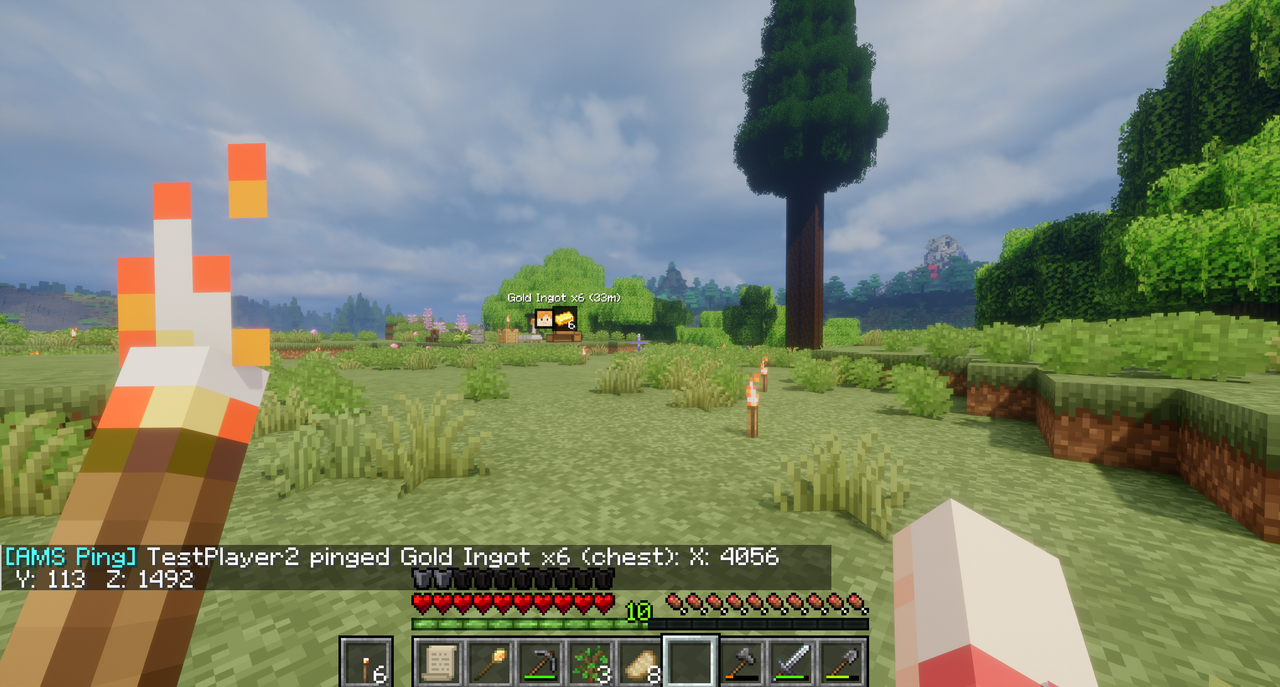
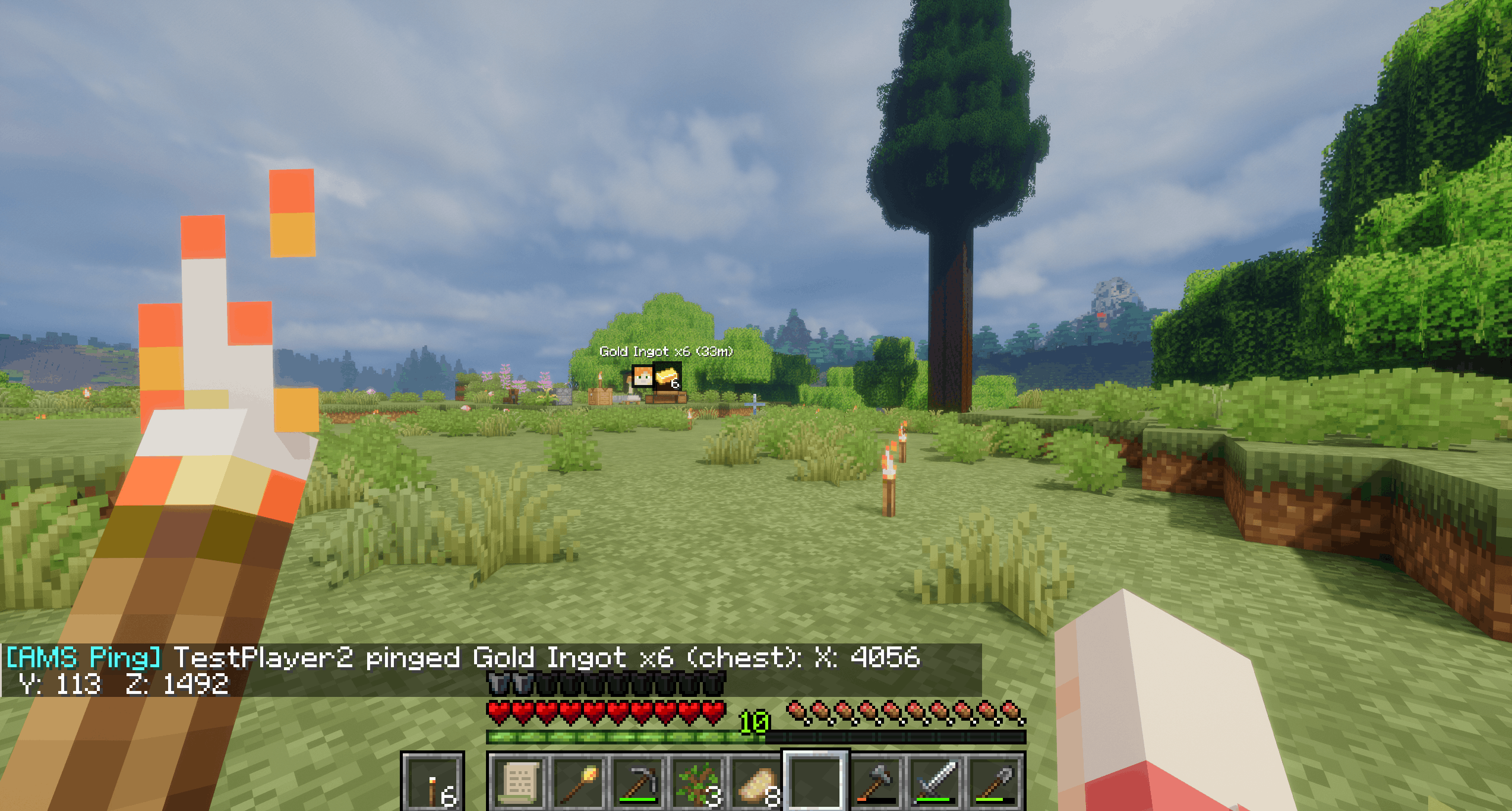
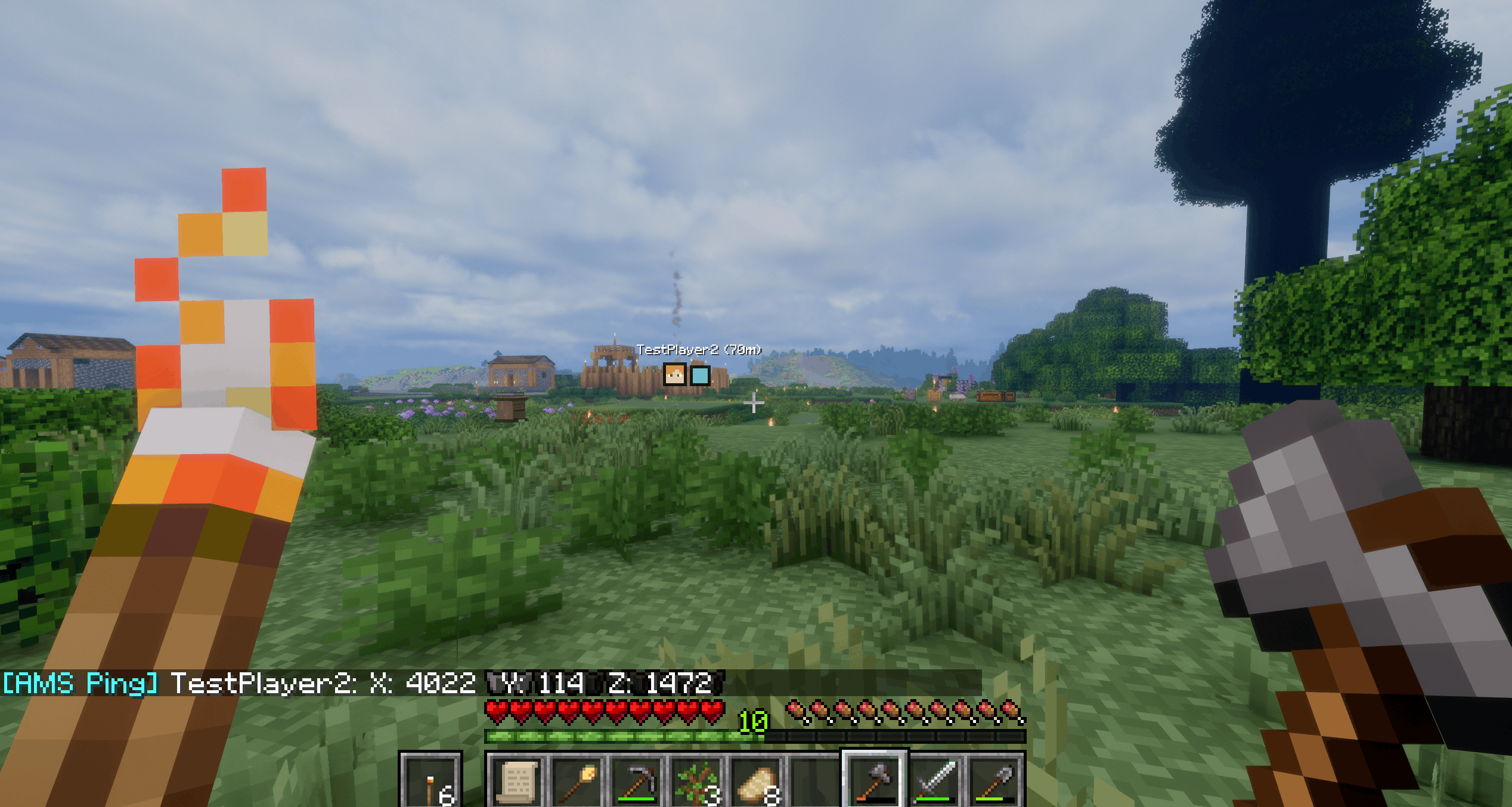
Ping your own position, point at a location in the world, or ping a hovered item from an inventory, chest, furnace, or other container. Pings show compact HUD markers with distance in meters and chat coordinates, so other players can quickly see where to go or what item was called out.
Default hotkeys:
V- ping your own location.B- ping the location you are looking at.Bwhile hovering an item in an inventory/container screen - ping that item.
Hotkeys can be changed in Options -> Controls -> Key Binds under AMS Pings.
Configuration is generated after first launch:
pingDurationMsdefault5000: how long pings stay visible.pingCooldownMsdefault5000: cooldown between pings per player.targetRangeBlocksdefault160: maximum distance for pinging the place you are looking at.markerSizedefault7: marker square size before HUD scaling.showDistancedefaulttrue: shows distance in meters.showOffscreenMarkersdefaulttrue: clamps offscreen pings to the screen edge.
Features
- Self-location pings.
- World location pings for the place you are looking at.
- Hovered item pings from inventories and containers.
- Player faces and item icons where useful.
- Distance in meters.
- Chat coordinates with
X,Y, andZ. - Offscreen edge markers.
- Configurable duration, cooldown, range, marker size, distance text, and edge markers.
Installation
Install the jar on the server and every client that should send or see pings.
Compatibility Notes
- Distant Horizons-only visual terrain may not be pingable because the mod needs an actual in-game surface to detect.
If you enjoy this mod, consider supporting my work.
AMS Pings adds lightweight multiplayer pings to Minecraft.
Ping your own position, point at a location in the world, or ping a hovered item from an inventory, chest, furnace, or other container. Pings show compact HUD markers with distance in meters and chat coordinates, so other players can quickly see where to go or what item was called out.
Default hotkeys:
V- ping your own location.B- ping the location you are looking at.Bwhile hovering an item in an inventory/container screen - ping that item.
Hotkeys can be changed in Options -> Controls -> Key Binds under AMS Pings.
Configuration is generated after first launch:
pingDurationMsdefault5000: how long pings stay visible.pingCooldownMsdefault5000: cooldown between pings per player.targetRangeBlocksdefault160: maximum distance for pinging the place you are looking at.markerSizedefault7: marker square size before HUD scaling.showDistancedefaulttrue: shows distance in meters.showOffscreenMarkersdefaulttrue: clamps offscreen pings to the screen edge.
Features
- Self-location pings.
- World location pings for the place you are looking at.
- Hovered item pings from inventories and containers.
- Player faces and item icons where useful.
- Distance in meters.
- Chat coordinates with
X,Y, andZ. - Offscreen edge markers.
- Configurable duration, cooldown, range, marker size, distance text, and edge markers.
Installation
Install the jar on the server and every client that should send or see pings.
Compatibility Notes
- Distant Horizons-only visual terrain may not be pingable because the mod needs an actual in-game surface to detect.
If you enjoy this mod, consider supporting my work.
Screenshots
Gallery
-
 Screenshot_3 (1).png Screenshot_3 (1).png
 -
 Screenshot_1.png Screenshot_1.png
 -
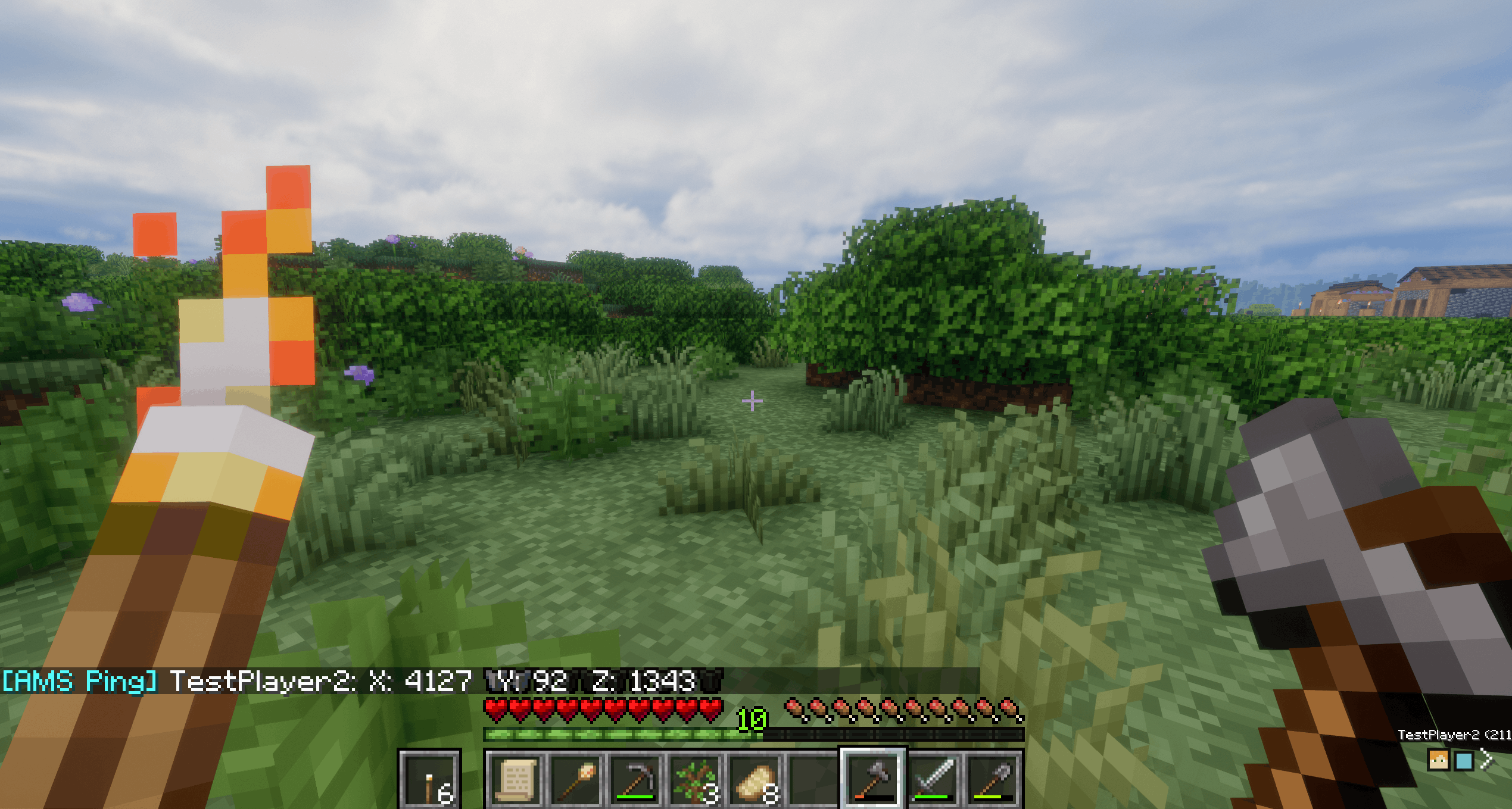 Screenshot_2.png Screenshot_2.png
 -
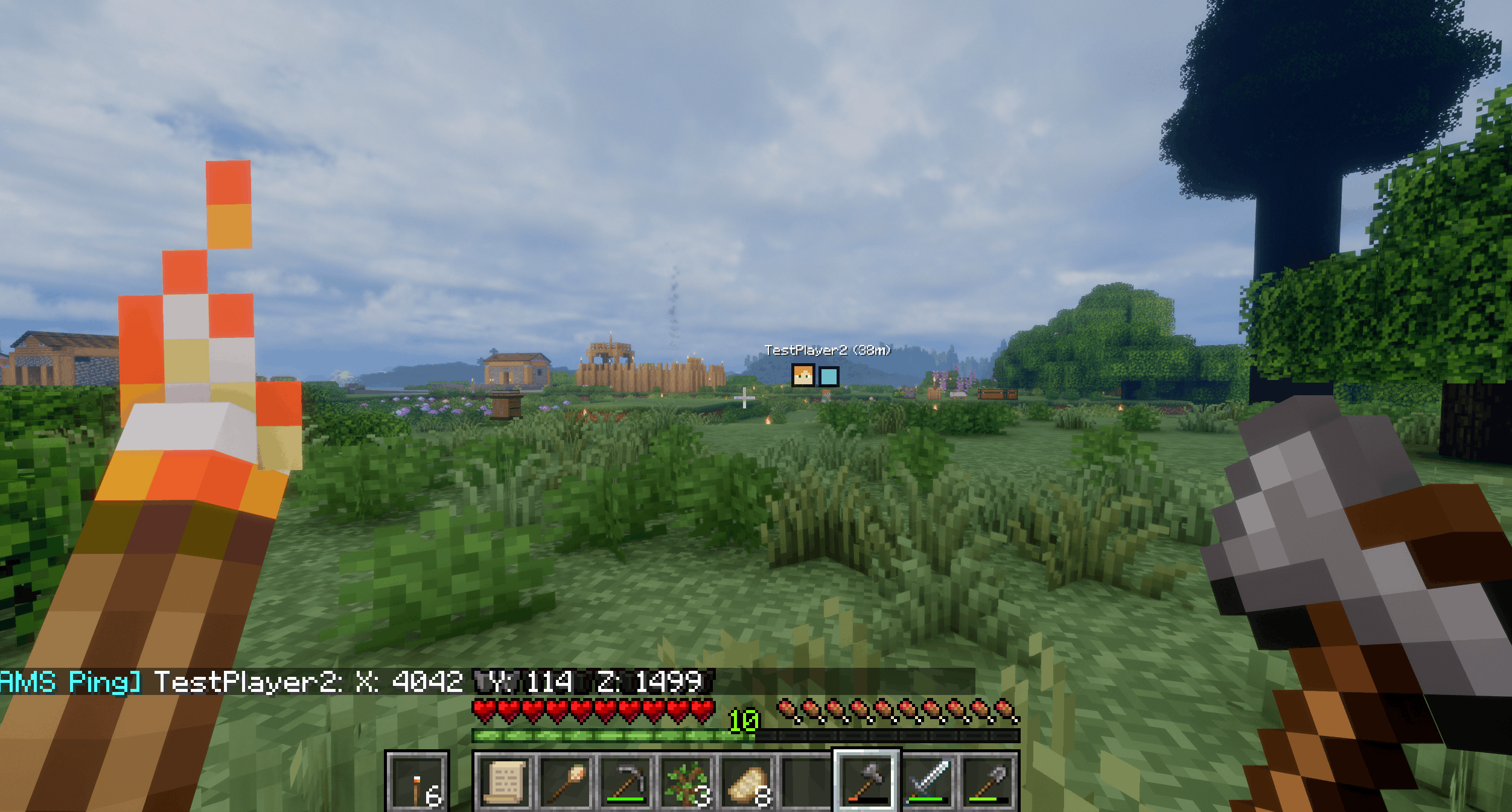 Screenshot_16.png Screenshot_16.png
-
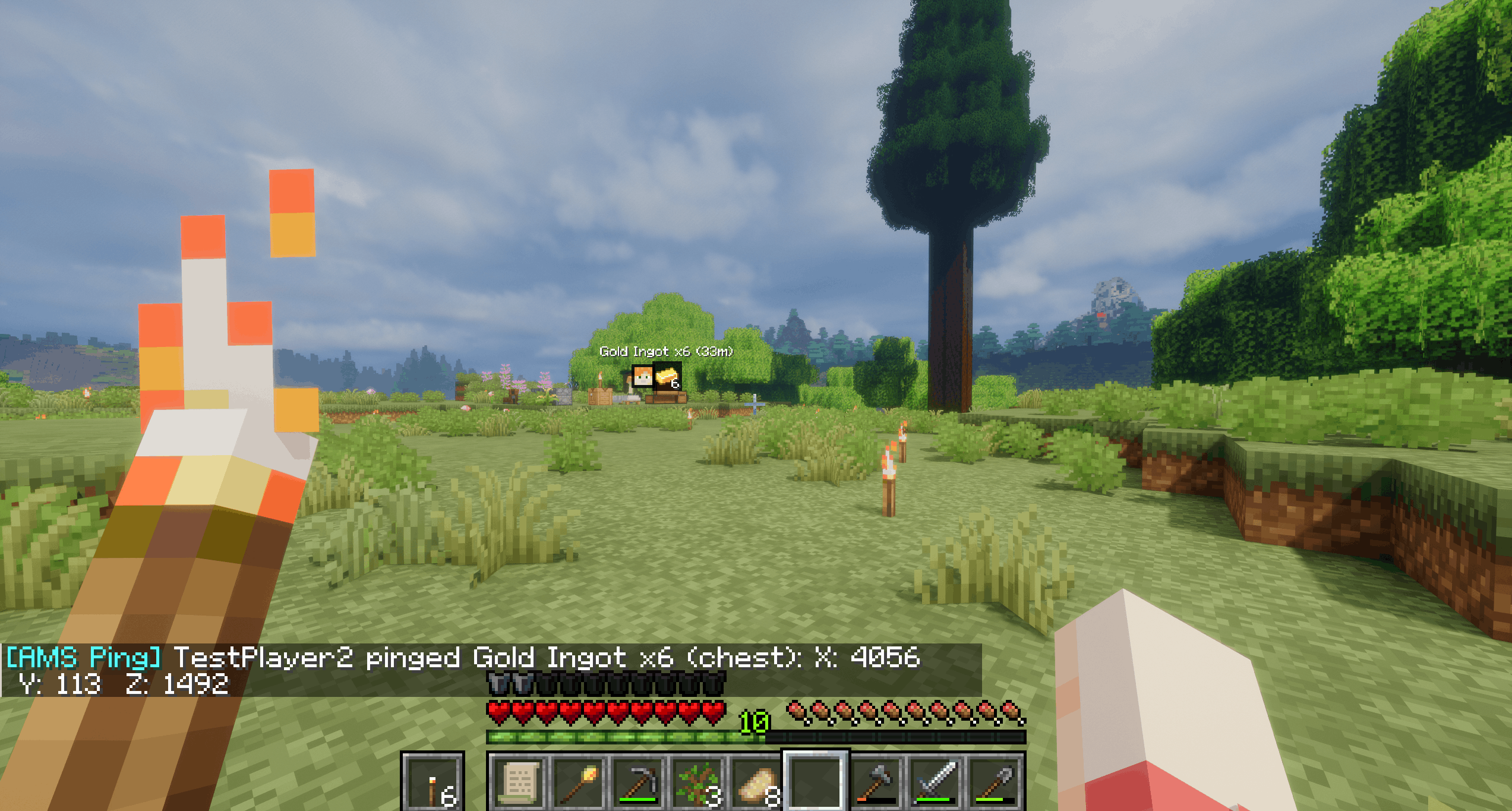 Ams Pings Ping chest item
 -
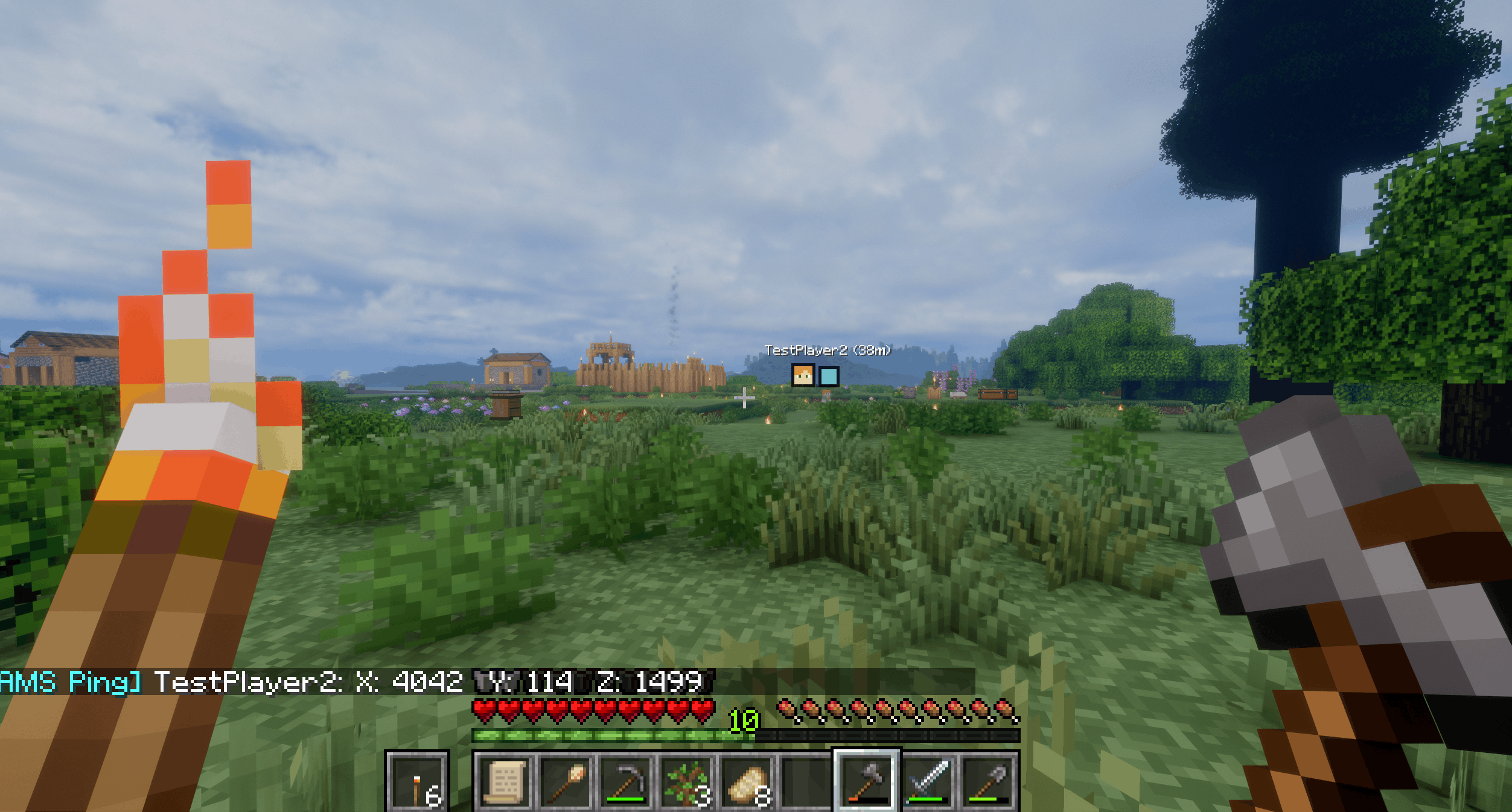 Ams Pings Friend ping
 -
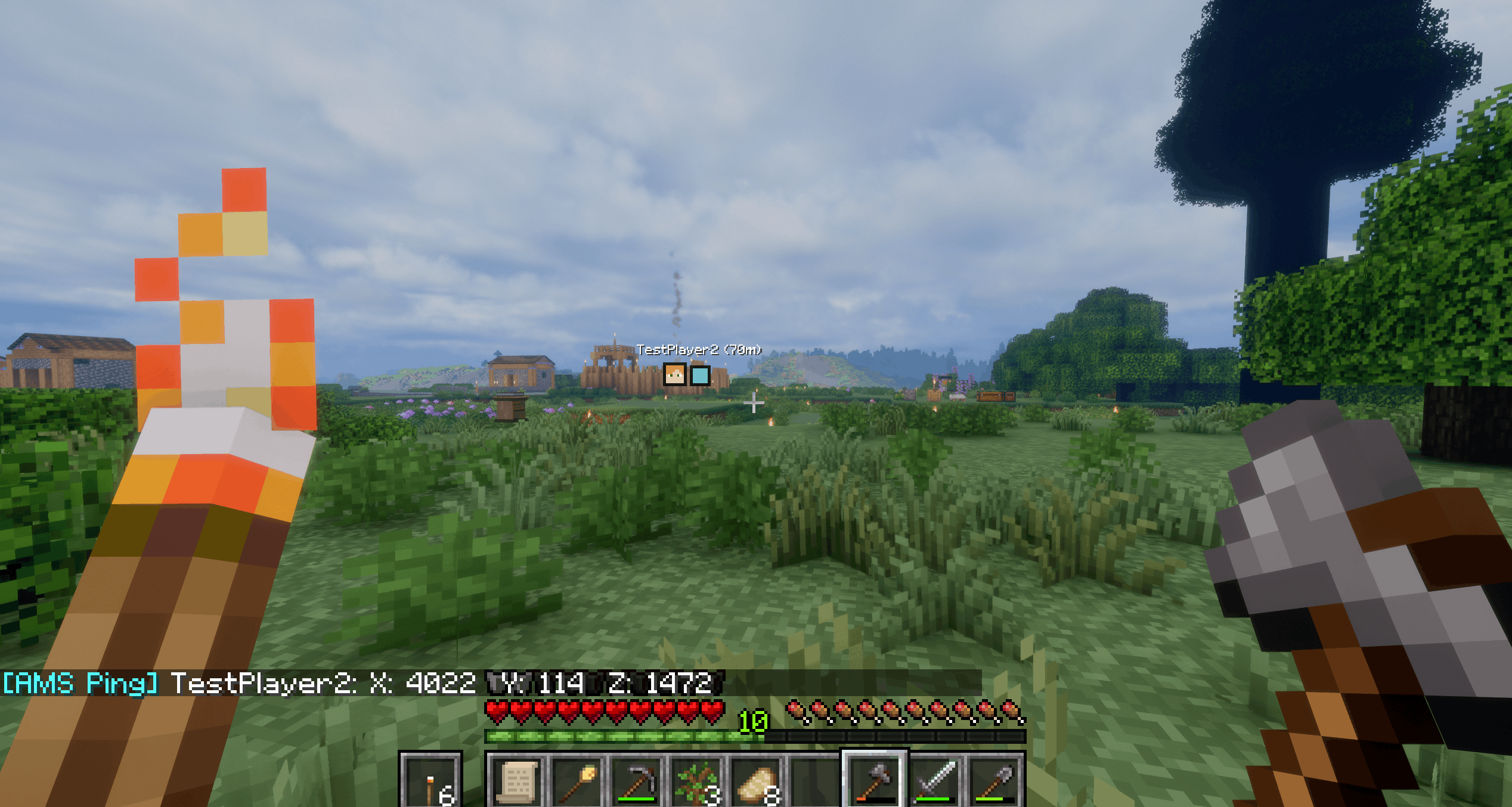 Ams Pings Friend ping location
 -
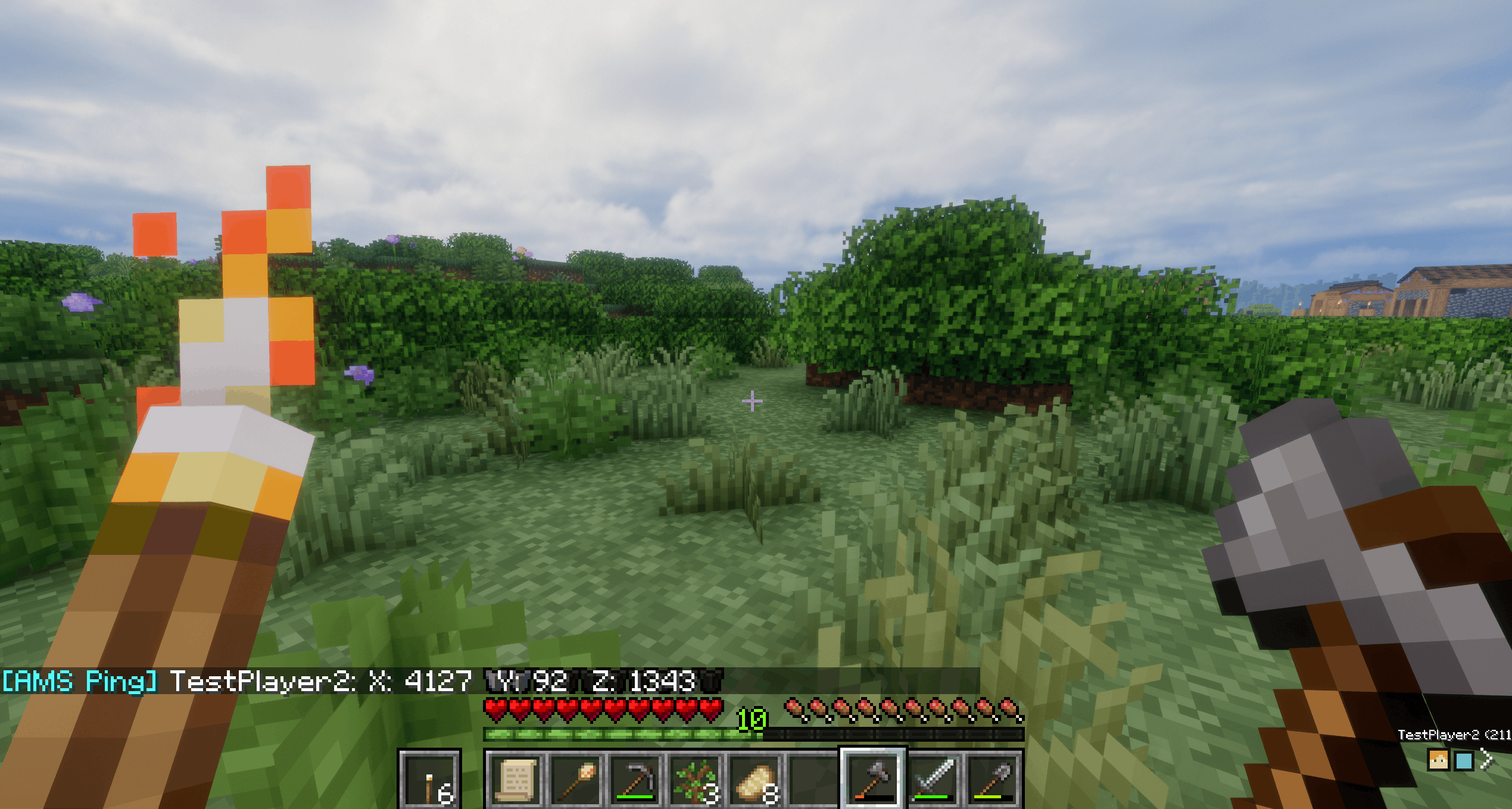 Ams Pings Ping outside view
Versions
Files
Relations
Project Relations
More like this
Similar Mods
Suggestions use data such as tags, dependencies, dependents, descriptions, titles, and more to rank how much they overlap with this mod.
On ModDex
Community snapshot
By the numbers
Statistics
Want to reach Minecraft players?
We're looking for a server hosting partner to feature here and other parts of the site. Interested? Send us a message!
Get in touchGet it on
Available Platforms
On ModDex
Community snapshot
By the numbers
Statistics
Resources